PJWMBRW35Mobile Broadband Router
Ericsson AB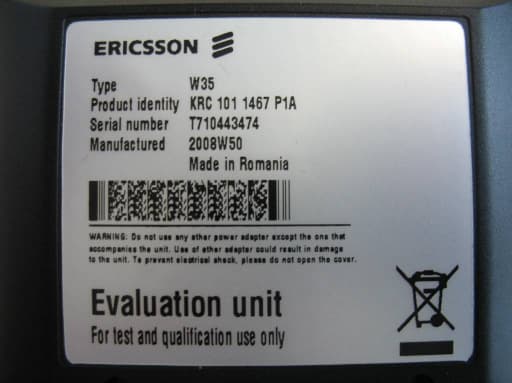
Click to zoom
Application Details
- Equipment Class
- PCB - PCS Licensed Transmitter
- Date of Grant
- Mar 22, 2009
- Application Purpose
- Original Equipment
- Date of Application
- Mar 22, 2009
- Equipment Note
- Mobile Broadband Router
- Frequency Range
- 826.40000000 - 846.60000000
- Company
- Ericsson AB
- Country
- Sweden
Documents & Files
Document Text
Text extracted from the exhibit documents filed with the FCC. Open a document above to read the original.
Users Manual
Ericsson W3x Series Mobile Broadband Router for WCDMA/HSPA Mobile Networks Safety and Regulatory Information Ericsson W3x Series Mobile Broadband Router for WCDMA/HSPA Mobile Networks Safety and Regulatory Information . Copyright © Ericsson AB 2008 - All Rights Reserved Disclaimer No part of this document may be reproduced in any form without the written permission of the copyright owner. The contents of this document are subject to revision without notice due to continued progress in methodology, design and manufacturing. Ericsson shall have no liability for any error or damage of any kind resulting from the use of this document. ii 3/1551-CRH 102 168 Uen Rev PA2 2008-11-04 . Contents 1 Safety Information 1 1.1 Product Care and Safety 1 1.2 Antenna Care 2 1.3 Radio Wave Exposure Information 2 1.4 Personal Medical Devices 3 1.5 Potentially Explosive Atmospheres 3 1.6 Intended Use 3 1.7 Power Supply 4 1.8 Installation Practices 4 1.9 Battery (W35 only) 4 1.10 Mains Power Fails 4 1.11 Children 4 1.12 Moving or Storing 5 2 Regulatory Information 6 2.1 Declaration of Conformity 6 2.2 FCC Statement 7 2.2.1 FCC Part 15 Statement Note 7 2.2.2 Caution 7 2.3 Canada Statement 8 2.3.1 Canadian ICES-003 Statement 8 2.4 Wireless Guidance 8 2.5 Power Supply 9 2.6 Environmental Conditions 10 2.7 WiFi Compliance 10 2.8 RoHS Compliance 10 2.9 USB Compliance 10 2.10 WEEE Directive 10 3/1551-CRH 102 168 Uen Rev PA2 2008-11-04 iii Safety Information 1 Safety Information Note: Read this information before using your Ericsson Mobile Broadband Router (MBR) W30/W35 for safe and efficient use. 1.1 Product Care and Safety Your Ericsson W30/W35 is a highly sophisticated electronic device. To get the most out of it, be sure to read the following text about product care, safety and efficient use. Treat your product with care, keep it in a clean and dust free place. Do not expose your Ericsson W30/W35 to liquid, moisture or humidity. Do not expose your Ericsson W30/W35 to extreme high or low temperatures; refer to the topic Environmental Conditions documented on page 7 for more detailed information. Do not expose your Ericsson W30/W35 to open flames or lit tobacco products. Do not drop, throw or try to bend the product since rough treatment could damage it. Do not use this product near water, for example, near a bathtub, washbowl, kitchen sink or laundry tub, in a wet basement or near a swimming pool. Avoid using a telephone (other than cordless type) during an electrical storm. There may be a remote risk of electric shock from lightning. Do not use this product near medical equipment. Do not use this product in an aircraft because this product can transmit signals that could interfere with various onboard systems and may be dangerous to the operation of the aircraft or disrupt the cellular network. The optional battery within the W35 should be removed. Do not use this product near life support equipment, or any equipment which may be susceptible to any form of radio interference. In such areas this product must be powered off. This product can transmit signal that could interfere with such equipment. 3/1551-CRH 102 168 Uen Rev PA2 2008-11-04 1 Safety Information Do not attempt to disassemble you Ericsson W30/W35. A broken warranty seal will void the warranty. The product does not contain consumer serviceable components. Only Certified Service Centers should perform service. Do not use any accessories other than those approved by Ericsson or approved for use by your service provider. Use of non-original, or non- approved accessories, may result in loss of performance, damage to the product, fire, electric shock or injury and may violate regulations. The warranty does not cover product failures that have been caused by use of non-original or non-approved accessories. Only Telephone equipment approved in the country where the W35 is used is to be connected. 1.2 Antenna Care Use only an antenna that has been specially designed and approved for your Ericsson W30/W35. Use of unauthorized antennas, modifications, or attachments could damage the router and may violate the appropriate regulations, causing loss of performance and radio frequency (RF) energy above the recommended limits. Do not hold or touch the antenna when the Ericsson W30/W35 is in use. Holding or touching the antenna affects call quality. Do not use the Ericsson W30/W35 if the antenna or antenna cable is damaged or missing. Do not place the telephone cord or the power supply cord on, or near, the Ericsson W30/W35 antenna or antenna cable. Do not cover or place an obstruction on, or around, the antenna. 1.3 Radio Wave Exposure Information The Ericsson W30/W35 is a low-power radio transmitter and receiver. During use, it emits low levels of radio frequency energy (also known as radio waves or radio frequency fields). Governments around the world have adopted comprehensive international safety guidelines, developed by scientific organizations, e.g. ICNIRP (International Commission on Non-lonizing Radiation Protection) and IEEE (The Institute of Electrical and Electronics Engineers Inc.) through periodic and thorough evaluation of scientific studies. 2 3/1551-CRH 102 168 Uen Rev PA2 2008-11-04 Safety Information These guidelines establish permitted levels of radio wave exposure for the general population. The levels include a safety margin designed to assure the safety of all persons, regardless of age and health, and to account for any variations in measurements. Specific Absorption Rate (SAR) is the unit of measurement for the amount of radio frequency energy absorbed by the body. The SAR level for this product was determined at the highest certified level in laboratory conditions using a measurement standard published by the European Committee for Electrotechnical Standardization (CENELEC). With the antenna solutions recommended by Ericsson, the maximum radio wave exposure is below the limit in the international safety guidelines within a few centimeters fr…
Text truncated - open the document above for the full version.
Users Manual
Ericsson W3x Series Mobile Broadband Router for WCDMA/HSPA Mobile Networks User's Guide Ericsson W3x Series Mobile Broadband Router for WCDMA/HSPA Mobile Networks User's Guide . Copyright © Ericsson AB 2008 - All Rights Reserved Disclaimer No part of this document may be reproduced in any form without the written permission of the copyright owner. The contents of this document are subject to revision without notice due to continued progress in methodology, design and manufacturing. Ericsson shall have no liability for any error or damage of any kind resulting from the use of this document. Trademark List Firefox ® Firefox is a registered trademark of Mozilla Foundation. Internet Explorer is a registered trademark of Microsoft Corporation. Internet Explorer ® MSN Messenger is a registered trademark of Microsoft Corporation. MSN Messenger ® Opera ® Opera is a registered trademark of Opera Software ASA. Safari ® Safari is a registered trademark of Apple Computer, Inc. Windows is a registered trademark of Microsoft Corporation. Windows ® All other brand and product names are trademarks or registered trademarks of their respective holders. ii 1/1551-CRH 102 168 Uen Rev PA2 2008-11-12 . Contents 1 Introduction 1 1.1 Structure of this Guide 1 1.2 Related Documents 2 2 W3x Series Overview 3 2.1 Product Variants 3 2.2 W30 – Data Router 4 2.3 W35 – Data and Voice Router 5 2.4 Feature Summary 5 2.5 Housing 7 2.5.1 Back Side Interfaces 7 2.5.2 Left Side Interfaces 9 2.5.3 Right Side Interface 10 2.5.4 Front Panel 10 3 Configuration and Management 14 3.1 Access and Login to the Web User Interface 14 3.1.1 Enter PIN code 15 3.1.2 Enter Password 15 3.1.3 Inactivity Timeout 16 3.2 Overview 18 3.2.1 Alarms 19 3.2.2 Network Information 20 3.3 Wireless LAN Configuration Wizard 21 3.3.1 Enable the Wireless LAN 21 3.3.2 Network Name 22 3.3.3 Wireless LAN Authentication 22 3.3.4 Wireless LAN Configuration Wizard Confirmation 28 3.4 Internet 29 3.4.1 Mobile Network Connection Details 30 1/1551-CRH 102 168 Uen Rev PA2 2008-11-12 iii Contents 3.4.2 Traffic Statistics 31 3.4.3 Authentication 31 3.4.4 Cellular Band Selection 34 3.5 LAN 36 3.5.1 LAN IP Address 36 3.5.2 DHCP Server 37 3.5.3 LAN Port Status 39 3.6 Wireless LAN 40 3.6.1 Enable WLAN 40 3.6.2 Region 41 3.6.3 Radio Channel 41 3.6.4 Transmit Power [dBm] 41 3.6.5 Data Rate 41 3.6.6 Scan for Wireless Networks 42 3.6.7 Network Name (SSID) 43 3.6.8 WLAN Security 43 3.6.9 Connected Devices 45 3.6.10 Whitelist 45 3.7 NAT 47 3.7.1 UPnP IGD 48 3.7.2 Application Level Gateways 48 3.7.3 Port Forwarding 49 3.8 File and Printer Sharing 52 3.8.1 How it Works 52 3.8.2 Host Name and Workgroup 53 3.8.3 File Sharing 53 3.8.4 Printer Sharing 54 3.9 System 56 3.9.1 Basic System Information 57 3.9.2 Configuration Backup and Restore 57 3.9.3 System Restart 58 3.9.4 Software Update 59 3.9.5 Factory Reset 60 iv 1/1551-CRH 102 168 Uen Rev PA2 2008-11-12 Contents 3.10 Event Log 62 3.10.1 Persistent Logging 63 3.11 Change Password 63 3.12 Logout 64 4 Telephony and Fax (W35 only) 65 4.1 SIM Authentication 65 4.2 Information Tones 66 5 Battery (W35 only) 67 5.1 Installation of the Battery 67 5.2 Battery Function 67 6 PC Configuration 68 6.1 IP Settings 68 6.1.1 Obtain IP Settings Automatically 68 6.1.2 Configure Static IP Address 70 6.2 Wireless LAN Settings 70 6.2.1 Prepare the Wireless Client(s) 70 6.2.2 Install the Wireless LAN Interface 70 6.2.3 Configure Access to the W3x WLAN 71 6.3 USB Sharing Settings 71 6.3.1 Check Workgroup Settings 72 6.3.2 Access a Shared Storage Device 73 6.3.3 Set Up a Connection to a Shared Storage Device 73 6.3.4 Access a Shared Printer 74 7 Troubleshooting 77 7.1 Restart 77 7.2 Reset to Factory Default Settings 77 7.3 LAN Connections 78 7.4 Internet Access 79 7.4.1 Change TCP Settings 80 1/1551-CRH 102 168 Uen Rev F 2008-11-12 v Contents 7.5 Wireless LAN Connection 80 7.6 Access to Shared Files or Printer 82 7.7 Telephony and Fax Service (W35 only) 83 Glossary 85 vi 1/1551-CRH 102 168 Uen Rev PA2 2008-11-12 Introduction 1 Introduction This chapter describes the structure of this guide and provides a list of reference documents. 1.1 Structure of this Guide This User’s Guide contains information that is needed for an end-user to configure and manage the Ericsson Mobile Broadband Router (MBR) W3x product series. This guide describes both the Ericsson W30 and W35 and when design, functionality and commands are in common, the term ”Ericsson W3x” is used. Any information that is unique to a specific model is described with the appropriate product name; Ericsson W30 or Ericsson W35. The following chapters are included: • Chapter 1 – “Introduction” – provides information about this guide and provides a list of reference documents. • Chapter 2 – “W3x Series Overview” gives an overview of the Ericsson W3x product series • Chapter 3 – “Configuration and Management” – provides detailed information about how to perform configuration and management of the Ericsson W3x. • Chapter 4 – “Telephony and Fax (W35 only)” – includes information about the telephony and fax function in the Ericsson W35. It also includes instructions on how to enter the SIM authentication codes via a telephone handset. • Chapter 5 – “Battery (W35 only)” – includes information about how to handle battery installation and charging for the Ericsson W35. • Chapter 6 – “PC Configuration” – gives instructions for configuring computers to work with the Ericsson W3x. • Chapter 7 – “Troubleshooting” – describes how to solve a number of issues that could occur during installation, configuration, and use of the Ericsson W3x. 1/1551-CRH 102 168 Uen Rev PA2 2008-11-12 1 Introduction • The Glossary includes abbreviations and explanations to technical terms used in this guide. 1.2 Related Documents In the following documents, more information about the Ericsson W3x can be found: • Ericsson W3x Series, Quick Installation Guide, XX/LZT 108 9869, Ericsson AB 2008. • Ericsson W3x Series, Safety and Regulatory …
Text truncated - open the document above for the full version.
Cover Letter(s)
CONFIDENTIALITY REQUEST for Certification Service in USA Federal Communication Commission Equipment Authorization Division, Application Processing Branch 7435 Oakland Mills Road Columbia, MD 21048 2009-02-13 TO WHOM IT MAY CONCERN Pursuant to Paragraphs §0.457 and 0.459 of the Commission’s Rules (47 C.F.R.) and Section §552(b)(4) of the Freedom of Information Act, we request confidentiality for the following product(s): FCC ID Model name PJWMBRW30 W30 PJWMBRW35 W35 PJWMBRW35-92 W35 (92) For the product stated above, we request permanent confidentiality for exhibits which contain Operational Description, Block Diagram, Schematic Diagram, Parts Lists or Tune Up Information. The above exhibits contain our trade secrets and proprietary information that could be a benefit to our competitors. If you have any questions, please feel free to contact me at the address shown below. Sincerely, (signed) Name: Anders Svensson Company: Ericsson AB, PDU RAN Transmission & Home Address: P.O. Box 1248, Datalinjen 3, 581 12 Linkoping, Sweden Phone: +46 10 719 00 00 Fax: +46 10 711 50 89 Email: [email protected]
External Photos
CETECOM ICT Services GmbH Annex to Test report no.: 2-4900-02-07/08 2009-02-11 Page 16 of 30 8 Ph otog ra ph s of th e EUT Photo documentation Photo 4: CETECOM ICT Services GmbH Annex to Test report no.: 2-4900-02-07/08 2009-02-11 Page 17 of 30 Photo 5: Photo 6: CETECOM ICT Services GmbH Annex to Test report no.: 2-4900-02-07/08 2009-02-11 Page 18 of 30 Photo 7: Photo 8: CETECOM ICT Services GmbH Annex to Test report no.: 2-4900-02-07/08 2009-02-11 Page 19 of 30 Photo 9: Photo 10: CETECOM ICT Services GmbH Annex to Test report no.: 2-4900-02-07/08 2009-02-11 Page 20 of 30 Photo 11: Photo 12:
ID Label/Location Info
3 W35
Internal Photos
Internal photos of W35 Front board primary layer UMTS module UMTS Antenna Front board primary layer Front board primary layer Front board primary layer Backboard primary layer WLAN module WLAN antenna Backboard secondary layer Backboard Secondary layer
RF Exposure Info
CETECOM ICT Services GmbH Test report no.: 2-4900-02-07/08 2009-02-12 Page 127 of 135 7 Annex A: MPE ca lculation 7 . 1 A n t e n n a c o n f i g u r a t i o n s The EUT can be used with different antenna configurations: - Internal PCB-antenna - External window-antenna - External roof-antenna The EUT is equipped with a switching MCX-connector to switch between internal and external antenna. Maximum conducted output power configurations: 850 MHz: GPRS multi-slot class 12 1.446 W 1900 MHz: GPRS multi-slot class 12 0.468 W Maximum antenna gain for internal PCB-antenna 850 MHz: Gain -0.2 dBi 1900 MHz: Gain 0.5 dBi Maximum antenna Gain for external window-antenna (datasheet in chapter 7.3) 850 MHz: Gain 2.15 dBi 1900 MHz: Gain 2.15 dBi Maximum antenna Gain for external roof-antenna (datasheets in chapter 7.3) 850 MHz: Gain 11.0 dBi (antenna) 1900 MHz: Gain 11.0 dBi (antenna) This antenna will be delivered with 10 m antenna cable and an attenuator of 3 dB. So the effective gain can be calculated as follows: Gain = Gain(Antenna) – Attenuation(attenuator) – Attenuation(cable) 850 MHz: Gain (eff) = 11 dBi – 3 dBi – 10*0.45 dB/m = 3.5 dBi 1900 MHz: Gain(eff) = 11 dBi – 3 dBi – 10*0.72 dB/m = 0.8 dBi CETECOM ICT Services GmbH Test report no.: 2-4900-02-07/08 2009-02-12 Page 128 of 135 7 . 2 M PE c a l c u l a t i o n Maximum possible radiated output power configurations 850 MHz: 31.6 dBm + 3.5 dBi = 35.1 dBm = 3236 mW (EIRP) = 1977 mW (ERP) (with roof-antenna) 1900 MHz: 26.7 dBm + 2.15 dBi = 28.85 dBm = 768 mW (EIRP) (with window-antenna) Maximum permissive exposure (MPE) 850 MHz: Limit 0.57 mW/cm² PD = P rad * DF / (4 * Л * r²) PD = 3236 mW * 0.5 / (4 * Л * 20² cm²) PD = 0.322 mW/cm² Result: The device complies with the rules for a distance of 20 cm. 1900 MHz: Limit 1.00 mW/cm² PD = P rad * DF / (4 * Л * r²) PD = 768 mW * 0.5 / (4 * Л * 20² cm²) PD = 0.077 mW/cm² Result: The device complies with the rules for a distance of 20 cm. PD = Power Density P rad = Maximum radiated output power in mW DF = Duty factor r = Distance in cm CETECOM ICT Services GmbH Test report no.: 2-4900-02-07/08 2009-02-12 Page 129 of 135 7 . 2 . 1 R F T e c h n i c a l B r i e f C o v e r S h e e t a c c . T o R S S - 1 0 2 All Fields must be completed with the requested information or the following codes: N/A for Not Applicable, N/P for Not Performed or N/V for Not Available. Where applicable, check appropriate box. 1. COMPANY NUMBER: 287X 2. MODEL NUMBER: MBR W35 MBR W3 3. MANUFACTURER: Ericsson AB PDU RAN Transmission & Home Ericsson AB 4. TYPE OF EVALUATION: (c) RF Evaluation ● Evaluated against exposure limits: General Public Use Controlled Use ● Duty cycle used in evaluation: 100 % ● Standard used for evaluation: RSS-102 Issue 2 (2005-11) ● Measurement distance: 0.20 m ● RF value: 3.22 V/m □ A/m □ W/m 2 (850 MHz) ● RF value: 0.77 V/m □ A/m □ W/m 2 (1900 MHz) Measured Computed Calculated Declaration of RF Exposure Compliance ATTESTATION: I attest that the information provided in this test report are correct; that a Technical Brief was prepared and the information it contains is correct; that the device evaluation was performed or supervised by me; that applicable measurement methods and evaluation methodologies have been followed and that the device meets the SAR and/or RF exposure limits of RSS-102. Name: Stefan Boes Title: Dipl.Ing.(FH) Company: Cetecom ICT Services GmbH CETECOM ICT Services GmbH Test report no.: 2-4900-02-07/08 2009-02-12 Page 130 of 135 7 . 3 D a t a s h e e t s 7 . 3 . 1 W i n d o w a n t e n n a CETECOM ICT Services GmbH Test report no.: 2-4900-02-07/08 2009-02-12 Page 131 of 135 7 . 3 . 2 R o o f a n t e n n a CETECOM ICT Services GmbH Test report no.: 2-4900-02-07/08 2009-02-12 Page 132 of 135 CETECOM ICT Services GmbH Test report no.: 2-4900-02-07/08 2009-02-12 Page 133 of 135 7 . 3 . 3 A t t e n u a t o r CETECOM ICT Services GmbH Test report no.: 2-4900-02-07/08 2009-02-12 Page 134 of 135 CETECOM ICT Services GmbH Test report no.: 2-4900-02-07/08 2009-02-12 Page 135 of 135 7 . 3 . 4 A n t e n n a c a b l e
Test Report
CETECOM ICT Services GmbH Untertürkheimer Straße 6-10 . D-66117 Saarbrücken Phone: +49 (0) 681-598-0 Fax: -9075 RSC-Laboratory 2009-02-12 Page 1 of 135 Accredited testing-laboratory DAR registration number: DAT-P-176/94-D1 Federal Motor Transport Authority (KBA) DAR registration number: KBA-P 00070-97 Recognized by the Federal Communications Commission Anechoic chamber registration no.: 90462 (FCC) Anechoic chamber registration no.: 3462C-1 (IC) Certification ID: DE 0001 Accreditation ID: DE 0002 Accredited Bluetooth ® Test Facility (BQTF) The Bluetooth word mark and logos are owned by the Bluetooth SIG, Inc. and any use of such marks by Cetecom ICT is under license Test report no. : 2-4900-02-07/08 Type identification : MBR W35 Applicant : Ericsson AB FCC ID : PJWMBRW35 IC Certification No : 287X-MBRW35 Test standards : 47 CFR Part 2 47 CFR Part 22 47 CFR Part 24 RSS - 132 Issue 2 RSS - 133 Issue 4 CETECOM ICT Services GmbH Test report no.: 2-4900-02-07/08 2009-02-12 Page 2 of 135 Table of contents 1 G e n e r a l i n f o r m a t i o n . . . . . . . . . . . . . . . . . . . . . . . . . . . . . . . .. . . . . . . . . . . . . . . . . . . . . . . . . . . . . . . . . . . . . . . . . . . . . . . . . . .. . . . . . . . . . . . . . . . . 4 1.1 Notes ...................................................................................................................................................................4 1.2 Testing laboratory ...............................................................................................................................................5 1.3 Details of applicant .............................................................................................................................................5 1.4 Application details ..............................................................................................................................................5 2 T e s t s t a n d a r d / s : . . . . . . . . . . . . . . . . . . . . . . . . . . . . . . . . . . .. . . . . . . . . . . . . . . . . . . . . . . . . . . . . . . . . . . . . . . . . . . . . . . . . . .. . . . . . . . . . . . . . . . . . . . 6 3 T e c h n i c a l t e s t s . . . . . . . . . . . . . . . . . . . . . . . . . . . . . . . . . . . .. . . . . . . . . . . . . . . . . . . . . . . . . . . . . . . . . . . . . . . . . . . . . . . . . . .. . . . . . . . . . . . . . . . . . . . . 7 3.1 Details of manufacturer .......................................................................................................................................7 3.1.1 Test item......................................................................................................................................................8 3.2 Test Setup............................................................................................................................................................9 4 S t a t e m e n t o f C o m p l i a n c e . . . . . . . . . . . . . . . . . . . . . . . . . . . .. . . . . . . . . . . . . . . . . . . . . . . . . . . . . . . . . . . . . . . . . . . . . . . . . . .. . . . . . . . . . . . 1 0 4.1 Summary of Measurement Results....................................................................................................................10 4.1.1 Labeling requirements...............................................................................................................................10 4.1.2 PCS 1900...................................................................................................................................................10 4.1.3 GSM 850 ...................................................................................................................................................10 4.1.4 UMTS Band II...........................................................................................................................................11 4.1.5 UMTS Band V ..........................................................................................................................................11 4.1.6 Receiver ....................................................................................................................................................11 5 M e a s u r e m e n t s a n d r e s u l t s . . . . . . . . . . . . . . . . . . . . . . . . . . .. . . . . . . . . . . . . . . . . . . . . . . . . . . . . . . . . . . . . . . . . . . . . . . . . . .. . . . . . . . . . . 1 2 5.1 Labeling ............................................................................................................................................................12 5.2 PART PCS 1900 ...............................................................................................................................................13 5.2.1 RF Power Output.......................................................................................................................................13 5.2.2 Frequency Stability ...................................................................................................................................17 5.2.3 Radiated Emissions ...................................................................................................................................20 5.2.4 Conducted Spurious Emissions .................................................................................................................25 5.2.5 Block Edge Compliance............................................................................................................................32 5.2.6 Occupied Bandwidth .................................................................................................................................35 5.3 PART GSM 850 ................................................................................................................................................42 5.3.1 RF Power Output....................................…
Text truncated - open the document above for the full version.
Test Setup Photos
CETECOM ICT Services GmbH Annex to Test report no.: 2-4900-02-07/08 2009-02-11 Page 14 of 30 7 Ph otog ra ph s of th e Test S et-up Photo documentation Photo 1: CETECOM ICT Services GmbH Annex to Test report no.: 2-4900-02-07/08 2009-02-11 Page 15 of 30 Photo 2: Photo 3:
Contact Information
Applicant
Anders Svensson(Type Approvals Engineer)
Test Firm
cetecom advanced GmbHGerald Schmidt
Technical Specifications
| # | Rule Parts | Frequency Range | Power Output | Emission | Tolerance |
|---|---|---|---|---|---|
| 6 | 22H | 826.4 MHz - 846.6 MHz | 187.00 mW | 4M20F9W | 0.0261 ppm |