PQZDIR-908SDigital Voice Recorder
Digital Device Inc.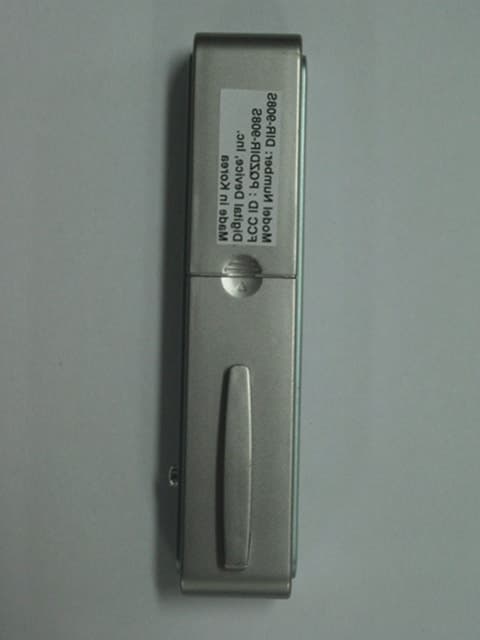
Click to zoom
Application Details
- Equipment Class
- JBP - Part 15 Class B Computing Device Peripheral
- Date of Grant
- Oct 09, 2001
- Application Purpose
- Original Equipment
- Date of Application
- Oct 09, 2001
- Equipment Note
- Digital Voice Recorder
- Company
- Digital Device Inc.
- Country
- South Korea
Documents & Files
Document Text
Text extracted from the exhibit documents filed with the FCC. Open a document above to read the original.
Users Manual
Rev. 1.0 DIGITAL VOICE RECORDER Recording time Model SP LP (Standard Play Mode) (Long Play Mode) DIR-908S 240min 540min Key Features * LCD Display : shows the status of voice recorder * Long recording time : LP Mode /Max 540min * 99 messages per folder (Max 396 messages)* Automatically turns off when not in use * Recording mode selection : SP/ LP * Checks the available recording time left * VOX : When there is no sound input for 5 minutes during recording ,voice recorder automatically turns to stand-by mode * External input /output jack : provides interactive recording between voice recorder and other equipment such as computer and audio * Auto play search : playback all messages for 5 seconds* Digital volume control : 16 steps sound volume control * Display sound level during recording and playback . -1- Parts Identification * TOP *Front *Left *Right LCD(Liquid Crystal Display) Description -2- LCD •. Functions Play/Stop button : When play ,record /stop playback ,record / playback PLAY << >> << >> : When REW /FF during playback REW FF REC : Recording start /stop REC Mode button :When institute mode MODE • • • : Volume UP/DOWN -3- • Installing /Replacing batteries Be sure to replace batteries in stop mode 1. To open the battery cover , press • and then slide it off. Insert two AAA(LR03) batteries according to the polarity indication and then slide the cover back into For power on place. *Press Play button Battery Life TimeAvailable Time LR03 alkaline batteries For power off Recording Approximately 10hr. * Voice recorder automatically turns off if no button is Speaker playback(VOL:5) Approximately 8hr. pressed . * Press MODE button once and then PLAY button to Power off by manual. 2. To check the remaining battery power , press the PLAY button or REC button -4- Battery Cover picture Battery •• •• Recording Recording by a built-in microphone 1 .Press the PLAY button to power on Voice recorder2. If press the REC button ,the red Led indicator turns on and recording starts. When recording starts ,Recording number ,volume level ,time are displayed on LCD.3. To stop recording ,press REC button .4. Voice recorder turns off automatically ,if there is no other key input within 1 minute after stop recording. 5. If recording time exceed the maximum time or messages goes over 99messages per folder, recording doesn't go on.Recording by a external microphone Connect external microphone to line-in jack and follow the same procedure of above built-in microphone recording.Increasing the recording number during recordingIf FF button is pressed during the recording , the recording number will be increased one by one from current number. The recording number do not exceed 99 . - 5 - Pause function Press MODE button during recording .To restart the recording press MODE button again. •• •••••• STOP •• Playback Playback1.Press PLAY button to power on Voice recorder2. Press PLAY button once again to playback .When Playback starts , recording number ,volume level and playback time are displayed on LCD.3. To stop Playback press PLAY button .4. If there is no key input within 1 minute after stop Playback ,voice recorder will turn off automatically.Volume adjustment 1.You can adjust volume level by UP /DOWN button in stand-by mode.2. During Playback you can adjust volume level by UP/DOWN buttons.Fast Forward and Rewind During Playback If you press the FF/ REW button shortly during playback ,message will be fast forwarded or reversed 5 seconds. If you press the FF/ REW button long enough ,message will be fast forwarded or reversed in proportion to the pressing time of button.Searching the Recording Number If you press FF/REW button shortly in stand-by mode ,the recording number will be increased or decreased one by one If you press FF/REW button long enough ,the recording number will be increased or decreased fast. -6 - Playback Pause PLAY ••. PAUSE ••. If you press MODE button during playback ,voice recorder enter into playback pause mode.. To restart playback ,press MODE button again.Auto Scanning Playback If you press the PLAY button long enough in stand-by mode ,all message will playback for 5 seconds from the current message.Loop function If you press UP button long enough in stand-by mode , current message will playback over again. - 7 - Menu Mode explanation P USE ••. SCAN ••. LOOP •• * Press MODE button to enter Menu mode. * You can select folder in Menu mode.* To exit Menu mode ,press MODE button again.Folder Selection 1. You can select A,B,C,D folder by UP/DOWN button in Menu mode. Remaining recording time of selected folder is displayed on LCD.2. Press FF button for next menu. Message Selection 1. If press FF button 1 time at Menu mode , message number blinks. Press UP/DOWN button to select message number. Recording time of selected message is displayed on LCD. 2. Press FF button for next menu or REW button for returning to previous menu. - 8 - Erasing one message Folder ••• ••. •• ••• •• 1. Press FF button 2 times in Menu mode . 'Erase' appears and the message number blinks on LCD.2. Select message number by UP/DOWN button 3. Press PLAY button to erase the selected message.4. Press FF button for next menu or REW button for returning to previous menu. Erasing a folder 1. Press FF button 3 times in Menu mode "Erase" appears and a folder blinks on LCD2. Select folder by UP/DOWN button3. Press PLAY button to erase all message of the selected folder 4. Press FF button for next menu or REW button for returning to previous menu. - 9 - Erasing all 1 •• ••• ••.••• ••• ••. 1. Press FF button 4 times in Menu mode. 'ABCD' folder will blink on LCD.2. Press PLAY button to erase all message of the 4 folders.3. Press FF button for next menu or REW button for returning to previous menu. Recording Mode selection 1. Press FF button 5 times in Menu mode. 'SP ' or ' LP' recording mode will blink on LCD.2. Select SP or LP recording mode by UP/DOWN button. 3. Press FF button for next menu or REW button for returning to previous …
Text truncated - open the document above for the full version.
Block Diagram
X 7 SPEECH PROCESS 3V 3V 3V 3V 16MHz 40.96MHz
External Photos
KTI01E-F1038 FCC ID : PQZDIR-908S Korea Technology Institute Co., Ltd. Page 1 of 2 External photo-Front KTI01E-F1038 FCC ID : PQZDIR-908S Korea Technology Institute Co., Ltd. Page 2 of 2 External photo-Rear
ID Label/Location Info
Korea Technology Institute Co., Ltd. Page 1 of 1 Label location
ID Label/Location Info
Korea Technology Institute Co., Ltd. Page 1 of 1 FCC ID Sample Label Model Number: DIR-908S FCC ID : PQZ DIR-908S Digital Device, Inc. Made in Korea This device complies with part 15 of the FCC Rules. Operation is subject to the following two conditions: (1)This device may not cause harmful interference, and (2)This device must accept any interference received, including interference that may cause undesired operation.
Internal Photos
KTI01E-F1038 FCC ID : PQZDIR-908S Korea Technology Institute Co., Ltd. Page 1 of 4 Internal photo-Front KTI01E-F1038 FCC ID : PQZDIR-908S Korea Technology Institute Co., Ltd. Page 2 of 4 Internal photo-Rear KTI01E-F1038 FCC ID : PQZDIR-908S Korea Technology Institute Co., Ltd. Page 3 of 4 Internal photo-Front KTI01E-F1038 FCC ID : PQZDIR-908S Korea Technology Institute Co., Ltd. Page 4 of 4 Internal photo-Rear
Test Report
KTI01E-F1038 FCC ID : PQZDIR-908S Korea Technology Institute Co., Ltd. Page 1 of 13 Test Report Test Report No.:KTI01E-F1038 Registration No.:99058 Applicant:Digital Device, Inc. Applicant Address:4 th FL.,HanWha B/D 78-1 Karakdong Songpagu Seoul,Korea Product:Digital Voice Recorder FCC ID:PQZDIR-908SModel No.DIR-908S Receipt No.:KTI20010906Date of receipt:Sep, 6, 2001 Date of Issue:Sep, 24, 2001 Testing location Korea Technology Institute Co., Ltd. 51-19, Sanglim3-Ri, Docheok-Myeun, Gwangju-Shi, Gyeungki-Do, Korea Test Standards:ANSI. C63.4 : 1992 Rule Parts:FCC Part 15, Subpart B Equipment Class:Class B Test Result:The above mentioned product has been tested and passed. Prepare by: J. H. LeeTested by: S. B. Kim/ Engineer Approved by: G. C. Min/ President Signature DateSignature DateSignature Date Other Aspects : Abbreviations : OK, Pass=passed Fail=failed N/A=not applicable ♠ This test report is not permitted to copy partly without our permission. ♠ This test result is dependent on only equipment to be used. ♠ This test result is based on a single evaluation of one sample of the above mentioned. ♠ This test report must not be used by the client to claim product endorsement by NVLAP or any agency of the U.S Government. ♠ We certify this test report has been based on the measurement standards that is traceable to the national or international standards. KTI01E-F1038 FCC ID : PQZDIR-908S Korea Technology Institute Co., Ltd. Page 2 of 13 Contents 1. 2. 3. 4. 5. 6. Annex1 Annex2 Contents List of Tables List of Figures List of Photographs General Test Site 2.1 Location 2.2 List of Test and Measurement Instruments 2.3 Test Data 2.4 Test Environment Description of the tested samples 3.1 Rating and Physical characteristics 3.2 Submitted documents Measureme nt cond itio ns 4.1 Modes of operation 4.2 Additional equipments 4.3 Uncertainty 4.4 Test Setup Emission Test 5.1 Conducted Emissions 5.2 Radiated Emissions Photographs of the Test Set-up Label Photographs of EUT 2 2 2 3 3 3 4 4 4 5 5 5 6 6 6 6 6 7 8 11 12 14 15 16~19 List of Tables Table 1 List of test and measurement equipment Table 2 Test Data. Conducted Emissions Table 3 Test Data. Radiated Emissions List of Figures Figure 1 Spectral Diagram, LINE-PE Figure 2 Spectral Diagram, Neutral-PE List of Photographs Photograph 1 Setup for Conducted Emissions Photograph 2 Setup for Radiated Emissions 4 11 13 9 10 16 17 Korea Technology Institute Co., Ltd. Page 3 of 13 KTI01E-F1038 FCC ID : PQZDIR-908S 1. General This equipment has been show n to be capable of compliance with the applicable technical standards and was tested in accordance with the measurement procedures as indicated in this report. We attest to the accuracy of data. All measurements reported herein were performed by Korea Technology Institute Co., LTD. And were made under Chief Engineer’s supervision. We assume full responsibility for the completeness of these measurements and vouch for the qualifications of all persons taking them. 2. Test Site Korea Technology Institute Co., LTD 2.1 Location 51-19, Sanglim3-Ri, Docheok-Myeun, Gwangju-Shi, Gyeungki-Do, Korea The Test Site is in compliance with ANSI C63.4/1992 for measurement of radio Interference. Korea Technology Institute Co., Ltd. Page 4 of 13 KTI01E-F1038 FCC ID : PQZDIR-908S 2.2 List of Test and Measurement Instruments Table 1 : List of Test and Measurement Equipment • Conducted Emissions Kind of Equipment Type S/N Calibrated until Spectrum Analyzer R3261C 61720427 11.2001 Field Strength Meter ESPC 832827/011 11.2001 LISN ESH3-Z5 8254601019 5.2002 LISN KNW407 8-1097-7 11.2001 Pulse limiter ESH3Z2 357.8810.52 11.2001 Conducted Cable N/ A N/ A 11.2001 • Radiated Emissions Kind of Equipment Type S/N Calibrated until Field Strength Meter ESPC 832827/011 11.2001 Spectrum Analyzer R3261C 61720427 11.2001 Pre Amplifier 8447D 2944A06874 11.2001 KTI01E-F1038 FCC ID : PQZDIR-908S Korea Technology Institute Co., Ltd. Page 5 of 13 KTI01E-F1038 FCC ID : PQZDIR-908S 3. Description of the tested samples The EUT is Digital Voice Recorder 3.1 Rating and Physical Characteristics Model name DIR -908S Available recording Time SP : 240min / LP : 540 min Maximum No. of recording 99 messages each folder(Total : 396 messages) Recording Device Built-in 16MB Flash memory Microphone Built-in omni directional condenser microphone(mono) Input Built-i n microp ho ne Output External earphone /built-in speaker Speaker Built-in speaker (16 Ohm) Operation Temperature 0∨ C ~ 40∨ C Frequency range 400Hz ~ 3600 Hz Maximum Output 80mWat ( 16Ohm built-in speaker) Battery life About 10hr. during recording , About 8hr .during speaker playback. Power requirements DC 3V, two "AAA" size alkaline batteries. Dimensions 25mm * 129* 18mm Weight 35g(without batteries) Accessories Earphone, Battery, External microphone, External connecting cable, Manual 3.2 Submitted Documents User’s Guide Block Diagram KTI01E-F1038 FCC ID : PQZDIR-908S Korea Technology Institute Co., Ltd. Page 6 of 13 KTI01E-F1038 FCC ID : PQZDIR-908S 4. Measurement Conditions Testing Input Voltage: DC 3V. 4.1 Modes of Operation The EUT was in the following operation mode during all testing; 4.2 Additional Equipment DEVICE TYPE Manufacturer M/N S/N FCC ID PC DELL COMPUTER CORPORATION MMP 1HKZ31S - Monitor Samsung Electronics 750S P223HVAR502035 - Keyboard DELL COMPUTER CORPORATION SK-8000 MY-0970WY-38843-0BR-9608 - Mouse logitech M-S48a None JNZ201213 Mouse SEJIN ELECTRON INC. SMB-400 0CIM004047 GJJS965M3 Printer Hewlett Packard C4569A SG78M1H0CF - 4.3 Uncertainty 1) Radiated disturbance UC (Combined standard Uncertainty) = ± 1.8dB Expanded uncertainty U=Kuc K = 2 4 U = ± 3.6dB 2) Conducted disturbance UC = ± 0.88dB U = K uc= 2 xUc = ± 1.8dB KTI01E-F1038 FCC ID : PQZDIR-908S Computer Mouse_2 Keyboard Monitor Mouse_1 Printer Voice Recorder Korea Technology Institute Co., Ltd. Page 7 of 13 4.4 Test setup KTI01E-F1038 FCC ID : PQZDIR-908S Korea Technology Institute Co., Ltd. Page 8 of 13 5. EMISSION…
Text truncated - open the document above for the full version.
Test Setup Photos
Korea Technology Institute Co., Ltd. Page 1 of 2 6. Photograph of the Test Set-Up Photograph 1 : Setup for radiated Emissions Korea Technology Institute Co., Ltd. Page 2 of 2 Photograph 2 : Setup for Conducted Emissions
Contact Information
Applicant
So-yeon Jin(General Manager)
Test Firm
Korea Technology Institute Co., Ltd.Seung Hyun Song
Technical Specifications
| # | Rule Parts | Frequency Range | Power Output |
|---|---|---|---|
| 1 | 15B | - | - |
Other Applications from Digital Device Inc.
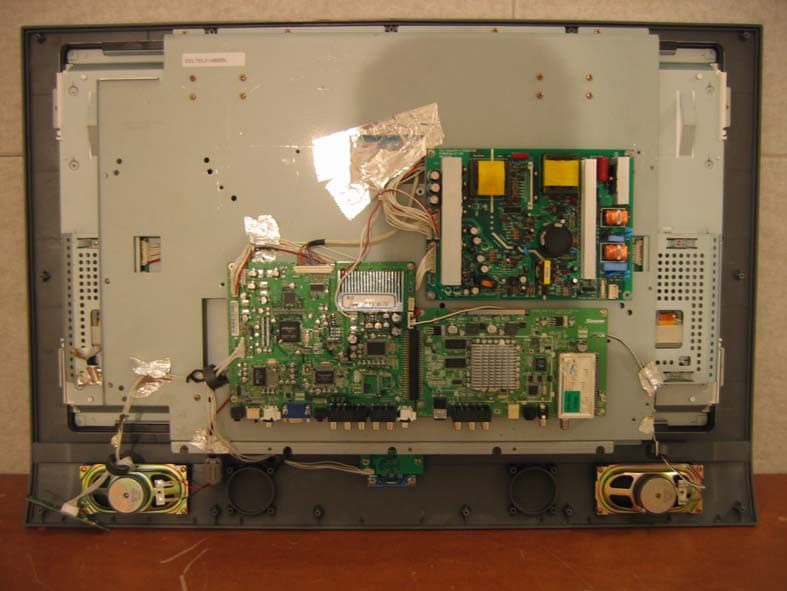
PQZLD-3280B
Feb 12, 200632 Inch LCD TV
Equipment Class
JBP - Part 15 Class B Computing Device Peripheral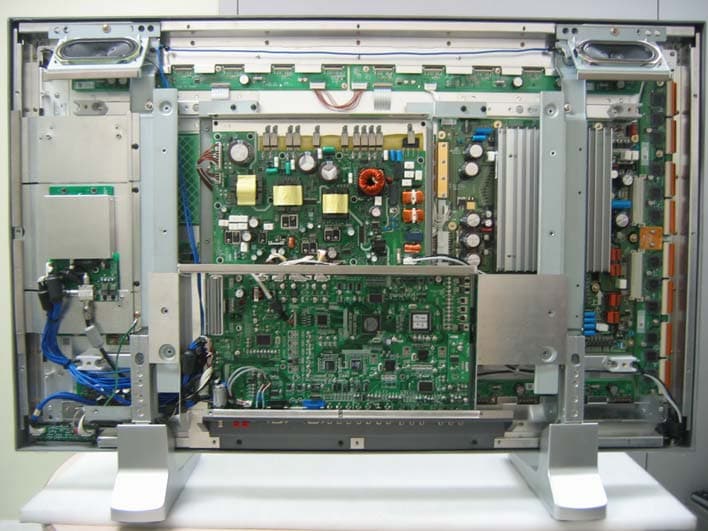
PQZDPU-4270P
Jul 07, 2005Plasma Display Monitor
Equipment Class
JBP - Part 15 Class B Computing Device Peripheral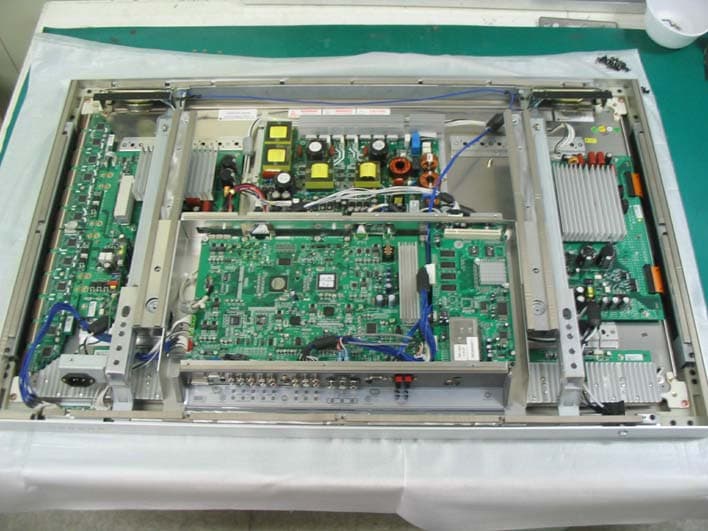
PQZDPU-4270
Jul 05, 2005Plasma Display Monitor
Equipment Class
JBP - Part 15 Class B Computing Device Peripheral
PQZLD-3270T
May 26, 2005Digital Device
Equipment Class
JBP - Part 15 Class B Computing Device Peripheral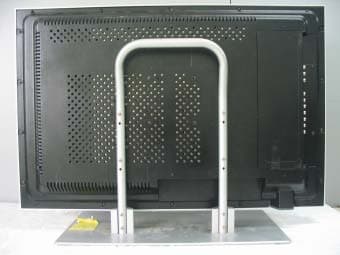
PQZLD-3000T
Jun 27, 2004TFT LCD TV MONITOR
Equipment Class
JBP - Part 15 Class B Computing Device Peripheral