PVVX707 INCH TABLET
Eken (HK) Electronics Co., Ltd.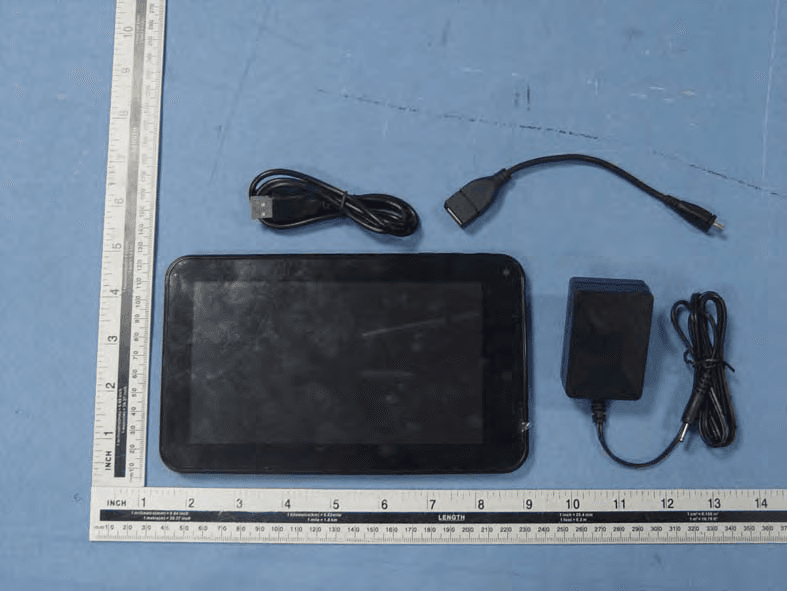
Click to zoom
Application Details
- Equipment Class
- DTS - Digital Transmission System
- Date of Grant
- Jul 25, 2013
- Application Purpose
- Original Equipment
- Date of Application
- Jul 25, 2013
- Equipment Note
- 7 INCH TABLET
- Frequency Range
- 2422.00000000 - 2452.00000000
- Country
- China
Documents & Files
Document Text
Text extracted from the exhibit documents filed with the FCC. Open a document above to read the original.
Users Manual
1 User’s Guide Contents Get started 3 Get around 3 Touch & type 4 Use the lock screen 5 Make yourself at home 6 Change the wallpaper 6 Arrange & work with apps 7 Use folders 8 Add widgets 9 Try some apps 9 Find People 10 Manage your Calendar 12 Use your Camera 13 Manage downloads 13 Tune performance 14 Optimize battery life 14 Optimize data usage 14 Optimize memory usage 19 Use the Apps screen 20 Enter & edit text 21 Use the keyboard 22 Basic editing 22 Tips & shortcuts 23 2 Connect to Wi‐Fi networks 24 Connect to keyboards, mice, and other devices 28 Connect to a Windows computer via USB 29 Manage accounts 30 Add or remove accounts 30 Configure account sync options 32 Configure general sync settings 32 Change an account’s sync settings 33 Secure your tablet 33 FCC STATEMENT 34 3 Get Started Get around After you enter into the systems, at the bottom of the screen, you'll find three Navigation buttons. They're always available. No matter what you're doing with your tablet, you can always get back to the main Home screen or return to previous screens: Icon Name Description After a short time without getting used, these buttons may shrink Back Open the previous screen you were working in, even if it was in a different app. Once you back up to the Home screen, you can’t go back any further in your history. Home Open Home. If you’re viewing a left or right Home screen, opens the central home screen. Recent Apps Opens a list of thumbnail images of apps you’ve worked with recently. Top open an app, touch it. To remove a thumbnail from the list, swipe it left or right. 4 to dots or fade away, depending on the current app. To bring them back, touch their location. The All Apps icon in the right upper corner is permanent. Touch it to see all your apps and widgets. The middle of your Home screen can hold app and widget icons, plus folders. To open an app, folder, or widget, touch its icon. To see additional Home screens, swipe your finger quickly left or right. At the bottom of the screen, you'll see something like this: Status icons on the left tell you which apps have sent you notifications; for example, that a message has arrived, or it's time for a meeting. System icons on the right display the current wireless and network connection strength, battery level, time, and more. Touch & type Use your fingers to manipulate icons, buttons, menus, the onscreen keyboard, and other items on the touchscreen. You can also change the screen's orientation. To select or activate something, touch it. To type something, such as a name, password, or search terms, just 5 touch where you want to type. A keyboard pops up that lets you type into the field. Other common gestures include: Touch & hold: Touch & hold an item on the screen by touching it and not lifting your finger until an action occurs. Drag: Touch & hold an item for a moment and then, without lifting your finger, move your finger on the screen until you reach the target position. For example, you can drag to reposition shortcuts on the Home screen. Swipe or slide: Quickly move your finger across the surface of the screen, without pausing when you first touch (so you don't drag something instead). For example, you can slide a Home screen left or right to view the other Home screens. Pinch: In some apps (such as Maps, Browser, and Gallery), you can zoom in and out by placing two fingers on the screen at once and pinching them together (to zoom out) or spreading them apart (to zoom in). Rotate the screen: On most screens, the orientation of the screen rotates with your device as you turn it. You can change this Display setting. Related settings Settings > Device > Sound Settings > Device > Display Use the lock screen To protect personal information, you can adjust your phone's lock settings: 6 1. From the Home or All Apps screen, touch the Settings icon 2. Scroll down and touch Security. 3. Touch Screen lock. 4. Touch the type of lock you'd like to use. After you set a lock here, a lock screen displays whenever your screen wakes up, requesting the pattern, PIN, or other specified key. Important Screen lock options are listed in the approximate order of the strength of their security, starting with None and Slide, which provide no security. Face Unlock and Pattern provide minimal security, although they can be more convenient than the stronger options. If your tablet's playing music when the screen locks, you can continue listening or pause the selection without unlocking. Make yourself at home Change the wallpaper Wallpapers are images from Super‐HD Player (pictures you shot with Camera, synced from Picasa, and so on), still images included with the system, and live images (such as an animation or a map that centers on your location). They take the place of the default background for your Home screens. 1. Touch & hold anywhere on a Home screen that's not occupied. A list of options appears. 7 2. Touch a wallpaper source: Super‐HD Player. Choose from pictures that you've taken with Camera or downloaded to your device. Live Wallpapers. Choose from a scrolling list of animated wallpapers. Wallpapers. Choose from thumbnails of default images, or touch a thumbnail for a larger version. You can download additional wallpapers from Google Play store. 3. To set a wallpaper, touch “set wallpaper” under the Gallery images or Set wallpaper. Related settings Settings > Device > Display > Wallpaper Arrange & work with apps To see all your apps, touch the All Apps icon on any Home screen. The main All Apps screen opens. This is where you can see all your apps, including those downloaded from Google Play store. You can move app icons to any of your Home screens. From All Apps, you can Move between screens: Swipe left or right. Launch an app: Touch its icon. Place an app icon on a Home screen: Touch & hold the app icon, slide your finger, and lift your finger to drop the icon in place. Place an app icon in the Favorites tray: Touch, hold, & slide to…
Text truncated - open the document above for the full version.
Attestation Statements
Eken (HK) Electronics Co., Ltd. 2013-07-24 To: Federal Communications Commission Authorization and Evaluation Division 7435 Oakland Mills Road Columbia, MD FCC ID: PVVX70 To Whom It May Concern: This letter is to ascertain that Eken (HK) Electronics Co., Ltd. (Product:7 INCH TABLET Model name: X70,GT70X , GC70XG ,K7A20-4) has been the units used for conducting FCC compliance testing, the DoC part will be tested by FCC recognized test lab. If you have any question or concerns, pls. contact us. Sincerely, Client’s signature: Client’s name / title: Lin Zhou / Sales Contact information / address: Building 2F-2B, HuaFeng Science Park GongHe Road, XiXiang, Baoan District, ShenZhen, China
Cover Letter(s)
Eken (HK) Electronics Co., Ltd. 2013-07-24 To: SIEMIC, INC. 775 Montague Expressway Milpitas , CA 95035 USA Dear Sir/Madam, Re: Project and Product Certification Representative Authorization Letter We , Eken (HK) Electronics Co., Ltd. hereby authorize SIEMIC, INC. to act as a Certification Body for certifying for the following project(s): Product Description: 7 INCH TABLET. Model name: X70,GT70X , GC70XG ,K7A20-4 FCC ID: PVVX70 We affirm that between SIEMIC and Eken (HK) Elect ronics Co., Ltd. , any difference in understanding, including test plan, measurement methods, applicable standards and relevant procedures and processes have been resolved prior to commencement of testing activities. Sincerely, Client’s signature: Client’s name / title: Lin Zhou / Sales Contact information / address: Building 2F-2B, HuaFeng Science Park GongHe Road, XiXiang, Baoan District, Shenzhen, China
Cover Letter(s)
SCS-F19: Confidentiality Request Letter Page 1 of 1 Rev 2.0 Eken (HK) Electronics Co., Ltd. 2013-07-24 To: Federal Communications Commission Authorization and Evaluation Division 7435 Oakland Mills Road Columbia, MD Confidentiality Request regarding application for certification of FCC ID: PVVX70 We hereby request confidential treatment of information accompanying this application as outlined below: - Block Diagram - Operational Description - Schematic The above materials contain trade secrets and proprietary information not customarily released to the public. The public disclosure of these materials may be harmful to the applicant and provide unjustified benefits to its competitors. The applicant understands that pursuant to Section 0.457 & 0.459 of the Rules, disclosure of this application and all accompanying documentation will not be made before the date of the Grant for this application. Client’s signature: Client’s name / title: Lin Zhou / Sales Contact information / address: Building 2F-2B, HuaFeng Science Park GongHe Road, XiXiang, Baoan District, ShenZhen, China
Cover Letter(s)
Eken (HK) Electronics Co., Ltd. Statement Model number: X70,GT70X , GC70XG ,K7A20-4 We hereby state that these models are identical in interior structure, electrical circuits and components, and just model names are different for the marketing requirement. Your assistance on this matter is highly appreciated. Sincerely, Client’s signature: Client’s name / title: Lin Zhou / Sales Contact information / address: Building 2F-2B, HuaFeng Science Park GongHe Road, XiXiang, Baoan District, ShenZhen, China
ID Label/Location Info
FCC ID: PVVX70 This device complies with Part 15 of the FCC Rules. Operation is subject to the following two conditions: (1) This device may not cause harmful interference, and (2) This device must accept any interference received, including interference that may cause undesired operation.
Internal Photos
Antenna
RF Exposure Info
FCC ID : PVVX70 Portable device According to §15.247(e)(i) and §1.1307(b)(1), systems operating under the provisions of this section shall be operated in a manner that ensures that the public is not exposed to radio frequency energy level in excess of the Commission’s guidelines. According to KDB 447498 D01 General RF Exposure Guidance v05, section 4.3.1 The 1-g and 10-g SAR test exclusion thresholds for 100 MHz to 6 GHz at test separation distances ≤ 50 mm are determined by: [(max. power of channel, including tune-up tolerance, mW)/(min. test separation distance, mm)] · [√f(GHz)] ≤ 3.0 for 1-g SAR and ≤ 7.5 for 10-g extremity SAR, 16 where f(GHz) is the RF channel transmit frequency in GHz Power and distance are rounded to the nearest mW and mm before calculation 17 The result is rounded to one decimal place for comparison The test exclusions are applicable only when the minimum test separation distance is ≤ 50 mm and for transmission frequencies between 100 MHz and 6 GHz. When the minimum test separation distance is < 5 mm, a distance of 5 mm is applied to determine SAR test exclusion. Maximum measured transmitter power Frequency(GHz) Conducted Power (mw) 2.462 7.48 Maximum Tx power is 7.48mW. [(max. power of channel, including tune-up tolerance, mW)/(min. test separation distance, mm)] · [√f(GHz)]= 7.48/5*√2.462=2.35≤ 3.0 Threshold at which no SAR required is 10mW and ≤ 3.0 for 1-g SAR, Separation distance is 5mm. Conclusion: No SAR is required. SIMULTANEOUS TRANSMISSION EVALUATION N/A
Test Report
Page 1 of 105 FCC ID: PVVX70 ACCURATE TECHNOLOGY CO., LTD Report No.: ATE20131533 APPLICATION CERTIFICATION FCC Part 15C On Behalf of EKEN (HK) Electronics Co., Ltd. 7 INCH TABLET Model No.: X70,GT70X , GC70XG ,K7A20-4 FCC ID: PVVX70 Prepared for : EKEN (HK) Electronics Co., Ltd. Address : Building 2F-2B, HuaFeng Science Park GongHe Road, XiXiang, Baoan District, ShenZhen, China Prepared by : ACCURATE TECHNOLOGY CO., LTD Address : F1, Bldg. A, Changyuan New Material Port, Keyuan Rd. Science & Industry Park, Nanshan, Shenzhen, Guangdong P.R. China Tel: (0755) 26503290 Fax: (0755) 26503396 Report Number : ATE20131533 Date of Test : July 17-23, 2013 Date of Report : July 23, 2013 Page 2 of 105 FCC ID: PVVX70 ACCURATE TECHNOLOGY CO., LTD Report No.: ATE20131533 TABLE OF CONTENTS Description Page Test Report Certification 1. GENERAL INFORMATION .......................................................................................................... 5 1.1. Description of Device (EUT)....................................................................................................................5 1.2. Carrier Frequency of Channels .................................................................................................................6 1.3. Special Accessory and Auxiliary Equipment ...........................................................................................6 1.4. Description of Test Facility ......................................................................................................................6 1.5. Measurement Uncertainty.........................................................................................................................7 2. MEASURING DEVICE AND TEST EQUIPMENT ..................................................................... 8 3. OPERATION OF EUT DURING TESTING ................................................................................. 9 3.1. Operating Mode ........................................................................................................................................9 3.2. Configuration and peripherals ................................................................................................................10 4. TEST PROCEDURES AND RESULTS ....................................................................................... 11 5. 6DB BANDWIDTH MEASUREMENT ........................................................................................ 12 5.1. Block Diagram of Test Setup..................................................................................................................12 5.2. The Requirement For Section 15.247(a)(2) ............................................................................................12 5.3. EUT Configuration on Measurement .....................................................................................................12 5.4. Operating Condition of EUT ..................................................................................................................12 5.5. Test Procedure ........................................................................................................................................12 5.6. Test Result ..............................................................................................................................................12 6. MAXIMUM PEAK OUTPUT POWER ....................................................................................... 20 6.1. Block Diagram of Test Setup..................................................................................................................20 6.2. The Requirement For Section 15.247(b)(3)............................................................................................20 6.3. EUT Configuration on Measurement .....................................................................................................20 6.4. Operating Condition of EUT ..................................................................................................................20 6.5. Test Procedure ........................................................................................................................................20 6.6. Test Result ..............................................................................................................................................21 7. POWER SPECTRAL DENSITY MEASUREMENT.................................................................. 28 7.1. Block Diagram of Test Setup..................................................................................................................28 7.2. The Requirement For Section 15.247(e).................................................................................................28 7.3. EUT Configuration on Measurement .....................................................................................................28 7.4. Operating Condition of EUT ..................................................................................................................28 7.5. Test Procedure ........................................................................................................................................28 7.6. Test Result ..............................................................................................................................................29 8. BAND EDGE COMPLIANCE TEST ........................................................................................... 36 8.1. Block Diagram of Test Setup..................................................................................................................36 8.2. The Requirement For Section 15.247(d) ................................................................................................36 8.3. EUT Configuration on Measurement .....................................................................................................36 8.4. Operating Conditio…
Text truncated - open the document above for the full version.
Test Report
Page 61 of 105 FCC ID: PVVX70 ACCURATE TECHNOLOGY CO., LTD Report No.: ATE20131533 Page 62 of 105 FCC ID: PVVX70 ACCURATE TECHNOLOGY CO., LTD Report No.: ATE20131533 Page 63 of 105 FCC ID: PVVX70 ACCURATE TECHNOLOGY CO., LTD Report No.: ATE20131533 Above 1G Page 64 of 105 FCC ID: PVVX70 ACCURATE TECHNOLOGY CO., LTD Report No.: ATE20131533 Page 65 of 105 FCC ID: PVVX70 ACCURATE TECHNOLOGY CO., LTD Report No.: ATE20131533 Page 66 of 105 FCC ID: PVVX70 ACCURATE TECHNOLOGY CO., LTD Report No.: ATE20131533 Page 67 of 105 FCC ID: PVVX70 ACCURATE TECHNOLOGY CO., LTD Report No.: ATE20131533 Page 68 of 105 FCC ID: PVVX70 ACCURATE TECHNOLOGY CO., LTD Report No.: ATE20131533 Page 69 of 105 FCC ID: PVVX70 ACCURATE TECHNOLOGY CO., LTD Report No.: ATE20131533 Page 70 of 105 FCC ID: PVVX70 ACCURATE TECHNOLOGY CO., LTD Report No.: ATE20131533 Page 71 of 105 FCC ID: PVVX70 ACCURATE TECHNOLOGY CO., LTD Report No.: ATE20131533 Page 72 of 105 FCC ID: PVVX70 ACCURATE TECHNOLOGY CO., LTD Report No.: ATE20131533 Page 73 of 105 FCC ID: PVVX70 ACCURATE TECHNOLOGY CO., LTD Report No.: ATE20131533 Page 74 of 105 FCC ID: PVVX70 ACCURATE TECHNOLOGY CO., LTD Report No.: ATE20131533 Page 75 of 105 FCC ID: PVVX70 ACCURATE TECHNOLOGY CO., LTD Report No.: ATE20131533 Page 76 of 105 FCC ID: PVVX70 ACCURATE TECHNOLOGY CO., LTD Report No.: ATE20131533 Page 77 of 105 FCC ID: PVVX70 ACCURATE TECHNOLOGY CO., LTD Report No.: ATE20131533 Page 78 of 105 FCC ID: PVVX70 ACCURATE TECHNOLOGY CO., LTD Report No.: ATE20131533 Page 79 of 105 FCC ID: PVVX70 ACCURATE TECHNOLOGY CO., LTD Report No.: ATE20131533 Page 80 of 105 FCC ID: PVVX70 ACCURATE TECHNOLOGY CO., LTD Report No.: ATE20131533 Page 81 of 105 FCC ID: PVVX70 ACCURATE TECHNOLOGY CO., LTD Report No.: ATE20131533 Page 82 of 105 FCC ID: PVVX70 ACCURATE TECHNOLOGY CO., LTD Report No.: ATE20131533 Page 83 of 105 FCC ID: PVVX70 ACCURATE TECHNOLOGY CO., LTD Report No.: ATE20131533 Page 84 of 105 FCC ID: PVVX70 ACCURATE TECHNOLOGY CO., LTD Report No.: ATE20131533 Page 85 of 105 FCC ID: PVVX70 ACCURATE TECHNOLOGY CO., LTD Report No.: ATE20131533 Page 86 of 105 FCC ID: PVVX70 ACCURATE TECHNOLOGY CO., LTD Report No.: ATE20131533 Page 87 of 105 FCC ID: PVVX70 ACCURATE TECHNOLOGY CO., LTD Report No.: ATE20131533 10. CONDUCTED SPURIOUS EMISSION COMPLIANCE TEST 10.1.Block Diagram of Test Setup 10.2.The Requirement For Section 15.247(d) Section 15.247(d): In any 100 kHz bandwidth outside the frequency band in which the spread spectrum or digitally modulated intentional radiator is operating, the radio frequency power that is produced by the intentional radiator shall be at least 20 dB below that in the 100 kHz bandwidth within the band that contains the highest level of the desired power, based on either an RF conducted or a radiated measurement, provided the transmitter demonstrates compliance with the peak conducted power limits. If the transmitter complies with the conducted power limits based on the use of RMS averaging over a time interval, as permitted under paragraph (b)(3) of this section, the attenuation required under this paragraph shall be 30 dB instead of 20 dB. Attenuation below the general limits specified in Section 15.209(a) is not required. In addition, radiated emissions which fall in the restricted bands, as defined in Section 15.205(a), must also comply with the radiated emission limits specified in Section 15.209(a). 10.3.EUT Configuration on Measurement The equipment is installed on the emission measurement to meet the commission requirements and operating regulations in a manner which tends to maximize its emission characteristics in normal application. 10.4.Operating Condition of EUT 10.4.1.Setup the EUT and simulator as shown as Section 10.1. 10.4.2.Turn on the power of all equipment. 10.4.3.Let the EUT work in TX modes measure it. The transmit frequency are 2412-2462 and 2422-2452MHz. We select 2412MHz, 2437MHz, 2462MHz and 2422MHz, 2437MHz, 2452MHz TX frequency to transmit. Low Loss Cable Spectrum Analyzer EUT Page 88 of 105 FCC ID: PVVX70 ACCURATE TECHNOLOGY CO., LTD Report No.: ATE20131533 10.5.Test Procedure 10.5.1.The transmitter output was connected to the spectrum analyzer via a low loss cable. 10.5.2.Set RBW of spectrum analyzer to 100kHz and VBW to 300kHz (below 1GHz). 10.5.3.Set RBW of spectrum analyzer to 1MHz and VBW to 3MHz (above 1GHz). 10.5.4.The Conducted Spurious Emission was measured and recorded. 10.6.Test Result Pass. The spectrum analyzer plots are attached as below. Page 89 of 105 FCC ID: PVVX70 ACCURATE TECHNOLOGY CO., LTD Report No.: ATE20131533 TX 802.11b Channel Low 2412MHz (30MHz-1GHz) TX 802.11b Channel Low 2412MHz (1GHz-25GHz) Page 90 of 105 FCC ID: PVVX70 ACCURATE TECHNOLOGY CO., LTD Report No.: ATE20131533 TX 802.11b Channel Middle 2437MHz (30MHz-1GHz) TX 802.11b Channel Middle 2437MHz (1GHz-25GHz) Page 91 of 105 FCC ID: PVVX70 ACCURATE TECHNOLOGY CO., LTD Report No.: ATE20131533 TX 802.11b Channel High 2462MHz (30MHz-1GHz) TX 802.11b Channel High 2462MHz (1GHz-25GHz) Page 92 of 105 FCC ID: PVVX70 ACCURATE TECHNOLOGY CO., LTD Report No.: ATE20131533 TX 802.11g Channel Low 2412MHz (30MHz-1GHz) TX 802.11g Channel Low 2412MHz (1GHz-25GHz) Page 93 of 105 FCC ID: PVVX70 ACCURATE TECHNOLOGY CO., LTD Report No.: ATE20131533 TX 802.11g Channel Middle 2437MHz (30MHz-1GHz) TX 802.11g Channel Middle 2437MHz Page 94 of 105 FCC ID: PVVX70 ACCURATE TECHNOLOGY CO., LTD Report No.: ATE20131533 TX 802.11g Channel High 2462MHz (30MHz-1GHz) TX 802.11g Channel High 2462MHz (1GHz-25GHz) Page 95 of 105 FCC ID: PVVX70 ACCURATE TECHNOLOGY CO., LTD Report No.: ATE20131533 TX 802.11n Channel Low 2412MHz (20MHz) (30MHz-1GHz) TX 802.11n Channel Low 2412MHz (20MHz) (1GHz-25GHz) Page 96 of 105 FCC ID: PVVX70 ACCURATE TECHNOLOGY CO., LTD Report No.: ATE20131533 TX 802.11n Channel Middle 2437MHz (20MHz) (30MHz-1GHz) TX 802.11n Channel Middle 2437MHz (20MHz) (1GHz-25GHz) Page 97 of 105 FCC ID: PVVX70 ACCURATE TECHNOLOGY CO., LTD Report No.: ATE20131533 TX 802.11n Chan…
Text truncated - open the document above for the full version.
Contact Information
Applicant
Lin Zhou(Sales)
Test Firm
Accurate Technology Co., Ltd.Sean Liu
Technical Specifications
| # | Rule Parts | Frequency Range | Power Output |
|---|---|---|---|
| 2 | 15C | 2.42 GHz - 2.45 GHz | 6.07 mW |
Other Applications from Eken (HK) Electronics Co., Ltd.

PVVX73
Mar 10, 20147INCH TABLET
Equipment Class
DTS - Digital Transmission System
PVVGT10X
Nov 05, 2013TABLET PC
Equipment Class
DTS - Digital Transmission System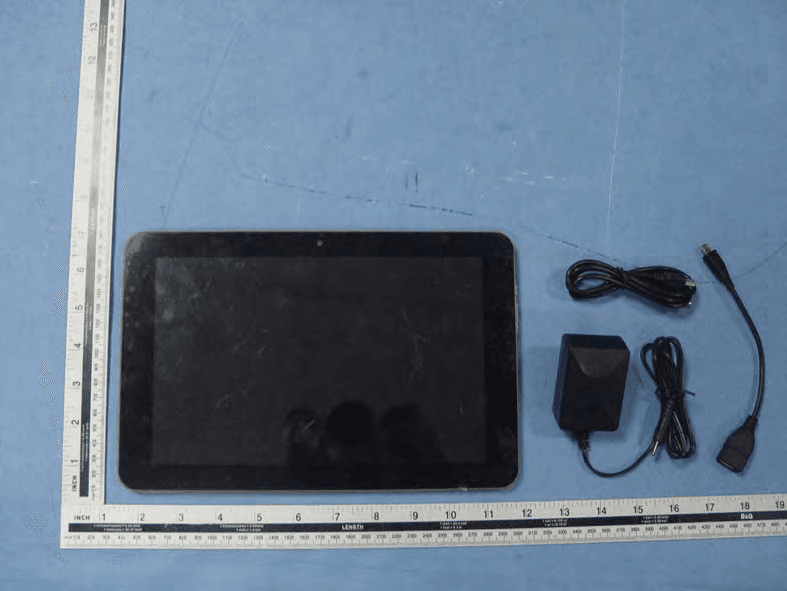
PVVGT10V
Jul 25, 2013TABLET PC
Equipment Class
DTS - Digital Transmission System
PVV-C70
Feb 02, 20137 INCH TABLET
Equipment Class
DTS - Digital Transmission System
PVV-W70
Sep 23, 2012Tablet PC
Equipment Class
JBC - Part 15 Class B Computing Device/Personal Computer