PXWHL900ALCD MONITOR
Wooyoung Telecom Co., Ltd.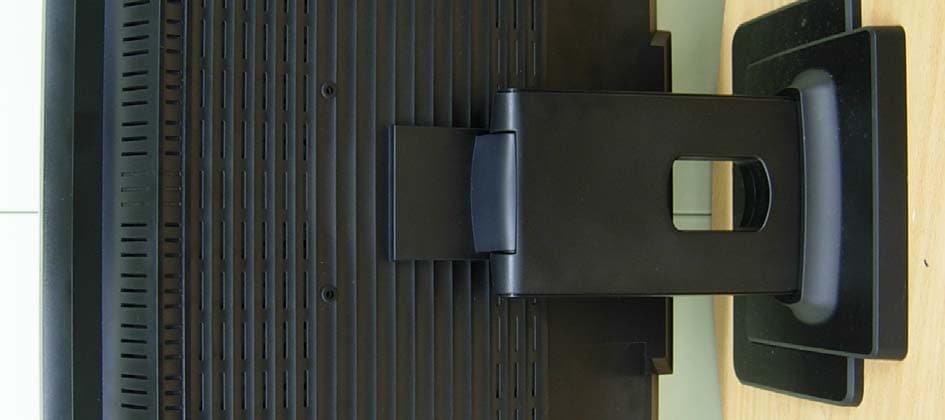
Click to zoom
Application Details
- Equipment Class
- JBP - Part 15 Class B Computing Device Peripheral
- Date of Grant
- Nov 01, 2006
- Application Purpose
- Original Equipment
- Date of Application
- Nov 01, 2006
- Equipment Note
- LCD MONITOR
- Company
- Wooyoung Telecom Co., Ltd.
- Country
- South Korea
Documents & Files
Document Text
Text extracted from the exhibit documents filed with the FCC. Open a document above to read the original.
Users Manual
User’s Reference TT FF TT L L CC DD M M oo nn ii tt oo rr HH ii gg hh r r ee ss oo ll uu tt ii oo nn TT FF TT L L CC DD M M oo nn ii tt oo rr HH ii gg hh r r ee ss oo ll uu tt ii oo nn HL900D/HL901D/HL900A/HL901A P/N : 97E9500280 1 Contents 1. Precautions 2 2. Items 4 3. Setting up the LCD monitor 5 How to connect the power cord and the several cables to the LCD monitor. 5 Plug & Play 5 Warm-up Time 5 4. Adjusting The Monitor 6 How to use the Function Key. 6 Main OSD Menu 6 PICTURE 7 COLOR 7 OSD 7 MISC 7 MWE 7 5. Appendix 8 Display Modes 8 15-pin D-Sub Connector 9 DVI-D Connector 9 Power Saver 10 6. Troubleshooting 11 3 2 Precautions 1 AC outlet Power cord Warning : The following information will help you avoid the risk of electric shock, serious injury, and death. Plug the power cord into aproperly grounded outlet.There is the risk of electricshock.Do not unplug from the outletby pulling the power cord orwhen your hands are wet.There is the risk of electricshock and fire. Do not allow any object or liq-uid to enter inside the monitor.There is the risk of electricshock, fire, or damage to themonitor. Do not bend the power cordexcessively or place heavy objectson it. Keep children and pets awayfrom the power cord as they maydamage the power cord. There isthe risk of electric shock and fire. Do not use a damaged powercord or plug. Make sure theplug fits snugly into the outlet.There is the risk of electricshock or fire. Do not expose the monitor tothe direct sun light. Keep the monitor away from hightemperature, humidity, and dust.■ Operating environment =0~35degrees Celsius ■ Operating environment =30~80relative humidity. Do not block the fan louvers.There is the risk of fire or dam-age to the monitor. 220V Use a proper voltage/currentlevel indicated Do not clean the LCD withabrasive chemicals.There is the risk of damage tothe LCD. Do not scratch and damagethe LCD with sharp objects. Keep the monitor away fromobjects and electrical appli-ances that may generate elec-tromagnetic fields. Place the monitor on a flat, sta-ble surface. The monitor mayfall and there is the risk ofdamage or injury Unplug the power cord whenthe monitor is not in use for aprolonged period of time. If you hear a noise or smellsmoke from the computer oradaptor, unplug the power cordimmediately, and call the servicecenter. There is the risk of elec-tric shock or fire. Do not overload an electricaloutlet with too many devices.There is the risk of fire. Do not attempt to disassemble,fix, or modify the monitor.There is the risk of electricshock or fire. Caution : The following information will help you avoid the risk of minor or moderate injury, or damage to the monitor. 5 4 Items 2 Please make sure the following items are included with your monitor.If any items are missing, contact your dealer. Notice User Manual 15-pin D-Sub Signal Cable DVI-D Cable (Option) Audio Cable Stand ※ Push the hook untilhanging LCD Monitor Power cord Setting up the LCD monitor 3 How to connect the power cord and the several cables to the LCD monitor. Power PC DVI (Option) SPK IN SPK OUT Power Cord15-pin D-Sub Signal CableDVI-D Cable *1 Audio Cable *2 External Speaker Cable *2 No. Cable connections Name All LCD monitors need time to become thermally stable whenever you turn on the monitor after letting the monitor be turned off for a couple of hours. Therefore, toachieve more accurate adjustments for parameters, allow the LCD monitor to bewarmed up for at least 30 minutes before making any screen adjustments. Warm-up TimeThe adoption of the new VESA Plug and Play solution eliminates complicated andtime consuming setup. It allows you to install your monitor in a Plug and Play compati-ble system without the usual hassles and confusion. Your PC system can easily identi-fy and configure itself for use with your display. This monitor automatically tells the PCsystem its Extended Display Identification Data (EDID) using Display Data Channel(DDC) protocols so the PC system can automatically configure itself to use the flatpanel display.Plug & Play *1 : For DVI Model Only. *2 : For Audio Model Only. *1 : For Audio Model Only. *1 123 4 5 7 6 Adjusting The Monitor 4 How to use the Function Key. When you push the menu button, you can see below main OSD menu.Main OSD Menu ● BRIGHTNESS : Changes the overall light intensity of the images being displayed. ● CONTRAST : Changes the ratio of light intensity between the brightest white and darkest black. ● H POSITION : Moves to the Left/Right. *1 ● V POSITION : Moves to the Top/Bottom. *1 ● PHASE : When image is not clear, you can use clock/phase menu. *1 ● CLOCK : When image is not clear, you can use clock/phase menu. *1 ● AUTO ADJUST : You can select AUTO ADJUST”, this will optimize image quality automatically. *1 PICTURE BRIGHTNESSCONTRASTH POSITIONV POSITIONPHASECLOCKAUTO ADJUST NO COLORColor adjustment needs to be only for Analog mode.● COLOR : There are user, bluish and reddish modes. In case user has to set up RED”, GREEN”, BLUE in person, please select user mode. ● RED,GREEN,BLUE : You can adjust red, green and blue values that you want. ● AUTO COLOR : Automatic adjust color(white level) for various input sources white level. OSD● OSD H POSI : Moves the OSD menu to the horizontal direction. ● OSD V POSI : Moves the OSD menu to the vertical direction. ● OSD TIMER : Shows the OSD Time displays from 10 to 40 sec. ● TRANSPARENCY : You can adjust OSD Transparency. MISC● LANGUAGE : Selects language in OSD menu. ● RECALL : Discards current setting and replaced all parameters with the factory default values. ● INPUT SELECT : You can change the display mode.(Analog ↔ Digital) ● AUDIO : Sound Mute On/Off function. *2 ● VOLUME : You can adjust the volume. *2 Notice : The first set-up was done when the goods are released from the factory. After finishing the first set-up, please press Auto and optimize the screen. MWEWhen you press MWE button, you can get into the following picture.● ENTERTAIN : Movies, Video games …
Text truncated - open the document above for the full version.
Block Diagram
5 5 4 4 3 3 2 2 1 1 DD CC B B A A SSPPEEAAKK EERR )zHM 1813.41( 1X la t syr C )zHM 86 ( K CO L C 0041 0 56E79 0 MARGAID KCOLB elti T ve R rebm u N tn em uc o D t e ehS fo L AVORPPAK CE HC N G I SE D . d tL , . oC moc eleT gn uoY o o W ledo M SDVL 4 R LENA P no G - K LC +K L C B TUPNI BUS-D 2 0NIG 0 N I R 0N I B TE D _TS L CSD A DS D M 0N I R M0NIB M 0N IG 0CNYSH 0CN YSV 0 NIGO S REWO P & R ETREVNI 1 E T IL K CABjd A ETI LK CA B no L E N A P & L A 65M U S T 3 0 N IR M 0N I R 0 N IG M 0NIG 0NIB M 0N I B 0 CN YSV 0C NYS H on PANE L ETI L KCA BNO A DSD L CS D T E D _TS IVD_ TE D 0NIGOS ETI LKC A B j dA R - B - G + B + CLK + G - CLK - R + N OIT C NUF _ Y E K 4 KEY _ 1 G _DE L KEY _ 2 R _DE L T U P NI IVD 4 IVD_ TE D B + CLK - R - CLK + G - B - G + R + e m u l oV L _ RE KAE PS R _ RE K AEPS KEY _ 1 KE Y _ 2 L ED_R L ED_G B + 0N IG R - IVD_TED 0 C NYS H 0NIR M0 N IB R + G + 0NIB M0 N IG CLK - L CS D CLK + B - AD SD M0NIR G - 0N I GOS T E D _ TS 0 CN YSV HL900A
External Photos
SK TECH CO., LTD. Page 1 of 2 SKTFCE-061030-086 FCC ID :PXWHL900A External Photographs of EUT SK TECH CO., LTD. Page 2 of 2 SKTFCE-061030-086 FCC ID :PXWHL900A
ID Label/Location Info
SK TECH CO., LTD. Page 1 of 1 SKTFCE-061030-086 FCC ID :PXWHL900A FCC ID Sample Label & Location Information LABELLING REQUIREMENTS PER ∫∫∫∫2.928 The Label shown shall be permanently affixed at a conspicuous location on the device and be readily visible to the user at the time of purchase. Woo Young Telecom Co., Ltd. LCD Monitor FCC ID:PXWHL900A FCC This device complies with part 15 of the FCC Rules. Operation is subject to the following two conditions: (1)This device may not cause harmful interference, and (2) this device must accept any interference received, including interference that may cause undesired operation.
ID Label/Location Info
SK TECH CO., LTD. Page 1 of 1 SKTFCE-061030-086 FCC ID : PXWHL900A FCC ID Label Sample Woo Young Telecom Co., Ltd. LCD Monitor FCC ID:PXWHL900A FCC This device complies with part 15 of the FCC Rules. Operation is subject to the following two conditions: (1)This device may not cause harmful interference, and (2) this device must accept any interference received, including interference that may cause undesired operation.
Internal Photos
SK TECH CO., LTD. Page 1 of 12 SKTFCE-061030-086 FCC ID : PXWHL900A Internal Photographs of EUT <Internal1> SK TECH CO., LTD. Page 2 of 12 SKTFCE-061030-086 FCC ID : PXWHL900A <Internal 2> SK TECH CO., LTD. Page 3 of 12 SKTFCE-061030-086 FCC ID : PXWHL900A <Mainboard Front> SK TECH CO., LTD. Page 4 of 12 SKTFCE-061030-086 FCC ID : PXWHL900A <Mainboard Rear> SK TECH CO., LTD. Page 5 of 12 SKTFCE-061030-086 FCC ID : PXWHL900A <Power Front: LIEN CHANG> SK TECH CO., LTD. Page 6 of 12 SKTFCE-061030-086 FCC ID : PXWHL900A <Power Rear: LIEN CHANG> SK TECH CO., LTD. Page 7 of 12 SKTFCE-061030-086 FCC ID : PXWHL900A <Power Front: FRONTEK> SK TECH CO., LTD. Page 8 of 12 SKTFCE-061030-086 FCC ID : PXWHL900A <Power Rear: FRONTEK> SK TECH CO., LTD. Page 9 of 12 SKTFCE-061030-086 FCC ID : PXWHL900A <Key Front> SK TECH CO., LTD. Page 10 of 12 SKTFCE-061030-086 FCC ID : PXWHL900A <Key Rear> SK TECH CO., LTD. Page 11 of 12 SKTFCE-061030-086 FCC ID : PXWHL900A <LCD Front> SK TECH CO., LTD. Page 12 of 12 SKTFCE-061030-086 FCC ID : PXWHL900A <LCD Rear>
Schematics
55 44 33 22 11 D D C C B B A A BKLT-VBRI VCC5V BKLT-EN AVDD_MPLL_3.3 GND_POWER AVDD_ADC_3.3AVDD_PLL_3.3 VDDC_1.8 +5V VDDP_3.3 AVDD_DVI_3.3 GND_POWER +12V +5V TitleDocument Number Rev Sheet of DESIGN CHECK APPROVAL WooYoung Telecom Co., Ltd. Model 97E6501400 0 AUDIOHL900A TitleDocument Number Rev Sheet of DESIGN CHECK APPROVAL WooYoung Telecom Co., Ltd. Model 97E6501400 0 AUDIOHL900A TitleDocument Number Rev Sheet of DESIGN CHECK APPROVAL WooYoung Telecom Co., Ltd. Model 97E6501400 0 AUDIOHL900A INVERTER & POWER GND + CE10 10uF/16V + CE10 10uF/16V C180.1uFC180.1uF + CE5100uF/16V + CE5100uF/16V VIN 3 VOUT 2 GND 1 U2 APL1117-3.3V (TO252) U2 APL1117-3.3V (TO252) C20 0.1uF C20 0.1uF C460.1uFC460.1uF + CE8 10uF/16V + CE8 10uF/16V +12V 1 +12V 2 GND 3 GND 4 +5V 5 +5V 6 GND 7 S/W 8 DIM 9 J7IBP-9S-20TJ7IBP-9S-20T + CE9 10uF/16V + CE9 10uF/16V 12 DZ7 ZMM55C5V6 DZ7 ZMM55C5V6 C310.1uFC310.1uF C22 0.1uF C22 0.1uF C26 0.1uF C26 0.1uF C19 0.1uF C19 0.1uF C28 0.1uF C28 0.1uF + CE7 10uF/16V + CE7 10uF/16V + CE6 100uF/16V + CE6 100uF/16V + CE16 470uF/16V + CE16 470uF/16V C29 0.1uF C29 0.1uF + CE13100uF/16V + CE13100uF/16V C24 0.1uF C24 0.1uF C27 0.1uF C27 0.1uF + CE12 100uF/16V + CE12 100uF/16V VIN 3 VOUT 2 GND 1 U3-1U3-1 FB8 BEAD_120ohm_3216 FB8 BEAD_120ohm_3216 GND 1 VI 3 VO 2 tab 4 U3 AP1117E-1.8V (SOT 223) U3 AP1117E-1.8V (SOT 223) C25 0.1uF C25 0.1uF C23 0.1uF C23 0.1uF C30 0.1uF C30 0.1uF FB7 BEAD_120ohm_1608 FB7 BEAD_120ohm_1608 C21 0.1uF C21 0.1uF 55 44 33 22 11 D D C C B B A A R G B +5V +5V +5V +5V +5V +5V GINMRINM HSYNC SOGIN ST_DET GINBINRIN DSCL VSYNC DSDA BINM TitleDocument Number Rev Sheet of DESIGN CHECK APPROVAL WooYoung Telecom Co., Ltd. Model 97E6501400 0 D-SUB INPUTHL900A TitleDocument Number Rev Sheet of DESIGN CHECK APPROVAL WooYoung Telecom Co., Ltd. Model 97E6501400 0 D-SUB INPUTHL900A TitleDocument Number Rev Sheet of DESIGN CHECK APPROVAL WooYoung Telecom Co., Ltd. Model 97E6501400 0 D-SUB INPUTHL900A D-SUB RGB INPUT ISP_TOOL_PROGRAM_ VCC 용 R15 100 R15 100 R8 100 R8 100 R14 100 R14 100 C16 33pF C16 33pF 12345678910 1112131415 1617 J4 DAH-15RF-4B4-FN J4 DAH-15RF-4B4-FN 12 DZ2 UDZS5.6B DZ2 UDZS5.6B C12 0.1uF C12 0.1uF C17 220pF C17 220pF 3 1 2 D2 BAV99 D2 BAV99 R16 100 R16 100 R7 100 R7 100 C9 10nF C9 10nF R13 100 R13 100 R202.2KR202.2K FB5 BEAD_120ohm_1608 FB5 BEAD_120ohm_1608 R17 75 R17 75 C8 0.1uF C8 0.1uF R22 100 R22 100 C1320pFC1320pF C10 0.1uF C10 0.1uF R12 100 R12 100 3 1 2 D4 BAV99 D4 BAV99 R11 100 R11 100 12 DZ1 UDZS5.6B DZ1 UDZS5.6B C1420pFC1420pF 3 1 2 D6 BAV99 D6 BAV99 R9 100 R9 100 3 1 2 D3 BAV99 D3 BAV99 C1520pFC1520pF C6 0.1uF C6 0.1uF C7 0.1uF C7 0.1uF FB6 0 FB6 0 R2110KR2110K FB4 BEAD_120ohm_1608 FB4 BEAD_120ohm_1608 12 DZ3 UDZS5.6B DZ3 UDZS5.6B R18 75 R18 75 R10 100 R10 100 C11 0.1uF C11 0.1uF 3 1 2 D5BAV99D5BAV99 FB3 0 FB3 0 R19 75 R19 75 55 44 33 22 11 D D C C B B A A BKLT-VBRI RXO1+RXEC+RXEC-RXO3-RXE2-RXO0+RXOC+ ON_Pannel RXE0+ ON_Pannel RXO0- BKLT-EN RXE1- INV_ON RXO2+RXOC-RXE0-RXO2-RXE3+RXE1+RXO3+RXE2+RXO1-RXE3- INV_ON RXO0-RXEC+RXE3+RXO3-RXO1+RXE2-RXO2-RXO3+RXE1-RXO0+RXE0+RXO2+RXOC-RXE2+RXEC-RXOC+RXO1-RXE0-RXE1+RXE3- +5V +5V AVDD_DVI_3.3 GND_POWER +5V +5V VDDP_3.3 VDDP_3.3 +5V VDDP_3.3 +5V AVDD_ADC_3.3 +5V VDDC_1.8 VDDP_3.3 VDDC_1.8 AVDD_PLL_3.3 AVDD_MPLL_3.3 VDDP_3.3 DSCL DIM_ADJ BINM DIM_ADJ DSDA MUTE VSYNC RINBINGINM ST_DET RINMSOGINGIN VOLUME HSYNC RX0+RX1-RXC+RX2-RX0-RXC-RX1+DET DVISCL_DVISDA_DVIRX2+ TitleDocument Number Rev Sheet of DESIGN CHECK APPROVAL WooYoung Telecom Co., Ltd. Model 0 SCALER & PANELHL900A TitleDocument Number Rev Sheet of DESIGN CHECK APPROVAL WooYoung Telecom Co., Ltd. Model 0 SCALER & PANELHL900A TitleDocument Number Rev Sheet of DESIGN CHECK APPROVAL WooYoung Telecom Co., Ltd. Model 0 SCALER & PANELHL900A SCALER&PANEL DVI_INPUT KEY_INTERFACE PANEL_INTERFACE FLASH_MEMORY EEPROM 1 BT8BT8 C39 0.1uF C39 0.1uF R34 22 R34 22 1 BT16BT16 1 BT26BT26 YTN 4 On-Off 5 R1_C1 6 V_Out2 3 V_Out1 2 R2 1 U6 FDC6329L U6 FDC6329L R62 100K R62 100K C430.1uFC430.1uF 1 TP30TP30 1 TP29TP29 R25 200R25 200 1 2 3 D8 BAV99 D8 BAV99 1 BT15BT15 R614.7KR614.7K 1 BT11BT11 C37 0.1uF C37 0.1uF 1 2 3 D7 BAV99 D7 BAV99 C470.1uFC470.1uF 123456789101112131415161718192021222324252627282930 31 32 CON1 12507WR-30 CON1 12507WR-30 R274.7KR274.7K 1 TP31TP31 R32 22 R32 22 1 BT17BT17 C48 0.1uFC48 0.1uF 1 BT3BT3 A0 1 A1 2 A2 3 GND 4 SDA 5 SCL 6 WP 7 VCC 8 U8 AT24C16(SOIC) U8 AT24C16(SOIC) 2 1 3 Q3 SBT3906 Q3 SBT3906 R56 223 R56 223 X1 14.318MHZ X1 14.318MHZ R4210KR4210K R594.7KR594.7K 1 BT7BT7 1 BT19BT19 C44 0.1uF C44 0.1uF 1 BT22BT22 R4110KR4110K R5210KR5210K C33 22p C33 22p 2 1 3 Q2 SBT3906 Q2 SBT3906 1 BT13BT13 R51 100 R51 100 R574.7KR574.7K 1 BT10BT10 3 1 2 Q5SBT3904Q5SBT3904 C38 0.1uF C38 0.1uF R55 4.7K R55 4.7K C42 0.1uF C42 0.1uF 1 BT2BT2 1 BT14BT14 R584.7KR584.7K 1 TP5TP5 1 BT25BT25 + CE15 100uF/16V + CE15 100uF/16V GND 33 VDDP 32 DDCA_SDA 30 GND 29 BIN0P 18 GPIO_P15/PWM0 35 VDDC 34 GIN0M 19 DDCA_SCL 31 GPIO_P23 41 GPIO_P22 42 SDI 40 AVDD_PLL 16 BIN0M 17 BYPASS 80 VCTRL 81 LVB0M 78 GND 79 LVA3M 55 LVA2M 61 LVB2M 72 VDDC 82 GPIO_P13 94 VDDP 56 LVA1P 62 LVB1P 73 GND 83 GPIO_P14 95 LVACKP 58 LVA0P 64 GPIO_P12 85 GND 57 LVA1M 63 RST 84 GPIO_P24/PWM2 47 VSYNC0 28 HSYNC0 27 GND 2 AVDD_DVI 14 GND 11 AVDD_DVI 8 GND 5 REFM 25 REFP 26 RIN0P 23 AVDD_ADC 24 RIN0M 22 GIN0P 20 SOGIN0 21 DDCD_SCL 1 GPIO_P27/PWM1 48 VDDP 49 GND 50 VDDC 51 MODE[0] 52 MODE[1] 53 LVA3P 54 REXT 15 GPIO_P11/I2C_MDA 43 SDO 37 NC 36 CSZ 38 SCK 39 GND 76 LVB0P 77 LVBCKM 70 LVB2P 71 LVB1M 74 VDDP 75 XIN 96 XOUT 97 GPIO_P07 92 GPIO_P26/PWM0 93 GPIO_P02/SAR3 90 GPIO_P06 91 GPIO_P25/PWM1 86 RSTN 87 GPIO_P00/SAR1 88 GPIO_P01/SAR2 89 GPIO_P10/I2C_MCL 44 NC 45 NC 46 VDDC 66 LVBCKP 69 R+ 3 R- 4 G+ 6 G- 7 B- 10 CK+ 12 CK- 13 LVACKM 59 LVA2P 60 LVA0M 65 LVB3P 67 LVB3M 68 DDCD_SDA 100 GPIO_P16/PWM2 99 AVDD_MPLL 98 B+ 9 U4 TSUM56AL-LF U4 TSUM56AL-LF 1 BT27BT27 1 TP3TP3 1 BT24BT24 R5310KR5310K 1 BT6BT6 R60 0 R60 0 KEY1 3 KEY2 2 GND 4 LED_R 5 GND 1 LED_G 6 VCC 7 J5J5 C32 22p C32 22p R64 10K R64 10K R67 33 R67 33 R49 390 R49…
Text truncated - open the document above for the full version.
Test Report
SK TECH CO., LTD. Page 1 of 19 SKTFCE-061030-086 FCC ID :PXWHL900A FCC-Certificate of Compliance Test Report No.: SKTFCE-061030-086 NVLAP CODE : 200220-0 Applicant: Woo Young Telecom Co., Ltd. Applicant Address: 222-6, Suwolam-ri, Seotan-myeon, Pyeongtaek-si, Gyeonggi-do, 451-852, Rep. of Korea. Manufacturer : Woo Young Telecom Co., Ltd. Manufacturer Address: 222-6, Suwolam-ri, Seotan-myeon, Pyeongtaek-si, Gyeonggi-do, 451-852, Rep. of Korea. Product: LCD Monitor FCC ID: PXWHL900A Model No.: HL900A Receipt No.: SKTEU06-0619 Date of receipt: Oct. 19, 2006 Date of Issue: Oct. 30, 2006 Testing location: SK TECH CO., LTD. 820-2, Wolmoon-Ri, Wabu-Up, Namyangju-Si, Kyunggi-Do, Korea Test Standards: ANSI C63.4 / 2003 Rule Parts: FCC part 15 Subpart B, CISPR 22 Equipment Class : Class B Digital Device Peripheral Test Result: The above mentioned product has been tested and passed. Prepared by: S.Y.Ye Tested by:H.P.Kim/Engineer Approved by: D.H.Kang /Manager& Chief Engineer Signature Date Signature Date Signature Date Other Aspects : Abbreviations : · OK, Pass = passed · Fail = failed · N/A = not applicable ☞ •This test report is not permitted to copy partly without our permission. •This test result is dependent on only equipment to be used. •This test result is based on a single evaluation of one sample of the above mentioned. •This test report must not be used by the client to claim product endorsement by NVLAP or any agency of the U.S Government. • We certify that this test report has been based on the measurement standards that is traceable to the national or International standards. NVLAP Lab. Code: 200220-0 SK TECH CO., LTD. Page 2 of 19 SKTFCE-061030-086 FCC ID :PXWHL900A 》》 Contents 《《 Contents 2 List of Tables 2 List of Figures 2 1. General 3 2. Test Site 3 2.1 Location 3 2.2 List of Test and Measurement Instruments 4 2.3 Test Date 4 2.4 Test Environment 4 3. Description of the tested samples 5 3.1 Rating and Physical Characteristics 5 3.2 Submitted Documents 6 4. Measurement Conditions 7 4.1 Modes of Operation 7 4.2 List of Peripherals 7 4.3 Type of Used cables 8 4.4 Test Setup 9 4.5 Uncertainty 10 5. EMISSION Test 11 5.1 Conducted Emissions 11 5.2 Radiated Emissions 18 》List of Tables Table 1 List of test and measurement Equipment 4 Table 2 Test Data, Conducted Disturbance(FRONTEK) 12 Table 3 Test Data, Conducted Disturbance(LIEN CHANG) 15 Table 4 Test Data, Radiated Emissions 19 》List of Figures Figure 1 Spectral Diagram, LINE-PE (FRONTEK) 13 Figure 2 Spectral Diagram, NEUTRAL-PE (FRONTEK) 14 Figure 3 Spectral Diagram, LINE-PE (LIEN CHANG) 16 Figure 4 Spectral Diagram, NEUTRAL-PE (LIEN CHANG) 17 SK TECH CO., LTD. Page 3 of 19 SKTFCE-061030-086 FCC ID :PXWHL900A 1. General This equipment has been shown to be capable of compliance with the applicable technical standards and was tested in accordance with the measurement procedures as indicated in this report. We attest to the accuracy of data. All measurements reported herein were performed by SK TECH Co., Ltd. and were made under Chief Engineer’s supervision. We assume full responsibility for the completeness of these measurements and vouch for the qualifications of all persons taking them. 2. Test Site SK TECH Co., Ltd. 2.1 Location 820-2, Wolmoon Ri, Wabu-Up, Namyangju-Si, Kyunggi-Do, Korea The test site is in compliance with ISO/IEC 17025 for general requirements for the competence of testing and calibration laboratories. This laboratory is recognized as a Conformity Assessment Body(CAB) for CAB’s, Designation Number: KR0007 by FCC, is accredited by NVLAP for NVLAP Lab. Code : 200220-0 and DATech for DAR-Registration No.:DAT-P-076/97-01. SK TECH CO., LTD. Page 4 of 19 SKTFCE-061030-086 FCC ID :PXWHL900A 2.2 List of Test and Measurement Instruments Table 1 : List of Test and Measurement Equipment z Conducted Disturbance Kind of Equipment Type S/N Calibrated until EMI Receiver ESHS10 835871/002 09.2007 Artificial Mains Network ESH2-Z5 834549/011 07.2007 z Radiated Disturbance Kind of Equipment Type S/N Calibrated until EMI Receiver ESIB40 100277 02.2007 Amplifier 8447F 3113A0515307.2007 Trilog-Broadband Antenna VULB9168 9168-230 07.2007 Antenna Turntable Driver 5907 91X518 N/A Antenna Turntable controller 5906 91X519 N/A 2.3 Test Date Date of Application : Oct. 19, 2006 Date of Test : Oct. 28, 2006 ~ Oct. 29, 2006 2.4 Test Environment See each test item’s description. SK TECH CO., LTD. Page 5 of 19 SKTFCE-061030-086 FCC ID :PXWHL900A 3. Description of the tested samples The EUT is a LCD Monitor. Superior Image Quality High Brightness & Fine contrast Ergonomic Cabinet Design & Lightweight Wall/ arm Mounting Capability Less Power Consumption(Power Management) 3.1 Rating and Physical Characteristics ITEM Description Size 19.0 Inch Type TFT-LCD Pixel Pitch 0.294 x 0.294mm Surface Treatment Anti-Glare, Hard Coating, 3H Viewable Size(HxV) 376.32 x 301.056 Brightness 300 cd/m2 Contrast Ratio 700:1 (Typ.) Color 16.7M Colors (Natural Color) LCD Viewing Angle(CR=10) Up/Down 70°/65°, Left/Right 70°/70° Analog Horizontal:31.5 x 80KHz/ Vertical:56~75Hz Frequency Digital Horizontal: 31x64KHz/ Vertical:59~61 Hz Analog 1280 x 1024 @75Hz Resolution Digital 1280 x 1024 @60Hz Response Time (Typ.) 8ms Input Signal RGB Analog, DVI Standard 1.0 Speaker L+R: 2W+2W=4W Input Terminal 15 pin D-Sub, 24 pin DVI-D Keys MENU, AUTO, MODE, POWER, SELECT, MUTE Adjust(▼), Adjust(▲) ▪Auto Configuration ▪Mode change : Analog->Digital-> Analog ▪Brightness/ Contrast/ Gamma User Control OSD Function ▪Colors( Warm/ Cold Color, User RGB Color) SK TECH CO., LTD. Page 6 of 19 SKTFCE-061030-086 FCC ID :PXWHL900A ▪ Position(Horizontal, Vertical, Clock, Phase) ▪OSD Function -OSD Position-OSD Time -OSD Language (Eng, Fra, Deu,Ita, Spa) User Control OSD Function ▪Set-up -Auto Balance -Input Source (Analog/Digital) -Information -Recall ▪Exit ▪Colors (Warm/ cold color, User RGB Color) Benefit Function ▪Plug & Play: VESA DDC 1/2B ▪Power Saving: VESA DPMS(Less 1W) ▪VESA Wall Mount(Option…
Text truncated - open the document above for the full version.
Test Setup Photos
SK TECH CO., LTD. Page 1 of 2 SKTFCE-061030-086 FCC ID :PXWHL900A Test set up photos Photograph 1: Setup for Conducted Emissions SK TECH CO., LTD. Page 2 of 2 SKTFCE-061030-086 FCC ID :PXWHL900A Photograph 2: Setup for Radiated Emissions
Contact Information
Applicant
Yu-Ho Choi(General Manager)
Test Firm
SK Tech Co., LTD.Yoon Jongsoo
Technical Specifications
| # | Rule Parts | Frequency Range | Power Output |
|---|---|---|---|
| 1 | 15B | - | - |
Other Applications from Wooyoung Telecom Co., Ltd.

PXWU70A
Jul 26, 2007LCD Monitor
Equipment Class
JBP - Part 15 Class B Computing Device Peripheral
PXWU90A
Jul 26, 2007LCD Monitor
Equipment Class
JBP - Part 15 Class B Computing Device Peripheral
PXWU90P
Jul 23, 2007LCD MONITOR
Equipment Class
JBP - Part 15 Class B Computing Device Peripheral
PXWU70D
Apr 29, 2007LCD MONITOR
Equipment Class
JBP - Part 15 Class B Computing Device Peripheral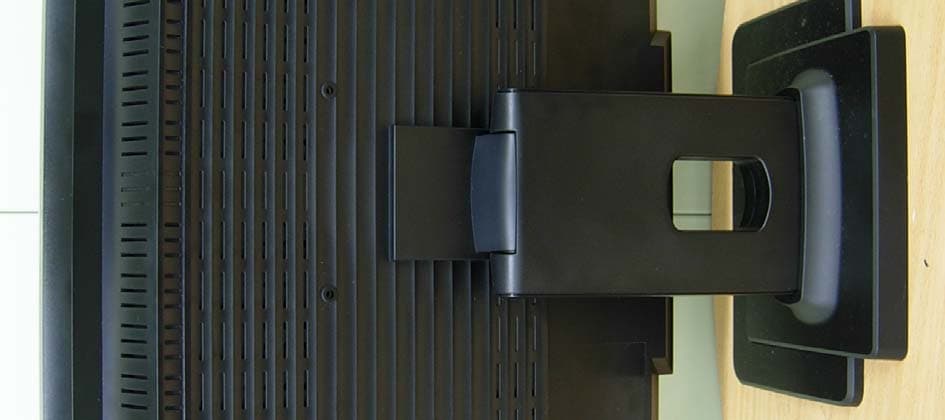
PXWU90D
Apr 01, 2007LCD Monitor
Equipment Class
JBP - Part 15 Class B Computing Device Peripheral