PXWHL900DLCD MONITOR
Wooyoung Telecom Co., Ltd.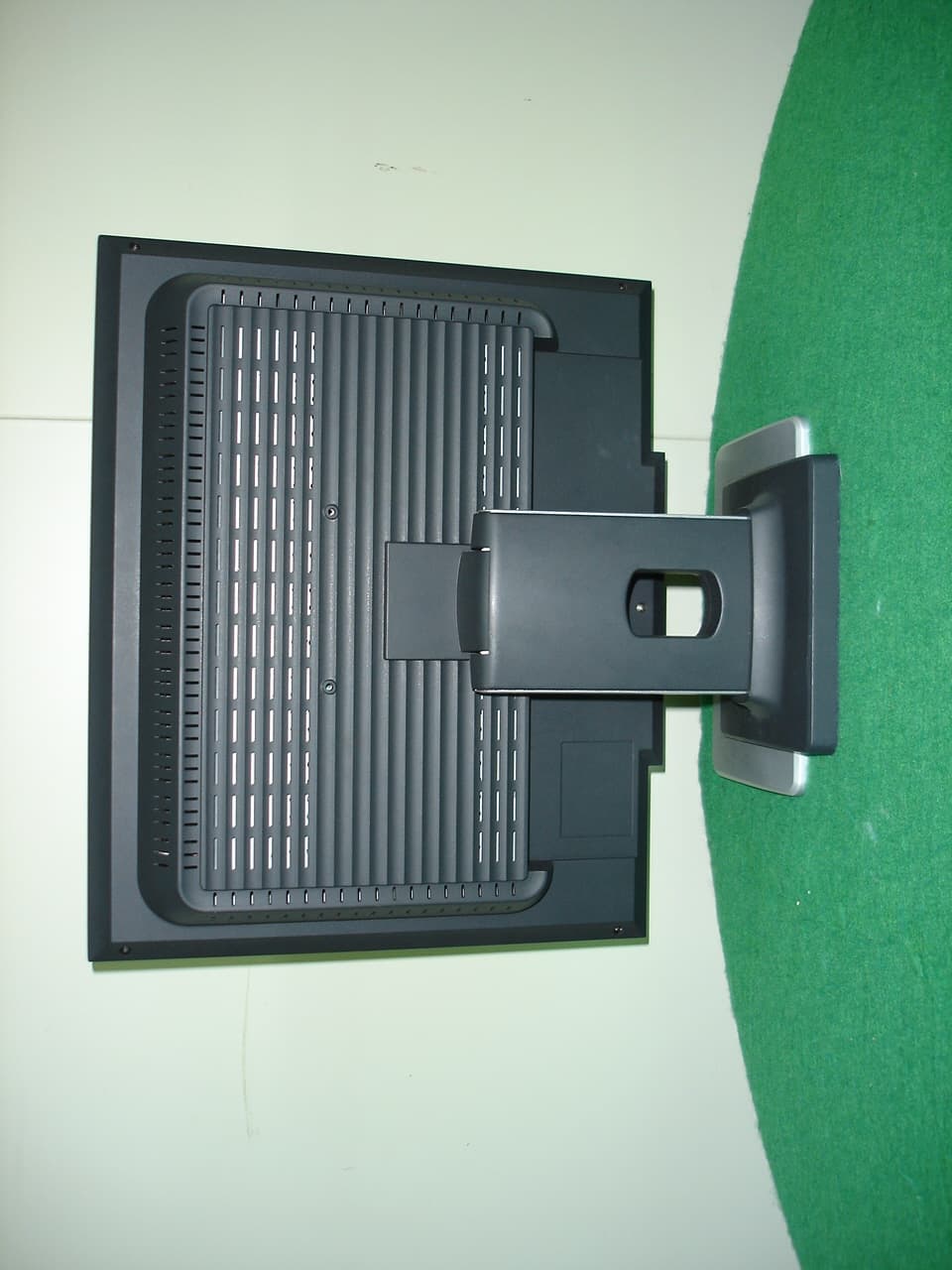
Click to zoom
Application Details
- Equipment Class
- JBP - Part 15 Class B Computing Device Peripheral
- Date of Grant
- Apr 21, 2005
- Application Purpose
- Original Equipment
- Date of Application
- Apr 21, 2005
- Equipment Note
- LCD MONITOR
- Company
- Wooyoung Telecom Co., Ltd.
- Country
- South Korea
Documents & Files
Document Text
Text extracted from the exhibit documents filed with the FCC. Open a document above to read the original.
Users Manual
e c n e r e f e R s ’ r e s U H L D H L S TT FF TT L L CC DD M M oo nn ii tt oo rr 2 5 1 0 0 5 9 E 7 9 : N / P 1 Contents 1. Precautions 2 2. Items 4 3. Setting up the LCD monitor 5 How to connect the power cord and the several cables to the LCD monitor. 5 Plug & Play 5 Warm-up Time 5 4. Adjusting The Monitor 6 The Function Control Buttons 6 How to use the Function Key. 6 Main OSD Menu 6 BRIGHTNESS/CONTRAST 7 COLOR 7 POSITION &CLOCK/PHASE 7 OSD FUNCTION ADJUSTMENT 7 SETUP MENU 7 5. Appendix 8 Display Modes 8 15-pin D-Sub Connector 9 24-pin DVI Connector 9 DPMS Power Saving Mode 10 6. Troubleshooting 11 3 2 Precautions 1 AC outlet Power cord Warning : The following information will help you avoid the risk of electric shock, serious injury, and death. Plug the power cord into aproperly grounded outlet.There is the risk of electricshock.Do not unplug from the outletby pulling the power cord orwhen your hands are wet.There is the risk of electricshock and fire. Do not allow any object or liq-uid to enter inside the monitor.There is the risk of electricshock, fire, or damage to themonitor. Do not bend the power cordexcessively or place heavy objectson it. Keep children and pets awayfrom the power cord as they maydamage the power cord. There isthe risk of electric shock and fire. Do not use a damaged powercord or plug. Make sure theplug fits snugly into the outlet.There is the risk of electricshock or fire. Do not expose the monitor tothe direct sun light. Keep the monitor away from hightemperature, humidity, and dust. Operating environment =0~25degrees Celsius Operating environment =30~80relative humidity. Do not block the fan louvers.There is the risk of fire or dam-age to the monitor. 220V Use a proper voltage/currentlevel indicated Do not clean the LCD withabrasive chemicals.There is the risk of damage tothe LCD. Do not scratch and damagethe LCD with sharp objects. Keep the monitor away fromobjects and electrical appli-ances that may generate elec-tromagnetic fields. Place the monitor on a flat, sta-ble surface. The monitor mayfall and there is the risk ofdamage or injury Unplug the power cord whenthe monitor is not in use for aprolonged period of time. If you hear a noise or smellsmoke from the computer oradaptor, unplug the power cordimmediately, and call the servicecenter. There is the risk of elec-tric shock or fire. Do not overload an electricaloutlet with too many devices.There is the risk of fire. Do not attempt to disassemble,fix, or modify the monitor.There is the risk of electricshock or fire. Caution : The following information will help you avoid the risk of minor or moderate injury, or damage to the monitor. 5 4 s m e t I 2 . r o t i n o m r u o y h t i w d e d u l c n i e r a s m e t i g n i w o l l o f e h t e r u s e k a m e s a e l P . r e l a e d r u o y t c a t n o c , g n i s s i m e r a s m e t i y n a f I e c i t o N l a u n a M r e s U l a n g i S b u S - D n i p - 5 1 e l b a C e l b a C I V D n i p - 4 2 d n a t S l i t n u k o o h e h t h s u P g n i g n a h d r o c r e w o P r o t i n o M D C L r o t i n o m D C L e h t p u g n i t t e S 3 . r o t i n o m D C L e h t o t s e l b a c l a r e v e s e h t d n a d r o c r e w o p e h t t c e n n o c o t w o H 123 r e w o P C P I V D d r o C r e w o P e l b a C l a n g i S b u S - D n i p - 5 1 e l b a C I V D n i p - 4 2 s n o i t c e n n o c e l b a C . o N e m a N e h t n o n r u t u o y r e v e n e h w e l b a t s y l l a m r e h t e m o c e b o t e m i t d e e n s r o t i n o m D C L l l A o t , e r o f e r e h T . s r u o h f o e l p u o c a r o f f f o d e n r u t e b r o t i n o m e h t g n i t t e l r e t f a r o t i n o m e b o t r o t i n o m D C L e h t w o l l a , s r e t e m a r a p r o f s t n e m t s u j d a e t a r u c c a e r o m e v e i h c a . s t n e m t s u j d a n e e r c s y n a g n i k a m e r o f e b s e t u n i m 0 3 t s a e l t a r o f p u d e m r a w e m i T p u - m r a W d n a d e t a c i l p m o c s e t a n i m i l e n o i t u l o s y a l P d n a g u l P A S E V w e n e h t f o n o i t p o d a e h T - i t a p m o c y a l P d n a g u l P a n i r o t i n o m r u o y l l a t s n i o t u o y s w o l l a t I . p u t e s g n i m u s n o c e m i t - i t n e d i y l i s a e n a c m e t s y s C P r u o Y . n o i s u f n o c d n a s e l s s a h l a u s u e h t t u o h t i w m e t s y s e l b C P e h t s l l e t y l l a c i t a m o t u a r o t i n o m s i h T . y a l p s i d r u o y h t i w e s u r o f f l e s t i e r u g i f n o c d n a y f l e n n a h C a t a D y a l p s i D g n i s u ) D I D E ( a t a D n o i t a c i f i t n e d I y a l p s i D d e d n e t x E s t i m e t s y s t a l f e h t e s u o t f l e s t i e r u g i f n o c y l l a c i t a m o t u a n a c m e t s y s C P e h t o s s l o c o t o r p ) C D D ( . y a l p s i d l e n a p y a l P & g u l P *1 : For HL900D Only *1 *1 : For HL900D Only *1
Users Manual
7 6 r o t i n o M e h T g n i t s u j d A 4 s n o t t u B l o r t n o C n o i t c n u F e h T . y e K n o i t c n u F e h t e s u o t w o H . s r a e p p a u n e m n i a m D S O e h T : k c i l c t s r i F . 1 . s r a e p p a s i d u n e m D S O e h T : k c i l c d n o c e S . 2 . y l l a c i t a m o t u a y t i l a u q e g a m i e z i m i t p o l l i w s i h t , n o t t u b o t u A h s u p u o y n e h W C P ( . e d o m y a l p s i d e h t e g n a h c n a c u o Y ) l a t i g i D . n o t t u b e l g g o t f f O / n O r e w o P . n o i t c n u f d n a m m o c a t c e l e S . l e v e l e t i h w s ’ e c r u o s t u p n i s u o i r a v r o f ) l e v e l e t i h w ( r o l o c t s u j d a c i t a m o t u A . 1 . e n o t x e n e h t o t m e t i d n a m m o c d e t h g i l h g i h n e e r c s - n o e h t e v o M . 2 . e u l a v n o i t p o t n e r r u c e h t e s a e r c e D . 3 . e n o s u o i v e r P e h t o t m e t i d n a m m o c d e t h g i l h g i h n e e r c s - n o e h t e v o M . 1 . e u l a v n o i t p o t n e r r u c e h t e s a e r c n I . 2 . u n e m D S O n i a m w o l e b e e s n a c u o y , n o t t u b u n e m e h t h s u p u o y n e h W u n e M D S O n i a M . d e y a l p s i d g n i e b s e g a m i e h t f o y t i s n e t n i t h g i l l l a r e v o e h t s e g n a h C : s s e n t h g i r B : t s a r t n o C . k c a l b t s e k r a d d n a e t i h w t s e t h g i r b e h t n e e w t e b y t i s n e t n i t h g i l f o o i t a r e h t s e g n a h C . e u l a v a m m a g e h t s e g n a h C : a m m a G T S A R T N O C / S S E N T H G I R B . n e e r c s e i v o m r o e m a g f o e s a c n i l u f e s u s i e u l a V a m m a G g n i t s u j d A e c i t o N . e s a h P / k c o l C t s u j d a n a c u o y , ) e s i o n ( r a e l c t o n s i e g a m i f I e c i t o N U N E M N I A M T S A R T N O C T H G I R B R O L O C N O I T I S O P N O I T C N U F D S O P U T E S T I X E » h P N P V @ O @ » h k Y N S V @ @ @ T R P Q ? P X R Q R O L O C . e t i h w h s i d d e r o t e t i h w h s i u l b m r o f d e g n a h c e b n a c r o l o c f o e n o t e h T e p y t e u l B - 1 r o l o C e p y t d e R - 2 r o l o C . t n a w u o y t a h t s e u l a v e u l b d n a n e e r g , d e r t s u j d a n a c u o Y - E U L B , N E E R G , D E R E S A H P / K C O L C . u n e m e s a h p / k c o l c e s u n a c u o y , r a e l c t o n s i e g a m i n e h W f o s e u l a v m u m i t p o e h t s d n i f y l l a c i t a m o t u a ’ t n e m t s u j d A o t u A ‘ h g u o h t l A : E S A H P / K C O L C t s u j d a o t u o y r o f y r a s s e c e n e b y a m t i , n o i t i s o p e g a m i s a l l e w s a s r e t e m a r a p e s a h P d n a k c o l C e h t f I . t s r i f ’ t n e m t s u j d A o t u A ‘ e s u o t u o y r o f d e d n e m m o c e r s i t I . y l l a u n a m s r e t e m a r a p e s o h t t e g o t s e r u t a e f t n e m t s u j d a e s a h P d n a k c o l C e s u n e h t , y r o t c a f s i t a s t o n e r a s t l u s e r t n e m t s u j d a e h t e g n a h c y a m t n e m t s u j d a e s a h P d n a k c o l C t a h t d n i m n i r a e B . s t l u s e r t n e m t s u j d a t s e b e h t r e t n e c f o t u o e l i h w r a e l c s i e g a m i e h t f I . l l e w s a n o i t i s o p e g a m i t c e f f a d n a e g a m i e h t f o h t d i w . e g a m i e h t r e t n e c o t n o i t i s o p e g a m i e s u , s l e x i p f o e l p u o c a y b E S A H P / K C O L C & N O I T I S O P N O I T I S O P . e g a m i e h t f o n o i t a c o l e h t s e g n a h C t h g i R / t f e L e h t o t s e v o M : n o i t i s o P - H p o T / m o t t o B e h t o t s e v o M : n o i t i s o P - V T N E M T S U J D A N O I T C N U F D S O . n o i t i s o p y a l p s i d u n e m D S O e h t s t e S . n o i t c e r i d l a c i t r e v r o l a t n o z i r o h e h t o t u n e m D S O e h t s e v o M : n o i t i s o P D S O . c e s 0 6 o t 5 m o r f s y a l p s i d E M I T D S O e h t s w o h S : E M I T D S O . u n e m D S O n i e g a u g n a l s t c e l e S : E G A U G N A L U N E M P U T E S . l e v e l e t i h w s ’ e c r u o s t u p n i s u o i r a v r o f ) l e v e l e t i h w ( r o l o c t s u j d c i t a m o t u A : e c n a l a b e t i h W . l a n g i s t u p n i s t c e l e S : e c r u o s t u p n I . n o i t a m r o f n i s ’ r o t i n o m s y a l p s i d : n o i t a m r o f n I . s e u l a v t l u a f e d y r o t c a f e h t h t i w s r o t o m a r a p l l a d e c a l p e r d n a g n i t t e s t n e r r u c s d r a c s i D : l l a c e R 1 * 1 * 1 * . y l n O e d o m C P r o F : 1 * *1 *1 : For HL900D Only *2 *2 : For HL900D Only.
Users Manual
9 8 x i d n e p p A 5 s e d o M y a l p s i D 0 8 2 1 s i n o i t u l o s e r l a m i t p o e h T z H 0 6 @ 4 2 0 1 e d o M A G V A G V S A G X 0 8 4 X 0 4 6 0 0 4 X 0 2 7 0 0 6 X 0 0 8 8 6 7 X 4 2 0 1 n o i t u l o s e R 8 6 4 . 1 3 l a t n o z i r o H ) z H K ( y c n e u q e r F l a c i t r e V ) z H ( y c n e u q e r F k c o l C l e x i P ) z H M ( y c n e u q e r F c n y S ) V / H ( y t i r a l o P 8 6 4 . 1 3 0 0 0 . 5 3 0 0 5 . 7 3 9 7 8 . 7 3 7 7 0 . 8 4 5 7 8 . 6 4 3 6 3 . 8 4 6 7 4 . 6 5 3 2 0 . 0 6 7 8 0 . 0 7 0 4 9 . 9 5 0 7 6 . 6 6 0 0 0 . 5 7 0 0 3 . 0 6 8 8 1 . 2 7 0 0 0 . 5 7 4 0 0 . 0 6 0 0 0 . 0 7 9 2 0 . 5 7 2 2 3 . 8 2 5 7 1 . 5 2 0 4 2 . 0 3 0 0 5 . 1 3 0 0 0 . 0 4 0 0 0 . 0 5 0 0 5 . 9 4 0 0 0 . 5 6 0 0 0 . 5 7 0 5 7 . 8 7 + / - - / - - / - - / - + / + + / + + / + - / - - / - + / + A G X S 4 2 0 1 X 0 8 2 1 1 8 9 . 3 6 6 7 9 . 9 7 0 2 0 . 0 6 5 2 0 . 5 7 0 0 0 . 8 0 1 0 0 0 . 5 3 1 - , + / - , + + / + r o t c e n n o C b u S - D n i p - 5 1 B G R g o l a n A : l a n g i s t u p n I r o t c e n n o c b u S - D n i p - 5 1 r o t c e n n o C I V D n i p - 4 2 l a t i g i D : l a n g i s t u p n I r o t c e n n o c I V D n i p - 4 2 . o N n i P 12345 t u p n I d e R g o l a n A t u p n I n e e r G g o l a n A t u p n I e u l B g o l a n A d n u o r G d n u o r G C D D . o N n i P 6789 0 1 e m a N l a n g i S d n u o r G d e R g o l a n A d n u o r G n e e r G g o l a n A d n u o r G e u l B g o l a n A t c e n n o C o N d n u o r G c n y S . o N n i P e m a N l a n g i S 1 1 2 1 3 1 4 1 5 1 d n u o r G a t a D C D D c n y S l a t n o z i r o H c n y S l a c i t r e V k c o l C C D D e m a N l a n g i S . o N n i P 12345678 - 2 A T A D S D M T + 2 A T A D S D M T D N G D C N C N k C O L C C D D A T A D C D D c n y S l a c i t r e v g o l a n A . o N n i P 9 0 1 1 1 2 1 3 1 4 1 5 1 6 1 e m a N l a n g i S - 1 A T A D S D M T + 1 A T A D S D M T D N G D C N C N R E W O P V 5 + D N G A C N . o N n i P e m a N l a n g i S 7 1 8 1 9 1 0 2 1 2 2 2 3 2 4 2 - A T A D S D M T + A T A D S D M T D N G D C N C N D N G D + K C O L C S D M T - K C O L C S D M T e m a N l a n g i S e l b a C l a n g i S b u S - D n i p - 5 1 e l b a C I V D n i p - 4 2 *1 *1 : For HL900D Only
Users Manual
11 10 Troubleshooting What you see Ensure that the power cord is firmly connected and the LCD monitor is on. “OUT OF RANGE” message“NOSIGNAL” messageScreen is blank and power indictoris off � Check the maximum resolution and the frequency of the video adaptor. � Compare these values with the data in the Display Modes Timing Chart. � Ensure that the signal cable is firmly connected to the PC or video sources. � Ensure that the PC or video sources are turned on. The image is too light or too dark � Adjust the Brightness and Contrast. � Refer to the Brightness/Contrast The image color is not good � Adjust the Color � Refer to the Color Image is not centered on thescreen � Executes Auto Configuration. Screen is blank and power indicatorlight is steady amber or blinksevery 0.5 or 1 seconds � The monitor is using its power management system. � Move the computer’s mouse or press a key on the key- board. Image is not stable and mayappear to vibrate � Check that the display resolution and frequency from your PC or video board is an available mode for your monitor.On your computer check : Control Panel, Display, Settings � Note : Your monitor supports multiscan display functions within the following frequency domain: Suggested Actions 6 This monitor has a built-in power management system called DPMS Power SavingMode. This system saves energy by switching your monitor into a low-power modewhen it has not been used for a certain period of time. The available modes are “ON”,“Standby”, “Suspend”, and “OFF”. DPMS Power Saving Mode ON State Stanby mode Suspend mode OFF Active H-sync Inactive Active Inactive Active V-sync Active Inactive Inactive Active RGB Signal Blanked Blanked Blanked Power Consumption Under 40Watt Less than 2Watt - Recovery Time Green AmberAmberAmber LED Color and Operting status Within 2Sec 2 1 *1 *1 : For HL900D Only.
Block Diagram
R - +3.3V HDATA F UC T I O N C O NN E C T O R on BACK L I T E P O W E R& I N V C O NN E C T O R G SCL,SDA DVI Cable KEY1, KEY2 SCL,SDA PC_Graphic Card EEPR0M AT24C16 +5V SCALERTSU56AJ EEPR0M AT24C02 ODD,EVENOUTPUT DDC _ C L K A d j BACK L I T E Signal Cable Regulator AP1117E-18A 29 PIN DVIJACK Vsync G _ G ND C L K + 15 PIN D-SUBCONNECTOR +5V,GND LED_GRN, LED_AMB B _ G ND M 190 E N 04 V . 2 AU O P AN E L INV_ON/OFF R _ G ND Hsync C L K - R F UNC T I O N B O ARD +5V DDC _ DA T A B + B MICRO CONTROLLERWT61P4-L44 Regulator RT9164-33CL +1.8V G + PANEL CONNECTOR12507WR-30 X-TAL14.31818MHz ST_DET2 R + HWRESET ACINLET100-220V X-TAL24MHz LIPS(LCDINVERTERPOWERSYSTEM) H sy n c DDC_DATAST_DET HL900D BLOCK DIAGRAM B - HFS G - AD BOARD V sy n c HCLK DDC_CLK 2 HV RXO1- 2 1 1 AUO PANEL(M190EN04 V.2) 5 GND 3 24 2 RXO1+ VCC5V RXE3+ 5 RXO2- RXOCLK+ RXECLK+ 20 CN21 +12V LV LED_G RXO0- RXO1- 25 2 1 +5V AD BOARD GND 9 RXO2+ RXO1+ RXO3+ RXE3+ 9 12 20 8 6 7 +5V J312507WR-30 NC 2 6 KEY2 RXO3- RXE3- 8 12 RXO2+ CON1FUNCTION CONN CN2 18 HV 26 27 7 5 2 GND RXO0+ NC 15 RXO3+ RXO2- GND CN22 GND 4 13 RXO3- 6 8 1 J1POWER &INVERTERCONNECTOR VpnlRXE0+ NC CN23 27 RXE0- 7 RXO0+ GND 2 7 RXOCLK+ 3 KEY1 Vpnl 25 4 RXE0- NC CN24 9 4 12 RXE0+ Cold ONBKT 1 CN11FI-XB30S-HF ONBKT LV GND 28 16 RXE1- VD D L.I.P.S(LCD INVERTERPOWER SYSTEM) Hi-V GND LED_R Hi-V Cold 1 11 2 VCC5V +5V 1 RXE1+ Vpnl VD D 4 FUNCTIONBOARD 2 14 RXE1+ 1 3 4 +5V HL900D CONNECTION DIAGRAM RXOCLK- 3 NC 1 1815 26 RXE2- Vpnl VD D CN4 9 LED_R RXE1- 16 1 5 7 GND GND 29 19 LV 28 KEY1 2 Hi-V Hi-V GND 21 AD J 5 GND 2 6 17 1 AD J GND 1 11 22 LED_G 21 RXE2+ RXE2+ 6 6 13 30 +12V 10 LV CN3 Cold 8 2 29 1 4 17 3 10 7 RXECLK- GNDRXE2- 19 HV GND HV J5FUNCTIONCONNECTOR CN1 23 CN5 +12V 22 30 GND RXECLK+ RXECLK- RXO0- 14 5 KEY2 +12V 23 2 Cold RXE3- 3 GND RXOCLK- 24 GND
External Photos
SK TECH CO., LTD. Page 1 of 2 SKT SKTFCE-050414-029 FCC ID : PXWHL900D External Photographs of EUT SK TECH CO., LTD. Page 2 of 2 SKT SKTFCE-050414-029 FCC ID : PXWHL900D
ID Label/Location Info
SK TECH CO., LTD. Page 1 of 1 SKT SKTFCE-050414-029 FCC ID : PXWHL900D FCC ID Sample Label & Location Information LABELLING REQUIREMENTS PER ∫∫∫∫2.928 The Label shown shall be permanently affixed at a conspicuous location on the device and be readily visible to the user at the time of purchase. Woo Young Telecom Co., Ltd. LCD MONITOR FCC ID :PXWHL900D
ID Label/Location Info
SK TECH CO., LTD. Page 1 of 1 SKT SKTFCE-050414-029 FCC ID : PXWHL900D FCC ID Label Sample Woo Young Telecom Co., Ltd. LCD MONITOR FCC ID: PXWHL900D
Internal Photos
SK TECH CO., LTD. Page 1 of 14 SKT SKTFCE-050414-029 FCC ID : PXWHL900D Internal Photographs of EUT 1. HL900D(within AUO Panel) SK TECH CO., LTD. Page 2 of 14 SKT SKTFCE-050414-029 FCC ID : PXWHL900D SK TECH CO., LTD. Page 3 of 14 SKT SKTFCE-050414-029 FCC ID : PXWHL900D SK TECH CO., LTD. Page 4 of 14 SKT SKTFCE-050414-029 FCC ID : PXWHL900D SK TECH CO., LTD. Page 5 of 14 SKT SKTFCE-050414-029 FCC ID : PXWHL900D SK TECH CO., LTD. Page 6 of 14 SKT SKTFCE-050414-029 FCC ID : PXWHL900D SK TECH CO., LTD. Page 7 of 14 SKT SKTFCE-050414-029 FCC ID : PXWHL900D SK TECH CO., LTD. Page 8 of 14 SKT SKTFCE-050414-029 FCC ID : PXWHL900D SK TECH CO., LTD. Page 9 of 14 SKT SKTFCE-050414-029 FCC ID : PXWHL900D SK TECH CO., LTD. Page 10 of 14 SKT SKTFCE-050414-029 FCC ID : PXWHL900D SK TECH CO., LTD. Page 11 of 14 SKT SKTFCE-050414-029 FCC ID : PXWHL900D 2. HL900D(within LG Panel) SK TECH CO., LTD. Page 12 of 14 SKT SKTFCE-050414-029 FCC ID : PXWHL900D SK TECH CO., LTD. Page 13 of 14 SKT SKTFCE-050414-029 FCC ID : PXWHL900D SK TECH CO., LTD. Page 14 of 14 SKT SKTFCE-050414-029 FCC ID : PXWHL900D
Test Report
SK TECH CO., LTD. Page 1 of 21 SKT SKTFCE-050414-029 FCC ID : PXWHL900D Certificate of Compliance Test Report No.: SKTFCE-050414-029 NVLAP CODE : 200220-0 Applicant: Woo Young Telecom Co., Ltd. Applicant Address: 222-6, Suwolam-ri, Seotan-myeon, Pyeongtaek-si, Gyeonggi-do, 451-852, Rep. of Korea. Manufacturer : Woo Young Telecom Co., Ltd. Manufacturer Address: 222-6, Suwolam-ri, Seotan-myeon, Pyeongtaek-si, Gyeonggi-do, 451-852, Rep. of Korea. Product: LCD MONITOR FCC ID: PXWHL900D Model No.: HL900D Receipt No.: SKTEU05-0222 Date of receipt: Apr. 04, 2005 Date of Issue: Apr. 14, 2005 Testing location: SK TECH CO., LTD. 820-2, Wolmoon-Ri, Wabu-Up, Namyangju-Si, Kyunggi-Do, Korea Test Standards: ANSI C63.4 / 2003 Rule Parts: FCC part 15 Subpart B Equipment Class : Class B Digital Device Peripheral Test Result: The above mentioned product has been tested and passed. Prepared by: S.Y.Ye Tested by: S.B.Ko/Engineer Approved by: C.H.Jeong /Manager& Chief Engineer Signature Date Signature Date Signature Date Other Aspects : Abbreviations : · OK, Pass = passed · Fail = failed · N/A = not applicable ☞ •This test report is not permitted to copy partly without our permission. •This test result is dependent on only equipment to be used. •This test result is based on a single evaluation of one sample of the above mentioned. •This test report must not be used by the client to claim product endorsement by NVLAP or any agency of the U.S Government. • We certify that this test report has been based on the measurement standards that is traceable to the national or International standards. NVLAP Lab. Code: 200220-0 SK TECH CO., LTD. Page 2 of 21 SKT SKTFCE-050414-029 FCC ID : PXWHL900D 》》 Contents 《《 Contents 2 List of Tables 2 List of Figures 2 1. General 3 2. Test Site 3 2.1 Location 3 2.2 List of Test and Measurement Instruments 4 2.3 Test Date 4 2.4 Test Environment 4 3. Description of the tested samples 5 3.1 Rating and Physical Characteristics 5 3.2 Submitted Documents 5 4. Measurement Conditions 6 4.1 Modes of Operation 6 4.2 List of Peripherals 6 4.3 Type of Used cables 7 4.4 Test Setup 7 4.5 Uncertainty 8 5. EMISSION Test 11 5.1 Conducted Emissions 11 5.2 Radiated Emissions 20 》List of Tables Table 1 List of test and measurement Equipment 4 Table 2 Test Data, Radiated Emissions 21 》List of Figures Figure 1 Spectral Diagram, LINE-PE(AUO Panel) 12 Figure 2 Test Data, LINE-PE(AUO Panel) 13 Figure 3 Spectral Neutral –PE(AUO Panel) 14 Figure 4 Test Data, Neutral-PE(AUO Panel) 15 Figure 5 Spectral Diagram, LINE-PE (LG Panel) 16 Figure 6 Test Data LINE-PE(LG Panel) 17 Figure 7 Spectral Diagram, Neutral-PE(LG Panel) 18 Figure 8 Test Data Neutral-PE(LG Panel) 19 SK TECH CO., LTD. Page 3 of 21 SKT SKTFCE-050414-029 FCC ID : PXWHL900D 1. General This equipment has been shown to be capable of compliance with the applicable technical standards and was tested in accordance with the measurement procedures as indicated in this report. We attest to the accuracy of data. All measurements reported herein were performed by SK Tech Co., Ltd. and were made under Chief Engineer’s supervision. We assume full responsibility for the completeness of these measurements and vouch for the qualifications of all persons taking them. 2. Test Site SK TECH Co., Ltd. 2.1 Location 820-2, Wolmoon Ri, Wabu-Up, Namyangju-Si, Kyunggi-Do, Korea The test site is in compliance with ISO/IEC 17025 for general requirements for the competence of testing and calibration laboratories. This laboratory is accredited by NVLAP for NVLAP Lab. Code : 200220-0 and DATech for DAR-Registration No.:DAT-P-076/97-01 SK TECH CO., LTD. Page 4 of 21 SKT SKTFCE-050414-029 FCC ID : PXWHL900D 2.2 List of Test and Measurement Instruments Table 1 : List of Test and Measurement Equipment z Conducted Disturbance Kind of Equipment Type S/N Calibrated until EMI Receiver ESHS10 862970/019 10.2005 Artificial Mains Network ESH2-Z5 834549/011 08.2005 EMI Receiver ESHS10 835871/002 11.2005 Artificial Mains Network ESH3-Z5 836679/018 08.2005 z Radiated Disturbance Kind of Equipment Type S/N Calibrated until EMI Receiver ESVS 10 825120/013 10.2005 EMI Receiver ESVS 10 834468/008 11.2005 Spectrum Analyzer R3361A 11730187 10.2005 Amplifier 8447F 3113A05153 08.2005 Log Periodic Antenna UHALP9107 1819 04.2005 Biconical Antenna BBA9106 91031626 04.2005 Open Site Cable N/A N/A N/A Antenna Turntable Driver 5907 N/A N/A Antenna Turntable controller 5906 N/A N/A Amp & Receiver connection cable N/A N/A N/A Amp & Spectrum connection cable N/A N/A N/A 50Ω Switcher MP59B 6100214538 N/A 2.3 Test Date Date of Application : Apr. 04, 2005 Date of Test : Apr. 04, 2005 ~ Apr. 06, 2005 2.4 Test Environment See each test item’s description. SK TECH CO., LTD. Page 5 of 21 SKT SKTFCE-050414-029 FCC ID : PXWHL900D 3. Description of the tested samples The EUT is the LCD MONITOR. 3.1 Rating and Physical Characteristics Item Description LCD 19inch (48.3cm) Frequency Analog : Horizontal 31.5~80kHz / Vertical 56~75Hz Digital : Horizontal 31~64KHz / Vertical 59~61Hz Maximum Resolution Analog : 1280x1024@75Hz Digital : 1280x1024@60Hz(SXGA) Response Time 8ms Input Signal RGB Analog, DVI Standard 1.0 Input Port 15pin D-Sub, 24pin DVI-D Benefit Function OSD(On Screen Display)/Plug & Play Power AC 100~240V, 50/60Hz(LCD included Adaptor inside) Consumption Power Max 40W Size 426mm x 193mm x 406mm Weight 5.0kg 3.2 Submitted Documents N/A SK TECH CO., LTD. Page 6 of 21 SKT SKTFCE-050414-029 FCC ID : PXWHL900D 4. Measurement Conditions Operating voltage of the EUT is 120V, 60Hz 4.1 Modes of Operation After connect PC to EUT by VGA cable and run ”H” pattern test program stored to PC. The signal was displayed in the EUT, during the all tests. 4.2 List of Peripherals Description Manufacturer Model Name Serial No. FCC ID PC SAMSUNG ZMP35 X71498DX900234 E - Keyboard Jing Mold EnterpriseLKB-0107 20103129 - Mouse LG electronics LMULBGS01I 04CU000259 - Printer EPSON EPSON STYLUS PHOTO 830 ELTK014633 - SK TECH CO., LTD. Page…
Text truncated - open the document above for the full version.
Test Setup Photos
SK TECH CO., LTD. Page 1 of 2 SKT SKTFCE-050414-029 FCC ID :PXWHL900D Test set up photos Photograph 1: Setup for Conducted Emissions SK TECH CO., LTD. Page 2 of 2 SKT SKTFCE-050414-029 FCC ID :PXWHL900D Photograph 2: Setup for Radiated Emissions
Contact Information
Applicant
Yu-Ho Choi(General Manager)
Test Firm
SK Tech Co., Ltd.Jae-Yeong Hyun
Technical Specifications
| # | Rule Parts | Frequency Range | Power Output |
|---|---|---|---|
| 1 | 15B | - | - |
Other Applications from Wooyoung Telecom Co., Ltd.

PXWU70A
Jul 26, 2007LCD Monitor
Equipment Class
JBP - Part 15 Class B Computing Device Peripheral
PXWU90A
Jul 26, 2007LCD Monitor
Equipment Class
JBP - Part 15 Class B Computing Device Peripheral
PXWU90P
Jul 23, 2007LCD MONITOR
Equipment Class
JBP - Part 15 Class B Computing Device Peripheral
PXWU70D
Apr 29, 2007LCD MONITOR
Equipment Class
JBP - Part 15 Class B Computing Device Peripheral
PXWU90D
Apr 01, 2007LCD Monitor
Equipment Class
JBP - Part 15 Class B Computing Device Peripheral