FCCID.CO- FCC ID Database
HomeCompaniesEquipment ClassesSearch

© 2026 FCC ID Database. All rights reserved.

AboutContactData sourced from FCC public records
  1. Home/
  2. Excelpoint Systems (PTE) Ltd./
  3. PYQ-0001

PYQ-0001Bluetooth USB Dongle

Excelpoint Systems (PTE) Ltd.
Bluetooth USB Dongle - FCC ID PYQ-0001 - Excelpoint Systems (PTE) Ltd.
Click to zoom

Application Details

Equipment Class
DSS - Part 15 Spread Spectrum Transmitter
Date of Grant
Sep 30, 2002
Application Purpose
Original Equipment
Date of Application
Sep 30, 2002
Equipment Note
Bluetooth USB Dongle
Frequency Range
2402.00000000 - 2480.00000000
Company
Excelpoint Systems (PTE) Ltd.
Country
Singapore

Documents & Files

Select a file to view
Users Manual

↗
↗

Block Diagram

↗

External Photos

↗

ID Label/Location Info

↗
↗

Internal Photos

↗

Operational Description

↗

Schematics

↗

Test Report

↗

Test Setup Photos

↗

Document Text

Text extracted from the exhibit documents filed with the FCC. Open a document above to read the original.

Users Manual

Setup Bluetooth USB for Internet and Intranet Sharing _______________________ 2 Hardware Installation ________________________________________________ 2 Software Installation and Configuration _________________________________ 2 Windows 98, Windows 98SE and Windows ME ___________________________ 2 Server Configuration under Windows 98 and Windows ME __________________ 6 Windows 2000 and Windows XP _______________________________________ 7 Server Configuration under Windows XP _______________________________ 11 How to use Bluetooth Internet and Intranet Sharing ______________________ 13 Enable Security ____________________________________________________ 13 Create the trusted pair of devices ______________________________________ 15 Connect and disconnect Personnel Area Network _________________________ 18 Important Note ____________________________________________________ 18 Setup the Bluetooth PC Card and USB for Bluetooth V.92 Modem _____________ 19 Installation of the driver and application software ________________________ 19 Discover and Configure your Notebook or Desktop for Dial-up networking ___ 19 Set up Dial-up networking to access ISP ________________________________ 23 FEDERAL COMMUNICATIONS COMMISSION INTERFERENCE STATEMENT This equipment has been tested and found to comply with the limits for a Class B digital device, pursuant to Part 15 of the FCC Rules. These limits are designed to provide reasonable protection against harmful interference in a residential installation. This equipment generates, uses and can radiate radio frequency energy and, if not installed and used in accordance with the instructions, may cause harmful interference to radio communications. However, there is no guarantee that interference will not occur in a particular installation. If this equipment does cause harmful interference to radio or television reception, which can be determined by turning the equipment off and on, the user is encouraged to try to correct the interference by one or more of the following measures: -- Reorient or relocate the receiving antenna. -- Increase the separation between the equipment and receiver. -- Connect the equipment into an outlet on a circuit different from that to which the receiver is connected. -- Consult the dealer or an experienced radio/TV technician for help. CAUTION: Any changes or modifications not expressly approved by the grantee of this device could void the user's authority to operate the equipment. FCC RF Radiation Exposure Statement This equipment complies with FCC RF radiation exposure limits set forth for an uncontrolled environment. This equipment should be installed and operated with a minimum distance of 2.0cm between the radiator and your body. Setup Bluetooth USB for Internet and Intranet Sharing This section contains the guide for setting up the Broadband Internet Sharing with Bluetooth USB Dongles. Hardware Installation Home Scenario PC A is connected with cable or ADSL modem, and it is able to access the broadband from this PC. We called this PC as the server of BIS. PC A, PC B and notebook have installed our Bluetooth USB Dongle. PC B and notebook will communicate with PC A Via Bluetooth in order to gain the internet access and network resources. Office Scenario PC A can be one node that can access internet in the office environment. We called this PC as the server of BIS. Software Installation and Configuration Windows 98, Windows 98SE and Windows ME Once you insert the Bluetooth USB Dongle, the following dialog box appears. Press “Next”, the following dialog box is shown on the screen. Select “Search for the best driver for your device” and press “Next” Select “Floppy disk drives”, if the driver of Bluetooth USB Dongle resides in floppy. Select “Specify a location” or CD-ROM, if it resides in other place. Press “Next” Press “Next” to continue Press “Finish” to start e enumeration of bluetooth device for profiles. If some systems prompt for reboot, please press “No” to let it continue enumeration. During the enumeration, Windows OS CD is needed for copy of system files. Please insert the Window98 or ME CD. After finishing enumeration, you can see an icon with Bluetooth logo in the system tray. You may need to wait for around one minute under Window98, the following dialog box will appear: If you use this PC as bluetooth network client and access to internet via bluetooth network server, you can press “OK” to finish installation and configuration. If you use this PC as bluetooth network server and access point of internet sharing, you can continue the following section “Server Configuration”. The setting of Workgroup is read from your system, this dialog allows you to change the name of Workgroup. Please make sure that the client and server have the same Workgroup in order to share Folders and Printers. Server Configuration under Windows 98 and Windows ME Press “OK” to continue, the following dialog box will appear: Please select your method to access internet. It can be Ethernet Adapter, if this PC is in office environment. It can also be dial-up Analog, ISDN, ADSL and Cable modem. Press “OK” to continue. The following dialog box will appear: Please press “OK” to finish the bluetooth server installation Windows 2000 and Windows XP Once you insert our Bluetooth USB Dongle, and the following dialog box appears. Please select “Install from a list or specific location (Advanced)”, and press “Next” The dialog box appears as following after press “Next”: Press “Next” to copy the files from CD-ROM to your PC. The following dialog box appears after finishing copy. Press “Finish” to start enumeration of devices for the variety of application profiles. The first device is “USB Bluetooth port for Dial-up Networking Profile”, and the dialog box appears as below: Press “Next” to continue, and the dialog box appears as below: Press “Continue Anyway” to continue installation, and the dialog box appear as below: Press “Finish” to finish adding this ap…

Text truncated - open the document above for the full version.

Users Manual

Freedom to connect wirelessly to Wide variety of Bluetooth enabled device(s) within 100m using Bluetooth USB Pen. ing, online stock and other transactions simultaneously. This eliminate the use of a dedicated Access Point/Router. Using the desktop PC and Notebook connected to broadband and with our Internet Sharing software, wireless Internet gaming is FUN for all! Additionally, with the Internet Sharing software, users can implement print and file sharing, within 100m. Easy to use and secure, with PIN authentication.. Cost saving for everyone! Bluetooth USB Pen with our Internet sharing soft- ware now empower your Desktop PC, Notebook to share Telco access with other Bluetooth enable devices or PDA with the latest Bluetooth technol- ogy. Up to 7 over the air con- nections can now be made to the Internet to download music, listen to Webcast music, news over the Web or do your personal bank- Specifications ( subject to change without prior notice) Wireless Internet sharing up to 7 overair connection. Wireless range 100m. Main Features • Cost Saving in sharing broadband access. • Easy to use and secure, with PIN authentication. • Support wide range of Bluetooth Profile • Use class 1 Bluetooth Module • Desktop PC cradle for easy installation • Easy to use BlueMagix –Bluetooth software manager • USB 1.1 • Wireless range 100m • Data rate – 460kbps Symmetric • High interoperability Feb 02, 2002 Description (Bluetooth USB Pen) Specification Bluetooth specification Bluetooth Ver. 1.1 Range Bluetooth Class 1 - 100m (open space) Operating System Windows 98 / 98SE / Me / 2000/ XP Data rate 460kbps Symmetric; 720kbps Asymmetric PC interface USB 1.1 Bluetooth Profile Serial, Dialup Networking (DUN), LAN Access, OBEX Power consumption 520mW (Typical) Size 80(L) x 25(W) x 22(H)mm, USB cable length 300mm Weight 40g (Typical) Contact information: Sales : Dr.Goh, Technical Marketing Mgr. E-mail : [email protected] Tel: 65 6741 8966, Fax: 65 6741 8980 Small Office and Home Internet Access sharing over Bluetooth Telco connectivity, e.g. ADSL, Cable, PSTN, ISDN Class 1 Bluetooth USB dongle, 100m range Running Internet sharing s/w Bluetooth wireless connectivity enable; •Easy of use, reliable and convenience •Internet surfing •E-Mail access •Print sharing •Network gaming •File Transfer –Peer to Peer....etc.

Block Diagram

E E x x c c e e l l p p o o i i n n t t S S y y s s t t e e m m s s P P t t e e L L t t d d . . 53, Ubi Avenue 1, #05-56. PayaUbi Industrial Park. Singapore 408934 Bluetooth USB Pen / ES-BLTH-USPN-010-1000p BLOCK DIAGRAM USB conn Bluetooth Module Voltage Regulator LED indicator Antenna

External Photos

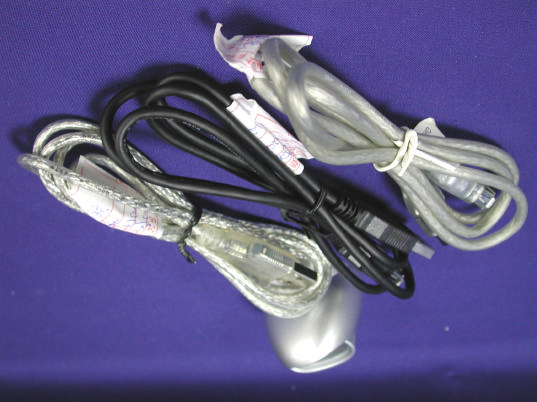
Report No.: 027L008FI Page : 1 of 4 Version : 1.0 Attachment 2 : EUT Detailed Photographs (1) EUT Photo (2) EUT Photo Report No.: 027L008FI Page : 4 of 4 Version : 1.0 (7) EUT Photo (8) EUT Photo

ID Label/Location Info

E E x x c c e e l l p p o o i i n n t t S S y y s s t t e e m m s s P P t t e e L L t t d d . . 53, Ubi Avenue 1, #05-56. PayaUbi Industrial Park. Singapore 408934 FCC ID: PYQ-0001 FCC ID Label ES-BLTH-USPN-010-1000p The FCC ID & DoC Label will be placed on the equipment as shown in the photograph Bluetooth USB Pen Model No.: ES-BLTH-USPN-010-1000p F F C C C C I I D D : : P P Y Y Q Q - - 0 0 0 0 0 0 1 1 This device complies with Part 15 of the FCC Rules. Operation is subject to the following two conditions: (1) this device may not cause harmful interference and (2) this device must accept any interference received, including interference that may cause undesired operation. S/N: Made in Singapore FCC DoC: Excelpoint Systems Pte Ltd. Model No.: ES-BLTH-USPN-010-1000p TESTED TO COMPLY WITH FCC STANDARDS FOR HOME OR OFFICE USE S/N: Made in Singapore

ID Label/Location Info

E E x x c c e e l l p p o o i i n n t t S S y y s s t t e e m m s s P P t t e e L L t t d d . . 53, Ubi Avenue 1, #05-56. PayaUbi Industrial Park. Singapore 408934 FCC ID: PYQ-0001 FCC ID Label ES-BLTH-USPN-010-1000p The FCC ID & DoC Label will be placed on the equipment as shown in the photograph Bluetooth USB Pen Model No.: ES-BLTH-USPN-010-1000p F F C C C C I I D D : : P P Y Y Q Q - - 0 0 0 0 0 0 1 1 This device complies with Part 15 of the FCC Rules. Operation is subject to the following two conditions: (1) this device may not cause harmful interference and (2) this device must accept any interference received, including interference that may cause undesired operation. S/N: Made in Singapore FCC DoC: Excelpoint Systems Pte Ltd. Model No.: ES-BLTH-USPN-010-1000p TESTED TO COMPLY WITH FCC STANDARDS FOR HOME OR OFFICE USE S/N: Made in Singapore

Internal Photos

Report No.: 027L008FI Page : 2 of 4 Version : 1.0 (3) EUT Photo (4) EUT Photo Report No.: 027L008FI Page : 3 of 4 Version : 1.0 (5) EUT Photo (6) EUT Photo

Operational Description

Report No. 027L008FI Page : 6 of 42 Version:1.0 Section 15.247-(a1) The system receivers shall have input bandwidths that match the hopping channel bandwidths of their corresponding transmitters and shall shift frequencies in synchronization with the transmitted signals. Section 15.247-(g) Frequency hopping spread spectrum systems are not required to employ all available hopping channels during each transmission. However, the system, consisting of both the transmitter and the receiver, must be designed to comply with all of the regulations in this section should the transmitter be presented with a continuous data (or information) stream. In addition, a system employing short transmission bursts must comply with the definition of a frequency hopping system and must distribute its transmissions over the minimum number of hopping channels specified in this section. Section 15.247-(h) The incorporation of intelligence within a frequency hopping spread spectrum system that permits the system to recognize other users within the spectrum band so that it individually and independently chooses and adapts its hopsets to avoid hopping on occupied channels is permitted. The coordination of frequency hopping systems in any other manner for the express purpose of avoiding the simultaneous occupancy of individual hopping frequencies by multiple transmitters is not permitted. Note: 1. These tests were conducted on a sample of the equipment for the purpose of demonstrating compliance with Part 15 Subpart C Paragraph 15.247 for spread spectrum devices. 2. Regards to the frequency band operation, the lowest middle and highest frequency of channel were selected to perform the test then shown on this report. 3. This device is a composite device in accordance with Part 15 paragraph 15.5. The function for the receiver was measured and made a test report that the report number is 027L008F under Declaration of Confermity.. 4. QuieTek had verified among construction and function in typical operation, then shown in this test report. 1.2. Operational Description EUT is an USB interface Bluetooth USB Pen with 79 channels. This device provides wireless technology that revolutionizes personal connectivity. It is the solution for the seamless integration of Bluetooth technology into personal computer enabling short-range wirless connections between desktop/laptop computers. Bluetooth-enabled peripherals (printers, faxes, ....), portable handheld devices, and connectivity to the Internet.

Schematics

1 2 3 4 5 6 78 ABCD 8 7 6 5 4 3 2 1 D CBA Excelpoint systems (PTC) Ltd. Ti tle : ES-BLTH-USPN-010-1000p Size: Document Number :Date :Proj ect : Bluetooth USB Pen Rev :Sheet of A3 Drawn by : Checked by : Approved by : C80.1uF 5V LED Q1MMBT2222ALT1 3.3V C1015pF C1115pF PRE 4 CLK 3 D 2 CLR 1 Q 5 Q 6 VCC 14 GND 7 U2A 74LVX74(3.3V) LED LINK C70.1uF R4 0R R5 0R 3.3V R30R R2 51R LINK 3.3V R10R* C50.1uF C60.1uF 5V 3.3V C110uF C210uF 3.3V C310uF Feed GND T1 CEREMIC_ANTENNA VCC 1 DM 2 DP 3 GND 4 AGND 5 CON1 USBCON C90.1uF C410uF R71.5K 3.3V GND 1 VCC 2 VDD 3 RESET 4 RF 5 GND 6 VBUS_IN 7 USB_DETACH 8 USB_WAKE 9 PORT1 10 PORT2 11 PORT3 12 GND 13 PCM_CLK 14 PCM_OUT 15 PCM_SYNC 16 PCM_IN 17 GND 18 UART_RxD 19 UART_TxD 20 UART_CTS 21 UART_RTS 22 USB_D+ 23 USB_D- 24 U3ALPSBTM R610K 1 P1TEST_PAD 1 P2TEST_PAD 1 P3TEST_PAD 1 P4TEST_PAD 1 P5TEST_PAD D1LED D2 LED(NI) IN 3 OUT 1 GND 2 U1 CM2830 R80R 3.3V FB1

Test Report

Report No. 027L008FI Page : 1 of 42 Version:1.0 Test Report Product Name : Bluetooth USB Pen Model No. : ES-BLTH-USPN-010-1000p FCC ID. : PYQ-0001 Applicant : Excelpoint Systems Pte Ltd. Address : Blk 1, 53 Ubi Avenue 1, #05-56. Paya Ubi Industrial Park. Singapore 408934 Date of Receipt : July 01, 2002 Date of Test : July 08, 2002 Report No. : 027L008FI The test results relate only to the samples tested. The test report shall not be reproduced except in full without the written approval of QuieTek Corporation. This report must not be used to claim product endorsement by NVLAP any agency of the U.S. Government Report No. 027L008FI Page : 3 of 42 Version:1.0 TABLE OF CONTENTS Description Page 1. GENERAL INFORMATION.............................................................................................5 1.1. EUT Description.................................................................................................................5 1.2. Operational Description.......................................................................................................6 1.3. Tested System Details..........................................................................................................7 1.4. Configuration of tested System.............................................................................................8 1.5. EUT Exercise Software........................................................................................................8 1.6. Test Facility........................................................................................................................9 2. Conducted Emission........................................................................................................10 2.1. Test Equipment List...........................................................................................................10 2.2. Test Setup.........................................................................................................................10 2.3. Limits...............................................................................................................................10 2.4. Test Procedure...................................................................................................................10 2.5. Test Result of Conducted Emission.....................................................................................12 3. Peak Power Output..........................................................................................................15 3.1. Test Equipment..................................................................................................................15 3.2. Test Setup.........................................................................................................................15 3.3. Test Condition...................................................................................................................15 3.4. Minimum Standard............................................................................................................15 3.5. Test Result of Peak Power Output.......................................................................................16 4. RF Exposure Evaluation..................................................................................................17 4.1. Friis Formula.....................................................................................................................17 4.2. EUT Operation condition...................................................................................................17 4.3. Test Result of RF Exposure Evaluation...............................................................................18 5. Radiated Emission...........................................................................................................19 5.1. Test Equipment..................................................................................................................19 5.2. Test Setup.........................................................................................................................19 5.3. Test Condition...................................................................................................................20 5.4. Limits...............................................................................................................................20 5.5. Test Procedure...................................................................................................................20 5.6. Test Result of Radiated Emission........................................................................................21 6. Band Edge.......................................................................................................................27 6.1. Test Equipment..................................................................................................................27 6.2. Test Setup.........................................................................................................................27 6.3. Test Condition...................................................................................................................28 6.4. Standard Reqirement..........................................................................................................28 6.5. Test Result of Band Edge...................................................................................................29 7. Occupied Bandwidth.......................................................................................................31 7.1. Test Equipment..................................................................................................................31 7.2. Test Setup.........................................................................................................................31 7.3. Test Condition.............................................................................…

Text truncated - open the document above for the full version.

Test Setup Photos

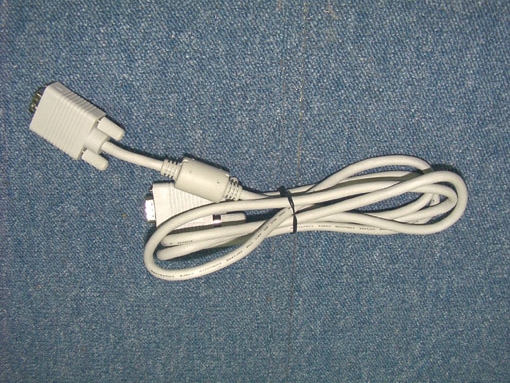
Report No.: 027L008FI Page: 1 of 7 Version: 1.0 Attachment 1 : EUT Test Photographs Front View of Conducted Test (Cable #1) Back View of Conducted Test (Cable #1) Report No.: 027L008FI Page: 2 of 7 Version: 1.0 Front View of Conducted Test (Cable #2) Back View of Conducted Test (Cable #2) Report No.: 027L008FI Page: 3 of 7 Version: 1.0 Front View of Conducted Test (Cable #3) Back View of Conducted Test (Cable #3) Report No.: 027L008FI Page: 4 of 7 Version: 1.0 Front View of Radiated Test (Cable #1) Back View of Radiated Test (Cable #1) Report No.: 027L008FI Page: 5 of 7 Version: 1.0 Front View of Radiated Test (Cable #2) Back View of Radiated Test (Cable #2) Report No.: 027L008FI Page: 6 of 7 Version: 1.0 Front View of Radiated Test (Cable #3) Back View of Radiated Test (Cable #3) Report No.: 027L008FI Page: 7 of 7 Version: 1.0 Front View of High Frequency Radiated Test

Contact Information

Applicant

Edmund Sim(Assistant Solutions Marketing Manager)
[email protected]65-741-8966Fax: 65-746-5302

Test Firm

DEKRA Testing and Certification Co., Ltd.Sky Hsu
[email protected]886-2-86013788Fax: 886-2-86013789

Technical Specifications

#Rule PartsFrequency RangePower Output
115C2.40 GHz - 2.48 GHz33.80 mW
Grant Notes
This device and its antenna(s) must operate with a separation distance of at least 2.5 cm from all persons and must not be co-located or operating in conjunction with any other antenna or transmitter. End-users must be provided with specific operating instructions for satisfying RF exposure compliance.

Other Applications from Excelpoint Systems (PTE) Ltd.

15 Inches LCD Monitor - FCC ID PYQEV-150 - Excelpoint Systems (PTE) Ltd.
PYQEV-150

15 Inches LCD Monitor

Oct 17, 2001

Equipment Class

JBP - Part 15 Class B Computing Device Peripheral