Q44-T503SET TOP BOX
Telergy Hong Kong Limited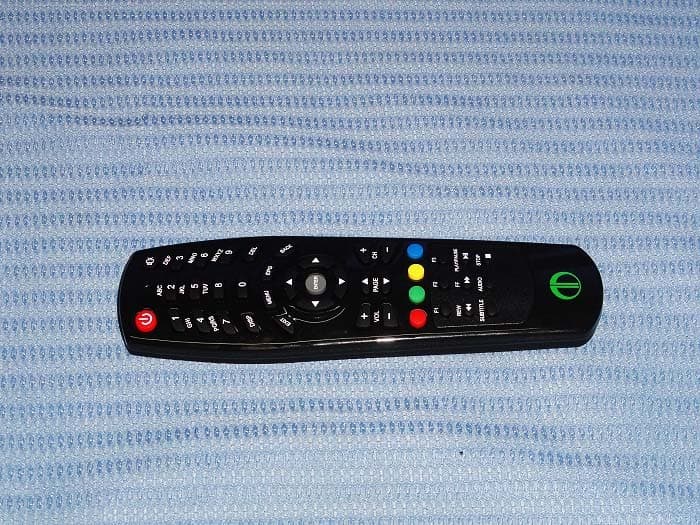
Click to zoom
Application Details
- Equipment Class
- DTS - Digital Transmission System
- Date of Grant
- Sep 20, 2012
- Application Purpose
- Original Equipment
- Date of Application
- Sep 20, 2012
- Equipment Note
- SET TOP BOX
- Frequency Range
- 2422.00000000 - 2452.00000000
- Company
- Telergy Hong Kong Limited
- Country
- China
Documents & Files
Document Text
Text extracted from the exhibit documents filed with the FCC. Open a document above to read the original.
Users Manual
Telergy Striker HD User’s Manual Page 1 Telergy Striker HD User’s Manual Introduction Telergy Striker HD is a set‐top box that connects to your TV via HDMI or A/V connectors that turn your TV into a multimedia entertainment TV. It can connect your other devices to it and becomes a HD media player. It’s truly a revolutionary entertainment product that you can enjoy at home. Features 720MHZ DUAL CORE MIPS CPU (1345DMIPS). MAXIMUM OF 512 MBYTES OF 1600MHZ DDR3. W3C COMPLIANT, HTTP 1.1, HTTPS, CSS2 AND SOME CSS3, HTML 5, XML 1.0 JAVA SCRIPT 1.5. USB SUPPORT FOR MASS STORAGE PLAYBACK, KEYBOARD, MOUSE. VIDEO FOMAT SUPPORT: MPEG‐1 MPEG‐2 MP@HL, MPEG‐4.2 ASP, MPEG 4.10 AVC (H.264 & H.263), MP & HP TO LEVEL 4.1, VC‐1 AP@L3, WMV9, SD & HD, DIVX, AVI, AVS, XVID. AUDIO FORMAT SUPPORT: MPEG‐1 LAYER 1,2. MP3, WMA, WMA PRO, AAC LC, AA LC +SBR L2, AAC+L2, AAC+L4, AAC 5.1, AC3 DOLBY DIGITAL & DOLBY DIGITAL PLUS, 3D SRS AUDIO. TRANSPORT PROTOCOLS: MPEG‐TS, RTSP/RTP OVER UDP/IP OR MMS, CONSTANT, VARIABLE, MULTIPLE AND ADAPTIVE BITRATE (HLS). DISPLAY NOTES: PAL, NTSC, 720P, 1080I, FULL HD 1080P. ASPECT RATIOS: 4:3 AND 16:9 LETTERBOX ZOOM AND FULL SCREEN MODES. NETWORK CONNECTIVITY: ETHERNET AND OPTIONAL 802.11N 150/300MB/SEC WI‐FI. IR REMOTE CONTROL Telergy Striker HD User’s Manual Page 2 Start Up Setup Wizard Guide Note: You will only see this Setup Wizard when the set‐top box is being used for the first time or after a successful factory reset. To manually reset the individual settings please go to the Settings page on the main menu. 1. Welcome page When you press “ENTER” on the remote control, the language setting page will be loaded. 2. Language page Telergy Striker HD User’s Manual Page 3 Select one of the available languages by pressing up and down arrow keys, then press “ENTER”. The whole set‐top box language will be changed automatically according to your selection, and it will go to the next page. 3. Display Mode page Select one of the display modes, then press “ENTER”. A confirmation dialog box will pop up. Telergy Striker HD User’s Manual Page 4 If you select ‘No’ and press “Enter”, the display mode will be set to the previous settings. If you select ‘Yes’ and press “Enter”, the display mode that you chose is saved, and it will bring you to the next page. 4. Server URL page Press any numeric key (0,1,2...) to show the “soft keyboard” where you can conveniently input the URL that you want (e.g. http://www.google.com). Telergy Striker HD User’s Manual Page 5 Press “Enter” key to save, and a confirmation dialog box will pop up. If you select ‘No’ and press “Enter”, the dialog box will disappear, and it will go back to the Server URL setting page. If you select ‘Yes’ and press “Enter”, it will save the server URL that you input, and then load the next page. Note: When you have successfully completed the Setup Wizard without any error, the set‐top box will automatically redirect to this server URL to start with. Telergy Striker HD User’s Manual Page 6 5. Network page There are two options available for the network settings: LAN (for wired with a RJ‐45 network cable) and WiFi (for a wireless connection). You have to choose appropriately which type you want to use, but also considering the network environment that you have. If you choose to use LAN connection, then please make sure you have plugged in the network cable first. Press “Enter” key, and a network test page will be loaded and it will analyze your LAN settings automatically. If you choose to use WiFi, then select the WiFi option, and press ‘ENTER’, it will scan the WiFi network and show the available network list at once. Telergy Striker HD User’s Manual Page 7 If the scan has failed, please double check your WiFi router. If the scan is successful, then the WiFi service list will be shown. Please use the UP/DOWN key to select the network that you want to connect to. Telergy Striker HD User’s Manual Page 8 Press “Enter” key to configure the WiFi settings. Please input the correct password in the appropriate field. If there’s no password specified, then please leave it blank. Select and press ‘Enter’ key on the soft keyboard, and it will connect to that WiFi network. Note: Currently the STB can’t verify whether the password you’ve entered is correct or not, so please make sure you have input the password correctly. Telergy Striker HD User’s Manual Page 9 During the 30 seconds, if the connection fails, a dialog box such as ‘It’s taking longer than expected. Do you still want to continue?’ will pop up. If you select ‘No’, the dialog box will disappear. Please check your password and WiFi network again at this time. If you select ‘Yes’, it will continue to trying to connect to that WiFi network. Telergy Striker HD User’s Manual Page 10 If connection is successful, a network test page will be loaded and it will analyze your network setting automatically. 6. Network Test page These 3 connections: Local Network connection, Internet connection and Service connection will be checked. Local Network Connection is to check if the set‐top box is ready to use the network. If it fails, please check your device (e.g. the network cable or WiFi network). If the Local Network Connection test is successful, it will go to check the Internet connection next. Internet Connection is to check whether the set‐top box can access the Internet or not. The set‐top box will “ping” a Google host. If it has no response from Google, it will simply assume at this point that the set‐top box cannot connect to Internet and therefore the test has failed. Telergy Striker HD User’s Manual Page 11 If it receives the right response from Google, then it will assume the connection is made successfully, and therefore it will go to check the Service connection next. Service Connection is to check that the set‐top box can indeed connect to the Server URL that you’ve inputted in the Server URL setting page. The set‐top box will “ping” the Server URL host. If it has no response from it, then i…
Text truncated - open the document above for the full version.
Cover Letter(s)
DATE : Sep 17, 2012 Nemko Canada Inc 303 River Road Ottawa, Ontario, Canada K1V 1H2 Attn: Director of Certification Authority to Act as Agent On our behalf, I appoint _ Shenzhen Timeway Technology Consulting Co., Ltd. East 5/Block 4, Anhua Industrial Zone, No.8,Tairan Rd. CheGongMiao, FuTian District, Shenzhen City, Guangdong Province, China_, to act as our agent in the preparation of this application for equipment certification. I certify that submitted documents properly describe the device or system for which equipment certification is sought. I also certify that each unit manufactured, imported or marketed, as defined in the Federal Communications Commission’s regulations will have affixed to it a label identical to that submitted for approval with this application. For instances where our authorized agent signs the application for certification on our behalf, I acknowledge that all responsibility for complying with the terms and conditions for certification, as specified by Nemko Canada Inc, still resides with Telergy Hong Kong Limited. Room 3A03, Tower B2, Digital Technology Park,Gao Xin Nan 7 Rd, Nanshan District, Shenzhen, China Dated this Sep 17, 2012 By: Michael Zhang Signature Printed Title: Manager On behalf of : Telergy Hong Kong Limited Telephone: +86-755-33225727
Cover Letter(s)
DATE : Sep 17, 2012 Equipment Autorisation Division Federal Communications Commission 7435 Oakland Mills Road Columbia, MD 21046 FCC ID: Q44-T503 Product Name: SET TOP BOX Request for Confidentiality Pursuant to Sections 0.457 and 0.459 of the commissions rules, we hereby request that the following documents be held confidential: (List here the documents for which you are seeking confidentiality – for example ...) • Schematics • Block diagram • Operational Description These materials contain trade secrets and proprietary information and are not customarily released to the public. The public disclosure of this information might be harmful to the company and provide unjustified benefits to our competitors. Dated this Sep 17, 2012 By: Michael Zhang Signature Printed Title: Manager On behalf of : Telergy Hong Kong Limited Telephone: +86-755-33225727
External Photos
Outside view Outside view Power Adapter Power Adapter
ID Label/Location Info
Mark Location: FCC ID Label Location
ID Label/Location Info
TELERGY T503 label and FCC label Model No : T503B
Internal Photos
Inside view Inside view Inside view Inside view Inside view
RF Exposure Info
Maximum Permissible Exposure Applicable Standard Systems operating under the provisions of this section shall be operated in a manner that ensures that the public is not exposed to radio frequency energy level in excess limit for maximum permissible exposure. In accordance with 47 CFR FCC Part 2 Subpart J, section 2.1091 this device has been defined as a mobile device whereby a distance of 0.2m normally can be maintained between the user and the device. (a) Limits for Occupational / Controlled Exposure Frequency Range (MHz) Electric Field Strength (E) (V/m) Magnetic Field Strength (H) (A/m) Power Density (S) (mW/cm 2 ) Averaging Times ︱E︱ 2 , ︱H︱ 2 or S (minutes) 0.3-3.0 614 1.63 (100)* 6 3.0-30 1842/f 4.89/f (900/f)* 6 30-300 61.4 0.163 1.0 6 300-1500 F/300 6 1500-100000 5 6 (b) Limits for General Population / Uncontrolled Exposure Frequency Range (MHz) Electric Field Strength (E) (V/m) Magnetic Field Strength (H) (A/m) Power Density (S) (mW/cm 2 ) Averaging Times ︱E︱ 2 , ︱H︱ 2 or S (minutes) 0.3-1.34 614 1.63 (100)* 30 1.34-30 824/f 2.19/f (180/f)* 30 30-300 27.5 0.073 0.2 30 300-1500 F/1500 30 1500-100000 1.0 30 Note: f=frequency in MHz; *Plane-wave equivalent power density MPE Calculation Method E (V/m) = (30*P*G) 0.5 /d Power Density: Pd (W/m 2 ) = E 2 /377 E = Electric Field (V/m) P = Peak RF output Power (W) G = EUT Antenna numeric gain (numeric) d = Separation distance between radiator and human body (m) The formula can be changed to Pd = (30*P*G) / (377*d 2 ) From the peak EUT RF output power, the minimum mobile separation distance, d=0.2m, as well as the gain of the used antenna, the RF power density can be obtained. Calculated Result and Limit Antenna Gain: 3.3dBi Antenna Gain (Numeric) Peak Output Power (dBm) Peak Output Power (mW) Power Density (S) (mW/cm 2 ) Limit of Power Density (S) (mW/cm 2 ) Test Result 2.138 15.88 38.726 0.016 1 Compiles Note: the worse case was recorded.
Test Report
ISO/IEC17025Accredited Lab. Report No: FCCTW1208043-01 File reference No: 2012-09-17 Applicant: Telergy Hong Kong Limited Product: SET TOP BOX Trademark: TELERGY Model No: T503 WiFi Test Standards: FCC Part 15 Subpart C, Paragraph 15.247 Test result: It is herewith confirmed and found to comply with the requirements set up by ANSI C63.4FCC Part 15 Subpart C, Paragraph 15.247 regulations for the evaluation of electromagnetic compatibility Approved By Jack Chung Manager Dated: September 17, 2012 Results appearing herein relate only to the sample tested The technical reports is issued errors and omissions exempt and is subject to withdrawal at SHENZHEN TIMEWAY TECHNOLOGY CONSULTING CO., LTD 5/F,Block 4, Anhua Industrial Zone.,No.8 TaiRan Rd.CheGongMiao, FuTian District, Shenzhen, CHINA. Tel (755) 83448688 Fax (755) 83442996 Report No: 1208043-01 Page 2 of 130 Date: 2012-09-17 The report refers only to the sample tested and does not apply to the bulk. This report is issued in confidence to the client and it will be strictly treated as such by the Shenzhen Timeway Technology Consulting Co .,Ltd. It may not be reproduced rather in its entirety or in part and it may not be used for adverting. The client to whom the report is issued may, however, show or send it . or a certified copy there of prepared by the Shenzhen Timeway Technology Consulting co .,Ltd to his customer. Supplier or others persons directly concerned. Shenzhen Timeway Technology Consulting co .,Ltd will not, without the consent of the client enter into any discussion of correspondence with any third party concerning the contents of the report. In the event of the improper use of the report. The Shenzhen Timeway Technology Consulting co .,Ltd reserves the rights to withdraw it and to adopt any other remedies which may be appropriate. Special Statement: The testing quality ability of our laboratory meet with "Quality Law of People's Republic of China" Clause 19. The testing quality system of our laboratory meet with ISO/IEC-17025 requirements, which is approved by CNAL. This approval result is accepted by MRA of APLAC. Our test facility is recognized, certified, or accredited by the following organizations: CNAL-LAB Code: L2292 The EMC Laboratory has been assessed and in compliance with CNAL/AC01:2002 accreditation criteria for testing Laboratories (identical to ISO/IEC 17025:1999 General Requirements) for the Competence of testing Laboratories. FCC-Registration No.: 899988 The EMC Laboratory has been registered and fully described in a report filed with the (FCC) Federal Communications commission. The acceptance letter from the FCC is maintained in our files. Registration No.: 899988. IC- Registration No.: IC5205A-01 The EMC Laboratory has been registered and fully described in a report filed with the (IC) Industry Canada. The acceptance letter from the IC is maintained in our files. Registration IC No.: 5205A-01. Report No: 1208043-01 Page 3 of 130 Date: 2012-09-17 The report refers only to the sample tested and does not apply to the bulk. This report is issued in confidence to the client and it will be strictly treated as such by the Shenzhen Timeway Technology Consulting Co .,Ltd. It may not be reproduced rather in its entirety or in part and it may not be used for adverting. The client to whom the report is issued may, however, show or send it . or a certified copy there of prepared by the Shenzhen Timeway Technology Consulting co .,Ltd to his customer. Supplier or others persons directly concerned. Shenzhen Timeway Technology Consulting co .,Ltd will not, without the consent of the client enter into any discussion of correspondence with any third party concerning the contents of the report. In the event of the improper use of the report. The Shenzhen Timeway Technology Consulting co .,Ltd reserves the rights to withdraw it and to adopt any other remedies which may be appropriate. Test Report Conclusion Content 1.0 General Details ................................................................................................ 4 1.1 Test Lab Details................................................................................................ 4 1.2 Applicant Details.............................................................................................. 4 1.3 Description of EUT .......................................................................................... 4 1.4 Submitted Sample............................................................................................. 5 1.5 Test Duration.................................................................................................... 5 1.6 Test Uncertainty.................................................................................................5 1.7 Test By.......................................................................................................... 5 2.0 List of Measurement Equipment......................................................................... 6 3.0 Technical Details............................................................................................. 9 3.1 Summary of Test Results..................................................................................... 9 3.2 Test Standards.................................................................................................. 9 4.0 EUT Modification............................................................................................. 9 5.0 Power Line Conducted Emission Test...................................................................... 10 5.1 Schematics of the Test........................................................................................ 10 5.2 Test Method and Test Procedure............................................................................ 10 5.3 Configuration of the EUT.................................................................................... 10 5.4 EUT Operating Condition............................................…
Text truncated - open the document above for the full version.
Test Setup Photos
Conducted Emissions Radiated Emissions
Contact Information
Applicant
Michael Zhang
Test Firm
Shenzhen Timeway Testing LaboratoriesJack Chung
Technical Specifications
| # | Rule Parts | Frequency Range | Power Output |
|---|---|---|---|
| 2 | 15C | 2.42 GHz - 2.45 GHz | 27.30 mW |
Other Applications from Telergy Hong Kong Limited
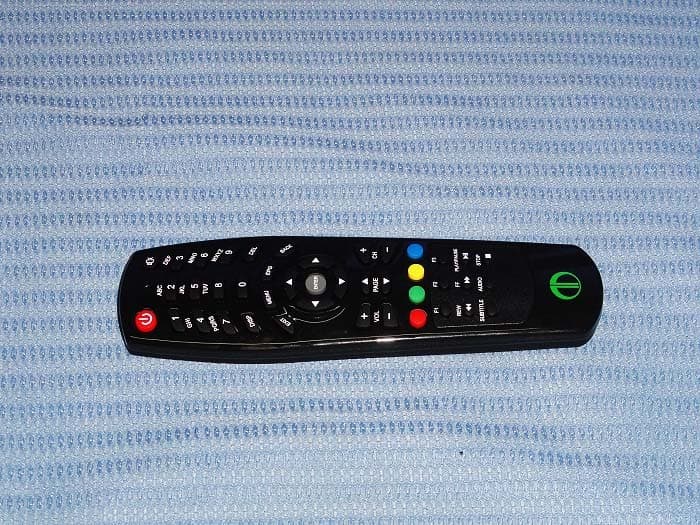
Q44T503W
Mar 04, 2013SET TOP BOX
Equipment Class
DTS - Digital Transmission System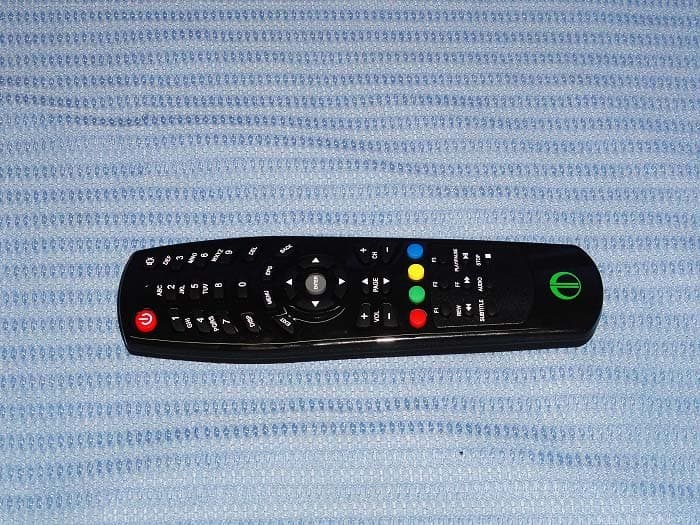
Q44-T503W
Nov 22, 2012SET TOP BOX
Equipment Class
DTS - Digital Transmission System