Text extracted from the exhibit documents filed with the FCC. Open a document above to read the original.
VDL Series IAD User Manual HanNae Technology Co.,Ltd HanNae Technology Co.,Ltd2 Chapter 1Overview.......................................................................... 3 Chapter 2Preparation for Installation.............................................. 3 2.1Unpacking 2.2Exterior View and LED Description 2.3Standard Recommendation for Installation Chapter 3Installation Method........................................................ 10 Chapter 4Solution to Problems ...................................................... 11 4.1Power Problems and Solution 4.2Ethernet Port Problems and Solution 4.3Problems and Solution When Connecting Phones 4.4Problems and Solution When Connecting Internet AppendixCable Specifications ....................................................... 13 Contents HanNae Technology Co., Ltd3 Chapter 1Overview This IAD ( Inte grate d Acce ss De vice ) provides high speed network access solution by integrating multiple voice phone service and data service by using a pair of copper wire. This equipment is located on subscriber’s party who requires voice or data. Notice Information to the user This equipment has been tested and found to comply with the limits for a Class B digital device pursuant to part 15 of the FCC Rules. These limits are designed to provide reasonable protection against harmful interference in a residential installation. This equipment generates, uses and can radiate radio frequency energy and, if not installed and used in accordance with the instructions, may cause harmful interference to radio communications. However, there is no guarantee that interference will not occur in a particular installation. If this equipment does cause harmful interference to radio or television reception, with can be determined by turning the equipment off and on, the user is encouraged to try to correct the interference by one more of the following measures: - Reorient or relocate the receiving antenna. - Increase the separation between the equipment and receiver. - Connect the equipment into an outlet on a circuit different from that to which the receiver is connected. - Consult the dealer or an experienced radio/TV technician for help. Wa r ni n g Changes or modifications not expressly approved by the party responsible for compliance could void the user's authority to operate the equipment Chapter 2Preparation for Installation 2.1Unpacking Before unpacking this product after purchasing, check necessarily to see if there is damage on packing box for preventing physical damage. Upon carrying them out, if damage is found or the product is broken down, call at Customer Service Center (master number (+82-2-553-7802) in HanNae Technology Co., Ltd.. HanNae Technology Co.,Ltd4 If damaged part or broken part is not found, open the box, and check to see if it contains the following contents: HanNae Technology Co., Ltd5 No.NameContentsQuantity 1 IAD1 2 RJ-45 cable (Ether net por t) 1 3 RJ-11 cable (xDSL port) 1 4 Adapter (For both 110V/220V ) 1 5User Manual1 (Product Package) After openi ng the bo x, if so me thi ng a mo ng co nte nts is missing, call immediately at Customer Service Center in HanNae Technology Co., Ltd. HanNae Technology Co.,Ltd6 2.2Exterior View and LED Description 2.2.1 Front Part of Terminal Power Status LED LEDColorStatusOperational Status ONGreenONIf power is normally supplied xDSL Link Status LED LE DColorStatusOperational Sta tus OFFIf xDSL LINK is not connected flickering If xDSL LINK is in connectionLINKGreen ONIf xDSL LINK is connected flickering If data are sent/received DATAGreen OFF If sent/received data does not exist. Ethernet Port Status LED LE DColorStatusOperational Sta tus OFFIf it is not connected to computer LINKGreen ONIf it is connected to computer flickering If data is being sent/received DATAGreen OFF If sent/received data does not exist Phone Port Status LED LEDColorStatusOperational Status GreenONIf the corresponding port is active Yellow ONIf subscriber is busy Phone port RedON If faults occur in the corresponding port HanNae Technology Co., Ltd7 2.2.2 Rear Part of Terminal a b c d e f a Li fe Li ne This is a RJ-11 port that connects general PSTN. Even though this product cannot be operated due to blackout or other reasons, this port can be used. “CAUTION – To reduce the risk of fire, use only No.26 AWG or larger telecommunication line cord.” “ATTENTION – Pour réduire lea rlaques d’incendie, utiliser uniquemont des conducteurs de télécommunications 26 AWG au de section supérieure.” b xDSL Port This is a RJ-11 port that connects xDSL Line, and enables external xDSL access. c Ethernet Port This is a RJ45 port that uses 10/100Base-T by connecting Ethernet Cable. d Console Port This is a DB-9 port that connects console, and users do not require additional setup except special cases in setting up equipment after being connected to PC. HanNae Technology Co.,Ltd8 When you want to change parameter setup contents of this product by connecting a console, you can dow nload ‘Operating Manual’ from our ho mepa ge e Phone Port This is a RJ-11 port that can be used by connecting a phone, and provides voice service by using subscriber’s phone. The number of this port varies on product model, that is, 4 for VDL7400(S), 8 for VDL7800(S) and 16 for VDL8160(S). “CAUTION – To reduce the risk of fire, use only No.26 AWG or larger telecommunication line cord.” “ATTENTION – Pour réduire lea rlaques d’incendie, utiliser uniquemont des conducteurs de télécommunications 26 AWG au de section supérieure.” f Power Inp ut Port This is a port to which power is supplied from outside by connecting an adapter. 2.3Standard Recommendation for Installation The following items are recommendation for using products safely: ! Us e IAD terminal at a clear place without dusts during or after installation. ! Do not put things on the equipment if possible. ! Install the equipment at a cool place where direct rays do not shine if possible. ! Keep it away from firearms, in…
Text truncated - open the document above for the full version.
HELIUM 210 HOST INTERFACE I/O ADDRESS & DATA HOST INTERFACE I/O ADDRESS & DATA xDSL DSP MAGNASIUM LOGIC CODEC SDRAM FLASH ROM SLIC AFE CONTROL & ADDRESS & DATA CLOCK & DATA CONTROL & ANALOG SIG. CLOCK & DATA 17.28M Hz 25MHz64MHz20MHz LINE INTERFACE ANALOF SIG. ETHERNET & SERIAL VDL7400 Block Diagram MAGNASIUM CODEC SLIC LOGIC CONTROL & ANALOG SIG. CLOCK & DATA CLOCK & CONTROL VDL7800 SUB-MODULE 64MHz 20MHz CONTROL CLOCK & CONTROL
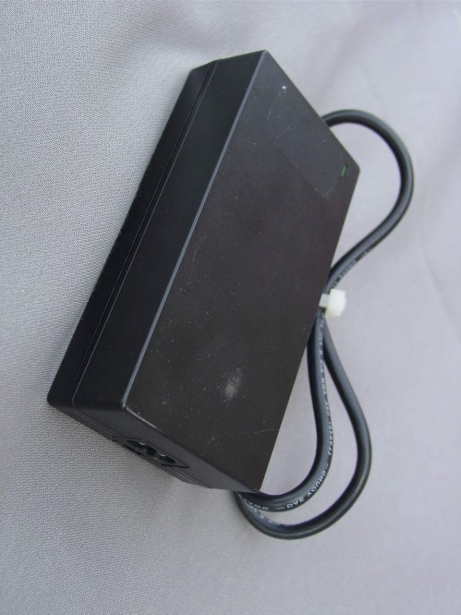
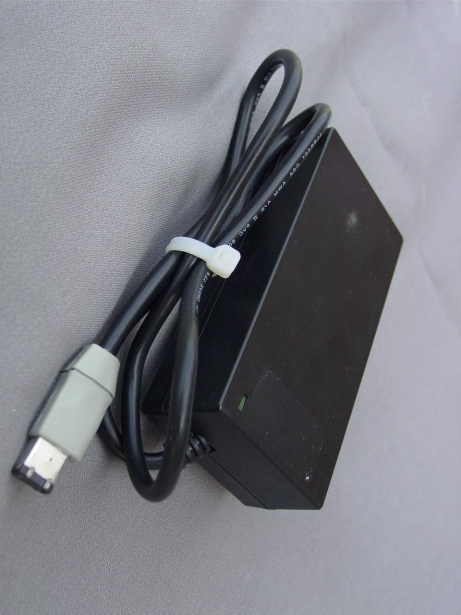
FCC ID. : QBXVDL7400 File No. : E024R-061 ONETECH Testing & Evaluation Lab . [ Front View of the EUT ] FCC ID. : QBXVDL7400 File No. : E024R-061 ONETECH Testing & Evaluation Lab . [ Rear View of the EUT ] FCC ID. : QBXVDL7400 File No. : E024R-061 ONETECH Testing & Evaluation Lab . [ Top view of the Adapter ]
FCC ID. : QBXVDL7400 File No. : E024R-061 ONETECH Testing & Evaluation Lab . IDENTIFICATION LABEL: PROPOSED FCC ID LABEL The label included following statement will be attached on the rear side of product. This device complies with Part 15 of the FCC Rules. Operation is subject to the following two conditions: (1) this device may not cause harmful interference, and (2) this device must accept any interference received, including interference that may cause undesired operations. Made in Korea FCC ID : QBXVDL7400 FCC ID AREA
FCC ID. : QBXVDL7400 File No. : E024R-061 ONETECH Testing & Evaluation Lab . [ Inside View after cover open ] FCC ID. : QBXVDL7400 File No. : E024R-061 ONETECH Testing & Evaluation Lab . [ Top view of the main board ] FCC ID. : QBXVDL7400 File No. : E024R-061 ONETECH Testing & Evaluation Lab . [ Bottom view of the main board ] FCC ID. : QBXVDL7400 File No. : E024R-061 ONETECH Testing & Evaluation Lab . [ Lower cover view of the enclosure case ] FCC ID. : QBXVDL7400 File No. : E024R-061 ONETECH Testing & Evaluation Lab . [ Inside View of the Adapter ] FCC ID. : QBXVDL7400 File No. : E024R-061 ONETECH Testing & Evaluation Lab . [ Top view of the Adapter board] FCC ID. : QBXVDL7400 File No. : E024R-061 ONETECH Testing & Evaluation Lab . [Bottom view of the Adapter board]
Page 1 of 13 FCC ID.:Error! Unknown docume nt prope rty name . File No.: Error! Unknown docume nt prope rty name . This report shall not be reproduced except in full without our written approval.FCC-004 (Rev.0) HEAD OFFICE : #505 SK APT. Factory 223-28, Sangdaewon 1 Dong, Jungwon- Gu, Seongnam- C ity, K younggi- Do, 462-121, Korea (TEL: +82- 31-746-8500 FAX: +82-31-746-8700 ) EM C Te s ting De pt : 426-1 Daessangryung- Ri, C howol- Myun, K wangju- Si, K younggi- Do, 464-860, Korea. (TEL: +82- 31-765-8289 FAX: +82-31-766-2904) ONETECH Testing & Evaluation Lab . ELECTROMAGNETIC EMISSION COMPLIANCE REPORT FOR FCC CLASS B CERTIFICATION Test report file number : E024R-061 Applicant : HANNAE Te chnology Co., Ltd. Address: Hyunjin Bldg, 4th Fl 798-30, Yeoksam-Dong, Kangnam-Ku, Seoul, Korea Manufacturer : IL JIN Telecom Electronics Co., Ltd. Addre ss: #San 26 G usu-Ri, Bae kgok-Myun, Jinche on-Kun, Chungbuk, Kore a Type of Equipme nt : IAD (Inte grate d Acce ss De vice ) FCC ID: QBXVDL7400 Model / Type No. : VDL7400 Se rial numbe r: N/ A Total page of Report: 13 pages (including this page) Date of Incoming: April 1, 2002 Date of issuing : April 24, 2002 SUMMARY The equipment complies with the regulation; FCC CFR 47 PART 15 SUBPART B, Class B . This test report contains only the result of a single test of the sample supplied for the examination. It is not a general valid assessment of the features of the respective products of the mass-production. Reviewed by: Approved by: Y. K. Nam / Assist. Chief EngineerY. K. Kwon / Chief Engineer EMC Dept.EMC Dept. Page 2 of 13 FCC ID.:Error! Unknown docume nt prope rty name . File No.: Error! Unknown docume nt prope rty name . This report shall not be reproduced except in full without our written approval.FCC-004 (Rev.0) HEAD OFFICE : #505 SK APT. Factory 223-28, Sangdaewon 1 Dong, Jungwon- Gu, Seongnam- C ity, K younggi- Do, 462-121, Korea (TEL: +82- 31-746-8500 FAX: +82-31-746-8700 ) EM C Te s ting De pt : 426-1 Daessangryung- Ri, C howol- Myun, K wangju- Si, K younggi- Do, 464-860, Korea. (TEL: +82- 31-765-8289 FAX: +82-31-766-2904) ONETECH Testing & Evaluation Lab . ONETECH Corp.ONETECH Corp. Page 3 of 13 FCC ID.:Error! Unknown docume nt prope rty name . File No.: Error! Unknown docume nt prope rty name . This report shall not be reproduced except in full without our written approval.FCC-004 (Rev.0) HEAD OFFICE : #505 SK APT. Factory 223-28, Sangdaewon 1 Dong, Jungwon- Gu, Seongnam- C ity, K younggi- Do, 462-121, Korea (TEL: +82- 31-746-8500 FAX: +82-31-746-8700 ) EM C Te s ting De pt : 426-1 Daessangryung- Ri, C howol- Myun, K wangju- Si, K younggi- Do, 464-860, Korea. (TEL: +82- 31-765-8289 FAX: +82-31-766-2904) ONETECH Testing & Evaluation Lab . CONTENTS Page 1. VERIFICATION OF COMPLIANCE ................................................................................................................ 4 2. GENERAL INFORMATION .................................................................................................................................. 5 2.1 P RODUCT D ESCRIPTION ............................................................................................................................................. 5 2.2 R ELATED S UBMITTAL ( S ) / G RANT ( S ) ...................................................................................................................... 5 2.3 T EST S YSTEM D ETAILS .............................................................................................................................................. 6 2.4 T EST M ETHODOLOGY ................................................................................................................................................ 6 2.5 T EST F ACILITY ............................................................................................................................................................ 6 3. SYSTEM TEST CONFIGURATION ................................................................................................................... 7 3.1 J USTIFICATION ............................................................................................................................................................. 7 3.2 EUT EXERCISE S OFTWARE ........................................................................................................................................ 7 3.3 C ABLE D ESCRIPTION .................................................................................................................................................. 7 3.4 N OISE S UPPRESSION P ARTS ON C ABLE ................................................................................................................... 8 3.5 E QUIPMENT M ODIFICATIONS .................................................................................................................................... 8 3.6 C ONFIGURATION OF T EST S YSTEM .......................................................................................................................... 8 4. PRELIMINARY TEST .............................................................................................................................................. 9 4.1 AC P OWER LINE C ONDUCTED E MISSION T EST ..................................................................................................... 9 4.2 R ADIAT ED E MISSION T EST ........................................................................................................................................ 9 5. FINAL RESULT OF MEASURMENT ............................................................................................................. 10 5.1 C ONDUCTED E MISSION T EST .................................................................................................................................. 10 5.2 R ADIAT ED E MISSION T EST ...........................................................................................................................…
Text truncated - open the document above for the full version.
| # | Rule Parts | Frequency Range | Power Output |
|---|---|---|---|
| 1 | 15B | - | - |

Integrated Access Device ( IAD )
Equipment Class
JBP - Part 15 Class B Computing Device Peripheral