QLKUNC-800TWireless Wheel & Ball Controller
YUSUNG C&C Co., Ltd.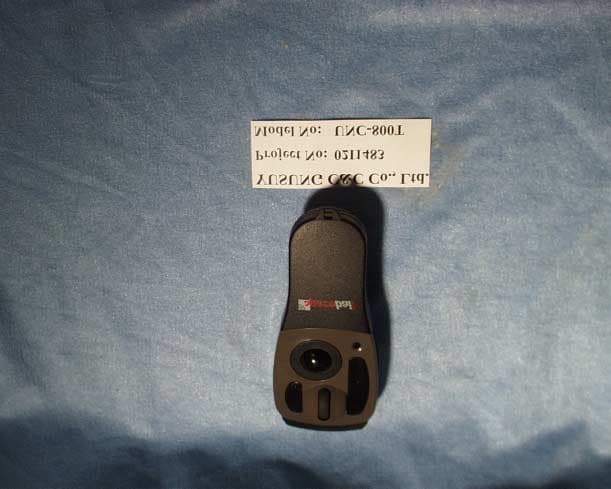
Click to zoom
Application Details
- Equipment Class
- DXX - Part 15 Low Power Communication Device Transmitter
- Date of Grant
- Sep 23, 2002
- Application Purpose
- Original Equipment
- Date of Application
- Sep 23, 2002
- Equipment Note
- Wireless Wheel & Ball Controller
- Frequency Range
- 26.98500000 - 27.26000000
- Company
- YUSUNG C&C Co., Ltd.
- Country
- South Korea
Documents & Files
Document Text
Text extracted from the exhibit documents filed with the FCC. Open a document above to read the original.
Users Manual
Mouse UNC-800 Users Manual Wireless Wheel & Ball 2 Spaceball Mouse Low/Hi Power : (Low : 2~3M, Hi : 6~7M) Select, Power Button Button1 : enter keyButton2 : shift key Wheel : scroll & zoom, page up/downTrackball : move cursor Battery Holder(Back) : AAA type x 2Channel Select Button ID Button : It will be change ID when every short press on it Receiver Spaceball operation has verify range depend on the receiver position because of radio frequency. Caution : Leave alone in the place where it does not have the metal material or the interference of the electric wave. Battery lamp :It will be lighting when the battery low Condition. Receive condition lamp :It will be lighting when the SPACEBALL work normally. ID & Channel Lock lamp : It will be green lighting when the Receiver is locked by lock button. ID & Channel lock button :It make lock and unlock ID & Channel. Button locate Receiver back side. It is useful function when the other mouse conflict. Antenna. NAME OF PARTS Battery lamp Receive condition lamp ID & Channel Lock lamp 3 Install driver in ‘Windows 98/ ME and Windows 2000’ If your computer uses USB port first time, it requires new hardware information. When a message pops up saying it needs Windows CD for an update, insert Window Installation CD that comes with your computer when it was purchased. Then start installing Windows CD, according to the instruction displayed on your computer. After the installation, check for ‘HID-compatible mouse’ from the mouse icon in the control panel. ‘HID- compatible mouse’ indicates that USB port is activated. Keep ‘Wireless Mouse Spaceball Installation CD’ handy for installation. First, hook up Spaceball receiver to USB port. Insert “Wireless Mouse Spaceball Installation CD” in the CD-ROM drive. (Upon inserting, the program starts installing itself through Autorun function.) Choose between ‘Windows98/ME driver installer’ and ‘Windows 2000 driver installer’ button from the menu bar on the right side of installation window, depending on your operating system and then click. Read the explanation on the window, while proceeding the installation. Reboot your system, when installation is complete. (After Install finish, you must restart PC) Once the installation is normally completed, “Spaceball” icon similar to a dot & battery should be on the left side of the task bar and starting menu. HOW TO INSTALL SPACEBALL PROGRAM Our program CD put on CD driver. It will start auto-run, you can see Install panel on monitor You could click ‘DRIVER SETUP’ and progress Install NOTE - First, check the operating system of your computer (i.e. \windows 98/ ME/ 2000) - If your computer uses a USB port first time, it will require hardware information, when the spaceball receiver connect to USB port to make computer accept USB port, get the ‘WINDOWS Installation CD’ that came with your computer ready to activate USB port and then install Spaceball program. HOW TO INSTALL SPACEBALL PROGRAM To check the status of USB port On the window, click start Settings Control panel System (Hardware) Administrative tool Universal direct bus controller 2. To check the property [Company Name] PCI to USB Universal Host Controller, USB Root Hub USB port is operational, if the above message shows up. To check the mouse driver and reinstalling it On the window, click Start Settings Control panel System (Hardware) Administrative tool Mouse To check the property Information on the existing mouse ( i.e.: PS/2 Compatible mouse port) The driver is properly installed, if the above information comes on. * HID-compatible mouse (Spaceball RF Mouse for Windows 2000) If the property shows other information than ‘HID-compatible mouse’ or ‘Spaceball RF Mouse’ 1) Double-click Drive Nameto open up‘property’. Click ‘driver’button on the property. 2) In a new window, click‘Driver update’ button at the bottom of the window. In the next window, click“Next”to bring up a list, then press “Select a driver” and“Next”. 4 USE & FUNCTION Battery discharge it checks Battery exchange time - Battery Icon which is indicated in the monitor show in red character ‘X’ on battery shape. - On Spaceball Status panel, it is appear ‘Low battery’ - The switch of the mouse it lets in ON condition, the ramp on the back of mouse continues 3 second degree, it is a good condition. Shift method Fix the new dry cell battery correct direction and insert. Auto save mode For the save battery, automatically power off when the mouse do not use. Spaceball work normally if the ball move or click any button on it. Changing ID and CH (Channel) * Make sure to turn off “Lock Button” before changing ID and CH. Go “Start Settings Control Panel Mouse Status”and activate the mouse. Open up a battery cover and click ID button. Every short press increases ID. Every short press on the CH (Channel) button in order to changes CH (Channels). Select ID and change CH (Channel). Press “Lock button” on the back of Receiver to confirm the changed receiver ID and CH (Channel). Going back to default ID and CH (Channel) When Lock light comes on, press Lock lamp on the back of receivers to delete the current settings. Open up the battery cover, press ID button for 4 seconds to turn on the red light. 5 Battery checks lamp * The installation path in Windows 98/ME and Windows 2000 is basically the same. However, the words in the mouse of the control panel are different. Windows 98/ ME cases Spaceball ‘HID-Compatible mouse’, while Windows 2000 defines it as ‘Spaceball RF Mouse’. Change ID & Channel ID and channel can not change if lock button work (Green lamp on receiver show lock condition and ‘Status’ panel have lock information). 6 ASSESSING AND SOLVING PROBLEMS Conditions Mouse doesn’t move ID and CH (Channel) don’t change Mouse stops moving all of a sudden Mouse moves of its own or at random Mouse distance is too short Light on the receiver is on, but cursor doesn’t move Check Is receiver plugged into USB port? Is the power switch turned off? Are batteries inserted p…
Text truncated - open the document above for the full version.
Cover Letter(s)
YUSUNG C&C CO., LTD. (137-060) 865-13, BANG BAE-DONG, SEO CHO-KU, SEOUL, KOREA PHONE : 82-2-533-6660 HTTP://WWW.YUSUNG4U.COM , [email protected] FAX : 82-2-594-4279 August 20, 2002 Federal Communications Commission Authorization and Evaluation Division Equipment Authorization Branch 7435 Oakland Mills Road Columbia, MD 21046 U.S.A. Dear Sir : We, YUSUNG C&C Co., Ltd., hereby request the confidentiality of what documents we turned in including Theory of Operation, Functional Block Diagram, Schematic Diagram, Part List and Tune-up Procedure for our FCC-Applied ID’s QLKUNC-800T. Truly yours, James Lee / Manager YUSUNG C&C Co., Ltd.
Cover Letter(s)
YUSUNG C&C CO., LTD. (137-060) 865-13, BANG BAE-DONG, SEO CHO-KU, SEOUL, KOREA PHONE : 82-2-533-6660 HTTP://WWW.YUSUNG4U.COM , [email protected] FAX : 82-2-594-4279 August 20, 2002 Federal Communications Commission Authorization and Evaluation Division Equipment Authorization Branch 7435 Oakland Mills Road Columbia, MD 21046 U.S.A. Dear Sir : We, YUSUNG C&C Co., Ltd., hereby request the confidentiality of what documents we turned in including Theory of Operation, Functional Block Diagram, Schematic Diagram, Part List and Tune-up Procedure for our FCC-Applied ID’s QLKUNC-800T. Truly yours, James Lee / Manager YUSUNG C&C Co., Ltd.
ID Label/Location Info
PROPOSED FCC ID LABEL AND LOCATION FCC ID LABEL This device complies with Part 15 of FCC rules. Operation is subject to the following two conditions: (1) This device may not cause harmful interference, and (2) This device must accept any interference received, including interference that may cause undesired operation. YUSUNG C&C Co., Ltd. Model : UNC-800T FCC ID : QLKUNC-800T
Test Report
ELECTROMAGNETIC EMISSIONS COMPLIANCE REPORT CERTIFICATION TO FCC PART 15 REQUIREMENTS for INTENTIONAL RADIATOR WIRELESS WHEEL & BALL MOUSE MODEL NO: UNC-800T BRAND NAME: SPACEBALL FCC ID NO: QLKUNC-800T REPORT NO: 02I1483-1 ISSUE DATE: SEPTEMBER 24, 2002 Prepared for YUSUNG C&C CO., LTD. 865-13, BANG BAE-DONG SEO CHO-KU, SEOUL 137-060 KOREA Prepared by COMPLIANCE ENGINEERING SERVICES, INC. d.b.a. COMPLIANCE CERTIFICATION SERVICES 561F MONTEREY ROAD MORGAN HILL, CA 95037, USA TEL: (408) 463-0885 FAX: (408) 463-0888 REPORT NO: 01U0946-2 FCC ID: APB97576-01A2T DATE: AUGUST 31, 2001 EUT: 27 MHz RADIO CONTROL TRANSMITTER COMPLIANCE CERTIFICATION SERVICES, INC. CCS DOCUMENT NO:CCSUP4022B 561F MONTEREY ROAD, MORGAN HILL, CA 95037, USA TEL:(408)463-0885 FAX:(408)463-0888 This report shall not be reproduced except in full, without the written approval of CCS. This document may be altered or revised by Compliance Certification Services personnel only, and shall be noted in the revision section of the document. TABLE OF CONTENT 1. VERIFICATION OF COMPLIANCE ........................................................................................ 3 2. PRODUCT DESCRIPTION .........................................................................................................4 3. TEST FACILITY........................................................................................................................... 4 4. MEASUREMENT STANDARDS ................................................................................................ 4 5. TEST METHODOLOGY .............................................................................................................4 6. MEASUREMENT EQUIPMENT USED .................................................................................... 5 7. POWERLINE RFI LIMIT............................................................................................................ 5 8. RADIATED EMISSION LIMITS................................................................................................ 5 9. SYSTEM TEST CONFIGURATION .......................................................................................... 6 10. EQUIPMENT MODIFICATION................................................................................................. 8 11. TEST PROCEDURE AND RESULT .......................................................................................... 8 12. Appendix....................................................................................................................................... 14 External & Internal Photos......................................................................................................... 14 Schematics .................................................................................................................................... 17 Block Diagram.............................................................................................................................. 17 User Manual ................................................................................................................................. 17 REPORT NO: 02I1483-1 FCC ID: QLKUNC-800T DATE: SEPTEMBER 24, 2002 EUT: WIRELESS WHEEL & BALL MOUSE PAGE NO: 3 COMPLIANCE CERTIFICATION SERVICES, INC. CCS DOCUMENT NO:CCSUP4022B 561F MONTEREY ROAD, MORGAN HILL, CA 95037, USA TEL:(408)463-0885 FAX:(408)463-0888 This report shall not be reproduced except in full, without the written approval of CCS. This document may be altered or revised by Compliance Certification Services personnel only, and shall be noted in the revision section of the document. 1. VERIFICATION OF COMPLIANCE COMPANY NAME: YUSUNG C&C CO., LTD. 865-13, BANG BAE-DONG SEO CHO-KU, SEOUL 137-060 KOREA EUT DESCRIPTION: WIRELESS WHEEL & BALL MOUSE MODEL NAME/NUMBER: UNC-800T BRAND NAME: SPACEBALL FCC ID: QLKUNC-800T DATE TESTED: SEPTEMBER 24, 2002 REPORT NUMBER: 02I1483-1 TYPE OF EQUIPMENT RADIO CONTROL EQUIPMENT TYPE 27 MHz TRANSMITTER MEASUREMENT PROCEDURE ANSI 63.4 / 1992 LIMIT TYPE CERTIFICATION FCC RULE CFR 47, PART 15.227 The above equipment was tested by Compliance Engineering Services, Inc. for compliance with the requirements set forth in CFR 47, PART 15. This said equipment in the configuration described in this report shows that maximum emission levels emanating from equipment are within the compliance requirements. Warning : This document reports conditions under which testing was conducted and results of tests performed. This document may not be altered or revised in any way unless done so by Compliance Certification Services and all revisions are duly noted in the revisions section. Any alteration of this document not carried out by Compliance Certification will constitute fraud and shall nullify the document. Tested By: Approved & Released For CCS By: THU CHAN MICHAEL HECKROTTE SENIOR EMC ENGINEER CHIEF ENGINEER COMPLIANCE CERTIFICATION SERVICES COMPLIANCE CERTIFICATION SERVICES REPORT NO: 02I1483-1 FCC ID: QLKUNC-800T DATE: SEPTEMBER 24, 2002 EUT: WIRELESS WHEEL & BALL MOUSE PAGE NO: 4 COMPLIANCE CERTIFICATION SERVICES, INC. CCS DOCUMENT NO:CCSUP4022B 561F MONTEREY ROAD, MORGAN HILL, CA 95037, USA TEL:(408)463-0885 FAX:(408)463-0888 This report shall not be reproduced except in full, without the written approval of CCS. This document may be altered or revised by Compliance Certification Services personnel only, and shall be noted in the revision section of the document. 2. PRODUCT DESCRIPTION CHASSIS TYPE PLASTIC Fundamental Frequency 26.985 MHz – 27.260Mhz Operating Frequency 26.985, 27.010, 27.035, 27.060, 27.085, 27.110 27.135, 27.16, 27.185, 27.210, 27.235, 27.260MHz Power Source 3 VOLT (2 X AAA BATTERY) Transmitting Time CONTINUOUS Type of antenna PERMANENTLY ATTACHED Local Osc. 10.245MHz 3. TEST FACILITY The 3/10/30 meter open area test site and conducted measurement facility used to collect the radiated data is located at 561F Monterey Road, Morgan Hill, California, U…
Text truncated - open the document above for the full version.
Test Setup Photos
REPORT NO: 02I1483-1 FCC ID: QLKUNC-800T DATE: SEPTEMBER 24, 2002 EUT: WIRELESS WHEEL & BALL MOUSE PAGE NO: 6 COMPLIANCE CERTIFICATION SERVICES, INC. CCS DOCUMENT NO:CCSUP4022B 561F MONTEREY ROAD, MORGAN HILL, CA 95037, USA TEL:(408)463-0885 FAX:(408)463-0888 This report shall not be reproduced except in full, without the written approval of CCS. This document may be altered or revised by Compliance Certification Services personnel only, and shall be noted in the revision section of the document. 9. SYSTEM TEST CONFIGURATION The EUT was configured for testing in a typical fashion (as a customer would normally use it). X-Position REPORT NO: 02I1483-1 FCC ID: QLKUNC-800T DATE: SEPTEMBER 24, 2002 EUT: WIRELESS WHEEL & BALL MOUSE PAGE NO: 7 COMPLIANCE CERTIFICATION SERVICES, INC. CCS DOCUMENT NO:CCSUP4022B 561F MONTEREY ROAD, MORGAN HILL, CA 95037, USA TEL:(408)463-0885 FAX:(408)463-0888 This report shall not be reproduced except in full, without the written approval of CCS. This document may be altered or revised by Compliance Certification Services personnel only, and shall be noted in the revision section of the document. Y-Position Z-Position
Contact Information
Applicant
James Lee(Manager)
[email protected]82-2-533-6660
Test Firm
Compliance Certification Services IncSteve Cheng
Technical Specifications
| # | Rule Parts | Frequency Range | Power Output |
|---|---|---|---|
| 1 | 15C | 26.985 MHz - 27.26 MHz | - |
Other Applications from YUSUNG C&C Co., Ltd.
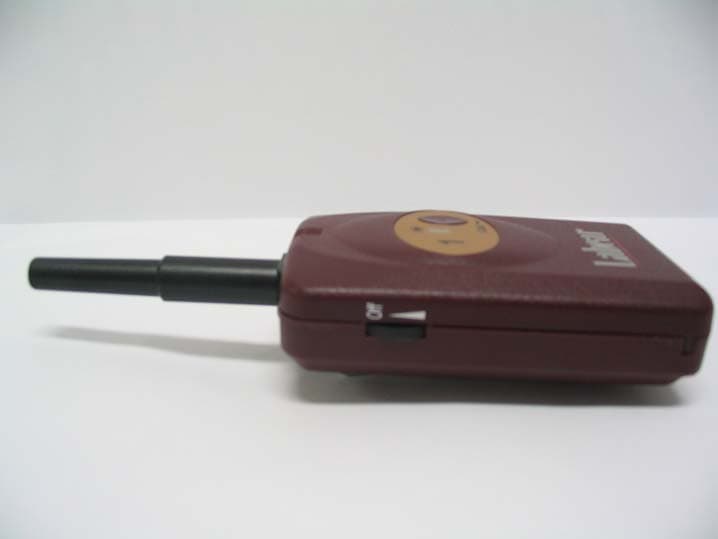
QLKUNC-2400S
Jun 21, 2006Labear Wireless Language Education System (Slave)
Equipment Class
DSS - Part 15 Spread Spectrum Transmitter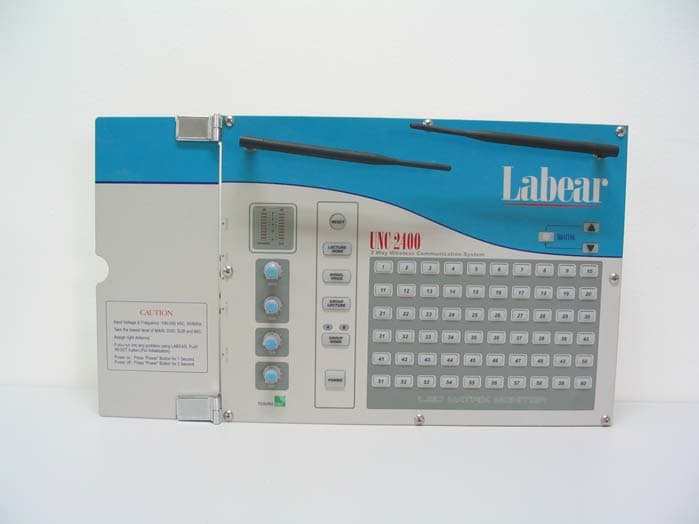
QLKUNC-2400M
Jun 21, 2006Labear Wireless Language Education System (Master)
Equipment Class
DSS - Part 15 Spread Spectrum Transmitter