QOF-8040889Disney Infinity Base INF-8040889
Disney Interactive Studios, Inc.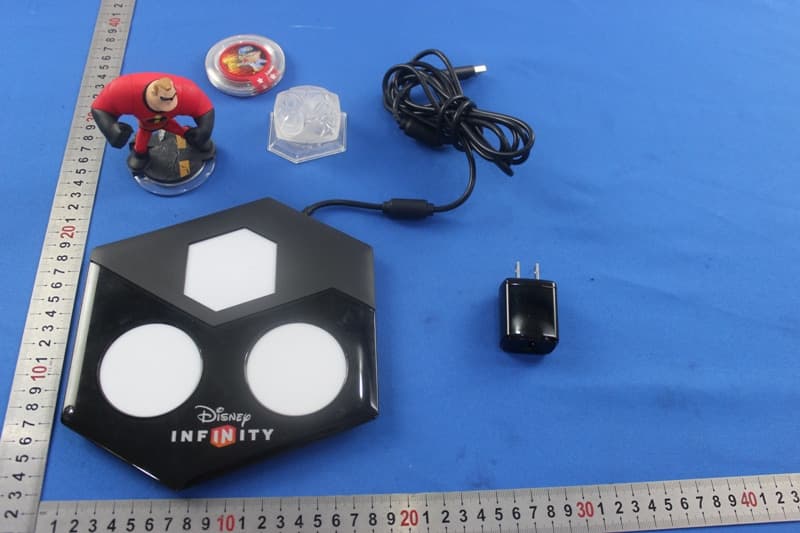
Click to zoom
Application Details
- Equipment Class
- DXX - Part 15 Low Power Communication Device Transmitter
- Date of Grant
- Aug 27, 2015
- Application Purpose
- Original Equipment
- Date of Application
- Aug 27, 2015
- Equipment Note
- Disney Infinity Base INF-8040889
- Frequency Range
- 13.56000000 - 13.56000000
- Country
- United States
Documents & Files
Document Text
Text extracted from the exhibit documents filed with the FCC. Open a document above to read the original.
Users Manual
DRAFT ****ALL IMAGERY IS PLACEHOLDER/PRELIMINARY**** Disney Infinity [3.0 Edition] [iOS product] [ANY REQUIRED WARNINGS GO ON INSIDE/FRONT MANUAL COVER] TABLE OF CONTENTS QUICK START GUIDE ...............................XX CONTROLS ................................................XX TROUBLESHOOTING.................................XX SAFETY PRECAUTIONS ............................XX CUSTOMER SUPPORT INFORMATION ...XX TERMS OF USE .........................................XX FRENCH .....................................................XX SPANISH ....................................................XX PORTUGUESE ...........................................XX QUICK START GUIDE Setting Up the Disney Infinity Base Once removed from the packaging, the Disney Infinity Base (pictured below) needs to be placed on a stable, secure and even surface near the iOS device. Do not place on metal surfaces, or have metallic objects nearby. A Disney Infinity Figure and Power Disc spot (Player 1) B Disney Infinity Figure and Power Disc spot (Player 2) C Disney Infinity Play Set Piece, Power Disc or Toy Box Expansion Game Piece spot Pairing the Disney Infinity Base 1 The Disney Infinity Base needs to connect with the iOS device via wireless Bluetooth® technology. Make sure the iOS device is turned ON and Bluetooth® is turned ON in the Settings menu. 2 Plug in the Disney Infinity Base using the NA USB power adaptor. 3 The Disney Infinity Base will enter into pairing mode and the Blue LED light on the hexagonal spot C of the Disney Infinity Base will blink. 4 Once connected, the Blue LED light on the hexagonal spot C of the Disney Infinity Base will stop blinking. Using the Disney Infinity Base When a player enters gameplay, they will be prompted to place a Disney Infinity Figure on the Base after the introduction. For single player gameplay, be sure the Disney Infinity Figure is placed on the circular spot A of the Base. The Disney Infinity Play Set Piece or Toy Box Expansion Game Piece will need to be placed on the hexagonal spot C in order to enter a Play Set or Toy Box Expansion Game. For two-player gameplay, place a Disney Infinity Figure on each of the circular spots A and B to begin your adventure. Using the Disney Infinity Power Discs Expand your adventure with the Disney Infinity Power Discs. While playing in Play Sets or the Toy Box, place up to two circular Power Discs under a Disney Infinity Figure on the circular spots, A and/or B of the Disney Infinity Base, to power up character abilities or add a costume, team-up or event. You can also unleash new gadgets and customize your Toy Box by placing up to three hexagonal Power Discs on the hexagonal spot C. Using the Disney Infinity Web Code Card Use the Disney Infinity Web Code at Disney.com/Infinity to unlock new content on the web. Just enter the Web Code provided in the Disney Infinity Starter Pack. CONTROLS Biped Controls Jump A Flight/Force Jump A (hold) Pick Up/Interact/Force Power X Combo Finisher X (hold when prompted) Drop Item/ Exit Vehicle B Block B (hold) Attack Y Special Ability RB Run L stick Camera Rotate R stick Tool/Packs Select LB Editor Back button Pause Menu Start button Aim/Target LT (hold) Shoot/Throw/Force Dash RT Note: Some of the Biped Controls do not apply to all characters. Vehicle Controls Jump A Enter Vehicle/Tow/Interact X Attack/Honk Horn/Throw Y Move Forward RT (hold) Brake/Reverse LT (hold) Steer L stick Camera Rotate/Boost R stick Loadouts LB 180 Degree Turn RB Drift RT + LT + L stick Spaceship Controls Take-Off/Land A Engage/Disengage X-foils X Fire Main Weapon Y Forward Thrusters RT (hold) Brake LT (hold) Steer L stick Bank Left LB (hold) Bank Right RB (hold) 180 Degree Flip R stick down Forward Roll R stick up Left Barrel Roll R stick left Right Barrel Roll R stick right Editor Controls Place A Undo Y Exit B Add Favorite X Spark Mode RB Filters LB Move Selected Toy L stick Rotate Selected Toy RT + Left stick LEFT/RIGHT Raise/Lower Selected Toy RT + Left stick UP/DOWN Toy Scroll D-pad LEFT/RIGHT Toy Category Scroll D-pad UP/DOWN Camera Rotate R stick Spark Mode Controls Move A Customize Y Delete B Assign Logic X Exit Spark Mode RB Move Selected Toy L stick Raise/Lower Selected Item RT + L stick UP/DOWN Camera Rotate R stick TROUBLESHOOTING Disney Infinity Figure is not appearing in-game Be sure the Base is on a flat surface and the Disney Infinity Figure is placed completely flush with the circular spot with nothing in between the Base and the Disney Infinity Figure (unless a Power Disc is being used). If a Power Disc or Power Discs are being used, be sure no more than two are used in each spot. Do not place Base on metal surfaces, or have metallic objects nearby. How do I add a second player in Disney Infinity (3.0 Edition)? 1. Press the center Xbox Button on the second controller. 2. Select the second player profile or Profile to play as a guest. 3. Place your Disney Infinity Figure on the circular spot B on the Disney Infinity Base. 4. Press the Start button. 5. The game will go into split-screen mode and the second character will appear! SAFETY PRECAUTIONS WARNING! CHOKING HAZARD Small parts. Not suitable for children under 3 years. For your safety and the safety of others, please read the following product care information and the game manual before using this product. Keep all game manuals because they contain important information about using and caring for the product. The USB Cable is used for power on the Disney Infinity base and does not transmit data. SOUND PRESSURE WARNING 1) “To prevent possible hearing damage, do not listen at high volume levels for long periods.” 2) “Fully understand user manual before use.” 3) “Ensure your device is at low volume or powered off before ceasing to use device.” PRODUCT CARE (1) Only use the products with the gaming system for which they are designed. (2) Keep the products dry and away from open flames or other heat sources. (3) Do not modify or take apart the products. (4) …
Text truncated - open the document above for the full version.
External Photos
1 Photographs - EUT Constructional Details Test model No.: INF-8040889
ID Label/Location Info
China 0890 N31039 © Disney DISNEY INFINITY Tracking #: FAC020481 0113 The Walt Disney Company (Benelux) BV 2132LS, 9, NL 5V FCC ID: QOF-8040889 IC: 10749A-8040889 Disney Interactive, Burbank, CA 91521 USA Model No.: INF-8040889 Lot #: 2024615
Internal Photos
1 Photographs - EUT Constructional Details Test model No.: INF-8040889
RF Exposure Info
SGS-CSTC Standards Technical Services Co., Ltd. Shenzhen Branch No. 1 Workshop, M-10, Middle section, Science & Technology Park, Nanshan District, Shenzhen, Guangdong, China 518057 Telephone: +86 (0) 755 2601 2053 Fax: +86 (0) 755 2671 0594 Email: [email protected] Report No.: SZEM150700468303 Page: 1 of 7 Authorized Signature: Jack Zhang EMC Laboratory Manager The manufacturer should ensure that all products in series production are in conformity with the product sample detailed in this report. If the product in this report is used in any configuration other than that detailed in the report, the manufacturer must ensure the new system complies with all relevant standards. Any mention of SGS International Electrical Approvals or testing done by SGS International Electrical Approvals in connection with, distribution or use of the product described in this report must be approved by SGS International Electrical Approvals in writing. The report must not be used by the client to claim product certification, approval, or endorsement by NVLAP, NIST, or any agency of the federal government. All test results in this report can be traceable to National or International Standards. “This document is issued by the Company subject to its General Conditions of Service printed overleaf, available on request or accessible at www.sgs.com/terms_and_conditions.htm and, for electronic format documents, subject to Terms and Conditions for Electronic Documents at www.sgs.com/terms_e-document.htm. Attention is drawn to the limitation of liability, indemnification and jurisdiction issues defined therein. Any holder of this document is advised that information contained hereon reflects the Company’s findings at the time of its intervention only and within the limits of Client’s instructions, if any. The Company’s sole responsibility is to its Client and this document does not exonerate parties to a transaction from exercising all their rights and obligations under the transaction documents. This document cannot be reproduced except in full, without prior written approval of the Company. Any unauthorized alteration, forgery or falsification of the content or appearance of this document is unlawful and offenders may be prosecuted to the fullest extent of the law. Unless otherwise stated the results shown in this test report refer only to the sample(s) tested and such sample(s) are retained for 90 days only.” 1 Cover page RF Exposure Evaluation Report Application No.: SZEM1507004683CR Applicant: Disney Interactive Studios, Inc. Manufacturer: Disney Interactive Studios, Inc. Factory Shenzhen King Chuang Tech&Electronic Co., Ltd. Product Name: Disney Infinity Base INF-8040889 Model No.(EUT): INF-8040889 Trade Mark: Disney Infinity FCC ID: QOF-8040889 Standards: 47 CFR Part 1.1307 (2014) 47 CFR Part 1.1310 (2014) KDB447498D01 General RF Exposure Guidance v05r02 Date of Receipt: 2015-07-30 Date of Test: 2015-07-30 to 2015-08-14 Date of Issue: 2015-08-18 Test Result : PASS* * In the configuration tested, the EUT complied with the standards specified above. SGS-CSTC Standards Technical Services Co., Ltd. Shenzhen Branch Report No.: SZEM150700468303 Page: 2 of 7 “This document is issued by the Company subject to its General Conditions of Service printed overleaf, available on request or accessible at www.sgs.com/terms_and_conditions.htm and, for electronic format documents, subject to Terms and Conditions for Electronic Documents at www.sgs.com/terms_e-document.htm. Attention is drawn to the limitation of liability, indemnification and jurisdiction issues defined therein. Any holder of this document is advised that information contained hereon reflects the Company’s findings at the time of its intervention only and within the limits of Client’s instructions, if any. The Company’s sole responsibility is to its Client and this document does not exonerate parties to a transaction from exercising all their rights and obligations under the transaction documents. This document cannot be reproduced except in full, without prior written approval of the Company. Any unauthorized alteration, forgery or falsification of the content or appearance of this document is unlawful and offenders may be prosecuted to the fullest extent of the law. Unless otherwise stated the results shown in this test report refer only to the sample(s) tested and such sample(s) are retained for 90 days only.” 2 Version Revision Record Version Chapter Date Modifier Remark 00 2015-08-18 Original Authorized for issue by: Tested By 2015-08-14 (Chris Zhong) /Project Engineer Date Prepared By 2015-08-18 (Vivi Zhou) /Clerk Date Checked By 2015-08-18 (Sen Lv) /Reviewer Date SGS-CSTC Standards Technical Services Co., Ltd. Shenzhen Branch Report No.: SZEM150700468303 Page: 3 of 7 “This document is issued by the Company subject to its General Conditions of Service printed overleaf, available on request or accessible at www.sgs.com/terms_and_conditions.htm and, for electronic format documents, subject to Terms and Conditions for Electronic Documents at www.sgs.com/terms_e-document.htm. Attention is drawn to the limitation of liability, indemnification and jurisdiction issues defined therein. Any holder of this document is advised that information contained hereon reflects the Company’s findings at the time of its intervention only and within the limits of Client’s instructions, if any. The Company’s sole responsibility is to its Client and this document does not exonerate parties to a transaction from exercising all their rights and obligations under the transaction documents. This document cannot be reproduced except in full, without prior written approval of the Company. Any unauthorized alteration, forgery or falsification of the content or appearance of this document is unlawful and offenders may be prosecuted to the fullest extent of the law. Unless otherwise stated the results shown in this test report refer only to the sample(s) tested and such sample(s) are re…
Text truncated - open the document above for the full version.
Test Setup Photos
1 Photographs - EUT Test Setup Test model No.: INF-8040889 1.1 Conducted Emission 1.2 Radiated Emission 1.3 Radiated Spurious Emission
Contact Information
Applicant
Jose R Villeta(Director, Technology)
Technical Contact
SGS-CSTC Standards Technical ServicesLtdEmen Li
[email protected]0755-26544119
No.1 Workshop. M-10, Middle Section, Science & · Shenzhen · China
Non-Technical Contact
SGS-CSTC Standards Technical ServicesLtdVicky yuan
[email protected]0755-25328517
Test Firm
SGS-CSTC Standards Technical Services Co.,Ltd.June Zhang
Technical Specifications
| # | Rule Parts | Frequency Range | Power Output |
|---|---|---|---|
| 1 | 15C | 13.56 MHz - 13.56 MHz | - |
Other Applications from Disney Interactive Studios, Inc.
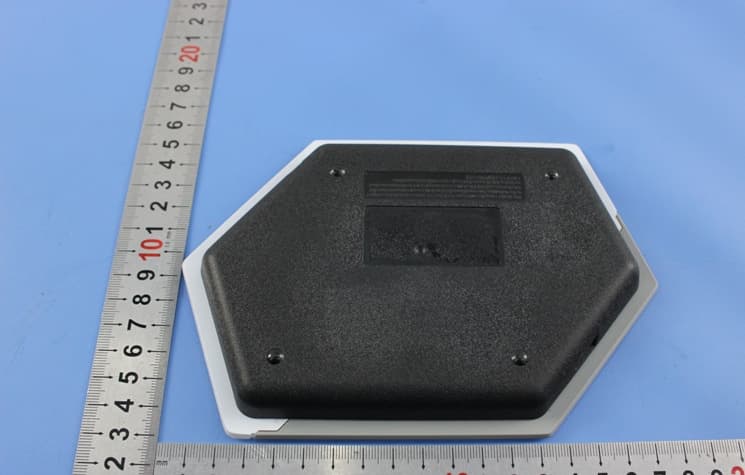
QOF-8039228
Jan 31, 2015Disney Infinity Base INF-8039228
Equipment Class
DSS - Part 15 Spread Spectrum Transmitter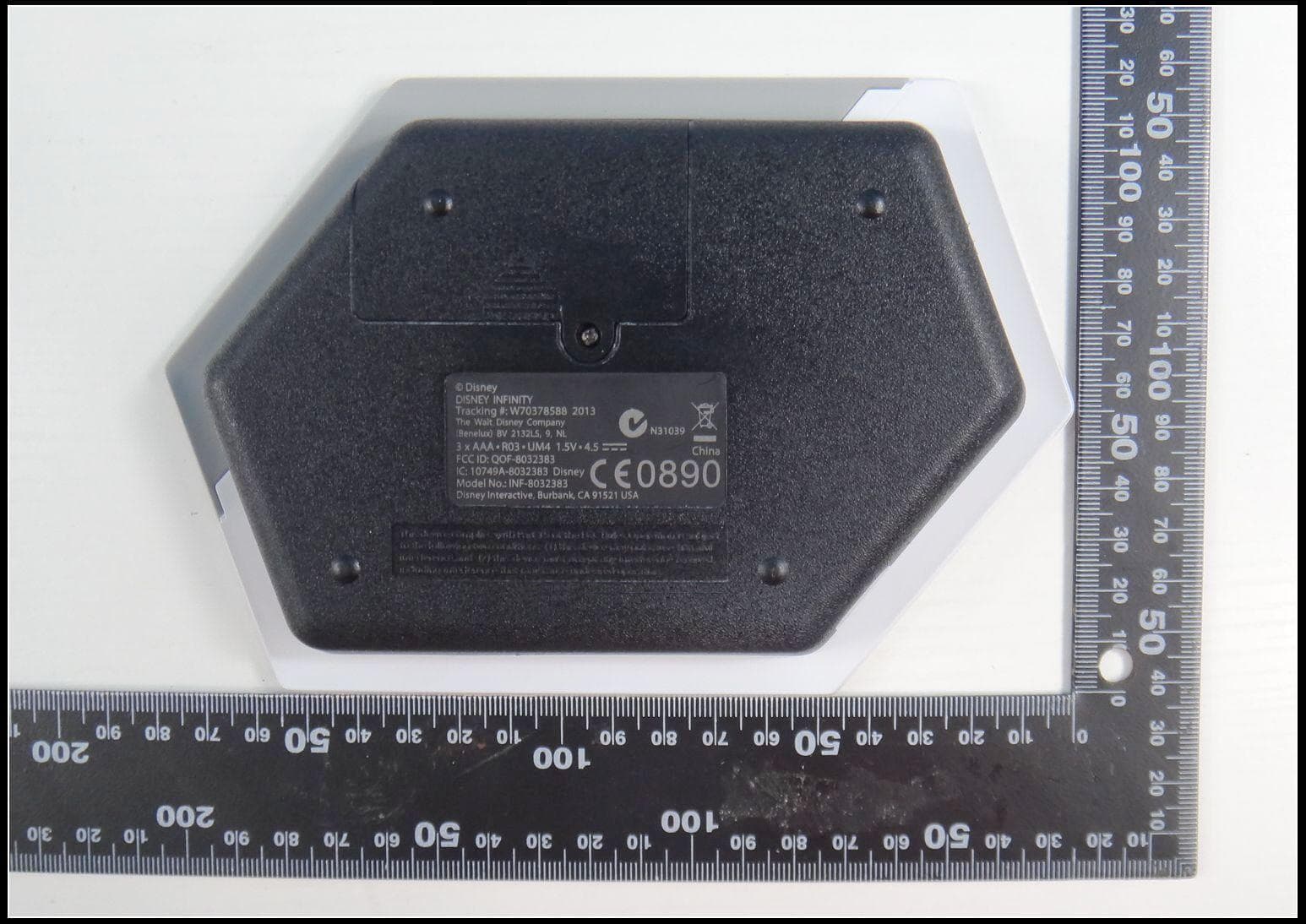
QOF-8032383
May 14, 201313.56MHz RFID Reader
Equipment Class
DXX - Part 15 Low Power Communication Device Transmitter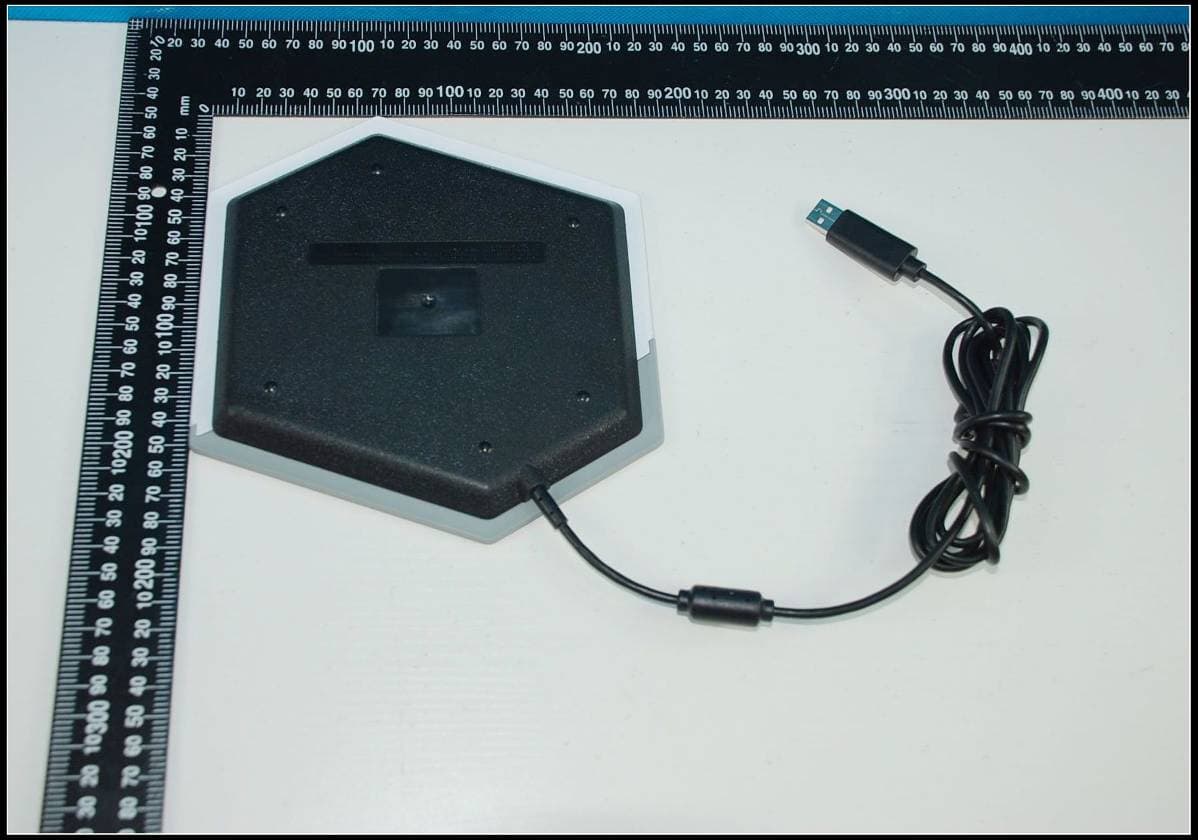
QOF-8032385
Feb 23, 201313.56MHz RFID Reader
Equipment Class
DXX - Part 15 Low Power Communication Device Transmitter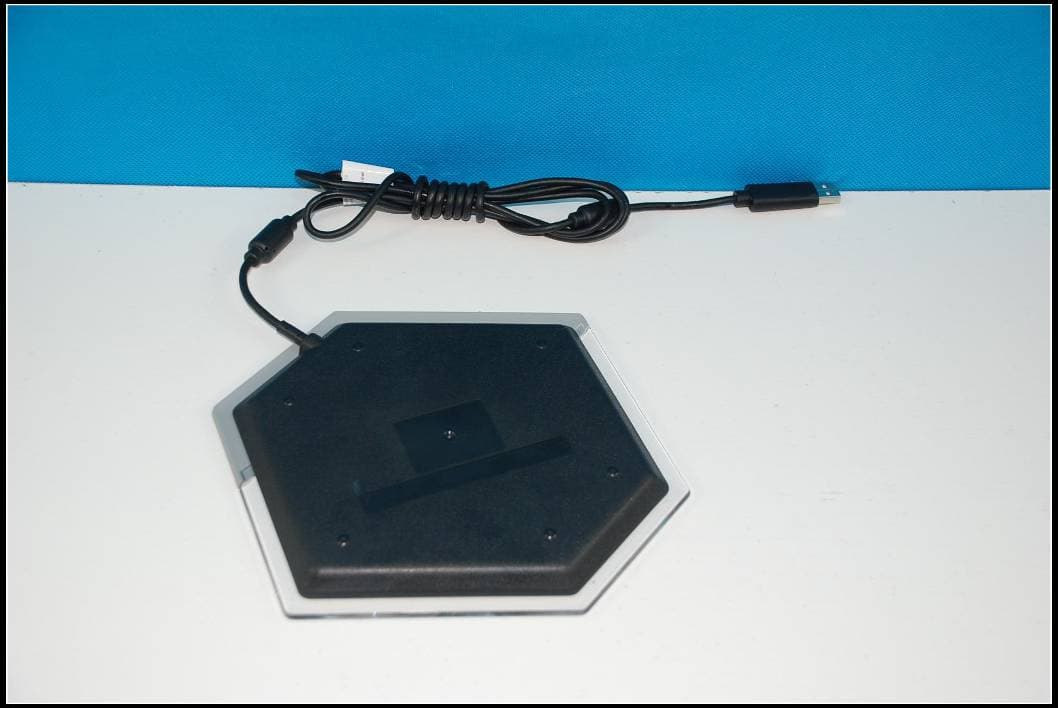
QOF-8032386
Jan 27, 201313.56MHz RFID Reader
Equipment Class
DXX - Part 15 Low Power Communication Device Transmitter