REDSP1192-001RWireless Speaker Receiver
Classic Tech Development Ltd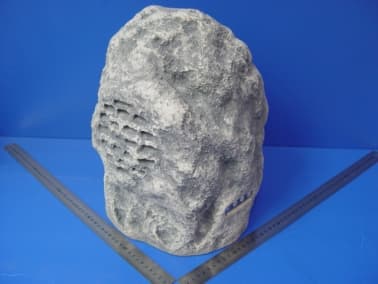
Click to zoom
Application Details
- Equipment Class
- CYY - Communications Receiver used w/Pt 15 Transmitter
- Date of Grant
- May 16, 2004
- Application Purpose
- Original Equipment
- Date of Application
- May 16, 2004
- Equipment Note
- Wireless Speaker Receiver
- Frequency Range
- 912.03000000 - 913.03000000
- Company
- Classic Tech Development Ltd
- Country
- Hong Kong
Documents & Files
Document Text
Text extracted from the exhibit documents filed with the FCC. Open a document above to read the original.
Users Manual
SP1190 900MHz Wireless Rock Speaker User’s Manual Please read before using the equipment INTRODUCTION This 900 MHz wireless rock speaker system uses latest wireless technology that enables you to enjoy music and TV sound anywhere inside or outside your home. You can simply connect the system to any audio source such as Radio, TV, VCR, Hi-Fi and CD/MP3/VCD/DVD player. Without complicated wiring and installation with your Audio/Video equipments and rear channel amplifier, the system enables you to enjoy thrilling, lifelike sound in minutes. FEATURES 1. Automatic Phases Lock Loop (PLL) scanning system on speaker receivers 2. Phase Lock Loop (PLL) transmission system on transmitter 3. 900 MHz RF technology rock-type outdoor speaker system. 4. RF technology lets you place the rock speaker freely anywhere in your garden. 5. Operating distance up to 150 feet. 6. No line of sight limitation. 7. Virtually interference free audio quality. 8. Auto ON/OFF control on the transmitter. 9. Auto tuning function on the speaker. 10. Auto shut-off on speaker P.1 COMPONENT IDENTIFICATION TRANSMITTER Antenna Power on indicator (blue) SPEAKER RECEIVER INSTALLATION TRANSMITTER 1. Insert the antenna tube into the antenna wire. 2. Connect the supplied AC/DC power adapter to an electrical wall outlet. 3. Plug the AC/DC power adaptor in the DC jack located on the rear of the P.2 transmitter. 4. The rear of the transmitter has one audio cord that can be connected to audio output jack of TV, Monitor, VCR, Radio recorder, CD/MP3/VCD/DVD players or to headphone/earphone jack with the connector provided. Plug the adapter in the AC source and connect the audio plug to the audio source. As soon as the transmitter is receiving the audio signal, it will automatically switch on and the blue LED will light up. SPEAKER RECEIVER 1. Plug in the power adapter with the rock speaker and AC power outlet to charge the lead acid battery built inside the rock speaker. The battery pack must be charged at least 12 hours before the first operation. 2. The rock speaker can be operated either with power supplied by battery pack or from AC outlet with connection of power adapter. When the power adapter is connected with AC outlet, the battery pack will be simultaneously charged when the unit is in operation. Press On/Off button and turn the speaker ON. The POWER LED will light up in blue. Switch off the speaker by pressing the ON/OFF button on the speaker, and the LED will be off. P.3 OPERATION 1. Turn on the audio source (TV or audio component) to which the transmitter is connected with. The blue LED on the transmitter will light up. 2. Select the channel 1 or 2 of the transmitter for best performance in your location. 3. Turn on the ON/OFF button on the speaker. Press the “AUTO TUNE” button to get the best tuning reception in the speaker. When the button is pressed, frequency tuning starts automatically and it stops when a signal is detected. 4. Volume can be adjusted up by pressing “+” button or down by pressing the button “-“ to the desired listening level. P.4 5. Whenever you find frequency jam, move your channel switch from one channel to the other channel (there are two channels for selection) on the transmitter, and then press the “AUTO-TUNE” button on the speaker again. 6. Switching Off a) For protection of the transmitter and power saving, the transmitter will cut off automatically if there is no/weak operation input signal from audio source for 4 minutes. If the audio signal comes back, the transmitter will turn on automatically. b) Turn off the speaker by pressing the ON/OFF button, or automatically going off in approximately 4 minutes when the transmitter is off. 7. Weather Condition a) The rock speaker unit should be operated under the temperature range 14 ̊F – 122 ̊F. Operation at temperature conditions beyond this range will likely cause some damage on the unit. b) The rock speaker unit should be moved to indoor environment when the weather condition is at extremely worst case, like heavy downpours, snowing, or at temperatures below 4 ̊F and over 158 ̊F. c) The power adaptors are for indoor use only. If it is slightly raining, keep the speaker operated by battery and move the adaptors to area out of rainwater. 8. Re-charging battery a) Connect the power cable to the AC power outlet and speaker, batteries will be re-charged automatically. TROUBLE SHOOTING NO SOUND - Ensure the AC/DC adaptor is fully inserted into the AC outlet and the power connection input on the transmitter. - Ensure the speaker is switch ON. P.5 - Speaker’s battery capacity is low, connect the AC/DC adaptor to the speaker. - Ensure the TV or audio component is ON. - The volume of speaker is too low, adjust the volume to an appropriate level. DISTORTED - Press the “AUTO-TUNE” button on the speakers until matching the frequency of the transmitter. - Change the position of the channel selector on the transmitter. Press the “AUTO TUNE” button on the speaker. - Ensure the volume level of speaker is adjusted properly. - The speaker is too far away from the transmitter, move it closer. - The audio input level of the audio signal is too low. Turn up the volume of the audio source equipment. - The audio input level of the transmitter is too high, lower the volume of the audio source equipment. P.6 TECHNICAL SPECIFICATIONS Transmission Mode : UHF Carrier Frequency : 900 MHz Operation Voltage : Transmitter, DC 12.5V 150mA Speaker, built-in lead acid rechargeable battery or DC 15V 1.5A adaptor Frequency Response : 40Hz – 12KHz Distortion : 1% S/N Ratio : 65dB Operation Distance : Up to 150 feet Output Power : 100Watts (PMPO) Storage Conditions : Put the speaker indoor if 1) Heavy downpours 2) Snowing 3) Temperature below 4 ̊F, over 158 ̊F Operation Conditions : At temperature below 14 ̊F, over 122 ̊F WARNING : Changes or modifications to this unit not expressly approved by the party responsible for compliance could void the user’s authority to operate the equipment. Op…
Text truncated - open the document above for the full version.
ID Label/Location Info
The FCC Label for SP1192 This Device complies with Part 15 of the FCC Rules. Operation of this device is subject to the following two conditions: (1) This device may not cause harmful interference, and (2) this device must accept any interference received, including interference that may cause undesired operation. WA R N I N G : Modification of this device to receive cellular radio-telephone service signals is prohibited under FCC rules and Federal Law. FCC ID: REDSP1192 – 001R
Test Setup Photos
Produktsicherheit und –qualität Product Safety and Quality Prüfbericht - Nr.: Test Report No.: 16002953 001 Seite 15 von 17 Page 15 of 17 6 Photographs of the Test Set-Up Photograph 1: Set-up for Conducted Emission on AC Mains Photograph 2: Set-up for Radiation Measurement Below 1GHz Produktsicherheit und –qualität Product Safety and Quality Prüfbericht - Nr.: Test Report No.: 16002953 001 Seite 16 von 17 Page 16 of 17 Photograph 3: Set-up for Radiation Measurement Above 1GHz
Contact Information
Applicant
Eric Chan(Project Manager)
Test Firm
Shenzhen Academy of Metrology & Quality InspectionPeter Lin
Technical Specifications
| # | Rule Parts | Frequency Range | Power Output |
|---|---|---|---|
| 1 | 15B | 912.03 MHz - 913.03 MHz | - |
Other Applications from Classic Tech Development Ltd
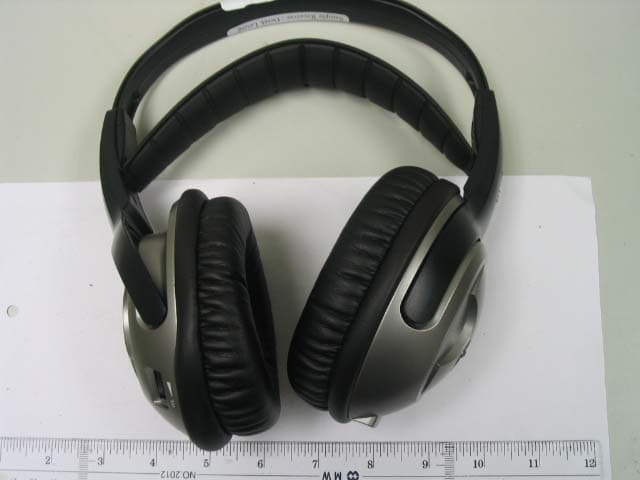
REDHP3390-001R
Aug 21, 2006900 MHz Receiver Headphone
Equipment Class
CYY - Communications Receiver used w/Pt 15 Transmitter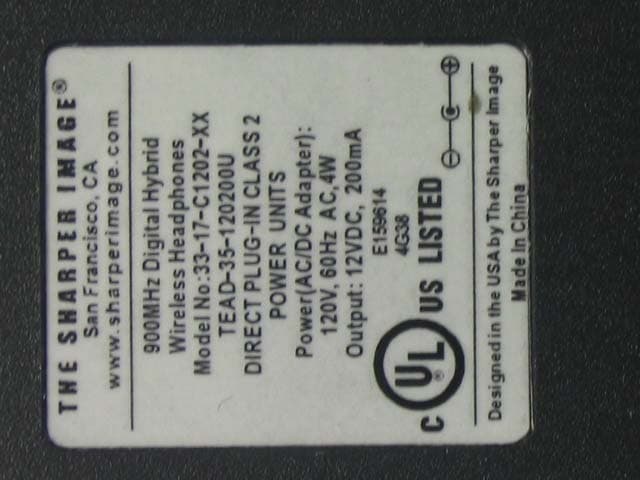
REDHP3390-001T
Aug 21, 2006900 MHz Wireless Headphone System - Transmitter
Equipment Class
DXX - Part 15 Low Power Communication Device Transmitter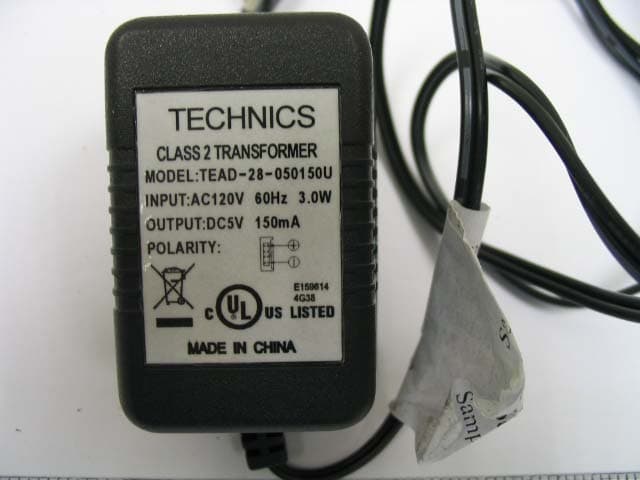
REDMF400-001T
May 03, 2006Magnetic Field Wireless Backphone
Equipment Class
DXX - Part 15 Low Power Communication Device Transmitter
REDMF200-001T
May 03, 2006Magnetic Field Wireless Backphone
Equipment Class
DXX - Part 15 Low Power Communication Device Transmitter
REDHP2492-001R
Jan 29, 2006Wireless Headphone Receiver
Equipment Class
CYY - Communications Receiver used w/Pt 15 Transmitter