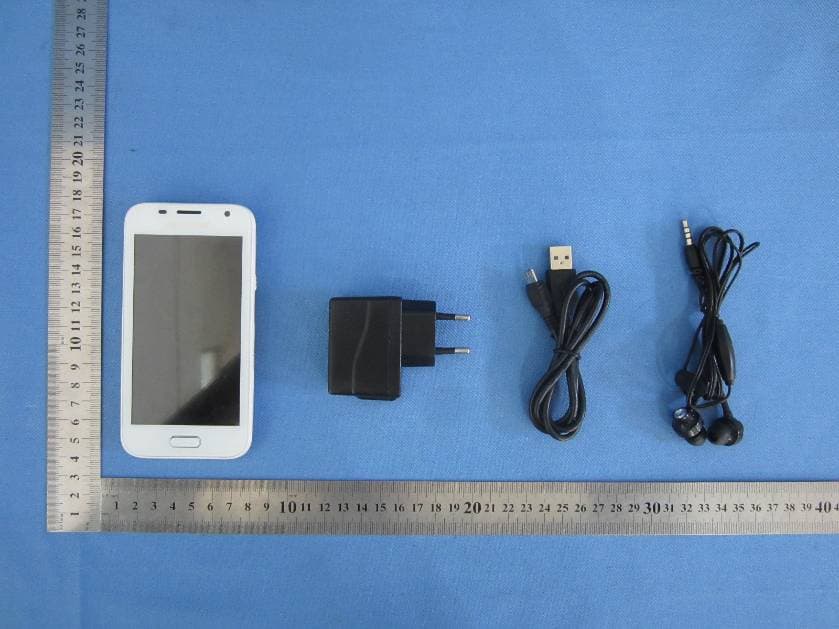
RFO-A20Mobile Phone
HK TIANRUIXIANG COMMUNICATION EQUIPMENT LIMITED
Click to zoom
Application Details
- Equipment Class
- DTS - Digital Transmission System
- Date of Grant
- Aug 24, 2014
- Application Purpose
- Original Equipment
- Date of Application
- Aug 24, 2014
- Equipment Note
- Mobile Phone
- Frequency Range
- 2412.00000000 - 2462.00000000
- Country
- China
Documents & Files
Document Text
Text extracted from the exhibit documents filed with the FCC. Open a document above to read the original.
Users Manual
CONTENT CONTENT CHAPTER CONTENT 1 INTRODUCTION About this user manual Notes for this manual Overview 2 GETTING STARTED Makes sure you have everything Charging battery Turning the device on or off Locking and unlocking the screen Using headset 3 LEARNING THE BASICS Home screen Extended home screen Shortcut icons Widgets 1 3 3 3 3 5 5 5 5 6 6 7 7 7 9 9 Wallpaper Application Text entry Contact Importing and exporting contact Communicating with contact Managing contact Favorite contact Using the phone 4 EMAIL & MESSAGING Text message Multimedia message Customizing message settings Email accounts Using email 5 INTERNET & BLUETOOTH Connecting to internet Browsing web page Using Bluetooth 6 MULTIMEDIA APPLICATIONS Videos and photos 9 10 11 12 12 13 13 14 14 16 16 17 17 18 19 22 22 23 23 25 25 1 CONTENT Viewing photos Using music player FM radio 7 PROGRAMS Backup and Restore Browser Calculator Calendar Camera Clock Contact Downloads Email Messaging Play music Gallery Phone Settings Video Player 8 MANAGING YOUR PHONE Device settings Changing basic settings 25 25 26 27 27 27 27 27 27 27 27 27 28 28 28 28 28 28 28 29 29 31 Using wireless & networks Protecting your phone Resetting the device APPENDIX Appendix : Safety information 31 31 32 33 33 2 INTRODUCTION 1.INTRODUCTION ABOUT THIS USER MANUAL You are reading the Smartphone User’s Manual. This User’s Manual provides information on the various components in the Smartphone and how to use them. NOTES FOR THIS MANUAL A few notes and warnings in bold are used throughout this guide that you should be aware of in order to complete certain tasks safely and completely. NOTES Tips and information for special situations OVERVIEW about the operating systems or programs then please consult the appropriate manuals. Operating system – Your Smartphone may already come with system software pre-installed. Where this is not the case, or where you are re-configuring your Smartphone for a different system, you will find this manual refers to the following operating systems: • Android Jelly Bean What’s in the Box? Your package comes with the following items. If any of them is missing, please contact your retailer: This manual refers to the hardware and essential software required to run the Smartphone. Device AC Adapter USB Cable Not included – Operating System (e.g: Android Jelly Bean) have their own manuals. If you have questions 3 INTRODUCTION Battery NOTES Quick Start Guide Headset Actual accessories design may differ from what is represented this visual. 4 GETTING STARTED 2. GETTING STARTED NOTES MAKES SURE YOU HAVE EVERYTHING Before moving on the next set of instructions, make sure that you have received all items/components. If any items are missing and/or damaged, notify your dealer immediately (see “What’s in the Box” on chapter 1). CHARGING BATTERY The battery that came with your device is only partially charged. To fully charge the battery, charge it for 2 hours. Charge the battery 1. Connect one end of the AC adaptor to the Micro USB connector of the device. 2. Plug the other end of the AC adaptor to the wall outlet to start charging. • Battery can also be charged when device connects to computer through USB cable. • Battery life varies depending on network, applications, and ambient temperature. TURNING THE DEVICE ON or OFF After installing SIM card and charging battery, device is ready to turn on. Turn on your device Press and hold the power button. Turn off your device 1. Press and hold power button for 5 seconds. 2. A pop-up window appears, tap Power off. Set device to airplane mode 1. Press and hold the Power button for 5 seconds. 2. On the options menu, tap Airplane mode. 5 GETTING STARTED Set device to silent mode 1. Press and hold the Power button for 5 seconds. 2. Drag to the right of the screen to unlock the 2. On the options menu, tap . Set device to sleep mode To set the device to sleep mode, press the Power button. This turns the display off. To turn the display on, press the Power button again. LOCKING AND UNLOCKING THE SCREEN Lock the screen to prevent it from accidentally being touched. By default, the screen locks after being idle for a period of time (see “Display Settings” on chapter 8). Lock the screen To manually lock the screen and turn off the display, press the Power button. Unlock the screen 1. Press power button or front buttons to turn on the display from Sleep mode. 6 screen. USING HEADSET For hands-free conversation or listening to music, plug one headset to headset jack. NOTES • When using headset, your ability to hear outside sounds may be limited. Do not use headset if it will endanger you. • Do not set volume to maximum with headset as it may damage your hearing. LEARNING THE BASICS 3. LEARNING THE BASICS HOME SCREEN From Home screen, you can quickly access common features and view notifications of missed calls, receive messages and check connection status. EXTENDED HOME SCREEN Swipe your finger to the left or right across the home screen. The two extensions to the left and to the right of the Home screen provide more space for icons, widgets, shortcuts, and other items. Status bar The Status bar icons indicate different types of information. The following icons may appear on the status bar. No Icon 1 2 3 4 Battery icon No Icon 1 2 3 Description Sound is off Vibrate mode is activated Speakerphone is on Phone is muted Description Battery is full Battery is low Battery is charging Volume icons The following icons may appear on the volume icon area: 7 LEARNING THE BASICS Connection icon No Icon Description 3 Miss call notification 1 2 3 4 5 6 No network signal Maximum signal strength. Fewer bars indicate lower signal strength. GPRS network is in use. Wi-Fi is connected. Bluetooth connection is active. Device is connected to PC via USB connector 4 5 6 7 8 9 New text message notification. New email notification. New Google mail notification. Alarm. Task notification. File has been downloaded Notification icons 10 No SIM card ins…
Text truncated - open the document above for the full version.
ID Label/Location Info
Label location
RF Exposure Info
SAR Test Report Product Name : Mobile Phone Model No. : A20 FCC ID : RFO-A20 Applicant : HK TIANRUIXIANG COMMUNICATION EQUIPMENT LIMITED Address : RM. 5C Shuisong Building, Tairan Eight Road, Chegongmiao, Futian District, Shenzhen, China Date of Receipt : Aug. 04, 2014 Date of Test : Aug. 04, 2014 Issued Date : Aug. 21, 2014 Report No. : 1480149R-HP-US-P03V01 Report Version : V2.0 The test results relate only to the samples tested. The test report shall not be reproduced except in full without the written approval of QuieTek Corporation. Report No.: 1480149R-HP-US-P03V01 Page: 2 of 148 Test Report Certification Issued Date: Aug. 21, 2014 Report No.: 1480149R-HP-US-P03V01 Product Name : Mobile Phone Applicant : HK TIANRUIXIANG COMMUNICATION EQUIPMENT LIMITED Address : RM. 5C Shuisong Building, Tairan Eight Road, Chegongmiao, Futian District, Shenzhen, China Manufacturer : XINYUANTONG Address : Rm 201, Yuetong B Building, Minzhi Road, Baoan District, Shenzhen City Model No. : A20 FCC ID : RFO-A20 EUT Voltage : DC 3.7V Brand Name : KIOTO Applicable Standard : IEEE Std. 1528-2013, 47CFR § 2.1093 FCC KDB Publication 447498 D01v05r02 FCC KDB Publication 648474 D04v01r02 FCC KDB Publication 865664 D01v01r03 FCC KDB Publication 941225 D01~D06 Test Result : Max. SAR Measurement (1g) Head: 0.602 W/kg; Body-worn: 0.870 W/kg Hotspot: 0.870 W/kg; Simultaneous Transmission: 0.965 W/kg Performed Location : Suzhou EMC Laboratory No.99 Hongye Rd., Suzhou Industrial Park Loufeng Hi-Tech Development Zone., Suzhou, China TEL: +86-512-6251-5088 / FAX: +86-512-6251-5098 FCC Registration Number: 800392 Documented By : Reviewed By : Approved By : Report No.: 1480149R-HP-US-P03V01 Page: 3 of 148 Laboratory Information We, QuieTek Corporation, are an independent EMC and safety consultancy that was established the whole facility in our laboratories. The test facility has been accredited/accepted(audited or listed) by the following related bodies in compliance with ISO 17025, EN 45001 and specified testing scope: The related certificate for our laboratories about the test site and management system can be downloaded from QuieTek Corporation’s Web Site :http://www.quietek.com/tw/ctg/cts/accreditations.htm The address and introduction of QuieTek Corporation’s laboratories can be founded in our Web site : http://www.quietek.com/ If you have any comments, Please don’t hesitate to contact us. Our contact information is as below: HsinChu Testing Laboratory : No.75-2, 3rd Lin, Wangye Keng, Yonghxing Tsuen, Qionglin Shiang, Hsinchu County 307, Taiwan, R.O.C. TEL:+886-3-592-8858 / FAX:+886-3-592-8859 E-Mail : [email protected] LinKou Testing Laboratory : No.5-22, Ruishukeng, Linkou Dist., New Taipei City 24451, Taiwan, R.O.C. TEL : 886-2-8601-3788 / FAX : 886-2-8601-3789 E-Mail : [email protected] Suzhou Testing Laboratory : No.99 Hongye Rd., Suzhou Industrial Park Loufeng Hi-Tech Development Zone., SuZhou, China TEL : +86-512-6251-5088 / FAX : 86-512-6251-5098 E-Mail : [email protected] Taiwan R.O.C. : BSMI, NCC, TAF Germany : TUV Rheinland Norway : Nemko, DNV USA : FCC Japan : VCCI China : CNAS Report No.: 1480149R-HP-US-P03V01 Page: 4 of 148 TABLE OF CONTENTS Description Page 1. General Information ................................................................................................. 6 1.1. EUT Description .................................................................................................. 7 1.2. Test Environment ................................................................................................. 9 1.3. EUT Antenna Locations ....................................................................................... 9 1.4. Simultaneous Transmission Configurations ....................................................... 11 1.5. SAR Test Exclusions Applied ............................................................................. 12 1.6. Power Reduction for SAR .................................................................................. 12 1.7. Guidance Documents ........................................................................................ 12 2. SAR Measurement System .................................................................................... 13 2.1. DASY5 System Description ............................................................................... 13 2.1.1. Applications ................................................................................................... 14 2.1.2. Area Scans .................................................................................................... 14 2.1.3. Zoom Scan (Cube Scan Averaging) .............................................................. 14 2.1.4. Uncertainty of Inter-/Extrapolation and Averaging ......................................... 14 2.2. DASY5 E-Field Probe ........................................................................................ 15 2.2.1. Isotropic E-Field Probe Specification ............................................................. 15 2.3. Boundary Detection Unit and Probe Mounting Device ...................................... 16 2.4. DATA Acquisition Electronics (DAE) and Measurement Server ........................ 16 2.5. Robot ................................................................................................................. 17 2.6. Light Beam Unit ................................................................................................. 17 2.7. Device Holder .................................................................................................... 18 2.8. SAM Twin Phantom ........................................................................................... 18 3. Tissue Simulating Liquid ....................................................................................... 19 3.1. The composition of the tissue simulating liquid ................................................. 19 3.2. Tissue Calibration Result ...................…
Text truncated - open the document above for the full version.
Test Report
Global United Technology Services Co., Ltd. Report No.: GTSE14070135502 Authorized Signature: Robinson Lo Laboratory Manager This report details the results of the testing carried out on one sample. The results contained in this test report do not relate to other samples of the same product and does not permit the use of the GTS product certification mark. The manufacturer should ensure that all products in series production are in conformity with the product sample detailed in this report. This report may only be reproduced and distributed in full. If the product in this report is used in any configuration other than that detailed in the report, the manufacturer must ensure the new system complies with all relevant standards. Any mention of GTS or testing done by GTS in connection with, distribution or use of the product described in this report must be approved by GTS in writing. This document cannot be reproduced except in full, without prior written approval of the Company. Any unauthorized alteration, forgery or falsification of the content or appearance of this document is unlawful and offenders may be prosecuted to the fullest extent of the law. Unless otherwise stated the results shown in this test report refer only to the sample(s) tested and such sample(s) are retained for 90 days only. FCC Report (WIFI) Applicant: HK TIANRUIXIANG COMMUNICATION EQUIPMENT LIMITED Address of Applicant: RM. 5C Shuisong Building, Tairan Eight Road, Chegongmiao, Futian District, Shenzhen, China Equipment Under Test (EUT) Product Name: Mobile Phone Model No.: A20 Trade Mark: KIOTO FCC ID: RFO-A20 Applicable standards: FCC CFR Title 47 Part 15 Subpart C Section 15.247:2013 Date of sample receipt: August 14, 2014 Date of Test: August 14-18, 2014 Date of report issued: August 19, 2014 Test Result : PASS * * In the configuration tested, the EUT complied with the standards specified above. Report No.: GTSE14070135502 Global United Technology Services Co., Ltd. Project No.: GTSE140701355RF 2nd Floor, Block No.2, Laodong Industrial Zone, Xixiang Road Baoan District, Shenzhen, China 518102 Telephone: +86 (0) 755 2779 8480 Fax: +86 (0) 755 2779 8960 Page 2 of 57 2 Version Version No. Date Description 00 August 19, 2014 Original Prepared By: Date: August 19, 2014 Project Engineer Check By: Date: August 19, 2014 Reviewer Report No.: GTSE14070135502 Global United Technology Services Co., Ltd. Project No.: GTSE140701355RF 2nd Floor, Block No.2, Laodong Industrial Zone, Xixiang Road Baoan District, Shenzhen, China 518102 Telephone: +86 (0) 755 2779 8480 Fax: +86 (0) 755 2779 8960 Page 3 of 57 3 Contents Page 1 COVER PAGE ........................................................................................................................................... 1 2 VERSION .................................................................................................................................................. 2 3 CONTENTS .............................................................................................................................................. 3 4 TEST SUMMARY ..................................................................................................................................... 4 5 GENERAL INFORMATION ...................................................................................................................... 5 5.1 CLIENT INFORMATION ......................................................................................................................... 5 5.2 GENERAL DESCRIPTION OF EUT ......................................................................................................... 5 5.3 TEST MODE ........................................................................................................................................ 6 5.4 DESCRIPTION OF SUPPORT UNITS ....................................................................................................... 6 5.5 TEST FACILITY .................................................................................................................................... 7 5.6 TEST LOCATION ................................................................................................................................. 7 6 TEST INSTRUMENTS LIST ..................................................................................................................... 8 7 TEST RESULTS AND MEASUREMENT DATA ...................................................................................... 9 7.1 ANTENNA REQUIREMENT ..................................................................................................................... 9 7.2 CONDUCTED EMISSIONS ................................................................................................................... 10 7.3 CONDUCTED PEAK OUTPUT POWER .................................................................................................. 13 7.4 CHANNEL BANDWIDTH ...................................................................................................................... 18 7.5 POWER SPECTRAL DENSITY ............................................................................................................. 23 7.6 BAND EDGES .................................................................................................................................... 28 7.6.1 Conducted Emission Method ..................................................................................................... 28 7.6.2 Radiated Emission Method ........................................................................................................ 31 7.7 SPURIOUS EMISSION ......................................................................................................................... 36 7.7.1 Conducted Emission Method ..................................................................................................... 36 7.7.2 Radiated Emission Method ..........…
Text truncated - open the document above for the full version.
Test Setup Photos
Radiated Emission Conducted Emission
Contact Information
Applicant
Xu Jack
Test Firm
Global United Technology Service Co., LtdRobinson Lo
Technical Specifications
| # | Rule Parts | Frequency Range | Power Output |
|---|---|---|---|
| 1 | 15C | 2.41 GHz - 2.46 GHz | 74.00 mW |
Other Applications from HK TIANRUIXIANG COMMUNICATION EQUIPMENT LIMITED
RFOA08
Sep 12, 2013Smart Phone
Equipment Class
PCE - PCS Licensed Transmitter held to ear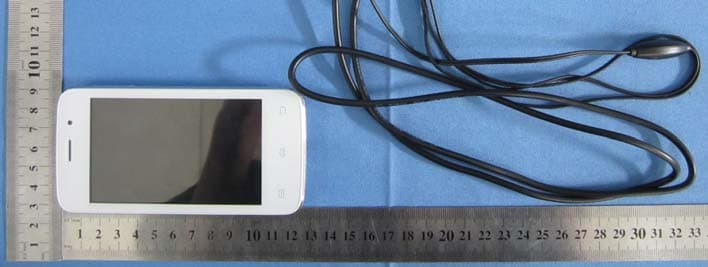
RFOA9
Sep 09, 2013Smart Phone
Equipment Class
PCE - PCS Licensed Transmitter held to ear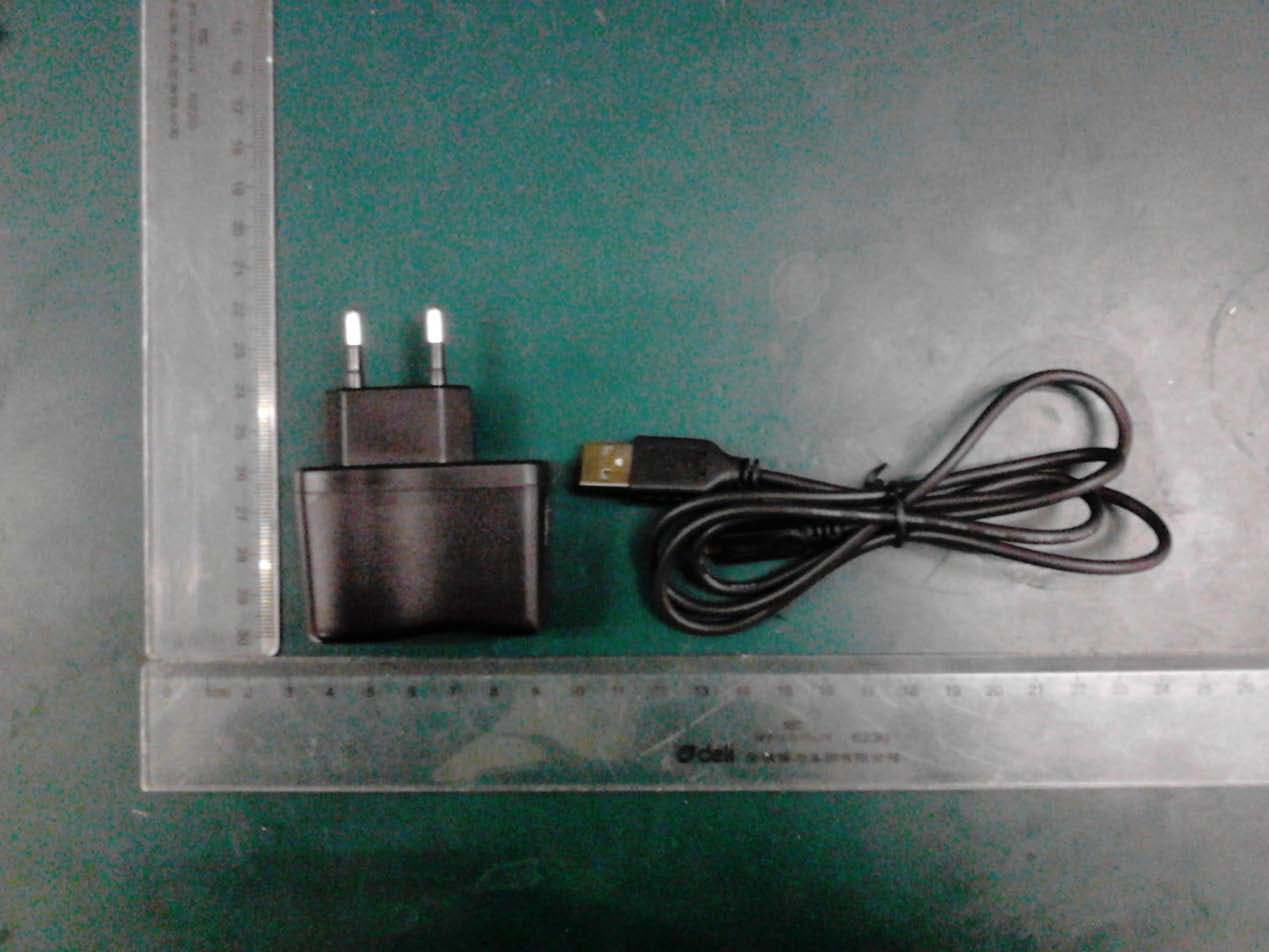
RFOV19
Jan 13, 2013GSM/GPRS+Bluetooth+WIFI Mobile phone
Equipment Class
DSS - Part 15 Spread Spectrum Transmitter