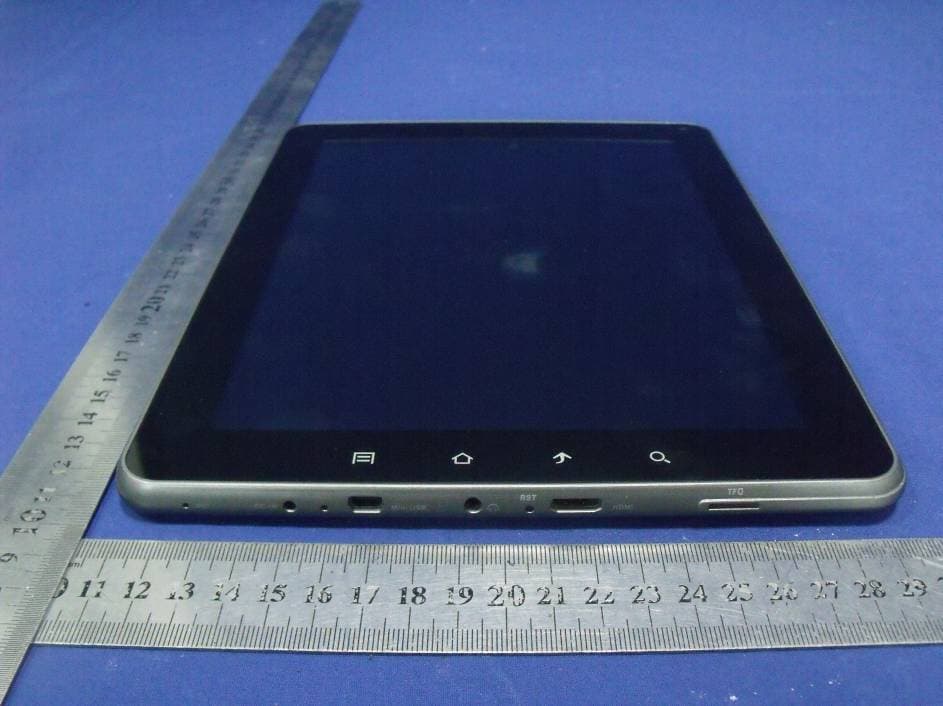
Click to zoom
Application Details
- Equipment Class
- DTS - Digital Transmission System
- Date of Grant
- Dec 26, 2012
- Application Purpose
- Original Equipment
- Date of Application
- Dec 26, 2012
- Equipment Note
- MID
- Frequency Range
- 2422.00000000 - 2452.00000000
- Country
- China
Documents & Files
Document Text
Text extracted from the exhibit documents filed with the FCC. Open a document above to read the original.
Users Manual
CONTENTS Safety Alerts and Cautions...................................................................................................2 Controls............................................................................................................................3 Function Keys....................................................................................................................4 Home Key......................................................................................................................4 Menu Key.......................................................................................................................4 Backspace Key...............................................................................................................4 On/Off Key (Power Key)....................................................................................................4 Volume Key....................................................................................................................5 Get around.........................................................................................................................6 Touch & Type......................................................................................................................8 Change the wallpaper.........................................................................................................9 Change other Sound setting.................................................................................................9 Arrange & Work with Apps.................................................................................................10 Add widgets.....................................................................................................................11 Manage notifications.........................................................................................................12 Try some apps..................................................................................................................13 Start Email....................................................................................................................13 Manage your Calendar....................................................................................................14 Use your Camera...........................................................................................................14 Gallery.........................................................................................................................15 Manage files on your tablet..............................................................................................16 Settings...........................................................................................................................16 Specification....................................................................................................................18 FCC Statement................................................................................................................20 1 Safety Alerts and Cautions: To keep the Tablet working normally and to protect your Tablet, please: 1.Do not use your tablet in extreme temperatures, when wet, or when extremely dusty. 2.Do not apply too much pressure to the screen, and do not use hard objects to press the screen. 3.Be careful to not damage the inner components when carrying or moving the tablet. 4.Avoid dropping the product. 5.To ensure stable wi-fi, please access the internet where wi-fi is provided. 6.Do not touch the tablet when it is formatting, or the hard-disk may malfunction. 7.Keep the tablet away from static. 8.Do not use the tablet for prolonged periods. 9.Do not use the tablet in direct sunlight. 10.Use soft fabric to gently clean the surface shell and LCD screen. Do not use solutions or chemicals to clean the tablet. 11.Do not attempt to remove the battery because of electric shock. 2 1. Camera 2. Volume 3. Power 4. Micro SD Slot 5. HDMI Jack 6. Reset 7. Earphone Jack 8. Micro-USB Jack 9. Indicator Lights 10. DC-IN Jack 11. Microphone 12. Search Key 13. Backspace Key 14. Home Key 15. Menu Key 16. Speaker 2 1 4 12 16 13 14 15 5 6 7 8 10 9 11 3 Function Keys Home Key 1. Press the home key at anytime to return to the main interface 2. Press & hold the home key, and a list of your recently opened applications will appear. Menu Key 1. Press the Menu key to open the sub-menu for a page. 2. Press the Menu key again to close the sub-menu. 3. Press & hold the menu key while in an application to open/close the virtual keyboard. Backspace Key Press the backspace key to return to the previous operation or previous screen. On/Off Key (Power Key) To turn ON the tablet Press and hold Power ON/OFF key to turn on the tablet To turn OFF the tablet 1. Press the ON/OFF key to lock the screen and enter sleep mode. 2. Press and hold ON/OFF key to have the mode selection window pop up. From there, the user can choose for the device to enter either standby mode, or to power off. 4 Search Key Press the search key for the search input interface Volume Key Press + to increase the volume. Press - to reduce the volume. 5 Get around At the lift bottom of the screen, you'll find three Navigation buttons. They're always available. No matter what you're doing with your tablet, you can always get back to the main Home screen or return to previous screens: Back: Opens the previous screen / app. Once you are on the home screen the button will not go back any further. Home: Returns to the home screen. If you were on pages other than the default screen, the button will return you to the default screen. Recent apps: To open an app, touch it. To remove a thumbnail from the list, swipe it left or right. 6 After a short time without getting used, these buttons may shrink to dots or fade away, depending on the current app. To bring them back, touch their location. 7 System icons: on the right corner of the screen di…
Text truncated - open the document above for the full version.
Attestation Statements
GUANGXI WEITONG AUTOMOBILE INFORMATION TECHNOLOGY CO., LTD Date: December 18, 2012 We, GUANGXI WEITONG AUTOMOBILE INFORMATION TECHNOLOGY CO., LTD, declare that this EUT (FCC ID: RHNGS35) doesn’t have Ad Hoc Mode function on “non-US/Canada frequencies”. In addition, the frequency selection feature is disabled by firmware for devices marketed to the US/Canada. For DTS part of this device, only channels 1-11 will used in North America. Country code selection is disabled. Note: This EUT supports 2.4GHz WiFi only without other RF function The maximum level is as below, and there is no tune up procedure for the end user, except the Factory Default Setting 802.11b: 12.00dBm 802.11g: 10.70dBm 802.11n HT20: 10.50dBm 802.11n HT40: 8.80dBm Should you have any questions or comments regarding this matter? Please have my best attention. Sincerely yours, Signature Zhihua Yao E-mail: [email protected] Phone: +86-771-3864699 Fax: +86-771-3231163 Address China-ASEAN Enterprise Headquarters Basephase II. Nanning, Guangxi, China
Cover Letter(s)
SCS-F19: Confidentiality Request Letter Page 1 of 2 Rev 3.0 Confidentiality Request Letter Revision History Reason for Amendment (current / obsolete) From To Approved Date Initial Release (obsolete) 1.0 1.0 Nov-14-2006 Adding CFR 2.459 (obsolete) 1.0 2.0 August – 11 - 2008 Updated company template & Added text box (current) 2.0 3.0 Jan-31-2012 SCS-F19: Confidentiality Request Letter Page 2 of 2 Rev 3.0 GUANGXI WEITONG AUTOMOBILE INFORMATION TECHNOLOGY CO., LTD (2012-12-18) To: Federal Communications Commission Office of Engineering and Technology Equipment Authorization Division 7345 Oakland Mills Road Columbia, Maryland 21046 Subject: Permanent Confidentiality Request for FCC ID: RHNGS35 We hereby request confidential treatment of information accompanying this application as outlined below: - Block diagram - Operation description - Schematic The above materials contain trade secrets and proprietary information not customarily released to the public. The public disclosure of these materials may be harmful to the applicant and provide unjustified benefits to its competitors. The applicant understands that pursuant to Section 0.457 & 0.459 of the Rules, disclosure of this application and all accompanying documentation will not be made before the date of the Grant for this application. Sincerely, Signature Zhihua Yao E-mail: [email protected] Phone: +86-771-3864699 Fax: +86-771-3231163 Address China-ASEAN Enterprise Headquarters Basephase II. Nanning, Guangxi, China
ID Label/Location Info
ID Label GUANGXI WEITONG AUTOMOBILE INFORMATION TECHNOLOGY CO., LTD MID FCC ID: RHNGS35 Model Number: GS35 Made in China 40mm*35mm
ID Label/Location Info
Label Location Proposed Label Location on EUT
Internal Photos
WIFI Module Antenna
RF Exposure Info
FCC ID: RHNGS35 WLAN (Portable device) According to §15.247(e)(i) and §1.1307(b)(1), systems operating under the provisions of this section shall be operated in a manner that ensures that the public is not exposed to radio frequency energy level in excess of the Commission’s guidelines. According to KDB 447498 (2)(a)(i) Frequency Range Low Frequency (MHz) High Frequency(MHz) Center frequency (MHz) 60/f SAR Limitation (mw) 2412 2462 2437 24.37 Maximum measured transmitter power: 802.11b Conducted Power (dBm) Conducted Power (mw) Max Antenna Gain (dBi) EIRP (mw) 11.90 17.66 0 15.49 Maximum measured transmitter power: 802.11g Conducted Power (dBm) Conducted Power (mw) Max Antenna Gain (dBi) EIRP (mw) 10.50 13.37 0 11.22 Maximum measured transmitter power: 802.11n HT20 Conducted Power (dBm) Conducted Power (mw) Max Antenna Gain (dBi) EIRP (mw) 10.20 11.27 0 10.47 Maximum measured transmitter power: 802.11n HT40 Conducted Power (dBm) Conducted Power (mw) Max Antenna Gain (dBi) EIRP (mw) 8.60 9.02 0 7.24 For the Tune Up information from the applicant, the maximum output power is 11b (12.00dBm) 11g (10.70dBm) 11n HT20 (10.50dBm), 11n HT40 (8.80dBm), so the worst case of Conducted Power and EIRP will be still less than FCC SAR exemption threshold. Threshold at which no SAR required is 24.37 mw. Maximum Tx power is 17.66mw EIRP Conclusion: No SAR is required. Sincerely, Signature Zhihua Yao E-mail: [email protected] Phone: +86-771-3864699 Fax: +86-771-3231163 Address China-ASEAN Enterprise Headquarters Basephase II. Nanning, Guangxi, China
Test Report
SHENZHEN EMTEK CO., LTD. REPORT NO: ES120925186E FCC ID: RHNGS35 DATE: 12/18/2012 Page 1 of 79 ELECTROMAGNETIC EMISSIONS COMPLIANCE REPORT INTENTIONAL RADIATOR CERTIFICATION TO FCC PART 15 SUBPART C REQUIREMENT OF MID MODEL No.: GS35 FCC ID: RHNGS35 Trademark: N/A REPORT NO: ES120925186E ISSUE DATE: December 18, 2012 Prepared for GUANGXI WEITONG AUTOMOBILE INFORMATION TECHNOLOGY CO., LTD China-ASEAN Enterprise Headquarters Basephase II. Nanning, Guangxi, China Prepared by SHENZHEN EMTEK CO., LTD. Bldg 69, Majialong Industry Zone, Nanshan District, Shenzhen, Guangdong, China TEL: 86-755-26954280 FAX: 86-755-26954282 SHENZHEN EMTEK CO., LTD. REPORT NO: ES120925186E FCC ID: RHNGS35 DATE: 12/18/2012 Page 3 of 79 Ta b l e o f C o n t e n t s 1. GENERAL INFORMATION ................................................................................................................................ 5 1.1 PRODUCT DESCRIPTION.................................................................................................................................... 5 1.2 RELATED SUBMITTAL(S) / GRANT(S)................................................................................................................. 5 1.3 TEST METHODOLOGY....................................................................................................................................... 6 1.4 SPECIAL ACCESSORIES...................................................................................................................................... 6 1.5 EQUIPMENT MODIFICATIONS............................................................................................................................ 6 1.6 TEST FACILITY.................................................................................................................................................. 6 2. SYSTEM TEST CONFIGURATION ................................................................................................................... 7 2.1 EUT CONFIGURATION....................................................................................................................................... 7 2.2 EUT EXERCISE................................................................................................................................................. 7 2.3 TEST PROCEDURE............................................................................................................................................. 7 2.4 CONFIGURATION OF TESTED SYSTEM............................................................................................................... 7 3. DESCRIPTION OF TEST MODES ..................................................................................................................... 9 4. SUMMARY OF TEST RESULTS....................................................................................................................... 10 5. CONDUCTED EMISSIONS TEST .................................................................................................................... 11 5.1 MEASUREMENT PROCEDURE.......................................................................................................................... 11 5.2 TEST SET-UP (BLOCK DIAGRAM OF CONFIGURATION) .................................................................................. 11 5.3 MEASUREMENT EQUIPMENT USED................................................................................................................. 11 5.4 CONDUCTED EMISSION LIMIT......................................................................................................................... 11 5.5 MEASUREMENT RESULT.................................................................................................................................. 12 5.6 CONDUCTED MEASUREMENT PHOTO.............................................................................................................. 13 6. RADIATED EMISSION TEST ........................................................................................................................... 14 6.1 MEASUREMENT PROCEDURE.......................................................................................................................... 14 6.2 TEST SET-UP (BLOCK DIAGRAM OF CONFIGURATION) .................................................................................. 14 6.3 MEASUREMENT EQUIPMENT USED................................................................................................................. 15 6.4 RADIATED EMISSION LIMIT............................................................................................................................. 15 6.5 MEASUREMENT RESULT.................................................................................................................................. 17 6.6 RADIATED MEASUREMENT PHOTOS................................................................................................................ 41 7. OCCUPIED BANDWIDTH TEST ..................................................................................................................... 43 7.1 MEASUREMENT PROCEDURE.......................................................................................................................... 43 7.2 TEST SET-UP (BLOCK DIAGRAM OF CONFIGURATION) .................................................................................. 43 7.3 MEASUREMENT EQUIPMENT USED................................................................................................................. 43 7.4 MEASUREMENT RESULTS................................................................................................................................43 8. MAXIMUM PEAK OUTPUT POWER TEST ..................................................................................................52 8.1 MEASUREMENT PROCEDURE...................................................................................................…
Text truncated - open the document above for the full version.
Test Setup Photos
Conducted Measurement Photo Radiated Measurement Photos
Contact Information
Applicant
Zhihua Yao(General Manager)
Test Firm
EMTEK (Shenzhen) Co., Ltd.David Lee
Technical Specifications
| # | Rule Parts | Frequency Range | Power Output |
|---|---|---|---|
| 2 | 15C | 2.42 GHz - 2.45 GHz | 7.25 mW |
Other Applications from Guangxi Weitong Automobile Information Technology Co., Ltd.
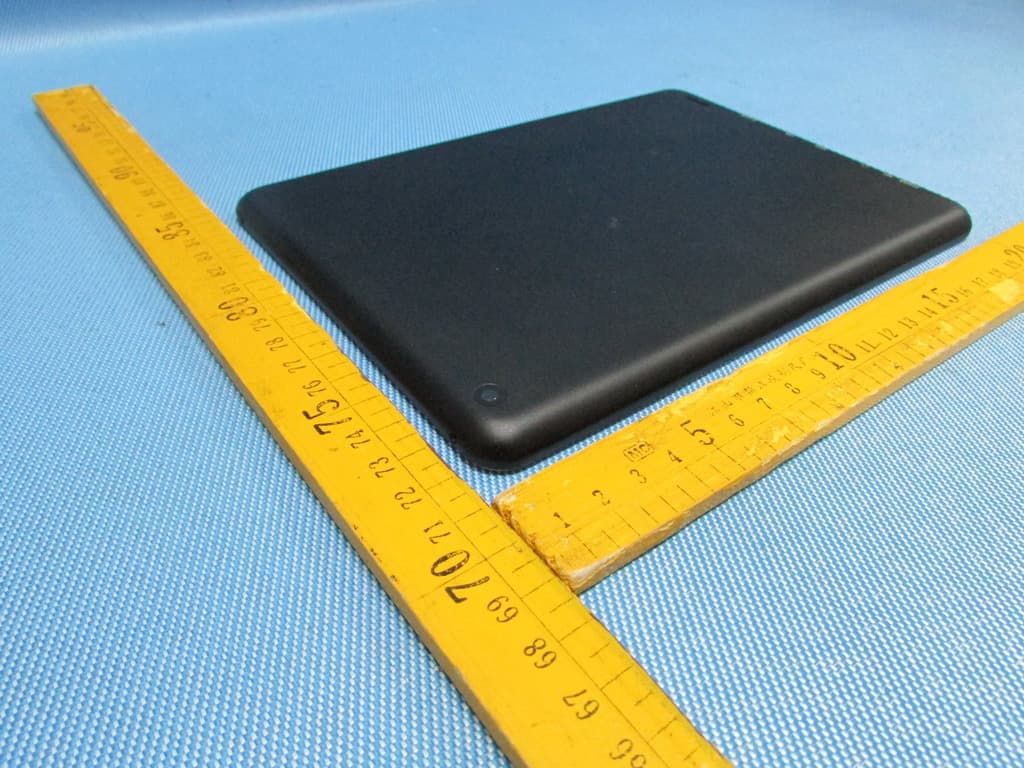
RHNGF22
Oct 23, 2013MID
Equipment Class
DSS - Part 15 Spread Spectrum Transmitter
RHNGF88
May 29, 2013MID
Equipment Class
DTS - Digital Transmission System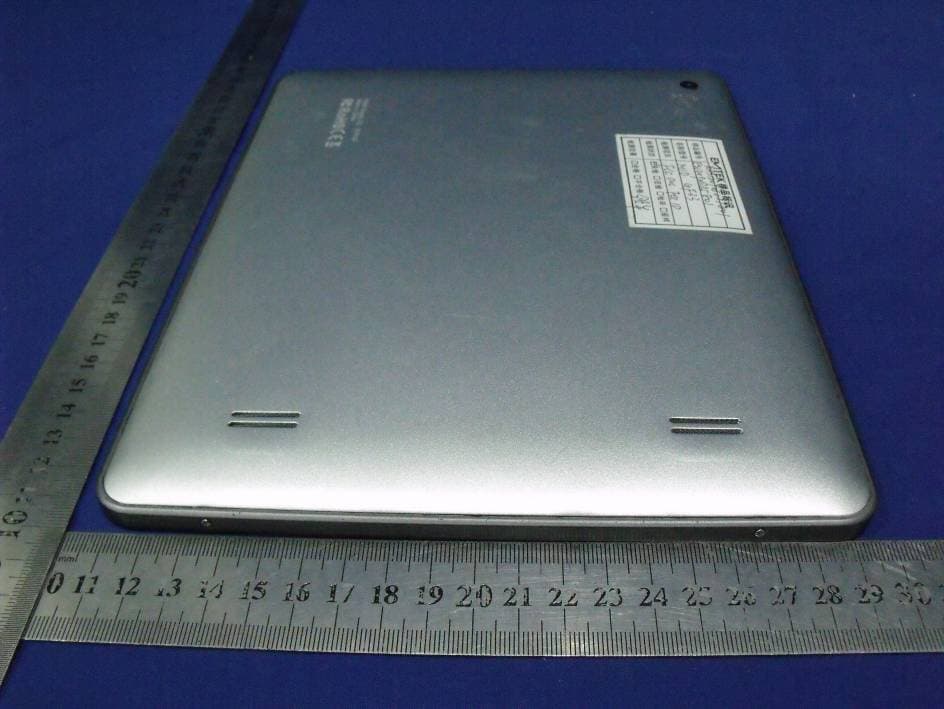
RHNGF33
Dec 20, 2012MID
Equipment Class
DTS - Digital Transmission System