RLM-BLUEMATE-902Bluetooth headset
HI-Pro International R&D Co., Ltd.
Click to zoom
Application Details
- Equipment Class
- DSS - Part 15 Spread Spectrum Transmitter
- Date of Grant
- Feb 04, 2008
- Application Purpose
- Original Equipment
- Date of Application
- Feb 04, 2008
- Equipment Note
- Bluetooth headset
- Frequency Range
- 2402.00000000 - 2480.00000000
- Country
- Taiwan
Documents & Files
Document Text
Text extracted from the exhibit documents filed with the FCC. Open a document above to read the original.
Users Manual
Microphone Speaker Charging Port Ear plug LED light indicator Power/Talk key Volume up Volume down 11 Bheadsetluetooth Model No:BT6000 USER GUIDEUSER GUIDE 22 Weee Stat ement To protect the global environment and as an environmentalist, Bluemate must remind you that......... Under the European union ("EU") Directive on Waste Electrical and Electronic Equipment, Directive 2002/69/EC, which takes effect on August 13,2005, products of "electrical and electronic equipment" cannot be discarded as municipal waste anymore and manufacturers of co vered electronic equipment will be obligated to take back such products at the end of their useful life. Bluemate will comply with the products that are sold into the EU. You can return these products to local collection points. 1. Overview Thank you for purchasing BT6000 Bluetooth Headset. Before starting to use the product; please ensure the content of the product package; and read the User Manual carefully, to understand all the function of the product. BT6000 adopts the latest Bluetooth technology to connect all the Bluetooth devices with Audio Gateway f unction lik e mobile phone, desktop, notebook etc. B efore you use the headset, please to make sure the device you're going to use with is compatible with Bluetooth specification V2.0 and supports Bluetooth Headset of Handsfree Profile. - Only when the system activates the charging is allowed; the whole charging time is about 90-120 minutes. - When first time charging the headset please charging it at least for 4 hours. - Don't use the headset when it is recharging; the headset will switch off itself when it is recharging. - Please use the provided charger only. - When the LED indicator fla shes red light, it means the ba ttery level is low and should be recharged soon. - Only when the temperature is within the range -10(+14F) to +45 (+113F); the headset can be charged. 1.Press the Power key for about 3 Sec ; after the green indicator light flashing 3 times to activate the power. 2.When switching off the headset , press the Power Key for about 3 Sec; after the red indicator light flashing 3 times the power will switch off . - When switching on your headset, you will hear one " Do" sounds from it ; by the time the green indicator light will flash 3 times then flashing 2 times . The process will repeat 5 times then it will flash once ev ery 3 Sec, now the headset is under the " " mode. - While the headset is activating, it will detect the paired device automatically ( only if the paired device is activated and within 10 meters of the headset) then turn into the connecting mode directly. When the green indicator light fla shing two times non-stop; it means the headset is in the . - When switching off the headset; you will hear one " Beep" sounds from the headset , indicator light will turn off. ( or an y other Bluetooth devices). Before using the headset for the first time; you need to pa ir with your Bluetooth device first. 1.Bef ore pa iring, make sure your headset is off. 2.Press the power key for at least 5 sec; when you see the blue and red indicator light flashing alternately it means the headset is in the pairing mode. 3.Please ensure that your mobile phone is provided the Bluetooth Function, and activate the function. Each br and of mobile phone might ha ve different ways to operate it; please check up with your mobile phone user's manual. 4.You will find the words string "" show on certain items in your mobile phone. 5.Choose “” and do the pairing. 6.Key in the pairing pin code "" then press " " , the indicator light will turn from the green/red flashing status into green flashing, it means the pairing has been successful. 7.Now the headset has been in the "stand-by"mode, you may receive or dial the phone call. - If the pa iring can't be done within 90 Sec, the headset will be in the "stand-by" mode automatically ( green/red fla shing ev ery 3 Sec). You will not be able to use your headset; you will ha ve to repeat the procedure form step 1-6 pairing again. - When pa iring; the distance between the headset and the mobile phone within 10 cm-1 meter is preferred; and ensure there isn't any metal obstacle. - Each Bluetooth headset has a setting pin "1234". According to each brand of mobile phone has their own way for setting, the detail you may refer to your user's manual of the mobile phone. Notice 4.Power on/off Notice: st and-by "connecting mode" 5.Pairing with your mobile phone BT6000 1234yes Notice: 3.Charging the Headset There is a lithium polymer ba ttery inside the headset; please fully charge the battery before you use it. 1.Plug the portable charger to the electricity source. 2.Plug the portable charger into the Charging Port in the end part of the headset. 3.when charging, there will be the red indicator light flashing, af ter the ba ttery fully charged; the indicator light will be off. 2. Introduction of t he product FCC Safety Statements The device complies with Part 15 of the FCC rules. Operation is subject to the following two conditions: (1)This device may not cause harmful interference. (2)This device must accept any interference received, including interference that may cause undesired operation. The radiated output power is far below the FCC radio frequency exposure limits. Nevertheless, this device should be used in such a manner that the potential for human contact during normal operation is minimized. MiJOYA BT6000 33 44 - Once two devices are pa ired it will be kept; ev en if the following situations ha ve been happened. One device is off. One of the device has stopped the service. One of the device has been reactivated. 1.When you have a incoming call press the Talk key after you hear the ring from the headset. 2.Even if the mobile phone has ring first; please wait until you hear the ring form the headset then press the Talk key . 3.When the ca ll has been connected, green indicator light will fla sh 3 times quickly. 4.If the headset is off when the mobile phone rings; ple…
Text truncated - open the document above for the full version.
External Photos
Registration number: W6D20801-8841-P-15 FCC ID: RLM-BLUEMATE-902 Taiwan ETS Product Service Co., Ltd.appendix page 50 of 58 External Photos Registration number: W6D20801-8841-P-15 FCC ID: RLM-BLUEMATE-902 Taiwan ETS Product Service Co., Ltd.appendix page 51 of 58 Registration number: W6D20801-8841-P-15 FCC ID: RLM-BLUEMATE-902 Taiwan ETS Product Service Co., Ltd.appendix page 52 of 58 Registration number: W6D20801-8841-P-15 FCC ID: RLM-BLUEMATE-902 Taiwan ETS Product Service Co., Ltd.appendix page 53 of 58
ID Label/Location Info
6 6mm FCC ID: RLM-BLUEMATE-902
Internal Photos
Registration number: W6D20801-8841-P-15 FCC ID: RLM-BLUEMATE-902 Taiwan ETS Product Service Co., Ltd.appendix page 54 of 58 Internal Photos Registration number: W6D20801-8841-P-15 FCC ID: RLM-BLUEMATE-902 Taiwan ETS Product Service Co., Ltd.appendix page 55 of 58 Registration number: W6D20801-8841-P-15 FCC ID: RLM-BLUEMATE-902 Taiwan ETS Product Service Co., Ltd.appendix page 56 of 58
Test Report
of Applicant: HI-Pro International R&D Co., Ltd. Address: 3F., NO. 295, RUI GUANG RD., NEI HU, Taipei Taiwan Tested and Prepared by Taiwan ETS Product Service Co., Ltd. FCC Registration No.: 930600 Industry Canada filed test laboratory Reg. No. IC 5679A-1 A2LA Accredited No.: 1983.02 PTCRB Accredited Type Certification Test House FCC ID: RLM-BLUEMATE-902 Report No.: W6D20801-8841-P-15 6F, NO. 58, LANE 188, RUEY-KUANG RD., NEIHU TAIPEI 114, TAIWAN, R.O.C. TEL: 886-2-66068877 FAX: 886-2-66068879 E-mail: [email protected] FCC TEST REPORT for Bluetooth headset Model No.: BL-902 Registration number: W6D20801-8841-P-15 FCC ID: RLM-BLUEMATE-902 Taiwan ETS Product Service Co., Ltd. Page 1 of 29 TABLE OF CONTENTS 1 GENERAL INFORMATION .......................................................................................................2 1.1 Notes .....................................................................................................................................2 1.2 Testing laboratory .................................................................................................................3 1.2.1 Location ....................................................................................................................... 3 1.2.2 Details of accreditation status ...................................................................................... 3 1.3 Details of approval holder.....................................................................................................3 1.4 Application details ................................................................................................................4 1.5 General information of Test item..........................................................................................4 1.6 Test standards .......................................................................................................................5 2 TECHNICAL TEST .....................................................................................................................6 2.1 Summary of test results.........................................................................................................6 2.2 Test environment ..................................................................................................................6 2.3 Test Equipment List ..............................................................................................................7 2.4 General Test Procedure.........................................................................................................9 3 TEST RESULTS (ENCLOSURE) ............................................................................................ 11 3.1 Peak Output Power (transmitter) ........................................................................................12 3.2 Equivalent isotropic radiated power ...................................................................................14 3.3 RF Exposure Compliance Requirements ............................................................................14 3.4 Out of Band Radiated Emissions ........................................................................................14 3.5 Transmitter Radiated Emissions in restricted Bands ..........................................................15 3.6 Spurious emissions (tx).......................................................................................................16 3.7 Carrier Frequency Separation .............................................................................................20 3.8 Number of Hopping Frequencies........................................................................................21 3.8.1 Pseudorandom Frequency Hopping Sequence........................................................... 21 3.8.2 Coordination of hopping sequences to other transmitters ......................................... 21 3.8.3 System Receiver Hopping Capability ........................................................................ 21 3.9 Time of Occupancy (Dwell Time) ......................................................................................22 3.10 20dB Bandwidth .................................................................................................................24 3.10.1 System Receiver Input Bandwidth ............................................................................ 24 3.11 Band-edge Compliance of RF Emissions ...........................................................................25 3.12 Radiated Emissions from Digital Part.................................................................................26 3.13 Power Line Conducted Emission........................................................................................27 Appendix..........................................................................................................29 Registration number: W6D20801-8841-P-15 FCC ID: RLM-BLUEMATE-902 Taiwan ETS Product Service Co., Ltd. Page 2 of 29 1 General Information 1.1 Notes The purpose of conformity testing is to increase the probability of adherence to the essential requirements or conformity specifications, as appropriate. The complexity of the technical specifications, however, means that full and thorough testing is impractical for both technical and economic reasons. Furthermore, there is no guarantee that a test sample which has Passed all the relevant tests conforms to a specification. Neither is there any guarantee that such a test sample will interwork with other genuinely open systems. The existence of the tests nevertheless provides the confidence that the test sample possesses the qualities as maintained and that is performance generally conforms to representative cases of communications equipment. The test results of this test report relate exclusively to the item tested as specified in 1.5. The test report may only be reproduced or published in full. Reproduction or publ…
Text truncated - open the document above for the full version.
Test Setup Photos
Registration number: W6D20801-8841-P-15 FCC ID: RLM-BLUEMATE-902 Taiwan ETS Product Service Co., Ltd.appendix page 57 of 58 Set Up Photo of Radiated Emission Registration number: W6D20801-8841-P-15 FCC ID: RLM-BLUEMATE-902 Taiwan ETS Product Service Co., Ltd.appendix page 58 of 58 Set Up Photo of Conducted Emission
Contact Information
Applicant
Charles Teng(Vice President)
Technical Contact
Taiwan ETS Product Service Co., Ltd.Steven Chuang
[email protected]+886-2-6606-8877
6F., No. 58, Lane 188, Ruey Kuand Rd., Neihu · Taipei · Taiwan
Test Firm
Worldwide Testing Services (Taiwan) Co. Ltd.Chang Tse-Ming
Technical Specifications
| # | Rule Parts | Frequency Range | Power Output |
|---|---|---|---|
| 1 | 15C | 2.40 GHz - 2.48 GHz | 1.20 mW |
Other Applications from HI-Pro International R&D Co., Ltd.
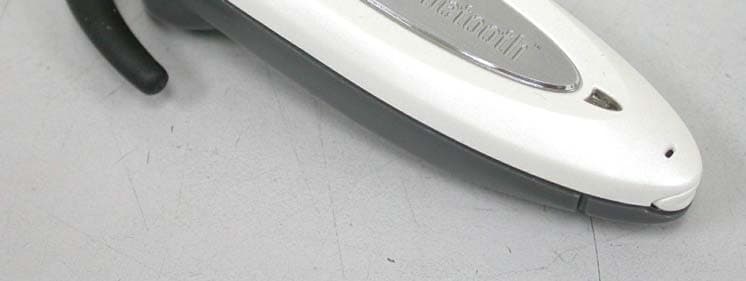
RLM-BLUEMATE-630
Jun 09, 2004Bluetooth Headset
Equipment Class
DSS - Part 15 Spread Spectrum Transmitter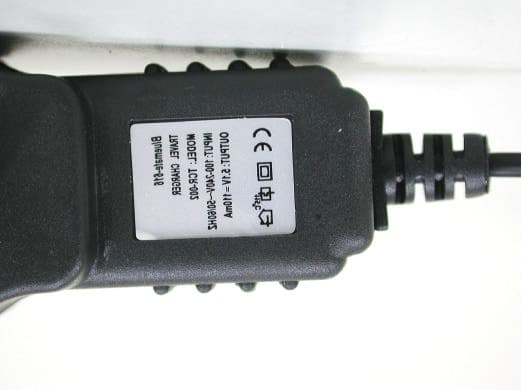
RLM-BLUEMATE-616
Nov 13, 2003Bluetooth Headset
Equipment Class
DSS - Part 15 Spread Spectrum Transmitter