RWYHX-P430AJam XT
SHENZHEN DEHUIDA TECHNOLOGY CO., LTD
Click to zoom
Application Details
- Equipment Class
- DSS - Part 15 Spread Spectrum Transmitter
- Date of Grant
- May 05, 2014
- Application Purpose
- Original Equipment
- Date of Application
- May 05, 2014
- Equipment Note
- Jam XT
- Frequency Range
- 2402.00000000 - 2480.00000000
- Country
- China
Documents & Files
Document Text
Text extracted from the exhibit documents filed with the FCC. Open a document above to read the original.
Users Manual
AUX IN CHARGE Por manual de instrucciones e información de garantía en español visítenos en www.jamaudio.com Thanks for the invite. We’ve got some pretty cool friends too, you know? Check them out at www.jamaudio.com Charging the speaker is so easy you’ve probably gured it out by now, but just in case, you’ve got two options: your computer or a wall outlet. 1. The cord that came with the speaker—the one with the USB on one end and the Micro USB on the other—will work with your computer. 2. If you want to use the wall outlet, you’ll need to pick up a power cord with a Micro USB the next time you’re at the store, or use any USB AC adapter, including the one for your cell. Now go get ready for an epic night while your speaker does too. It needs about 3 hours of me time to be fully charged for 8 hours of play. HX-P430A Package Contents Just Charge It User Manual Charging Cord Speaker Control Your Destiny...or at Least Your Speaker 1. Check out how much juice is in the battery. 2. That’s the Mic. 3. Turn the music up or down. (Wait, why do you need to turn it down?) 4. Push it to play, push it again to pause. 5. That light lets you know when Bluetooth has the hook-up. 6. The power cord goes here. 7. That’s the power button, press and hold for 5 seconds to power on. 8. Plug in when you don’t have Bluetooth. 9. It speaks too. Toggle between languages. 10. Language Selector Pin. Like any amazing couple, this one starts with a connection—one between your device and the speaker’s Bluetooth. Here’s how it works: 1. We know you’re probably going to think, “derp” with this one, but we have to say it: Make sure the smartphone, tablet or computer you want to hook up to the speaker has Bluetooth. (There. We got that out of the way.) 2. Turn on the speaker (press and hold for 5 seconds) and look for the little blinking light. 3. Do whatever your device needs you to do on its end. (We don’t know what you’re using. We’re not spies.) 4. Look for JAM XT in your device’s Bluetooth list or click YES—whatever pops up on your device—and BAM! you’re connected. 5. Now hit PLAY on your speaker and crank it up—or down if you’re lame. You’re probably only going to have to do this once, unless your device goes through a major I-just-dropped-it-in-the-pool kind of reboot. The device and Bluetooth will nd each other every time just as long as the speaker is set to Bluetooth and your device’s Bluetooth is, you know—on. If you’re connecting to a computer, you may have some extra steps on that end. You’ll have to get that information from the computer company. Depending on your device you may be prompted to enter a pairing code. If prompted enter “0000” as the code. To clear the pairing history hold the PLAY/PAUSE button for 5 seconds. Note: If you turn on your XT but haven’t started the party yet, it will automatically power off after 2 minutes of unpaired inactivity. 1. Plug one end of the cord into the speaker and the other into the headphone jack on your device. 2. Turn on the speaker. 3. Hit PLAY on your device and crank it up—or down if you’re lame. You’ll have to play and pause the music from your device, not your speaker. No problem. You’re there anyway, right? Bluetooth ® Connection: It’s a Setup Hooking Up Old School Audio, Jack Hey. Have we seen you here before? Register your speaker at www.jamaudio.com Information like where you bought it and how you’re using it is like gold for the people who make these speakers. Do them a solid, will ya? 3 3 5 1 10 2 USER GUIDE AND WARRANTY INFORMATION Allow Us to Shed Some Light CHARGE Flashing RED Quick Flash BLUE Slow Flash BLUE RED What It Looks Like RED (while charging) Light turns off (while charging) Low Battery Charging Fully Charged Pairing Mode Connected Line-in Mode What it Means 4 6 7 8 9 Language Selector Pin LANGUAGE SELECTOR PIN EXTREME WIRELESS SPEAKEREXTREME WIRELESS SPEAKER When friends call asking to join the party—and you know they will—answer the phone without disconnecting from your JAM XT. Yes, that’s right. Your speaker is a speakerphone too. How amazing is that? Here’s how it works: 1. Make sure your phone and speaker are connected through Bluetooth and not on a “break.” 2. Answering and ending a call works the same way: simply click the PLAY/PAUSE button on your XT. 3. If you’d rather not talk, hold down the PLAY/PAUSE button on your XT for three seconds to ignore the call. THE COOLEST PART: The XT knows when a call is coming in and pauses the music before ringing. When you hang up, the music starts where it left off—and so does the party. If it’s you making the call, just start dialing from your phone, and the XT automatically does its hands-free thing. Isn’t it refreshing to know your speaker totally gets you? WARNING: This product has an internal, non-replaceable lithium battery. Please dispose in accordance with your local state, province and country guidelines. This product contains small parts that may present a choking hazard for young children. CAUTION: All servicing of this product must be performed by authorized HMDX Service Personnel only. Por manual de instrucciones e Información de garantía en español visítenos en www.jamaudio.com ©2012-2014 HMDX. All Rights Reserved. IB-HXP430A Hello? Speakerphone? Yes! A soft, dry towel is all you need to clean off your speaker. Using water, harsh cleaners or anything else only starts messing with the mechanics inside. So, yeah, don’t do it. Coming Clean When your JAM XT isn’t rocking out, it can tell you all sorts of things it’s doing: when it’s ready to pair, paired, receiving an incoming call, ignoring a call, ending a call, running on a full battery, running on half a battery, ready to recharge, charging and powering off. Just like the global gadget it is, your speaker toggles between several languages or no language at all. Your speaker can parlay with you in English, Spanish, French, or Portuguese. But, making the change between language and tone is as simple as poking a paperclip, safety pin, …
Text truncated - open the document above for the full version.
External Photos
DONGGUAN NTC CO., LTD. FCC ID: RWYHX-P430A Report NO.: NTC1312664F DONGGUAN NTC CO., LTD. FCC ID: RWYHX-P430A Report NO.: NTC1312664F DONGGUAN NTC CO., LTD. FCC ID: RWYHX-P430A Report NO.: NTC1312664F DONGGUAN NTC CO., LTD. FCC ID: RWYHX-P430A Report NO.: NTC1312664F
ID Label/Location Info
Label Location
Internal Photos
DONGGUAN NTC CO., LTD. FCC ID: RWYHX-P430A Report NO.: NTC1312664F DONGGUAN NTC CO., LTD. FCC ID: RWYHX-P430A Report NO.: NTC1312664F Bluetooth Antenna DONGGUAN NTC CO., LTD. FCC ID: RWYHX-P430A Report NO.: NTC1312664F Bluetooth Antenna
Test Report
Dongguan Nore Testing Center Co., Ltd. Report No.: NTC1312664F FCC ID: RWYHX-P430A Page 2 of 56 Table of Contents 1. GENERAL INFORMATION ................................................................................................ 4 1.1 PRODUCT DESCRIPTION FOR EQUIPMENT UNDER TEST.................................................................... 4 1.2 R ELATED SUBMITTAL(S)/GRANT (S)................................................................................................ 5 1.3 T ESTMETHODOLOGY...................................................................................................................... 5 1.4 E QUIPMENT MODIFICATIONS............................................................................................................ 5 1.5 S UPPORT DEVICE............................................................................................................................ 5 1.6 T EST FACILITY AND LOCATION.......................................................................................................... 5 1.7 S UMMARY OF TEST RESULTS........................................................................................................... 6 2. SYSTEM TEST CONFIGURATION .................................................................................... 7 2.1 EUT CONFIGURATION...................................................................................................................... 7 2.2 S PECIAL ACCESSORIES.................................................................................................................... 7 2.3 D ESCRIPTION OF TEST MODES......................................................................................................... 7 2.4 EUT E XERCISE................................................................................................................................7 3. CONDUCTED EMISSIONS TEST ...................................................................................... 8 3.1 TESTSET-UP (BLOCKDIAGRAM OF CONFIGURATION)..................................................................... 8 3.2 T EST CONDITION............................................................................................................................. 8 3.3 M EASUREMENT RESULTS................................................................................................................. 8 4. RADIATED EMISSION TEST........................................................................................... 11 4.1 TEST SET-UP (BLOCK DIAGRAM OF CONFIGURATION)................................................................... 11 4.2 M EASUREMENT PROCEDURE......................................................................................................... 12 4.3 L IMIT.............................................................................................................................................. 13 4.4 M EASUREMENT RESULTS..................................................................................................... 14 5. CHANNEL SEPARATION TEST ...................................................................................... 18 5.1 MEASUREMENT PROCEDURE......................................................................................................... 18 5.2 T ESTSET-UP (BLOCKDIAGRAM OF CONFIGURATION)................................................................... 18 5.3 M EASUREMENT RESULTS............................................................................................................... 18 6. 20DB BANDWIDTH.......................................................................................................... 24 6.1 MEASUREMENT PROCEDURE......................................................................................................... 24 6.2 T ESTSET-UP (BLOCKDIAGRAM OF CONFIGURATION)................................................................... 24 6.3 M EASUREMENT RESULTS............................................................................................................... 24 7. HOPPING CHANNEL NUMBER ...................................................................................... 25 7.1 MEASUREMENT PROCEDURE......................................................................................................... 30 7.2 T ESTSET-UP (BLOCKDIAGRAM OF CONFIGURATION)................................................................... 30 7.3 M EASUREMENT RESULTS............................................................................................................... 30 Dongguan Nore Testing Center Co., Ltd. Report No.: NTC1312664F FCC ID: RWYHX-P430A Page 3 of 56 8. TIME OF OCCUPANCY (DWELL TIME).......................................................................... 32 8.1 MEASUREMENT PROCEDURE......................................................................................................... 32 8.2 M EASUREMENT RESULTS............................................................................................................... 32 9. MAXIMUM PEAK OUTPUT POWER ............................................................................... 32 9.1 MEASUREMENT PROCEDURE......................................................................................................... 38 9.2 M EASUREMENT RESULTS............................................................................................................... 38 10. BAND EDGE ..................................................................................................................38 10.1 MEASUREMENT PROCEDURE....................................................................................................... 44 10.2 L IMIT............................................................................................................................................ 44 10.3 M EASUREMENT RESULTS..................................................................................................…
Text truncated - open the document above for the full version.
Test Setup Photos
DONGGUAN NTC CO., LTD. FCC ID: RWYHX-P430A Report NO.: NTC1312664F Conducted Emission Radiated Emission
Contact Information
Applicant
Andy Huang(QA Director)
Test Firm
Dongguan NTC Co.,Ltd.,sunm lv sunm lv
[email protected]86-769-22022444
Technical Specifications
| # | Rule Parts | Frequency Range | Power Output |
|---|---|---|---|
| 1 | 15C | 2.40 GHz - 2.48 GHz | 1.20 mW |
Other Applications from SHENZHEN DEHUIDA TECHNOLOGY CO., LTD
RWYHX-P430BK
Jul 15, 2015Jam XT
Equipment Class
DSS - Part 15 Spread Spectrum Transmitter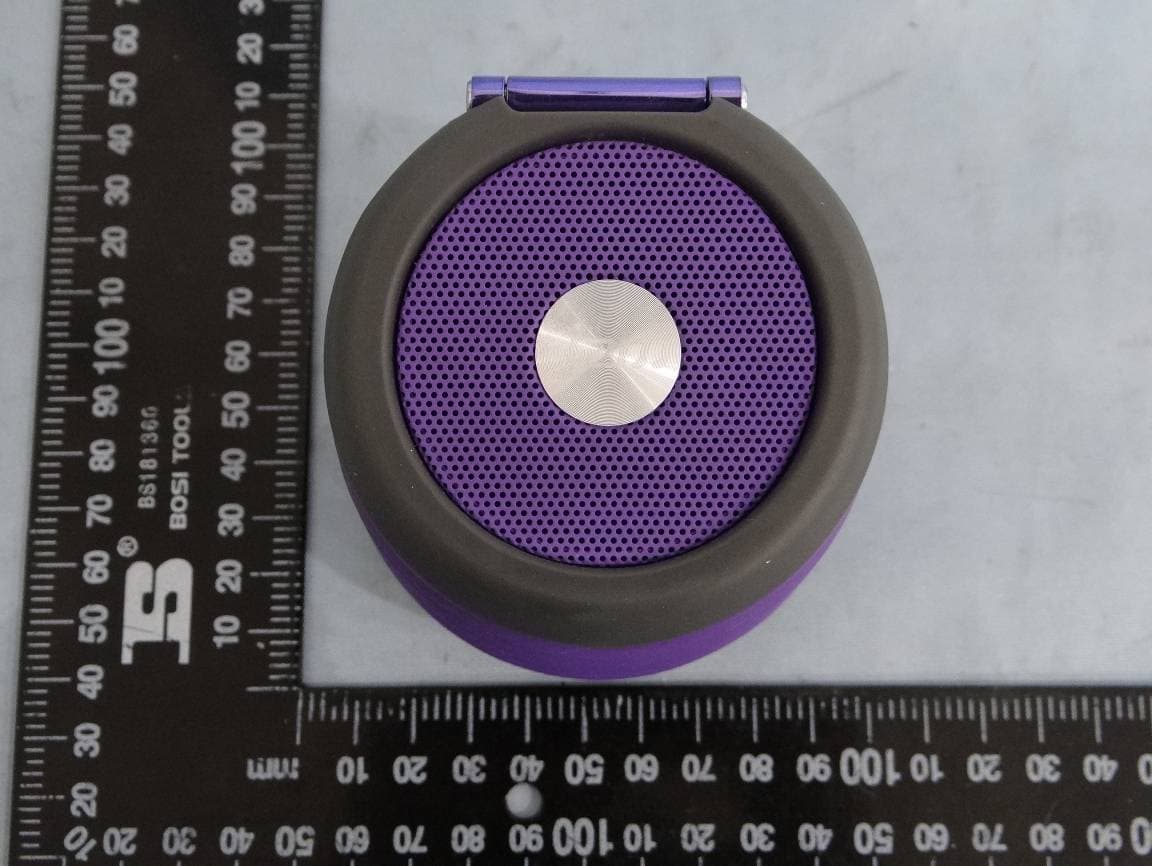
RWYHX-P430B
Aug 25, 2014Jam XT
Equipment Class
DSS - Part 15 Spread Spectrum Transmitter
RWYHX-P730A
Aug 13, 2014Bluetooth Speaker
Equipment Class
DSS - Part 15 Spread Spectrum TransmitterRWY-BM1101
Aug 11, 2014BT Speaker
Equipment Class
DSS - Part 15 Spread Spectrum Transmitter
RWY-MM526
Jul 08, 2014Multifunction BT Speaker
Equipment Class
DTS - Digital Transmission System