SAHBTKEYBOARD1GINBluetooth Keyboard GI001
Group Inetllect Technology LimitedApplication Details
- Equipment Class
- DXX - Part 15 Low Power Communication Device Transmitter
- Date of Grant
- Aug 13, 2014
- Application Purpose
- Original Equipment
- Date of Application
- Aug 13, 2014
- Equipment Note
- Bluetooth Keyboard GI001
- Frequency Range
- 2402.00000000 - 2480.00000000
- Country
- Hong Kong
Documents & Files
Document Text
Text extracted from the exhibit documents filed with the FCC. Open a document above to read the original.
Users Manual
User Manual Model:GIN01BTKB FCC ID:SAHBTKEYBOARD1GIN Bluetooth Keyboard GI001 Turn on the tablet for the fi rst time a. Be sure your home Wi-Fi network is turned on and connected to the internet. b. Press and hold the power button 4~5 seconds until the RCA logo appears. c. Select the language, then tap and follow the onscreen instructions to setup the tablet. Use the touch screen to enter the required information. This is required before the wireless keyboard will be able to operate. Tap the Settings icon on the tablet screen and go to settings menu. a. Select Bluetooth & slide it to ON. b. Tap it to scan. c. Tap it. Turn on the Keyboard. Press & hold the CONNECT key until the bluetooth indicator blinks. Before connecting the keyboard, it should be fully charged using the supplied USB cable. To Micro USB port USB cable (included) To a USB power adapter (not included) Need more help ? Please visit online help at www.RCAtablets.com Quick Connect Guide for Pro10 Edition If not connected, repeat steps above 4 to 5 and connect again. "BT Keyboard - RCA 10.1" Tablet Connected" screen appears. TROUBLESHOOTING If the keyboard is not communicating with the tablet, try the following solutions. Solution 1: Reset Bluetooth on Tablet In the tablet's settings menu, turn the Bluetooth OFF, and then ON. Solution 2: Reconnect the Keyboard Unpair the keyboard following the instructions below, turn off the keyboard and then turn on again. Repeat steps 4 to 5 to reconnect the keyboard. Unpair the Keyboard a. Tap it. b. Tap it. Connected successfully If no key is pressed after 10 minutes or the tablet is turned off, the keyboard will revert to Standby Mode. To reactivate the keyboard, simply press the Enter key on the keyboard and wait a few seconds. Retrieve the Keyboard from Standby Mode Start d. After you have connected the tablet to the internet through your Wi-Fi network, you may be prompted to Update Firmware. It is important that you proceed with the fi rmware update. While pairing, the blue indicator light will blink quickly. While low battery, the blue indicator light will blink slowly. While charging, the red CHARGE indicator light will be illuminated. The keyboard will be fully charged when the light turns off. Lights up for 3 seconds when you power on the keyboard. Lights up when you are using the keyboard. Turns off in standby mode (not in use over 5 seconds). This device complies with part 15 of the FCC rules. Operation is subject to the following two conditions: (1) this device may not cause harmful interference, and (2) this device must accept any interference received, including interference that may cause undesired operation. Changes or modifications to this unit not expressly approved by the party responsible for compliance could void the user's authority to operate the equipment.
External Photos
External Photos TOP VIEW OF EUT BOTTOM VIEW OF EUT FRONT VIEW OF EUT BACK VIEW OF EUT LEFT VIEW OF EUT RIGHT VIEW OF EUT
ID Label/Location Info
FCC ID Label Location FCC ID:SAHBTKEYBOARD1GIN
Internal Photos
Internal Photos OPEN VIEW OF EUT INTERNAL VIEW OF EUT-1 Antenna INTERNAL VIEW OF EUT-2
Test Report
Report No.: AGC01373140701FE03 Page 1 of 50 FCC Test Report Report No.: AGC01373140701FE03 FCC ID : SAHBTKEYBOARD1GIN APPLICATION PURPOSE : Original Equipment PRODUCT DESIGNATION : Bluetooth Keyboard GI001 BRAND NAME : N/A MODEL NAME : GIN01BTKB CLIENT : Group Intellect Technology Limited DATE OF ISSUE : Jul.30, 2014 STANDARD(S) : FCC Part 15 Rules REPORT VERSION : V1.0 Attestation of Global Compliance (Shenzhen) Co., Ltd CAUTION: This report shall not be reproduced except in full without the written permission of the test laboratory and shall not be quoted out of context. Report No.: AGC01373140701FE03 Page 2 of 50 Report Revise Record Report Version Revise Time Issued Date Valid VersionNotes V1.0 / Jul.30, 2014 Valid Original Report Report No.: AGC01373140701FE03 Page 3 of 50 TABLE OF CONTENTS 1. VERIFICATION OF CONFORMITY ...................................................................................... 5 2. GENERAL INFORMATION .................................................................................................. 6 2.1. PRODUCT DESCRIPTION ........................................................................................................... 6 2.2. TABLE OF CARRIER FREQUENCYS .......................................................................................... 6 2.3. RECEIVER INPUT BANDWIDTH ................................................................................................. 7 2.4. EXAMPLE OF A HOPPING SEQUENCY IN DATA MODE ........................................................... 7 2.5. EQUALLY AVERAGE USE OF FREQUENCIES AND BEHAVIOUR ............................................ 7 2.6. RELATED SUBMITTAL(S) / GRANT (S) ....................................................................................... 8 2.7. TEST METHODOLOGY................................................................................................................ 8 2.8. SPECIAL ACCESSORIES ............................................................................................................ 8 2.9. EQUIPMENT MODIFICATIONS ................................................................................................... 8 3. MEASUREMENT UNCERTAINTY........................................................................................ 9 4. DESCRIPTION OF TEST MODES ........................................................................................ 9 5. SYSTEM TEST CONFIGURATION .................................................................................... 10 5.1. CONFIGURATION OF EUT SYSTEM ........................................................................................ 10 5.2. EQUIPMENT USED IN EUT SYSTEM ....................................................................................... 10 5.3. SUMMARY OF TEST RESULTS ................................................................................................ 10 6. TEST FACILITY .................................................................................................................. 11 7. 20DB BANDWIDTH ............................................................................................................ 12 7.1. MEASUREMENT PROCEDURE ................................................................................................ 12 7.2. TEST SET-UP (BLOCK DIAGRAM OF CONFIGURATION) ....................................................... 12 7.3. LIMITS AND MEASUREMENT RESULTS .................................................................................. 12 8. RADIATED EMISSION ....................................................................................................... 15 8.1. MEASUREMENT PROCEDURE ................................................................................................ 15 8.2. TEST SETUP .............................................................................................................................. 17 8.3. TEST RESULT (Worst Modulation: GFSK) ................................................................................. 18 9. BAND EDGE EMISSION .................................................................................................... 36 9.1. MEASUREMENT PROCEDURE ................................................................................................ 36 9.2. TEST SET-UP ............................................................................................................................. 36 9.3. TEST RESULT ............................................................................................................................ 37 10. FCC LINE CONDUCTED EMISSION TEST ..................................................................... 41 10.1. LIMITS OF LINE CONDUCTED EMISSION TEST ................................................................... 41 10.2. BLOCK DIAGRAM OF LINE CONDUCTED EMISSION TEST ................................................ 41 10.3. PRELIMINARY PROCEDURE OF LINE CONDUCTED EMISSION TEST .............................. 42 10.4. FINAL PROCEDURE OF LINE CONDUCTED EMISSION TEST ............................................ 42 Report No.: AGC01373140701FE03 Page 4 of 50 10.5. TEST RESULT OF LINE CONDUCTED EMISSION TEST ...................................................... 43 APPENDIX A: PHOTOGRAPHS OF TEST SETUP ............................................................... 45 APPENDIX B: PHOTOGRAPHS OF EUT .............................................................................. 46 Report No.: AGC01373140701FE03 Page 5 of 50 1. VERIFICATION OF CONFORMITY Applicant Group Intellect Technology Limited Address Room 414,Lippo Sun Plaza,28 Canton Road,Tsim Sha Tsui,Kowloon,Hong Kong Manufacturer Group Intellect Technology Limited Address Room 414,Lippo Sun Plaza,28 Canton Road,Tsim Sha Tsui,Kowloon,Hong Kong Product Designation Bluetooth Keyboard GI001 Brand Name N/A Test Model GIN01BTKB Date of test Jul.28, 2014 to Jul.29, 2014 Deviation None Condition of Test Sample Nor…
Text truncated - open the document above for the full version.
Test Setup Photos
APPENDIX IV PHOTOGRAPHS OF TEST SETUP FCC LINE CONDUCTED EMISSION TEST SETUP FCC RADIATED EMISSION TEST SETUP
Contact Information
Applicant
Seven Woo
Test Firm
Attestation of Global Compliance Shenzhen Co. Ltd.Forrest Lei
Technical Specifications
| # | Rule Parts | Frequency Range | Power Output |
|---|---|---|---|
| 1 | 15C | 2.40 GHz - 2.48 GHz | - |
Other Applications from Group Inetllect Technology Limited
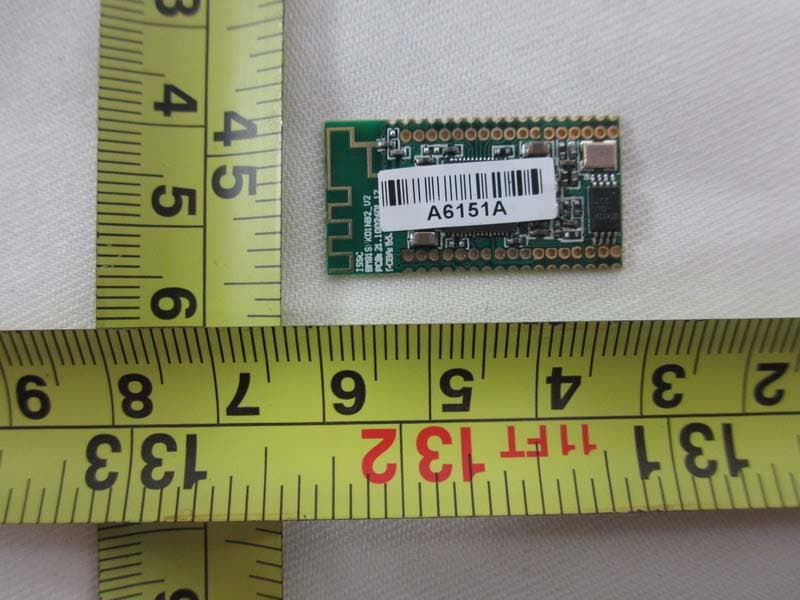
SAH-GIN-BM81SPK01
Jul 25, 2013Bluetooth 3.0+EDR module
Equipment Class
DSS - Part 15 Spread Spectrum Transmitter