SI4-MBDC212Bluetooth USB Adapter
Mavin Technology Inc.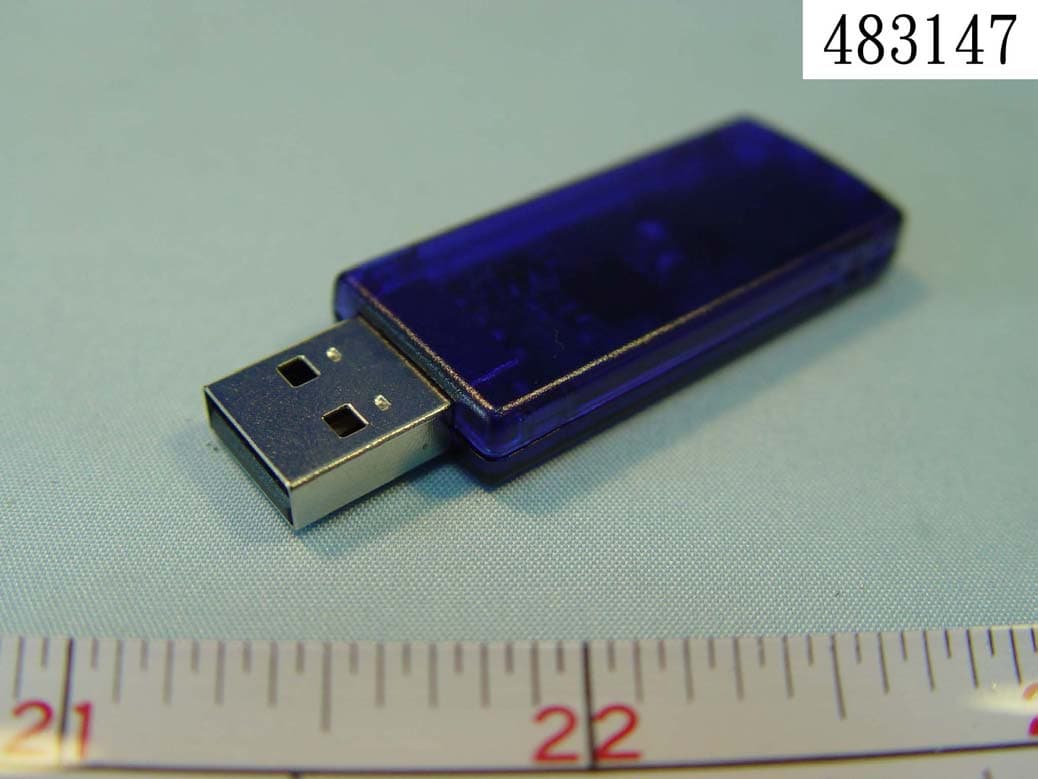
Click to zoom
Application Details
- Equipment Class
- DSS - Part 15 Spread Spectrum Transmitter
- Date of Grant
- Oct 14, 2004
- Application Purpose
- Original Equipment
- Date of Application
- Oct 14, 2004
- Equipment Note
- Bluetooth USB Adapter
- Frequency Range
- 2402.00000000 - 2480.00000000
- Company
- Mavin Technology Inc.
- Country
- Taiwan
Documents & Files
Document Text
Text extracted from the exhibit documents filed with the FCC. Open a document above to read the original.
Users Manual
Bluetooth USB Adapter User Guider Unwire your life V1.4.2- 920928y 1 Index INTRODUCTION 3 CHAPTER 1 Bluetooth profile support 3 Drivers support 3 Setup for Mac 3 CHAPTER 2 Application note for Windows 98SE/ME/2000/XP 5 Icons used for Bluetooth devices and services 5 Network sharing setting for Windows 8 File transfer setting for Windows 16 Dial-up networking setting for Windows 18 FAX setting 21 PIM Item Transfer setting 22 PIM Synchronization setting 23 Serial Port setting 24 ActiveSync setting 25 Audio Gateway setting for windows 27 Personal area network setting for Windows 29 How to setup an Ad-hoc Network 30 How to setup with Bluetooth Network Access Point 32 2 Introduction Bluetooth is an open specification for a cutting-edge technology that enables short-range wireless connections between desktop and laptop computers, personal digital assistants, cellular phones, printers, scanners, digital cameras and even home appliances — on aglobally available band (2.4GHz) for worldwide compatibility. In a nutshell, Bluetooth unplugs your digital peripherals and makes cable clutter a thing of the past. Now you can connect your PDA or PC to Bluetooth™ enabled mobile phone with this Bluetooth™ adapter. You can access e-mail & Internet no matter where you are with just a little help from your Bluetooth™ mobile phone. Plus, when you are back in the office, you can hook yourself up to your office network as well as communicate with other Bluetooth™-enabled devices. 3 Chapter 1 1.1 Bluetooth profile support includes: Generic Access Profile (GAP), Serial Port Profile (SPP), Service Discovery Application Profile (SDAP), Generic Object Exchange Profile (GOEP), Object Push Profile (OPP), File Transfer Profile (FTP), Dial-up Network Profile (DUN), LAN Access Profile (LAP), Fax Profile (FAX), Synchronization Profile, Headset Profile, Audio GatewayProfile(AG) Personal Area Network (PAN) Human Interface Device (HID) Hardcopy Cable Replacement Profile (HCRP) 1.2 Drivers support USB Bluetooth: Windows 98SE, Me, 2000, XP, Linux O.S., Mac O.S. X v10.1.2 and higher... 1.3 Mac O.S.X v10.1.2 Mac O.S. X v1.2 has build-in Bluetooth software for USB Bluetooth adapters, therefore no additional Bluetooth software is required. Simply plug in the USB Bluetooth adapter and a Bluetooth icon will appear in the System folder. Open the Bluetooth applet to configure the Bluetooth functions on your Mac system 4 Chapter 2 Application note for Windows 98SE/ME/2000/XP 2.1 Icons used for Bluetooth devices and services Bluetooth icons provide at-a-glance feedback about a device or service's status by changing appearance. The Bluetooth icon in the Windows system tray provides feedback about Bluetooth status. Basic Bluetooth Icon Device Icons for Windows 98SE, Me and 2K 5 Service Icons for Windows 98SE, Me and 2K Device Icons for Windows XP 6 Service Icons for Windows XP NOTE: Only available services are displayed in the menus 7 2.2. Network sharing setting for Windows The Network Access service permits a Bluetooth enabled PC (client) to access the Internet via another Bluetooth enabled PC (Server) that already has an Ethernet connection. Windows network sharing setting PC to PC (Windows 2000 or Windows XP) 1. To enable Internet Connection Sharing on the server PC 2. Click on Start menu-->Settings -->Network and Dial-up Connections and find your Local Area Connection (LAN) that is connected to the Internet. 3. Right click the active LAN connection to open the "Properties" dialog box. 8 4. Click on "Advanced" tab and select the "Internet Connection Sharing" checkbox to enable Internet sharing. 9 5. Click on "Settings..." button and select the services you wish to provide other Bluetooth devices. Click "OK" to save the changes. 6. Go back to the "Network and Dial-up Connections" window, right click the "Bluetooth LAN Access Server Driver" and select "Properties". 10 7. Under "General" tab, click on "Internet Protocol (TCP/IP)" and "Properties". 11 8. Under "General" tab, assign a virtual IP as shown in the picture below. Then click "OK" to save the changes. 9. This allows the server PC to act as a DHCP server towards the client PCs. NOTE: For Win98SE and WinMe, please download and install WinRoute (or similar program) on the Server PC to allow DHCP service. 10. On the client PC, launch the Bluetooth software stack by clicking the "My Bluetooth Places" icon located on the desktop. 11. Double click the "Entire Bluetooth Neighborhood" icon to search for other Bluetooth devices nearby. 12 12. After searching is completed, locate the computer name of the server PC and double click it to discover the Bluetooth services it has to offer. (i.e. Bluetooth Serial Port, Dial-up Networking, File Transfer, Network Access, etc.). 13. Click on the "Network Access" icon to connect to the shared Internet connection on the server PC. 14. Click OK without entering any username or password. If one is already present, click OK anyway and it will still connect. 15. Now you can access the Internet via Bluetooth. Note: If your PC accesses the Internet via a proxy server, remember to configure the proxy setting of you browser program in the client PC. Consult your MIS personnel if you're not sure what to set. 13 Proxy setup 1. To set up proxy, right click "Internet Explorer", select "Properties", select "Connections" tab. Select "BluetoothNull Connection" and click on "Settings...". 14 2. Select the "Proxy server" checkbox and enter the proxy address of you company and Port number. Then click “OK” to save the changes. 15 2.3. File transfer setting for Windows The File Transfer service allows one Bluetooth device to perform file operations on the default File Transfer directory (and the folders and files it contains) of another Bluetooth device. File transfer setting for Windows PC to PC 1. After successful USB adapter setup on two PCs, launch the Bluetooth software stack on both PCs by clicking the "My Bluetooth Places" icon located on the desktop. 2. On one PC …
Text truncated - open the document above for the full version.
Cover Letter(s)
MAVIN TECHNOLOGY INC. Room 305, Bldg. 52, No. 195, Sec. 4, Chung Hsing Rd., Chutung, Hsinchu, Taiwan 310, R.O.C. Tel: 886-3-591-0076, Fax: 886-3-583-7810 1/1 Sep. 17, 2004 Federal Communications Commission Authorization and Evaluation Division FCC ID:SI4-MBDC212 Confidentiality Request Pursuant to Sections 0..457 and 0.459 of the Commission’s Rules, the Applicant Hereby requests confidential treatment of information accomparrting this Application As outlined below: 1. Block diagram 2. Schematics 3. Operation Description 4. Parts List The above materials contain trade secrets and proprietary information not customarily Released to the public. The public disclosure of these matters might be harmful to the Applicant and provide unjustified benefits to its competitors. The Applicant understands that pursuant to Rule 0.457, disclosure of this Application and all accompanying documentation will not be made before the date of the Grant for this application Sincerely,
External Photos
FCC TEST REPORT REPORT NO. : F483147 SPORTON International Inc. PAGE NUMBER : A1 OF A2 TEL : 886-2-2696-2468 ISSUED DATE : Se p. 14, 2004 FAX : 886-2-2696-2255 APPENDIX A. External Product Photograph FCC TEST REPORT REPORT NO. : F483147 SPORTON International Inc. PAGE NUMBER : A2 OF A2 TEL : 886-2-2696-2468 ISSUED DATE : Se p. 14, 2004 FAX : 886-2-2696-2255
ID Label/Location Info
Label Sample: Label Location:
Internal Photos
FCC TEST REPORT REPORT NO. : F483147 SPORTON International Inc. PAGE NUMBER : A1 OF A2 TEL : 886-2-2696-2468 ISSUED DATE : Se p. 14, 2004 FAX : 886-2-2696-2255 APPENDIX B. Internal Photograph FCC TEST REPORT REPORT NO. : F483147 SPORTON International Inc. PAGE NUMBER : A2 OF A2 TEL : 886-2-2696-2468 ISSUED DATE : Se p. 14, 2004 FAX : 886-2-2696-2255
Test Report
FCC TEST REPORT Report No. : F483147 SPORTON International Inc. TEL : 886-2-2696-2468 FAX : 886-2-2696-2255 FCC TEST REPORT for 47 CFR Part 15 Subpart C Equipment : Bluetooth USB Adapter Model No. : MBD-C2.1-2 FCC ID. : SI4-MBDC212 Filing Type : Certification Applicant : Mavin Technology Inc. Room 305, Bldg. 52, No. 195-28, Sec. 4 Chung Hsin Rd., Chutung, Hsinchu, Taiwan, 310, R.O.C. The test result refers exclusively to the test presented test model / sample. Without written approval of SPORTON International Inc., the test report shall not be reproduced except in full. Certificate or Test Report must not be used by the applicant to claim the product in this test report endorsement by NVLAP or any agency of U.S. government. SPORTON International Inc. 6F, No.106, Sec. 1, Hsin Tai Wu Rd., Hsi Chih, Taipei Hsien, Taiwan, R.O.C. FCC TEST REPORT Report No. : F483147 SPORTON International Inc. FCC ID. : SI4-MDBC212 TEL : 886-2-2696-2468 Page No. : i FAX : 886-2-2696-2255 Issued Date : Sep. 14, 2004 Table of Contents History of this test report..............................................................................................ii CERTIFICATE OF COMPLIANCE .........................................................................................1 1. General Description of Equipment under Test ...............................................................2 1.1. Applicant .................................................................................................................................................................................... 2 1.2. Manufacturer.............................................................................................................................................................................. 2 1.3. Basic Description of Equipment under Test ................................................................................................................................ 2 1.4. Feature of Equipment under Test ............................................................................................................................................... 3 2. Test Configuration of Equipment under Test.................................................................4 2.1. Test Manner............................................................................................................................................................................... 4 2.2. Description of Test System......................................................................................................................................................... 4 2.3. Connection Diagram of Test System .......................................................................................................................................... 5 3. Operation of Equipment under Test................................................................................6 4. General Information of Test .............................................................................................7 4.1. Test Voltage............................................................................................................................................................................... 7 4.2. Standard for Methods of Measurement ...................................................................................................................................... 7 4.3. Test in Compliance with ............................................................................................................................................................. 7 4.4. Frequency Range Investigated................................................................................................................................................... 7 4.5. Test Distance ............................................................................................................................................................................. 7 5. Report of Measurements and Examinations...................................................................8 5.1. List of Measurements and Examinations .................................................................................................................................... 8 5.2. Hopping Channel Separation ..................................................................................................................................................... 9 5.3. Number of Hopping Frequency ................................................................................................................................................ 13 5.5 Dwell Time of Each Frequency within a 30 Seconds Period..................................................................................................... 19 5.6 Output Power ........................................................................................................................................................................... 23 5.7 100KHz Bandwidth of Frequency Band Edges ......................................................................................................................... 27 5.8 Test of Conducted Emission..................................................................................................................................................... 30 5.9 Test of Radiated Emission........................................................................................................................................................ 33 6. Antenna Requirements ...................................................................................................49 7. List of Measuring Equipments Used .............................................................................50 8. Uncertainty of Test Site ..................................................................................................51 Appendix A. External Product Photograph Appendix B. Internal Photograph Appendix C. S…
Text truncated - open the document above for the full version.
Test Setup Photos
FCC TEST REPORT REPORT NO. : F483147 SPORTON International Inc. PAGE NUMBER:C1OFC3 TEL : 886-2-2696-2468 ISSUED DATE : Sep. 14, 2004 FAX : 886-2-2696-2255 Spurious Radiation Front View Rear View APPENDIX C. Setup Photograph FCC TEST REPORT REPORT NO. : F483147 SPORTON International Inc. PAGE NUMBER:C2OFC3 TEL : 886-2-2696-2468 ISSUED DATE : Sep. 14, 2004 FAX : 886-2-2696-2255 Spurious Conducted Front View Back View FCC TEST REPORT REPORT NO. : F483147 SPORTON International Inc. PAGE NUMBER:C3OFC3 TEL : 886-2-2696-2468 ISSUED DATE : Sep. 14, 2004 FAX : 886-2-2696-2255 Rear View
Contact Information
Applicant
Roger Hung(General Manager)
Test Firm
Sporton International Inc.Kathy Lin
Technical Specifications
| # | Rule Parts | Frequency Range | Power Output |
|---|---|---|---|
| 1 | 15C | 2.40 GHz - 2.48 GHz | 2.30 mW |
Other Applications from Mavin Technology Inc.
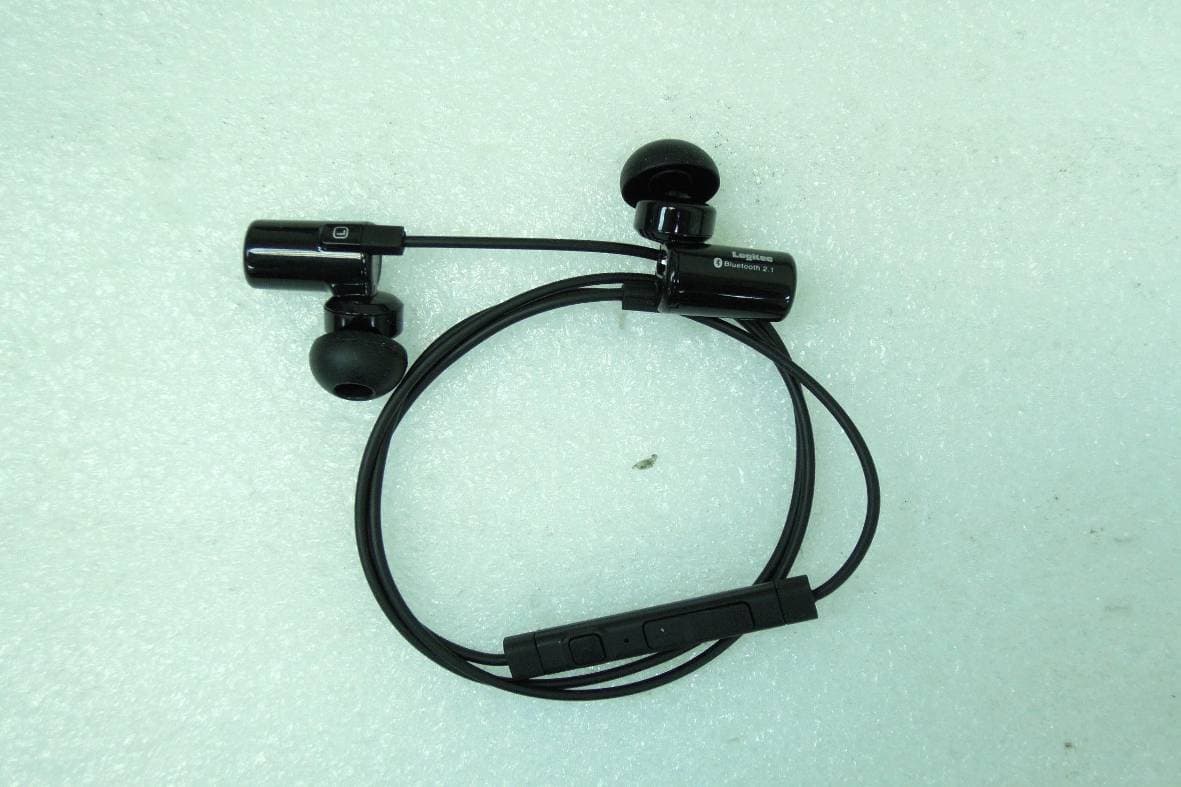
SI4LBT-HP06
Mar 06, 2012Wireless Stereo Headset
Equipment Class
DSS - Part 15 Spread Spectrum Transmitter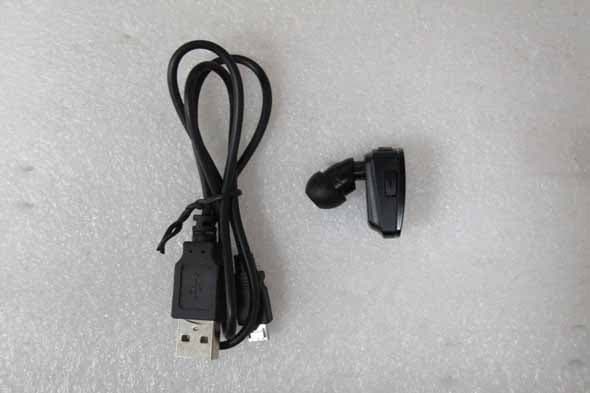
SI4LBTHS400
Dec 20, 2011Wireless mono Headset
Equipment Class
DSS - Part 15 Spread Spectrum Transmitter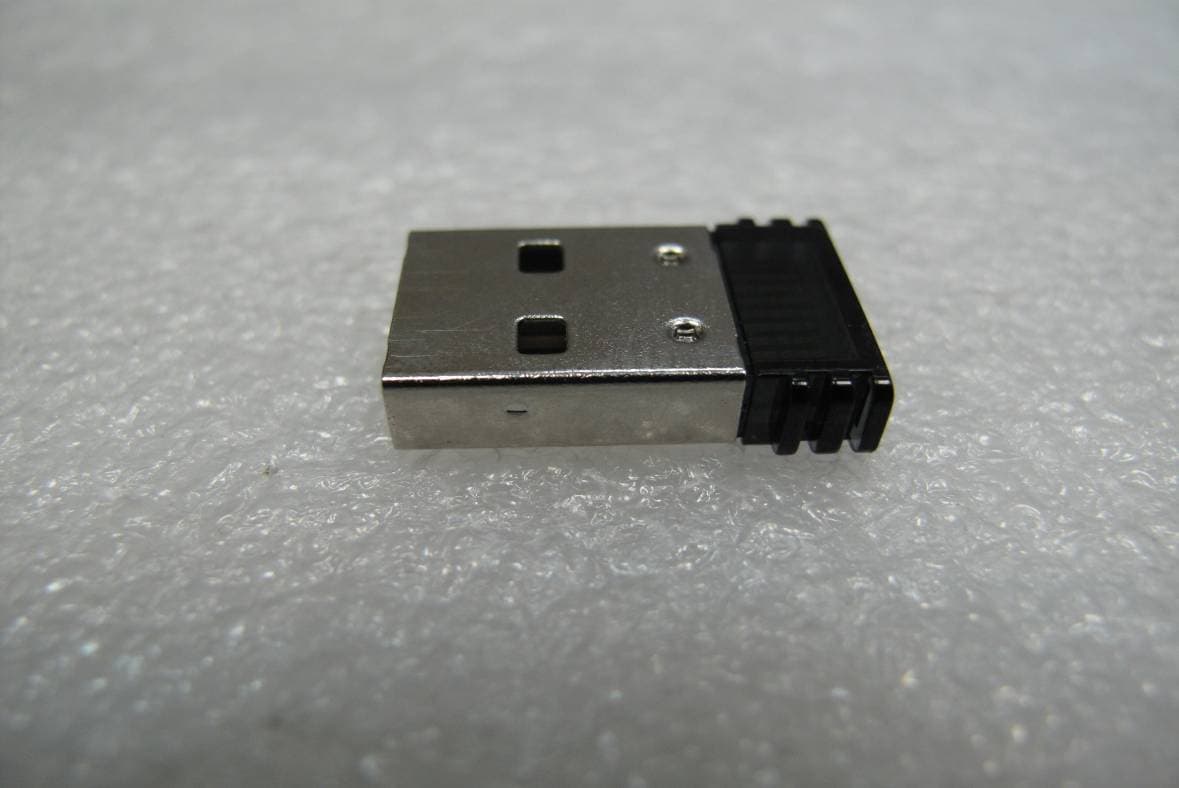
SI4-MBD-200B
Sep 08, 2010Bluetooth USB Adapter - V3.0
Equipment Class
DSS - Part 15 Spread Spectrum Transmitter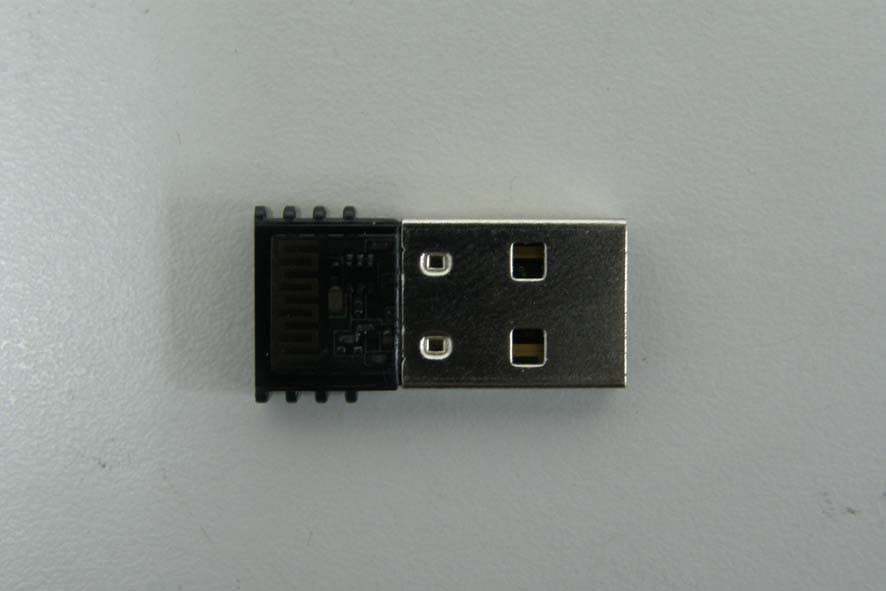
SI4-MBD-100X
Dec 22, 2009Bluetooth USB adapter - V2.0/V2.1+EDR, Class 1
Equipment Class
DSS - Part 15 Spread Spectrum Transmitter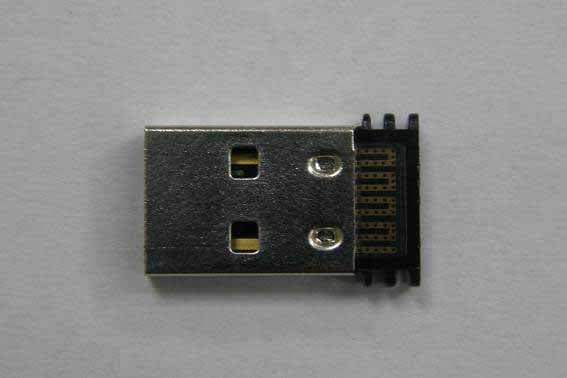
SI4-MBD-200X
Dec 15, 2009Bluetooth USB adapter - V2.0/V2.1+EDR, Class 2
Equipment Class
DSS - Part 15 Spread Spectrum Transmitter