SI9PRESTIGEPRO8Q8 inch TABLET
VISUAL LAND INC.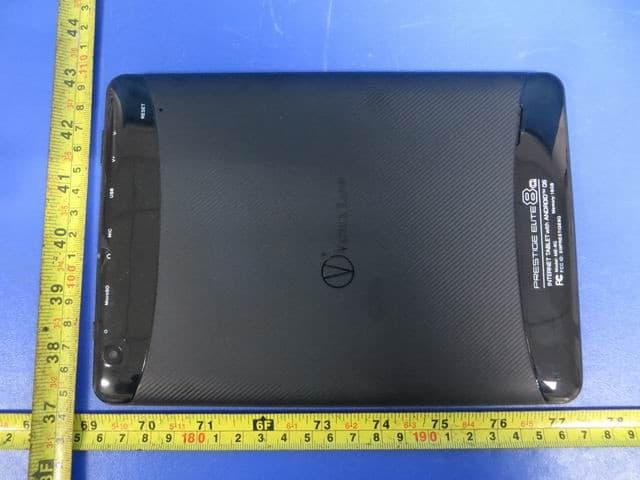
Click to zoom
Application Details
- Equipment Class
- DTS - Digital Transmission System
- Date of Grant
- Mar 17, 2014
- Application Purpose
- Original Equipment
- Date of Application
- Mar 17, 2014
- Equipment Note
- 8 inch TABLET
- Frequency Range
- 2422.00000000 - 2452.00000000
- Company
- VISUAL LAND INC.
- Country
- United States
Documents & Files
Document Text
Text extracted from the exhibit documents filed with the FCC. Open a document above to read the original.
Users Manual
PRESTIGE Android Tablet Guide Book ©2013 Visual Land Inc. Page | 1 Copyright © 2013 Visual Land I nc. All rights reserved. Google, Android, Gmail, Google Maps, Google Play, and other trademarks are property of Google Inc. Visual Land and the Visual Land logo are trademarks of Visual Land I nc. All other marks and trademarks are properties of their respective owners. The content of this guide including images/illustrations may differ in some details from the product or its software. All information in this document is subject to change without notice. For online Help and support, visit www.visual-land.com. PRESTIGE Android Tablet Guide Book ©2013 Visual Land Inc. Page | 2 Table of Contents 1. Get Started............................................................Page 3 2. Play & Explore.......................................................Page 5 3. Tune Performance................................................Page 21 4. Enter & Edit T ext..................................................Page 25 5. Connect to Networks...........................................Page 28 6. Connect to Keyboards, Mice & Other Devices...Page 36 7. Connect to a Computer.......................................Page 38 8. Manage Accounts................................................Page 41 9.Change Backup & Reset Options.........................Page 44 10.Secure Your Tablet.............................................Page 46 11. Work With Certificates.....................................Page 50 12. Try Some Apps..................................................Page 55 13.Google Now & Search........................................Page 62 14.Settings...............................................................Page 81 15. Accessibility.......................................................Page 82 PRESTIGE Android Tablet Guide Book ©2013 Visual Land Inc. Page | 3 1 Getting S tarted Power O n & Sign In To turn on your Prestige, press the Power button on the right edge near the top for a few seconds, then release it. Charge the battery The battery may not be fully charged at first. It’s a good idea to fully charge it as soon as you can. The tablet can be charged 2 ways. With the power adapter, connect the power adapter to the tablet and to a power outlet. With a USB, connect the included USB cable to the tablet and to a computer that is powered on. (Note: charging via USB is slower than via power adapter.) Set up your tablet The first time you turn on the tablet, you'll see a Welcome screen. PRESTIGE Android Tablet Guide Book ©2013 Visual Land Inc. Page | 4 When prompted, you can sign in with your Google Account or create one at that time. You can also choose to skip this step and create one later. An e-mail address that you use for any of the following counts as a Google Account: • Gmail • YouTube • Google Apps • Adwords • Any other Google Product When you sign in with a Google Account, all the e-mail, contacts, calendar events and any other data associated with that account are automatically synced with your tablet. If you have multiple Google Accounts, you can add the others later. PRESTIGE Android Tablet Guide Book ©2013 Visual Land Inc. Page | 5 2 Play & Explore Browse Home Screens To move between Home screens, swipe left or right. To resize a widget, touch & hold, then let go and drag the blue dots. To remove it, touch & hold, then drag it to the Remove icon at the top of the screen. Tap Status Bar for Notifications Notifications alert you to the arrival of new messages, calendar events, and alarms, as well as ongoing events, such as video downloads. When a notification arrives, its icon appears at the bottom of the screen. Icons for pending notifications appear on the left, and system icons showing things like Wi-Fi signal or battery strength on the right. To open the notifications shade, swipe up from the bottom or tap the bar to expand it: PRESTIGE Android Tablet Guide Book ©2013 Visual Land Inc. Page | 6 Certain notifications can be expanded to show more information, such as email previews or calendar events. To PRESTIGE Android Tablet Guide Book ©2013 Visual Land Inc. Page | 7 expand or collapse a notification, use two fingers to either swipe vertically or twist together. To open the related app, touch the notification icon on the left. Some notifications also allow you to take specific actions by touching icons within the notification. For example, Calendar notifications allow you to Snooze (remind you later) or send email to other guests. When you’re finished with a notification, just swipe it away to the left or right. If you want to dismiss all notifications, touch the Dismiss icon at the top of the notification shade. drawer. Getting A round Every home screen shows the Favorites Tray: another quick way to get to your books, magazines, apps, movies and music. At the bottom of every screen, no matter what you’re do- ing, you’ll always find these three navigation buttons: Back PRESTIGE Android Tablet Guide Book ©2013 Visual Land Inc. Page | 8 Opens the previous screen you were working in, even if it was in a different app. Once you back up to the Home screen, you can’t go back any further in your history. Home Opens Home. If you’re viewing a left or right Home screen, opens the central Home screen. Recent Apps Opens a list of thumbnail images of apps you’ve worked with recently. To open an app, touch it. To remove a thumbnail from the list, swipe it left or right. After a short time without getting used, these buttons may shrink to dots or fade away, depending on the current app. To bring them back, touch their location. Touch & Type Use your fingers to manipulate icons, buttons, menus, the on-screen keyboard, and other items on the touch screen. You can also change the screen’s orientation. To select or activate something, touch it. PRESTIGE Android Tablet Guide Book ©2013 Visual Land Inc. Page | 9 To type something, such as a name, password, or search terms, just touch where you want to type. A keyboa…
Text truncated - open the document above for the full version.
Cover Letter(s)
VISUAL LAND INC. Address: 17785 Center Court Dr. Suite 670, Cerritos, CA 90703 Tel: 562-860-2600 Fax: 562-860-2607 2014-03-12 To: Federal Communications Commission Authorization and Evaluation Division 7435 Oakland Mills Road Columbia, MD Confidentiality Request regarding application for certification of FCC ID:SI9PRESTIGEPRO8Q We hereby request confidential treatment of information accompanying this application as outlined below: - Schematics Diagram - Block Diagram - Operation description - Tune update procedure The above materials contain trade secrets and proprietary information not customarily released to the public. The public disclosure of these materials may be harmful to the applicant and provide unjustified benefits to its competitors. The applicant understands that pursuant to Section 0.457 & 0.459 of the Rules, disclosure of this application and all accompanying documentation will not be made before the date of the Grant for this application. Sincerely, Client’s name / title : Joe Palanca / Manager Contact information / address : 17785 Center Court Dr. Suite 670, Cerritos, CA 90703 Tel: 562-860-2600 Fax: 562-860-260
Cover Letter(s)
VISUAL LAND INC. Address: 17785 Center Court Dr. Suite 670, Cerritos, CA 90703 Tel: 562-860-2600 Fax: 562-860-2607 2014-03-12 To: Federal Communications Commission Authorization and Evaluation Division 7435 Oakland Mills Road Columbia, MD We, VISUAL LAND INC., declare that this EUT (FCC ID:SI9PRESTIGEPRO8Q) doesn’t have Ad Hoc mode function on“non-US/Canada frequencies”. In addition. The frequency selection feature is disabled by firmware for devices marked to the US/Canada. For DTS part of this device, only channels 1-11 will be used in North America, Country code selection is disabled. Should you have any questions or comments regarding this matter, please have my best attention. Sincerely, Client’s name / title : Joe Palanca / Manager Contact information / address : 17785 Center Court Dr. Suite 670, Cerritos, CA 90703 Tel: 562-860-2600 Fax: 562-860-260
External Photos
SHENZHEN LCS COMPLIANCE TESTING LABORATORY LTD. FCC ID: SI9PRESTIGEPRO8Q Report No.: LCS140221301TF This report shall not be reproduced except in full, without the written approval of Shenzhen LCS Compliance Testing Laboratory Ltd.. Page 1 of 4 1. EXTERIOR PHOTOGRAPHS Fig.1 Fig.2 SHENZHEN LCS COMPLIANCE TESTING LABORATORY LTD. FCC ID: SI9PRESTIGEPRO8Q Report No.: LCS140221301TF This report shall not be reproduced except in full, without the written approval of Shenzhen LCS Compliance Testing Laboratory Ltd.. Page 2 of 4 Fig.3 Fig.4 SHENZHEN LCS COMPLIANCE TESTING LABORATORY LTD. FCC ID: SI9PRESTIGEPRO8Q Report No.: LCS140221301TF This report shall not be reproduced except in full, without the written approval of Shenzhen LCS Compliance Testing Laboratory Ltd.. Page 3 of 4 Fig.5 Fig.6 SHENZHEN LCS COMPLIANCE TESTING LABORATORY LTD. FCC ID: SI9PRESTIGEPRO8Q Report No.: LCS140221301TF This report shall not be reproduced except in full, without the written approval of Shenzhen LCS Compliance Testing Laboratory Ltd.. Page 4 of 4 Fig.7 Fig.8
ID Label/Location Info
SHENZHEN LCS COMPLIANCE TESTING LABORATORY LTD FCC ID: SI9PRESTIGEPRO8Q Report No.: LCS140221301TF This report shall not be reproduced except in full, without the written approval of Shenzhen LCS Compliance Testing Laboratory Ltd. Page 1 of 1 LABEL AND LOCATION Size: L3.5cm*W1.8cm Material: Tagboard Glue: adhesive sticker Font color: Black Label color: White VISUAL LAND INC. 8inch TABLET Model No.: ME-8Q FCC ID: SI9PRESTIGEPRO8Q Caution: This device complies with part 15 of the FCC Rules. Operation is subject to the following two conditions: (1) This device may not cause harmful interference, and (2) this device must accept any interference received, including interference that may cause undesired operation. Label Location Made in China
Internal Photos
SHENZHEN LCS COMPLIANCE TESTING LABORATORY LTD. FCC ID: SI9PRESTIGEPRO8Q Report No.: LCS140221301TF This report shall not be reproduced except in full, without the written approval of Shenzhen LCS Compliance Testing Laboratory Ltd.. Page 1 of 3 1. INTERIOR PHOTOGRAPHS Fig.1 Fig.2 SHENZHEN LCS COMPLIANCE TESTING LABORATORY LTD. FCC ID: SI9PRESTIGEPRO8Q Report No.: LCS140221301TF This report shall not be reproduced except in full, without the written approval of Shenzhen LCS Compliance Testing Laboratory Ltd.. Page 2 of 3 Fig.3 Fig.4 Antenna SHENZHEN LCS COMPLIANCE TESTING LABORATORY LTD. FCC ID: SI9PRESTIGEPRO8Q Report No.: LCS140221301TF This report shall not be reproduced except in full, without the written approval of Shenzhen LCS Compliance Testing Laboratory Ltd.. Page 3 of 3 Fig.5 Fig.6
RF Exposure Info
SHENZHEN LCS COMPLIANCE TESTING LABORATORY LTD. FCC ID: SI9PRESTIGEPRO8Q Report No.: LCS140221301TF ________________________________________________________________________________ _________ This report shall not be reproduced except in full, without the written approval of Shenzhen LCS Compliance Testing Laboratory Ltd.. Page 1 of 1 8. RF Exposure Report 8.1. Limit According to §15.247(i), systems operating under the provisions of this section shall be operated in a manner that ensures that the public is not exposed to radio frequency energy levels in excess of the Commission's guidelines. See KDB 447498 D01 General RF Exposure Guidance V05. 8.2. EUT Specification Max technically possible Peak conducted power:802.11b Peak Conducted Power (dBm) Max Antenna Gain (dBi) EIRP (mW) SAR Limitation 7.90 2.0 9.77 10mW Max measurement Peak conducted power:802.11b Peak Conducted Power (dBm) Max Antenna Gain (dBi) EIRP (mW) SAR Limitation 7.86 2.0 9.68 10mW 8.3. Test Results Threshold at which no SAR required Maximum measured Tx Output power is 9.68mw EIRP. Conclusion: No SAR is required.
Test Report
SHENZHEN LCS COMPLIANCE TESTING LABORATORY LTD. FCC ID: SI9PRESTIGEPRO8Q Report No.: LCS140221301TF This report shall not be reproduced except in full, without the written approval of Shenzhen LCS Compliance Testing Laboratory Ltd.. Page 1 of 70 FCC TEST REPORT For VISUAL LAND INC. 8inch TABLET Model No.: ME-8Q Prepared for : VISUAL LAND INC. Address : 17785 Center Court Dr. Suite 670, Cerritos, CA 90703 Prepared by : Shenzhen LCS Compliance Testing Laboratory Ltd. Address : 1/F., Xingyuan Industrial Park, Tongda Road, Bao'an Avenue, Bao'an District, Shenzhen, Guangdong, China Date of receipt of test sample : February 21, 2014 Number of tested samples : 1 Serial number : Prototype Date of Test : February 21, 2014 - March 13, 2014 Date of Report : March 13, 2014 SHENZHEN LCS COMPLIANCE TESTING LABORATORY LTD. FCC ID: SI9PRESTIGEPRO8Q Report No.: LCS140221301TF This report shall not be reproduced except in full, without the written approval of Shenzhen LCS Compliance Testing Laboratory Ltd.. Page 2 of 70 FCC TEST REPORT FCC CFR 47 PART 15 C(15.247): 2012 Report Reference No. .............. : LCS140221301TF Date of Issue ................................ : March 13, 2014 Testing Laboratory Name ......... : Shenzhen LCS Compliance Testing Laboratory Ltd. Address ........................................ : 1/F., Xingyuan Industrial Park, Tongda Road, Bao'an Avenue, Bao'an District, Shenzhen, Guangdong, China Testing Location/ Procedure ........ : Full application of Harmonised standards ■ Partial application of Harmonised standards □ Other standard testing method □ Applicant’s Name ....................... : VISUAL LAND INC. Address ........................................ : 17785 Center Court Dr. Suite 670, Cerritos, CA 90703 Test Specification Standard ....................................... : FCC CFR 47 PART 15 C(15.247): 2012 Test Report Form No. ................ : LCSEMC-1.0 TRF Originator ............................ : Shenzhen LCS Compliance Testing Laboratory Ltd. Master TRF .................................. : Dated 2011-03 Shenzhen LCS Compliance Testing Laboratory Ltd. All rights reserved. This publication may be reproduced in whole or in part for non-commercial purposes as long as the Shenzhen LCS Compliance Testing Laboratory Ltd. is acknowledged as copyright owner and source of the material. Shenzhen LCS Compliance Testing Laboratory Ltd. takes no responsibility for and will not assume liability for damages resulting from the reader's interpretation of the reproduced material due to its placement and context. Test Item Description. ............... : 8inch TABLET Trade Mark .................................. : RANGERFONE Model/ Type reference ................. : ME-8Q Ratings ......................................... : DC 3.7V by Li-ion batteryRecharge Voltage: DC 5V/2A Adapter Parameters: Input AC 100~240V, 50/60Hz 0.35A Output: DC 5V/2A Result ......................................... : Positive Compiled by: Supervised by: Approved by: Leo Lee/ File administrators Fox Zhang/ Technique principal Gavin Liang/ Manager SHENZHEN LCS COMPLIANCE TESTING LABORATORY LTD. FCC ID: SI9PRESTIGEPRO8Q Report No.: LCS140221301TF This report shall not be reproduced except in full, without the written approval of Shenzhen LCS Compliance Testing Laboratory Ltd.. Page 3 of 70 FCC -- TEST REPORT Test Result Positive The test report merely corresponds to the test sample. It is not permitted to copy extracts of these test result without the written permission of the test laboratory. Test Report No. : LCS140221301TF March 13, 2014 Date of issue Type / Model........................... : ME-8Q EUT......................................... : 8inch TABLET Applicant............................... : VISUAL LAND INC. Address.................................. : 17785 Center Court Dr. Suite 670, Cerritos, CA 90703 Telephone............................... : / Fax.......................................... : / Manufacturer........................ : MultiElements Co., Ltd. Address................................... : Room c, 4F, Buiding 7, Huafeng Industrial Park, Xixiang Yintian Road, Baoan District, Shenzhen Telephone............................... : / Fax.......................................... : / Factory................................... : MultiElements Co., Ltd. Address................................... : Room c, 4F, Buiding 7, Huafeng Industrial Park, Xixiang Yintian Road, Baoan District, Shenzhen Telephone............................... : / Fax.......................................... : / SHENZHEN LCS COMPLIANCE TESTING LABORATORY LTD. FCC ID: SI9PRESTIGEPRO8Q Report No.: LCS140221301TF This report shall not be reproduced except in full, without the written approval of Shenzhen LCS Compliance Testing Laboratory Ltd.. Page 4 of 70 TABLE OF CONTENTS 1. GENERAL INFORMATION .................................................................................................................................. 5 1.1. DESCRIPTION OF DEVICE (EUT) ........................................................................................................................... 5 1.2. HOST SYSTEM CONFIGURATION LIST AND DETAILS ............................................................................................. 6 1.3. EXTERNAL I/O CABLE .......................................................................................................................................... 6 1.4. DESCRIPTION OF TEST FACILITY ........................................................................................................................... 7 1.5. STATEMENT OF THE MEASUREMENT UNCERTAINTY ............................................................................................ 7 1.6. MEASUREMENT UNCERTAINTY ............................................................................................................................ 7 1.7. DESCRIPTION OF TEST MODES ....................................................................…
Text truncated - open the document above for the full version.
Test Setup Photos
SHENZHEN LCS COMPLIANCE TESTING LABORATORY LTD. FCC ID: SI9PRESTIGEPRO8Q Report No.: LCS140221301TF _______________________________________________________________________________________________ This report shall not be reproduced except in full, without the written approval of Shenzhen LCS Compliance Testing Laboratory Ltd.. Page 1 of 2 1. TEST SETUP PHOTOGRAPHS 1.1. Photo of Radiated Emissions Measurement (X Position) Fig.1 Fig.2 SHENZHEN LCS COMPLIANCE TESTING LABORATORY LTD. FCC ID: SI9PRESTIGEPRO8Q Report No.: LCS140221301TF _______________________________________________________________________________________________ This report shall not be reproduced except in full, without the written approval of Shenzhen LCS Compliance Testing Laboratory Ltd.. Page 2 of 2 1.2. Photo of Line Conducted Emissions Measurement
Contact Information
Applicant
Joe Palanca(Product Manager)
Test Firm
Shenzhen LCS Compliance Testing Laboratory Ltd.Gavin Liang
Technical Specifications
| # | Rule Parts | Frequency Range | Power Output |
|---|---|---|---|
| 2 | 15C | 2.42 GHz - 2.45 GHz | 3.66 mW |
Other Applications from VISUAL LAND INC.
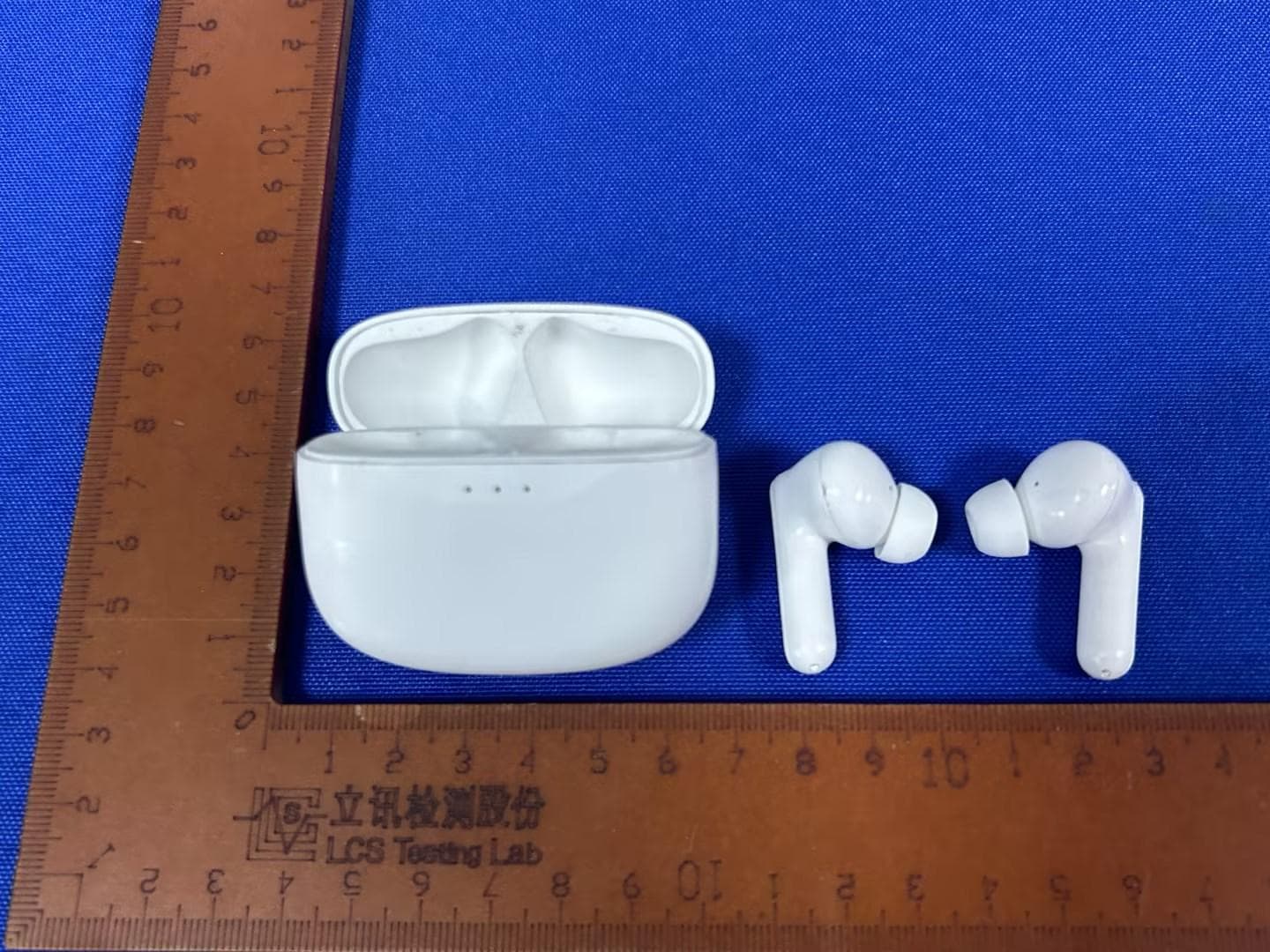
SI9SOUNDWAVEA1V2
Dec 09, 2023bluetooth headset
Equipment Class
DSS - Part 15 Spread Spectrum Transmitter
SI9-ER330B
Dec 21, 201511.6 inch TABLET
Equipment Class
DSS - Part 15 Spread Spectrum Transmitter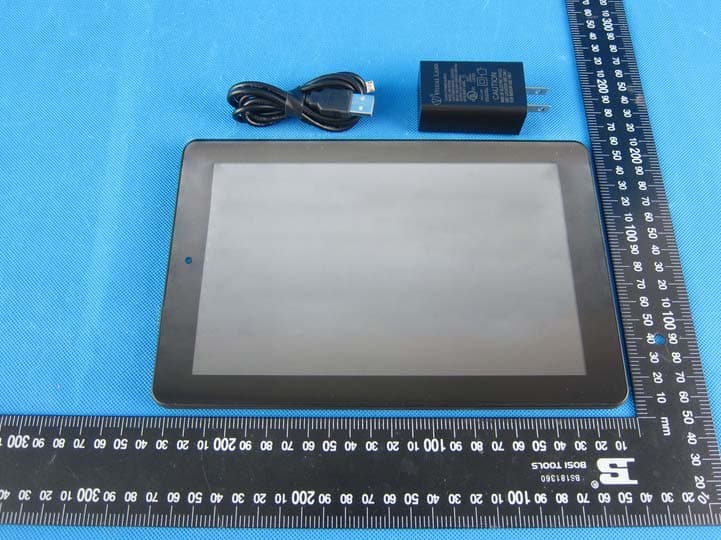
SI9PREMIER9W32
Nov 11, 20158.9 INCH TABLET
Equipment Class
DXX - Part 15 Low Power Communication Device Transmitter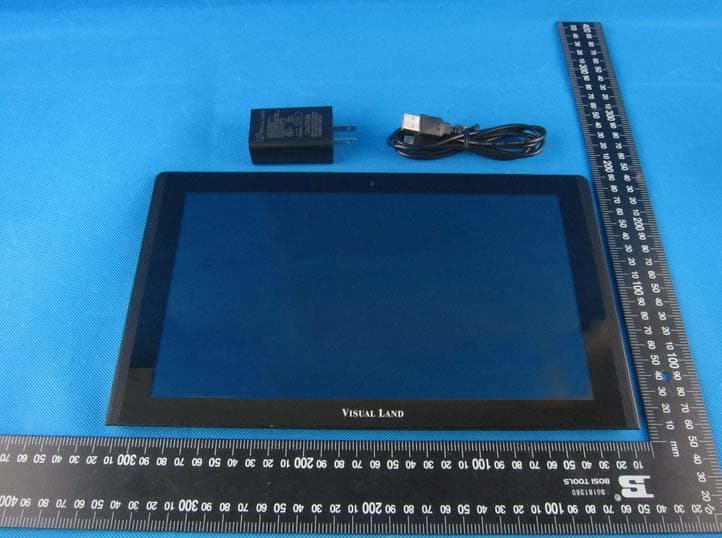
SI9PRESTIGE11Q
Aug 31, 201511.6 inch TABLET
Equipment Class
JBP - Part 15 Class B Computing Device Peripheral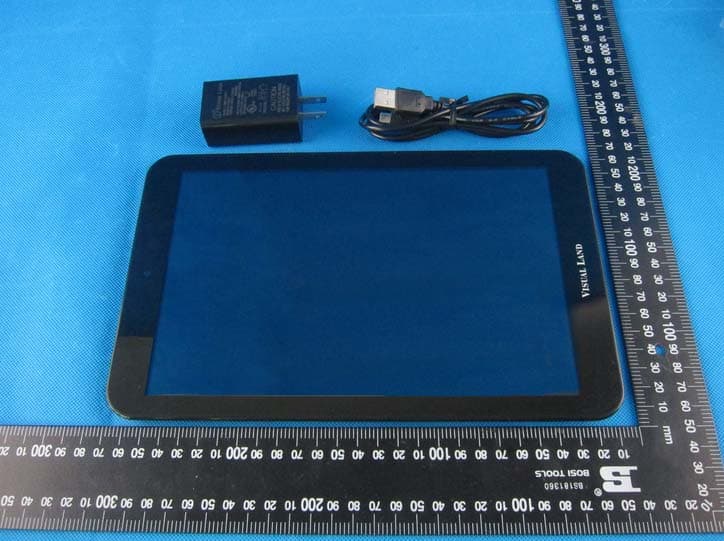
SI9PRESTIGE10ES
Aug 31, 201510.1 inch TABLET
Equipment Class
JBP - Part 15 Class B Computing Device Peripheral