SNXNXP800Pager
Maxtel Co., Ltd.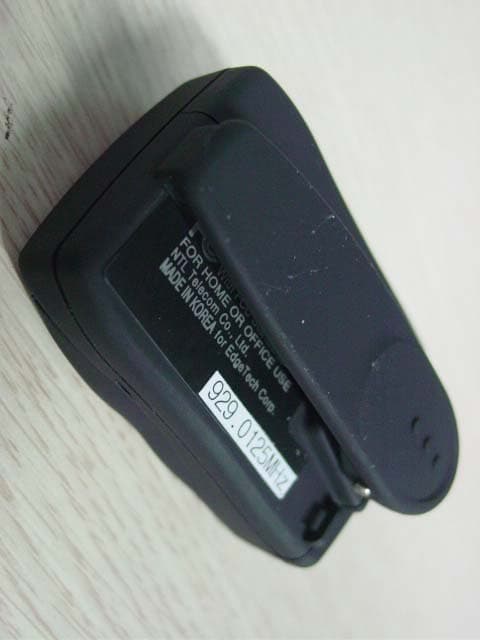
Click to zoom
Application Details
- Equipment Class
- CXX - Communications Rcvr for use w/ licensed Tx and CBs
- Date of Grant
- Sep 28, 2005
- Application Purpose
- Original Equipment
- Date of Application
- Sep 28, 2005
- Equipment Note
- Pager
- Frequency Range
- 929.01200000 - 931.98700000
- Company
- Maxtel Co., Ltd.
- Country
- South Korea
Documents & Files
Document Text
Text extracted from the exhibit documents filed with the FCC. Open a document above to read the original.
Users Manual
EdgeTech Corp.43 Cape cod lrvine, CA92620 U. S. ATEL:1-866-218-7470 FAX:949-387-2939 800 -E&F-31 USER S MANUAL 3 TABLE OF CONTENTS INTRODUCTION 4 FEATURES 5 GETTING STARTED 6 Description of control buttons 6 Description of icons 7 Turning your pager on and off 8 Setting date & time 9 Choosing different alert modes 10 MESSAGES 12 Reading messages 12 Duplicate messages 13 Display 13 Erasing a message 14 Erasing all messages 14 Locking a message 15 OPTIONAL FUNCTIONS 18 Activating menu board 18 Setting alarm 20 Setting auto timer 21 Setting reminder alert 22 Entering greeting 23 Ready messages 24 Setting low battery alert 26 Setting script language 27 BATTERY INFORMATION 28 Low battery indication 28 Replacing battery 28 English User’s Manual 3 French User’s Manual 30 G etting Started FEATURES 5 INTRODUCTION 4 FLEX Protocol 520 Characters Private Message Memory (20 Slots x 26 Characters) 20 Ready Messages (User Option On/Off) AGC (Auto Gain Control) Function Available Side View 1 Line Display (9 Segment) Menu Display Available in English & French Battery Backup When Replacing Battery Date & Time Display Receiving Time Stamping Message Lock Memory Full Indication Message Error Indication Individual Delete & Delete All 1 Daily & 2 Event Alarms User Selectable 15 Melodies & 5 Tones Vibration Alert User Programmable Auto On/Off Timer Reflective Backlighting Display User Programmable Unread Message Alert User Programmable Low Battery Alert Duplicate Message Indication User Programmable Headline 1 AAA Battery FEATURES INTRODUCTION Welcome to Pager World!Your new pager provides you with many enhanced features, such as 20 kinds of ready messages, 3 alarms, and English & French menu script. Nine segment display makes easy to read messages.This user’s guide gives instructions on how to use “X-PAGE” pager. GETTING STARTED 7 GETTING STARTED 6 Tone AlertVibration AlertMelody AlertPager AlarmLocked MessageFull Memory Capacity Auto On/Off TimerLow BatteryDuplicate MessageService Area IndicatorContinued Message 2. DESCRIPTION OF ICONS Function Button Enter menu set Change alert mode Read Button Read messages Select menu Stop alert or alarm Function Button Screen Read Button 1. DESCRIPTION OF CONTROL BUTTONS GETTING STARTED 9 GETTING STARTED 8 4. SETTING DATE AND TIME Press . Backlight comes on. Then press again. “Tone off?” or “Tone on?” is displayed. Press repeatedly until “SET TIME” is displayed. Press to select menu. The month indicator begins toblink. Press to move to the desired number. Press to enter correct month. The date indicatorstarts blinking. Repeat above steps to set all fields. NOTE ) Please adjust the date in Feb. of ordinary year because the pager will go to Feb.29 regardless of leap year. TURN OFF To turn your pager off, press two times. When “Tone off” or “ Tone on” is displayed, press and release to scan menu until “Power off” isdisplayed. Press to turn off. TURN ON Press for 2 seconds to turn your pager on. Greeting message is displayed. BACKLIGHT Press to activate lamp. Backlight remains on for 4 seconds before automatically turned off. 3.TURNING YOUR PAGER ON AND OFF GETTING STARTED 11 GETTING STARTED 10 Press to display “Melody Set.” Press to confirm. To scan sound, press . The screen shows the number for each sound. From 1 to 15 are melody alerts and from 16 to 20 arebeep alerts. When the screen displays an alert youwant, press to confirm. The standby screen shows or , depending on your choice. You can choose one of 3 types of alert modes : beep, vibration or musical alert.1. VIBRATION ALERT Press to change the sound alert to vibration alert. Backlight comes on. Press again. “Tone Off” is displayed. Press to confirm. The standby screen displays . 2. SOUND ALERT X-page has 15 melodies and 5 tones. To choose sound alert, press . Backlight comes on. Press again. “Tone on” or “Tone off” is displayed. 5. CHOOSING DIFFERENT ALERT MODES MESSAGES 13 MESSAGES 12 2. DUPLICATE MESSAGES f pager receives a duplicate message, duplicate icon displays on bottom of the screen. 3. DISPLAY If the pager has 20 messages, “PAGE FULL” is displayed.If X-PAGE receives more than 20 messages, the oldest message gets deleted as new message is received. When the pager has no message, the screendisplays “No Page” upon pressing of . When an error occurs receiving a message, “E ” isdisplayed on the screen. “E ” means error message. 1. READING MESSAGES When a message is received, X-page either audibly alerts(beep or musical alert) or vibrates and displays the message.To stop vibration or audible alert, press any button. If X-page has any unread message, the screendisplays “PAGE”. To see the current time, press . The current time will be displayed 3 seconds later. Press to display the message. The screen displaysthe time the message was received. Press again to display the message. If the message is continued to next page, is displayed. Press again to read the continued message. 01] the slot number A : message address. MESSAGES 15 MESSAGES 14 6. LOCKING A MESSAGEYou can protect messages from being erased by “ERASE ALL” function.SET MESSAGE LOCK FUNCTION Press . Backlight comes on. Press and hold for 2 seconds. The screen changes to “ERASE ALL”. Press to display “SET LOCK FNC”. Then press . Press to turn the message lock “ON”. Press to confirm. 4. ERASING A MESSAGE After reading a message, press . Backlight comes on. Press again. You are prompted with “ERASE?”display. Press to confirm. If you want to exit this mode,press . 5. ERASING ALL MESSAGES“ERASE ALL” command erases all messages except the locked messages. Press . Backlight comes on. Press and hold for 2 seconds. The screen automatically changes to “ERASE ALL” Press to erase all messages. MESSAGES 17 MESSAGES 16 Press . Backlight comes on. Press again. “Unlock ?” is displayed. Press to confirm. LOCK A MESSAGE Press repeatedly to display the message to belocked. Press . Backlight comes on. Press again. The screen shows “ERASE?” . Press . The screen displays “LOC…
Text truncated - open the document above for the full version.
External Photos
FCC ID. : SNXNXP800 Report No. : E057R-071 It should not reproduced except in full, without the written approval of ONETECH. FCC-003 (Rev.0) HEAD OFFICE : #505 SK APT. Factory 223-28, Sangdaewon 1 Dong, Jungwon-Gu, Seongnam-City, Kyunggi-Do, 462-705, Korea (TEL: +82-31-746-8500, FAX: +82-31-746-8700) EMC Testing Dept : 426-1 Daessangryung-Ri, Chowol-Eup, Kwangju-City, Kyunggi-Do, 464-860, Korea. (TEL: +82-31-765-8289, FAX: +82-31-766-2904) ONETECH Testing & Evaluation Lab. FCC ID. : SNXNXP800 Report No. : E057R-071 It should not reproduced except in full, without the written approval of ONETECH. FCC-003 (Rev.0) HEAD OFFICE : #505 SK APT. Factory 223-28, Sangdaewon 1 Dong, Jungwon-Gu, Seongnam-City, Kyunggi-Do, 462-705, Korea (TEL: +82-31-746-8500, FAX: +82-31-746-8700) EMC Testing Dept : 426-1 Daessangryung-Ri, Chowol-Eup, Kwangju-City, Kyunggi-Do, 464-860, Korea. (TEL: +82-31-765-8289, FAX: +82-31-766-2904) ONETECH Testing & Evaluation Lab.
ID Label/Location Info
FCC ID. : SNXNXP800 Report No.: E057R-071 It should not reproduced except in full, without the written approval of ONETECH. FCC-003 (Rev.0) HEAD OFFICE : #505 SK APT. Factory 223-28, Sangdaewon 1 Dong, Jungwon-Gu, Seongnam-City, Kyunggi-Do, 462-705, Korea (TEL: +82-31-746-8500, FAX: +82-31-746-8700) EMC Testing Dept : 426-1 Daessangryung-Ri, Chowol-Eup, Kwangju-City, Kyunggi-Do, 464-860, Korea. (TEL: +82-31-765-8289, FAX: +82-31-766-2904) ONETECH Testing & Evaluation Lab. IDENTIFICATION LABEL: PROPOSED FCC ID LABEL Due to the product size, only the FCC ID shall be permanently affixed to the rear side of the equipment and other information shall be placed in the instruction manual. FCC ID : SNXNXP800 FCC ID Location
Internal Photos
FCC ID. : SNXNXP800 Report No. : E057R-071 It should not reproduced except in full, without the written approval of ONETECH. FCC-003 (Rev.0) HEAD OFFICE : #505 SK APT. Factory 223-28, Sangdaewon 1 Dong, Jungwon-Gu, Seongnam-City, Kyunggi-Do, 462-705, Korea (TEL: +82-31-746-8500, FAX: +82-31-746-8700) EMC Testing Dept : 426-1 Daessangryung-Ri, Chowol-Eup, Kwangju-City, Kyunggi-Do, 464-860, Korea. (TEL: +82-31-765-8289, FAX: +82-31-766-2904) ONETECH Testing & Evaluation Lab. FCC ID. : SNXNXP800 Report No. : E057R-071 It should not reproduced except in full, without the written approval of ONETECH. FCC-003 (Rev.0) HEAD OFFICE : #505 SK APT. Factory 223-28, Sangdaewon 1 Dong, Jungwon-Gu, Seongnam-City, Kyunggi-Do, 462-705, Korea (TEL: +82-31-746-8500, FAX: +82-31-746-8700) EMC Testing Dept : 426-1 Daessangryung-Ri, Chowol-Eup, Kwangju-City, Kyunggi-Do, 464-860, Korea. (TEL: +82-31-765-8289, FAX: +82-31-766-2904) ONETECH Testing & Evaluation Lab. FCC ID. : SNXNXP800 Report No. : E057R-071 It should not reproduced except in full, without the written approval of ONETECH. FCC-003 (Rev.0) HEAD OFFICE : #505 SK APT. Factory 223-28, Sangdaewon 1 Dong, Jungwon-Gu, Seongnam-City, Kyunggi-Do, 462-705, Korea (TEL: +82-31-746-8500, FAX: +82-31-746-8700) EMC Testing Dept : 426-1 Daessangryung-Ri, Chowol-Eup, Kwangju-City, Kyunggi-Do, 464-860, Korea. (TEL: +82-31-765-8289, FAX: +82-31-766-2904) ONETECH Testing & Evaluation Lab. FCC ID. : SNXNXP800 Report No. : E057R-071 It should not reproduced except in full, without the written approval of ONETECH. FCC-003 (Rev.0) HEAD OFFICE : #505 SK APT. Factory 223-28, Sangdaewon 1 Dong, Jungwon-Gu, Seongnam-City, Kyunggi-Do, 462-705, Korea (TEL: +82-31-746-8500, FAX: +82-31-746-8700) EMC Testing Dept : 426-1 Daessangryung-Ri, Chowol-Eup, Kwangju-City, Kyunggi-Do, 464-860, Korea. (TEL: +82-31-765-8289, FAX: +82-31-766-2904) ONETECH Testing & Evaluation Lab. FCC ID. : SNXNXP800 Report No. : E057R-071 It should not reproduced except in full, without the written approval of ONETECH. FCC-003 (Rev.0) HEAD OFFICE : #505 SK APT. Factory 223-28, Sangdaewon 1 Dong, Jungwon-Gu, Seongnam-City, Kyunggi-Do, 462-705, Korea (TEL: +82-31-746-8500, FAX: +82-31-746-8700) EMC Testing Dept : 426-1 Daessangryung-Ri, Chowol-Eup, Kwangju-City, Kyunggi-Do, 464-860, Korea. (TEL: +82-31-765-8289, FAX: +82-31-766-2904) ONETECH Testing & Evaluation Lab.
Test Report
Page 1 of 10 FCC ID. : SNXNXP800 Report No. : E057R-071 It should not reproduced except in full, without the written approval of ONETECH. FCC-003 (Rev.0) HEAD OFFICE : #505 SK APT. Factory 223-28, Sangdaewon 1 Dong, Jungwon-Gu, Seongnam-City, Kyunggi-Do, 462-705, Korea (TEL: +82-31-746-8500, FAX: +82-31-746-8700) EMC Testing Dept : 426-1 Daessangryung-Ri, Chowol-Eup, Kwangju-City, Kyunggi-Do, 464-860, Korea. (TEL: +82-31-765-8289, FAX: +82-31-766-2904) ONETECH Testing & Evaluation Lab. ELECTROMAGNETIC EMISSION C OMPLIANCE REPORT FOR FCC CERTIFICATION Test Report No. : E057R-071 Applicant : MAXTEL Co., Ltd. Address : #1402, Hyundai Town Vill, 848-1, Janghang-Dong, Ilsan-Gu, Goyang-City Gyeonggi-Do, Korea Manufacturer : MAXTEL Co., Ltd. Address : #1402, Hyundai Town Vill, 848-1, Janghang-Dong, Ilsan-Gu, Goyang-City Gyeonggi-Do, Korea Type of Equipment : PAGER (All other receiver subject to Part 15) FCC ID : SNXNXP800 Model Name : NXP-800 Serial number : N/A Total page of Report : 10 pages (including this page) Date of Incoming : June 29, 2005 Date of Issuing : July 22, 2005 SUMMARY The equipment complies with the requirements of FCC CFR 47 PART 15 SUBPART B, SECTION 15.101. This test report contains only the results of a single test of the sample supplied for the examination. It is not a general valid assessment of the features of the respective products of the mass-production. Prepared by: Reviewed by: Young-Min, Choi / Project Engineer Y. K. Kwon / Director EMC Div. EMC Div. ONETECH Corp. ONETECH Corp Page 2 of 10 FCC ID. : SNXNXP800 Report No. : E057R-071 It should not reproduced except in full, without the written approval of ONETECH. FCC-003 (Rev.0) HEAD OFFICE : #505 SK APT. Factory 223-28, Sangdaewon 1 Dong, Jungwon-Gu, Seongnam-City, Kyunggi-Do, 462-705, Korea (TEL: +82-31-746-8500, FAX: +82-31-746-8700) EMC Testing Dept : 426-1 Daessangryung-Ri, Chowol-Eup, Kwangju-City, Kyunggi-Do, 464-860, Korea. (TEL: +82-31-765-8289, FAX: +82-31-766-2904) ONETECH Testing & Evaluation Lab. CONTENTS Page 1. VERIFICATION OF COMPLIANCE .............................................................................................................................3 2. GENERAL INFORMATION............................................................................................................................................4 2.1 PRODUCT DESCRIPTION.................................................................................................................................................4 2.2 RELATED SUBMITTAL(S) / GRANT(S)............................................................................................................................4 2.3 TEST SYSTEM DETAILS..................................................................................................................................................4 2.4 TEST METHODOLOGY....................................................................................................................................................4 2.5 TEST FACILITY...............................................................................................................................................................4 3. SYSTEM TEST CONFIGURATION...............................................................................................................................5 3.1 JUSTIFICATION...............................................................................................................................................................5 3.2 EUT EXERCISE SOFTWARE............................................................................................................................................5 3.3 CABLE DESCRIPTION.....................................................................................................................................................5 3.4 NOISE SUPPRESSION PARTS ON CABLE.........................................................................................................................5 3.5 EQUIPMENT MODIFICATIONS........................................................................................................................................5 3.6 CONFIGURATION OF TEST SYSTEM...............................................................................................................................5 4. PRELIMINARY TEST ......................................................................................................................................................6 4.1 AC POWER LINE CONDUCTED EMISSION TEST............................................................................................................6 4.2 RADIATED EMISSION TEST............................................................................................................................................6 5. FINAL RESULT OF MEASURMENT ............................................................................................................................7 5.1 RADIATED EMISSION TEST............................................................................................................................................7 5.1.1 TEST DATA FOR THE NEAR BOTTOM FREQUENCY......................................................................................................7 5.1.2 TEST DATA FOR THE NEAR TOP FREQUENCY..............................................................................................................8 6. FIELD STRENGTH CALCULATION ............................................................................................................................9 7. LIST OF TEST EQUIPMENT........................................................................................................................................10 Page 3 of 10 FCC ID. : SNXNXP800 Report No. : E057R-071 It should not reproduced except in full, without the written approval of ONETECH. FCC-003 (Rev.0) HEAD OFFICE : #505 SK APT. Factory 223-28, San…
Text truncated - open the document above for the full version.
Test Setup Photos
FCC ID. : SNXNXP800 File No. : E057R-071 It should not reproduced except in full, without the written approval of ONETECH. FCC-003 (Rev.0) HEAD OFFICE : #505 SK APT. Factory 223-28, Sangdaewon 1 Dong, Jungwon-Gu, Seongnam-City, Kyunggi-Do, 462-705, Korea (TEL: +82-31-746-8500, FAX: +82-31-746-8700) EMC Testing Dept : 426-1 Daessangryung-Ri, Chowol-Eup, Kwangju-City, Kyunggi-Do, 464-860, Korea. (TEL: +82-31-765-8289, FAX: +82-31-766-2904) ONETECH Testing & Evaluation Lab. Radiated Emission Test
Contact Information
Applicant
Han-Ho Jung(President)
Test Firm
ONETECH Corp.Gea-Won Lee
Technical Specifications
| # | Rule Parts | Frequency Range | Power Output |
|---|---|---|---|
| 1 | 15B | 929.012 MHz - 931.987 MHz | - |
Other Applications from Maxtel Co., Ltd.
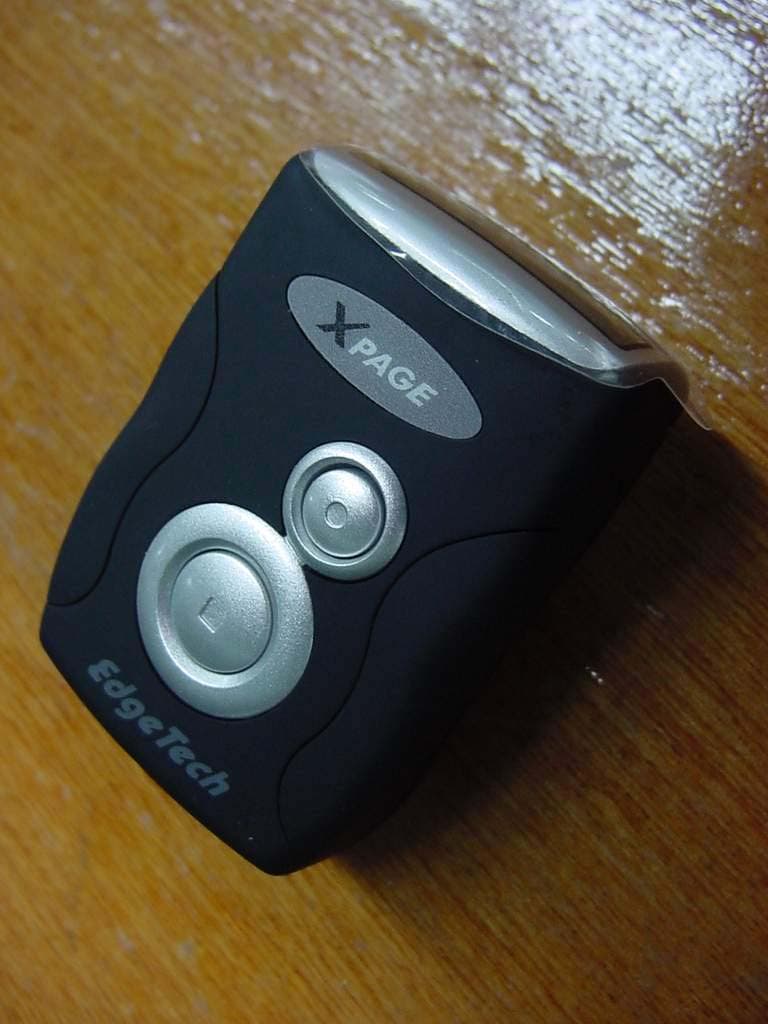
SNXNXP781
Oct 28, 2004Pager
Equipment Class
CXX - Communications Rcvr for use w/ licensed Tx and CBs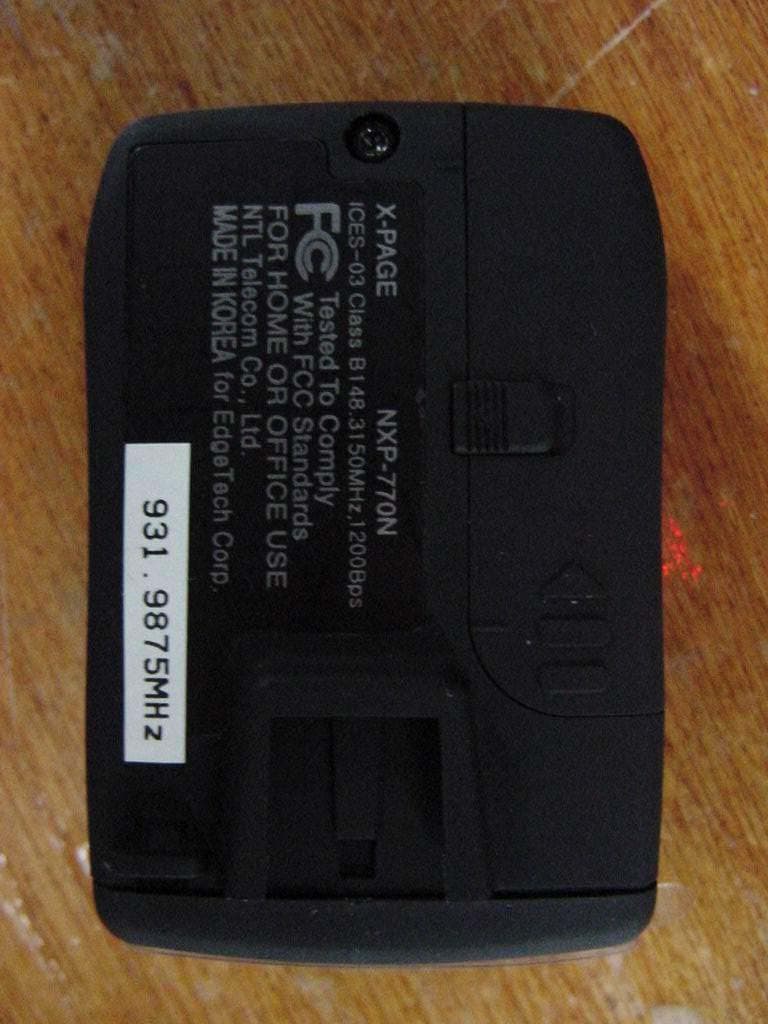
SNXNXP789
Oct 28, 2004Pager
Equipment Class
CXX - Communications Rcvr for use w/ licensed Tx and CBs