SYO-POWERBOOMWireless Speaker
Acomdata Technology,INC.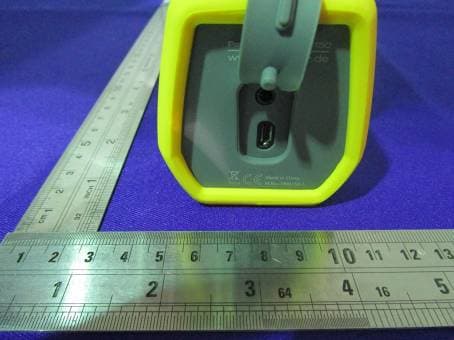
Click to zoom
Application Details
- Equipment Class
- DTS - Digital Transmission System
- Date of Grant
- Aug 22, 2014
- Application Purpose
- Original Equipment
- Date of Application
- Aug 22, 2014
- Equipment Note
- Wireless Speaker
- Frequency Range
- 2402.00000000 - 2480.00000000
- Company
- Acomdata Technology,INC.
- Country
- Taiwan
Documents & Files
Document Text
Text extracted from the exhibit documents filed with the FCC. Open a document above to read the original.
Users Manual
PowerBoom mobile 150 EN A B C D E G H F 1 EN b USER MANUAL We wish you a lot of fun with TrekStor PowerBoom mobile 150. Please read the following instructions carefully so that you can become acquainted with the functions of this product and its use. Current product information can be found at the TrekStor website www.trekstor.de. Other products and accessories are available at www.trekstor-onlineshop.de. 1) General It is essential to observe the safety and usage instructions listed in Chapter 3 of this manual. Keep this manual and hand it over to the next owner when passing the device to them. Use the device only for its intended purposes (see Chapter 3). The manufacturer accepts no liability for any damage resulting from non-intended use of the device. Furthermore, the manufacturer accepts no liability for damaged or lost data and all consequential damages. The manufacturer retains the right to continually improve the product. These changes may be made without being directly described in these operating instructions. For this reason, the information provided in these operating instructions may not reflect the current state of the art. 2) Safety instructions a Attention: Do not use or charge the device if the battery is damaged or leaks. a Attention: This device is capable of loud volumes. In order to avoid hearing damage, able to occur immediately, later, or gradually over time, you should not listen at high volumes for prolonged periods. Please be aware that permanent damage to the hearing can also first appear at a later juncture. Sometimes you can become acclimatized to higher volumes over time. These may appear normal for you; your hearing, however, may already have been adversely affected. Louder volumes can lead to your hearing being damaged faster. a Attention: Your safety is very important to us! Safety always has first priority in road transport. Protect yourself and other road users by operating the PowerBoom only if the traffic situation allows it and you do not endanger or hinder anyone. Adjust the volume of the device for your safety so that you can continue to react to all the sounds around you. Local legislation in force applies. 2 EN d Only qualified persons may perform technical work on the product. The product may not be opened or changed. The components cannot be serviced by the user. j Protect the device from extremely high and low temperatures and temperature fluctuations. Use the device within an ambient temperature of 10º C until 40º C. m Never place the device close to a source of heat, and protect it from direct sunlight. g Never clean the surface of the device with solvents, paint thinners, cleansers or other chemical products. 3) About TrekStor PowerBoom mobile 150 TrekStor PowerBoom mobile 150 is a portable, splashwater-protected (IPX5) Bluetooth loudspeaker that can function as a speakerphone. Paired with a Bluetooth-enabled mobile phone or other Bluetooth-enabled device, the TrekStor PowerBoom mobile 150 creates reliable and fast connections and wirelessly transmits music and phone calls. 4) Package contents • TrekStor PowerBoom mobile 150 • USB charging cable (Micro-USB / USB-A) • Power supply (100V - 240V ) • Line-in cable • User manual 5) Specifications • Dimensions (W x H x D) 151 mm x 62 mm x 67 mm • Weight 440 g • Type of housing Plastic, metal and rubber • Battery (Type and capacity) Lithium-Ion, 2000 mAh • Interface Micro-USB charging socket, Bluetooth®, Line-in jack 3 EN 6) Controls and Connections A) Micro-USB charging socket B) Line-in jack C) ON/OFF switch with Status-LED, bicolor D) Volume control + title selector E) Microfone F) Multi-function key G) Speaker H) Metal mounting 7) Charging PowerBoom Connect the micro-USB charging cable with the micro-USB charging socket (A) on the PowerBoom and with the included USB charger for the power outlet or connect it with a computer. While charging, the LED is red. Once the device is fully charged, the red LED turns off. i If the battery becomes low, the red LED lights up every 4 seconds, and a warning signal sounds.Charge PowerBoom as described above. i The maximum battery life becomes available after about 10 charge cycles. 8) Turning on PowerBoom Press the ON/OFF switch (C) for 4 seconds until an ascending tone sounds. PowerBoom is now on and in standby mode. The Bluetooth function is now active and the status LED flashes blue rapidly. 4 EN 9) Pairing PowerBoom with a Bluetooth® device. a) Place the PowerBoom about 1 meter away from your device. b) Turn the PowerBoom on (see 8). c) Enable the Bluetooth function on your device. For more information, please refer to your device's user manual. d) If necessary, set up your device's visibility to other Bluetooth devices. e) Enable your device to search for other active Bluetooth devices in the vicinity. f ) Select "PowerBoom_150" from the list of available Bluetooth devices on your device, and pair your device with the PowerBoom. g) Once the device and the PowerBoom are paired, the status LED turns solid blue. i When using Bluetooth, ensure that the distance between the PowerBoom and the paired device is not more than 10m. i You can break the connection by either disabling the Bluetooth function of your device, or by turning off the PowerBoom. 10) Broadcasting music via Bluetooth a) Turn on the PowerBoom (see 8) and connect the PowerBoom to your device (see 9). b) Start the music playback on your device. The music played will be played automatically on your PowerBoom. i For some devices, the playback medium must first be determined. Select "PowerBoom_150" as the playback medium in the menu displayed. c) During playback, you can adjust the volume by briefly press "+" or "-" on the volume control (D). d) To skip to the next or previous track in the current playlist of the paired device, press either ">>" or "<<" on the title selector (D) for 3-4 seconds. e) To pause playback, briefly press the multi-function key (F). To resume playing, briefly press the mul…
Text truncated - open the document above for the full version.
External Photos
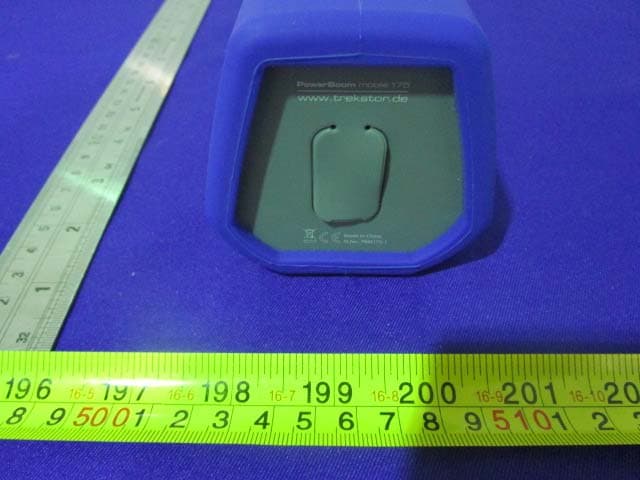
EXHIBIT B - EUT EXTERNAL PHOTOGRAPHS EUT – All View EUT – Top View EUT – Bottom View EUT – Side View EUT – Side View EUT – Side View EUT – Side View EUT – Port View EUT – Adapter View EUT – Adapter Label View
ID Label/Location Info
EXHIBIT A - FCC ID LABELING AND LOCATION FCC ID Label Proposed FCC ID Label Location – The label shown shall be permanently affixed at a conspicuous location on the device and be readily visible to the user at the time purchase (Labeling requirements per 2.925) Label Here
Internal Photos
EXHIBIT C - EUT INTERNAL PHOTOGRAPHS EUT – Rubber Off View EUT – Top View EUT – Bottom View EUT – Side View EUT – Side View EUT – Front Cover Off View EUT – Uncover View 1 EUT – Uncover View 2 EUT –Antenna View 1 EUT – Antenna View 2 EUT – Main Board Top View EUT – Main Board Bottom View EUT – RF Moudle View EUT – Button Board Top View EUT – Button Board Bottom View EUT – Sub Board Top View EUT – Sub Board Bottom View EUT – Rear Cover Off View EUT – Speaker Top View EUT – Speaker Bottom View EUT –Battery Top View EUT –Battery Bottom View
Test Report
Note: This test report is prepared for the customer shown above and for the device described herein. It may not be duplicated or used in part without prior written consent from Bay Area Compliance Laboratories Corp. (Dongguan). This report is valid only with a valid digital signature. The digital signature may be available only under the Adobe software above version 7.0. FCC PART 15.247 TEST REPORT For Acomdata Technology, INC. 12F.-1, No.99, Sec. 1, Nankan Rd., Luzhu Township, Taoyuan County 338, Taiwan (R.O.C.) Report Type: Original Report Product Type: Wireless Speaker Test Engineer: Allen Qiao Re port Number: RDG140716001-00B Re port Date: 2014-08-05 Reviewed B y: Jerry Zhang EMC Manager Test Laboratory: Bay Area Compliance Laboratories Corp. (Dongguan) No.69 Pulongcun, Puxinhu Industrial Zone, Tangxia, Dongguan, Guangdong, China Tel: +86-769-86858888 Fax: +86-769-86858891 www.baclcorp.com.cn FCC ID: SYO-POWERBOOM Bay Area Compliance Laboratories Corp. (Dongguan) Report No.: RDG140716001-00B FCC Part 15.247 Page 2 of 34 TABLE OF CONTENTS GENERAL INFORMATION ....................................................................................................................................... 4 PRODUCT DESCRIPTION FOR EQUIPMENT UNDER TEST (EUT) ..................................................................................... 4 OBJECTIVE ................................................................................................................................................................... 4 RELATED SUBMITTAL(S)/GRANT(S) ............................................................................................................................. 4 TEST METHODOLOGY .................................................................................................................................................. 4 TEST FACILITY ............................................................................................................................................................. 5 SYSTEM TEST CONFIGURATION .......................................................................................................................... 6 DESCRIPTION OF TEST CONFIGURATION ...................................................................................................................... 6 EUT EXERCISE SOFTWARE .......................................................................................................................................... 6 EQUIPMENT MODIFICATIONS ....................................................................................................................................... 6 SUPPORT EQUIPMENT LIST AND DETAILS .................................................................................................................... 6 EXTERNAL CABLE ........................................................................................................................................................ 6 BLOCK DIAGRAM OF TEST SETUP ................................................................................................................................ 7 SUMMARY OF TEST RESULTS ............................................................................................................................... 8 FCC §15.247 (i) & §1.1310 & §2.1093- RF EXPOSURE ............................................................................................... 9 APPLICABLE STANDARD .............................................................................................................................................. 9 FCC §15.203 - ANTENNA REQUIREMENT ........................................................................................................... 10 APPLICABLE STANDARD ............................................................................................................................................ 10 ANTENNA CONNECTOR CONSTRUCTION .................................................................................................................... 10 FCC §15.207 (a) – AC LINE CONDUCTED EMISSIONS ..................................................................................... 11 APPLICABLE STANDARD ............................................................................................................................................ 11 MEASUREMENT UNCERTAINTY .................................................................................................................................. 11 EUT SETUP ................................................................................................................................................................ 11 EMI TEST RECEIVER SETUP ....................................................................................................................................... 12 TEST PROCEDURE ...................................................................................................................................................... 12 TEST EQUIPMENT LIST AND DETAILS ......................................................................................................................... 12 CORRECTED AMPLITUDE & MARGIN CALCULATION ................................................................................................. 12 TEST RESULTS SUMMARY .......................................................................................................................................... 13 TEST RESULTS SUMMARY .......................................................................................................................................... 13 TEST DATA ................................................................................................................................................................ 13 FCC §15.209, §15.205 & §15.247(d) - SPURIOUS EMISSIONS ............................................................................. 16 APPLICABLE STANDARD .............…
Text truncated - open the document above for the full version.
Test Setup Photos
EXHIBIT D - TEST SETUP PHOTOGRAPHS Conducted Emissions - Front View Conducted Emissions – Side View Radiated Emission - Front View (Below 1GHz) Radiated Emission - Rear View (Below 1GHz) Radiated Emission - Front View (Above 1GHz) Radiated Emission - Rear View (Above 1GHz)
Contact Information
Applicant
Tina Hsieh(Manager)
Test Firm
Bay Area Compliance Laboratories Corp. (Dongguan)John Chan
[email protected]86-769-86858888
Technical Specifications
| # | Rule Parts | Frequency Range | Power Output |
|---|---|---|---|
| 1 | 15C | 2.40 GHz - 2.48 GHz | 3.90 mW |
Other Applications from Acomdata Technology,INC.
SYO-BIGPOWERBOOM
Sep 02, 2014Wireless Speaker
Equipment Class
DTS - Digital Transmission System
SYO-MUSICBOOM
Jan 07, 2014Bluetooth Speaker
Equipment Class
DSS - Part 15 Spread Spectrum Transmitter
SYO-SOUNDPOP
Apr 30, 2013SoundPop Bluetooth Speaker
Equipment Class
DTS - Digital Transmission System