SZY-SA5117Wireless Audio Link
Dexatek Technology Ltd.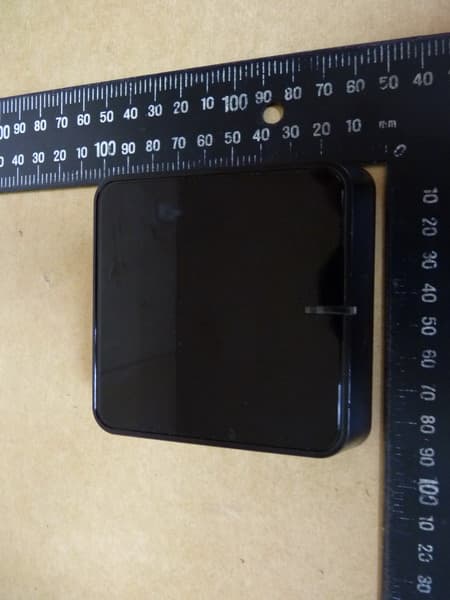
Click to zoom
Application Details
- Equipment Class
- DTS - Digital Transmission System
- Date of Grant
- Dec 12, 2013
- Application Purpose
- Original Equipment
- Date of Application
- Dec 12, 2013
- Equipment Note
- Wireless Audio Link
- Frequency Range
- 2422.00000000 - 2452.00000000
- Company
- Dexatek Technology Ltd.
- Country
- Taiwan
Documents & Files
Document Text
Text extracted from the exhibit documents filed with the FCC. Open a document above to read the original.
Users Manual
1 Audio Link Quick User Guide 2 Audio Link Instruction Content Audio Link device Micro USB Charging Cable USB Power Adaptor 3.5mm Phone Jack Cable 3 AP Mode Factory default is AP Mode that iPhone, iPad or Android device connect to Audio Link di rectly, but your device is no Internet f unction. 4 Client Mode Audio Link can connect to your home WiFi network and suggest using this mode. Note: Don’t connect to public or mess network environment. Audio Link is fit to connect to be simple and clean network environment. 5 Set up Audio Link 1. Please Audio Link placed to location of good WiFi network signal in home 2. Please connect power USB adaptor with Mi cro USB charging cable to Audio Link. Then power button will display RED light and please pr ess power button which will display GREEN light. Audio Link Micro USB Charging Cable Power USB Adaptor 6 3. Connect Audio Link to your Hi-Fi or power speaker wit h audio output (AUX or S/PDIF). Setup is done. 4. Go to wifi setting on your iPhone, iPad or Android device > Choose Audio Link from the list of available network and connec t it. S/PDIF Output 3.5mm Audio Output Note: Volume up/down is controlled by amplifier. 7 8 5. Your smartphone/table download QR Code application first from Apple Store/Google Play. And scan QR Code on back of Audio Link with your smartphone/table. You are viewing Audio Link's setting page from your smartphone/tablet. (O r type 192.168.0.1 in the browser and you’re also view ing Audio Link’s setting page.) Setup QR Code: Scan this QR code to entry Audio Link’s setting page.(192.168.0.1) 9 6. Please follow the screen instruction step by step. Choose your home WiFi network and A udio Link is going to connect to your home WiFi network that it means your iOS/Android device is connect ed to in the same network then you’ll enjoy streaming music. 7. Rename Device, you can change A udio Link name or enter password. 10 11 [iOS/Airplay] Streaming Music Tap “Music” on your iPhone, iPad or iPod touch > Tap “Airplay” icon > Choose “Audio Link” Music will play via Audio Link. 12 [Android/DLNA] Streaming Music Samsung, HTC and Sony user can use music application built-in and no need to download application. And the other brands can download “Total Media” or “Bubble UPnP” app from Google Play. Total Media App: Select Music > Choose Audio Link > play Samsung: Select Music > Choose Audio Link> play 13 [Windows XP/WIN7/WIN8/Mac] Streaming Music You can select iTunes or Windows Media Player application to stream music. Open “iTunes” on your Mac/PC > Click “Air Play” icon and choose Audio Link > Play 14 Windows Media Player >open media streaming opti ons > select music > play to Audio Link 15 Specification Power Button (ON/OFF) Reset 3.5mm phone jack S/PDIF Micro USB port I/O port Direct Link (AP)/ Network Link (Client) Mode switch Indicate LED LED ( Green light : ON ; Red light : OFF ) Power Supply 5V 1A WiFi Standard IEEE 802.11b/g/n compatible WLAN Protocol AirPlay, DLNA 1.5, Digital Media Renderer, UPnP, DHCP Audio Format MP3, AAC, WAV, WMA, FLAC, ALAC, M4A Dimension 84.2X30X78.5 mm 16 How to upgrade Firmware Step1. Download the Firmware from official support web site. Step2. Unzip the file. Step3. Connect to Audio Link on PC/Mac and open browser (IE or Googl e Chrome) and enter http://192. 168.0.1 to access the Audio Link’s setting page when Audio Link’s switch is Direct Link (AP) Mode. Step4. Choose your location of Firmware file and please click “Upload”. Step5. Audio Link will display loading icon that means it’s upgradi ng. Loading icon will disappear once it complete to upgrade. Then Audio Link will reboot 50 seconds automatically. PC/Mac connec t to Audio Link and access Audio Link’s setting page again then check whether release the Firmware version to be latest at left corner. IMPORTANT: Please do NOT interrupt firmwar e upgrade. Any interruption during the pr ocess may cause unexpected results. Or if upgrade to fail, please try to upgrade it again. Note: Temporarily disable firewalls (both network and local) and security software. Security software and firewalls may block ports t hat Audio Link device access Audio Link’s setting page. You can often resolve issues with security software by updating, 17 Federal Communication Commission Interference Statement This equipment has been tested and found to comply with the limits for a Class B digital device, pursuant to Part 15 of the FCC Rules. These limits are designed to provide reasonable protection against harmful interference in a residential installation. This equipment generates, uses and can radiate radio frequency energy and, if not installed and used in accordance with the instructions, may cause harmful interference to radio communications. However, there is no guarantee that interference will not occur in a particular installation. If this equipment does cause harmful interference to radio or television reception, which can be determined by turning the equipment off and on, the user is encouraged to try to correct the interference by one of the following measures: . Reorient or relocate the receiving antenna. . Increase the separation between the equipment and receiver. . Connect the equipment into an outlet on a circuit different from that to which the receiver is connected. . Consult the dealer or an experienced radio/TV technician for help. This device complies with Part 15 of the FCC Rules. Operation is subject to the following two conditions: (1) This device may not cause harmful interference, and (2) This device must accept any interference received, including interference that may cause undesired operation. FCC Caution : To assure continued compliance, any changes or modifications not expressly approved by the party responsible for compliance could void the user's authority to operate this equipment. (Example ‐ use only shielded interface cables when connecting to computer or peripheral devices). FCC Radiation Exposure Statement 18 This equipment com…
Text truncated - open the document above for the full version.
External Photos
Registration number: W6M21310-13607-FCC FCC ID: SZY-SA5117 Worldwide Testing Services(Taiwan) Co., Ltd. Appendix Page 2 of 24 External Photos Registration number: W6M21310-13607-FCC FCC ID: SZY-SA5117 Worldwide Testing Services(Taiwan) Co., Ltd. Appendix Page 3 of 24 Rectangle Registration number: W6M21310-13607-FCC FCC ID: SZY-SA5117 Worldwide Testing Services(Taiwan) Co., Ltd. Appendix Page 4 of 24 Registration number: W6M21310-13607-FCC FCC ID: SZY-SA5117 Worldwide Testing Services(Taiwan) Co., Ltd. Appendix Page 5 of 24 Registration number: W6M21310-13607-FCC FCC ID: SZY-SA5117 Worldwide Testing Services(Taiwan) Co., Ltd. Appendix Page 6 of 24 Registration number: W6M21310-13607-FCC FCC ID: SZY-SA5117 Worldwide Testing Services(Taiwan) Co., Ltd. Appendix Page 7 of 24 Registration number: W6M21310-13607-FCC FCC ID: SZY-SA5117 Worldwide Testing Services(Taiwan) Co., Ltd. Appendix Page 8 of 24 Registration number: W6M21310-13607-FCC FCC ID: SZY-SA5117 Worldwide Testing Services(Taiwan) Co., Ltd. Appendix Page 9 of 24 Square Registration number: W6M21310-13607-FCC FCC ID: SZY-SA5117 Worldwide Testing Services(Taiwan) Co., Ltd. Appendix Page 10 of 24 Registration number: W6M21310-13607-FCC FCC ID: SZY-SA5117 Worldwide Testing Services(Taiwan) Co., Ltd. Appendix Page 11 of 24 Registration number: W6M21310-13607-FCC FCC ID: SZY-SA5117 Worldwide Testing Services(Taiwan) Co., Ltd. Appendix Page 12 of 24 Registration number: W6M21310-13607-FCC FCC ID: SZY-SA5117 Worldwide Testing Services(Taiwan) Co., Ltd. Appendix Page 13 of 24 Registration number: W6M21310-13607-FCC FCC ID: SZY-SA5117 Worldwide Testing Services(Taiwan) Co., Ltd. Appendix Page 14 of 24 Registration number: W6M21310-13607-FCC FCC ID: SZY-SA5117 Worldwide Testing Services(Taiwan) Co., Ltd. Appendix Page 15 of 24
Internal Photos
Registration number: W6M21310-13607-FCC FCC ID: SZY-SA5117 Worldwide Testing Services(Taiwan) Co., Ltd. Appendix Page 16 of 24 Internal Photos Registration number: W6M21310-13607-FCC FCC ID: SZY-SA5117 Worldwide Testing Services(Taiwan) Co., Ltd. Appendix Page 17 of 24 Registration number: W6M21310-13607-FCC FCC ID: SZY-SA5117 Worldwide Testing Services(Taiwan) Co., Ltd. Appendix Page 18 of 24 Registration number: W6M21310-13607-FCC FCC ID: SZY-SA5117 Worldwide Testing Services(Taiwan) Co., Ltd. Appendix Page 19 of 24 Registration number: W6M21310-13607-FCC FCC ID: SZY-SA5117 Worldwide Testing Services(Taiwan) Co., Ltd. Appendix Page 20 of 24
RF Exposure Info
Registration number: W6M21310-13607-C-1 FCC ID: SZY-SA5117 Worldwide Testing Services(Taiwan) Co., Ltd. Page 19 of 54 3.2 Equivalent isotropic radiated power FCC Rule: 15.247(b)(3) EIRP = max. conducted output power + antenna gain EIRP = 21.99 dBm + 3.0 dBi = 24.99 dBm Limit: EIRP = +36 dBm for Antenna gain <6dBi Test equipment used: ETSTW-RE 055 3.3 RF Exposure Compliance Requirements FCC OET Bulletin 65 Edition 97.01 determines the equations for predicting RF fields and applicable limits. The prediction for power density in the far-field but will over-predict power density in the near field, where it could be used for walking a “worst case” or conservative prediction. PG S = --------- 4πR 2 S – Power Density P – Output power ERP R – Distance D – Cable Loss AG – Antenna Gain Item Unit Value Remarks P mW 158.1248 Peak value D dB AG dBi 3.0 G 1.9953 Calculated Value R cm 20 Assumed value S mW/cm 2 0.0628 Calculated value Limits: Limit for General Population / Uncontrolled Exposure Frequency (MHz) Power Density (mW/cm 2 ) 1500 – 100.000 1.0
Test Setup Photos
Registration number: W6M21310-13607-FCC FCC ID: SZY-SA5117 Worldwide Testing Services(Taiwan) Co., Ltd. Appendix Page 21 of 24 Set Up Photo of Radiated Emission EMI Below 1GHz Registration number: W6M21310-13607-FCC FCC ID: SZY-SA5117 Worldwide Testing Services(Taiwan) Co., Ltd. Appendix Page 22 of 24 Above 1GHz Registration number: W6M21310-13607-FCC FCC ID: SZY-SA5117 Worldwide Testing Services(Taiwan) Co., Ltd. Appendix Page 23 of 24 RF Registration number: W6M21310-13607-FCC FCC ID: SZY-SA5117 Worldwide Testing Services(Taiwan) Co., Ltd. Appendix Page 24 of 24 Set Up Photo of Conducted Emission
Contact Information
Applicant
Jerry Chen(GM)
Technical Contact
Worldwide Testing Services (Taiwan) Co., Ltd.Tse-Ming Chang
[email protected]+886-2-6606-8877
6F., No. 58, Lane 188, Ruey Kuand Rd. · Taipei · Taiwan
Test Firm
Worldwide Testing Services (Taiwan) Co., Ltd.Rex Kao
Technical Specifications
| # | Rule Parts | Frequency Range | Power Output |
|---|---|---|---|
| 2 | 15C | 2.42 GHz - 2.45 GHz | 135.21 mW |
Other Applications from Dexatek Technology Ltd.
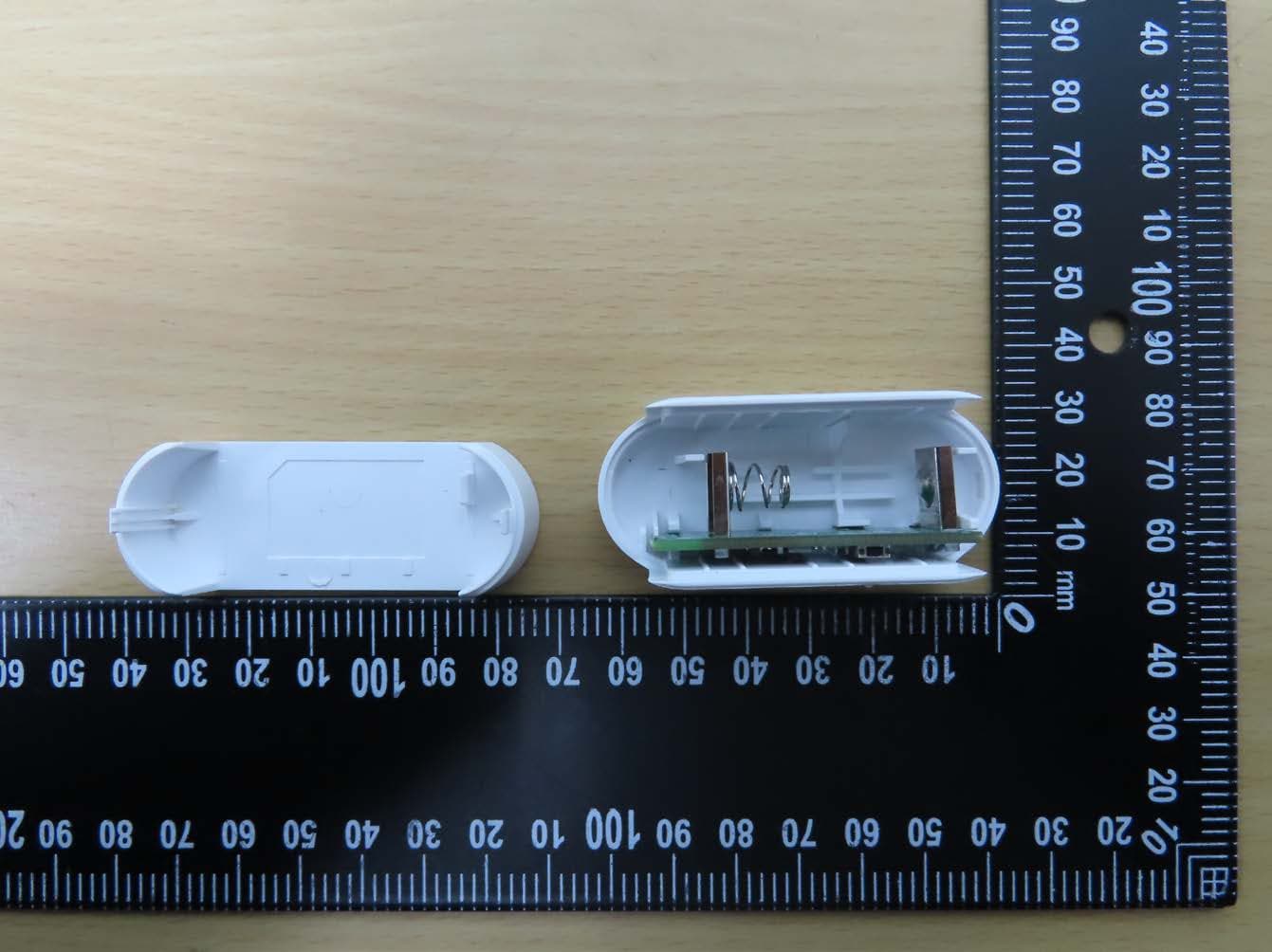
SZY-SA7903
Apr 08, 2026Door & Window Sensor
Equipment Class
DTS - Digital Transmission System
SZY-DK9193
Feb 27, 2025IOT Module
Equipment Class
DTS - Digital Transmission SystemSZYDK91XXB
Sep 19, 2024BLE Module
Equipment Class
DTS - Digital Transmission SystemSZY-DK91XXD
Sep 08, 2024BLE Module
Equipment Class
DTS - Digital Transmission SystemSZY-DK91XXC
Aug 07, 2024BLE Module
Equipment Class
DTS - Digital Transmission System