T2C-BHM711Bluetooth Headset
YEALINK (XIAMEN ) NETWORK TECHNOLOGY CO., LTD.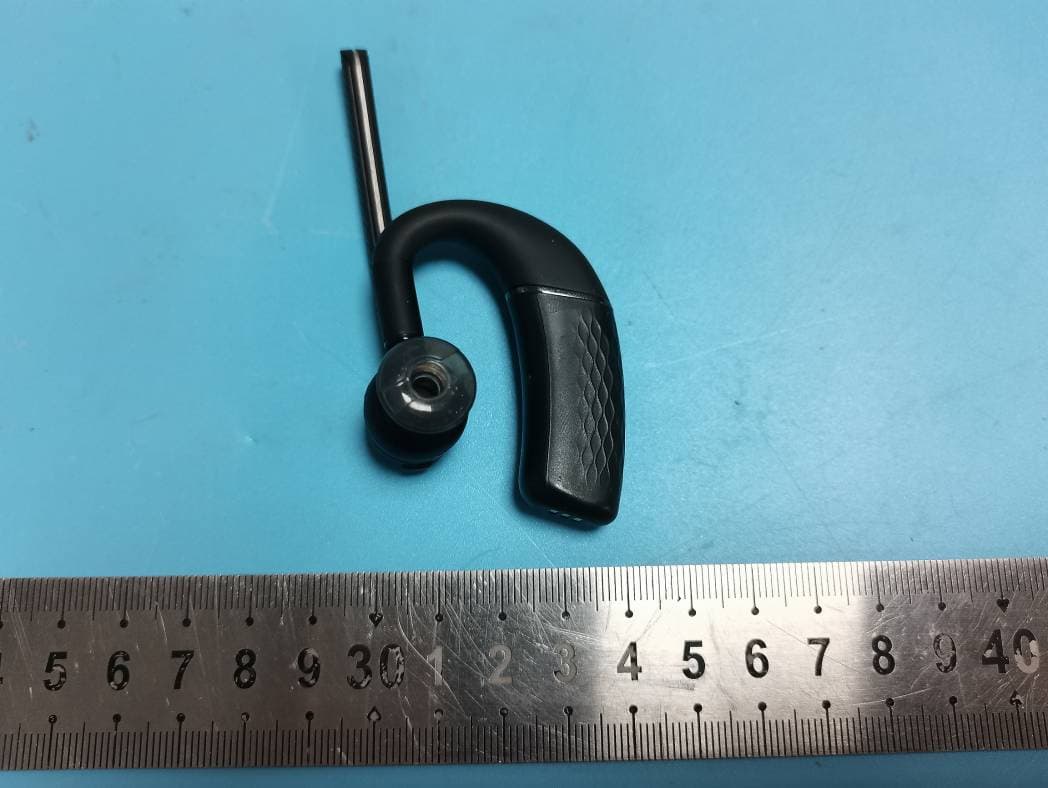
Click to zoom
Application Details
- Equipment Class
- DSS - Part 15 Spread Spectrum Transmitter
- Date of Grant
- Dec 30, 2022
- Application Purpose
- Original Equipment
- Date of Application
- Dec 30, 2022
- Equipment Note
- Bluetooth Headset
- Frequency Range
- 2402.00000000 - 2480.00000000
- Country
- China
Documents & Files
Document Text
Text extracted from the exhibit documents filed with the FCC. Open a document above to read the original.
Users Manual
Bluetooth Headset BH71 Workstation/BH71 Workstation Pro English | Deutsch | Español | Français Quick Start Guide (V1.1) www.yealink.com Note: Some third-party accessories may be incompatible with the headset, so we strongly recommend that you use Yealink accessories only. 1 BH71 Workstation BHM711 Headset Power Adapter BHB710 Station USB 3.0 Cable (Type-C to Type-A) Quick Start Guide USB 2.0 Cable (Micro USB to Type-A) Eartips (S, M, L/M is pre-installed) E N G L I S H Note: Some third-party accessories may be incompatible with the headset, so we strongly recommend that you use Yealink accessories only. 2 BH71 Workstation Pro BHM711 Headset Power Adapter BHB710 Station USB 3.0 Cable (Type-C to Type-A) Quick Start Guide USB 2.0 Cable (Micro USB to Type-A) Eartips (S, M, L/M is pre-installed) BHC71P Charging Case BT51A Dongle 3 Charge Headset It takes approximately 90 minutes to fully charge the headset. or 4 Charging Indicator • Charging Case • Station Charging: Flash green Charging is complete: Off Charging: Solid green Charging is complete: Off Power on/off Red "Power off" Blue "Power on, XX% battery remains" 5 Connect Your Devices The USB hub is an extension port of the PC. After the station is connected to the PC, you can plug a USB driver into the USB hub port, or plug the phone and charging case into the USB hub port for charging. Connect the desk phone, PC or busylight to station. 5V USB 3.0 hub port 6 Pair Your Devices • Pair your station - Tap Bluetooth->Settings in the station . - Enable Open discover. Pair with headset Place the headset on the station and the headset will automatically pair with the station. Pair with phone Bluetooth Bluetooth O T H E R D E V I C E OTHE Yea R link BH D 71 EVICE Yealink BH71 W orkstation Note: One headset or station can only connect to two devices at a time. B A 7 • Pair your headset Slide and hold the switch for 3 seconds until the LED indicator flashes red and blue automatically. "Pairing mode" Pair with phone "mobile one connected" Pair with PC( BH71 Workstation Pro ) "PC The BT51A is pre-paired to the headset and ready for use. Note: The BT51A can only connect to a device at a time. Bluetooth Bluetooth OTHER DEVIC E OTHE Yea R l i n k BH D 71 EVICE Yealink BH71 connected" A B 8 ❶ Fit the Headset • Right ear wearing 1. Take out the headset, as shown in figure . Twist the speaker to the left, and then rotate microphone boom down. 2. Before wearing, you can adjust the height of the speaker up or down to get the perfect fit for your ear. 3. Put the eartip in your ear and slide headset over and behind your ear, then press gently toward your ear. Fine-tune the headset according to your own situation. Retractable 9 ❶ • Left ear wearing 1. Take out the headset, as shown in figure . Twist the speaker to the right, and then rotate microphone boom down. 2. For wearing methods, please refer to steps 2 and 3 of the right ear wearing. ❶ ❷ ❸ Note: Remove your eyeglasses before donning the headset for best fit. Change the eartip for a better fit. Eartips with three size options — S/M/L (medium pre-installed). 10 Call Control Accept Reject (It is not applicable to Teams) End In the idle status, invoke the Teams client In the idle status, activate Cortana (requires Microsoft's support) Call Button Mute Button Volume Button (360 ° rotating) 2s X 1 X 2 X 1 X 1 11 Software Management Download it from the Yealink website https://www.yealink.com/product/yuc. Note: It needs to be used with Yealink USB Connect of version 0.35.x.x or later. NEED MORE HELP? Technical support https://ticket.yealink.com FAQ & User manual http://support.yealink.com 12 Safety Guide 1. Do not disassemble the product by yourself or bring it near fire and water to avoid short circuit leakage or damage to the product. 2. Do not use the product in high temperature, humidity, and corrosive environment to avoid damaging the circuit and causing failure to charge or other failures. 3. Do not expose the product to corrosive liquids. Otherwise, it will cause severe damage. 4. Do not disassemble or re-equip the product for any reason to avoid secondary failure and burnout. 5. Do not place the product in an environment below -10°C or above 60°C. 6. Do not knock, throw or shake the product because rough methods will damage the internal circuit board structure. If your headset needs warranty service, the process is quick and easy. Please go to https://ticket.yealink.com/page/headset/warranty-service.html and submit RMA Claim to Yealink. Regulatory Notices Operating Ambient Temperatures • Operating temperature: 0 °C to +40 °C (+32 °F to +104°F) • Relative humidity: 5% to 90%, noncondensing • Storage temperature:-30°C to +70°C (-22 to +158°F) Warranty Our product warranty is limited only to the unit itself, when used normally in accordance with the operating instructions and the system environment. W e are not liable for damage or loss resulting from the use of this product, or for any claim from a third party. W e are not liable for problems with Yealink device arising from the use of this product; we are not liable for financial damages, lost profits, claims from third parties, etc., arising from the use of this product. Explanation of the symbols • DC symbol is the DC voltage symbol. • WEEE Warning symbol To avoid the potential effects on the environment and human health as a result of the presence of hazardous substances in electrical and electronic equipment, end users of electrical and electronic equipment should understand the meaning of the crossed-out wheeled bin symbol. Do not dispose of W EEE as unsorted municipal waste and have to collect such W EEE separately. Restriction of Hazardous Substances Directive (RoHS) This device complies with the requirements of the EU RoHS Directive. Statements of compliance can be obtained by contacting support@ yealink.com. Safety Instructions Save these instructions. Read these safety instructions bef ore use! General Requirements • Before you install and use …
Text truncated - open the document above for the full version.
Users Manual
Bluetooth Headset BH71/BH71 Pro English | Deutsch | Español | Français Quick Start Guide (V1.1) www.yealink.com NEED MORE HELP? Technical support https://ticket.yealink.com FAQ & User manual http://support.yealink.com with the headset, so we strongly recommend that you use the Yealink accessories only. 1 Note: Some third-party accessories may be incompatible BH71 Package List BHM711 Headset Eartips (S, M, L) (M is pre-installed) USB 2.0 Cable (Type-C to Type-A) Quick Start Guide BHC71 Carrying Case (The carrying case cannot charge the headset directly) BH71 Pro Package List BHM711 Headset Quick Start Guide Eartips (S, M, L) (M is pre-installed) BHC71P Charging Case USB 2.0 Cable (Type-C to Type-A) BT51A Dongle E N G L I S H Charge Headset Note: The carrying case of BH71 cannot directly charge the headset and requires an external USB cable. 2 It takes approximately 90 minutes to fully charge the headset. or A or USB charging B Charging Indicator • Carrying Case • Charging Case Power on/off Charging: Solid green Charging is complete: Off Charging: Flash green Charging is complete: Off Red "Power off" Blue "Power on, XX% battery remains" OFF ON 3 Pair and Connect Slide and hold the switch for 3 seconds until the LED indicator flashes red and blue automatically. Bluetooth Bluetooth O TH ER D EVIC E OTHE Yea R lin k BH D 71 EVICE Yealink BH71 "Mobile one connected" A "Pairing mode" B "PC connected" Note: The BT51A Bluetooth Dongle of BH71 Pro is pre-paired to the headset and ready for use. One headset can only connect to two devices at a time. The BT51A can only connect to one headset at a time. 4 Fit the Headset ❶ • Right ear wearing 1. Take out the headset, as shown in figure . Twist the speaker to the left, and then rotate microphone boom down. 2. Before wearing, you can adj us t the hei g ht of the speaker up or down to get the perfect fit for your ear. Retractable 3. Put the eartip in your ear and slide headset over and behind your ear, then press gently toward your ear. Fine- tune the headset according to your own situation. 5 Note: Remove your eyeglasses before donning the headset for best fit. 6 ❶ • Left ear wearing 1. Take out the headset, as shown in figure . Twist the speaker to the right, and then rotate microphone boom down. 2. For wearing methods, please refer to steps 2 and 3 of the right ear wearing. ❶ ❷ ❸ Note: Change the eartip for a better fit. Eartips with three size options — S/M/L (M is pre-installed). 7 Call Control Call Button Mute Button Volume Button (360 ° rotating) Accept X 2 Reject (It is not applicable to Teams) End X 1 In the idle status, invoke the Teams client In the idle status, activate Cortana (requires Microsoft's support) 2s X 1 X 1 8 Software Management • Yealink USB Connect Download it from the Yealink website https://www.yealink. com/product/yuc. • Yealink Connect App Download the Yealink Connect App from IOS App Store or Android App Store. Apple and the Apple logo are trademarks of Apple Inc. Note: It needs to be used with Yealink USB Connect of version 0.35.x.x or later. 9 Regulatory Notices Operating Ambient Temperatures Operating temperature: 0 °C to +40 °C (+32 °F to +104°F) Relati ve humidity: 5% to 90%, noncondensing Storage temperature:-30°C to +70°C (-22 to +158°F) W arranty Our product warranty is limited only to the unit itself, when used normally in accordance with the operating instructions and the s ystem environment. W e are not liable for damage or loss resulting from the use of this product, or for any claim from a third party. W e are not liable for problems with Yealink device arising from the use of this product; we are not liable for financial damages, lost profits, claims from third parties, etc., arising from the use of this product. Explanation of the symbols DC symbol is the DC voltage symbol. WEEE Warning symbol To avoid the potential effects on the environment and human health as a result of the presence of hazardous substances in electrical and electronic equipment, end users of electrical and electronic equipment should understand the meaning of the crossed-out wheeled bin symbol. Do not dispose of W EEE as unsorted municipal waste and have to collect such W EEE separately. Restriction of Hazardous Substances Directive (RoHS) This device complies with the requirements of the EU RoHS Directive. Statements of compliance can be obtained by contacting [email protected]. Safety Instructions Save these instructions. Read these safety instructions before use! General Requirements Before you install and use the device, read the safety instructions carefully and observe the situation during operation. During the process of storage, transportation, and operation, please always keep the device dry and clean, avoid collision and crash. Please attempt not to dismantle the device by yourself. In case of any discrepanc y, please contact the appointed maintenance center for repair. Please refer to the relevant laws and statutes while using the device. Legal rights of others should be respected as well. Environmental Requirements Place the device at a well-ventilated place. Do not expose the device under direct sunlight. Keep the device dry and free of dust. Do not place the device on or near any inflammable or fire-vulnerable object, such as rubber-made materials. Keep the device away from any heat source or bare fire, such as a candle or an electric heater. Operating Requirements Do not let a child operate the device without guidance. Do not let a child play with the device or any accessory in case of accidental swallowing. Please use the accessories provided or authorized by the manufacturer only. The power supply of the device shall meet the requirements of the input voltage of the device. Please use the provided surge protection power socket only. Before plugging or unplugging any cable, make sure that your hands are completely dry. Do not spill liquid of any kind on the product or use the equipment near water, for example, near a ba…
Text truncated - open the document above for the full version.
Cover Letter(s)
YEALINK(XIAMEN) NETWORK TECHNOLOGY CO.,LTD. No.666 Hu'an Rd. Huli District Xiamen City, Fujian, P.R. China Tel: 86-592-5702000 Fax: 86-592-5702455 Email: [email protected] QA-FR-170-B 7/29/2014 FCC Authorization Date: 2022-11-21 FEDERAL COMMUNICATIONS COMMISSIONS Authorization and Evaluation Division 7435 Oakland Mills Road Columbia, MD 21046 Subject: Agent Authorization To whom it may concern: We YEALINK(XIAMEN) NETWORK TECHNOLOGY CO.,LTD., the undersigned, hereby authorizes Shenzhen Accurate Technology Co., Ltd. to act on its behalf in all matters relating to application for Equipment authorization, including the signing of all documents relating to these matters. All acts carried out by Shenzhen Accurate Technology Co., Ltd. on our behalf shall have the same effect as our own action. We, the undersigned, hereby certify that we are not subject to a denial of federal benefits, that includes FCC benefits, pursuant to Section 5301 of the Anti-Drug Abuse Act of 1988, 21 U.S.C. 862. This authorization is valid until further written notice from the applicant. Sincerely Yours, Signature: Stone Lu Vice General Manager
Cover Letter(s)
YEALINK(XIAMEN) NETWORK TECHNOLOGY CO.,LTD. No.666 Hu'an Rd. Huli District Xiamen City, Fujian, P.R. China Tel: 86-592-5702000 Fax: 86-592-5702455 Email: [email protected] FCC Confidential Authorization Date: 2022-11-21 FEDERAL COMMUNICATIONS COMMISSIONS Authorization and Evaluation Division 7435 Oakland Mills Road Columbia, MD 21046 Subject: Confidentiality Request regarding application for certification of FCC ID: T2C-BHM711 In accordance with Sections 0.457 and 0.459 of the Commission’s Rules, YEALINK(XIAMEN) NETWORK TECHNOLOGY CO.,LTD. hereby requests long-term confidential treatment of information accompanying this application as outlined below: Block Diagram Schematics Operation Description As well as short-term confidential treatment of information accompanying this application for a period of 180 days after grant is issued as outlined below: Internal Photos User’s Manual External Photos Test Set-up Photos The above materials contain proprietary and confidential information not customarily released to the public. The public disclosure of these materials provides unjustified benefits to its competitors in the market. Sincerely Yours, Signature Stone Lu Vice General Manager
Cover Letter(s)
YEALINK(XIAMEN) NETWORK TECHNOLOGY CO.,LTD. No.666 Hu'an Rd. Huli District Xiamen City, Fujian, P.R. China Tel: 86-592-5702000 Fax: 86-592-5702455 Email: [email protected] FCC certification No. Cover Letter We, YEALINK(XIAMEN) NETWORK TECHNOLOGY CO.,LTD., hereby submit justification for placing the FCC certification No. in the associated user’s manual. According to the FCC regulation, the FCC certification No. should be printed on the Bluetooth Headset, but as the Bluetooth Headset are too small to print the label (FCC ID: T2C-BHM711) , it will be moved to the user manual. The details are as below: A. Side surface (A): The side surface does not provide enough physical space to fit the printing of the FCC certification No. according to below reference picture. B. Top cover (B): The top cover does not provide enough physical space to fit the printing of the FCC certification No. according to below reference picture. Conclusion: Based on the above description of area A to B, we conclude that the device is unquestionably too small for enabling the FCC certification No. to be printed onto any surface. We therefore request to move the FCC certification No. to the user’s manual. Label: Best regards, Signature: Stone Lu Vice General Manager Stick the label on last page of user manual
External Photos
Shenzhen Accurate Technology Co., Ltd. Project No.: SZNS221024-48986E-RF External Photos Page 1 of 3 External Photos Shenzhen Accurate Technology Co., Ltd. Project No.: SZNS221024-48986E-RF External Photos Page 2 of 3 Shenzhen Accurate Technology Co., Ltd. Project No.: SZNS221024-48986E-RF External Photos Page 3 of 3
ID Label/Location Info
Model: BHM711 FCC ID: T2C-BHM711 IC: 10741A-BHM711
Internal Photos
Shenzhen Accurate Technology Co., Ltd. Project No.: SZNS221024-48986E-RF Internal Photos Page 1 of 5 Internal photos Shenzhen Accurate Technology Co., Ltd. Project No.: SZNS221024-48986E-RF Internal Photos Page 2 of 5 Shenzhen Accurate Technology Co., Ltd. Project No.: SZNS221024-48986E-RF Internal Photos Page 3 of 5 Shenzhen Accurate Technology Co., Ltd. Project No.: SZNS221024-48986E-RF Internal Photos Page 4 of 5 Shenzhen Accurate Technology Co., Ltd. Project No.: SZNS221024-48986E-RF Internal Photos Page 5 of 5 BT ANT
RF Exposure Info
Shenzhen Accurate Technology Co., Ltd. Report No.: SZNS221024-48986E-RF Version 15: 2021-11-09 Page 10 of 60 FCC-BT;RSS-BT FCC§15.247 (i), §1.1307 (b) (3) &§2.1093 – RF EXPOSURE Applicable Standard According to FCC §2.1093 and §1.1307(b) (3), systems operating under the provisions of this section shall be operated in a manner that ensure that the public is not exposed to radio frequency energy level in excess of the Commission’s guideline. According to KDB 447498 D04 Interim General RF Exposure Guidance 1-mW Test Exemption: Per § 1.1307(b)(3)(i)(A), a single RF source is exempt RF device (from the requirement to show data demonstrating compliance to RF exposure limits, as previously mentioned) if the available maximum time-averaged power is no more than 1 mW, regardless of separation distance. This exemption applies to all operating configurations and exposure conditions, for the frequency range 100 kHz to 100 GHz, regardless of fixed, mobile, or portable device exposure conditions. This is a standalone exemption, and it cannot be applied in conjunction with any other test exemption. For worst case: Frequency (MHz) Maximum Tune-up power Exemption Limit (mW) SAR Test Exclusion (dBm) (mW) 2402-2480 -1.5 0.71 1 Yes Note: The maximum tune-up power was declared by the applicant. Result: Compliant.
Test Report
★ Note: This report may contain data that are not covered by the A2LA accreditation and are marked with an asterisk “ ”. Shenzhen Accurate Technology Co., Ltd. is not responsible for the authenticity of any test data provided by the applicant. Data included from the applicant that may affect test results are marked with an asterisk ’*’. Customer model name, addresses, names, trademarks etc. are not considered data. This report cannot be reproduced except in full, without prior written approval of the Company. Unless otherwise stated the results shown in this test report refer only to the sample(s) tested. This report is valid only with a valid digital signature. The digital signature may be available only under the Adobe software above version 7.0. Shenzhen Accurate Technology Co., Ltd. 1/F., Building A, Changyuan New Material Port, Science & Industry Park, Nanshan District, Shenzhen, Guangdong, P.R. China Tel: +86 755-26503290 Fax: +86 755-26503396 Web: www.atc-lab.com Version 15: 2021-11-09 Page 1 of 60 FCC-BT;RSS-BT TEST REPORT Applicant Name : YEALINK(XIAMEN) NETWORK TECHNOLOGY CO.,LTD. Address : No.666 Hu'an Rd. Huli District Xiamen City, Fujian, P.R. China Report Number : SZNS221024-48986E-RF FCC ID: T2C-BHM711 IC: 10741A-BHM711 Test Standard (s) FCC PART 15.247; RSS-GEN ISSUE 5, FEBRUARY 2021 AMENDMENT 2; RSS-247, ISSUE 2, FEBRUARY 2017 Sample Description Product Type: Bluetooth Headset Model No.: BHM711 Multiple Model(s) No.: N/A Trade Mark: Date Received: 2022/10/24 Report Date: 2022/11/17 Test Result: Pass* * In the configuration tested, the EUT complied with the standards above. Prepared and Checked By: Approved By: Andy Yu Candy Li EMC Engineer EMC Engineer Shenzhen Accurate Technology Co., Ltd. Report No.: SZNS221024-48986E-RF Version 15: 2021-11-09 Page 2 of 60 FCC-BT;RSS-BT TABLE OF CONTENTS GENERAL INFORMATION ....................................................................................................................................... 4 PRODUCT DESCRIPTION FOR EQUIPMENT UNDER TEST (EUT) ..................................................................................... 4 OBJECTIVE ................................................................................................................................................................... 4 TEST METHODOLOGY .................................................................................................................................................. 4 MEASUREMENT UNCERTAINTY .................................................................................................................................... 5 TEST FACILITY ............................................................................................................................................................. 5 SYSTEM TEST CONFIGURATION .......................................................................................................................... 6 DESCRIPTION OF TEST CONFIGURATION ...................................................................................................................... 6 EUT EXERCISE SOFTWARE .......................................................................................................................................... 6 SPECIAL ACCESSORIES ................................................................................................................................................. 6 EQUIPMENT MODIFICATIONS ....................................................................................................................................... 6 SUPPORT EQUIPMENT LIST AND DETAILS .................................................................................................................... 6 EXTERNAL I/O CABLE .................................................................................................................................................. 6 BLOCK DIAGRAM OF TEST SETUP ................................................................................................................................ 7 SUMMARY OF TEST RESULTS ............................................................................................................................... 8 TEST EQUIPMENT LIST ........................................................................................................................................... 9 FCC§15.247 (I), §1.1307 (B) (3) &§2.1093 – RF EXPOSURE ..................................................................................... 10 APPLICABLE STANDARD ............................................................................................................................................ 10 RSS-102 § 2.5.1 –EXEMPTION LIMITS FOR ROUTINE EVALUATION-SAR EVALUATION .................... 11 APPLICABLE STANDARD ............................................................................................................................................ 11 TEST RESULT: ............................................................................................................................................................ 12 FCC §15.203 & RSS-GEN §6.8 – ANTENNA REQUIREMENT............................................................................ 13 APPLICABLE STANDARD ............................................................................................................................................ 13 ANTENNA CONNECTOR CONSTRUCTION .................................................................................................................... 13 FCC §15.209, §15.205 & §15.247(D) & RSS-247§ 5.5 - SPURIOUS EMISSIONS ................................................ 14 APPLICABLE STANDARD ............................................................................................................................................ 14 EUT SETUP ..................................................................................................................…
Text truncated - open the document above for the full version.
Test Report
Antenna Specification Manufacture: ZHEJIANG HAITONG COMMUNICATION ELECTRONICS CO.,LTD. Address: No.1607 Binhai Road, Binhai Park, Wenzhou economic and Technological Development Zone, Zhejiang. Specifications Summary Antenna Photo & Length 2402MHz 2442MHz 2484MHz Point ValuesMinimum Gain (dB)Maximum Gain (dB) Average Gain (dB) Frequency (MHz) 2402-20.3708-0.60000-4.10000 2442-18.67711.60000-2.50000 2484-21.58632.35000-1.80000 ITEMSPEC. Model Name2.4GHz Center Frequency 2402 MHz-0.6dBi 2442 MHz1.6 dBi 2484 MHz2.35dBi HT1864-BH71-FPCModel No. 3D antenna pattern2D antenna pattern(X->Y;X->Z;Y->Z) 3D antenna pattern2D antenna pattern(X->Y;X->Z;Y->Z) 3D antenna pattern 2D antenna pattern(X->Y;X->Z;Y->Z) MAX. GAIN2.35 dBi Impedance
Test Setup Photos
Shenzhen Accurate Technology Co., Ltd. Project No.: SZNS221024-48986E-RF Test Photos Page 1 of 1 Photo of Radiated Emission Measurement (Below 1G) Photo of Radiated Emission Measurement (Above 1G)
Contact Information
Applicant
Stone Lu(Vice General Manager)
Test Firm
Shenzhen Accurate Technology Co., Ltd.Lisa Zhang
[email protected]+86-755-26503290
Technical Specifications
| # | Rule Parts | Frequency Range | Power Output |
|---|---|---|---|
| 1 | 15C | 2.40 GHz - 2.48 GHz | 700.00 µW |
Other Applications from YEALINK (XIAMEN ) NETWORK TECHNOLOGY CO., LTD.
T2C-BHD862L
Aug 11, 2026Bluetooth Headset
Equipment Class
DTS - Digital Transmission SystemT2C-BHD862R
Aug 11, 2026Bluetooth Headset
Equipment Class
DTS - Digital Transmission SystemT2C-UVC86E2
Jun 24, 2026Video Conferencing Endpoint
Equipment Class
DTS - Digital Transmission SystemT2C-Z32X
Jun 04, 2026Bluetooth Headset
Equipment Class
DTS - Digital Transmission SystemT2C-BHD742V1
Dec 22, 2025Bluetooth Headset
Equipment Class
DSS - Part 15 Spread Spectrum Transmitter