T3EERX-7100PRR/C FOR FINGERPRINT IDENTIFICATION DOORLOCK
Easyintech Co Ltd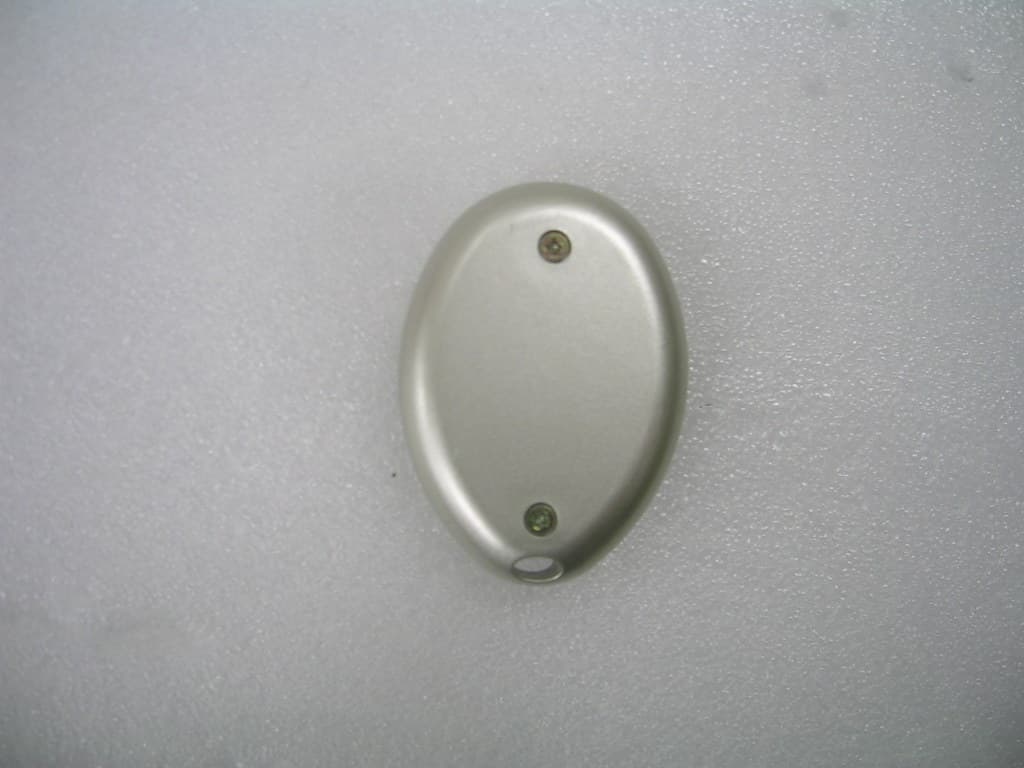
Click to zoom
Application Details
- Equipment Class
- DSR - Part 15 Remote Control/Security Device Transceiver
- Date of Grant
- Mar 20, 2006
- Application Purpose
- Original Equipment
- Date of Application
- Mar 20, 2006
- Equipment Note
- R/C FOR FINGERPRINT IDENTIFICATION DOORLOCK
- Frequency Range
- 447.77500000 - 447.77500000
- Company
- Easyintech Co Ltd
- Country
- South Korea
Documents & Files
Document Text
Text extracted from the exhibit documents filed with the FCC. Open a document above to read the original.
Users Manual
Guide to system operations A musical tune indicates the successful completion of each operation. - How to register or delete a user's fingerprint (Register twice fingerprint certainly) . Registering a selected fingerprint: Push the REG button about 1 second gently until hearing a short tune of 'Peek'. Push the # button. While the red LED indicator lights on, place your finger on the sensor (for 0.5-t. 0 seconds), on hearing a short tune of 'Peek' promptly lift and place simply again the finger on the sensor within the sensor housing until hearing musical tune of 'Peerlr1ng'. Retry when not hearing musical tune. . Deleting a selected fingerprint: Push the DEL button about 1 second until hearing 'Peek' tune -- Push the # button .. Place the finger on the sensor once and hear musical tune. - How to register or delete a password .Registeringapassword: Push the DEL button. Push the *button. Enter the desired number(4 -12 digits) to register- Push the # button. . Deleting a password: Push the DEL button - Push the *button - Press the password number you want to delete - Push the # button . Registering new password surely: Enter the desired number (4_12 digits) to register, Previous password of '123' must be replaced by new password automatically. . After registering the new password, you must check that the former password of '123' was successfully deleted. - How to register or delete a remote control . Registering a remote control: Push the REG button _ Push the open button_Usearemote control you want to register. . Deleting a remote control: Push the DEL button _ Push the open button - Use the remote control you want to delete. . Complete deletion and resetting . Push the reset button _ Push the DEL button about 3 seconds, hear 'Peek' tune and 'Peer1rlng' tune at Interval of 2 seconds - Deletion and resetting completed . Once you'Ve completed resetting the system, all the information stored previously must be deleted, and the password should be set to '123' automatically. . Warning alarm cancellation . Fingerprint - Push the # button - Place the registered finger on the sensor (Musical tune) . Password _ *button_Enter registered password_# button (Musical tune) . Selecting the Manual Mode (When the door is open for a long period of time.) . Setting (Manual Mode) : Push the open button about 2 seconds. You will hear a musical tune when the setting is complete. . Canceling (Automatic Mode) : Push the reset button. When the canceling is complete, you will hear a musical tune. . Selecting security mode function (When you plan to leave the house for a long period of time.) . Selecting the security mode; Push the START button about 2 seconds. You will hear a musical tune when the setting Is complete. . Canceling the security mode; Use the registered password, fingerprint, or remote control. (Musical tune) .No signal comes on sensor when you push START button. . Push the reset button _ Wait about 1 second _ Push the START buton. Table of contents 1. Features 2. Specifications 3. Names of product parts 4. How to install a doorlock 5. How to register a user 6. How to delete a user 7. How to open/lock the doorwith a registered fingerprint 8. How to open/lock the door with a registered password 9. How to open/lock the door with a registered remote control 10. How to change the operating mode to automatic (When the door is open for a long period of time.) 11. How to select the safety mode ( When you leave the house for a long period of time.) 12. How to select the lock/unlock mode 13. How to change the battery 14. intrusion warning alarm system 15. Troubleshooting 16. Problems with fingerprints 17. Compensation guidelines on defect and damage 18. How to input fingerprint 19. How to improve decreased recognition rate due to direct sunlight Features oBack-up password system You may register up to 10 passwords, each ranging from 4 to 12 digits. oThe use of multiple wireless RF remote controls Up to 10 remote controls can be used for larger areas. oTo eliminate or add users You can eliminate or add users. It is even possible to turn back the system to it's initial state and register a new password when you want to change all the users or in the event of moving. oLosing the remote control not to effect security When one or more of the remote controls are lost, resetting the remaining remote controls will deactivate the lost ones. oAutomatic locking function The sensor will automatically lock the door within 3 seconds upon the closing of the door. oAlarm system for forced door entry The alarm will go off when a door is forced open by an unauthorized person. oSecurity lock function The security lock prevents break-ins through doors with small openings. oBattery change notification alarm system When it becomes time to change the battery, the alarm will go off six times and a blue light on the lower part of the keypad will blink three times. This warning system will go off until the battery dies, therefore it is recommended to change the battery within a week. oSecurity lock mode(Complete security function) When all the users are inside, you can deactivate the unit by turning the knob to the lock position. After this procedure, the door cannot be opened in any way from the outside. oManual mode selecting function (Whenthe door is openfor a long periodof time,) Youmayselect the manual mode when the door is frequently used due to various activities. oEmergency power supply for energy failure When you have failed to replace the battery on time, you can open the door with your fingerprint or password while connecting a rectangular type 9V battery to the emergency 9V Battery power terminal located on the upper part of the keypad. Specifications Part and AccessoriesSpecificationNotes Finger print capture typeCMOS Optical Dimensions Outside 4D(D) x 80 (W) x 290 (H) Zinc Die casting [1.6" (D) x 3.1"(w) x 11.4"(H)] Inside 35 (D) X 80 (W) X 290 (H) ASS plastic [1.4'(D) x3.1·(W) x 11.4'(H)] Door handleAI Die casting Remote…
Text truncated - open the document above for the full version.
Cover Letter(s)
Federal Communications CommissionDate :, 2006 7135 Oakland Mills Road Columbia, Maryland 21046 Subject: Request for withholding from public disclosure of Easyintech Co. Ltd, documents held as IP. Gentlemen: We at Easyintech Co Lt,d, Samsungfire B/D 16F, 2-1 Beomeo-dong, Suseong-gu, Daegu, 706-010, Kor ,wouldliketorequestthatthe Schematics, Block Diagram and Theory of Operation submitted with the application for certification be withheld from public disclosure as per Section 0.459 of the FCC Rules. This request is made under the provisions of Section 0.457 (d) of the FCC Rules and Section 552 (b)(4) of the Freedom of Information Act. These sections authorize a withholding from public inspection materials, whichwould be privileged as a matter of law if retained by the person submitting them, and materials which would not customarily be released to public by that person. If you have my questions, please do not hesitate to contact us at (053)759-7766 Sincerely yours, ------------------------ Jong-cheul Park President Easyintech Co Lt,d
External Photos
KOREA EMC LABORATORY Page 1 of 1 KEL06-F02058 FCC ID: T3EERX-7100PR -External Photos of EUT
ID Label/Location Info
FCC ID Label Sample & Location Label is attached on the rear panel The label shown shall be permanently affixed at the conspicuous location on the device and be readily visible to the user at the time of purchase. LABEL SAMPLES 25 mm 10 mm Easyintech Co Ltd FCC ID : T3EERX-7100PR
Internal Photos
KOREA EMC LABORATORY Page 1 of 2 KEL06-F02058 FCC ID: T3EERX-7100PR -Internal Photos of EUT KOREA EMC LABORATORY Page 2 of 2 KEL06-F02058 FCC ID: T3EERX-7100PR
Parts List/Tune Up Info
<Part List> Part Name Spec EA Location No. comments Capacitor 104 PF (1608) 4 C2,8,16,22 6 PF 2 C3.19 103 PF 3 C4,10,23 7 PF 2 C5,21 8PF 2 C6,9 1PF 1 C7 150 PF 1 C13 102 PF 1 C14 472 PF 1 C15 3 PF 2 C11,17,20 2PF 1 C18 Diode KV 1832C(2012) 1 D1 Capacitor 15PF 1 C12 ANT 1 E1 ITF 4485 1 F1 CON 2032(밧데리) 1 2032 홀더 1 Inductor 12 nH (2012) 4 L1,2,4,9 100 nH 3 L5,6,7 680 nH 1 L8 LED RED 3MM 1 TR C3356 2 Q1,5 BFR 92A 1 Q2 KTA 1504 2 Q3,7 KTC 3875 2 Q4,6 Resistance 47K 4 R1,6,12,20 47 1 R2 68K 2 R3 100 1 R4 15K 2 R5,15 1K 2 R7,13 10K 3 R8,9,16 6.8K 1 R17 10 1 R14 3.3K 2 R10,11,19 수:3 220 1 R18 S/W T/S.W 1 S Trimmer 20 PF(MURATA) 1 TC1 Led 고무받침대 1 IC AT12V-1SC 1 U1 X-TAL 49MHz 1 X1
Test Report
KOREA EMC LABORATORY Page 1 of 11 KEL06-F02058 FCC ID: T3EERX-7100PR Certificate of Compliance Test Report No. KEL06-F02058 Applicant Easyintech Co., Ltd. Applicant Address Samsungfire B/D 16F, 2-1 Beomeo-dong, Suseong-gu, Daegu, 706-010, South Korea Manufacturer Easyintech Co., Ltd. Manufacturer Address Samsungfire B/D 16F, 2-1 Beomeo-dong, Suseong-gu, Daegu, 706-010, South Korea Product Type Remote controller for fingerprint Identification Doorlock FCC ID T3EERX-7100PR Model No. ERX-7100PR Incoming Date Feb 28, 2006 Date of Issue Mar 16, 2006 Location of Testing KOREA EMC LABORATORY 390 Bora-dong, Giheung-gu, Yongin-si, Gyeonggi-do, South Korea 446-904 Test Procedure ANSI C63.4 / 2003 Test Specification FCC Title 47, Part 15 Subpart C Equipment Class DSR – Part 15 Remote Control / Security Device Transceiver Test Result The above-mentioned device has been tested and passed. Additional Information Test report(Verification) of Receiver portion of this unit is issued on Report No.KEL06-F02056 Tested & Reported by Chang-Min, Moon Approved by Su-Gil, Moon 2006. 03. 16 2006. 03. 16 Signature Date Signature Date Other Aspects: Abbreviations: · OK, Pass = passed · Fail = failed · N/A = not applicable ☞ •This test report is not permitted to copy partly without our permission. •This test result is dependent on only equipment to be used. •This test result is based on a single evaluation of one sample of the above mentioned. •We certify that this test report has been based on the measurement standards that is traceable to the national or International standards. KOREA EMC LABORATORY Page 2 of 11 KEL06-F02058 FCC ID: T3EERX-7100PR >> CONTENTS << 1. GENERAL .................................................................................................3 2. TEST SITE ................................................................................................3 2.1 Location ................................................................................................. 3 2.2 List of Test and Measurement Instruments ............................................... 4 2.3 Test Date ................................................................................................ 4 2.4 Test Environment .................................................................................... 4 3. DESCRIPTION OF THE EQUIPMENT UNDER TEST ..................................5 3.1 Rating and Physical Characteristics ........................................................... 5 3.2 Equipment Modifications .......................................................................... 5 3.3 Submitted Documents ............................................................................. 5 4. MEASUREMENT CONDITIONS .................................................................6 4.1 Description of test configuration .............................................................. 6 4.2 List of Peripherals .................................................................................... 6 4.3 Type of used Cables ................................................................................ 6 4.4 Uncertainty ............................................................................................. 6 5. TEST AND MEASUREMENTS ....................................................................7 5.1 ANTENNA REQUIREMENT ................................................................7 5.1.1 Regulation ........................................................................................ 7 5.1.2 Result .............................................................................................. 7 5.2 OCCUPIED BANDWIDTH / Dwell Time ............................................8 5.2.1 Regulation ........................................................................................ 8 5.2.2 Test Procedure .................................................................................. 8 5.2.3 Test Results ...................................................................................... 8 5.3 RADIATED EMISSIONS ..................................................................10 5.3.1 Regulation ...................................................................................... 10 5.3.2 Test Procedure ................................................................................ 10 5.3.3 Test Results .................................................................................... 11 Appendix - Test Set-up Photos - External Photos of EUT - Internal Photos of EUT KOREA EMC LABORATORY Page 3 of 11 KEL06-F02058 FCC ID: T3EERX-7100PR 1. GENERAL These tests were performed using the test procedure outlined in ANSI C63.4, 2003 for intentional radiators, and in accordance with the limits set forth in FCC Part 15.231 for Remote Control / Security Device Transceiver. The EUT (Equipment Under Test) has been shown to be capable of compliance with the applicable technical standards. We attest to the accuracy of data. All measurements reported herein were performed by KOREA EMC LABORATORY and were made under Chief Engineer’s supervision. We assume full responsibility for the completeness of these measurements and vouch for the qualifications of all persons taking them. 2. TEST SITE KOREA EMC LABORATORY 2.1 Location 390 Bora-dong, Giheung-gu, Yongin-si, Gyeonggi-do, South Korea 446-904 This test site is in compliance with ISO/IEC 17025 for general requirements for the competence of testing and calibration laboratories. KOREA EMC LABORATORY Page 4 of 11 KEL06-F02058 FCC ID: T3EERX-7100PR 2.2 List of Test and Measurement Instruments Description Manufacturer Model # Serial # Spectrum Analyzer Advantest R3273 110600584 Spectrum Analyzer H.P 8560E 3517A01551 Modulation Analyzer H.P 8901B 3438A05241 Audio Analyzer H.P 8903B 3011A08331 Frequency Counter EIP Microwave 28B 9205-004723 CDMA Mobile StationTest Set H.P 8924C US37261566 Digital Oscilloscope Tecktronics TDS380 B011855 Digital Multimeter Fluke 8842A 6585251 Test Receive…
Text truncated - open the document above for the full version.
Test Setup Photos
KOREA EMC LABORATORY Page 1 of 1 KEL06-F02058 FCC ID: T3EERX-7100PR -Test Set-up Photos
Contact Information
Applicant
Jin-ook Lee(Manager)
Test Firm
Korea EMC Laboratory Co., LtdMan-sung Cho
Technical Specifications
| # | Rule Parts | Frequency Range | Power Output |
|---|---|---|---|
| 1 | 15.231 | 447.775 MHz - 447.775 MHz | - |
Other Applications from Easyintech Co Ltd
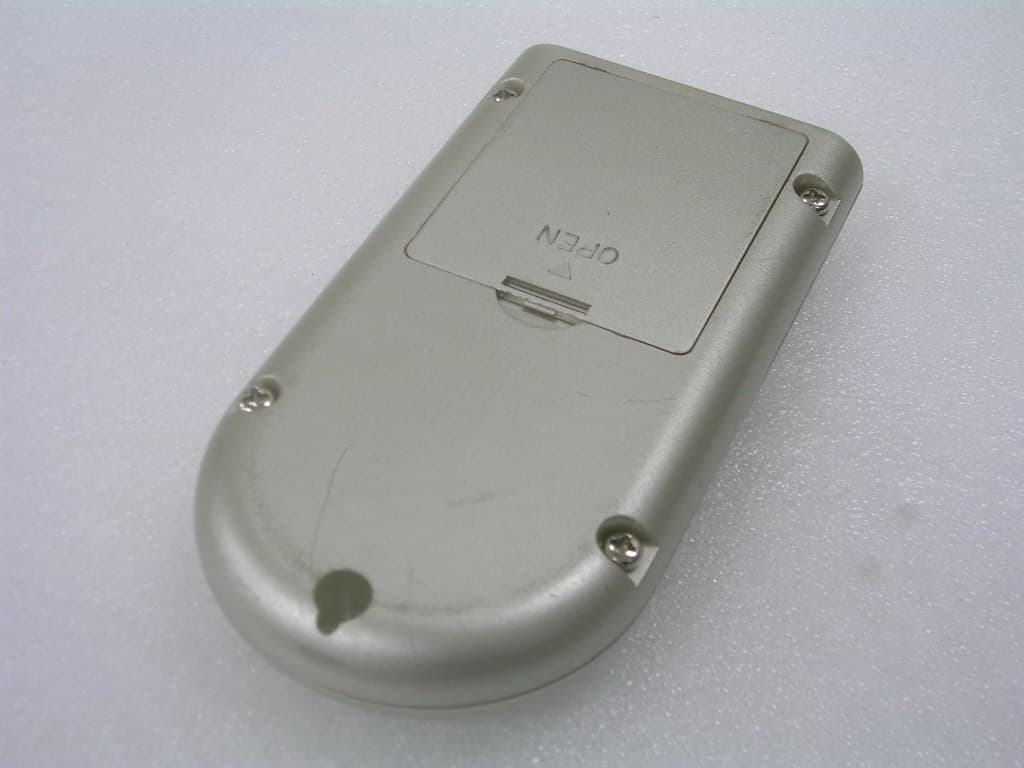
T3EERX-7100HR
Mar 20, 2006R/C FOR FINGERPRINT INDENTIFICATION DOORLOCK
Equipment Class
DSR - Part 15 Remote Control/Security Device Transceiver