TQ8-AVC31B2ANDIGITAL CAR AVN SYSTEM
HYUNDAI MOBIS CO., LTD.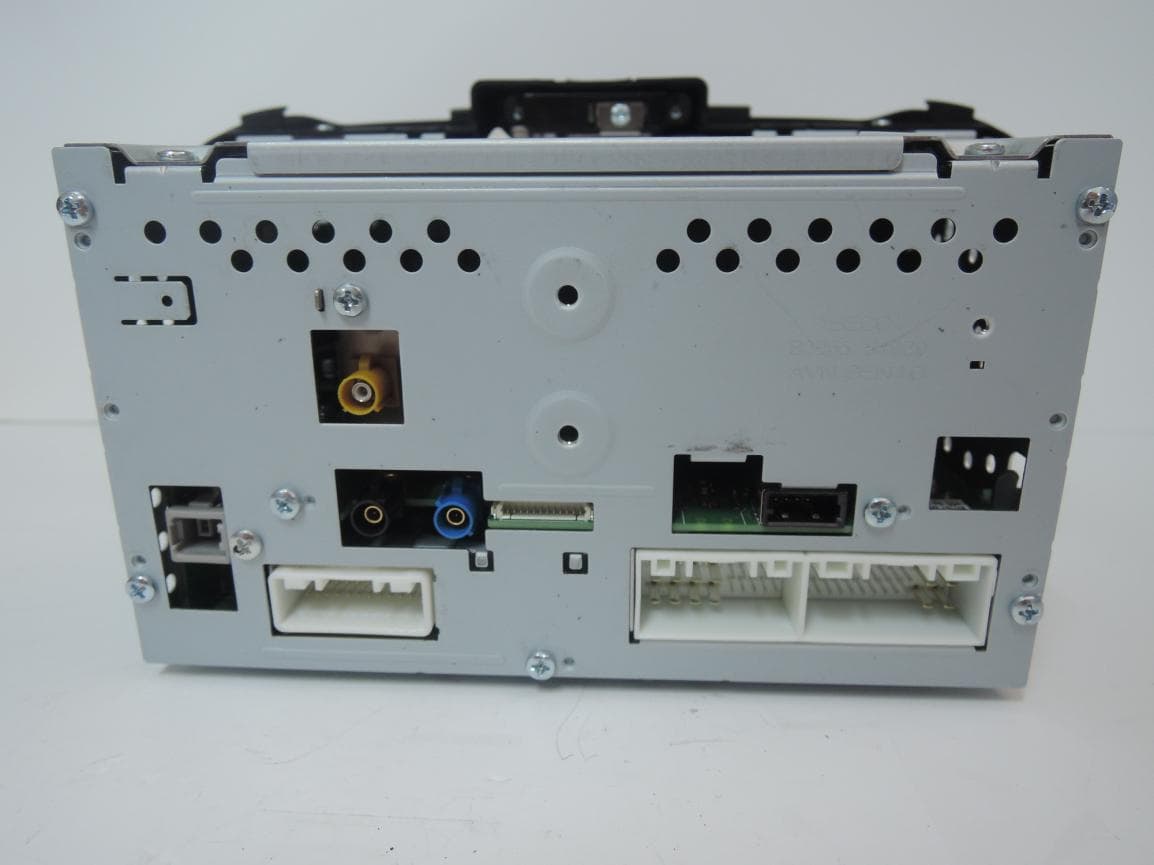
Click to zoom
Application Details
- Equipment Class
- DTS - Digital Transmission System
- Date of Grant
- Mar 06, 2014
- Application Purpose
- Original Equipment
- Date of Application
- Mar 06, 2014
- Equipment Note
- DIGITAL CAR AVN SYSTEM
- Frequency Range
- 2412.00000000 - 2462.00000000
- Company
- HYUNDAI MOBIS CO., LTD.
- Country
- South Korea
Documents & Files
Document Text
Text extracted from the exhibit documents filed with the FCC. Open a document above to read the original.
Users Manual
CAR MULTIMEDIA SYSTEM l USER'S MANUAL CAR MULTIMEDIA SYSTEM l USER'S MANUAL B2END08 Thank you for purchasing this multimedia system. This user's manual e xplains how to use the KIA Motor multimedia system. Before using the product, read the con- tents of this user's man ual carefully and use this product safely. • The screens shown in this manual may differ with the actual screens of the product. • The design and specification of this product may change without prior notifi- cation for product improvement. • When transferring the vehicle to another individual, include this user's manual so that the next driver can continue its use. Precaution for safe usage • Driving while distracted can result in a loss of vehicle control, that may lead to an accident, severe personal injury, and death. The driver’s primary responsibil- ity is in the safe and legal operation of a vehicle, and use of any handheld devices, other equipment, or vehicle systems which take the driver’s eyes, attention and focus away from the safe operation of a vehicle or which are not permissible by law should never be used during operation of the vehicle. • Do not operate the multimedia system while driving. • Do not disassemble, assemble, or modify the multimedia system. • Do not watch the screen for prolonged periods of time while driving. • Set the volume to a level which allows the driver to be aware of external conditions. • Do not operate the multimedia system for prolonged periods of time with the vehicle ignition in ACC. Such operations may lead to battery discharge. • Be cautious not to spill water or introduce foreign objects into the device. • Do not cause severe shock to the device. Direct pressure onto the front side of the monitor may cause damage to the LCD or touch panel. • In case of product malfunction, please contact your place of purchase or service center. • When cleaning the touch screen, make sure to turn off the device and use a dry and smooth cloth. Never use tough materi- als, chemical cloths, or solvents (alcohol, ammonia, benzene, thinners, etc.) as such materials may damage the device panel or cause color and quality deterioration. All Map Database cannot be copied without permission. Important Notice: This is protected by U.S. copyright laws. All rights not expressly granted are reserved. You may not otherwise reproduce, modify, and distribute the content without M&Soft, Inc's prior written consent. • SiriusXM service requires a subscrip- tion, sold separately, after 3-month trial included with vehicle purchase. If you decide to continue your SiriusXM ser- vice at the end of your trial subscription, the plan you choose will automatically renew and bill at then-current rates until you call Sirius XM at 1-866-635-2349 to cancel. See our Customer Agreement for complete terms at www.siriusxm. com. Programming subject to change. Sirius satellite service is available only to those at least 18 and older in the 48 contiguous USA, D.C., and PR (with coverage limitations). Traffic informa- tion not available in all markets. See siriusxm.com/traffic for details. Sirius, XM and all related marks and logos are trademarks of Sirius XM Radio Inc. WARNING • Driving while distracted can result in a loss of vehicle control that may lead to an accident, severe personal injury, and death. The driver’s primary responsibil- ity is in the safe and legal operation of a vehicle, and use of any handheld devices, other equipment, or vehicle systems which take the driver’s eyes, attention and focus away from the safe operation of a vehicle or which are not permissible by law should never be used during operation of the vehicle. • Infinity is a trademark of Harman International Industries, Inc. • At launch, the Apple iPhone ® will be the only UVO eServices compatible device. iPhone ® is a registered trademark of Apple Inc. Apple iOS6 compatibility expected early 2013. Additional compat- ible devices expected late 2013. • App Store is a service mark of Apple Inc. No charge for the UVO eServices app. App runs on your smartphone cellular data service. Normal data rates will apply. • HD Radio™ and the HD Radio™ logo are proprietary trademarks of iBiquity Digital Corporation. • 24-hour Roadside Assistance is a service plan provided by Kia Motors America, Inc. Certain limitations apply. Coverage details are available in the Kia Warranty and Consumer Information Manual. For access to Enhanced Roadside Assistance, a connected mobile phone via Bluetooth within the cellular service coverage area is required. • Vehicle Diagnostics do not take the place of regularly scheduled maintenance. Feature checks powertrain, chassis, and airbag systems only. For factory-recom- mended maintenance schedule, see the Maintenance Feature of UVO eServices or the Owner’s Manual. • 911 Connect activates after an airbag deployment. Feature requires a con- nected mobile phone via Bluetooth. Dependant on cellular service coverage. • The rear-camera display is not a substitute for proper and safe backing-up proce- dures. The rear-camera display may not display every object behind the vehicle. Always drive safely and use caution when backing up. Read the following safety cautions for your safety. Before using the product, read the contents of this user's manual carefully and use this product safely. The design and specifi cation of this product may change without prior notifi cation for product improvement. For more information on open licenses and legal notices, refer to the website below. http://www.mobiszone.co.kr/front/mall/jsp/manual/avn_ download_ center_manual.jsp Notations used within this User's Manual WARNING • Failure to observe the instructions within this category could result in damage to the vehicle. CAUTION • Information on matters that could potentially lead to injury or vehicle damage/malfunction Information that could lead to higher user safety i Information • Information and tips that provide additional user convenience in using the prod…
Text truncated - open the document above for the full version.
Users Manual
Start up Pandora Radio Mode Quick Guide SiriusXM™ Data part.7 Info 07 7-2 I Info Start Up Press the INFO key on head unit to enter the information screen. The screen is com- posed of : “Pandora” to listen to Pandora Radio by connecting a smart phone; “Quick Guide” to provide information about how to controls and major functions; “Climate” to show air-conditioning and heating information for the car; “SiriusXM Data” to show weather, traffic, stock, gas station, spor ts, and mo vie information pro- vided by SiriusXM™ Travel Link. Pandora Radio Mode Pandora Radio Mode Press the “Pandora” icon after selecting All Menus or the Info hard-key to enter Pandora Radio mode. Info Pandora Radio Mode I 7-3 07 Pandora Radio Mode Screen Controls NameDescription ModeDisplays currently operating mode. Station InfoShows the station name currently playing. Track InfoShows the artist/title information currently playing. Play TimeDisplays the current play time. Thumb up If you like the genre of the music currently playing, press this button to send a "Thumb Up" signal to Pandora so that more similar music will play. Thumb Down If you don't like the music currently playing, press this button to move to the next music and to min- imize the number of playbacks of similar genre music. You can move to next song up to specific times which pandora allows Play/PausePlays/pauses the current song SKIP Moves to the next track You can move to next song up to specific times which pandora allows Station ListMoves to the station list screen. 7-4 I Info NameDescription Menus Bookmark Track Adds the music currently playing to the book- marks list. Bookmark Artist Adds the artist of the music currently playing to the bookmarks list. You can view your bookmarked artists and songs from your Pandora profile online. Go to pandora.com, then click on the “Your Profile” button above the player. That will bring up a page with your stations, bookmarked artists, and bookmarked songs. SEEK/ TRACK Press briefly to play the next song. TUNE Rotate the TUNE knob to search for a station. Press the TUNE knob to play the station when you find the name that you want. Pandora Radio Mode I 7-5 07 NameDescription Current Station Shows the name of the station currently displayed. PreviousSwitches to the play mode screen. Shuffle Shuffling your stations provides a more diverse mix of music by r andomly playing songs from the stations in your list. Search Menu Sorts stations by the items in the menu. A-Z: Sorts stations in alphabetical order. By Date: Sorts stations in the order they were generated. SEEK/ TRACK Press briefly to play the next song. TUNE Rotate the TUNE knob to move to the previ- ous/next list. Press the TUNE knob to play a selected file. 7-6 I Info Quick Guide Quick Guide informs you of the basic con- trols of AVN and how to enter the main modes. Use it to learn general controls when using AVN for the first time. Quick Guide screens might be different from those of AVN. Touch C ontrol Select All Menus or My Menu from the Home screen, followed by ▶ Quick Guide and then ▶ Touch Control . Home Select All Menus or My Menu from the Home screen, followed by ▶ Quick Guide and then ▶ Home . NameDescription Press and Hold Describes the function to fast-forward media that is playing. Drag Describes how to move the slide ball while playing media. Swipe Describes how to move to the next/previous screen. Double- Ta p Describes how to maximize/ minimize the size of photos. NameDescription Home Screen Describes various func- tions for the Home screen. Add/Remove My Menu Items Describes how to edit the Menu screen with fre- quently-used features. 07 Quick Guide I 7-7 Bluetooth Select All Menus or My Menu from the Home screen, followed by ▶ Quick Guide and then ▶ Bluetooth . Voice Recognition Select All Menus or My Menu from the Home screen, followed by ▶ Quick Guide and then ▶ Voice Recognition . NameDescription What is Bluetooth Handsfree? Descr ibes Bluetooth hands- free. What is Bluetooth A udio? Describes Bluetooth Audio streaming. Connect Descr ibes how to connect the v ehicle and a smart- phone with Bluetooth. Download Contacts Describes how to download contacts from a smart- phone. NameDescription Use Bluetooth Phone Describes how to use the hands-free call function with Bluetooth. Use Audio Streaming Describes how to configure Bluetooth for audio stream- ing. Bluetooth Auto- Connect Describes how to automat- ically connect Bluetooth devices NameDescription Start Describes how to run vari- ous functions by with voice commands. Verify Commands Describes how to change frequently-used commands with the help function. Press Speech Balloon Describes speech balloon functions. Select Items Describes how to select items with many lists. 7-8 I Info SiriusXM™ Data About SiriusXM™ Data ServiceAbout SiriusXM™ Data Service The SiriusXM™ Data Service is a paid membership Satellite radio service which provides users with traffic, stock, sports, and weather information. However, weather information is not sup- ported for vehicles purchased in Canada. Accessing SiriusXM™ Data Press the “SiriusXM Data” icon after selecting All Menus or the INFO hard-key to enter the SiriusXM™ Data mode. SiriusXM™ Weather Announcement At the “SiriusXM Data” screen, press the “Weather” icon to enter the Weather Announcement mode. 07 SiriusXM™ Data I 7-9 Weather Forexcast This service provides current weather information and weather forecasts for the next five days in your region. To change the region, press the Other City button and select the desired region. Warnings and Advisories This service provides weather warn- ings and advisories, such as tornado, storm, Floodflood, etc. as symbols on the Navigation map. SiriusXM™ Traffi c Information At the “SiriusXM Data” screen, press the “Traffic” icon to enter the Traffic Announcement mode. 7-10 I Info SiriusXM™ Fuel Price Information At the “SiriusXM Data” screen, press the “Fuel Prices” icon to enter the Fuel Prices Information mod…
Text truncated - open the document above for the full version.
Cover Letter(s)
HYUNDAI MOBIS Co., Ltd. 203 Teheran-ro, Gangnam-gu, Seoul, Korea, 135-977 Date: February 24, 2014 Letter of Authorization We, the undersigned, hereby authorize Harvey Sung of Digital EMC Co., Ltd. to act on our behalf in all manners relating to application for equipment authorization for FCCID: TQ8-AVC31B2AN including signing of all documents relating to these matters. Any and all acts carried out by Harvey Sung of Digital EMC Co., Ltd. on our behalf shall have the same affect as acts of our own. This authorization is valid until further written notice from HYUNDAI MOBIS Co., Ltd. . “I, the undersigned, hereby certify that we are not subject to a denial of federal benefits, that includes FCC benefits, pursuant to Section 5301 of the Anti-Drug Abuse Act of 1988, 21 U.S.C. 853(a).” Sincerely, Seung Hoon Choe Manager
Cover Letter(s)
HYUNDAI MOBIS Co., Ltd. 203 Teheran-ro, Gangnam-gu, Seoul, Korea, 135-977 Date: February 24, 2014 Compliance Certification Services Certification Division 47173 Benicia Street Fremont, CA 94538, USA To whom it may concern: I, the undersigned, hereby authorize Ms. Claire Hoque/Application Examiner of Compliance Engineering Services, Inc., d.b.a. Compliance Certification Services and hereafter referred to as CCS, to act on our behalf in all manners relating to application for equipment authorization, including signing of all documents relating to these matters. Any and all acts carried out by Ms. Claire Hoque of CCS on our behalf shall have the same effect as acts of our own. In authorizing CCS as our agent, we still recognize that we are responsible to: a) comply with the relevant provisions of the certification program; b) make all necessary arrangements for the conduct of the evaluation, including provision for examining documentation and access to all areas, records (including internal audit reports) and personnel for the purposes of evaluation (e.g. testing, inspection, assessment, surveillance, reassessment) and resolution of complaints; c) make claims regarding certification only in respect of the scope for which certification has been granted; d) do not use our product certification in such a manner as to bring the Certification Division into disrepute and not make any statement regarding our product certification which the Certification Division may consider misleading or unauthorized; e) upon suspension or cancellation of certification, discontinue use of all advertising matter that contains any reference thereto and return any certification documents as required by the Certification Division; f) use certification only to indicate the products are certified as being in conformity with specified standards; g) endeavor to ensure that no certificate or report nor any part thereof is used in a misleading manner;
Cover Letter(s)
HYUNDAI MOBIS Co., Ltd. 203 Teheran-ro, Gangnam-gu, Seoul, Korea, 135-977 Date: February 24, 2014 Compliance Certification Services Certification Division 47173 Benicia Street Fremont, CA 94538, USA RE: Request of Confidentiality for FCCID: TQ8-AVC31B2AN To Whom It may Concern: Pursuant to Sections 0.457 and 0.459 of the Commission`s Rules(CFR 47), and Section 552 (b) (4) of the Freedom of Information Act, HYUNDAI MOBIS Co., Ltd. hereby requests confidentiality and treatment of certain information accompanying this application. The materials contain trade secrets and proprietary information not customarily released to the public. The public disclosure of these matters might be harmful to the Applicant and provide unjustified benefits to its competitors. We are also hereby request Short-Term Confidentiality for 180 days after the grant as outlined in Public Notice DA 04-1705. This provision will give HYUNDAI MOBIS Co., Ltd. temporary confidentiality of commercially sensitive information prior to product release. The requested permanent and Short-Term Confidential exhibits are listed as follows: PERMANENT & SHORT-TERM CONFIDENTIAL LIST Exhibit Description PERMANENT 1 Block Diagram 2 Schematics 3 Part Lists 4 Operation Description SHORT-TERM 5 Internal Photos 6 External Photos 7 Test-Setup Photos 8 User Manual The Applicant understands that pursuant to Rule 0.457, disclosure of this application and all accompanying documentations, where applicable, will not be public before the date of the Grant for this application. Sincerely, Seung Hoon Choe Manager
External Photos
FCCID: TQ8-AVC31B2AN Copyright Ⓒ 2014, Digital EMC Co., Ltd. Page 1 / 3 View 1 FCCID: TQ8-AVC31B2AN Copyright Ⓒ 2014, Digital EMC Co., Ltd. Page 2 / 3 View 2 FCCID: TQ8-AVC31B2AN Copyright Ⓒ 2014, Digital EMC Co., Ltd. Page 3 / 3 View 3
ID Label/Location Info
FCC ID: TQ8-AVC31B2AN Copyright Ⓒ 2014, Digital EMC Co., Ltd. SAMPLE LABEL & LOCATION LABELLING REQUIREMENTS The Label shown shall be permanently affixed at a conspicuous location on the device and be readily visible to the user at the time of purchase Label locate Top side This device complies with Part 15 of the FCC Rules. Operation is subject to the following two conditions: 1) This device may not cause harmful interference, and 2) This device must accept any interference received, including interference that may cause undesired operation of the device. - The FCC label shown is representative of the label that will appear on the radio when in production. Other information may also be included on this label.
Internal Photos
FCCID: TQ8-AVC31B2AN Copyright Ⓒ 2014, Digital EMC Co., Ltd. View 1 FCCID: TQ8-AVC31B2AN Copyright Ⓒ 2014, Digital EMC Co., Ltd. View 2 FCCID: TQ8-AVC31B2AN Copyright Ⓒ 2014, Digital EMC Co., Ltd. View 3 FCCID: TQ8-AVC31B2AN Copyright Ⓒ 2014, Digital EMC Co., Ltd. View 4 FCCID: TQ8-AVC31B2AN Copyright Ⓒ 2014, Digital EMC Co., Ltd. View 5 FCCID: TQ8-AVC31B2AN Copyright Ⓒ 2014, Digital EMC Co., Ltd. View 6 FCCID: TQ8-AVC31B2AN Copyright Ⓒ 2014, Digital EMC Co., Ltd. View 7 FCCID: TQ8-AVC31B2AN Copyright Ⓒ 2014, Digital EMC Co., Ltd. View 8 FCCID: TQ8-AVC31B2AN Copyright Ⓒ 2014, Digital EMC Co., Ltd. View 9 FCCID: TQ8-AVC31B2AN Copyright Ⓒ 2014, Digital EMC Co., Ltd. View 10 FCCID: TQ8-AVC31B2AN Copyright Ⓒ 2014, Digital EMC Co., Ltd. View 11 FCCID: TQ8-AVC31B2AN Copyright Ⓒ 2014, Digital EMC Co., Ltd. View 12 FCCID: TQ8-AVC31B2AN Copyright Ⓒ 2014, Digital EMC Co., Ltd. View 13 FCCID: TQ8-AVC31B2AN Copyright Ⓒ 2014, Digital EMC Co., Ltd. View 14 FCCID: TQ8-AVC31B2AN Copyright Ⓒ 2014, Digital EMC Co., Ltd. View 15 FCCID: TQ8-AVC31B2AN Copyright Ⓒ 2014, Digital EMC Co., Ltd. View 16 FCCID: TQ8-AVC31B2AN Copyright Ⓒ 2014, Digital EMC Co., Ltd. View 17 <BT Antenna> <WLAN Antenna>
RF Exposure Info
-~ - -±&dBm ) - - The MPE calculation for this exposure is shown below. ▪=+- =+ == - ▪S=- = = MPE Calculations(WLAN: 802.11b) dBmMin.16.5 Frequency range :2412MHz2462MHz EIRP = Equivalent Isotropic Radiated Power(mW) 188.365mW Maximum output power for the calculatio 18.50 P = Power input to the antenna(dBm) 22.75dBm dBm The EUT will only be used with a separation of 20 centimeters or greater between the antenna and the body of the TQ8-AVC31B2ANHYUNDAI MOBIS Co., Ltd. Target Power & Tolerance :17.50dBm1dB (Max.18.5 - FCCID: R = Distance to the center of the radiation of the antenna(20cm) Conclusion : The exposure condition of this device is compliant with FCC rules. The maximum permissible exposure(MPE) of the general population/Uncontrolled for this device is 1.0 mW/cm 2 . S = Maximum power dencity(mW/cm 2 ) 0.037475 mW/cm 2 / ( 4 X 20 2 X π ) 188.365 G = Power gain of the antenna(dBi) Power density at the specific separation EIRP / ( 4 R 2 π ) Note EIRPPGNote 18.50dBm4.25dBi Measured RF output power 18.12dBm Maximum antenna peak gain :4.25dBi -~ - -±&dBm ) - - The MPE calculation for this exposure is shown below. ▪=+- =+ == - ▪S=- = = The maximum permissible exposure(MPE) of the general population/Uncontrolled for this device is 1.0 mW/cm 2 . MPE Calculations(WLAN: 802.11g) 0.094131 mW/cm 2 EIRP = Equivalent Isotropic Radiated Power(mW) R = Distance to the center of the radiation of the antenna(20cm) Conclusion : The exposure condition of this device is compliant with FCC rules. Power density at the specific separation EIRP / ( 4 R 2 π ) Note 473.152 / ( 4 X 20 2 X π )S = Maximum power dencity(mW/cm 2 ) P = Power input to the antenna(dBm) 26.75dBm473.152mWG = Power gain of the antenna(dBi) The EUT will only be used with a separation of 20 centimeters or greater between the antenna and the body of the EIRPPGNote 22.50dBm4.25dBi 20.5 Maximum antenna peak gain :4.25dBi Maximum output power for the calculatio 22.50dBm 1dB (Max.22.5dBmMin. Measured RF output power 22.34dBm Target Power & Tolerance :21.50dBm - FCCID: TQ8-AVC31B2ANHYUNDAI MOBIS Co., Ltd. Frequency range :2412MHz2462MHz -~ - -±&dBm ) - - The MPE calculation for this exposure is shown below. ▪=+- =+ == - ▪S=- = = The maximum permissible exposure(MPE) of the general population/Uncontrolled for this device is 1.0 mW/cm 2 . 0.066640 mW/cm 2 EIRP = Equivalent Isotropic Radiated Power(mW) R = Distance to the center of the radiation of the antenna(20cm) Conclusion : The exposure condition of this device is compliant with FCC rules. Power density at the specific separation EIRP / ( 4 R 2 π ) Note 334.966 / ( 4 X 20 2 X π )S = Maximum power dencity(mW/cm 2 ) P = Power input to the antenna(dBm) 25.25dBm334.966mWG = Power gain of the antenna(dBi) The EUT will only be used with a separation of 20 centimeters or greater between the antenna and the body of the EIRPPGNote 21.00dBm4.25dBi 19 Maximum antenna peak gain :4.25dBi Maximum output power for the calculatio 21.00dBm 1dB (Max.21dBmMin. Measured RF output power 20.57dBm Target Power & Tolerance :20.00dBm - FCCID: TQ8-AVC31B2ANHYUNDAI MOBIS Co., Ltd. MPE Calculations(WLAN: 802.11n HT20) Frequency range :2412MHz2462MHz -~ - -±&dBm ) - - The MPE calculation for this exposure is shown below. ▪=+- =+ == - ▪S=- = = The maximum permissible exposure(MPE) of the general population/Uncontrolled for this device is 1.0 mW/cm 2 . 0.000237 mW/cm 2 EIRP = Equivalent Isotropic Radiated Power(mW) R = Distance to the center of the radiation of the antenna(20cm) Conclusion : The exposure condition of this device is compliant with FCC rules. Power density at the specific separation EIRP / ( 4 R 2 π ) Note 1.188 / ( 4 X 20 2 X π )S = Maximum power dencity(mW/cm 2 ) P = Power input to the antenna(dBm) 0.75dBm1.188mWG = Power gain of the antenna(dBi) The EUT will only be used with a separation of 20 centimeters or greater between the antenna and the body of the EIRPPGNote 4.00dBm-3.26dBi 1 Maximum antenna peak gain :-3.26dBi Maximum output power for the calculatio 4.00dBm 1.5dB (Max.4dBmMin. Measured RF output power 3.8dBm Target Power & Tolerance :2.50dBm - FCCID: TQ8-AVC31B2ANHYUNDAI MOBIS Co., Ltd. MPE Calculations(Bluetooth) Frequency range :2402MHz2480MHz TQ8-AVC31B2AN ▪ Configurations for simultaneous operations 2.4GHz WLAN + Bluetooth ▪ The maximum power density in each RF function was used for abov e table. Note 1: RF Exposure Compliance for simultaneous operations HYUNDAI MOBIS Co., Ltd. RF function MODE Power Density (mW/cm 2 ) Configuration 1 OO 0.094367 0.09413 0.000237 2.4GHz 2.4GHz 2.4GHz 2.4GHz 0.037475 0.09413 0.06664 0.000237 802.11b 802.11g 802.11n (HT20) BT Total Power Density (mW/cm 2 ) Result - FCCID: - Configuration 1 :
Test Report
FCCID: TQ8-AVC31B2AN DEMC1401-00308 Report No.: DRTFCC1402-0284 TRF-RF-213(03)140220 Page2 / 51 Copyright ○ C 2014, Digital EMC Co., Ltd. Test Report Version Test Report No. Date Description DRTFCC1402-0284 Feb. 25, 2014 Initial issue FCCID: TQ8-AVC31B2AN DEMC1401-00308 Report No.: DRTFCC1402-0284 TRF-RF-213(03)140220 Page3 / 51 Copyright ○ C 2014, Digital EMC Co., Ltd. Table of Contents 1. GENERAL INFORMATION ........................................................ 4 2. EUT DESCRIPTION ................................................................... 4 3. SUMMARY OF TESTS ............................................................... 5 4. TEST METHODOLOGY ............................................................. 6 4.1 EUT CONFIGURATION ..................................................................................................... 6 4.2 EUT EXERCISE ................................................................................................................. 6 4.3 GENERAL TEST PROCEDURES ..................................................................................... 6 4.4 DESCRIPTION OF TEST MODES..................................................................................... 6 5. INSTRUMENT CALIBRATION ................................................... 7 6. FACILITIES AND ACCREDITATIONS ........................................ 7 6.1 FACILITIES ........................................................................................................................ 7 6.2 EQUIPMENT ...................................................................................................................... 7 7. ANTENNA REQUIREMENTS ..................................................... 7 8. TEST RESULT ........................................................................... 8 8.1 6dB Bandwidth ................................................................................................................. 8 8.2 Maximum Peak Conducted Output Power ................................................................... 15 8.3 Maximum Power Spectral Density ................................................................................ 17 8.4 Out of Band Emissions at the Band Edge / Conducted Spurious Emissions .......... 24 8.5 Radiated Spurious Emissions ....................................................................................... 43 8.6 Power-line Conducted Emissions ................................................................................ 48 8.7 Occupied Bandwidth ...................................................................................................... 49 9. LIST OF TEST EQUIPMENT .................................................... 50 APPENDIX I ................................................................................. 51 FCCID: TQ8-AVC31B2AN DEMC1401-00308 Report No.: DRTFCC1402-0284 TRF-RF-213(03)140220 Page4 / 51 Copyright ○ C 2014, Digital EMC Co., Ltd. 1. GENERAL INFORMATION Applicant : HYUNDAI MOBIS CO., LTD. Address : 203 Teheran-ro, Gangnam-gu, Seoul, Korea, 135-977 FCC ID : TQ8-AVC31B2AN EUT : DIGITAL CAR AVN SYSTEM Model : AVC31B2AN Additional Model(s) : N/A Data of Test : 2014-01-29 ~ 2014-02-19 Contact person : Seung Hoon Choe 2. EUT DESCRIPTION Product DIGITAL CAR AVN SYSTEM Model Name AVC31B2AN Power Supply DC 14.4 V Frequency Range 2.4GHz Band ▪ 802.11b/g/n(20MHz): 2412 MHz ~ 2462 MHz Max. RF Output Power 2.4GHz Band ▪ 802.11b: 18.12 dBm ▪ 802.11g: 22.34 dBm ▪ 802.11n (HT20): 20.57 dBm Modulation Type 802.11b: DSSS/CCK 802.11g/n: OFDM Antenna Specification Internal Antenna (1TX ,1RX) ▪ 2.4GHz Band Max. peak gain : 4.25 dBi FCCID: TQ8-AVC31B2AN DEMC1401-00308 Report No.: DRTFCC1402-0284 TRF-RF-213(03)140220 Page5 / 51 Copyright ○ C 2014, Digital EMC Co., Ltd. 3. SUMMARY OF TESTS FCC Part Section(s) RSS Section(s) Parameter Limit Test Condition Status Note 1 I. Transmitter Mode (TX) 15.247(a) RSS-210 [A8.2] 6 dB Bandwidth > 500 kHz Conducted C 15.247(b) RSS-210 [A8.4] Transmitter Output Power < 1Watt C 15.247(d) RSS-210 [A8.5] Out of Band Emissions / Band Edge 20 dBc in any 100kHz BW C 15.247(e) RSS-210 [A8.2] Transmitter Power Spectral Density < 8dBm / 3kHz C - RSS Gen [4.6.1] Occupied Bandwidth (99%) RSS-Gen(4.6.1) NA 15.205 15.209 RSS-210 [A8.5] General Field Strength Limits (Restricted Bands and Radiated Emission Limits) < FCC 15.209 limits Radiated C Note3 15.207 RSS-Gen [7.2.4] AC Conducted Emissions < FCC 15.207 limits AC Line Conducted NA Note2 15.203 - Antenna Requirements FCC 15.203 - C Note 1: C=Comply NC=Not Comply NT=Not Tested NA=Not Applicable Note 2: This device is installed in a car. Therefore the power source is a battery of car. Note 3: This test item was performed in each axis and the worst case data was reported. FCCID: TQ8-AVC31B2AN DEMC1401-00308 Report No.: DRTFCC1402-0284 TRF-RF-213(03)140220 Page6 / 51 Copyright ○ C 2014, Digital EMC Co., Ltd. 4. TEST METHODOLOGY Generally the tests were performed according to the KDB558074 v03r1. And ANSI C63.10-2009 was used to reference appropriate EUT setup and maximizing procedures of radiated spurious emission and AC line conducted emission testing 4.1 EUT CONFIGURATION The EUT configuration for testing is installed on RF field strength measurement to meet the Commissions requirement and operating in a manner that intends to maximize its emission characteristics in a continuous normal application. 4.2 EUT EXERCISE The EUT was operated in the engineering mode to fix the TX frequency that was for the purpose of the measurements. According to its specifications, the EUT must comply with the requirements of the Section 15.207, 15.209 and 15.247 under the FCC Rules Part 15 Subpart C. 4.3 GENERAL TEST PROCEDURES Conducted Emissions The power-line conducted emission test procedure is not described on the KDB 558074 v03r1. So this test was fulfilled with the requirements in Section 6.2 of ANSI C63.10. The EUT is placed on the turntable, which is 0.8 m above ground…
Text truncated - open the document above for the full version.
Test Setup Photos
FCC ID: TQ8-AVC31B2AN Copyright Ⓒ 2014, Digital EMC Co., Ltd. Test Setup photographs EUT Position: X-axis FCC ID: TQ8-AVC31B2AN Copyright Ⓒ 2014, Digital EMC Co., Ltd. Test Setup Photo of Radiated Measurement (0.009 ~ 30MHz) FCC ID: TQ8-AVC31B2AN Copyright Ⓒ 2014, Digital EMC Co., Ltd. Test Setup Photo of Radiated Measurement (below 1000MHz) FCC ID: TQ8-AVC31B2AN Copyright Ⓒ 2014, Digital EMC Co., Ltd. Test Setup Photo of Radiated Measurement (Above 1GHz)
Contact Information
Applicant
Seung Hoon Choe(Senior Engineer)
Test Firm
DT&C Co.,Changho Lee
Technical Specifications
| # | Rule Parts | Frequency Range | Power Output |
|---|---|---|---|
| 1 | 15C | 2.41 GHz - 2.46 GHz | 171.00 mW |
Other Applications from HYUNDAI MOBIS CO., LTD.
TQ8-FOB-4FC0M22
Sep 11, 2026FOB Smart Key
Equipment Class
DSC - Part 15 Security/Remote Control TransmitterTQ8-FOB-4FC0M44
Sep 10, 2026FOB Smart Key
Equipment Class
DSC - Part 15 Security/Remote Control TransmitterTQ8-FOB-4FC1U44
Jul 20, 2026FOB Smart Key
Equipment Class
DSC - Part 15 Security/Remote Control TransmitterTQ8-FOB-4FC1M44
Jul 08, 2026FOB Smart Key
Equipment Class
DSC - Part 15 Security/Remote Control TransmitterTQ8-FOB-4FC0U22
Jun 17, 2026FOB Smart Key
Equipment Class
DSC - Part 15 Security/Remote Control Transmitter