TQ8-TS310B1AXPremium Gen 2.0 I-BOX
HYUNDAI MOBIS CO., LTD.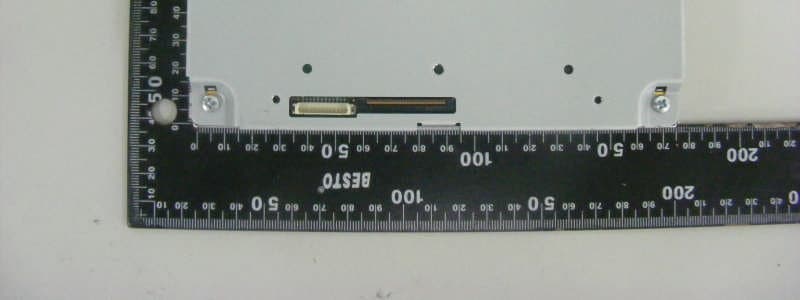
Click to zoom
Application Details
- Equipment Class
- PCB - PCS Licensed Transmitter
- Date of Grant
- Mar 11, 2013
- Application Purpose
- Original Equipment
- Date of Application
- Mar 10, 2013
- Equipment Note
- Premium Gen 2.0 I-BOX
- Frequency Range
- 1851.25000000 - 1908.75000000
- Company
- HYUNDAI MOBIS CO., LTD.
- Country
- South Korea
Documents & Files
Document Text
Text extracted from the exhibit documents filed with the FCC. Open a document above to read the original.
Users Manual
Quick Manual Contents PART 1. Blue Link ....................................................................................................3 Chapter 1. Name and function of the each part .....................................................3 1.1 Rear View Mirror Switch...........................................................................3 Chapter 2. Before using Blue Link .......................................................................3 2.1 What is the Blue Link service? .................................................................3 2.2 What is the telematics? ...........................................................................3 2.3 About receiving/sending signal................................................................3 Chapter 3. Starting Blue Link ..............................................................................4 3.1 Blue Link Service ....................................................................................4 3.3 Blue Link Settings ...................................................................................4 Chapter 4. Blue Link Service ...............................................................................5 4.1 Driving Information..................................................................................5 4.2 Send to Car (POI).....................................................................................5 4.3 Vehicle Diagnostics .................................................................................5 Chapter 5. Blue Link Settings..............................................................................6 5.1 Service Activation ...................................................................................6 5.2 Modem Information ..................................................................................6 Part 2. WIFI ..............................................................................................................7 Wi-Fi Settings ....................................................................................................7 PART 1. Blue Link Chapter 1. Name and function of the each part 1.1 Rear View Mirror Switch ItemsContents [Blue Link]Blue Link Center • Call to the Center agents • If re-select it while calling to the center agents, the call will be terminated. Google Search (Voice Recognition) Search Points of Interest in Google map by voice recognition SOS(Emergency Rescue Center) • In case of car accident, injury, car broken, you can ask emergency rescue. • If select SOS Key, connect to the Blue Link Emergency Rescue Center • If re-select SOS Key, connection will be terminated. Chapter 2. Before using Blue Link 2.1 What is the Blue Link service? The Blue Link service is telematics service provided by KIA. Not only It based on high-technology IT system, but also it provides safety, security, diagnostics, remote control and connection with smart phone so that you can enjoy and feel convenient while you driving. You will enjoy smart driving life with Blue Link eServices. 2.2 What is the telematics? The telematics combines Telecommunication and informatics. Through system built in the car, it analyzes various symptoms and driving status, so it can provide variety information to the driver. Therefore the drivers can drive safely and conveniently. 2.3 About receiving/sending signal Blue Link phone, Connect to the Blue Link Center and wireless data transfer might be influenced in below areas. You can check receiving/sending signal status as referring to the status is shown in the Blue Link phone screen. We recommend you use Blue Link system when the antenna signal () is higher than 4. Some areas might be influenced by receiving/sending signal so that the use of Blue Link eServices is limited. • Tunnel • Mountain or forest • Road closed to cliff • Buildings concentrated in areas • Highway or under the bridge • Inside building Chapter 3. Starting Blue Link In general, Blue Link menu consists of Blue Link Service, Blue Link Call, Blue Link Settings and each menu is described in below. 3.1 Blue Link Service Select [Blue Link] key in the Headunit 1.Driving Information: Driving Time/Idle Time, Acceleration/Deceleration Distribution, Speed Distribution and Mileage information can be checked. 2.Send to Car(POI): You can check POI information which is sent from Center agent, Webpage and Smart Phone. 3.Vehicle Diagnostics: Diagnose the car and then you can receive the result of the diagnosis. 4.Blue Link Settings: You can activate the service and check the modem information. 3.3 Blue Link Settings ▶ Select [Blue Link] key in the Headunit ▶ Select [All Menus] in Home screenSelect [Setup]Select [Blue Link] 1.Service Activation: You can activate the service via accessing Center. 2.Modem Information: You can check phone number, USIM and IMEI information. Chapter 4. Blue Link Service 4.1 Driving Information Select [Blue Link] key in the HeadunitSelect [Blue Link] [Driving Information] You can use it when ignition on after parking. [Update] If select it, driving information can be updated. 4.2 Send to Car (POI) Select [Blue Link] key in the HeadunitSelect [My Destination] 1.Point of Interest: It shows received POI list. 2.Delete Selected Items: Select POI and delete it. 3.Delete All: Delete all POI list. 4.Call: Call to POI. 5.Show Map: POI will be shown on the map. 6.Previous/Nest: It shows previous or next POI information. You can check POI information which received from Google, Bing, Smart Phone, Blue Link Website and Blue Link Center agent. POI can be saved maximum 50 lists, if the storage is full, it delete the recently saved POI automatically. Registering Blue Link service is required to use My Destination. 4.3 Vehicle Diagnostics Select [Blue Link] key in the HeadunitSelect [Vehicle Diagnostics] 1.Blue Link Center: You can call to Center agent then you can check which part is malfunction. You can have diagnosis service in only parking since some functions not be contr…
Text truncated - open the document above for the full version.
Cover Letter(s)
Hyundai MOBIS Co., Ltd. #679-4, Yeoksam-dong, Gangnam-gu, Seoul, 135-977, Korea Tel. 82-31-288-5232 / Fax. 82-31-280-2764 16 January 2013 Federal Communications Commission 7435 Oakland Mills Road Columbia MD 21046 To whom it may concern: I, the undersigned, hereby authorize Lab Manager Feel Jeong of SGS Korea Co., Ltd.(hereafter referred to as SGS Korea) to act on our behalf in all manners relating to application for equipment authorization, including signing of all documents relating to these matters. Any and all acts carried out by Lab Manager Feel Jeong of SGS Korea Co., Ltd.on our behalf shall have the same effect as acts of our own. I, the undersigned, hereby certify that we are not subject to a denial of federal benefits, that includes FCC benefits, pursuant to Section 5301 of the Anti-Drug Abuse Act of 1988, 21 U.S.C. 853(a). In authorizing SGS Korea as our agent, we still recognize that we are responsible to: a)comply with the relevant provisions of the certification program; b)make all necessary arrangements for the conduct of the evaluation, including provision for examining documentation and access to all areas, records (including internal audit reports) and personnel for the purposes of evaluation (e.g. testing, inspection, assessment, surveillance, reassessment) and resolution of complaints; c)make claims regarding certification only in respect of the scope for which certification has been granted; d)do not use our product certification in such a manner as to bring the Certification Division into disrepute and not make any statement regarding our product certification which the Certification Division may consider misleading or unauthorized; e)upon suspension or cancellation of certification, discontinue use of all advertising matter that contains any reference thereto and return any certification documents as required by the Certification Division; f)usecertification only to indicate the products are certified as being in conformity specified standards; g)endeavor to ensure that no certificate or report nor any part thereof is used in a manner; h)ensure that any reference to our product certif documents, brochures or advertising, complies with the requirements of Division; i)keep a record of all complaints made known to the us relating to the product’s with requirements of the rel Certification Division when requested; j)take appropriate action with respect to such complaints and any deficiencies products or services that affect compliance with the requirements for k)document the actions taken. This authorization is valid until further written notice from the applicant. Sincerely Yours, __________________________ Jongtae Kim Senior Manager Hyundai MOBIS Co., Ltd. Hyundai MOBIS Co., Ltd. #679-4, Yeoksam-dong, Gangnam-gu, Seoul, 135 Tel. 82-31-288-5232/ Fax. 82 certification only to indicate the products are certified as being in conformity endeavor to ensure that no certificate or report nor any part thereof is used in a ensure that any reference to our product certification in communication media documents, brochures or advertising, complies with the requirements of keep a record of all complaints made known to the us relating to the product’s with requirements of the relevant standard and to make these records Certification Division when requested; take appropriate action with respect to such complaints and any deficiencies products or services that affect compliance with the requirements forcertification; document the actions taken. This authorization is valid until further written notice from the applicant. Hyundai MOBIS Co., Ltd. gu, Seoul, 135-977, Korea / Fax. 82-31-280-2764 certification only to indicate the products are certified as being in conformitywith endeavor to ensure that no certificate or report nor any part thereof is used in amisleading ication in communication mediasuch as documents, brochures or advertising, complies with the requirements ofthe Certification keep a record of all complaints made known to the us relating to the product’scompliance evant standard and to make these recordsavailable to take appropriate action with respect to such complaints and any deficienciesfound in certification;
Cover Letter(s)
Hyundai MOBIS Co., Ltd. #679-4, Yeoksam-dong, Gangnam-gu, Seoul, 135-977, Korea Tel. 82-31-288-5232 / Fax. 82-31-280-2764 18 February 2013 Federal Communications Commission Authorization and Evaluation Division 7435 Oakland Mills Road, Columbia, MD 21046 Request of Confidentiality for FCC ID:TQ8-TS310B1AX To Whom It May Concern: Pursuant to Sections 0.457 and 0.459 of the Commission’s Rules (CFR 47), and Section 552 (b) (4) of the Freedom of Information Act,Hyundai MOBIS Co., Ltd.hereby requests confidentiality and treatment of certain information accompanying this application. The materials contain trade secrets and proprietary information not customarily released to the public. The public disclosure of these matters might be harmful to the Applicant and provide unjustified benefits to its competitors. We are also hereby request Short-Term Confidentiality for180days after the grant as outlined in Public Notice DA 04-1705. This provision will giveHyundai MOBIS Co., Ltd.temporary confidentiality of commercially sensitive information prior to product release. The requested Permanent and Temporary Confidential exhibits are listed as follows: CONFIDENTIAL LIST Permanent 1Block Diagram 2Operational Descriptions 3Schematics 4Tune Up Procedure 5Part List Short-Term 4External Photos 5Internal Photos 6Test-Setup Photos 7User’s Manual The Applicant understands that pursuant to Rule 0.457, disclosure of this application and all accompanying documentations, where applicable, will not be made public before the date of the Grant for this application. Sincerely, __________________________ Jongtae Kim Senior Manager Hyundai MOBIS Co., Ltd.
External Photos
External photos of EUT Front view of EUT Rear view of EUT Top view of EUT Bottom view of EUT Side view of EUT WLAN Antenna of EUT WLAN Antenna
ID Label/Location Info
TS310B1AX LabelInformation Label MODEL: TS310B1AX FCC ID: TQ8-TS310B1AX Hyundai MOBIS Co., Ltd. This device complies with part 15 of the FCC Rules. Operation is Subject to the following to conditions: (1) This device may not cause harmful interference, and (2) The device must accept any interference received, Including interference that may cause undesired operation. Made in Korea Non Removable LABEL TOP SIDE OF EUT FRONT
Internal Photos
Internal photos of EUT Inner of EUT View of Main PCB Top view of Main PCB Bottom view of Main PCB View of WiFi module PCB View of WiFi module PCB_shielding off Total view of CDMA module PCB Top view of CDMA_sub PCB Bottom view of CDMA_sub PCB Top view of CDMA module PCB Top view of CDMA module PCB_shielding off Bottom view of CDMA module PCB Bottom view of CDMA module PCB_shielding off
Test Report
Report Number: F690501/RF-RTL006252-2 Page: 2 of 65 The results shown in this test report refer only to the sample(s) tested unless otherwise stated. This test report cannot be reproduced, except in full, without prior written permission of the Company. SGS Korea Co., Ltd. (Gunpo Laboratory) 18-34, Sanbon-dong, Gunpo-si, Gyeonggi-do, Korea, 435-040 Tel. +82 31 428 5700 / Fax. +82 31 427 2371 www.ee.sgs.com/korea INDEX TABLE OF CONTENTS Page 1. General Information -------------------------------------------------------------------------------------- 3 2. RF radiated output power & spurious radiated emission --------------------------------------- 8 3. Conducted Output Power ------------------------------------------------------------------------------- 17 4. Occupied Bandwidth 99 % ------------------------------------------------------------------------------ 21 5. Peak-Average Ratio -------------------------------------------------------------------------------------- 31 6. Spurious Emissions At Antenna Terminal----------------------------------------------------------- 36 7. Band Edge -------------------------------------------------------------------------------------------------- 49 8. Frequency Stability --------------------------------------------------------------------------------------- 58 9. RF Exposure Evaluation--------------------------------------------------------------------------------- 63 Report Number: F690501/RF-RTL006252-2 Page: 3 of 65 The results shown in this test report refer only to the sample(s) tested unless otherwise stated. This test report cannot be reproduced, except in full, without prior written permission of the Company. SGS Korea Co., Ltd. (Gunpo Laboratory) 18-34, Sanbon-dong, Gunpo-si, Gyeonggi-do, Korea, 435-040 Tel. +82 31 428 5700 / Fax. +82 31 427 2371 www.ee.sgs.com/korea 1. General information 1.1. Testing laboratory SGS Korea Co., Ltd. (Gunpo Laboratory) - Wireless Div. 3FL, 18-34, Sanbon-dong, Gunpo-si, Gyeonggi-do, Korea 435-040 All SGS services are rendered in accordance with the applicable SGS conditions of service available on request and accessible at http://www.sgs.com/en/Terms-and-Conditions.aspx. Telephone : +82 31 428 5700 FAX : +82 31 427 2371 1.2. Details of applicant Applicant : HYUNDAI MOBIS CO., LTD. Address : 80-9, Mabook-Dong, Giheung-Gu, Yongin-shi, Gyunggi-Do, 446-912, South Korea Contact Person : Kim, Jong-Tae Phone No. : +82 31 260 0092 1.3. Description of EUT Kind of Product Premium Gen 2.0 I-BOX Model Name TS310B1AX Serial Number N/A Power Supply DC 14.4 V (Vehicle Battery) Rated Power CDMA800: 24 ㏈m CDMA1 900: 24 ㏈m Frequency Range CDMA800: 824.70 ㎒ ~ 848.31 ㎒ CDMA1900: 1 851.25 ㎒ ~ 1 908.75 ㎒ Antenna Gain CDMA800: 1.34 ㏈i CDMA1 900: 4.02 ㏈i Support Mode 1xRTT, 1xEV-DO Emission Designator CDMA800 (1xRTT): 1M27F9W CDMA1 900 (1xRTT): 1M28F9W CDMA800 (1xEV-DO): 1M27F9W CDMA1 900 (1xEV-DO): 1M27F9W Report Number: F690501/RF-RTL006252-2 Page: 4 of 65 The results shown in this test report refer only to the sample(s) tested unless otherwise stated. This test report cannot be reproduced, except in full, without prior written permission of the Company. SGS Korea Co., Ltd. (Gunpo Laboratory) 18-34, Sanbon-dong, Gunpo-si, Gyeonggi-do, Korea, 435-040 Tel. +82 31 428 5700 / Fax. +82 31 427 2371 www.ee.sgs.com/korea 1.4. Description of test mode The transmitter has a maximum average output power as follows: 1xRTT Cellular Band Frequency (㎒) Service Option (SO) Channel Average Output Power (㏈m) 824.70 RC3 55 (Loopback) 1 013 23.53 836.52 384 23.88 848.31 777 24.02 PCS Band Frequency (㎒) Service Option (SO) Channel Average Output Power (㏈m) 1 851.25 RC1 55 (Loopback) 25 23.33 1 880.00 600 23.56 1 908.75 1 175 23.35 1xEV-DO Release 0 Cellular Band - RTAP Frequency (㎒) RTAP Rate Channel Average Output Power (㏈m) 824.70 38.4 1 013 23.57 836.52 384 23.90 848.31 777 23.78 PCS Band - RTAP Frequency (㎒) RTAP Rate Channel Average Output Power (㏈m) 1 851.25 38.4 25 23.72 1 880.00 600 23.88 1 908.75 1 175 23.75 CDMA (800 / 1 900) We found out the test mode with the highest power level after we investigated average output power of all the modulations and (or) data rates for each mode. So we chose below test mode as a representative of worst case. - CDMA (800) 1xRTT : RC3 / 55 (Loopback), 1xEV-DO Rel0 : RTAP / 38.4 - CDMA (1 900) 1xRTT : RC1 / 55 (Loopback), 1xEV-DO Rel0 : RTAP / 38.4 Report Number: F690501/RF-RTL006252-2 Page: 5 of 65 The results shown in this test report refer only to the sample(s) tested unless otherwise stated. This test report cannot be reproduced, except in full, without prior written permission of the Company. SGS Korea Co., Ltd. (Gunpo Laboratory) 18-34, Sanbon-dong, Gunpo-si, Gyeonggi-do, Korea, 435-040 Tel. +82 31 428 5700 / Fax. +82 31 427 2371 www.ee.sgs.com/korea 1.5. Sample calculation for offset Where relevant, the following sample calculation is provided: 1.5.1. Conducted test Offset value (㏈) = Directional Coupler (㏈) + Attenuator (㏈) + Cable loss (㏈) 1.5.2. Radiation test E.R.P. & E.I.R.P. = [S.G level + Amp.](㏈m) - Cable loss(㏈) + Ant. gain (㏈d/㏈i) Report Number: F690501/RF-RTL006252-2 Page: 6 of 65 The results shown in this test report refer only to the sample(s) tested unless otherwise stated. This test report cannot be reproduced, except in full, without prior written permission of the Company. SGS Korea Co., Ltd. (Gunpo Laboratory) 18-34, Sanbon-dong, Gunpo-si, Gyeonggi-do, Korea, 435-040 Tel. +82 31 428 5700 / Fax. +82 31 427 2371 www.ee.sgs.com/korea 1.6. Test equipment list Equipment Manufacturer Model S/N Cal. Date Cal. Interval Cal. Due. Signal Generator R&S SMBV100A 255834 Jul. 02, 2012 Annual Jul. 02, 2013 Signal Generator R&S SMR40 100272 Aug. 23, 2012 Annual Aug. 23, 2013 Spectrum Analyzer Agilent E4440A MY43362142 Mar. 29, 2012 Annual Mar. 29, 2013 Spectrum Analyzer R&S FSV30 100768 Mar. 29, 2012 Annual Mar. 29, 2013 Mobile Test Unit Agilent E5515C GB43345198 Mar. 29, 2012 Annual Mar. 29, 2013 Direc…
Text truncated - open the document above for the full version.
Test Setup Photos
Test setup photos of EUT Photo of Field Strength & Spurious Emission Test(WLAN) Photo of Field Strength & Spurious Emission Test(CDMA) . Details of EUT setup(CDMA) Used Communication Test Unit outside of test chamber Details of EUT setup(WLAN) Connect to DC Power supply LCD monitor CDMA antenna Placed center of the turn table LCD monitor EUT WiFi antenna Connect to DC Power supply Mobile Communication Test Unit EUT CDMA antenna EUT WiFi antenna Placed center of the turn table
Contact Information
Applicant
Seung Hoon Choe(Senior Engineer)
Test Firm
SGS KOREA CO., Ltd.Jackie Jeon
Technical Specifications
| # | Rule Parts | Frequency Range | Power Output | Emission | Tolerance |
|---|---|---|---|---|---|
| 2 | 24E | 1.85 GHz - 1.91 GHz | 565.00 mW | 1M27F9W | 2.5 ppm |
Other Applications from HYUNDAI MOBIS CO., LTD.
TQ8-FOB-4FC0M22
Sep 11, 2026FOB Smart Key
Equipment Class
DSC - Part 15 Security/Remote Control TransmitterTQ8-FOB-4FC0M44
Sep 10, 2026FOB Smart Key
Equipment Class
DSC - Part 15 Security/Remote Control TransmitterTQ8-FOB-4FC1U44
Jul 20, 2026FOB Smart Key
Equipment Class
DSC - Part 15 Security/Remote Control TransmitterTQ8-FOB-4FC1M44
Jul 08, 2026FOB Smart Key
Equipment Class
DSC - Part 15 Security/Remote Control TransmitterTQ8-FOB-4FC0U22
Jun 17, 2026FOB Smart Key
Equipment Class
DSC - Part 15 Security/Remote Control Transmitter