TX4CRB61ALow Power Communications Transmitter
Remote Solution Co., Ltd.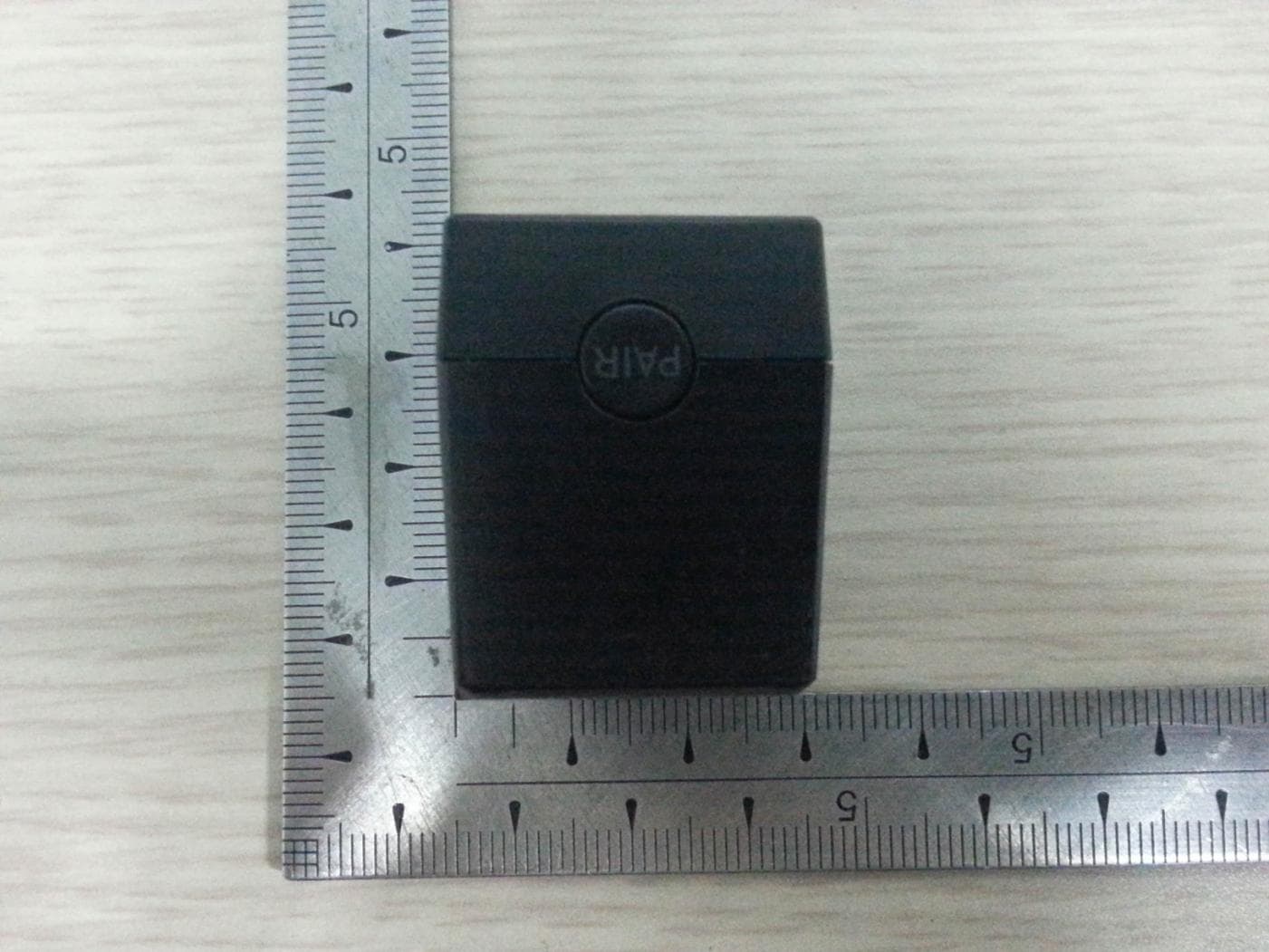
Click to zoom
Application Details
- Equipment Class
- DXX - Part 15 Low Power Communication Device Transmitter
- Date of Grant
- Dec 29, 2013
- Application Purpose
- Original Equipment
- Date of Application
- Dec 29, 2013
- Equipment Note
- Low Power Communications Transmitter
- Frequency Range
- 2425.00000000 - 2475.00000000
- Company
- Remote Solution Co., Ltd.
- Country
- South Korea
Documents & Files
Document Text
Text extracted from the exhibit documents filed with the FCC. Open a document above to read the original.
Users Manual
Enhance your XFINITY ® TV experience with the Aim Anywhere™ Adapter! Pair your adapter and XFINITY Remote to get started. Your XFINITY Remote can be paired with the Aim Anywhere Adapter (also known as the XR8) allowing you to control your set-top box or DTA even when the device is placed out of line-of-sight (for example, in an entertainment center or behind your TV). XFINITY Remotes can be identified by an XR model number on the back of the remote. See the “Compatible Devices” section on the back of this user guide to verify that your set-top box or DTA and remote are compatible with the adapter. To pair your XFINITY Remote with the Aim Anywhere Adapter, follow the steps below. HERE’S HOW: 1. Turn on your TV and set-top box or DTA. 2. Plug the Aim Anywhere Adapter into the IR Input port* located on the rear panel of your set-top box or DTA. *Note: This port may also be la- beled IR, IR-In, IR Receive, or EXT IR IN. 3. Wait 3-5 seconds for the solid red LED on top of the adapter to turn off. It’s simple to pair your XFINITY Remote with the Aim Anywhere Adapter. XFINITY Remote Aim Anywhere Adapter USER’S GUIDE XFINITY Remote Aim Anywhere Adapter USER’S GUIDE 4. Press and release the PAIR button on the back of the adapter. The LED on top of the adapter will turn on when the PAIR button is pressed. 5. Press and hold the Setup button on your XFINITY Remote until the remote’s LED changes from red to green. Then, press and release the XFINITY button. Note: You must press the PAIR but- ton on the adapter before you press the XFINITY button on your XFINITY Remote. 6. If the LED on the XFINITY Remote blinks green twice, pairing was successful. Press CH ^ to verify that your set-top box or DTA responds as expected. 7. If the LED on your XFINITY Remote blinks red, then green, and then red, pairing was unsuccessful. Check the “Compatible Devices” section to verify that your set-top box or DTA supports the Aim Anywhere Adapter. xfinity.com ©2013 Comcast Corporation. All rights reserved. FCC Compliance Statement This equipment has been tested and found to comply with the limits for a Class B digital device, pursuant to part 15 of the FCC rules. These limits are designed to provide reason- able protection against harmful interference in a residential installation. This equipment generates, uses, and can radiate radio fre- quency energy and, if not used in accordance with the instructions, may cause harmful interference to radio communications. There is no guarantee that interference will not occur in a particular installation. If this equipment does cause harmful interference to radio or television reception, the user is encouraged to try to correct the interference by one or more of the following measures: • Reorient or relocate the receiving antenna. • Increase or decrease the separation between the equipment and receiver. • Connect the equipment into an outlet on a circuit different from that which the receiver is connected. • Consult the dealer or an experienced remote control/TV technician for help. • It is strongly recommended that the TV be plugged into a separate wall outlet. The user is cautioned that changes and mod- ifications made to the equipment without the approval of the manufacturer could void the user’s authority to operate this equipment. This device complies with part 15 of the FCC rules. Operation is subject to the following two conditions: (1) This device may not cause harmful interference, and (2) this device must accept any interference received, including interference that may cause undesired operation. :QCan I pair more than one XFINITY Remote with the XR8 adapter? :AYes, the XR8 supports pairing with up to five XFINITY Re- motes. :QWhy can’t I use my other re- motes after pairing my XFINITY Remote with the XR8 adapter? :ASome set-top boxes only support XFINITY Remotes when using the XR8. You can replace your old remote with another XFINITY Remote and pair it with the XR8. :QDuring pairing, why does the LED blink red and then green on the XFINITY Remote? :AEither a button other than the XFINITY button was pressed, or the XFINITY Remote timed out before the XFINITY button was pressed. Repeat the pairing steps. :QDuring pairing, why does the LED blink red, then green, then red on the XFINITY Remote? :AThe XFINITY Remote you are trying to pair cannot find the XR8. Unplug the XR8 and plug it back in, making sure the red LED on top of the adapter turns on for 3-5 seconds. Then, COMPATIBLE DEVICES: D TA uDTA RNG100 RNG110 RNG150 RNG150N RNG200N DCX3200 DCX3200-M DCX3400 DCX3400-M DCX3501 FREQUENTLY ASKED QUESTIONS ABOUT THE AIM ANYWHERE ADAPTER repeat the steps to pair the XR8 and XFINITY Remote. Be sure to press the PAIR button on the XR8 before you press the XFINITY button on your XFINITY Remote. :QWhen paired, why does the LED blink green, then red on the XFINITY Remote when a button is pressed? :AThe XR8 may have lost power or may be out of communication range. Try moving closer to your set-top box or DTA and make sure the XR8 is securely connected. If this does not fix the issue, follow the steps to re-pair the XR8 and XFINITY Remote. :QWhy is the XR8 adapter not re- sponding to button presses from my XFINITY Remote? :AIf the XR8 stops responding to an already paired XFINITY Remote, unplug the XR8 and plug it back in. If this does not fix the issue, follow the steps to re-pair the XR8 and XFINITY Remote. :QWhy does the LED continuously blink when I plug in the XR8 adapter? :AYour device is not compatible with the XR8; please refer to the “Compatible Devices” section for a list of supported devices. SET-TOP BOXES AND DTAS The Aim Anywhere Adapter can be used for out-of-sight control with the set-top boxes and DTAs listed below: XFINITY REMOTES XFINITY Remotes that can be paired with the Aim Anywhere Adapter include: XR2 XR5 XR11 XR13 For additional information about XFINITY Remotes visit xfinity.com/remotes. Note: The Cisco RNG200 is not com- patible with the adapter.
Cover Letter(s)
Date: December 27, 2013 FCC Laboratory 7435 Oakland Mills Road Columbia, MD 21046 Attention : Application Examiner / Reviewing Engineer Subject : Attestation for used operating frequency band Applicant : Remote Solution Co., Ltd. FCC ID : TX4CRB61A To whom it may concern, We, Remote Solution Co., Ltd. are guarantee for used frequency band as bellows, This model, CRB61A will be used only following frequencies. * Used frequency band 2 425 ~ 2 475 MHz If you have questions or need further information, please contact the undersigned. Sincerely Yours, ____________________________ Mr. Byung-Cheol, Kim / Manager Remote Solution Co., Ltd. E-mail : [email protected]
Cover Letter(s)
EMCCert DR. RAŠEK GmbH Date: December 27, 2013 Stoernhofer Berg 15 91364 Unterleinleiter GERMANY To whom it may concern: I, the undersigned, hereby authorize Mr. Gea-Won, Lee / Managing Director of ONETECH Corp., and hereafter to as ONETECH, to act on our behalf in all manners relating to application for equipment authorization, including signing of all documents relating to these matters. Ant and all acts carried out by Mr. Gea-Won, Lee of ONETECH on our behalf shall have the same effect as acts of our own. I, the undersigned, hereby certify that we are not subject to a denial of federal benefits. that includes FCC benefits, pursuant to Section 5301 of the Anti-Drug Abuse Act of 1988, 21 U.S.C. 853(a). In authorizing EMCC as our agent, we still recognize that we are responsible to : a) comply with the relevant provisions of the certification program; b) make all necessary arrangements for the conduct of the evaluation, including provision for examining documentation and access to all areas, records (including internal audit reports) and personnel for the purposes of evaluation (e.g. testing, inspection, assessment, surveillance, reassessment) and resolution of complaints; c) make claims regarding certification only in respect of the scope for which certification has been granted; d) do not use our product certification in such a manner as to bring the Certification Division into disrepute and not make any statement regarding our product certification which the Certification Division may consider misleading or unauthorized; e) upon suspension or cancellation of certification, discontinue use of all advertising matter that contains any reference thereto and return any certification documents as required by the Certification Division; f) use certification only to indicate the products are certified as being in conformity with specified standards; g) endeavor to ensure that no certificate or report nor any part thereof is used in a misleading manner; h) ensure that any reference to our product certification in communication media such as documents, brochures of advertising, complies with the requirements of the Certification Division; i) keep a record of all complaints made known to the us relating to the product’s compliance with requirements of the relevant standard and to make these records available to the Certification Division when requested; j) take appropriate action with respect to such complaints and any deficiencies found in products or services that affect compliance with the requirements for certification; k) document the actions taken. This authorization is valid until further written notice from the applicant. Sincerely Yours, ____________________________ Mr. Byung-Cheol, Kim / Manager Remote Solution Co., Ltd. E-mail: [email protected]
Cover Letter(s)
FCC Laboratory Date: December 27, 2013 7435 Oakland Mills Road Columbia, MD 21046 Attention : Application Examiner / Reviewing Engineer Subject : Request for confidentiality per Section 0.459 of FCC Rules Applicant : Remote Solution Co., Ltd. FCC ID : TX4CRB61A To whom it may concern, Request is hereby submitted, Remote Solution Co., Ltd., to withhold from public review certain portions of the application for equipment certification for the referenced FCC identifier. In particular, the following sections of the application and report are requested to be kept confidential: Schematics / Block Diagram / Parts List / Operational description Rationale for request for confidentiality: Remote Solution Co., Ltd., has invested considerable time and materials in research and development to produce the referenced product. Disclosure of the confidential portions of this application to competitors would give them competitive advantage in developing similar products. If you have questions or need further information, please contact the undersigned. Sincerely Yours, ____________________________ Mr. Byung-Cheol, Kim / Manager Remote Solution Co., Ltd. E-mail : [email protected]
External Photos
FCC ID. : TX4CRB61A Page 1 of 6 Report No. : E13DR-060 It should not be reproduced except in full, without the written approval of ONETECH Corp. EMC-003 (Rev.2) HEAD OFFICE : 301-14 Daessangnyeong-ri, Chowol-eup, Gwangju-si, Gyeonggi-do 464-862 Korea (TEL: 82-31-799-9500, FAX: 82-31-799-9599) EMC Testing Div. : 307-51 Daessangnyeong-ri, Chowol-eup, Gwangju-si, Gyeonggi-do 464-862 Korea (TEL: 82-31-765-8289, FAX: 82-31-766-2904) FCC ID. : TX4CRB61A Page 2 of 6 Report No. : E13DR-060 It should not be reproduced except in full, without the written approval of ONETECH Corp. EMC-003 (Rev.2) HEAD OFFICE : 301-14 Daessangnyeong-ri, Chowol-eup, Gwangju-si, Gyeonggi-do 464-862 Korea (TEL: 82-31-799-9500, FAX: 82-31-799-9599) EMC Testing Div. : 307-51 Daessangnyeong-ri, Chowol-eup, Gwangju-si, Gyeonggi-do 464-862 Korea (TEL: 82-31-765-8289, FAX: 82-31-766-2904) FCC ID. : TX4CRB61A Page 3 of 6 Report No. : E13DR-060 It should not be reproduced except in full, without the written approval of ONETECH Corp. EMC-003 (Rev.2) HEAD OFFICE : 301-14 Daessangnyeong-ri, Chowol-eup, Gwangju-si, Gyeonggi-do 464-862 Korea (TEL: 82-31-799-9500, FAX: 82-31-799-9599) EMC Testing Div. : 307-51 Daessangnyeong-ri, Chowol-eup, Gwangju-si, Gyeonggi-do 464-862 Korea (TEL: 82-31-765-8289, FAX: 82-31-766-2904) FCC ID. : TX4CRB61A Page 4 of 6 Report No. : E13DR-060 It should not be reproduced except in full, without the written approval of ONETECH Corp. EMC-003 (Rev.2) HEAD OFFICE : 301-14 Daessangnyeong-ri, Chowol-eup, Gwangju-si, Gyeonggi-do 464-862 Korea (TEL: 82-31-799-9500, FAX: 82-31-799-9599) EMC Testing Div. : 307-51 Daessangnyeong-ri, Chowol-eup, Gwangju-si, Gyeonggi-do 464-862 Korea (TEL: 82-31-765-8289, FAX: 82-31-766-2904) FCC ID. : TX4CRB61A Page 5 of 6 Report No. : E13DR-060 It should not be reproduced except in full, without the written approval of ONETECH Corp. EMC-003 (Rev.2) HEAD OFFICE : 301-14 Daessangnyeong-ri, Chowol-eup, Gwangju-si, Gyeonggi-do 464-862 Korea (TEL: 82-31-799-9500, FAX: 82-31-799-9599) EMC Testing Div. : 307-51 Daessangnyeong-ri, Chowol-eup, Gwangju-si, Gyeonggi-do 464-862 Korea (TEL: 82-31-765-8289, FAX: 82-31-766-2904) FCC ID. : TX4CRB61A Page 6 of 6 Report No. : E13DR-060 It should not be reproduced except in full, without the written approval of ONETECH Corp. EMC-003 (Rev.2) HEAD OFFICE : 301-14 Daessangnyeong-ri, Chowol-eup, Gwangju-si, Gyeonggi-do 464-862 Korea (TEL: 82-31-799-9500, FAX: 82-31-799-9599) EMC Testing Div. : 307-51 Daessangnyeong-ri, Chowol-eup, Gwangju-si, Gyeonggi-do 464-862 Korea (TEL: 82-31-765-8289, FAX: 82-31-766-2904)
ID Label/Location Info
FCC ID. : TX4CRB61A Page 1 of 1 Report No. : E13DR-060 It should not be reproduced except in full, without the written approval of ONETECH Corp. EMC-003 (Rev.2) HEAD OFFICE : 301-14 Daessangnyeong-ri, Chowol-eup, Gwangju-si, Gyeonggi-do 464-862 Korea (TEL: 82-31-799-9500, FAX: 82-31-799-9599) EMC Testing Div : 307-51 Daessangnyeong-ri, Chowol-eup, Gwangju-si, Gyeonggi-do 464-862 Korea (TEL: 82-31-765-8289, FAX: 82-31-766-2904) IDENTIFICATION LABEL: PROPOSED FCC ID LABEL The FCC ID shall be permanently affixed in the rear side of the equipment FCC ID AREA This device complies with Part 15 of the FCC Rules. Operation is subject to the following two conditions: (1) this device may not cause harmful interference, and (2) this device must accept any interference received, including interference that may cause undesired operations. Made in Korea FCC ID : TX4CRB61A
Internal Photos
FCC ID. : TX4CRB61A Page 1 of 3 Report No. : E13DR-060 It should not be reproduced except in full, without the written approval of ONETECH Corp. EMC-003 (Rev.2) HEAD OFFICE : 301-14 Daessangnyeong-ri, Chowol-eup, Gwangju-si, Gyeonggi-do 464-862 Korea (TEL: 82-31-799-9500, FAX: 82-31-799-9599) EMC Testing Div. : 307-51 Daessangnyeong-ri, Chowol-eup, Gwangju-si, Gyeonggi-do 464-862 Korea (TEL: 82-31-765-8289, FAX: 82-31-766-2904) FCC ID. : TX4CRB61A Page 2 of 3 Report No. : E13DR-060 It should not be reproduced except in full, without the written approval of ONETECH Corp. EMC-003 (Rev.2) HEAD OFFICE : 301-14 Daessangnyeong-ri, Chowol-eup, Gwangju-si, Gyeonggi-do 464-862 Korea (TEL: 82-31-799-9500, FAX: 82-31-799-9599) EMC Testing Div. : 307-51 Daessangnyeong-ri, Chowol-eup, Gwangju-si, Gyeonggi-do 464-862 Korea (TEL: 82-31-765-8289, FAX: 82-31-766-2904) FCC ID. : TX4CRB61A Page 3 of 3 Report No. : E13DR-060 It should not be reproduced except in full, without the written approval of ONETECH Corp. EMC-003 (Rev.2) HEAD OFFICE : 301-14 Daessangnyeong-ri, Chowol-eup, Gwangju-si, Gyeonggi-do 464-862 Korea (TEL: 82-31-799-9500, FAX: 82-31-799-9599) EMC Testing Div. : 307-51 Daessangnyeong-ri, Chowol-eup, Gwangju-si, Gyeonggi-do 464-862 Korea (TEL: 82-31-765-8289, FAX: 82-31-766-2904)
Test Report
Page 1 of 29 Report No. : E13DR-060 It should not be reproduced except in full, without the written approval of ONETECH Corp. EMC-003 (Rev.2) HEAD OFFICE : 301-14 Daessangnyeong-ri, Chowol-eup, Gwangju-si, Gyeonggi-do 464-862 Korea (TEL: 82-31-799-9500, FAX: 82-31-799-9599) EMC Testing Div. : 307-51 Daessangnyeong-ri, Chowol-eup, Gwangju-si, Gyeonggi-do 464-862 Korea (TEL: 82-31-765-8289, FAX: 82-31-766-2904) ELECTROMAGNETIC EMISSION COMPLIANCE REPORT FOR LOW-POWER, NON-LICENSED TRANSMITTER Test Report No. : E13DR-060 AGR No : A138A-077 Applicant : Remotesolution Co.,Ltd. Address : 92, Chogokri, Nammyun, Kimchon city, Kyungbuk, Korea, 740-871 Manufacturer : Remotesolution Co.,Ltd. Address : 92, Chogokri, Nammyun, Kimchon city, Kyungbuk, Korea, 740-871 Type of Equipment : RF4CE To IR Adaptor FCC ID. : TX4CRB61A Model Name : CRB61A Multiple Model Name : XR8 Serial number : N/A Total page of Report : 29 pages (including this page) Date of Incoming : December 16, 2013 Date of issue : December 23, 2013 SUMMARY The equipment complies with the regulation; FCC Part 15 Subpart C Section 15.249. This test report only contains the result of a single test of the sample supplied for the examination. It is not a generally valid assessment of the features of the respective products of the mass-production. Prepared by: Approved by: Ki-Hong, Nam / Senior Engineer Gea-Won, Lee / Managing Director ONETECH Corp. ONETECH Corp. Page 2 of 29 Report No. : E13DR-060 It should not be reproduced except in full, without the written approval of ONETECH Corp. EMC-003 (Rev.2) HEAD OFFICE : 301-14 Daessangnyeong-ri, Chowol-eup, Gwangju-si, Gyeonggi-do 464-862 Korea (TEL: 82-31-799-9500, FAX: 82-31-799-9599) EMC Testing Div. : 307-51 Daessangnyeong-ri, Chowol-eup, Gwangju-si, Gyeonggi-do 464-862 Korea (TEL: 82-31-765-8289, FAX: 82-31-766-2904) CONTENTS PAGE 1. VERIFICATION OF COMPLIANCE ............................................................................................. 5 2. TEST SUMMARY .............................................................................................................................. 6 2.1 TEST ITEMS AND RESULTS ............................................................................................................................................. 6 2.2 ADDITIONS, DEVIATIONS, EXCLUSIONS FROM STANDARDS ........................................................................................... 6 2.3 RELATED SUBMITTAL(S) / GRANT(S) ............................................................................................................................ 6 2.4 PURPOSE OF THE TEST ................................................................................................................................................... 6 2.5 TEST METHODOLOGY .................................................................................................................................................... 6 2.6 TEST FACILITY ............................................................................................................................................................... 6 3. GENERAL INFORMATION ............................................................................................................ 7 3.1 PRODUCT DESCRIPTION ................................................................................................................................................. 7 3.2 MODEL DIFFERENCES.................................................................................................................................................... 7 4. EUT MODIFICATIONS .................................................................................................................... 7 5. SYSTEM TEST CONFIGURATION ............................................................................................... 8 5.1 JUSTIFICATION ............................................................................................................................................................... 8 5.2 PERIPHERAL EQUIPMENT .............................................................................................................................................. 8 5.3 MODE OF OPERATION DURING THE TEST ...................................................................................................................... 8 5.4 CONFIGURATION OF TEST SYSTEM ............................................................................................................................... 9 5.5 ANTENNA REQUIREMENT .............................................................................................................................................. 9 6. PRELIMINARY TEST .................................................................................................................... 10 6.1 AC POWER LINE CONDUCTED EMISSIONS TESTS ....................................................................................................... 10 6.2 GENERAL RADIATED EMISSIONS TESTS ..................................................................................................................... 10 7. RADIATED EMISSION TEST ....................................................................................................... 11 7.1 TEST SET-UP ................................................................................................................................................................. 11 7.2 MEASUREMENT UNCERTAINTY ................................................................................................................................... 11 7.3 TEST EQUIPMENT USED ................................................................................................................................................ 11 7.4 FINAL RESULT OF MEASUREMENT ............................................................................................................................. 12 7.4.1 Field Strength…
Text truncated - open the document above for the full version.
Test Setup Photos
FCC ID. : TX4CRB61A Page 1 of 3 Report No. : E13DR-060 It should not be reproduced except in full, without the written approval of ONETECH Corp. EMC-003 (Rev.2) HEAD OFFICE : 301-14 Daessangnyeong-ri, Chowol-eup, Gwangju-si, Gyeonggi-do 464-862 Korea (TEL: 82-31-799-9500, FAX: 82-31-799-9599) EMC Testing Div. : 307-51 Daessangnyeong-ri, Chowol-eup, Gwangju-si, Gyeonggi-do 464-862 Korea (TEL: 82-31-765-8289, FAX: 82-31-766-2904) Conducted Emission Test FCC ID. : TX4CRB61A Page 2 of 3 Report No. : E13DR-060 It should not be reproduced except in full, without the written approval of ONETECH Corp. EMC-003 (Rev.2) HEAD OFFICE : 301-14 Daessangnyeong-ri, Chowol-eup, Gwangju-si, Gyeonggi-do 464-862 Korea (TEL: 82-31-799-9500, FAX: 82-31-799-9599) EMC Testing Div. : 307-51 Daessangnyeong-ri, Chowol-eup, Gwangju-si, Gyeonggi-do 464-862 Korea (TEL: 82-31-765-8289, FAX: 82-31-766-2904) Radiated Emission Test FCC ID. : TX4CRB61A Page 3 of 3 Report No. : E13DR-060 It should not be reproduced except in full, without the written approval of ONETECH Corp. EMC-003 (Rev.2) HEAD OFFICE : 301-14 Daessangnyeong-ri, Chowol-eup, Gwangju-si, Gyeonggi-do 464-862 Korea (TEL: 82-31-799-9500, FAX: 82-31-799-9599) EMC Testing Div. : 307-51 Daessangnyeong-ri, Chowol-eup, Gwangju-si, Gyeonggi-do 464-862 Korea (TEL: 82-31-765-8289, FAX: 82-31-766-2904)
Contact Information
Applicant
Byung-Cheol Kim(Manager)
Test Firm
ONETECH Corp.Ki Hong Nam
Technical Specifications
| # | Rule Parts | Frequency Range | Power Output |
|---|---|---|---|
| 1 | 15C | 2.42 GHz - 2.48 GHz | - |
Other Applications from Remote Solution Co., Ltd.
TX4-EE48
Mar 24, 2026Josh Edge Base
Equipment Class
DCD - Part 15 Low Power Transmitter Below 1705 kHzTX4-RE47
Mar 12, 2026Josh Edge Remote
Equipment Class
DTS - Digital Transmission SystemTX4-RE79
Jan 22, 2026Remote controller
Equipment Class
DTS - Digital Transmission SystemTX4-RE78
Jan 22, 2026Remote controller
Equipment Class
DTS - Digital Transmission SystemTX4-RE72
Nov 26, 2025Remote control Unit
Equipment Class
DTS - Digital Transmission System