U76GC444277Neonode N2
Neonode AB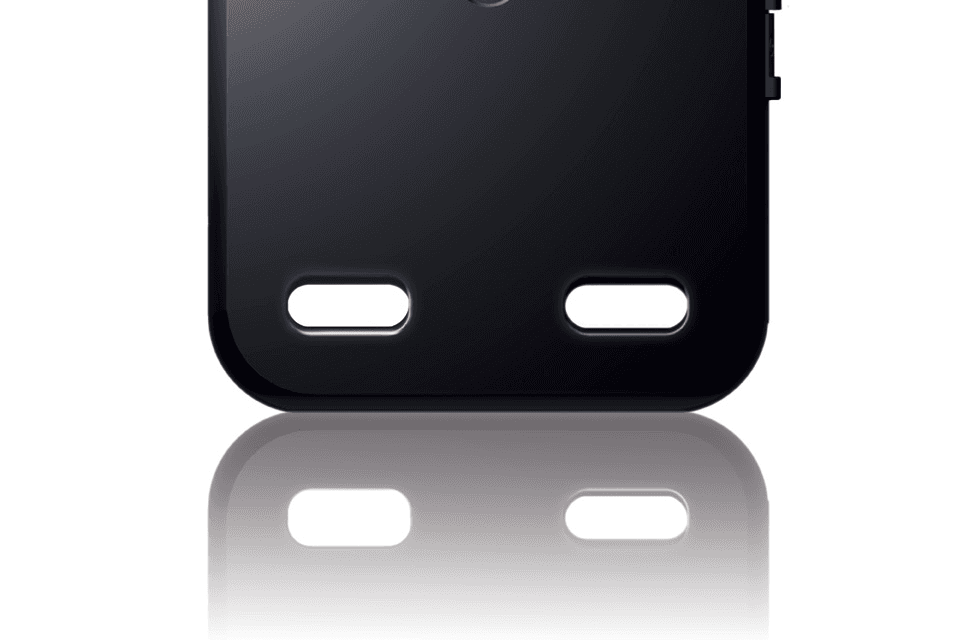
Click to zoom
Application Details
- Equipment Class
- PCE - PCS Licensed Transmitter held to ear
- Date of Grant
- Oct 25, 2007
- Application Purpose
- Original Equipment
- Date of Application
- Oct 25, 2007
- Equipment Note
- Neonode N2
- Frequency Range
- 1850.20000000 - 1909.80000000
- Company
- Neonode AB
- Country
- Sweden
Documents & Files
Document Text
Text extracted from the exhibit documents filed with the FCC. Open a document above to read the original.
Users Manual
1 Neonode N2 user guide www.neonode.com N070802-1 Rev. 1.4 2 1. 0 Basics....................................................................................................................................................................................................4 1.1 Insert the SIM card....................................................................................................................................................................4 1.2 Release the SIM card ................................................................................................................................................................4 1.3 Insert the Mini-SD card .............................................................................................................................................................4 1.4 Charge the battery.....................................................................................................................................................................5 1.5 Turn the device on.....................................................................................................................................................................5 1.6 Enter PIN code ...........................................................................................................................................................................6 1.7 Turn the device off ....................................................................................................................................................................6 1.8 Backlight timeout ......................................................................................................................................................................6 1.9 Key lock ......................................................................................................................................................................................6 1.10 Exit Key lock ............................................................................................................................................................................6 1.11 Navigation basics ....................................................................................................................................................................6 1.12 Horizontal areas: .....................................................................................................................................................................6 2.0 Navigation Specifics..............................................................................................................................................................................7 2.1 Open the Start Menu.................................................................................................................................................................7 2.2 Tap ..............................................................................................................................................................................................7 2.3 Open the Tools Menu ................................................................................................................................................................7 2.5 Accept sweep .............................................................................................................................................................................8 3.0 The Keyboard.............................................................................................................................................................................9 3.1 Select T9 word ........................................................................................................................................................................10 3.2 Paste word and phrases ........................................................................................................................................................10 3.3 The Keyboard Tools menu .....................................................................................................................................................10 3.4 Select keyboard ......................................................................................................................................................................10 3.5 Delete favorite Text ................................................................................................................................................................10 3.7 Paste........................................................................................................................................................................................11 3.8 Keyboard Settings ..................................................................................................................................................................11 3.9 Keyboard Speed .....................................................................................................................................................................11 3.10 Button Vibration ...................................................................................................................................................................12 4.0 Make calls...........................................................................................................................................................................................12 4.1 Make a call using the keyboard ............................................................................................................................................12 4.3 Call a contact in the Address Book .......................................................................................................................................13 5.0 Address book ..............................…
Text truncated - open the document above for the full version.
Users Manual
1 Neonode N2 user guide www.neonode.com N070802-1 Rev. 1.4 2 1. 0 Basics....................................................................................................................................................................................................4 1.1 Insert the SIM card....................................................................................................................................................................4 1.2 Release the SIM card ................................................................................................................................................................4 1.3 Insert the Mini-SD card .............................................................................................................................................................4 1.4 Charge the battery.....................................................................................................................................................................5 1.5 Turn the device on.....................................................................................................................................................................5 1.6 Enter PIN code ...........................................................................................................................................................................6 1.7 Turn the device off ....................................................................................................................................................................6 1.8 Backlight timeout ......................................................................................................................................................................6 1.9 Key lock ......................................................................................................................................................................................6 1.10 Exit Key lock ............................................................................................................................................................................6 1.11 Navigation basics ....................................................................................................................................................................6 1.12 Horizontal areas: .....................................................................................................................................................................6 2.0 Navigation Specifics..............................................................................................................................................................................7 2.1 Open the Start Menu.................................................................................................................................................................7 2.2 Tap ..............................................................................................................................................................................................7 2.3 Open the Tools Menu ................................................................................................................................................................7 2.5 Accept sweep .............................................................................................................................................................................8 3.0 The Keyboard.............................................................................................................................................................................9 3.1 Select T9 word ........................................................................................................................................................................10 3.2 Paste word and phrases ........................................................................................................................................................10 3.3 The Keyboard Tools menu .....................................................................................................................................................10 3.4 Select keyboard ......................................................................................................................................................................10 3.5 Delete favorite Text ................................................................................................................................................................10 3.7 Paste........................................................................................................................................................................................11 3.8 Keyboard Settings ..................................................................................................................................................................11 3.9 Keyboard Speed .....................................................................................................................................................................11 3.10 Button Vibration ...................................................................................................................................................................12 4.0 Make calls...........................................................................................................................................................................................12 4.1 Make a call using the keyboard ............................................................................................................................................12 4.3 Call a contact in the Address Book .......................................................................................................................................13 5.0 Address book ..............................…
Text truncated - open the document above for the full version.
Attestation Statements
attn: Reviewing Engineer MET Laboratories, Inc. 914 West Patapsco Avenue Baltimore, MD 21230 RE: 15.19 Statement (FCC ID: U76GC444277) TO WHOM IT MAY CONCERN The statement: "This device complies with Part 15 of the FCC Rules. Operation is subject to the following two conditions: (1) this device may not cause harmful interference, and (2) this device must accept any interference received, including interference that may cause undesired operation” Is not placed in the label of the equipment due to the following reasons: - Type label is too small (No room for this writing). - Required text is already included in the user guide This statement is placed in a prominent location in the instruction manual. Please contact me if there is any information you may need. If you have any questions, please feel free to contact me at the address shown below. Sincerely, P.A. Name/Title: Ulf Mårtensson/Director of Production Company name: Neonode AB Telephone: +46 8 6781850 E-mail Address: [email protected]
Cover Letter(s)
attn: Reviewing Engineer MET Laboratories, Inc. 914 West Patapsco Avenue Baltimore, MD 21230 RE: CONFIDENTIALITY REQUEST FOR D301 (FCC ID: U76GC444277) To Whom It May Concern: Pursuant to Paragraphs §0.457 and 0.459 of the Commission’s Rules (47 C.F.R.) and Section §552(b) (4) of the Freedom of Information Act, Neonode AB requests confidentiality for the following products: FCC ID Model U76GC444277 N2 For the product stated above, we request that the following information be held confidential: 1) Circuit diagrams 2) Block Diagrams 3) Bill of materials 4) Operational Description 5) Power tune-up procedure No other items submitted as part of the equipment authorization filing process are deemed confidential. The above exhibits contain Neonode AB trade secrets and proprietary information that could be of benefit to our competitors. This material is not customarily available to the general public and we request that it be withheld from public inspection. Please contact me if there is any information you may need. Sincerely, P.A. Name/Title: Ulf Mårtensson/Director of Production Company name: Neonode AB Telephone: +46 8 6781850 E-mail Address: [email protected]
Cover Letter(s)
attn: Reviewing Engineer MET Laboratories, Inc. 914 West Patapsco Avenue Baltimore, MD 21230 RE: 15.19 Statement (FCC ID: U76GC444277) TO WHOM IT MAY CONCERN The statement: "This device complies with Part 15 of the FCC Rules. Operation is subject to the following two conditions: (1) this device may not cause harmful interference, and (2) this device must accept any interference received, including interference that may cause undesired operation” Is not placed in the label of the equipment due to the following reasons: - Type label is too small (No room for this writing). - Required text is already included in the user guide This statement is placed in a prominent location in the instruction manual. Please contact me if there is any information you may need. If you have any questions, please feel free to contact me at the address shown below. Sincerely, P.A. Name/Title: Ulf Mårtensson/Director of Production Company name: Neonode AB Telephone: +46 8 6781850 E-mail Address: [email protected]
Cover Letter(s)
attn: Reviewing Engineer MET Laboratories, Inc. 914 West Patapsco Avenue Baltimore, MD 21230 RE: CONFIDENTIALITY REQUEST FOR D301 (FCC ID: U76GC444277) To Whom It May Concern: Pursuant to Paragraphs §0.457 and 0.459 of the Commission’s Rules (47 C.F.R.) and Section §552(b) (4) of the Freedom of Information Act, Neonode AB requests confidentiality for the following products: FCC ID Model U76GC444277 N2 For the product stated above, we request that the following information be held confidential: 1) Circuit diagrams 2) Block Diagrams 3) Bill of materials 4) Operational Description 5) Power tune-up procedure No other items submitted as part of the equipment authorization filing process are deemed confidential. The above exhibits contain Neonode AB trade secrets and proprietary information that could be of benefit to our competitors. This material is not customarily available to the general public and we request that it be withheld from public inspection. Please contact me if there is any information you may need. Sincerely, P.A. Name/Title: Ulf Mårtensson/Director of Production Company name: Neonode AB Telephone: +46 8 6781850 E-mail Address: [email protected]
RF Exposure Info
This document is issued by the Company subject to its General Conditions of Service which is available on request or accessible atwww.sgs.com. Attention is drawnto the limitations of liability, indemnification and jurisdictional issues defined therein.Unless otherwise stated, the results shown in this test report refer only to the sample(s) tested.This document cannot be reproduced except in full, without priorapproval of the Company. Any unauthorized alteration, forgery or falsification of the content or appearance of this report is unlawful and offenders may be prosecuted to the fullest extent of the law.此報告是遵循本公司訂 定之通用服務條款所製作發放,相關服務條款備索,或可在www.sgs.com中查閱,本公司之義務、免責、管轄權皆明確規範其中。除非另有說明,此報告結果僅對檢驗之樣品負責。本報告未經本公司書面許可, 不可部份複製。對本報告內容或外觀之任何未經授權之變更、偽造、竄改皆屬非法,違犯者將會被依法追訴。 SGS Taiwan Ltd.No.134, WuKungRoad, Wuku Industrial Zone, Taipei County, Taiwan248/台北縣五股工業區五工路134號 台灣檢驗科技股份有限公司t (886- 2) 2299–3279f (886-2) 2298–0488www.tw.sgs.com Member of SGS Group Report No. : ES/2007/60008 Page : 1 of 57 SAR TEST REPORT Equipment Under Test GPRS/GSM Mobile phone Model Name N2 Company Name Neonode AB Company Address Biblioteksgatan 11, SE-111 46, Stockholm Date of Receipt 2007.06.22 Date of Test(s) 2007.08.01-2007.10.23 Date of Issue 2007.10.23 Standards: FCC OET Bulletin 65 supplement C, ANSI/IEEE C95.1, C95.3, IEEE 1528 In the configuration tested, the EUT complied with the standards specified above. Remarks: This report details the results of the testing carried out on one sample, the results contained in this test report do not relate to other samples of the same product. The manufacturer should ensure that all products in series production are in conformity with the product sample detailed in this report. This report may only be reproduced and distributed in full. If the product in this report is used in any configuration other than that detailed in the report, the manufacturer must ensure the new system complies with all relevant standards. Any mention of SGS Taiwan Electronics & Communication Laboratory Services or testing done by SGS Taiwan Electronics & Communication Laboratory Services in connection with distribution or use of the product described in this report must be approved by SGS Taiwan Electronics & Communication Laboratory Services in writing. Tested by : LEO HSU Date : 2007.10.23 Approved by : DIKIN YANG Date : 2007.10.23 This document is issued by the Company subject to its General Conditions of Service which is available on request or accessible atwww.sgs.com. Attention is drawnto the limitations of liability, indemnification and jurisdictional issues defined therein.Unless otherwise stated, the results shown in this test report refer only to the sample(s) tested.This document cannot be reproduced except in full, without priorapproval of the Company. Any unauthorized alteration, forgery or falsification of the content or appearance of this report is unlawful and offenders may be prosecuted to the fullest extent of the law.此報告是遵循本公司訂 定之通用服務條款所製作發放,相關服務條款備索,或可在www.sgs.com中查閱,本公司之義務、免責、管轄權皆明確規範其中。除非另有說明,此報告結果僅對檢驗之樣品負責。本報告未經本公司書面許可, 不可部份複製。對本報告內容或外觀之任何未經授權之變更、偽造、竄改皆屬非法,違犯者將會被依法追訴。 SGS Taiwan Ltd.No.134, WuKungRoad, Wuku Industrial Zone, Taipei County, Taiwan248/台北縣五股工業區五工路134號 台灣檢驗科技股份有限公司t (886- 2) 2299–3279f (886-2) 2298–0488www.tw.sgs.com Member of SGS Group Report No. : ES/2007/60008 Page : 2 of 57 Contents 1. General Information 1.1 Testing Laboratory 4 1.2 Details of Applicant 4 1.3 Description of EUT(s) 4 1.4 Test Environment 5 1.5 Operation description 5 1.6 The SAR Measurement System 6 1.7 System Components 7 1.8 SAR System Verification 8 1.9 Tissue Simulant Fluid for the Frequency Band 9 1.10 Test Standards and Limits 10 2. Summary of Results 13 3. Instruments List 16 4. Measurements 17 GSM 850MHz 4.1.1 Right-head, cheek, lowest channel 17 4.1.2 Right-head, cheek, middle channel 18 4.1.3 Right-head, cheek, highest channel 19 4.1.4 Left-head, cheek, lowest channel 20 4.1.5 Left-head, cheek, middle channel 21 4.1.6 Left-head, cheek, highest channel 22 4.1.7 Left-head, cheek, highest channel_ repeated with Bluetooth active 23 4.1.8 Right-head, tilt 15°, lowest channel 24 4.1.9 Right-head, tilt 15°, middle channel 25 4.1.10 Right-head, tilt 15°, highest channel 26 4.1.11 Left-head, tilt 15°, lowest channel 27 4.1.12 Left-head, tilt 15°, middle channel 28 4.1.13 Left-head, tilt 15°, highest channel 29 4.1.14 Body worn, lowest channel 30 4.1.15 Body worn, middle channel 31 4.1.16 Body worn, highest channel 32 4.1.17 Body worn, highest channel_ repeated in EUT front to Phantom 33 4.1.18 Body worn, highest channel_ repeated with Bluetooth active 34 PCS 1900MHz 4.2.1 Right-head, cheek, lowest channel 35 4.2.2 Right-head, cheek, middle channel 36 4.2.3 Right-head, cheek, highest channel 37 4.2.4 Left-head, cheek, lowest channel 38 4.2.5 Left-head, cheek, middle channel 39 4.2.6 Left-head, cheek, highest channel 40 4.2.7 Right-head, tilt 15°, lowest channel 41 This document is issued by the Company subject to its General Conditions of Service which is available on request or accessible atwww.sgs.com. Attention is drawnto the limitations of liability, indemnification and jurisdictional issues defined therein.Unless otherwise stated, the results shown in this test report refer only to the sample(s) tested.This document cannot be reproduced except in full, without priorapproval of the Company. Any unauthorized alteration, forgery or falsification of the content or appearance of this report is unlawful and offenders may be prosecuted to the fullest extent of the law.此報告是遵循本公司訂 定之通用服務條款所製作發放,相關服務條款備索,或可在www.sgs.com中查閱,本公司之義務、免責、管轄權皆明確規範其中。除非另有說明,此報告結果僅對檢驗之樣品負責。本報告未經本公司書面許可, 不可部份複製。對本報告內容或外觀之任何未經授權之變更、偽造、竄改皆屬非法,違犯者將會被依法追訴。 SGS Taiwan Ltd.No.134, WuKungRoad, Wuku Industrial Zone, Taipei County, Taiwan248/台北縣五股工業區五工路134號 台灣檢驗科技股份有限公司t (886- 2) 2299–3279f (886-2) 2298–0488www.tw.sgs.com Member of SGS Group Report No. : ES/2007/60008 Page : 3 of 57 4.2.8 Right-head, tilt 15°, middle channel 42 4.2.9 Rig…
Text truncated - open the document above for the full version.
RF Exposure Info
This document is issued by the Company subject to its General Conditions of Service which is available on request or accessible atwww.sgs.com. Attention is drawnto the limitations of liability, indemnification and jurisdictional issues defined therein.Unless otherwise stated, the results shown in this test report refer only to the sample(s) tested.This document cannot be reproduced except in full, without priorapproval of the Company. Any unauthorized alteration, forgery or falsification of the content or appearance of this report is unlawful and offenders may be prosecuted to the fullest extent of the law.此報告是遵循本公司訂 定之通用服務條款所製作發放,相關服務條款備索,或可在www.sgs.com中查閱,本公司之義務、免責、管轄權皆明確規範其中。除非另有說明,此報告結果僅對檢驗之樣品負責。本報告未經本公司書面許可, 不可部份複製。對本報告內容或外觀之任何未經授權之變更、偽造、竄改皆屬非法,違犯者將會被依法追訴。 SGS Taiwan Ltd.No.134, WuKungRoad, Wuku Industrial Zone, Taipei County, Taiwan248/台北縣五股工業區五工路134號 台灣檢驗科技股份有限公司t (886- 2) 2299–3279f (886-2) 2298–0488www.tw.sgs.com Member of SGS Group Report No. : ES/2007/60008 Page : 1 of 25 Contents APPENDIX 1. Photographs of Test Setup 02 2. Photographs of EUT 06 3. Photographs of Accessories of EUT 08 4. DAE & Probe Calibration certificate 10 5. Uncertainty Analysis 20 6. Phantom Description 21 7. System Validation from Original equipment supplier 22 This document is issued by the Company subject to its General Conditions of Service which is available on request or accessible atwww.sgs.com. Attention is drawnto the limitations of liability, indemnification and jurisdictional issues defined therein.Unless otherwise stated, the results shown in this test report refer only to the sample(s) tested.This document cannot be reproduced except in full, without priorapproval of the Company. Any unauthorized alteration, forgery or falsification of the content or appearance of this report is unlawful and offenders may be prosecuted to the fullest extent of the law.此報告是遵循本公司訂 定之通用服務條款所製作發放,相關服務條款備索,或可在www.sgs.com中查閱,本公司之義務、免責、管轄權皆明確規範其中。除非另有說明,此報告結果僅對檢驗之樣品負責。本報告未經本公司書面許可, 不可部份複製。對本報告內容或外觀之任何未經授權之變更、偽造、竄改皆屬非法,違犯者將會被依法追訴。 SGS Taiwan Ltd.No.134, WuKungRoad, Wuku Industrial Zone, Taipei County, Taiwan248/台北縣五股工業區五工路134號 台灣檢驗科技股份有限公司t (886- 2) 2299–3279f (886-2) 2298–0488www.tw.sgs.com Member of SGS Group Report No. : ES/2007/60008 Page : 2 of 25 Appendix 1. Photographs of Test Setup Fig.1 Photograph of the SAR measurement System Fig.2.1 Photograph of the Tissue Simulant Fluid liquid depth 15cm for Left-head Side Fig.2.2 Photograph of the Tissue Simulant Fluid liquid depth 15cm for Right-head Side 15 cm 900MHz 15 cm 1900MHz This document is issued by the Company subject to its General Conditions of Service which is available on request or accessible atwww.sgs.com. Attention is drawnto the limitations of liability, indemnification and jurisdictional issues defined therein.Unless otherwise stated, the results shown in this test report refer only to the sample(s) tested.This document cannot be reproduced except in full, without priorapproval of the Company. Any unauthorized alteration, forgery or falsification of the content or appearance of this report is unlawful and offenders may be prosecuted to the fullest extent of the law.此報告是遵循本公司訂 定之通用服務條款所製作發放,相關服務條款備索,或可在www.sgs.com中查閱,本公司之義務、免責、管轄權皆明確規範其中。除非另有說明,此報告結果僅對檢驗之樣品負責。本報告未經本公司書面許可, 不可部份複製。對本報告內容或外觀之任何未經授權之變更、偽造、竄改皆屬非法,違犯者將會被依法追訴。 SGS Taiwan Ltd.No.134, WuKungRoad, Wuku Industrial Zone, Taipei County, Taiwan248/台北縣五股工業區五工路134號 台灣檢驗科技股份有限公司t (886- 2) 2299–3279f (886-2) 2298–0488www.tw.sgs.com Member of SGS Group Report No. : ES/2007/60008 Page : 3 of 25 Fig.2.3 Photograph of the Tissue Simulant Fluid liquid depth 15cm for Flat (Body) Fig.2.4 Photograph of the Tissue Simulant Fluid liquid depth 15cm for Flat (Body) Fig.3 Right Head Section / Cheek-Touch Position Fig.4 Right Head Section / Ear-Tilt Position(15°) 15° Tilt Touch 15 cm 900MHz 15 cm 1900MHz This document is issued by the Company subject to its General Conditions of Service which is available on request or accessible atwww.sgs.com. Attention is drawnto the limitations of liability, indemnification and jurisdictional issues defined therein.Unless otherwise stated, the results shown in this test report refer only to the sample(s) tested.This document cannot be reproduced except in full, without priorapproval of the Company. Any unauthorized alteration, forgery or falsification of the content or appearance of this report is unlawful and offenders may be prosecuted to the fullest extent of the law.此報告是遵循本公司訂 定之通用服務條款所製作發放,相關服務條款備索,或可在www.sgs.com中查閱,本公司之義務、免責、管轄權皆明確規範其中。除非另有說明,此報告結果僅對檢驗之樣品負責。本報告未經本公司書面許可, 不可部份複製。對本報告內容或外觀之任何未經授權之變更、偽造、竄改皆屬非法,違犯者將會被依法追訴。 SGS Taiwan Ltd.No.134, WuKungRoad, Wuku Industrial Zone, Taipei County, Taiwan248/台北縣五股工業區五工路134號 台灣檢驗科技股份有限公司t (886- 2) 2299–3279f (886-2) 2298–0488www.tw.sgs.com Member of SGS Group Report No. : ES/2007/60008 Page : 4 of 25 Fig.5 Left Head Section / Cheek-Touch Position Fig.6 Left Head Section / Ear-Tilt Position(15°) Fig.7 Body worn- EUT front to flat phantom (testing in GPRS Mode) 15° Tilt Touch 1.5cm This document is issued by the Company subject to its General Conditions of Service which is available on request or accessible atwww.sgs.com. Attention is drawnto the limitations of liability, indemnification and jurisdictional issues defined therein.Unless otherwise stated, the results shown in this test report refer only to the sample(s) tested.This document cannot be reproduced except in full, without priorapproval of the Company. Any unauthorized alteration, forgery or falsification of the content or appearance of this report is unlawful and offenders may be prosecuted to the fullest extent of the law.此報告是遵循本公司訂 定之通用服務條款所製作發放,相關服務條款備索,或可在www.sgs.com中查閱,本公司之義務、免責、管轄權皆明確規範其中。除非另有說明,此報告結果僅對檢驗之樣品負責。本報告未經本公司書面許可, 不可部份複製。對本報告內容或外觀之任何未經授權之變更、偽造、竄改皆屬非法,違犯者將會被依法追訴。 SGS Taiwan Ltd.No.134, WuKungRoad, Wuku Industrial Zone, Taipei County, Taiwan248/台北縣五股工業區五工路134號 台灣檢驗科技股份有限公司t (886- 2) 2299–3279f (886-2) 2298–0488www.tw.sgs.com Member of SGS Group Report No. : ES…
Text truncated - open the document above for the full version.
Test Report
This document is issued by the Company subject to its General Conditions of Service which is available on request or accessible atwww.sgs.com. Attention is drawnto the limitations of liability, indemnification and jurisdictional issues defined therein.Unless otherwise stated, the results shown in this test report refer only to the sample(s) tested.This document cannot be reproduced except in full, without priorapproval of the Company. Any unauthorized alteration, forgery or falsification of the content or appearance of this report is unlawful and offenders may be prosecuted to the fullest extent of the law.此報告是遵循本公司訂 定之通用服務條款所製作發放,相關服務條款備索,或可在www.sgs.com中查閱,本公司之義務、免責、管轄權皆明確規範其中。除非另有說明,此報告結果僅對檢驗之樣品負責。本報告未經本公司書面許可, 不可部份複製。對本報告內容或外觀之任何未經授權之變更、偽造、竄改皆屬非法,違犯者將會被依法追訴。 SGS Taiwan Ltd.No.134, WuKungRoad, Wuku Industrial Zone, Taipei County, Taiwan248/台北縣五股工業區五工路134號 台灣檢驗科技股份有限公司t (886- 2) 2299–3279f (886-2) 2298–0488www.tw.sgs.com Member of SGS Group Report No. : ES/2007/60008 Page : 1 of 57 SAR TEST REPORT Equipment Under Test GPRS/GSM Mobile phone Model Name N2 Company Name Neonode AB Company Address Biblioteksgatan 11, SE-111 46, Stockholm Date of Receipt 2007.06.22 Date of Test(s) 2007.08.01-2007.10.23 Date of Issue 2007.10.23 Standards: FCC OET Bulletin 65 supplement C, ANSI/IEEE C95.1, C95.3, IEEE 1528 In the configuration tested, the EUT complied with the standards specified above. Remarks: This report details the results of the testing carried out on one sample, the results contained in this test report do not relate to other samples of the same product. The manufacturer should ensure…
Text truncated - open the document above for the full version.
Contact Information
Applicant
Ulf S Martensson(Director of Production)
Test Firm
DEKRA Testing and Certification, S.A.U.Rafael Lopez Martin
Technical Specifications
| # | Rule Parts | Frequency Range | Power Output | Emission | Tolerance |
|---|---|---|---|---|---|
| 2 | 24E | 1.85 GHz - 1.91 GHz | 840.00 mW | 300KGXW | 10 ppm |