UHBSX-822Bluetooth Headset with Speaker
Shenzhen Shuaixian Electronic Equipment Co., Ltd.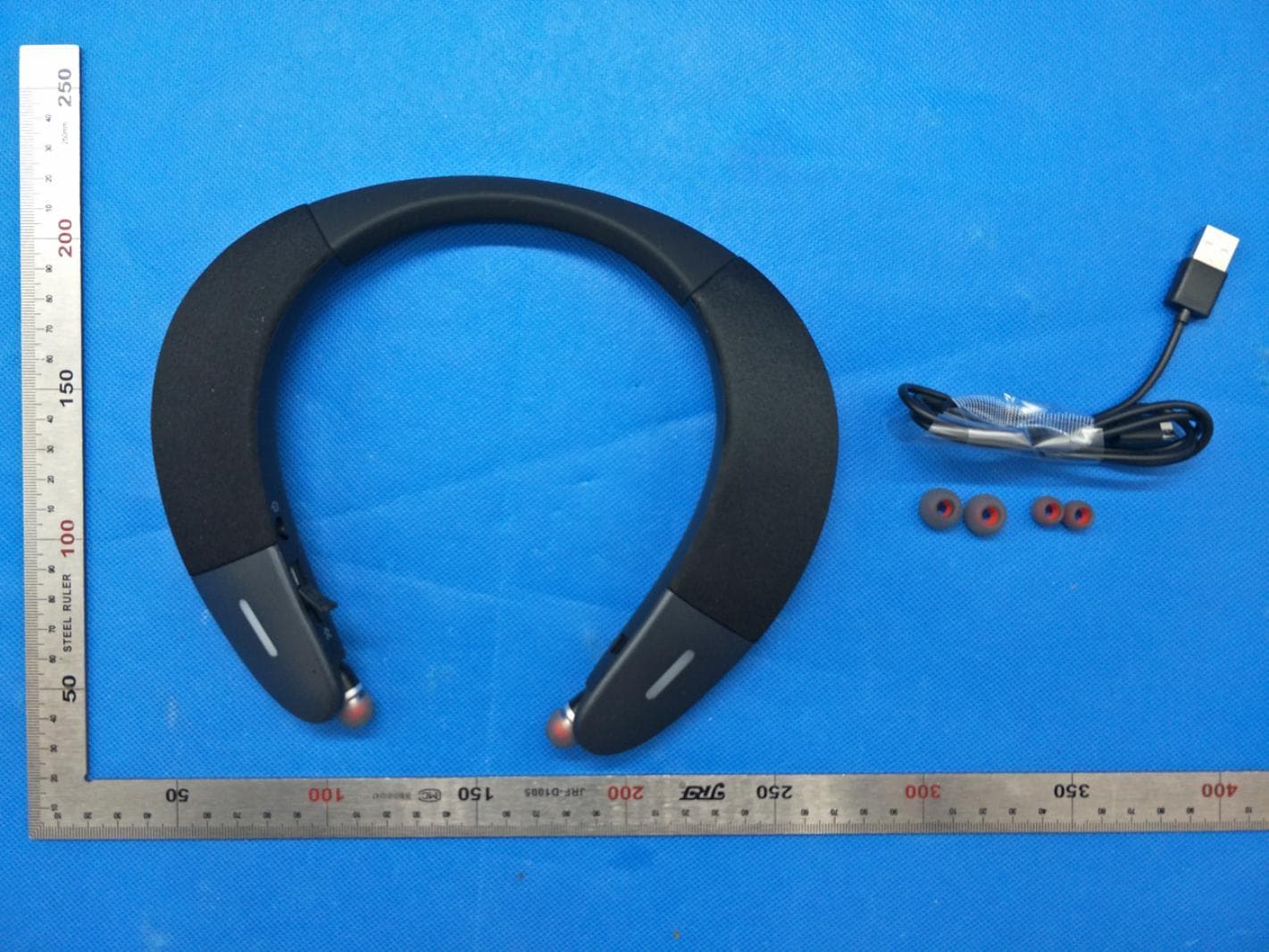
Click to zoom
Application Details
- Equipment Class
- DSS - Part 15 Spread Spectrum Transmitter
- Date of Grant
- May 24, 2020
- Application Purpose
- Original Equipment
- Date of Application
- May 24, 2020
- Equipment Note
- Bluetooth Headset with Speaker
- Frequency Range
- 2402.00000000 - 2480.00000000
- Country
- China
Documents & Files
Document Text
Text extracted from the exhibit documents filed with the FCC. Open a document above to read the original.
Users Manual
SX-822 1.Follow the connection steps to complete the first step after the phone1 is connected 2.Press and hold the MFB for 5 seconds, the headset enters the pairing state, the red and blue lights flash alternately. Turn on the mobile phone 2 Bluetooth and search for SX-822 Click to complete the connection Connect two phones Bluetooth Device SX-822 Connected Bluetooth Device SX-822 Connected When not need to connect two mobile phone and other devices, please press and hold the “ ” ” ”button at the same time. the red and blue lights are on for 5 seconds with voice prompts,the factory settings have been completed. Phone1Phone2 Reset Switch between Speaker and Headset Headphone mode When using the headset mode, please pull out the earbuds correctly. 1.After wearing , hold the earplugs 2.pull the earplugs down gently Speaker/Headset switch button ----------- 1.Push the button to “ ” change speaker model 2.Push the button to “ ” change inside music model “ ” “ ” Managing Music When playing music, you can perform the following button operations Volume upshort press short press Volume down Play/Pause Next track Previous Long press long press Short press “MFB” + - || FunctionOperation “ ” “ ” || + - Managing Calls When there has an incoming call , headset will has Voice remind with vibration FCC Requirement changes or modifications not expressly approved by the party responsible for compliance could void the user’s authority to operate the equipment. This device complies with Part 15 of the FCC Rules. Operation is subject to the following two conditions: (1) this device may not cause harmful interference, and (2) this device must accept any interference received, including interference that may cause undesired operation. Note: This equipment has been tested and found to comply with the limits for a Class B digital device, pursuant to Part 15 of the FCC Rules. These limits are designed to provide reasonable protection against harmful interference in a residential installation. This equipment generates, uses, and can radiate radio frequency energy, and if not installed and used in accordance with the instructions, may cause harmful interference to radio communications. However, there is no guarantee that interference will not occur in a particular installation. If this equipment does cause harmful interference to radio or television reception, which can be determined by turning the equipment off and on, the user is encouraged to try to correct the interference by one or more of the following measures: – Reorient or relocate the receiving antenna. – Increase the separation between the equipment and receiver. – Connect the equipment into an outlet on a circuit different from that to which the receiver is connected. – Consult the dealer or an experienced radio/TV technician for help. ----------------------- || Answer call Short press MFB Short press MFB Double press Long press MFBReject call Hang up call Intelligent voice Intelligent voice “ ” “ ” || “ ” || “ ” || || FunctionOperation Unlock the mobile phone and double click the volume “ ” to launch the voice dial, after hear the voice prompt and speak the operation instruction. such as : "Call XXX" the phone will automatically dial the phone number (the phone number needs in your contact list), MIC Connect with mobile phone 2. Turn on your Bluetooth device on your mobile phone. 3. Find the headset name of “SX-822” to geting connect in your list , the indictor is on with voice prompts “connected” Auto Connect: 1.When reuse, headset will automatically connect back to the last connected device 2.when out of connection distance and back in 2 minutes Bluetooth Device SX-822 Connected 1.Push the power button “ ” headset prompts “ Pairing”the blue and red indictor light flashes Power On/OFF 1.Power ON : The status of off, push“ ”blue indictor light flashes once with vibration and voice prompts "Power ON" 2.Power OFF : The status of ON, switch to“ ”red indictor light flashes once with Voice prompt "Power off" Automatic Power off 1.Pairing time out of 2 minutes 2.Out of connection distance for 10 minutes Note:headset prompts “ beyond the range of connections ”when out of connection range --------------------------------------- ---------- Power switch (The button will automatically reset) For user’s safety, please read this manual before using the headset. The following matters should be paid attention to when using headset: Please avoid long-time use of high volume mode, because it will lead to hearing loss caused by noise. If you are in bad condition of potential danger, please stop using headset, in order to ensure safety. Users should reasonably control the volume and time when listening to the headset. The volume should not be too high,otherwise you can’thear the voice around. If volume is too high that may appear tinnitus, please lower down the volume. Don't listen to the music while driving. Use dry soft cloth to clean the headset! Should avoid the headset into the water, that will cause headset damage. 1. Open charging cover 2. Insert the USB charging cable into the headset 3. The red light goes off when fully charged Charging ----------------------- The power adapter for charging the product is 5V/1A, if use high voltage power adapter for charging the machine, there is the risk of burning machine! Technical lndex Audio decoding supports list Technical lndex Correspond With :V5.0 Support :HSP . HFP . A2DP . AVRCP Transmitting Power : Class 2 Working Distance : ≤10m Frequency Range : 2.402GHz-2.480GHz Charge Time : ≤3 Hours Talk Time of Earphone : ≥50 Hours Music Time of Earphone : ≤48 Hours Music time of Speaker : 6 hours Support Indicator light Blue light flashes once every 5 seconds Blue light flashes twice in 5 seconds Blue light flashes 3 times in 5 seconds Blue light is on Blue light flashes 4 times in 5 seconds SBC AAC APTX APTX-LL/FS APTX-HD Headset button description 1 Volume + / Next 2 Volume - /Previous 3 Microphone Left retractable button 4 …
Text truncated - open the document above for the full version.
Cover Letter(s)
[2020-05-22] Federal Communications Commission 445 12 th Street SW Washington, DC 20554 Subject: Limited Agency Agreement Shenzhen Shuaixian Electronic Equipment Co., Ltd FCC ID: UHBSX-822 To Whom It May Concern: We, Shenzhen Shuaixian Electronic Equipment Co., Ltd hereby authorized Intertek Testing Services to act as our Agent for the purpose of preparing application for FCC ID number (UHBSX-822) under all applicable parts of the FCC rules and regulations. The effective date of this limited agency agreement is (2020-05-22). The Limited Agency Agreement expires until further notice, unless sooner terminated or extended by written notice to Intertek Testing Services and the Federal Communications Commission. This is to advise that we are in full compliance with the Anti-Drug Abuse Act. The applicant is not subject to a denial of federal benefits pursuant to Section 5301 of the Anti-Drug Act of 1988, 21 U.S.C. 862, and no party to the application is subject to a denial of federal benefits pursuant to that section. If you have any questions or comments, please do not hesitate to contact me. Sincerely, [Signature] Shenzhen Shuaixian Electronic Equipment Co., Ltd Contact person: Ye Jie Bin
Cover Letter(s)
May 22, 2020 Federal Communication Commission Authorization and Evaluation Division FCC ID: UHBSX-822 Re: Confidentiality Request Pursuant to Sections 0.457 and 0.459 of the Commission’s Rules, the applicant hereby requests confidential treatment of information applied this application as outlined below: 1: Block Diagram 2: Schematics 3: Operational Description The above materials contain trade secrets and proprietary information not customarily released to the public. The public disclosure of these matters might be harmful to the applicant and provide unjustified benefits to its competitors. The Applicant understands that pursuant to Rules 0.457, disclosure of this Application and all accompanying documentation will not be made before the date of the Grant for this application. Sincerely, Shenzhen Shuaixian Electronic Equipment Co., Ltd Contact person: Ye Jie Bin
External Photos
External Photos WHOLE VIEW OF EUT TOP VIEW OF EUT BOTTOM VIEW OF EUT FRONT VIEW OF EUT BACK VIEW OF EUT LEFT VIEW OF EUT RIGHT VIEW OF EUT VIEW OF EUT(PORT)
ID Label/Location Info
FCC ID Label Location 40mm*20mm FCC ID: UHBSX-822 This device complies with Part 15 of the FCC Rules. Operation is subject to the following two conditions: (1) this device may not cause harmful interference, and (2) this device must accept any interference received, including interference that may cause undesired operation.
Internal Photos
Internal Photos OPEN VIEW OF EUT VIEW OF BATTERY-1 VIEW OF BATTERY-2 INTERNAL VIEW OF EUT-1 INTERNAL VIEW OF EUT-2 INTERNAL VIEW OF EUT-3 BT Antenna INTERNAL VIEW OF EUT-4 INTERNAL VIEW OF EUT-5 INTERNAL VIEW OF EUT-6 INTERNAL VIEW OF EUT-7
RF Exposure Info
RF EXPOSURE EVALUATION 1. PRODUCT INFORMATION Product Description Bluetooth Headset with Speaker Model Name SX-822 FCC ID UHBSX-822 2. EVALUATION METHOD According to 447498 D01 General RF Exposure Guidance v05 The 1-g and 10-g SAR test exclusion thresholds for 100 MHz to 6 GHz at test separation distances ≤ 50 mm are determined by: [(max. power of channel, including tune-up tolerance, mW)/(min. test separation distance, mm)] ·[√f(GHz)] ≤ 3.0 for 1-g SAR and ≤ 7.5 for 10-g extremity SAR. Where f(GHz) is the RF channel transmit frequency in GHz Power and distance are rounded to the nearest mW and mm before calculation 3. CALCULATION P t =8.478dBm=7.04mW The value of the Maximum output power P t is referred to the test report of the CFR47 §15.247. The result for RF exposure evaluation SAR=(7.04mW /5mm) .[√2.480GHz)]=2.21<3.0 for 1-g SAR and ≤ 7.5 for 10-g extremity SAR. 4. CONCLUSION The SAR evaluation is not required.
Test Report
Report No.: AGC06100200401FE03 Page 56 of 68 14. FCC LINE CONDUCTED EMISSION TEST 14.1. LIMITS OF LINE CONDUCTED EMISSION TEST Frequency Maximum RF Line Voltage Q.P.( dBuV) Average( dBuV) 150kHz~500kHz 66-56 56-46 500kHz~5MHz 56 46 5MHz~30MHz 60 50 Note: 1. The lower limit shall apply at the transition frequency. 2. The limit decreases linearly with the logarithm of the frequency in the range 0.15 MHz to 0.50 MHz. 14.2. BLOCK DIAGRAM OF LINE CONDUCTED EMISSION TEST EUT & Support Units Report No.: AGC06100200401FE03 Page 57 of 68 14.3. PRELIMINARY PROCEDURE OF LINE CONDUCTED EMISSION TEST 1. The equipment was set up as per the test configuration to simulate typical actual usage per the user’s manual. When the EUT is a tabletop system, a wooden table with a height of 0.8 meters is used and is placed on the ground plane as per ANSI C63.10 (see Test Facility for the dimensions of the ground plane used). When the EUT is a floor-standing equipment, it is placed on the ground plane which has a 3-12 mm non-conductive covering to insulate the EUT from the ground plane. 2. Support equipment, if needed, was placed as per ANSI C63.10. 3. All I/O cables were positioned to simulate typical actual usage as per ANSI C63.10. 4. All support equipments received AC120V/60Hz power from a LISN, if any. 5. The EUT received DC charging voltage by adapter which received AC120V/60Hz power by a LISN. 6. The test program was started. Emissions were measured on each current carrying line of the EUT using a spectrum Analyzer / Receiver connected to the LISN powering the EUT. The LISN has two monitoring points: Line 1 (Hot Side) and Line 2 (Neutral Side). Two scans were taken: one with Line 1 connected to Analyzer / Receiver and Line 2 connected to a 50 ohm load; the second scan had Line 1 connected to a 50 ohm load and Line 2 connected to the Analyzer / Receiver. 7. Analyzer / Receiver scanned from 150 kHz to 30MHz for emissions in each of the test modes. 8. During the above scans, the emissions were maximized by cable manipulation. 9. The test mode(s) were scanned during the preliminary test. Then, the EUT configuration and cable configuration of the above highest emission level were recorded for reference of final testing. 14.4. FINAL PROCEDURE OF LINE CONDUCTED EMISSION TEST 1. EUT and support equipment was set up on the test bench as per step 2 of the preliminary test. 2. A scan was taken on both power lines, Line 1 and Line 2, recording at least the six highest emissions. Emission frequency and amplitude were recorded into a computer in which correction factors were used to calculate the emission level and compare reading to the applicable limit. If EUT emission level was less –2dB to the A.V. limit in Peak mode, then the emission signal was re-checked using Q.P and Average detector. 3. The test data of the worst case condition(s) was reported on the Summary Data page. 14.5. TEST RESULT OF LINE CONDUCTED EMISSION TEST N/A Note:The BT function of EUT didn’t work when charging. Report No.: AGC06100200401FE03 Page 58 of 68 APPENDIX A: PHOTOGRAPHS OF TEST SETUP RADIATED EMISSION TEST SETUP BELOW 1GHZ RADIATED EMISSION TEST SETUP ABOVE 1GHZ Report No.: AGC06100200401FE03 Page 59 of 68 CONDUCTED TEST SETUP Report No.: AGC06100200401FE03 Page 60 of 68 APPENDIX B: PHOTOGRAPHS OF EUT WHOLE VIEW OF EUT TOP VIEW OF EUT Report No.: AGC06100200401FE03 Page 61 of 68 BOTTOM VIEW OF EUT FRONT VIEW OF EUT Report No.: AGC06100200401FE03 Page 62 of 68 BACK VIEW OF EUT LEFT VIEW OF EUT Report No.: AGC06100200401FE03 Page 63 of 68 RIGHT VIEW OF EUT VIEW OF EUT(PORT) Report No.: AGC06100200401FE03 Page 64 of 68 OPEN VIEW OF EUT VIEW OF BATTERY-1 Report No.: AGC06100200401FE03 Page 65 of 68 VIEW OF BATTERY-2 INTERNAL VIEW OF EUT-1 Report No.: AGC06100200401FE03 Page 66 of 68 INTERNAL VIEW OF EUT-2 INTERNAL VIEW OF EUT-3 BT Antenna Report No.: AGC06100200401FE03 Page 67 of 68 INTERNAL VIEW OF EUT-4 INTERNAL VIEW OF EUT-5 Report No.: AGC06100200401FE03 Page 68 of 68 INTERNAL VIEW OF EUT-6 INTERNAL VIEW OF EUT-7 ----END OF REPORT----
Test Setup Photos
Test Setup Photos RADIATED EMISSION TEST SETUP BELOW 1GHZ RADIATED EMISSION TEST SETUP ABOVE 1GHZ CONDUCTED TEST SETUP
Contact Information
Applicant
Ye Jie Bin(General Manager)
Technical Contact
Attestation of Global Compliance (Shenzhen) Co., LYimi Zhao
[email protected]86-755-29081977
2F.,No.2 Building, Huafeng No.1 Technical Industri · Shenzhen · China
Test Firm
Attestation of Global Compliance (Shenzhen) Co., LDoris Li
[email protected]+86-755-25234088
Technical Specifications
| # | Rule Parts | Frequency Range | Power Output |
|---|---|---|---|
| 1 | 15C | 2.40 GHz - 2.48 GHz | 7.00 mW |
Other Applications from Shenzhen Shuaixian Electronic Equipment Co., Ltd.
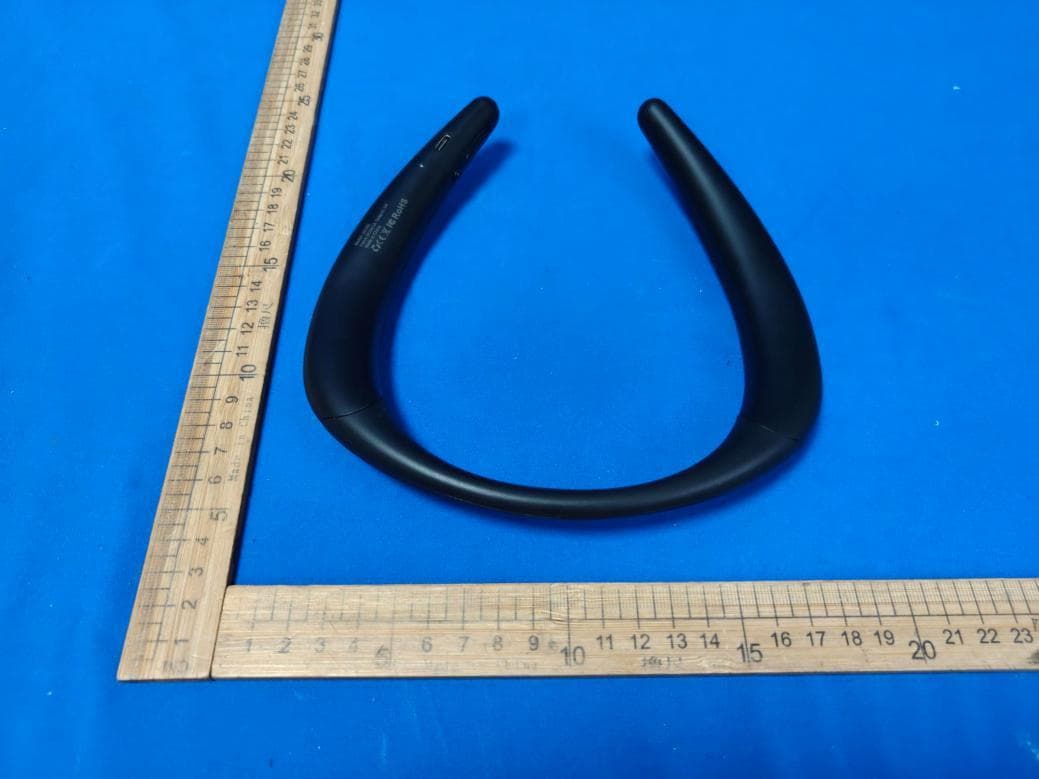
UHB-SX-133
Jul 17, 2026Neckband wireless speaker
Equipment Class
DSS - Part 15 Spread Spectrum Transmitter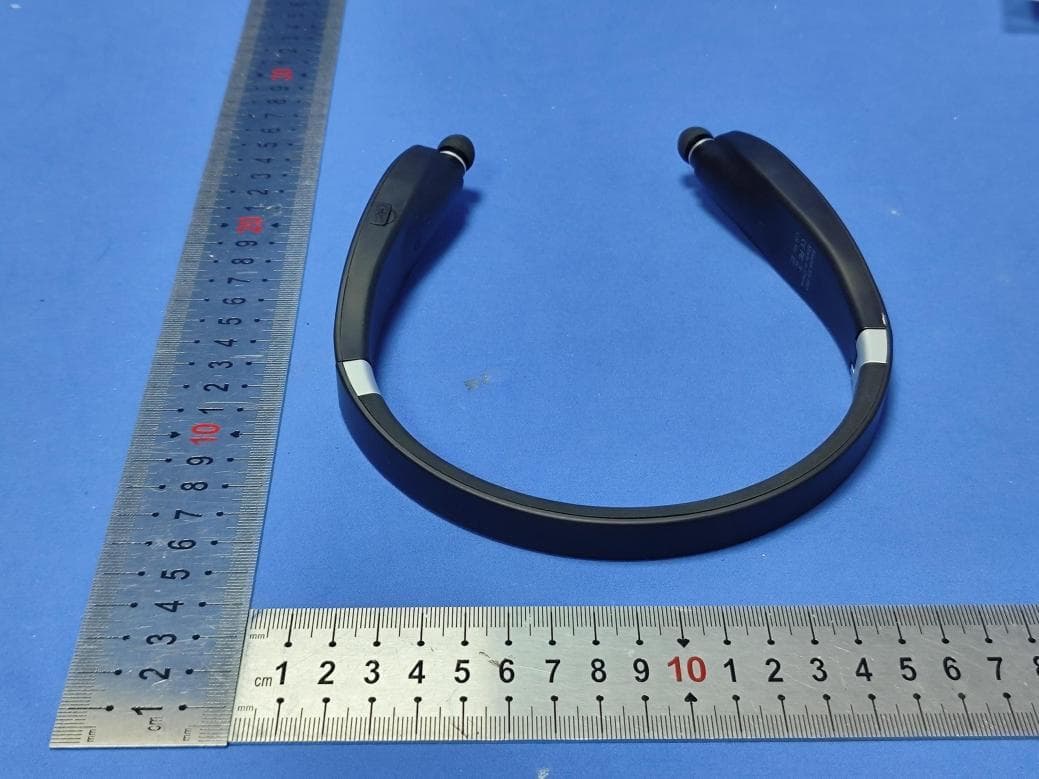
UHB-SX-991
Jul 14, 2026Neckband headphones
Equipment Class
DSS - Part 15 Spread Spectrum Transmitter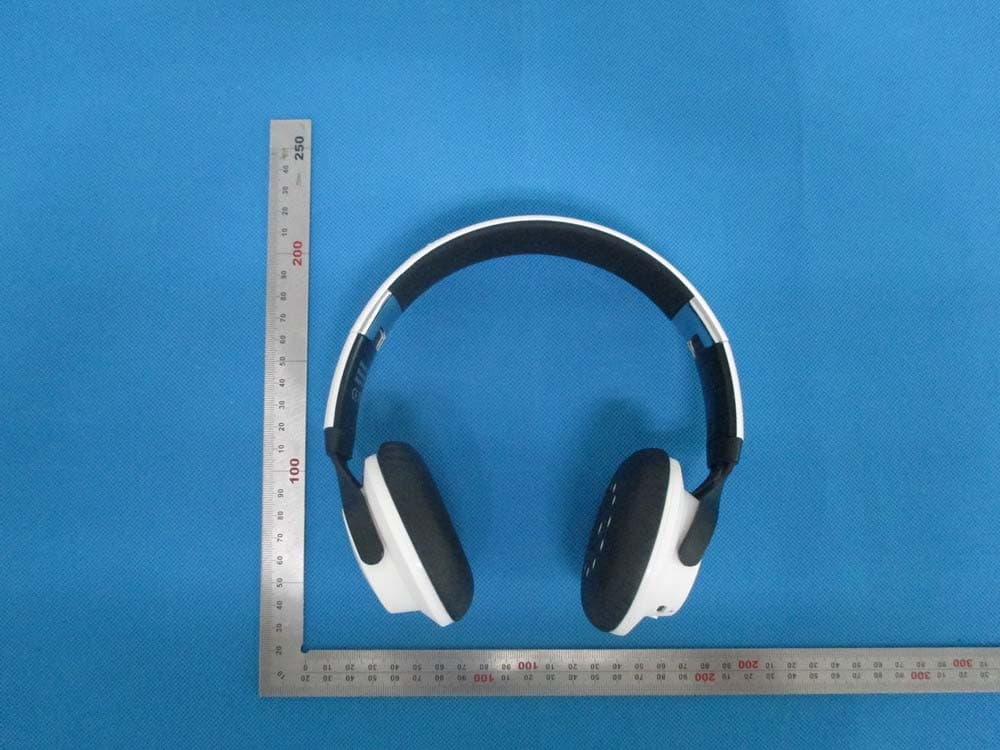
UHB-SX987
Jul 23, 2014Bluetooth Headset
Equipment Class
DTS - Digital Transmission System
UHB-SX-963
Dec 19, 2013Stereo Bluetooth Headphone
Equipment Class
DSS - Part 15 Spread Spectrum Transmitter
UHB-SX971
Jul 18, 2013Bluetooth earphones
Equipment Class
DSS - Part 15 Spread Spectrum Transmitter