UIDSBG64002-port DOCSIS 3.0 Gateway
ARRIS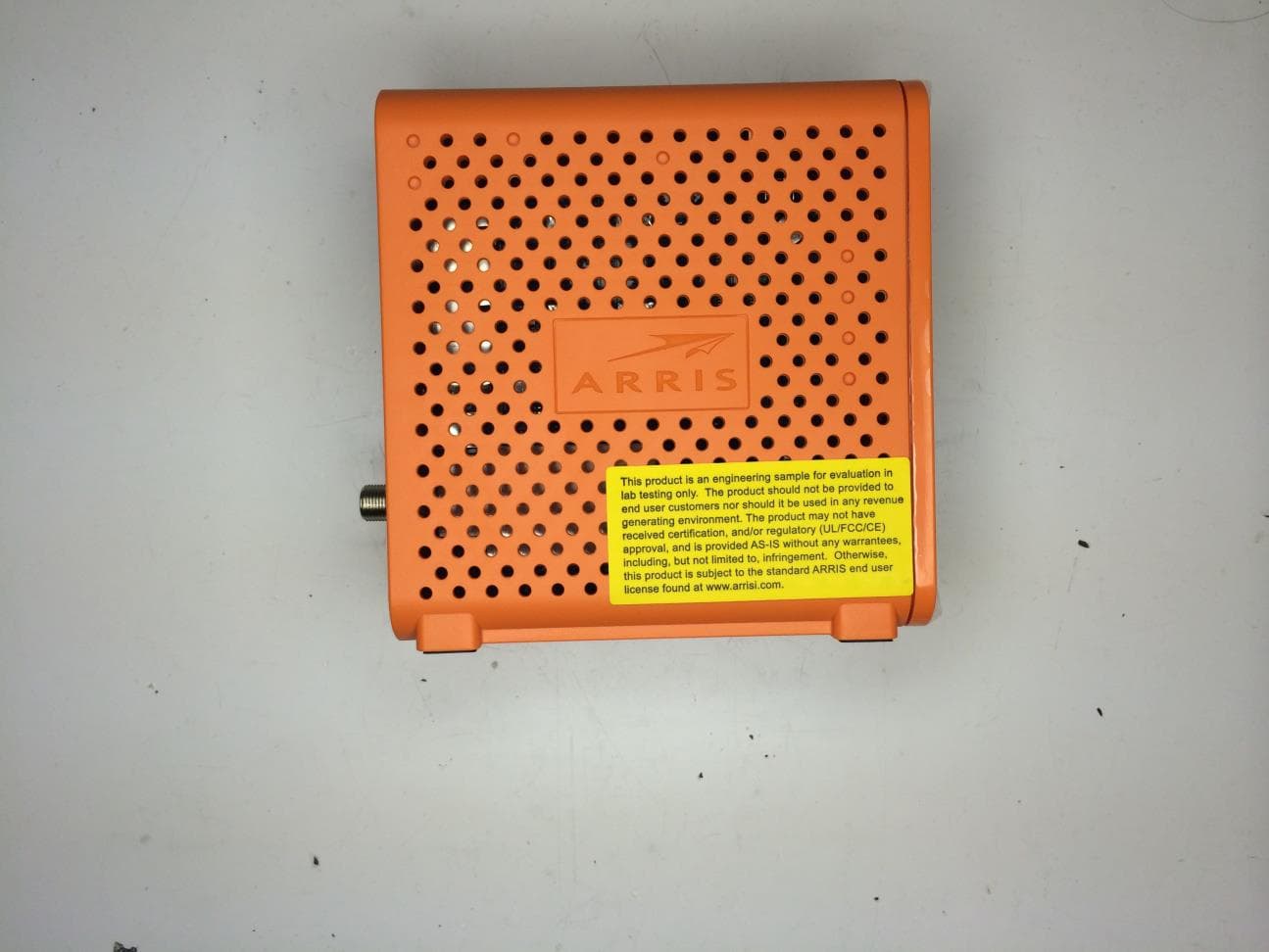
Click to zoom
Application Details
- Equipment Class
- DTS - Digital Transmission System
- Date of Grant
- Oct 19, 2014
- Application Purpose
- Original Equipment
- Date of Application
- Oct 19, 2014
- Equipment Note
- 2-port DOCSIS 3.0 Gateway
- Frequency Range
- 2412.00000000 - 2462.00000000
- Company
- ARRIS
- Country
- United States
Documents & Files
Document Text
Text extracted from the exhibit documents filed with the FCC. Open a document above to read the original.
Users Manual
Software License, Warranty, Safety, and Regulatory Information Wireless Gateway-SURFboard SBG6400 1 Safety and Regulatory Information IMPORTANT SAFETY INSTRUCTIONS Read This Before You Begin — When using your equipment, basic safety precautions should always be followed to reduce the risk of fire, electric shock, and injury to persons, including the following: • Read all of the instructions listed here and/or in the user manual before you operate this device. Give particular attention to all safety precautions. Retain the instructions for future reference. • This device must be installed and used in strict accordance with manufacturer’s instructions, as described in the user documentation that is included with the device. • Comply with all warning and caution statements in the instructions. Observe all warning and caution symbols that are affixed to this device. • To prevent fire or shock hazard, do not expose this device to rain or moisture. The device must not be exposed to dripping or splashing. Do not place objects filled with liquids, such as vases, on the device. • This device was qualified under test conditions that included the use of the supplied cables between system components. To ensure regulatory and safety compliance, use only the provided power and interface cables and install them properly. • Different types of cord sets may be used for connections to the main POWER supply circuit. Use only a main line cord that complies with all applicable device safety requirements of the country of use. • Installation of this device must be in accordance with national wiring codes and conform to local regulations. • Operate this device only from the type of power source indicated on the device’s marking label. If you are not sure of the type of power supplied to your home, consult your dealer or local power company. • Do not overload outlets or extension cords, as this can result in a risk of fire or electric shock. Overloaded AC outlets, extension cords, frayed power cords, damaged or cracked wire insulation, and broken plugs are dangerous. They may result in a shock or fire hazard. • Route power supply cords so that they are not likely to be walked on or pinched by items placed upon or against them. Pay particular attention to cords where they are attached to plugs and convenience receptacles, and examine the point where they exit from the device. • Place this device in a location that is close enough to an electrical outlet to accommodate the length of the power cord. Software License, Warranty, Safety, and Regulatory Information Wireless Gateway-SURFboard SBG6400 2 • Place the device to allow for easy access when disconnecting the power cord of the device from the AC wall outlet. • Do not connect the plug into an extension cord, receptacle, or other outlet unless the plug can be fully inserted with no part of the blades exposed. • Place this device on a stable surface. • Avoid damaging the cable modem with static by touching the coaxial cable when it is attached to the earth-grounded coaxial cable-TV wall outlet. • Always first touch the coaxial cable connector on the cable modem when disconnecting or reconnecting the Ethernet cable from the cable modem or user’s PC. • It is recommended that the customer install an AC surge protector in the AC outlet to which this device is connected. This is to avoid damaging the device by local lightning strikes and other electrical surges. • Postpone installation until there is no risk of thunderstorm or lightning activity in the area. • Do not use this product near water: for example, near a bathtub, washbowl, kitchen sink or laundry tub, in a wet basement, or near a swimming pool. • Do not cover the device or block the airflow to the device with any other objects. Keep the device away from excessive heat and humidity and keep the device free from vibration and dust. • Wipe the device with a clean, dry cloth. Never use cleaning fluid or similar chemicals. Do not spray cleaners directly on the device or use forced air to remove dust. • For added protection, unplug the device from the wall outlet and disconnect the cables to avoid damage to this device due to lightning and power surges. • Upon completion of any service or repairs to this device, ask the service technician to perform safety checks to determine that the device is in safe operating condition. • Do not open the device. Do not perform any servicing other than that contained in the installation and troubleshooting instructions. Refer all servicing to qualified service personnel. • This device should not be used in an environment that exceeds 104º F (40º C). SAVE THESE INSTRUCTIONS Software License, Warranty, Safety, and Regulatory Information Wireless Gateway-SURFboard SBG6400 3 Note to CATV System Installer — This reminder is provided to call the CATV system installer’s attention to Article 820.93 and 820.100 of the National Electric Code, which provides guidelines for proper grounding and, in particular, specifies that the Coaxial cable shield shall be connected to the grounding system of the building, as close to the point of cable entry as practical. CARING FOR THE ENVIRONMENT BY RECYCLING FCC STATEMENTS FCC Interference Statement This equipment has been tested and found to comply with the limits for a Class B digital device, pursuant to part 15 of the FCC Rules. These limits are designed to provide reasonable protection against harmful interference in a residential environment. This equipment generates, uses, and can radiate radio frequency energy and, if not installed and used in accordance with the instructions, may cause harmful interference to radio communications. However, there is no guarantee that interference will not occur in a particular installation. If this equipment does cause harmful interference to radio or television reception, which can be determined by turning the device off and on, the user is encouraged to try to correct the interference by one or more of the f…
Text truncated - open the document above for the full version.
Users Manual
User Guide SURFboard® SBG6400 Wireless Cable Modem Gateway Firmware: D30GW-HARRIER-1.3.0.0-GA-01-NOSH © 2014 ARRIS Enterprises, Inc. All rights reserved. No part of this publication may be reproduced or transmitted in any form or by any means or used to make any derivative work (such as translation, transformation, or adaptation) without written permission from ARRIS Enterprises, Inc. (“ARRIS”). ARRIS reserves the right to revise this publication and to make changes in content from time to time without obligation on the part of ARRIS to provide notification of such revision or change. ARRIS, SURFboard, and the ARRIS logo are all trademarks or registered trademarks of ARRIS Enterprises, Inc. Other trademarks and trade names may be used in this document to refer to either the entities claiming the marks and the names of their products. ARRIS disclaims proprietary interest in the marks and names of others. Wi-Fi Alliance ® , Wi-Fi ® , the Wi-Fi logo, the Wi-Fi CERTIFIED logo, Wi-Fi Protected Access ® (WPA), the Wi-Fi Protected Setup logo, and WMM ® are registered trademarks of Wi-Fi Alliance. Wi-Fi Protected Setup™, Wi-Fi Multimedia™, and WPA2™ are trademarks of Wi-Fi Alliance. ARRIS provides this guide without warranty of any kind, implied or expressed, including, but not limited to, the implied warranties of merchantability and fitness for a particular purpose. ARRIS may make improvements or changes in the product(s) described in this manual at any time. The capabilities, system requirements and/or compatibility with third-party products described herein are subject to change without notice. Safety and Regulatory Information SURFboard® SBG6400 Wireless Cable Modem Gateway • User Guide i 365-095-26377-x.1 This document is uncontrolled pending incorporation in an ARRIS CMS Safety and Regulatory Information IMPORTANT SAFETY INSTRUCTIONS Read This Before You Begin — When using your equipment, basic safety precautions should always be followed to reduce the risk of fire, electric shock, and injury to persons, including the following: • Read all of the instructions listed here and/or in the user manual before you operate this device. Give particular attention to all safety precautions. Retain the instructions for future reference. • This device must be installed and used in strict accordance with manufacturer’s instructions, as described in the user documentation that is included with the device. • Comply with all warning and caution statements in the instructions. Observe all warning and caution symbols that are affixed to this device. • To prevent fire or shock hazard, do not expose this device to rain or moisture. The device must not be exposed to dripping or splashing. Do not place objects filled with liquids, such as vases, on the device. • This device was qualified under test conditions that included the use of the supplied cables between system components. To ensure regulatory and safety compliance, use only the provided power and interface cables and install them properly. • Different types of cord sets may be used for connections to the main POWER supply circuit. Use only a main line cord that complies with all applicable device safety requirements of the country of use. • Installation of this device must be in accordance with national wiring codes and conform to local regulations. • Operate this device only from the type of power source indicated on the device’s marking label. If you are not sure of the type of power supplied to your home, consult your dealer or local power company. • Do not overload outlets or extension cords, as this can result in a risk of fire or electric shock. Overloaded AC outlets, extension cords, frayed power cords, damaged or cracked wire insulation, and broken plugs are dangerous. They may result in a shock or fire hazard. • Route power supply cords so that they are not likely to be walked on or pinched by items placed upon or against them. Pay particular attention to cords where they are attached to plugs and convenience receptacles, and examine the point where they exit from the device. • Place this device in a location that is close enough to an electrical outlet to accommodate the length of the power cord. • Place the device to allow for easy access when disconnecting the power cord of the device from the AC wall outlet. • Do not connect the plug into an extension cord, receptacle, or other outlet unless the plug can be fully inserted with no part of the blades exposed. • Place this device on a stable surface. • Avoid damaging the device with static by touching the coaxial cable when it is attached to the earth- grounded coaxial cable-TV wall outlet. • Always first touch the coaxial cable connector on the device when disconnecting or reconnecting the Ethernet cable from the device or user’s PC. • It is recommended that the customer install an AC surge protector in the AC outlet to which this device is connected. This is to avoid damaging the device by local lightning strikes and other electrical surges. i Safety and Regulatory Information SURFboard® SBG6400 Wireless Cable Modem Gateway • User Guide ii 365-095-26377-x.1 This document is uncontrolled pending incorporation in an ARRIS CMS • Postpone installation until there is no risk of thunderstorm or lightning activity in the area. • Do not use this product near water: for example, near a bathtub, washbowl, kitchen sink or laundry tub, in a wet basement, or near a swimming pool. • Do not cover the device or block the airflow to the device with any other objects. Keep the device away from excessive heat and humidity and keep the device free from vibration and dust. • Wipe the device with a clean, dry cloth. Never use cleaning fluid or similar chemicals. Do not spray cleaners directly on the device or use forced air to remove dust. • For added protection, unplug the device from the wall outlet and disconnect the cables to avoid damage to this device due to lightning and power surges. • Upon completion of …
Text truncated - open the document above for the full version.
Block Diagram
Notes:1. All resistors and capacitors are 0402 unless not ed otherwise. 2. The DOCSIS 3.0 US/DS Diplexer, and the LNA secti on shall be placed inside a one piece RF shield. 3. The PWB shall be no more than 4 layers. SBG6400 DOCSIS 3.0 8x4 Full Capture Bandwidth Cable Modem Gateway Schematic Fiducial Marker 4. Exact component placement and routing for the BC M3383G and BCM3413 per the Broadcom design guide an d reference design must be followed. 5. Refer to document 000000-000 for the layout cons traints. BCM3383G DDR3 ADDR | DATA | CTL 54MHz DS HPF 1002MHz MoCA REJECT LPF BCM3413 LNA 1002MHz MoCA REJECT LPF 42MHz US LPF HFC TNR RF INLNA I2CUS RF OUT DIPLEXER RF SHIELD DDR3 128MB x 16, 800MHz SPI PCIe 0PCIe 1 +12V DC IN TPS65271TPS65276 +1.0V AVS+2.5V+3.3V TPS2052 TPS54227 USB 0 USB CTL J600 - USB Host Port +12V DC IN D1: 'Power' - GreenD2: 'Downstream' - Green DOCSIS 2, Blue DOCSIS 3 Bo nded D3: 'Upstream' - Green DOCSIS 2, Blue DOCSIS 3 Bond ed D4: 'Online' - GreenD602: 'USB' - Green Activity / LinkD900: '2.4GHz WiFi' - Green Activity / Link, Yellow WPS D950: '5GHz WiFi' - Green Activity / Link, Yellow W PS(DNI) LED Assignments On Front Panel... J1 MAX3223 CM CLILINUX CLI UPPER : CM CLILOWER : CM CLI Half Length MiniPCIe WiFi Module TPS54227 16MB | 32MB | 64MB SPI FLASH Half / Full Length MiniPCIe WiFi Module(DNI) 1GbE RJ45 (Primary) 1GbE RJ45 (Secondary) GbE PHY RTL8211E TPS54227 +12V DC IN +12V DC IN +1.0V ECN Number REV A APPDINCORP Description Dennis Tsao2014/4/1 The Rev 1 for SBG6400 (based on SBG6700-AC) Smith Huang2014/4/1 Revision E B DNI R65/R74/R77/R78 update U2 part number Dennis Tsao2014/5/21 Smith Huang2014/5/21 EB-09415 EB-09473 C EB-09468 To correct double release schematic error, no any change in the schematic. Smith Huang2014/5/30 Dennis Tsao2014/5/30 Smith Huang2014/7/22 Dennis Tsao2014/7/22 D Put R134/R135 back for PCIE_CLKREQn/PCIE_RSTn EB-09626 Smith Huang2014/8/18Steven Tsai2014/8/18 E EB-09719 Changed R70&R72 from 47.5 ohm (AREC05787) to 150 ohm (AREC05528) for blue LED brightness reduce 52%. Changed D1&D4 to Harvek (TG1691UYG -20C10001) for Retail only. Title Rev Size Document Number Date: Sheet of ARRIS GROUP, INC.101 Tournament DriveHorsham, PA 19044 REVISION Name INTO ANY LANGUAGE OR COMPUTER LANGUAGE, IN ANY FORM BY NO PART OF THIS DOCUMENT MAY BE REPRODUCED, TRANSMI TTED, OR OTHERWISE WITHOUT THE PRIOR WRITTEN PERMISSION O F TRANSCRIBED, STORED IN A RETRIEVAL SYSTEM, TRANSLAT ED ALL INFORMATION IN THIS DOCUMENT IS THE PROPERTY OFTM. OFF. ALL OTHER PRODUCT OR SERVICE NAMES ARE THETRADEMARKS OF ARRIS GROUP, INC. REG U.S. PAT. &ARRIS GROUP, INC. ARRIS, THE STYLIZED AIRPLANE LOGO AND ARRIS GROUP, INC. NO LICENSE EXPRESSED OR IMPLIED,GRANTED OR IMPLIED BY THE CONVEYANCE OF THIS DOCUME NT. ALL OTHER TRADEMARKS INDICATED AS SUCH HERIN AREMEANS ELECTRONIC, MAGNETIC, OPTICAL, CHEMICAL, MANU AL ARRIS GROUP, INC. - COPYRIGHT ,2013PROPERTY OF THEIR RESPECTIVE OWNERS.UNDER ANY PATENT, COPYRIGHT OR TRADE SECRET RIGHT I S ARRIS Group, Inc. Confidential Restricted SCHEMATICS/DIAGRAMS,MAIN,SBG6400 C E Monday, August 18, 2014 1 10 CSCT03810 Title Rev Size Document Number Date: Sheet of ARRIS GROUP, INC.101 Tournament DriveHorsham, PA 19044 REVISION Name INTO ANY LANGUAGE OR COMPUTER LANGUAGE, IN ANY FORM BY NO PART OF THIS DOCUMENT MAY BE REPRODUCED, TRANSMI TTED, OR OTHERWISE WITHOUT THE PRIOR WRITTEN PERMISSION O F TRANSCRIBED, STORED IN A RETRIEVAL SYSTEM, TRANSLAT ED ALL INFORMATION IN THIS DOCUMENT IS THE PROPERTY OFTM. OFF. ALL OTHER PRODUCT OR SERVICE NAMES ARE THETRADEMARKS OF ARRIS GROUP, INC. REG U.S. PAT. &ARRIS GROUP, INC. ARRIS, THE STYLIZED AIRPLANE LOGO AND ARRIS GROUP, INC. NO LICENSE EXPRESSED OR IMPLIED,GRANTED OR IMPLIED BY THE CONVEYANCE OF THIS DOCUME NT. ALL OTHER TRADEMARKS INDICATED AS SUCH HERIN AREMEANS ELECTRONIC, MAGNETIC, OPTICAL, CHEMICAL, MANU AL ARRIS GROUP, INC. - COPYRIGHT ,2013PROPERTY OF THEIR RESPECTIVE OWNERS.UNDER ANY PATENT, COPYRIGHT OR TRADE SECRET RIGHT I S ARRIS Group, Inc. Confidential Restricted SCHEMATICS/DIAGRAMS,MAIN,SBG6400 C E Monday, August 18, 2014 1 10 CSCT03810 Title Rev Size Document Number Date: Sheet of ARRIS GROUP, INC.101 Tournament DriveHorsham, PA 19044 REVISION Name INTO ANY LANGUAGE OR COMPUTER LANGUAGE, IN ANY FORM BY NO PART OF THIS DOCUMENT MAY BE REPRODUCED, TRANSMI TTED, OR OTHERWISE WITHOUT THE PRIOR WRITTEN PERMISSION O F TRANSCRIBED, STORED IN A RETRIEVAL SYSTEM, TRANSLAT ED ALL INFORMATION IN THIS DOCUMENT IS THE PROPERTY OFTM. OFF. ALL OTHER PRODUCT OR SERVICE NAMES ARE THETRADEMARKS OF ARRIS GROUP, INC. REG U.S. PAT. &ARRIS GROUP, INC. ARRIS, THE STYLIZED AIRPLANE LOGO AND ARRIS GROUP, INC. NO LICENSE EXPRESSED OR IMPLIED,GRANTED OR IMPLIED BY THE CONVEYANCE OF THIS DOCUME NT. ALL OTHER TRADEMARKS INDICATED AS SUCH HERIN AREMEANS ELECTRONIC, MAGNETIC, OPTICAL, CHEMICAL, MANU AL ARRIS GROUP, INC. - COPYRIGHT ,2013PROPERTY OF THEIR RESPECTIVE OWNERS.UNDER ANY PATENT, COPYRIGHT OR TRADE SECRET RIGHT I S ARRIS Group, Inc. Confidential Restricted SCHEMATICS/DIAGRAMS,MAIN,SBG6400 C E Monday, August 18, 2014 1 10 CSCT03810 FD7FD 1 FD2FD 1 FD8FD 1 FD3FD 1 FD1FD 1 FD4FD 1 FD5FD 1 FD6FD 1
Cover Letter(s)
/"r. ARRIS October 3, 2014 MET Laboratories, Inc. 914 West Patapsco Avenue Baltimore, MD 21230 RE: CONFIDENTIALITY REQUEST FOR Model#: SBG6400 Certification / Registration Number: 6670A-SBG6400 To Whom It May Concern: This letter serves as an official request for confidentiality under sections 0.457 and 0.459 of CFR 47. We have requested that the • Bill of Material • Schematic required to be submitted with this application be permanently withheld from public review. The above documents are company proprietary information that could get into the possession of ARRIS competition. Please contact me if there is any information you may need. Sincerely, Company ~~ Signee rjarr, c.l '~C. 3'r. Manages H. Alan Hoover Globa~'Engineering Services &Sustaining 3871 Lakefield Drive • Suwanee, GA 30024 ~ phone. 678-473-8400 '
Cover Letter(s)
~~ -..:. n ARRIS October 3, 2014 MET Laboratories, Inc. 914 West Patapsco Avenue Baltimore, MD 21230 RE: CONFIDENTIALITY REQUEST FOR Model #: SBG6400 Certification / Registration Number: 6670A- SBG6400 To Whom It May Concern: This letter serves as an official request for confidentiality under sections 0.457 and 0.459 of CFR 47. We have requested that the • User Manual — Operation Guide required to be submitted with this application be temporarily withheld for 90 days from public review. The above documents are company proprietary information that could get into the possession of ARRIS competition providing unfair advantage to potential sales contracts. Please contact me if there is any information you may need. Sincerely, Company na~hie: AXIS Signee n~me,~~d-s~gnature: H. Alan Hoover ~~ 'IVlanagef,~Globa~l"Engineering Services &Sustaining alan.hoover(a~arrisi.com 3871 Lakefield Drive • Suwanee, GA 30024 • phone: 678 -073 -8400
ID Label/Location Info
ARRIS GROUP, INC. STANDARD A1 FORMAT v4.0 - MAY 2013 CAD SYSTEM: Pro/ENGINEER format created by cmu ARRIS GROUP, INC. TABLE I PART NUMBER PRODUCT CODE MODEL NAME MODEL DESCRIPTION PWA ASSY P/N 595384-0014013SBG6400RETAILARCT03810 595384-0024021SBG6400 DIAGNOSTICARCT03562 A M. TAYLORINITIAL RELEASE EB-09476 5-22-14 B M. TAYLOR REMOVED 5G PWA COMPONENTS FROM DRAWING VIEW EB-09500 6-03-14 C M. TAYLOR RELEASED -001 ADDED ITEM 26 EB-09526 6-16-14 1 OF 3SBG6400NONE C595384N/AA1 SBG6400, CABLE MODEM, FINAL ASSEMBLY M. TAYLOR B. MILLS COPYRIGHT 2010 ARRIS GROUP, INC. INFORMATION CONTAINED ON ALL SHEETS OF THIS PRINT CANNOT BE REPRODUCED OR USED, IN WHOLE OR IN PART, WITHOUT THE CONSENT OF ARRIS. THIS NOTICE DOES NOT IMPLY PUBLICATION. NOTES: UNLESS OTHERWISE SPECIFIED 1. WORKMANSHIP SHALL BE IN ACCORDANCE WITH THE LATEST REVISION OF ARRIS SPEC 475497-003. 2. FOR NEXT ASSEMBLY AND USED ON APPLICATION, REFER TO LATEST APPROPRIATE ARRIS DATA BASE. 3. SEE TABLE I FOR PRODUCT CODE. TORQUE ITEM TO 4-6 IN-LBS. TORQUE ITEM TO 10-12 IN-LBS. 6. THIS DOCUMENT IS THE PROPERTY OF ARRIS GROUP, INC. THIS DOCUMENT MAY ONLY BE DISTRIBUTED TO: (I) AN ARRIS PARTY HAVING A LEGITIMATE BUSINESS NEED FOR THE INFORMATION CONTAINED HEREIN, OR (II) A NON-ARRIS PARTY HAVING A LEGITIMATE BUSINESS NEED FOR THE INFORMATION CONTAINED HEREIN. NO LICENSE, EXPRESSED OR IMPLIED, UNDER ANY PATENT, COPYRIGHT OR TRADE SECRET RIGHT IS GRANTED OR IMPLIED BY THE CONVEYANCE OF THIS DOCUMENT. NO PART OF THIS DOCUMENT MAY BE REPRODUCED, TRANSMITTED, TRANSCRIBED, STORED IN A RETRIEVAL SYSTEM, TRANSLATED INTO ANY LANGUAGE OR COMPUTER LANGUAGE, IN ANY FORM OR BY ANY MEANS, ELECTRONIC, MECHANICAL, MAGNETIC, OPTICAL, CHEMICAL, MANUAL, OR OTHERWISE WITHOUT THE PRIOR WRITTEN PERMISSION OF ARRIS GROUP, INC. (SEE DOCUMENT SECURITY STANDARD, 320190-000 FOR DETAILS.) THE ARRIS LOGO AND ALL OTHER TRADEMARKS INDICATED AS SUCH HEREIN ARE TRADEMARKS OF ARRIS GROUP, INC. ALL OTHER PRODUCT OR SERVICE NAMES ARE THE PROPERTY OF THEIR RESPECTIVE OWNERS. COPYRIGHT ARRIS GROUP INC. 2013 ALL RIGHTS RESERVED. 7. ARRIS CONTROLLED AND REPORTABLE MATERIALS DISCLOSURE PRIOR TO PART QUALIFICATION, SUPPLIER MUST PROVIDE ALL REQUIRED INFORMATION TO MEET THE APPROPRIATE ACCEPTANCE CRITERIA IN ACCORDANCE WITH ENVIRONMENTAL REGULATIONS FOR BANNED AND CONTROLLED SUBSTANCES AS OUTLINED IN THE ARRIS CORPORATE SUPPLY AGREEMENT AND PURCHASE ORDER TERMS AND CONDITIONS. 4 5 2 OF 3SBG64002/1 C595384N/AA1 25 -002 SHOWN ALL CONFIGURATIONS THE SAME EXCEPT AS INDICATED IN BILL OF MATERIALS SCALE: 2/1 VIEW A -002 SHOWN ALL CONFIGURATIONS THE SAME EXCEPT AS INDICATED IN BILL OF MATERIALS SCALE: 2/1 5 2 27 4 8 7 6 SEE VIEW A 26 3 1 10 13 12 4 5 3 OF 3SBG64002/1 C595384N/AA1 WI-FI RADIO AND ANTENNA ASSEMBLY -002 SHOWN ALL CONFIGURATIONS THE SAME EXCEPT AS INDICATED IN BILL OF MATERIALS SCALE: 2/1 10 13 12
ID Label/Location Info
ARTWORK, LABEL, ID, REG, RETAIL, SBG6400 D SHEET 1 OF 2 SCALE: 1:1 DRAWING NO: REV PROJECT SIZE A TITLE SGB6400 FILE: 590945-015-d.cdr 590945-015 REVISION STATUS REVDATEDESIGNDESCRIPTION A6/03/14M. TaylorINITIAL RELEASE PER EB-09500 B8/07/14M. TAYLORADDED FCC & UL PER EB-09700 C8/21/14M. TAYLORADDING FCC ID AND IC NUMBERS PER EB-09730 D9/18/14M. TAYLORADDED WEBSITE INFO PER EB-09770 110.05 mm 40.01 mm FIXED IMAGE VIEW SCALE: 1/1 SEE PAGE 2 FOR VARIABLE FIELDS DETAILS AND NOTES TM ® CAN ICES-3 (B)/NMB-3(B) I.T.E. E214476 WI-FI SECURITY KEY: SSID-2.4: S/N: HFC MAC ID: GATEWAY MGMT MAC ID: Input Voltage: +12VDC - - - ; 2A P/N: 595384-001 DOCSIS 3.0 FCI: Model: SBG6400 IC: 6670A-SBG6400 FCC ID: UIDSBG6400 Need Help: www.arrisi.com/consumer ASSEMBLED IN 8 10 9 65 4 CAN ICES-3 (B)/NMB-3(B) D SCALE: NONE DRAWING NO: REV SIZE A SBG6400 FILE: 590945-015-d.cdr SHEET 2 OF 2 DRAWING NO: REV PROJECT SIZE A VARIABLE FIELDS PRINTING DETAIL FOR REFERENCE ONLY ALL FIXED IMAGE INFORMATION SHALL BE TAKEN FROM PAGE 1 SCALE: NONE 590945-015 NOTES: UNLESS OTHERWISE INDICATED 1. DIMENSIONS ARE METRIC (MILLIMETERS). INTERPRET PER ANSI Y14.5M. 2. COLOR: BACKGROUND = WHITE FOREGROUND = PMS BLACK 3. ALL VARIABLE INFORMATION, INCLUDING BAR CODES AND TEXT RELATED TO BAR CODES, SHALL BE CONSTRUCTED AND PRINTED IN ACCORDANCE WITH THE LATEST REVISION OF ARRIS SPECS 475830-001 & 576980-009, UNLESS OTHERWISE INDICATED. 4 THE ARRIS SERIAL NUMBER: BAR CODE AND RELATED TEXT SHALL BE CONSTRUCTED AND PRINTED IN ACCORDANCE WITH THE LATEST REVISION OF ARRIS SPECIFICATION 475824-001. HUMAN READABLE CHARACTERS SHALL FOLLOW THE ‘S/N:’ VERBIAGE, WITH A UNIFORM CHARACTER HEIGHT, AND THE BAR CODE SHALL BE PRINTED DIRECTLY UNDERNEATH THAT. THERE SHALL BE A BLANK SPACE ADDED AFTER EVERY FOURTH DIGIT OF THE HUMAN READABLE CHARACTERS, FOR EASIER READABILITY. THE BAR CODE SHALL NOT CONTAIN THE SPACES. EXAMPLE: S/N: PPPP MMYJ JJSS SSSC AABB CCCC 5 THE HFC MAC ID ADDRESS: HUMAN READABLE CHARACTERS SHALL FOLLOW THE ‘HFC MAC ID:’ VERBIAGE, WITH A UNIFORM CHARACTER HEIGHT, AND THE BAR CODE SHALL BE PRINTED DIRECTLY UNDERNEATH THAT. THERE SHALL BE A BLANK SPACE ADDED AFTER EVERY SECOND DIGIT OF THE HUMAN READABLE CHARACTERS, FOR EASIER READABILITY. THE BAR CODE SHALL NOT CONTAIN THE SPACES. EXAMPLE: HFC MAC ID: AB CD EF 01 23 45 6 THE GATEWAY MANAGEMENT MAC ID: HUMAN READABLE CHARACTERS SHALL FOLLOW THE ‘GATEWAY MGMT MAC ID:’ VERBIAGE, WITH A UNIFORM CHARACTER HEIGHT, AND THE BAR CODE SHALL BE PRINTED DIRECTLY UNDERNEATH THAT. 7 THE COUNTRY OF MANUFACTURE: SHALL INCLUDE THE NAME OF THE COUNTRY WHERE THE PRODUCT IS ASSEMBLED, FOLLOWING THE ‘ASSEMBLED IN’ VERBIAGE, WITH A UNIFORM CHARACTER HEIGHT. 8 THE FCI NUMBER: SHALL BE OBTAINED FROM THE CURRENT REVISION OF FINISHED GOOD DRAWING 595386, AND SHALL FOLLOW THE ‘FCI:’ VERBIAGE, WITH A UNIFORM CHARACTER HEIGHT. THE CORRECT FCI NUMBER IS DEFINED BY THE WHERE USED FINISHED GOOD ASSEMBLY. 9 THE SSID NUMBER: SHALL FOLLOW THE ‘SSID-2.4:’ VERBIAGE, WITH UNIFORM CHARACTER HEIGHT. TEXT CASE (UPPER OR LOWER) SHALL BE PRINTED EXACTLY AS IT APPEARS IN ASSOCIATED MIB VARIABLE. 10 THE WI-FI SECURITY KEY: SHALL BE PRINTED DIRECTLY UNDERNEATH THE LINE THAT READS ‘WI-FI SECURITY KEY:, WITH UNIFORM CHARACTER HEIGHT. TEXT CASE (UPPER OR LOWER) SHALL BE PRINTED EXACTLY AS IT APPEARS IN ASSOCIATED MIB VARIABLE. . 11. THIS DOCUMENT IS THE PROPERTY OF ARRIS GROUP, INC. THIS DOCUMENT MAY ONLY BE DISTRIBUTED TO: (I) AN ARRIS PARTY HAVING A LEGITIMATE BUSINESS NEED FOR THE INFORMATION CONTAINED HEREIN, OR (II) A NON-ARRIS PARTY HAVING A LEGITIMATE BUSINESS NEED FOR THE INFORMATION CONTAINED HEREIN. NO LICENSE, EXPRESSED OR IMPLIED, UNDER ANY PATENT, COPYRIGHT OR TRADE SECRET RIGHT IS GRANTED OR IMPLIED BY THE CONVEYANCE OF THIS DOCUMENT. NO PART OF THIS DOCUMENT MAY BE REPRODUCED, TRANSMITTED, TRANSCRIBED, STORED IN A RETRIEVAL SYSTEM, TRANSLATED INTO ANY LANGUAGE OR COMPUTER LANGUAGE, IN ANY FORM OR BY ANY MEANS, ELECTRONIC, MECHANICAL, MAGNETIC, OPTICAL, CHEMICAL, MANUAL, OR OTHERWISE WITHOUT THE PRIOR WRITTEN PERMISSION OF ARRIS GROUP, INC. (SEE DOCUMENT SECURITY STANDARD, 320190-000 FOR DETAILS.) THE ARRIS LOGO AND ALL OTHER TRADEMARKS INDICATED AS SUCH HEREIN ARE TRADEMARKS OF ARRIS GROUP, INC. ALL OTHER PRODUCT OR SERVICE NAMES ARE THE PROPERTY OF THEIR RESPECTIVE OWNERS. COPYRIGHT ARRIS GROUP INC. 2013 ALL RIGHTS RESERVED. 12. ARRIS CONTROLLED AND REPORTABLE MATERIALS DISCLOSURE PRIOR TO PART QUALIFICATION, SUPPLIER MUST PROVIDE ALL REQUIRED INFORMATION TO MEET THE APPROPRIATE ACCEPTANCE CRITERIA IN ACCORDANCE WITH ENVIRONMENTAL REGULATIONS FOR BANNED AND CONTROLLED SUBSTANCES AS OUTLINED IN THE ARRIS CORPORATE SUPPLY AGREEMENT AND PURCHASE ORDER TERMS AND CONDITIONS. I.T.E. E214476 WI-FI SECURITY KEY: SSID-2.4: S/N: HFC MAC ID: GATEWAY MGMT MAC ID: Input Voltage: +12VDC - - - ; 2A P/N: 595384-001 DOCSIS 3.0 FCI: Model: SBG6400 XXX ABCDEF012345 AB CD EF 01 23 45 PPPP MMYJ JJSS SSSC AABB CCCC ® IC: 6670A-SBG6400FCC ID: UIDSBG6400 Need Help: www.arrisi.com/consumer 7 ASSEMBLED IN CHINA
Operational Description
1 ARRIS SURFBOARD ® SBG6400 COST EFFECTIVE 8X4 DOCSIS 3.0 WIRELESS 802.11AC GATEWAY ARRIS Confidential and Proprietary Expected On-Line Sales Q4 2014 In Stores Q1 2015 Specifications: DOCSIS 3.0, BCM3383, 8x4 Channel Bonding, 802.11n, 2x2:[email protected], 2 port 10/100/1000 Ethernet, 1 USB 2.0 port • Small Gateway Footprint, 5” x 5” x 2” • 600 MHz Dual Thread Processor • 2-Port Gigabit Ethernet Ports • 1 USB 2.0 Port, NAS and Storage Device connection, USB charging port • Full Support for CableLabs eRouter Specification and IPv6 • Wireless Protected Set Up (WPS 2.0) • Full Capture Bandwidth with Spectrum Analyzer and Turbo Channel Acquisition • Easy UI based Wizard for initial network configuration • Includes support for WMM® QOS and WMM Power Save, WPS 2.0 • 802.11n GHz Wireless Access Point • 2x2:2 MIMO Antenna Array • Support for 8 SSIDs • Low Pass MoCA reject filter The SBG6400 is a cost effective single radio offering for our “Good” product at an introductory price for cost conscious retail consumers Q4 ’14 Q1 ‘15 Q2 ‘15 Q3 ‘15 Q4 ‘15 SBG6400
RF Exposure Info
Ethertronics’ Prestta series of Isolated Magnetic Dipole™ (IMD) trace antennas address the challenges facing today’s product designers. IMD’s high perfor- mance and isolation characteristics offer better con- n e c t i v i t y a n d m i n i m a l i n t e r f e r e n c e . IMD antennas can be used in a variety of devices: Notebook Computers & Tablets Access Points, Gateways, STB WiFi enabled Televisions & Monitors Trackers... PRODUCT: 802.11 b/g/n Prestta TM WLAN Embedded Antennas Single Band 2.4GHz Part No. 1002577 - 1002605 TECHNOLOGY ADVANTAGES Prestta WLAN antennas use patented IMD technology in a trace configuration to provide high performance. IMD antennas requires a smaller design keep-out area, carry lower program development risk which yields a quicker time-to-market, without sacrificing RF performance. Stays in Tune IMD antenna technology provides superior RF field containment, resulting in less interaction with surrounding components. Ethertronics IMD antennas r e s i s t d e-t u n i n g ; providing a robust radio link regardless of the usage position. KEY BENEFITS SERVICE AND SUPPORT Extensive RF Experience Our WLAN antennas are supported by documentation, and when needed, by the expertise of RF engineers who have integrated hundreds of antenna designs into wireless devices. Global Operations & Design Support Ethertronics’ global operations supports an integrated network of design centers that can take projects from concept to production. END USER ADVANTAGES Unique Form Factors Support Advanced Industrial Designs Smaller, more efficient IMD embedded antennas break through restrictive design rules and provide new free- dom in component placement. Superior Range & Signal Strength Better antenna function means longer range and great- er sensitivity to critically precise signals—delivering greater customer satisfaction while building brand loy- alty. DESIGN ADVANTAGES Quicker Time-to-Market By optimizing antenna size, performance and emis- sions, customer and regulatory specifications are more easily met. Greater Flexibility Ethertronics’ first-in-class …
Text truncated - open the document above for the full version.
Contact Information
Applicant
Antonio A Figueiredo(Manager -Regulatory/Compliance)
Technical Contact
ARRIS Group, Inc.H. Alan Hoover
[email protected]678-473-8665
3871 Lakefield Drive · Suwanee, Georgia · United States
Test Firm
EUROFINS ELECTRICAL AND ELECTRONIC TESTING NA, INCGreg Kovolenko
Technical Specifications
| # | Rule Parts | Frequency Range | Power Output |
|---|---|---|---|
| 1 | 15C | 2.41 GHz - 2.46 GHz | 937.00 mW |
Other Applications from ARRIS
UIDG54
Jul 02, 2023Cable Modem
Equipment Class
6ID - 15E 6 GHz Low Power Indoor Access Point
UIDX6
May 02, 202311ax Tri-band Extender
Equipment Class
NII - Unlicensed National Information Infrastructure TX
UIDNVG678XY
Mar 22, 2023XGS-PON GATEWAY
Equipment Class
NII - Unlicensed National Information Infrastructure TX
UIDW61
Aug 15, 2022Wireless Router
Equipment Class
6PP - 15E 6 GHz Subordinate Indoor Device
UIDW6
Jun 10, 2022Wireless Router
Equipment Class
6ID - 15E 6 GHz Low Power Indoor Access Point