V8VCNE6322AALL IN ONE DVD PLAYER
SKYPINE ELECTRONICS (SHEN ZHEN) CO., LTD.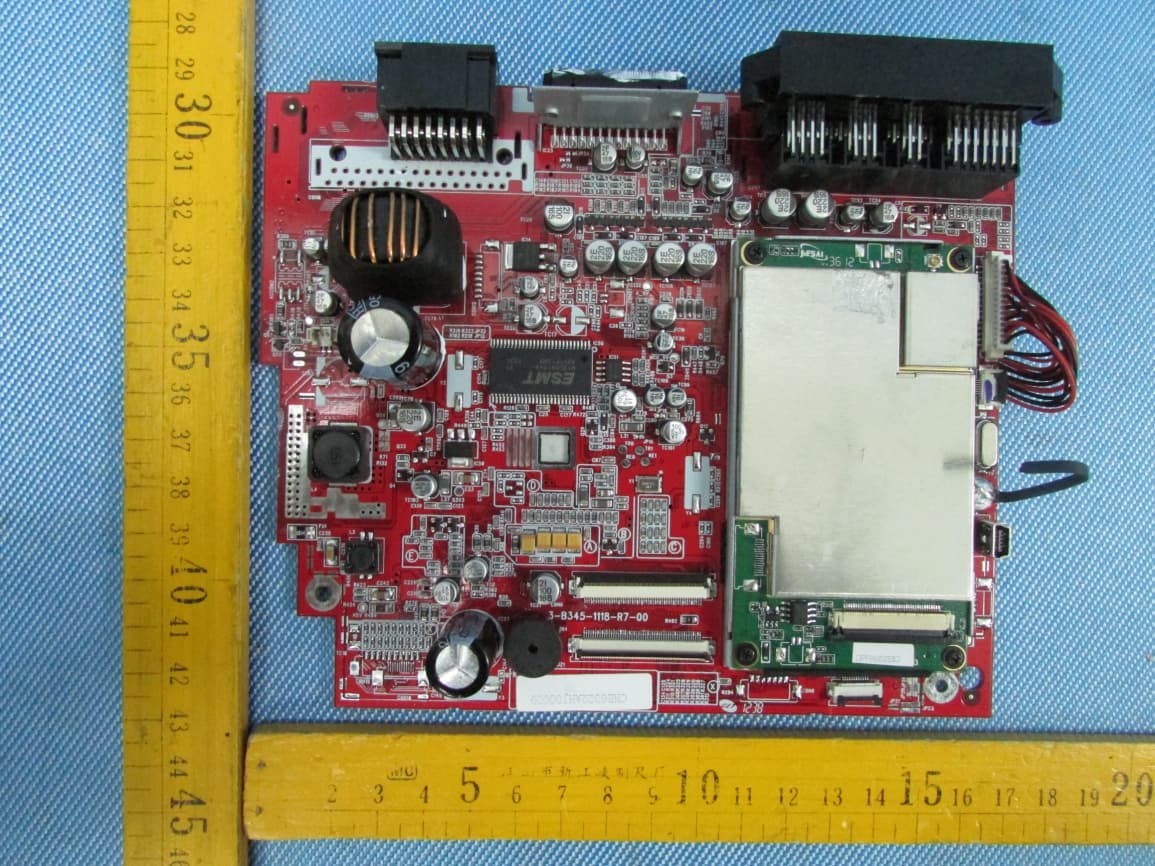
Click to zoom
Application Details
- Equipment Class
- DSS - Part 15 Spread Spectrum Transmitter
- Date of Grant
- Jan 10, 2013
- Application Purpose
- Original Equipment
- Date of Application
- Jan 10, 2013
- Equipment Note
- ALL IN ONE DVD PLAYER
- Frequency Range
- 2402.00000000 - 2480.00000000
- Country
- China
Documents & Files
Document Text
Text extracted from the exhibit documents filed with the FCC. Open a document above to read the original.
Users Manual
Panel [1] The window to receive the signal from the remote-control. [2] The Indicator Light. It will be green when there is a disc in it or red when there is not any disc. [3] Disc Slot. [4]The Eject Button. [6] Press to select DVD mode. [7] What below it is the Micro-SD slot and the hole of reset. [8] Press to switch between Navigation and playback. [9] Press to select iPod mode. [10] Press to reduce the volume. [11] Press to increase the volume. [12] Long-press it to power off the device and short-press it to get mute. Remote Control Buttons 1 2 2 3 4 5 6 7 8 9 10 11 12 1. POWER -Device ON/OFF 2. EJECT -Eject disc 3. MUTE -Mute/Un-mute audio output 4. SRC -Change sources 5. KEYPAD -Input track/chapter/title 6. VOL (+) -Increase volume 7. VOL (-) -Decrease volume 8. INFO -Show DVD info 9. GOTO -Open numeric onscreen keypad 10. STOP/BAND -Stop DVD/change radio band 11. SEL -Open EQ 12. ESC -Close menu/EQ 13. MENU -Open main menu 14. PIC -No function 15. REPEAT A B -Set start and end point at DVD to repeat 16. OK -Play/Pause; Confirm 17. DIRECTION BUTTONS -Select item; move cursor 18. TITLE -Open DVD Title menu 19. ROOT -Open DVD main menu 20. REPEAT -Repeat track/chapter/title 21. SKIP NEXT -Jump to next track/preset/chapter/title 22. SKIP PREVIOUS -Jump to previous track/preset/chapter/title 23. FAST REVERSE -Fast reverse; 50kHz down at tuner mode 24. FAST FORWARD -Fast forward, 50kHz up at tuner mode 25. AUDIO -Change DVD audio language 26. ZOOM -Zoom in/out 27. ANGLE -Change DVD viewing angle 28. SUB-T -Change DVD subtitle NOTE: Some functions may not be available; depending on your chosen mode and type of media. Main Menu Press to show more source icons Direct access to Navi when it light. Direct access toTuner. Direct access to DVDwhen it light. Direct access to iPod when it light. Direct access to USB when it light. Direct access to Setup. Direct access to AUX-IN. System time,Press to Standby. DVD Playback page: Control elements: Previous track. Play/Pause. Next track. Repeat. Shuffle. Switch to EQ page. Switch to playlist page. Switch to Search mode. Display elements: Source. System time. Current folder/playlist. Album Art. Progress bar. Mute status. Bluetooth status. Playlist page Disc: Previous track. Play/Pause. Next track. Repeat. Shuffle. Cursor up Cursor down. Switch to playback page. Go to root directory. Current folder/playlist up. Search mode: Tapping pops up an numeric keyboard, allowing you to enter track numbers. Numeric search is unique for Disc mode. DVD Main menu: Cursor up Cursor down Conform selected item Elements to control playback of video files: Display elements: Current temporal position in track Total duration of track Control elements: Previous title/track/chapter/Fast Backward (Long Press) Play/Pause Next title/track/chapter Fast forwards (Long Press) To playlist/root menu of DVD Full screen mode DVD settings Progress Bar DVD search mode: Tapping the Screen when play DVD, pops up an numeric keyboard, allowing you to enter track numbers. DVD play inform: Picture playback screen: Previous track. Play/Pause. Next track. To playlist menu of DVD. Full screen mode. Rotate picture. Tuner []Loc/DX status; []Frequency or station name; Press the [] icon to seek down; Press the [] icon to seek up; []ManualTuning:Red line marks current frequency and tap to select frequency; Press the [] icon to increase the tuning frequency one step at a time; Press the [] icon to decrease the tuning frequency one step at a time; []Function area. Press the [] icon to scroll right; Press the [] icon to scroll left; []Storing a Station; Prsee it show the picture: Six numbered preset buttons stored and recall stations for each band.Six stored stations for the current band appear on the screen,touch the channel directly for use.You can press the other buttons on the Radio panel to see the other six stations. How to store a station: 1.Select a band(If needed),then select a station.Example:FM1103.6MHz 2.Touch and Hold for 3 seconds the desired preset number to store Radio station. []To select a radio band tap on a center button. Touch it on the Radio Panel FM1,FM2,FM3 and AM1,AM2. []Touch to activate/deactivate Scan Mode.Intro-scan of all stations in reception range.You can hear each station for a short moment. Lock to the one you like by pressing scan again. [] DX and Loc Stations Seeking(LOC).Touch LOC/DX to omit or allow reception of stations with weak signals.If LOC is activated,it will exclusively finds trong stations.The status appears on the screen. [] Auto store. Press the icon on the screen to automatically scan and store all stations in current six band. [] Program Scan. Press the icon on the screen for scan the stations in the six preset channels in the current band. [] Touch to display EQ setting. Bluetooth Bluetooth main menu: Tap icon to enter certain function. [] Onscreen keypad : []The column to display dialed number. []First incoming call []Second incoming call. []Back to BT Main menu []Keypad []Deletes last digit []Pick up call/Switch to second call []Hang up active call/Back to first call []Toggle to shift call between hands free and mobile phone ( privacy mode ) [] Contacts []Back to BT Main menu []Tap a contact number to start a call []Tap on star to save as favorite []Search []Display Input []Tap to delete last character []Quit keypad []Switch to next page of keypad []No function, when keypad is active []Choose contact name from list []Browse contact list up/down []Call Log []Back to BT Main menu []Tap to display outgoing call list []Tap to display incoming call list []Tap to display missed call list []Go to contacts page []Go to favorites page []Tap on entry to call []Page up/down NOTE: If it’s the first time you use it,it will load informaintion from your cell phone. [] Favourites []Tap any name to call favourite []Delete favourite [] A2DP (de-)activation: []A2DP On/Off (highlighted=ON) []Control Playback [] Bluetooth Settings Function One: Pairing a mobile phone: ○ …
Text truncated - open the document above for the full version.
Cover Letter(s)
SKYPINE ELECTRONICS (SHEN ZHEN) CO.,LTD. Date: January 05, 2013 Federal Communications Commission Authorization and Evaluation Division Confidentiality Request regarding application for certification of FCC ID:V8VCNE6322A. Pursuant to Sections 0.457 and 0.459 of the Commission’s Rules, we hereby request confidential treatment of information accompanyingthis application as outlined below: The above materials contain trade secrets and proprietary information not customarily released to the public. The public disclosure of these materials may be harmful to the applicant and provide unjustified benefits to its competitors. The applicant understands that pursuant to Section 0.457 of the Rules, disclosure of this application and all accompanying documentation will not be made before the date of the Grant for this application. Sincerely, SKYPINE ELECTRONICS (SHEN ZHEN) CO.,LTD. ................................................... Signature Aaron Zheng / Vice President ................................................... Typed name and Title Exhibit TypeFile Name Schematics Block Diagram Operational Description SCH.pdf BlockDiagram.pdf CircuitDescription.pdf
Cover Letter(s)
SKYPINE ELECTRONICS (SHEN ZHEN) CO.,LTD. FCC ID:V8VCNE6322A POWER OF ATTORNEY Date: January 05,2013 Federal Communications Commission Authorization and Evaluation Division 7435 Oakland Mills Road Columbia, MD 21046 To Whom It May Concern: We, the undersigned, hereby authorize Waltek Services (ShenZhen) Co., Ltd. (Philo Zhong) on our behalf, to apply to the Federal Communications Commission on our equipment. Any and all acts carried out by Waltek Services (ShenZhen) Co., Ltd. (Philo Zhong) on our behalf shall have the same effect as acts of our own. This authorization expires onJanuary 05,2014. This is to advise that we are in full compliance with the Anti-Drug Abuse Act. We, SKYPINEELECTRONICS(SHENZHEN)CO.,LTD.LUDAare not subject to a denial of federal benefits pursuant to Section 5301 of the Anti-Drug Act of 1988, 21 USC853a, and no party to the application is subject to a denial of federal benefits pursuant to that section. Sincerely, SKYPINE ELECTRONICS (SHEN ZHEN) CO.,LTD. ................................................................................. Signature Aaron Zheng / Vice President ................................................................................. Typed name and Title
External Photos
Report No.: WT12128194-S-S-F Page 43 of 57 Waltek Services (Shenzhen) Co.,Ltd. http://www.waltek.com.cn 17 Photographs - Constructional Details 17.1 EUT – External View Report No.: WT12128194-S-S-F Page 44 of 57 Waltek Services (Shenzhen) Co.,Ltd. http://www.waltek.com.cn Report No.: WT12128194-S-S-F Page 45 of 57 Waltek Services (Shenzhen) Co.,Ltd. http://www.waltek.com.cn
ID Label/Location Info
FCC Label Location for model: X-5, CNE-6322-A The Label must not be a stick-on paper. The Label on these products must be permanently affixed to the product and readily visible at the time of purchase and must last the expected lifetime of the equipment not be readily detachable. FCC ID: V8VCNE6322A This device complies with Part 15 of the FCC Rules. Operation is subject to the following two conditions: (1) this device may not cause harmful interference, and (2) this device must accept any interference received, including interference that may cause undesired operation.
ID Label/Location Info
FCC Label Sample for model: X-5, CNE-6322-A FCC ID: V8VCNE6322A This device complies with Part 15 of the FCC Rules. Operation is subject to the following two conditions: (1) this device may not cause interference, and (2) this device must accept any interference, including interference that may cause undesired operation of the device.
Internal Photos
EUT- Internal View
Internal Photos
Bluetooth Antenna connector Bluetooth module
Test Report
Reference No.: WT12128194-S-S-F Page 1 of 57 FCC TEST REPORT Waltek Services (Shenzhen) Co.,Ltd. http://www.waltek.com.cn FCC ID : V8VCNE6322A Applicant : SKYPINE ELECTRONICS (SHEN ZHEN) CO.,LTD. Address : A1 Building, No.6 Xinxing Industrial Park, Xinhe Village, Fuyong Town, Baoan, Shenzhen, 518000 China Manufacturer : SKYPINE ELECTRONICS (SHEN ZHEN) CO.,LTD. Address : A1 Building, No.6 Xinxing Industrial Park, Xinhe Village, Fuyong Town, Baoan, Shenzhen, 518000 China Equipment Under Test (EUT) : Product Name : ALL IN ONE DVD PLAYER Model No. : X-5, CNE-6322-A Brand : HYUNDAI(SKYPINE) Rules : FCC CFR47 Part15 C Section 15.247:2010 Date of Test : Dec. 11 ~ 14, 2012 Date of Issue : Dec. 25, 2012 Test Result : PASS* Remark: * The sample detailed above has been tested to the requirements of FCC rules mentioned above. The test results have been reviewed against the directives above and found to meet their essential requirements. The results shown in this test report refer only to the sample(s) tested, this test report cannot be reproduced, except in full, without prior written permission of the company. The report would be invalid without specific stamp of test institute and the signatures of compiler and approver. PERPARED BY: Waltek Services (Shenzhen) Co., Ltd. 1/F, Fukangtai Building, West of Baima Road., Songgang Street, Bao’an District, Shenzhen, China Tel: +86-755-83551033 Fax: +86-755-83552400 Compiled by: Approved by: Zero Zhou / Project Engineer Philo Zhong / Manager Report No.: WT12128194-S-S-F Page 2 of 57 Waltek Services (Shenzhen) Co.,Ltd. http://www.waltek.com.cn 2 Test Summary Test Items Test Requirement Result Conducted Emissions 15.207 N/A Radiated Emissions 15.205(a) 15.209 15.247(d) PASS 20dB Bandwidth 15.247(a)(1) PASS Maximum Peak Output Power 15.247(b)(1) PASS Frequency Separation 15.247(a)(1) PASS Number of Hopping Frequency 15.247(a)(1)(iii) PASS Dwell time 15.247(a)(1)(iii) PASS Antenna Requirement 15.203 PASS Maximum Permissible Exposure (Exposure of Humans to RF Fields) 1.1307(b)(1) PASS Report No.: WT12128194-S-S-F Page 3 of 57 Waltek Services (Shenzhen) Co.,Ltd. http://www.waltek.com.cn 3 Contents Page 1 COVER PAGE .......................................................................................................................................... 1 2 TEST SUMMARY ................................................................................................................................................... 2 3 CONTENTS ............................................................................................................................................................. 3 4 GENERAL INFORMATION .................................................................................................................................. 5 4.1 GENERAL DESCRIPTION OF E.U.T. ............................................................................................................ 5 4.2 DETAILS OF E.U.T. ..................................................................................................................................... 5 4.3 CHANNEL LIST ............................................................................................................................................ 5 4.4 TEST FACILITY ............................................................................................................................................ 6 4.5 TEST LOCATION .......................................................................................................................................... 6 4.6 GENERAL CONDITION .................................................................................................................................. 6 4.6.1 Environmental condition of test site ....................................................................................................... 6 4.6.2 Test Mode ................................................................................................................................................. 6 5 EQUIPMENT USED DURING TEST ................................................................................................................... 7 5.1 EQUIPMENTS LIST ....................................................................................................................................... 7 5.2 MEASUREMENT UNCERTAINTY ................................................................................................................... 7 5.3 TEST EQUIPMENT CALIBRATION ................................................................................................................. 7 6 CONDUCTED EMISSIONS .................................................................................................................................. 8 7 RADIATED EMISSIONS ....................................................................................................................................... 9 7.1 EUT OPERATION: ....................................................................................................................................... 9 7.2 TEST SETUP .............................................................................................................................................. 10 7.3 SPECTRUM ANALYZER SETUP .................................................................................................................. 11 7.4 TEST PROCEDURE .................................................................................................................................... 11 7.5 CORRECTED AMPLITUDE & MARGIN CALCULATION ................................................................................. 11 7.6 SUMMARY OF TEST RESULTS ................................................................................................................... 12 8 BAND EDGE MEASUREMENTS .........................................................................................................…
Text truncated - open the document above for the full version.
Test Setup Photos
Report No.: WT12128194-S-S-F Page 41 of 57 Waltek Services (Shenzhen) Co.,Ltd. http://www.waltek.com.cn 16 Photographs –Test Setup 16.1 Radiated Emissions Below 30MHz From 30-1000MHz Report No.: WT12128194-S-S-F Page 42 of 57 Waltek Services (Shenzhen) Co.,Ltd. http://www.waltek.com.cn Above 1GHz
Contact Information
Applicant
bobe Li(Senior Director)
Test Firm
Waltek Services(Shenzhen) Co., Ltd.Philo zhong
Technical Specifications
| # | Rule Parts | Frequency Range | Power Output |
|---|---|---|---|
| 1 | 15C | 2.40 GHz - 2.48 GHz | 100.00 µW |
Other Applications from SKYPINE ELECTRONICS (SHEN ZHEN) CO., LTD.
V8V-WZA12000
Jan 28, 2026Car Multimedia
Equipment Class
DSS - Part 15 Spread Spectrum Transmitter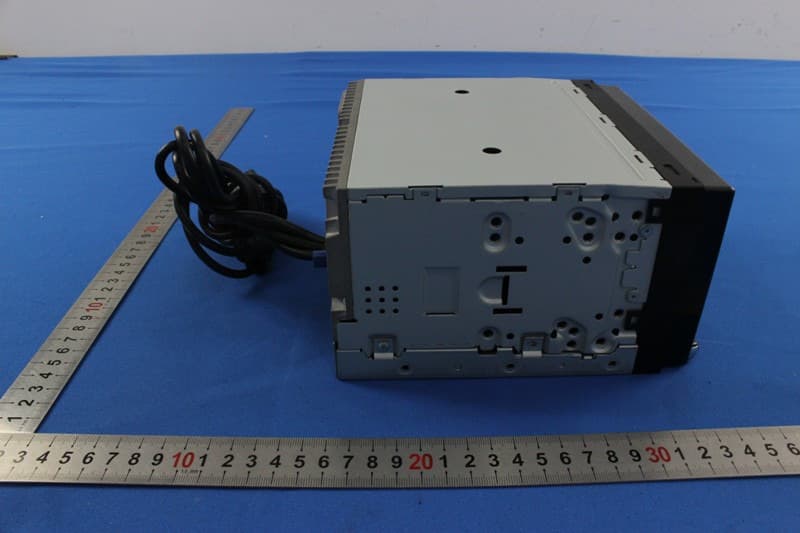
V8VNX706
Dec 13, 2015ALL IN ONE DVD PLAYER
Equipment Class
DTS - Digital Transmission System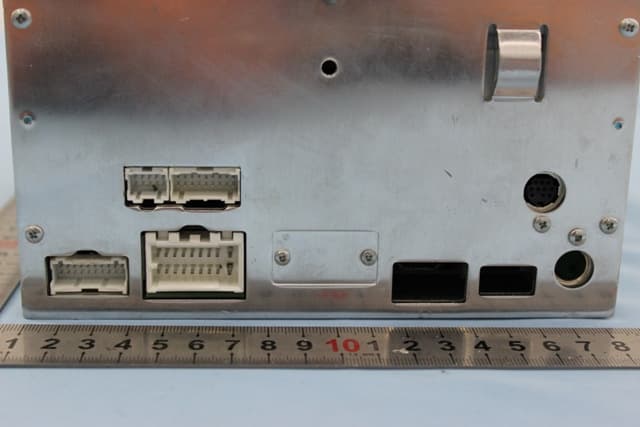
V8VCES8243CL
Dec 21, 2014All In One DVD Player
Equipment Class
DTS - Digital Transmission System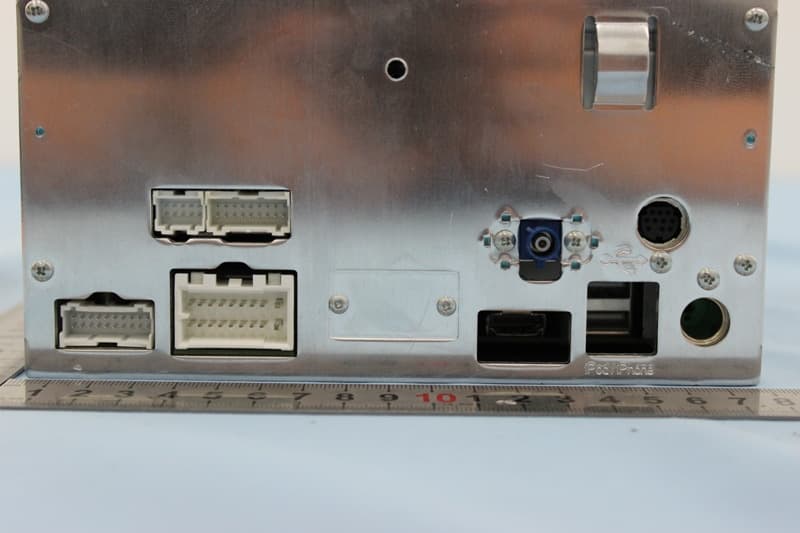
V8VCNE8243CCL
Dec 21, 2014All In One DVD Player
Equipment Class
DTS - Digital Transmission System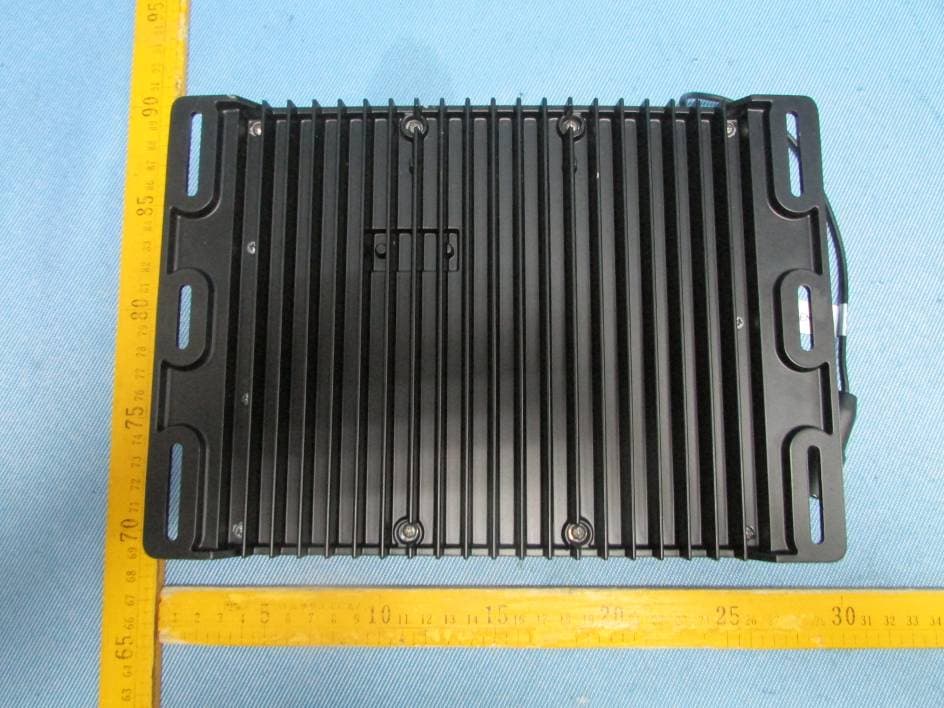
V8VMW4
Jul 07, 2014MARINE AUDIO SYSTEMS
Equipment Class
DSS - Part 15 Spread Spectrum Transmitter