VC6-MEBT1706MINI EASY ONE BUTTON REMOTE CONTROL
ARC Technology Co., Ltd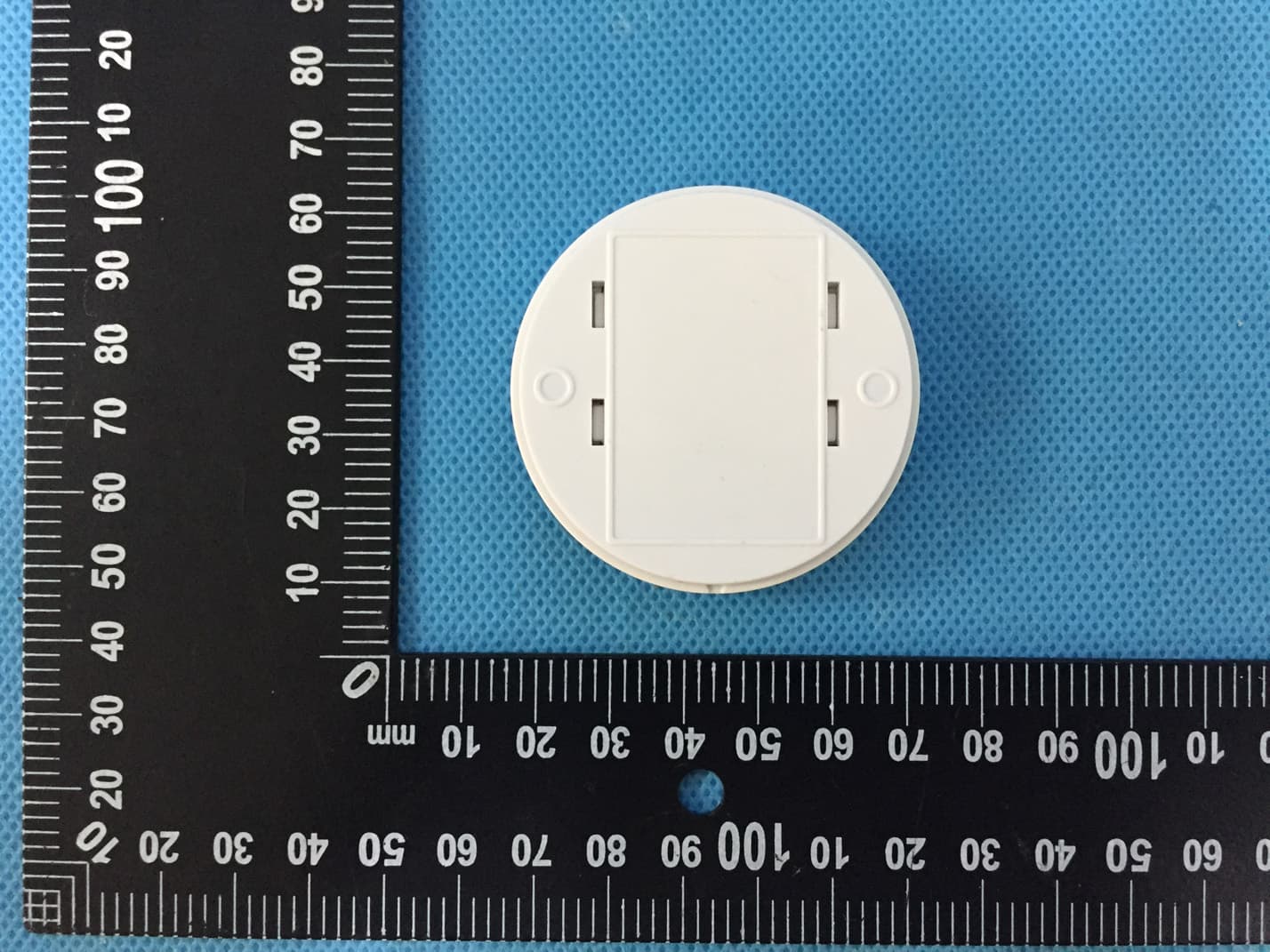
Click to zoom
Application Details
- Equipment Class
- DSC - Part 15 Security/Remote Control Transmitter
- Date of Grant
- Apr 26, 2020
- Application Purpose
- Original Equipment
- Date of Application
- Apr 26, 2020
- Equipment Note
- MINI EASY ONE BUTTON REMOTE CONTROL
- Frequency Range
- 433.92000000 - 433.92000000
- Company
- ARC Technology Co., Ltd
- Country
- Taiwan
Documents & Files
Document Text
Text extracted from the exhibit documents filed with the FCC. Open a document above to read the original.
Users Manual
1 Issue date: 12/4/2018 MINI EASY ONE BUTTON REMOTE CONTROL MEBT-1706 CONTENTS Page 2. Page 3. Page 4. Page 7. Page 14. Page 16. Page 18. Page 19. 1. Overview and features 2. Diagrams 3. Battery 4. Pairing / Un-pairing device 5. Scene setup / Scene control 6. Operation 7. S pecifications 8. Warning 2 Issue date: 12/4/2018 1. Overview and features Easy one button remote control with 3 LED colour indication. (Red / Green / Amber). Equipped with 3 scene control and 1 ALL OFF control. New dimming method by holding down the button to take control of the load level. 3V CR2450 battery operation capable of 3 year battery life and built in battery low indictor. Main features of remote control; •Compatible to current “Self Learning” s ystem and the new M series. •Easy freestanding on the table. •Simple single and double click action. •Scene status memory, create y our desired atmosphere. •Actions are confirmed by the built-in LED indication. OVERVIEW AND FEATURES 3 Issue date: 12/4/2018 2. Diagrams. Notes for the diagrams: DIAGRAMS Function Switch 1. Load Control 2. Scene Control 3. Scene Setup 4 Issue date: 12/4/2018 3. Battery Red LED will flash onc e every 4 seconds to indicate the battery is low. 1. With the one button remote control bottom facing up gently slide down the back cabinet. 2.Remove battery insulation strip. (First time use only) BATTERY 5 Issue date: 12/4/2018 3. Or replacing a new battery use a slot screwdriver and push down the small metal spring then push out the battery. 4.Replace with a new 3V CR2450 battery making the positive symbol is facing upwards. BATTERY 6 Issue date: 12/4/2018 5. Slide battery compartment upwards to complete the battery replacement. LITHIUM BA TTERY CAUTION: Risk of Explosion if battery is replaced by an incorrect type. Dispose of used batteries according to the environment protection rules. BATTERY 8 Issue date: 12/4/2018 4. Pair ing / Un-pairing Device PAIRING / UN-PAIRING Refer to the relevant receiver operation manual that you wish to control for detailed pairing / un-pairing procedure. With the receiver that you intent to use, enter into “Learning Mode” Function switch at position 1. To Pair: Press button once. Green LED flash once. To Un-Pair: Press button twice. Red LED flash twice. PAIRING / UN-PARING DEVICE LED Flash once LED Flash twice 9 Issue date: 12/4/2018 5. S cene Setup / Scene Control SCENE SETUP Mini one button remote control has built in 3 scene control which sends the unique special command to the M series receiver to call already stored scene memory from the receiver. In another word, scene setup memory is stored in the M series receiver side so each time a command is received from either mini key fob, mini one button remote or handy scene remote the M series receiver will know to activate whichever scene (1 / 2 / 3) to be called. Because the memory is stored in the M series receiver so as long the M series remote control has been paired with the M series receiver the scene command will also work. No need to reprogram each individual scene if you have 1 or more M series remote control. Single device setup with easy button remote control: Scene 1 1. Function switch at position 1. 2. Set the desired load level status. SCENE SETUP / SCENE CONTROL 10 Issue date: 12/4/2018 3. Slide function switch to position 3. 4. Press button once to store Scene S tatus 1. 5. Green LED flash 3 times Amber LED flash 1 time to confirm Scene 1 is stored. Scene 2 1. Function switch at position 1. 2. Set the desired load level status. LED 3 Times LED 1 Time SCENE SETUP / SCENE CONTROL 11 Issue date: 12/4/2018 3. Slide function switch to position 3. 4. Press button twice to store Scene S tatus 2. 5. Green LED flash 3 times Amber LED flash 2 times to confirm Scene 2 is stored. Scene 3 1. Function switch at position 1. 2. Set the desired load level status. LED 3 Times LED 2 Times SCENE SETUP / SCENE CONTROL 12 Issue date: 12/4/2018 3. Slide function switch to position 3. 4. Press button 3 times to store S cene Status 3. 5. Green LED flash 3 times Amber LED flash 3 times to confirm Scene 3 is stored. LED 3 Times LED 3 Times SCENE SETUP / SCENE CONTROL 13 Issue date: 12/4/2018 Multiple receiver device setup with 2 nd remote control: If you intend to set up multiple receiver device at the same time then you will need to use a 2 nd remote control such as LYCT-505 or MYCT-1702 to set the load level. Firstly, make sure the 2 nd remote control is also paired to each individual receiver device that the one button remote control is already paired to. Scene 1 1. With the 2 nd remote control, set the desired load level status. 2. On the one button remote control slide function switch to position 3. 3. Press button once to store Scene Status 1. 4. Green LED flash 3 times Amber LED flash 1 time to confirm Scene 1 is stored. LED 3 Times LED 1 Time SCENE SETUP / SCENE CONTROL 14 Issue date: 12/4/2018 Scene 2 1. With the 2 nd remote control, set the desired load level status. 2. On the one button remote control slide function switch to position 3. 3. Press button twice to store Scene Status 2. 4. Green LED flash 3 times Amber LED flash 2 times to confirm Scene 2 is stored. Scene 3 1. With the 2 nd remote control, set the desired load level status. 2. On the one button remote control slide function switch to position 3. 3. Press button 3 times to store Scene Status 3. 4. Green LED flash 3 times Amber LED flash 3 times to confirm Scene 3 is stored. LED 3 Times LED 2 Times LED 3 Times LED 3 Times SCENE SETUP / SCENE CONTROL 15 Issue date: 12/4/2018 SCENE CONTROL Function switch at position 2. Activate Scene 1: Press button once, Amber LED will flash 1 time to confirm. Activate Scene 2: Press button twice. Amber LED will flash 2 times to confirm. LED 1 Time LED 2 Times SCENE SETUP / SCENE CONTROL 16 Issue date: 12/4/2018 Activate Scene 3: Press button 3 times. Amber LED will flash 3 times to confirm. Deactivate Scene (ALL OFF): Long press button for 2 seconds. Red L…
Text truncated - open the document above for the full version.
Cover Letter(s)
ARC Technology Co., Ltd Date: 2020-03-25 Federal Communications Commission Authorization and Evaluation Division Confidentiality Request regarding application for certification of FCC ID: VC6-MEBT1706 Pursuant to Sections 0.457 and 0.459 of the Commission’s Rules, we hereby request confidential treatment of information accompanying this application as outlined below: Exhibit Type File Name Schematics Block Diagram Operational Description MEBT-1706_Schematics.pdf MEBT-1706_Block Diagram.pdf MEBT-1706_Operational Description.pdf The above materials contain trade secrets and proprietary information not customarily released to the public. The public disclosure of these materials may be harmful to the applicant and provide unjustified benefits to its competitors. The applicant understands that pursuant to Section 0.457 of the Rules, disclosure of this application and all accompanying documentation will not be made before the date of the Grant for this application. Sincerely, ARC Technology Co., Ltd Signature Jonathan Lin / Vice President Typed name and Title
Cover Letter(s)
ARC Technology Co., Ltd FCC ID: VC6-MEBT1706 POWER OF ATTORNEY Date: 2020-03-25 Federal Communications Commission Authorization and Evaluation Division 7435 Oakland Mills Road Columbia, MD 21046 To Whom It May Concern: We, the undersigned, hereby authorize Waltek Services (ShenZhen) Co., Ltd. (Philo Zhong) on our behalf, to apply to the Federal Communications Commission on our equipment. Any and all acts carried out by Waltek Services (ShenZhen) Co., Ltd. (Philo Zhong) on our behalf shall have the same effect as acts of our own. This authorization expires on 2021-03-24. This is to advise that we are in full compliance with the Anti-Drug Abuse Act. We, ARC Technology Co., Ltd are not subject to a denial of federal benefits pursuant to Section 5301 of the Anti-Drug Act of 1988, 21 USC853a, and no party to the application is subject to a denial of federal benefits pursuant to that section. Sincerely, ARC Technology Co., Ltd Signature Jonathan Lin / Vice President Typed name and Title
Cover Letter(s)
ARC Technology Co., Ltd Date: 2020-04-27 To: Federal Communications Commission 7435 Oakland Mills Road Columbia, MD To Whom It May Concern: Statement We, ARC Technology Co., Ltd. state that our device, FCC ID: VC6-MEBT1706 And IC: 4936A-MEBT1706. Because the limitation of shape and size of the product, the label attached on the rear of the product, it is a Non-rechargeable battery, the rear cover usually is closed, unless we need change a new battery for the product. The label is visible to the users as they purchase the products and always be accessible when using the product placed on the desktop. Yours sincerely, Signature [Jonathan Lin] [Vice President] [ARC Technology Co., Ltd]
External Photos
Waltek Services (Shenzhen) Co.,Ltd. http://www.waltek.com.cn M EBT-1706 - External Photos Waltek Services (Shenzhen) Co.,Ltd. http://www.waltek.com.cn Waltek Services (Shenzhen) Co.,Ltd. http://www.waltek.com.cn Waltek Services (Shenzhen) Co.,Ltd. http://www.waltek.com.cn
ID Label/Location Info
MEBT-1706_Label Sample and Label Location
Internal Photos
Waltek Services (Shenzhen) Co.,Ltd. http://www.waltek.com.cn MEBT-1706 - Internal Photos Waltek Services (Shenzhen) Co.,Ltd. http://www.waltek.com.cn PCB Printed Antenna
Test Report
Waltek Services (Shenzhen) Co.,Ltd. http://www.waltek.com.cn Page 1 of 25 TEST REPORT Reference No. ................... : WTS20S03009560W FCC ID................................. : VC6-MEBT1706 Applicant............................ : ARC Technology Co., Ltd Address.............................. : 4F-2, No. 26, Wuquan 2nd Road, Xinzhuang Dist., New Taipei City 24892, Taiwan Manufacturer...................... : Homewell Technology (Shenzhen) Co.,Ltd Address.............................. : No. 8, 5th Industrial Zone XiaCun, GongMing Town, GuangMing New District, Shenzhen City, Guangdong Province, China Product............................... : MINI EASY ONE BUTTON REMOTE CONTROL Model(s)............................. : MEBT-1706 Standards........................... : FCC CFR47 Part 15 Section 15.231:2019 Date of Receipt sample..... : 2020-03-13 Date of Test........................ : 2020-03-13 to 2020-03-26 Date of Issue...................... : 2020-04-22 Test Result......................... : Pass Remarks: The results shown in this test report refer only to the sample(s) tested, this test report cannot be reproduced, except in full, without prior written permission of the company. The report would be invalid without specific stamp of test institute and the signatures of compiler and approver. Prepared By: Waltek Services (Shenzhen) Co., Ltd. Address: 1/F., Fukangtai Building, West Baima Road, Songgang Street, Baoan District, Shenzhen, Guangdong, China Test Site/Test Location: Waltek Services (Shenzhen) Co., Ltd. Address: 1/F., Fukangtai Building, West Baima Road, Songgang Street, Baoan District, Shenzhen, Guangdong, China Tel :+86-755-83551033 Fax:+86-755-83552400 Compiled by: Approved by: Robin Zhou /Test Engineer Philo Zhong / Manager Reference No.: WTS20S03009560W Page 2 of 25 Waltek Services (Shenzhen) Co.,Ltd. http://www.waltek.com.cn 1 Contents Page COVER PAGE ........................................................................................................................................... 1 1 CONTENTS ............................................................................................................................................... 2 2 REVISION HISTORY ................................................................................................................................. 3 3 GENERAL INFORMATION ....................................................................................................................... 4 3.1 GENERAL DESCRIPTION OF E.U.T.................................................................................................... 4 3.2 DETAILS OF E.U.T. ......................................................................................................................... 4 3.3 TEST MODE .................................................................................................................................... 4 4 EQUIPMENT USED DURING TEST ......................................................................................................... 5 4.1 EQUIPMENTS LIST ........................................................................................................................... 5 4.2 MEASUREMENT UNCERTAINTY ......................................................................................................... 6 4.3 SUBCONTRACTED ........................................................................................................................... 6 5 TEST FACILITY ........................................................................................................................................ 6 6 TEST SUMMARY ...................................................................................................................................... 7 7 RADIATED SPURIOUS EMISSIONS ....................................................................................................... 8 7.1 EUT OPERATION ............................................................................................................................ 8 7.2 TEST SETUP ................................................................................................................................... 9 7.3 SPECTRUM ANALYZER SETUP ........................................................................................................ 10 7.4 TEST PROCEDURE ........................................................................................................................ 11 7.5 SUMMARY OF TEST RESULTS ........................................................................................................ 12 8 PERIODIC OPERATION ......................................................................................................................... 13 9 EMISSION BANDWIDTH ........................................................................................................................ 16 9.1 TEST PROCEDURE ........................................................................................................................ 16 9.2 TEST RESULT ............................................................................................................................... 16 10 ANTENNA REQUIREMENT ................................................................................................................... 17 11 PHOTOGRAPHS – MODEL MEBT-1706 TEST SETUP PHOTOS ....................................................... 18 11.1 PHOTOGRAPH – RADIATED SPURIOUS EMISSIONS TEST SETUP PHOTOS ......................................... 18 12 PHOTOGRAPHS - CONSTRUCTIONAL DETAILS ............................................................................... 20 12.1 MODEL MEBT-1706 - EXTERNAL PHOTOS ..................................................................................... 20 12.2 MODEL MEBT-1706 - INTERNAL PHOTOS ...................................................................................... 24 Reference No.: WTS20S03009560W Page 3 of 25 W…
Text truncated - open the document above for the full version.
Test Setup Photos
Waltek Services (Shenzhen) Co.,Ltd. http://www.waltek.com.cn MEBT-1706 Test Setup Photos P hotograph – Radiated Spurious Emissions Test Setup Photos Below 30MHz From 30MHz to 1GHz Waltek Services (Shenzhen) Co.,Ltd. http://www.waltek.com.cn Above 1GHz
Contact Information
Applicant
Jonathan Lin(Vice President)
Test Firm
WALTEK TESTING GROUP CO., LTD.Joy Zhou
[email protected]0769-22676998
Technical Specifications
| # | Rule Parts | Frequency Range | Power Output |
|---|---|---|---|
| 1 | 15.231 | 433.92 MHz - 433.92 MHz | - |