VRI-B106PDA with Wifi 802.11 b/g
Group Sense Mobile-Tech Limited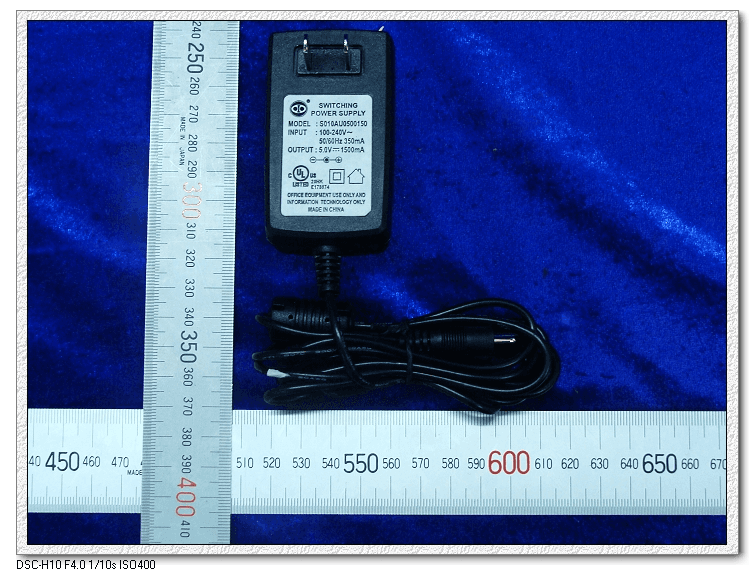
Click to zoom
Application Details
- Equipment Class
- DSS - Part 15 Spread Spectrum Transmitter
- Date of Grant
- Nov 27, 2008
- Application Purpose
- Original Equipment
- Date of Application
- Nov 27, 2008
- Equipment Note
- PDA with Wifi 802.11 b/g
- Frequency Range
- 2402.00000000 - 2480.00000000
- Country
- Hong Kong
Documents & Files
Document Text
Text extracted from the exhibit documents filed with the FCC. Open a document above to read the original.
Users Manual
Copyright 1 Copyright • Copyright © 2008 Group Sense Mobile-Tech Limited. All rights reserved. • Product specifications and features are for reference only and are subject to change without prior notice. Declaration • This Quick Start Guide is published by Group Sense Mobile- Tech Limited without any warranty. Improvement and changes to this Quick Start Guide necessitated by typographical errors, inaccuracies of current information, or improvements to pro- grams and/or equipment, may be made by Group Sense Mobile- Tech Limited any time and without notice. Such changes will, however, be incorporated into new editions of this Quick Start Guide. Copyright 2 FCC Statement This device complies with Part 15 of the FCC Rules. Operation is sub- ject to the following two conditions: (1) this device may not cause harmful interference, and (2) this device must accept any interference received, including interference that may cause undesired operation. Changes or modifications not expressly approved by the party respon- sible for compliance could void the user's authority to operate the equipment. FCC Radiation Exposure Statement The antennas used for this transmitter must be installed to provide a separation distance of at least 20 cm from all persons and must not be co-located or operating in conjunction with any other antenna or trans- mitter. Important safety information 3 Important safety information PLEASE READ THIS CAREFULLY BEFORE USING WF35! • Always treat your product with care and keep it in a clean and dust-free place. • Do not expose WF35 to moisture or humidity. • Do not expose WF35 to extreme high or low temperatures. • Do not attempt to disassemble your product. • Use only the chargers and batteries approved by Group Sense Mobile-Tech Limited. The use of any other type may invalidate any approval and warranty. No reverse charging with other chargers, they may have inverse polarity. • Never use the charger if the plug is damaged. • Never touch the charger if your hands/feet are wet. • Do not expose the charger to water, it may cause electrical fires. • Do not repair the charger yourself for your safety. Important safety information 4 • To reduce the risk of fire or burns, do not disassemble, crush or puncture the battery. • Recycle or dispose of the battery safely and properly according to local laws and regulations. • Do not dispose of the battery in fire or water. • Do not let the metal contacts on the battery touch other metal object, it could lead to short-circuit and damage the battery. • For WF35 model, only approved batteries, chargers that are designed for the model can be used with WF35 unit. • Do not exchange with wrong model battery, it may occurs to explosion. Please dispose battery following instruction. Contents 5 Contents Getting to know WF35 7 WF35 overview . . . . . . . . . . . . . . . . . . . . . . . . . . . . . . . . . . 7 Battery. . . . . . . . . . . . . . . . . . . . . . . . . . . . . . . . . . . . . . . . . . 9 Installing/removing battery . . . . . . . . . . . . . . . . . . . . . . . 9 Charging battery . . . . . . . . . . . . . . . . . . . . . . . . . . . . . . . 11 Getting started 15 Turn on/off WF35 . . . . . . . . . . . . . . . . . . . . . . . . . . . . . . . . 15 Wi-Fi connection settings . . . . . . . . . . . . . . . . . . . . . . . . . . 16 Using Bluetooth . . . . . . . . . . . . . . . . . . . . . . . . . . . . . . . . . 21 To enable Bluetooth . . . . . . . . . . . . . . . . . . . . . . . . . . . . 21 Bluetooth settings . . . . . . . . . . . . . . . . . . . . . . . . . . . . . . 23 Paired Bluetooth . . . . . . . . . . . . . . . . . . . . . . . . . . . . . . . 25 Searching for Bluetooth . . . . . . . . . . . . . . . . . . . . . . . . . 28 Bluetooth services . . . . . . . . . . . . . . . . . . . . . . . . . . . . . 29 Transferring files via Bluetooth . . . . . . . . . . . . . . . . . . . 30 Contents 6 WF35 settings 32 Screen rotation . . . . . . . . . . . . . . . . . . . . . . . . . . . . . . . . 32 Backlight settings . . . . . . . . . . . . . . . . . . . . . . . . . . . . . . 33 Power properties . . . . . . . . . . . . . . . . . . . . . . . . . . . . . . . 34 MSR settings . . . . . . . . . . . . . . . . . . . . . . . . . . . . . . . . . 35 Date/Time settings . . . . . . . . . . . . . . . . . . . . . . . . . . . . . 36 Dialing settings . . . . . . . . . . . . . . . . . . . . . . . . . . . . . . . . 37 Input methods . . . . . . . . . . . . . . . . . . . . . . . . . . . . . . . . . 38 Network and dial-up connection . . . . . . . . . . . . . . . . . . 44 Storage manager settings . . . . . . . . . . . . . . . . . . . . . . . . 47 System backup . . . . . . . . . . . . . . . . . . . . . . . . . . . . . . . . 49 Getting to know WF35 7 Getting to know WF35 WF35 overview Getting to know WF35 8 NameDescription 1LED lightShow the status for Wi-Fi and battery 2LED lightProgrammable LED 3Speaker 4Reset holeReset device 5Battery cover 6Shortcut 7SD card slotInsert external card 8Earphone jack 9Charging slot Connect the adapter to charge battery 10/12 Stylus 11Power keyPress to turn on WF35; press and hold to turn off; if WF35 is on, press to suspend 13USB socketConnect to PC for data synchronization 14Mount slotMount your device on other fixed place Getting to know WF35 9 Installing/removing battery To install battery 1. Align the metal contacts on the battery with the contacts inside the battery compartment. 2. Press the battery downwards until it fits the battery com- partment; push the battery lock leftwards. 3. Slide the battery cover upwards. Battery Getting to know WF35 10 To remove battery 1. Press and hold the Power button to turn off WF35. (See “Turn on/off WF35“.) 2. Remove the battery cover by sliding it downwards. 3. Push the battery lock rightwards to unlock battery; gently lift the upper edge of the battery outwards and take it out. Getting to know WF35 11 Charging battery To charge the battery 1. Connect your charger to the charging slot (as below). 2. Plug …
Text truncated - open the document above for the full version.
Internal Photos
WiFi Antenna Bluetooth Antenna
Test Setup Photos
Radiated Emissions Conducted Emissions
Contact Information
Applicant
Jackie Wong
Test Firm
Shenzhen Timeway Testing LaboratoriesJack Chung
Technical Specifications
| # | Rule Parts | Frequency Range | Power Output |
|---|---|---|---|
| 1 | 15C | 2.40 GHz - 2.48 GHz | 450.00 µW |
Other Applications from Group Sense Mobile-Tech Limited
VRI-B217
May 19, 2015WiFi PDA
Equipment Class
DSS - Part 15 Spread Spectrum Transmitter
VRI-B203
Mar 19, 2015Wireless POS Handheld Terminal
Equipment Class
DSS - Part 15 Spread Spectrum Transmitter
VRI-B195
Apr 08, 2014Wireless POS Handheld Terminal
Equipment Class
DTS - Digital Transmission System
VRI-B176
Mar 19, 2013Handheld POS
Equipment Class
DTS - Digital Transmission SystemVRI-B148
Feb 01, 2012RFID Module
Equipment Class
DXX - Part 15 Low Power Communication Device Transmitter