WA6S732Mobile Phone
VeryKool USA Inc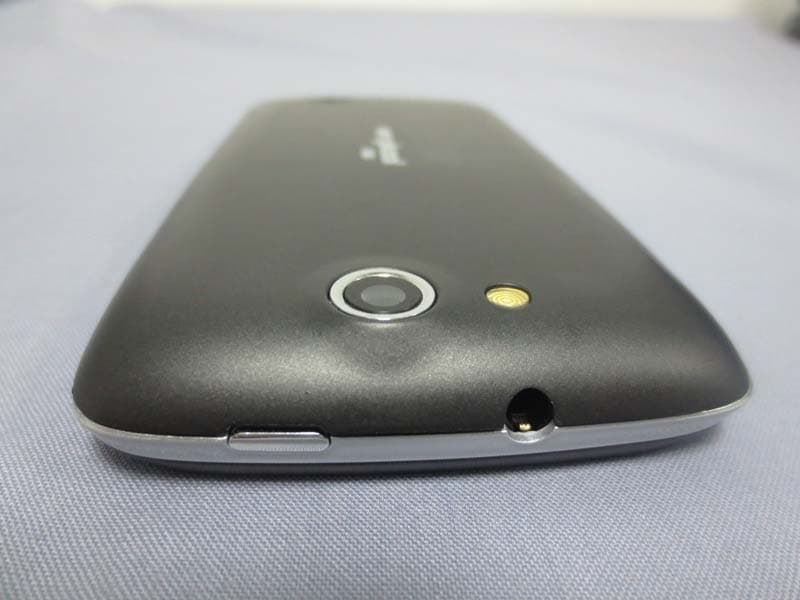
Click to zoom
Application Details
- Equipment Class
- PCE - PCS Licensed Transmitter held to ear
- Date of Grant
- Mar 27, 2013
- Application Purpose
- Original Equipment
- Date of Application
- Mar 27, 2013
- Equipment Note
- Mobile Phone
- Frequency Range
- 1852.40000000 - 1907.60000000
- Company
- VeryKool USA Inc
- Country
- United States
Documents & Files
Document Text
Text extracted from the exhibit documents filed with the FCC. Open a document above to read the original.
Users Manual
User Manual Battery Mobile phone when charging, never remove the battery, as this can lead to cell phone damage. In addition, please do not attempt to disassemble the phone (or the warranty might fail). Only use package which includes charger and USB cable to charge the battery. Select the appropriate tariff plan Based on your usage, cell phones may use a lot of network traffic in a short time. It is strongly recommended that you first consult the operators charge scheme, and then start using the phone. Understand the Privacy Act for recording phone calls and time in some countries have established strict regulations. It is recommended that you start using the phone's voice recording before you understand the laws of the country where; this will be a good move. First open mobile phone, in the settings-add a company account in the accounts and sync, synchronization of mail, calendar, and contacts. Be sure to log in to your Google account and you can use Gmail on mobile for Android Market and other Google applications. Main screen You can easily replace the wallpaper on the main screen for phones. It will be easy to use small tools and shortcuts for such applications. On the main screen just long press with your finger you can add options window appears. Personal Home screen has five panels on the main screen which allows you to customize the applications. By sliding fingers around it you can switch between the five screens. Long press the icon on the main screen with to show all five panels and click one of them to switch to the desired screen. Director of master with your finger on the screen in blank, and bring up add a personalized widget. Connect to the Internet You can use the data connection or Wi-Fi connection on the network. Using the data connection When you first turn on the phone (we need to insert SIM card into the SIM card slot), data services of the operator on the mobile phone will automatically connect. If you insert two SIM cards, the default data connection in SIM card 1. Using the Wi-Fi 1. in the home screen, click on the lower left of the screen the menu key. 2. Select Settings > Wireless & networks. 3. Select the Wi-Fi option, to turn on Wi-Fi. 4. Click on the Wi-Fi settings and then select a Wi-Fi network to connect. Free to contact If you have added and login account on the mobile phone, ‘Contacts’ application will also display contacts in your accounts. Even if the SIM card has a lot of contacts, you only need one step to import all contacts phone. 1. in the list of programs, click on the Address book . 2. press the menu key, and then click more > import/export > import from SIM card. If your mobile phone has landed in Exchange accounts, select the account which you want to import. 3. press the menu key, and then click Import all. Also can add contacts: 1. in the list of programs, click address book . 2. press the menu key, and then click new contact, and then enter information for a contact in the relevant input field. 3. Enter contact information completely & click Finish. Thus you can save contact. E-mail landing If you have Google account, you can send and receive Gmail messages directly. In the list of programs, click on Gmail icon. You can also use your email application to set and manage your other e-mail accounts including POP3, IMAP or Exchange account. 1. in the list of programs, click on send e-mail . 2. After entering, type the email address and password, click on the settings manually, click the type of e-mail account you want to set. If this screen does not appear, press the menu key > account, press the menu key again > add account, then you can enter the e-mail address and password and choose the e-mail account type. 3. Follow the instructions on the screen and complete the email account settings. Mail application so that you can view all email accounts from the same location, no longer have to switch between different accounts. You only need to select the Inbox to merge. E-mail information is displayed in different color lines so that you can distinguish the emails easily. Messages Keep in touch with important people in your life. You can use Messages application to write and send text messages (SMS) and multimedia messages (MMS). In the list of programs, click the Messages icon then all the information in the opening screen, different SIM cards of all sent and received messages, according to the classification of contact name or phone number in order to dialogue are displayed. contacts classified interface messages reciprocation interface Slide on the screen with your finger, to scroll dialog list up or down. Click the contact name or phone number to view information. Dialog interface in the entry bar to enter the information you want to send, and then click on send icon to send information on the right side out. Mobile phone dialing In addition to make a call from the telephone dial-up interface, you can also select text message or in an e-mail message for the number to make outgoing calls; or from the point after the selected contacts in address book, click the dial button . Most SIM cards are built by the operator in the set PIN code (personal identification number). When asked to enter a PIN code, enter the PIN code and then click OK. If you incorrectly enter the PIN code three times in succession, the SIM card will be locked immediately. But don't worry about it! You only need to ask the operator and find out your PUK code (PIN code unlock). Call from the dial-up interface 1. Click telephonein the main interface; enter the dial-up interface. 2. the first few numbers on the dial keypad to enter the phone number, dial-up interface starts to show, as well as the number of contact list. If you enter the wrong number, please click to delete it. To delete the content of the total input, press and hold on the input and choose delete. 3. to call, do one of the following steps: · click on list of key phone numbers or contact in the rear · After you en…
Text truncated - open the document above for the full version.
External Photos
Report No: CCIS13030005501 Shenzhen Zhongjian Nanfang Testing Co., Ltd. Project No.: CCIS130300055RF No.B-C, 1/F., Building 2, Laodong No.2 Industrial Park, Xixiang Road, Bao’an District, Shenzhen, Guangdong, China Telephone: +86 (0) 755 23118282 Fax: +86 (0) 755 23116366 Page 78 of 88 8 EUT Constructional Details Report No: CCIS13030005501 Shenzhen Zhongjian Nanfang Testing Co., Ltd. Project No.: CCIS130300055RF No.B-C, 1/F., Building 2, Laodong No.2 Industrial Park, Xixiang Road, Bao’an District, Shenzhen, Guangdong, China Telephone: +86 (0) 755 23118282 Fax: +86 (0) 755 23116366 Page 79 of 88 Report No: CCIS13030005501 Shenzhen Zhongjian Nanfang Testing Co., Ltd. Project No.: CCIS130300055RF No.B-C, 1/F., Building 2, Laodong No.2 Industrial Park, Xixiang Road, Bao’an District, Shenzhen, Guangdong, China Telephone: +86 (0) 755 23118282 Fax: +86 (0) 755 23116366 Page 80 of 88 Report No: CCIS13030005501 Shenzhen Zhongjian Nanfang Testing Co., Ltd. Project No.: CCIS130300055RF No.B-C, 1/F., Building 2, Laodong No.2 Industrial Park, Xixiang Road, Bao’an District, Shenzhen, Guangdong, China Telephone: +86 (0) 755 23118282 Fax: +86 (0) 755 23116366 Page 81 of 88
ID Label/Location Info
Label and label location Size:65mm X 30 mm Label location
Internal Photos
Report No: CCIS13030005501 Shenzhen Zhongjian Nanfang Testing Co., Ltd. Project No.: CCIS130300055RF No.B-C, 1/F., Building 2, Laodong No.2 Industrial Park, Xixiang Road, Bao’an District, Shenzhen, Guangdong, China Telephone: +86 (0) 755 23118282 Fax: +86 (0) 755 23116366 Page 82 of 88 Report No: CCIS13030005501 Shenzhen Zhongjian Nanfang Testing Co., Ltd. Project No.: CCIS130300055RF No.B-C, 1/F., Building 2, Laodong No.2 Industrial Park, Xixiang Road, Bao’an District, Shenzhen, Guangdong, China Telephone: +86 (0) 755 23118282 Fax: +86 (0) 755 23116366 Page 83 of 88 Report No: CCIS13030005501 Shenzhen Zhongjian Nanfang Testing Co., Ltd. Project No.: CCIS130300055RF No.B-C, 1/F., Building 2, Laodong No.2 Industrial Park, Xixiang Road, Bao’an District, Shenzhen, Guangdong, China Telephone: +86 (0) 755 23118282 Fax: +86 (0) 755 23116366 Page 84 of 88 Report No: CCIS13030005501 Shenzhen Zhongjian Nanfang Testing Co., Ltd. Project No.: CCIS130300055RF No.B-C, 1/F., Building 2, Laodong No.2 Industrial Park, Xixiang Road, Bao’an District, Shenzhen, Guangdong, China Telephone: +86 (0) 755 23118282 Fax: +86 (0) 755 23116366 Page 85 of 88 Report No: CCIS13030005501 Shenzhen Zhongjian Nanfang Testing Co., Ltd. Project No.: CCIS130300055RF No.B-C, 1/F., Building 2, Laodong No.2 Industrial Park, Xixiang Road, Bao’an District, Shenzhen, Guangdong, China Telephone: +86 (0) 755 23118282 Fax: +86 (0) 755 23116366 Page 86 of 88 Report No: CCIS13030005501 Shenzhen Zhongjian Nanfang Testing Co., Ltd. Project No.: CCIS130300055RF No.B-C, 1/F., Building 2, Laodong No.2 Industrial Park, Xixiang Road, Bao’an District, Shenzhen, Guangdong, China Telephone: +86 (0) 755 23118282 Fax: +86 (0) 755 23116366 Page 87 of 88 Report No: CCIS13030005501 Shenzhen Zhongjian Nanfang Testing Co., Ltd. Project No.: CCIS130300055RF No.B-C, 1/F., Building 2, Laodong No.2 Industrial Park, Xixiang Road, Bao’an District, Shenzhen, Guangdong, China Telephone: +86 (0) 755 23118282 Fax: +86 (0) 755 23116366 Page 88 of 88 ------End of report------
RF Exposure Info
GCCT No.130305-R1 Page 1 of 173 FCC SAR TEST REPORT No. 130305-R1 for Verykool USA Inc Mobile Phone Model Name: S732 FCC ID: WA6S732 Issued Date: 2013-03-28 Note: The test results in this test report relate only to the devices specified in this report. This report shall not be reproduced except in full without the written approval of GCCT. Test Laboratory: GCCT, Guangdong Telecommunications Terminal Products Quality Supervision and Testing Center Technology Road, High-tech Zone, He Yuan City, Guang Dong Province, PR China 517001 Tel:+86(0)762-3607139, Fax:+86(0)762-3603336 Email: [email protected]. www.ncct.org.cn GCCT No.130305-R1 Page 2 of 173 TABLE OF CONTENTS 1. General Information ............................................................................ 4 1.1 Testing Laboratory ...................................................................... 4 1.2 Application Information ............................................................... 4 1.3 Manufacturer Information............................................................ 4 1.4 EUT Information.......................................................................... 5 2. EUT Operational Conditions During Test............................................ 6 2.1 General Description of Test Procedures..................................... 6 2.2 GSM Test Configuration ............................................................. 6 2.3 WCDMA Test Configuration........................................................ 6 2.4 WiFi Test Configuration .............................................................. 7 2.5 Hotspot Test Configuration ......................................................... 7 3. SAR Measurements System Configuration......................................... 8 3.1 Measurement System Diagram .................................................. 8 3.2 System Components................................................................... 9 3.3 Equivalent Tissues.................................................................... 12 4. Evaluation Procedures...................................................................... 13 4.1 Data Evaluation......................................................................... 13 4.2 SAR Evaluation Procedures ..................................................... 14 4.3 Spatial Peak SAR Evaluation.................................................... 15 5. Test Laboratory Environment............................................................ 17 6. Conducted Output Power Measurement........................................... 18 7. SAR Measurement Results............................................................... 20 7.1 Liquid Measurement Results .................................................... 20 7.2 System Performance Check ..................................................... 21 7.3 Measurement Results ............................................................... 23 8. Measurement Uncertainty ................................................................. 30 9. EUT Photo ........................................................................................ 31 10. Equipment List & Calibration Status ............................................ 33 11. Attachments................................................................................. 34 ANNEXE 1 System Performance Check Plots ....................................... 35 ANNEXE 2 SAR Test Plots .................................................................... 41 ANNEXE 3 EUT Test Positions ............................................................ 128 ANNEXE 4 Probe calibration report ..................................................... 131 ANNEXE 5 Dipole calibration report..................................................... 143 ANNEXE 6 DAE calibration report ....................................................... 168 GCCT No.130305-R1 Page 3 of 173 GENERAL SUMMARY Product Name Mobile Phone Model Name S732 Applicant Verykool USA Inc Manufacturer Sprocomm Technologies Co., Ltd Test laboratory GCCT, Guangdong Telecommunications Terminal Products Quality Supervision and Testing Center Reference Standards OET Bulletin 65 (Edition 97-01) and Supplement C (Edition 01-01): Additional Information for Evaluating Compliance of Mobile and Portable Devices with FCC Limits IEEE Std C95.1, 1999: IEEE Standard for Safety Levels with Respect to Human Exposure to Radio Frequency Electromagnetic Fields, 3 kHz to 300 GHz IEEE 1528-2003: Recommended Practice for Determining the Peak Spatial-Average Specific Absorption Rate (SAR) in the Human Body Due to Wireless Communications Devices: Experimental Techniques FCC KDB 447498 D01 v05: Mobile and Portable Devices RF Exposure Procedures and Equipment Authorization Policies FCC KDB 865664 D01 v01: SAR Measurement Requirements for 100 MHz to 6 GHz FCC KDB 941225 D06 Hot Spot SAR v01: SAR Evaluation Procedures for Portable Devices with Wireless Router Capabilities FCC KDB 248227 D01 v01r02: SAR measurement Procedures for 802.11a/b/g Transmitters IEC 62209-1: 2006: Human exposure to radio frequency fields from hand-held and body-mounted wireless communication devices – Human models, instrumentation, and procedures, Part 1: Procedure to determine the specific absorption rate (SAR) for hand-held devices used in close proximity to the ear (frequency range of 300 MHz to 3 GHz) IEC 62209-2: 2010: Human exposure to radio frequency fields from handheld and body-mounted wireless communication devices - Human models, instrumentation, and procedures, Part 2: Procedure to determine the specific absorption rate (SAR) for mobile wireless communication devices used in close proximity to the human body (frequency range of 30 MHz to 6 GHz) Test Conclusion This portable wireless equipment has been measured in all cases requested by the relevant standards. Test results in Chapter 7 of this test report are below limits specified in the relevant standards. General Judgment: Pass Date of issue:2013.0…
Text truncated - open the document above for the full version.
Test Report
Shenzhen Zhongjian Nanfang Testing Co., Ltd. Report No: CCIS13030005501 Authorized Signature: Bruce Zhang Laboratory Manage This report details the results of the testing carried out on one sample. The results contained in this test report do not relate to other samples of the same product and does not permit the use of the CCIS product certification mark. The manufacturer should ensure that all products in series production are in conformity with the product sample detailed in this report. This report may only be reproduced and distributed in full. If the product in this report is used in any configuration other than that detailed in the report, the manufacturer must ensure the new system complies with all relevant standards. This document cannot be reproduced except in full, without prior written approval of the Company. Any unauthorized alteration, forgery or falsification of the content or appearance of this document is unlawful and offenders may be prosecuted to the fullest extent of the law. Unless otherwise stated the results shown in this test report refer only to the sample(s) tested and such sample(s) are retained for 90 days only. 1. Cover Page FCC REPORT Applicant: Verykool USA Inc Address of Applicant: 3636 Nobel Drive, Suite 325, San Diego, CA 92122 USA Equipment Under Test (EUT) Product Name: Mobile phone Model No.: S732 FCC ID: WA6S732 Applicable standards: FCC CFR Title 47 Part 2: 2011 FCC CFR Title 47 Part22 Subpart H: 2011 FCC CFR Title 47 Part24 Subpart E: 2011 Date of sample receipt: 11 Mar., 2013 Date of Test: 12 Mar., to 22 Mar.,2013 Date of report issued: 26 Mar.,2013 Test Result : PASS * * In the configuration tested, the EUT complied with the standards specified above. Report No: CCIS13030005501 Shenzhen Zhongjian Nanfang Testing Co., Ltd. Project No.: CCIS130300055RF No.B-C, 1/F., Building 2, Laodong No.2 Industrial Park, Xixiang Road, Bao’an District, Shenzhen, Guangdong, China Telephone: +86 (0) 755 23118282 Fax: +86 (0) 755 23116366 Page 2 of 88 2. Version Version No. Date Description 00 26 Mar.,2013 Original Prepared by: Date: 26 Mar.,2013 Report Clerk Reviewed by: Date: 26 Mar.,2013 Project Engineer Report No: CCIS13030005501 Shenzhen Zhongjian Nanfang Testing Co., Ltd. Project No.: CCIS130300055RF No.B-C, 1/F., Building 2, Laodong No.2 Industrial Park, Xixiang Road, Bao’an District, Shenzhen, Guangdong, China Telephone: +86 (0) 755 23118282 Fax: +86 (0) 755 23116366 Page 3 of 88 3. Contents Page 1. COVER PAGE .............................................................................................................................................................. 1 2. VERSION ....................................................................................................................................................................... 2 3. CONTENTS ................................................................................................................................................................... 3 4. TEST SUMMARY ......................................................................................................................................................... 4 5. GENERAL INFORMATION ........................................................................................................................................ 5 5.1 CLIENT INFORMATION ............................................................................................................................................ 5 5.2 GENERAL DESCRIPTION OF E.U.T. ....................................................................................................................... 5 5.3 TEST MODE: ........................................................................................................................................................... 7 5.4 RELATED SUBMITTAL(S) / GRANT (S) .................................................................................................................... 7 5.5 TEST METHODOLOGY ............................................................................................................................................ 7 5.6 TEST FACILITY ....................................................................................................................................................... 7 5.7 TEST LOCATION ..................................................................................................................................................... 7 5.8 TEST INSTRUMENTS LIST ....................................................................................................................................... 8 6. SYSTEM TEST CONFIGURATION .......................................................................................................................... 9 6.1 EUT CONFIGURATION ........................................................................................................................................... 9 6.2 EUT EXERCISE ...................................................................................................................................................... 9 6.3 CONFIGURATION OF TESTED SYSTEM .................................................................................................................. 9 6.4 DESCRIPTION OF TEST MODES ................................................................................................................... 9 6.5 CONDUCTED OUTPUT POWER ............................................................................................................................ 10 6.6 OCCUPY BANDWIDTH .......................................................................................................................................... 14 6.7 MODULATION CHARACTERISTIC ............................................................................................................... 28 6.8 OUT OF BAND EMISSION AT ANTENNA TERMINALS ..........................................…
Text truncated - open the document above for the full version.
Test Setup Photos
Report No: CCIS13030005501 Shenzhen Zhongjian Nanfang Testing Co., Ltd. Project No.: CCIS130300055RF No.B-C, 1/F., Building 2, Laodong No.2 Industrial Park, Xixiang Road, Bao’an District, Shenzhen, Guangdong, China Telephone: +86 (0) 755 23118282 Fax: +86 (0) 755 23116366 Page 77 of 88 7 Test Setup Photo Radiated Spurious Emission
Contact Information
Applicant
Sunny Choi
Test Firm
Shenzhen Zhongjian Nanfang Testing Co.,LtdBruce Zhang
Technical Specifications
| # | Rule Parts | Frequency Range | Power Output | Emission | Tolerance |
|---|---|---|---|---|---|
| 4 | 24E | 1.85 GHz - 1.91 GHz | 96.00 mW | 4M20F9W | 57 Hz |
Other Applications from VeryKool USA Inc
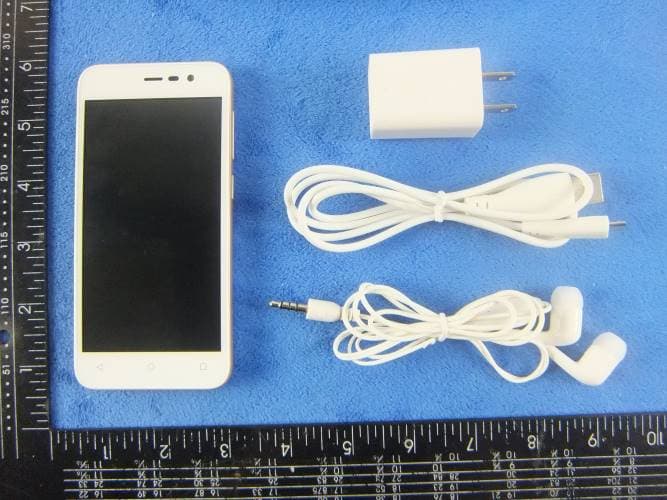
WA6S4512
Dec 23, 2015Mobile Phone
Equipment Class
DTS - Digital Transmission System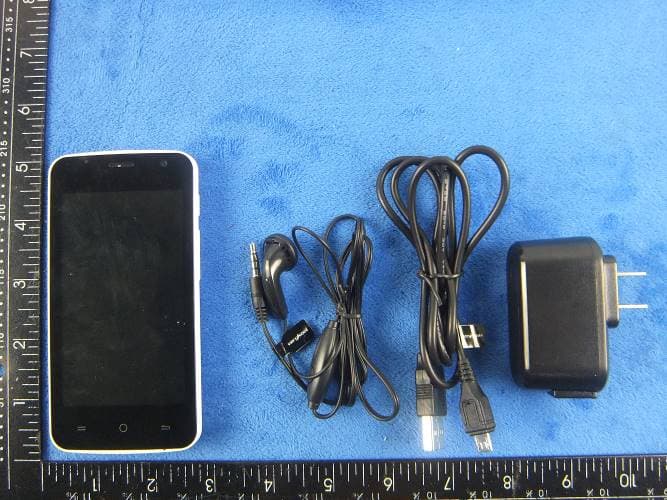
WA6SL4050
Dec 23, 2015Mobile Phone
Equipment Class
DTS - Digital Transmission System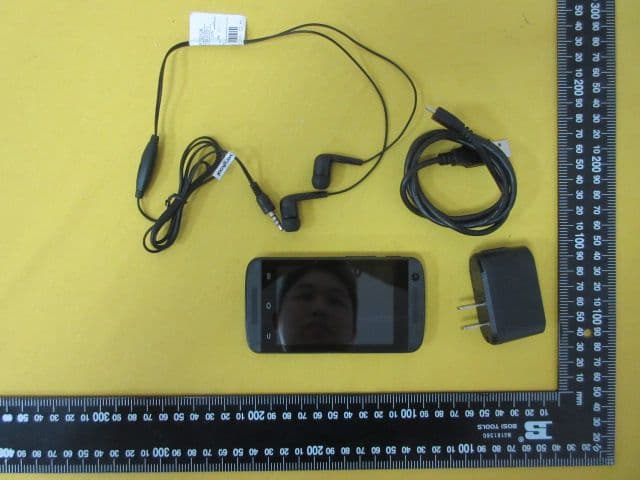
WA6S3502
Dec 07, 2015Mobile Phone
Equipment Class
DTS - Digital Transmission System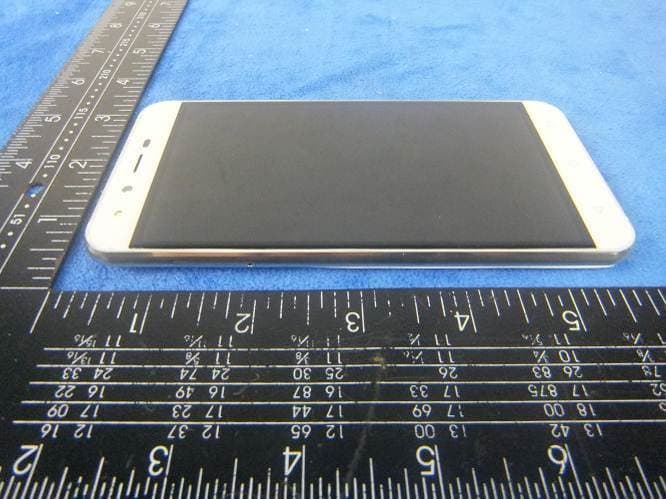
WA6SL5011
Dec 05, 2015Mobile Phone
Equipment Class
DTS - Digital Transmission System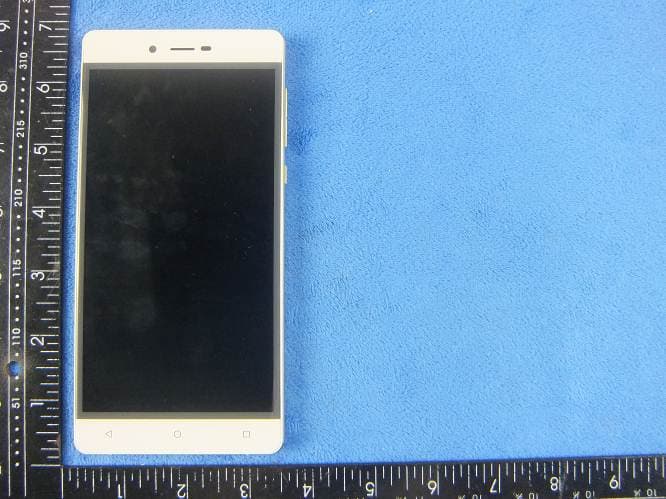
WA6SL6010
Nov 26, 2015Mobile Phone
Equipment Class
DTS - Digital Transmission System