Text extracted from the exhibit documents filed with the FCC. Open a document above to read the original.
ClarIDy UHF USB Reader Demo Program for Linux 1/28 © Copyright 2008 ClarIDy Solutions, Inc. All rights reserved. ClarIDy UHF USB Reader Demo Program User’s Manual for Linux Version: A.1-01 2008-12-09 ClarIDy Solutions, Inc. ClarIDy UHF USB Reader Demo Program for Linux 2/28 © Copyright 2008 ClarIDy Solutions, Inc. All rights reserved. Copyright Notice © Copyright 2008 ClarIDy Solutions, Inc. All rights reserved. No part of this document may be reproduced without the prior written permission of ClarIDy Solutions, Inc. Disclaimer The information of this document is subject to change without notice and does not represent a commitment on any part of ClarIDy Solutions, Inc. Trademarks Intel is a registered trademark of Intel Corporation. AMD is a registered trademark of Advanced Micro Devices, Inc. Linux is a registered trademark of Linus Torvalds. RED HAT is a registered trademark of Red Hat, Inc. All other product names are trademarks or registered trademarks of their respective owners. ClarIDy UHF USB Reader Demo Program for Linux 3/28 © Copyright 2008 ClarIDy Solutions, Inc. All rights reserved. Change Log Revision Date Author Description A.1 2008.11.07. Jun-Rong Chang Create the ClarIDy UHF SDK Demo Program User’s Manual for Linux A.1-01 2008.12.09 Jun-Rong Chang Added the application of Lock Tag and Kill Tag ClarIDy UHF USB Reader Demo Program for Linux 4/28 © Copyright 2008 ClarIDy Solutions, Inc. All rights reserved. Table of Contents 1. Introduction..................................................................................................................5 2. Installation ...................................................................................................................6 2.0 Prerequisites to Installation ................................................................................6 2.0.1 Hardware Platform Requirements ............................................................6 2.0.2 Operating System Requirements .............................................................6 2.0.3 Other Software Requirements ..................................................................6 2.1 Setup the USB Driver .........................................................................................6 2.3 Install ClarIDy UHF Demo ..................................................................................6 3. Demo Program Operation Guide .................................................................................8 3.1 Setting ................................................................................................................8 2.2.1 Reader Current Configure ........................................................................8 2.2.2 Algorithm Configure ................................................................................12 3.2 Operation..........................................................................................................16 3.2.1 Inventory ................................................................................................17 3.2.2 Read.......................................................................................................17 3.2.3 Write .......................................................................................................18 3.2.4 Filter Inventory........................................................................................20 3.2.5 Filter Read..............................................................................................21 3.2.6 Filter Write ..............................................................................................22 3.2.7 Lock Tag .................................................................................................23 3.2.8 Kill Tag....................................................................................................25 4. Error Code .................................................................................................................27 ClarIDy UHF USB Reader Demo Program for Linux 5/28 © Copyright 2008 ClarIDy Solutions, Inc. All rights reserved. 1. Introduction This document describes the demo program for ClarIDy UHF RFID Reader. The demo program provides “Setting”, “Algorithm”, “Inventory”, “Read/Write”, “Filter Inventory”, “Filter Read/Write” and “Lock/Kill” functions. Users can use those applications to control the ClarIDy UHF RFID Reader to communicate with EPC RFID tags. The operational procedures are described as the following chapters. ClarIDy UHF USB Reader Demo Program for Linux 6/28 © Copyright 2008 ClarIDy Solutions, Inc. All rights reserved. 2. Installation Before Installing the USB Driver and ClarIDy UHF Demo program, please see prerequisites first. 2.0 Prerequisites to Installation In order to run ClarIDy UHF Demo program as smoothly as possible, we recommend some conditions as following. 2.0.1 Hardware Platform Requirements The following hardware Platforms are supported by ClarIDy UHF RFID Reader CPU: Intel® Pentium® 4 or AMD® Athlon™ processor, 1.4 GHz or above RAM: 512MB or above 2.0.2 Operating System Requirements The following host operating systems are supported by ClarIDy UHF RFID SDK: Red Hat* Enterprise Linux*4 or other binary-compatible Linux kernel 2.6 distribution for the IA-32 platform. 2.0.3 Other Software Requirements The following other systems are supported by ClarIDy UHF RFID Reader: GCC 3.4.6 and above. 2.1 Setup the USB Driver The ClarIDy UHF Reader is support on Linux using user-level libraries that communicate with the standard Linux USB drivers. No driver installation is necessary. 2.3 Install ClarIDy UHF Demo We only provide a command line application “ClarIDy_UHF_Demo” for demonstration. 1. Copy “ClarIDy_UHF_Demo_Linux.tar.gz” to Linux PC, as figure 1. 2. Extract the “ClarIDy_UHF_Demo_Linux.tar.gz” from tarball, as figure 2. 3. Run the “source setup.sh”, as Figure 3. Figure 1 Copy “ClarIDy_UHF_SDK_Linux.tar.gz” to Linux PC ClarIDy UHF USB Reader De…
Text truncated - open the document above for the full version.
ClarIDy UHF USB Reader Demo Program 1/40 © Copyright 2008 ClarIDy Solutions, Inc. All rights reserved. ClarIDy UHF USB Reader Demo Program User’s Manual for Win32 Version: A.2-02 2009-01-05 ClarIDy Solutions, Inc. ClarIDy UHF USB Reader Demo Program 2/40 © Copyright 2008 ClarIDy Solutions, Inc. All rights reserved. Copyright Notice © Copyright 2008 ClarIDy Solutions, Inc. All rights reserved. No part of this document may be reproduced without the prior written permission of ClarIDy Solutions, Inc. Disclaimer The information of this document is subject to change without notice and does not represent a commitment on any part of ClarIDy Solutions, Inc. Trademarks Intel is a registered trademark of Intel Corporation. AMD is a registered trademark of Advanced Micro Devices, Inc. Microsoft, Windows Vista, Windows XP, Visual Studio, .NET Framework, and CSharp (C#) are registered trademarks of Microsoft Corporation. All other product names are trademarks or registered trademarks of their respective owners. ClarIDy UHF USB Reader Demo Program 3/40 © Copyright 2008 ClarIDy Solutions, Inc. All rights reserved. Change Log Revision Date Author Description A.1 2008.09.02. Hoe Huang Create the ClarIDy UHF Demo Program User’s Manual. A.2 2008.11.07 Hoe Huang Modified Demo Program User’s Manual, and added examples. A.2-01 2008.12.09 Jun-Rong Chang Added the application of Lock Tag and Kill Tag A.2-02 2009.01.05 Jun-Rong Chang Added the application of enable password function and write password. ClarIDy UHF USB Reader Demo Program 4/40 © Copyright 2008 ClarIDy Solutions, Inc. All rights reserved. Table of Contents 1. Introduction..................................................................................................................5 2. Installation ...................................................................................................................6 2.1 Prerequisites to Installation............................................................................................................ 6 2.2 Setup the USB Driver .................................................................................................................... 6 2.3 Install .Net Framework 2.0 ........................................................................................................... 12 2.3 Install ClarIDy UHF Demo ........................................................................................................... 15 3. Demo Program Operation Guide ...............................................................................19 3.1 Setting Control ............................................................................................................................. 19 3.2 Algorithm Control ......................................................................................................................... 22 3.3 Inventory Control ......................................................................................................................... 27 3.4 Read/Write Control ...................................................................................................................... 29 3.5 Filter Inventory ............................................................................................................................. 31 3.6 Filter Write Read .......................................................................................................................... 33 3.7 Lock/Kill Tag................................................................................................................................. 34 4. Error Code .................................................................................................................37 5. Uninstall.....................................................................................................................39 ClarIDy UHF USB Reader Demo Program 5/40 © Copyright 2008 ClarIDy Solutions, Inc. All rights reserved. 1. Introduction This document describes the demo program (ClarIDy_UHF_Demo_Setup.exe) for ClarIDy UHF RFID Reader. The demo program provides “Setting”, “Algorithm”, “Inventory”, “Read/Write”, “Filter Inventory”, “Filter Read/Write” and “Lock/Kill” functions. Users can use this application to control the ClarIDy UHF RFID Reader to communicate with EPC RFID tags. The operational procedures are described as the following chapters. ClarIDy UHF USB Reader Demo Program 6/40 © Copyright 2008 ClarIDy Solutions, Inc. All rights reserved. 2. Installation Before Installing the USB Driver and ClarIDy UHF Demo program, please see prerequisites first. 2.1 Prerequisites to Installation In order to run ClarIDy UHF Demo program as smoothly as possible, we recommend some conditions as following. 2.1.1 Hardware Platform Requirements The following hardware Platforms are supported by ClarIDy UHF RFID Reader. CPU: Intel ® Pentium ® 4 or AMD Athlon™ processor, 1.4 GHz or above RAM: 512MB or above 2.1.2 Operating System Requirements The following host operating systems are supported by ClarIDy UHF RFID Reader: Microsoft ®, Windows Vista ® , Windows XP ® with Service Pack 2 or Service Pack 3 on an IA-32 platform; USB Host Controller – OHCI, UHCI or EHCI 2.1.3 Other Software Requirements The following other systems are supported by ClarIDy UHF RFID Reader: Microsoft ® .Net Framework ® Release 2.0 Microsoft ® Visual C++ Libraries 2008 2.2 Setup the USB Driver First time using the ClarIDy’s UHF RFID Reader (USB Interface), you must install the driver. (The Driver programs are located in the “drivers” folder of the disc.) Please directly connect the ClarIDy UHF RFID Reader to the USB port of the computer. The Windows system will detect the ClarIDy UHF RFID Reader as a new device and popup the device driver setup dialog, as figure 1. Install ClarIDy UHF RFID driver step by step as the following instructions: 1. Select “Install from a list or specific location (Advanced)”, as figure 2. 2. Click “Next” while the w…
Text truncated - open the document above for the full version.
ClarIDy UHF USB Reader Demo Program for WinCE 1/28 © Copyright 2008 ClarIDy Solutions, Inc. All rights reserved. ClarIDy UHF USB Reader Demo Program User’s Manual for WinCE Version: A.1 2008-12-03 ClarIDy Solutions, Inc. ClarIDy UHF USB Reader Demo Program for WinCE 2/28 © Copyright 2008 ClarIDy Solutions, Inc. All rights reserved. Copyright Notice © Copyright 2008 ClarIDy Solutions, Inc. All rights reserved. No part of this document may be reproduced without the prior written permission of ClarIDy Solutions, Inc. Disclaimer The information of this document is subject to change without notice and does not represent a commitment on any part of ClarIDy Solutions, Inc. Trademarks Marvell is a registered trademark of Marvell. Microsoft, Windows Vista, Windows XP, Windows CE, Visual Studio, .NET Framework, and CSharp (C#) are registered trademarks of Microsoft Corporation. All other product names are trademarks or registered trademarks of their respective owners. ClarIDy UHF USB Reader Demo Program for WinCE 3/28 © Copyright 2008 ClarIDy Solutions, Inc. All rights reserved. Change Log Revision Date Author Description A.1 2008.12.03. Jun-Rong Chang Create the ClarIDy UHF Demo Program User’s Manual for WinCE. ClarIDy UHF USB Reader Demo Program for WinCE 4/28 © Copyright 2008 ClarIDy Solutions, Inc. All rights reserved. Table of Contents 1. Introduction..................................................................................................................5 2. Installation ...................................................................................................................6 2.1 Prerequisites to Installation............................................................................................................ 6 2.2 Setup the USB Driver .................................................................................................................... 6 2.3 Install .Net Compact Framework 2.0 ............................................................................................. 7 2.3 Install ClarIDy UHF Demo ............................................................................................................. 9 3. Demo Program Operation Guide ...............................................................................12 3.1 Setting Control ............................................................................................................................. 12 3.2 Algorithm Control ......................................................................................................................... 15 3.3 Inventory Control ......................................................................................................................... 18 3.4 Read/Write Control ...................................................................................................................... 20 3.5 Lock/Kill Control ........................................................................................................................... 23 4. Error Code .................................................................................................................27 ClarIDy UHF USB Reader Demo Program for WinCE 5/28 © Copyright 2008 ClarIDy Solutions, Inc. All rights reserved. 1. Introduction This document describes the demo program for ClarIDy UHF RFID Reader. The demo program provides “Setting”, “Algorithm”, “Inventory”, “Read/Write”, “Filter Inventory”, “Filter Read/Write” and “Lock/Kill” functions. Users can use these applications to control the ClarIDy UHF RFID Reader to communicate with EPC RFID tags. The operational procedures are described as the following chapters. ClarIDy UHF USB Reader Demo Program for WinCE 6/28 © Copyright 2008 ClarIDy Solutions, Inc. All rights reserved. 2. Installation Before Installing the USB Driver and ClarIDy UHF Demo program, please see prerequisites first. 2.1 Prerequisites to Installation In order to run ClarIDy UHF Demo program as smoothly as possible, we recommend some conditions as following. 2.1.1 Hardware Platform Requirements The following hardware Platforms are supported by ClarIDy UHF RFID Reader.. Marvel ® pxa270 processor. validation was carried out on a RLC Enterprises Inc.'s* XScale Mini board. 2.1.2 Operating System Requirements The following host operating systems are supported by ClarIDy UHF RFID Reader: Windows CE ® 5.0 on a Marvel PXA270 platform with a USB host controller. Development and testing of the RFID Library on Windows CE ® 5.0 were performed on RLC Enterprises Inc.'s XScale Mini board. 2.1.3 Other Software Requirements The following other systems are supported by ClarIDy UHF RFID Reader: Microsoft ® .Net Compact Framework ® Release 2.0 2.2 Setup the USB Driver First time using the ClarIDy’s UHF RFID Reader (USB Interface), you must install the driver. (The Driver programs are located in the “driver” folder of the disc.) The ClarIDy UHF Reader is an USB Plus-and-Play device. Installation of the driver on Windows CE is a simple procedure: 1. Deploy the usbharv.dll and clp.dll files to the Windows CE device. They must be deployed to an area that Windows CE will automatically search when trying to find the appropriate driver file for the ClarIDy UHF Reader. Note that usbharv.dll requires that cpl.dll be in a directory that is in windows CE’s DLL search path (or in the same directory). 2. Plus the ClarIDy UHF Reader into an USB Bus port on the Windows CE device. If Windows CE does not find the driver for the ClarIDy UHF Reader, it will prompt for the ClarIDy UHF USB Reader Demo Program for WinCE 7/28 © Copyright 2008 ClarIDy Solutions, Inc. All rights reserved. location, in which case you either have to provide the location or move the before mentioned files to a location that is automatically searched by Windows CE. If the ClarIDy UHF Reader driver is successfully loaded, you should be able to find the entry for the driver in the Windows CE device’s registry. Lock under the key HKEY…
Text truncated - open the document above for the full version.
ClarIDy UEE005 Module User Manual © Copyright 2008 ClarIDy Solutions, Inc. All rights reserved. UEE005 Module User Manual The purpose of this manual is to explain correct way how to integrate module UEE005 to the end product. It includes procedures that shall assist you to avoid unforeseen problems. This manual presents information that shows how module and OEM product, where module integrated, complies with regulations in certain regions. Note that any modifications, not expressly approved by the manufacturer could void the authority to operate in these regions. Integration The RF module, model UEE005 has to be installed and used in accordance with the technical installation instructions provided by the manufacturer. As figure 1, make sure antenna points the tags, and figure 2, “Mini-USB connector” provides communications signals, and “power jack” provides 7 V power. Figure 1 Figure 2 Antenna Mini-USB Connector Power Jack ClarIDy UEE005 Module User Manual © Copyright 2008 ClarIDy Solutions, Inc. All rights reserved. For detail information concerning type approval of this module please contact the authorized local distributor or the manufacturer (Please refer contact us). The system may only be implemented in the configuration that was authorized. USA-Federal Communications Commission (FCC) This device complies with Part 15 of the FCC Rules. Operation is subject to the following two conditions: (1) This device may not cause harmful interference, and (2) This device must accept any interference receive, including interference that may cause undesired operation. Labeling The RF module UEE005 for controller labeled as below. UHF USB Reader Module Model No.: UEE005 FCC ID : WQH-UEE007 This device complies with Part 15 of the FCC Rules. Operation is subject to the following two conditions: (1) this device may not cause harmful interference and (2) this device must accept any interference received, including interference that may cause undesired operation. S/N: Made in Taiwan The label that is placed on the module is too small to hold the required FCC information, then that information appear in the user manual for this device. In addition, the “Contains FCC ID: WQH-UEE007” label also must be placed on the outside of the end product system. Contact US ClarIDy Solutions, Inc. Tel: +886-3- 567-0336 Fax: +886-3- 578-4255 E-mail:[email protected] add: 7F, No. 9, Park Avenue II, Hsinchu Science Park, Taiwan 30075, R.O.C. www.claridy.com
Federal Communications Commission Oct...05 , 2010 Authorization and Evaluation Division ATTESTATION FCC ID: WQH-UEE007 Product: UHF USB Reader Module Model: UEE005 We don't provide any controls or software to allow operation outside the USA frequency band when we sell this product in USA. We also promise that the end user or installer will not be able to change countries. For United States only channels 0-49 will be available. Best Regards
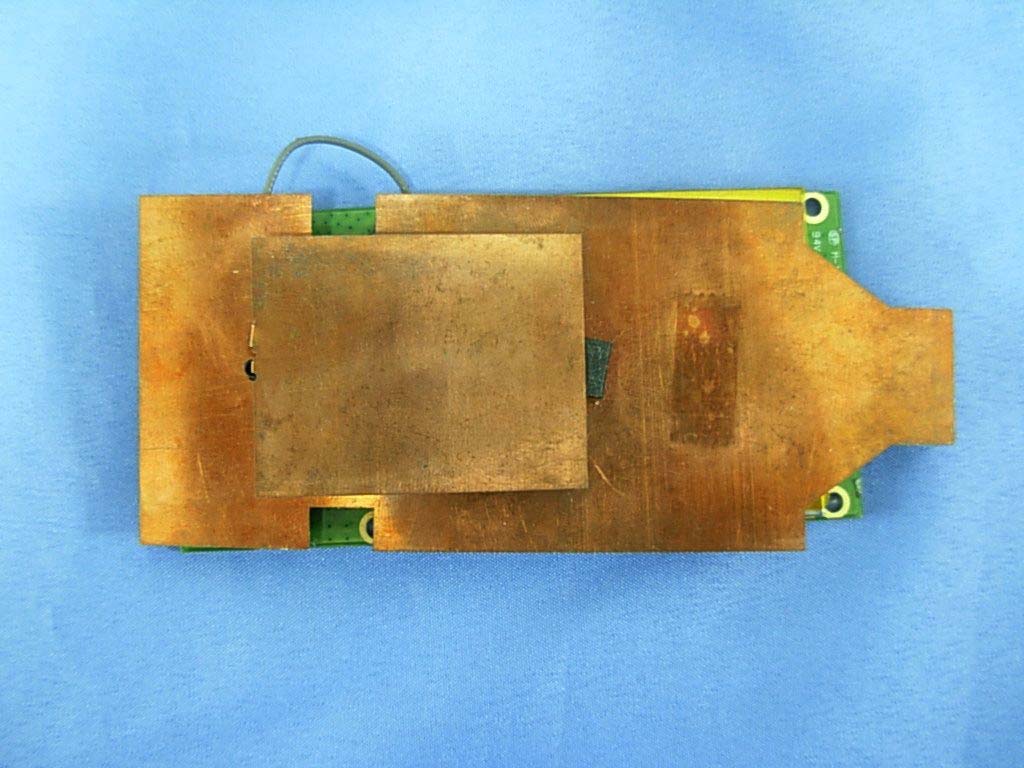
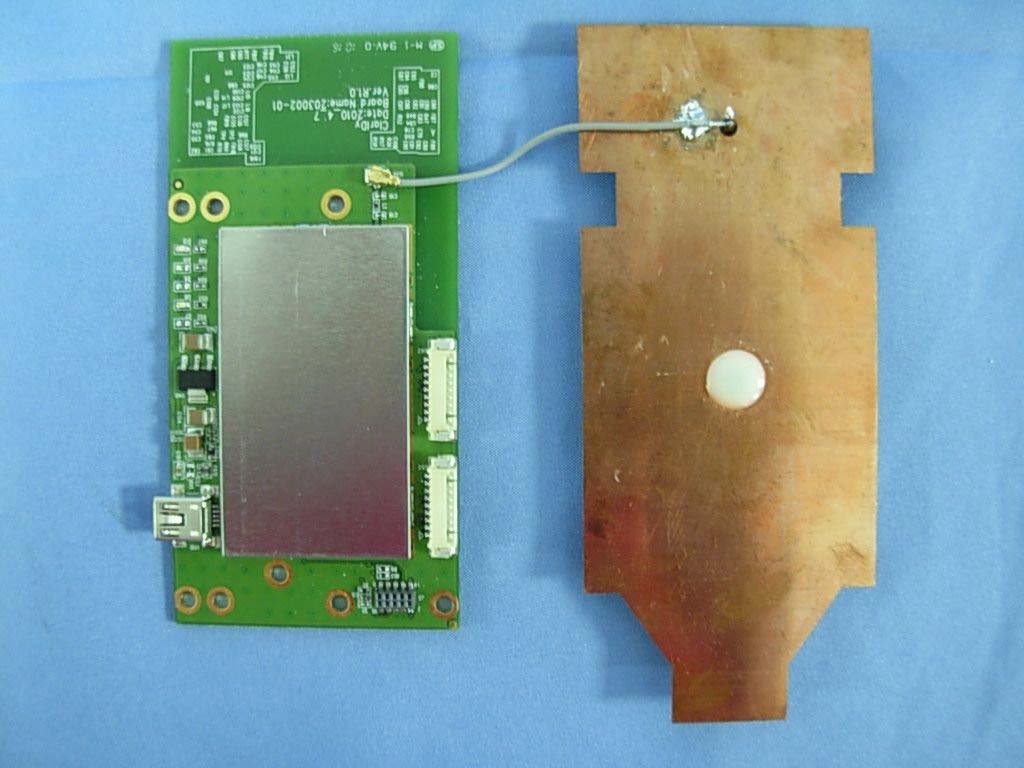
Report No:106389R-RFUSP43V01 Page: 68 of 72 Attachement EUT Photograph (1) EUT Photo (2) EUT Photo
ClarIDy Solutions, Inc. 7F, No.9, Park Avenue II Rd., Hsinchu Science Park, Hsinchu 300, Taiwan, R.O.C. FCC ID.: WQH-UEE007 FCC ID Label The Label of FCC ID number will be placed on the RF module as shown in the photograph below: FCC ID : WQH-UEE007 The FCC ID Label will be placed on the user manual as shown in the photograph below: UHF USB Reader Module Model No.: UEE005 FCC ID : WQH-UEE007 This device complies with Part 15 of the FCC Rules. Operation is subject to the following two conditions: (1) this device may not cause harmful interference and (2) this device must accept any interference received, including interference that may cause undesired operation. S/N: Made in Taiwan
Report No:106389R-RFUSP43V01 Page: 69 of 72 (3) EUT Photo (4) EUT Photo Report No:106389R-RFUSP43V01 Page: 70 of 72 (5) EUT Photo Report No:106389R-RFUSP43V01 Page: 71 of 72 (6) EUT Photo Report No:106389R-RFUSP43V01 Page: 72 of 72 (7) EUT Photo (8) EUT Photo
© Copyright 2010 ClarIDy Solutions, Inc. All rights reserved. 1 1/4 ClarIDy UHF USB Reader Antenna Specification 2010-07-01 © Copyright 2010 ClarIDy Solutions, Inc. All rights reserved. 2 2/4 UHF Antenna Item Description Frequency Range 902~928MHz FREQ 902MHz 915MHz 928MHz Horizontal (dBi) -9.5661 -7.0879 -5.2892 Peak Gain Vertical(dBi) -2.9159 -1.0799 0.2612 FREQ 902MHz 915MHz 928MHz Horizontal (dBi) -19.0836 -16.9735 -14.5556 Average Gain Vertical(dBi) -5.4473 -3.559 -2.1681 Part Number UET005 Operating Environment: Temperature: 0 °C to +70°C Humidity:0-95% Non-Conditioning © Copyright 2010 ClarIDy Solutions, Inc. All rights reserved. 3 3/4 Vertical 902MHz Radiation pattern Horizontal 902MHz Radiation pattern © Copyright 2010 ClarIDy Solutions, Inc. All rights reserved. 4 4/4 Vertical 915MHz Radiation pattern Horizontal 915MHz Radiation pattern © Copyright 2010 ClarIDy Solutions, Inc. All rights reserved. 5 5/4 Vertical 915MHz Radiation pattern Horizontal 928MHz Radiation pattern
Report No. 106389R-RF-US-Exp Page: 1 of 3 RF Exposure Evaluation declaration Product Name :UHF USB Reader Module Model No. :UEE005 FCC ID. :WQH-UEE007 Applicant : ClarIDy Solutions, Inc. Address : 7F, No.9, Park Avenue II Rd., Hsinchu Science Park, Hsinchu 300, Taiwan, R.O.C. Date of Receipt : 2010/06/23 Date of Declaration : 2010/09/10 Report No. : 106389R-RF-US-Exp Report Version : V1.0 The declaration results relate only to the samples calculated. The declaration shall not be reproduced except in full without the written approval of QuieTek Corporation. Report No. 106389R-RF-US-Exp Page: 2 of 3 1. RF Exposure Evaluation 1.1. Limits According to FCC 1.1310: The criteria listed in the following table shall be used to evaluate the environment impact of human exposure to radio frequency (RF) radiation as specified in 1.1307(b) LIMITS FOR MAXIMUM PERMISSIBLE EXPOSURE (MPE) Frequency Range (MHz) Electric Field Strength (V/m) Magnetic Field Strength (A/m) Power Density (mW/cm 2 ) Average Time (Minutes) (A) Limits for Occupational/ Control Exposures 300-1500 -- -- F/300 6 1500-100,000 -- -- 5 6 (B) Limits for General Population/ Uncontrolled Exposures 300-1500 -- -- F/1500 6 1500-100,000 -- -- 1 30 F= Frequency in MHz Friis Formula Friis transmission formula: Pd = (Pout*G)/(4*pi*r 2 ) Where Pd = power density in mW/cm 2 Pout = output power to antenna in mW G = gain of antenna in linear scale Pi = 3.1416 R = distance between observation point and center of the radiator in cm Pd id the limit of MPE, 1 mW/cm 2 . If we know the maximum gain of the antenna and the total power input to the antenna, through the calculation, we will know the distance r where the MPE limit is reached. 1.2. Test Procedure Software provided by client enabled the EUT to transmit and receive data at lowest, middle and highest channel individually. The temperature and related humidity: 18°Cand 78% RH. Report No. 106389R-RF-US-Exp Page: 3 of 3 1.3. Test Result of RF Exposure Evaluation Product UHF USB Reader Module Test Mode Mode 1: Transmit Test Condition RF Exposure Evaluation Antenna Gain Antenna Gain: The maximum Gain measured in fully anechoic chamber is 0.26dBi or 1.06 in linear scale. Output Power into Antenna & RF Exposure Evaluation Distance: Channel Channel Frequency (MHz) Output Power to Antenna (mW) Power Density at R = 20 cm (mW/cm 2 ) 0 902.75 285.1018 0.06012 25 915.25 273.5269 0.05768 49 927.25 229.6149 0.04842 The power density Pd (4th column) at a distance of 20 cm calculated from the Friis transmission formula is far below the limit of 1 mW/cm 2 .
Report No:106389R-RFUSP43V01 Page: 1 of 72 Test Report Product Name :UHF USB Reader Module Model No. :UEE005 FCC ID. :WQH-UEE007 Applicant : ClarIDy Solutions, Inc. Address : 7F, No.9, Park Avenue II Rd., Hsinchu Science Park, Hsinchu 300, Taiwan, R.O.C. Date of Receipt:2010/05/28 Issued Date :2010/09/24 Report No. :106389R-RFUSP43V01 Report Version :V1.0 The test results relate only to the samples tested. The test report shall not be reproduced except in full without the written approval of QuieTek Corporation. Report No:106389R-RFUSP43V01 Page: 2 of 72 Test Report Certification Issued Date : 2010/09/24 Report No. : 106389R-RFUSP43V01 Product Name : UHF USB Reader Module Applicant : ClarIDy Solutions, Inc. Address : 7F, No.9, Park Avenue II Rd., Hsinchu Science Park, Hsinchu 300, Taiwan, R.O.C. Manufacturer : (1) SHIN PUU TECHNOLOGY CO.,LTD. (2) CASHIDO CORPORATION Model No. : UEE005 FCC ID. : WQH-UEE007 EUT Voltage : AC 100-240V, 50/60Hz Trade Name : ClarIDy Applicable Standard : FCC CFR Title 47 Part 15 Subpart C Section 15.247: 2009 Test Result : Complied The test results relate only to the samples tested. The test report shall not be reproduced except in full without the written approval of QuieTek Corporation. Documented By : ( Sandy Chuang / Engineering Adm. Assistant ) Reviewed By : ( Sheena Huang / Engineer ) Approved By : ( Roy Wang / Manager ) Report No:106389R-RFUSP43V01 Page: 3 of 72 TABLE OF CONTENTS Description Page 1. General Information ..................................................................................................... 5 1.1. EUT Description ............................................................................................................. 5 1.2. Operational Description .................................................................................................. 7 1.3. Test Mode .......................................................................................................................8 1.4. Tested System Details .................................................................................................... 9 1.5. Configuration of tested System .................................................................................... 10 1.6. EUT Exercise Software ................................................................................................ 10 1.7. Test Facility...................................................................................................................11 2. Conducted Emission.................................................................................................. 13 2.1. Test Equipment............................................................................................................. 13 2.2. Test Setup .................................................................................................................... 13 2.3. Limits ............................................................................................................................ 14 2.4. Test Procedure ............................................................................................................. 14 2.5. Test Specification.......................................................................................................... 14 2.6. Uncertainty ................................................................................................................... 14 2.7. Test Result....................................................................................................................15 2.8. Test Photo .................................................................................................................... 17 3. Peak Power Output .........................................................…
Text truncated - open the document above for the full version.
| # | Rule Parts | Frequency Range | Power Output |
|---|---|---|---|
| 1 | 15C | 902.75 MHz - 927.25 MHz | 285.00 mW |

UHF USB READER MODULE
Equipment Class
DSS - Part 15 Spread Spectrum Transmitter