X75WPC001AWise Control-Presenter Mouse
WEIS DESIGN CO., LTD.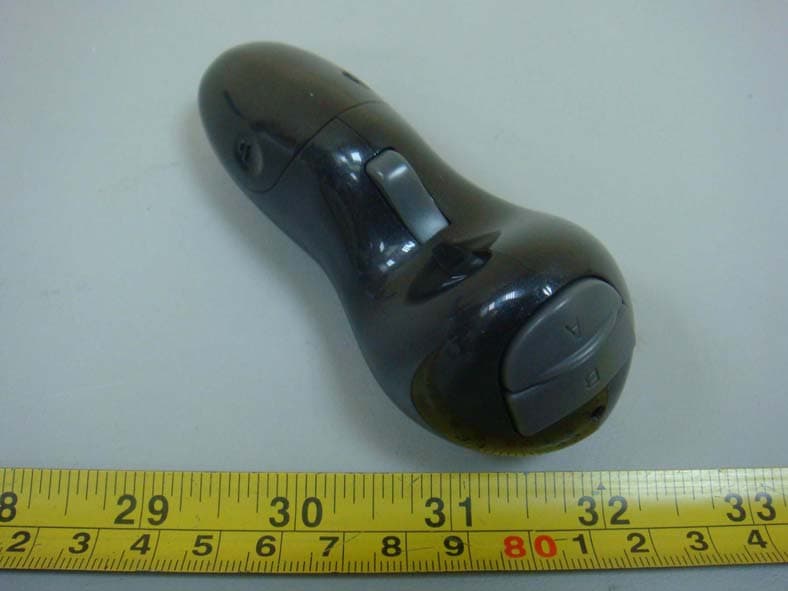
Click to zoom
Application Details
- Equipment Class
- DXT - Part 15 Low Power Transceiver, Rx Verified
- Date of Grant
- Apr 27, 2010
- Application Purpose
- Original Equipment
- Date of Application
- Apr 27, 2010
- Equipment Note
- Wise Control-Presenter Mouse
- Frequency Range
- 2402.00000000 - 2478.00000000
- Company
- WEIS DESIGN CO., LTD.
- Country
- Taiwan
Documents & Files
Document Text
Text extracted from the exhibit documents filed with the FCC. Open a document above to read the original.
Users Manual
4. What happens if the battery is nearly empty? Under normal use (1hour/day) the battery will last for 1 year. A few hours before the controller turns off a red light will start to flash slowly. Replace the batteries with new AAA size Alkaline or fully charged NiMH rechargeable batteries. 5. How can I used the advanced Button functions? The advanced functions can be selected by pressing two buttons at the same time. Press first the right click button then select for example the Volume(+) button. 6. Can I use the controller with any mini-receiver? No, the mini-receiver has been matched to your controller to keep you secure and avoid interference. Matching your controller to a different mini-receiver is possible. Visit www.weistech.com.tw to download the software. 7. Can I turn off the controller? Yes, press the On/Off button for 3 second. 1. I plugged in the mini-receiver but nothing happens? Check that the light on the mini-receiver turns on: No light means your USB port is not working, try another USB port Red light means the mini-receiver is ready but can not see the controller press the On/Off button for 3 second on the controller until you see the green LED turn on. Green light means the receiver has connected with the controller and you can start using your controller. 2. I did not find any CD to install the software? The controller is designed for plug-and-play all the software is included with your operating system. You don’t need any additional software. 3. If I forget to turn the controller off, will it turn off automatically? Yes, the controller turns off, if not used after 45 minutes, if the mini-receiver is unplugged the controller turns off after 3 minutes. Frequently Asked Questions: Plug the receiver and turn on the power by pressing the On/Off button for 3 second, untils the Light turns green Notes:The Receiver is very small and can remain plugged into your computer. If you decide to remove the Receiver, store it inside the Battery compartment. Find the receiver attached to the battery cover, remove it and close the battery cover. Slide battery cover open. Insert batteries, ensure correct polarity 1. Install the batteries 3.Connect the receiver 2.Install the receiver System Requirements: Windows 98, Windows XP, Windows Vista, Windows 7, Mac OS, USB 1.1 or higher Experience a new way to use a mouse! Take full control of your presentation anywhere in the room! Unleash your presentation skills and excel in your professional life! Multifunctional wireless controller User Guide Easy to use for anybody in your home! Watch Movies, Listen Music, Play Games, anywhere, anytime! *Only support basic function/single button opertaion for MAC ( advanced functions are unavailable). Presenter Mouse: Wireless Link Advanced 2.4GHz wireless technology Batteries 2 x AAA Alkaline Batteries or NiMH Rechargeable Batteries Laser Red Laser 650nm, power < 1mWatt Receiver: Wireless Link Advanced 2.4GHz wireless technology Interface USB1.1 or higher Product Speci cations: Brand: Weis Design Model: PC-001 Equipment Name: Wise Control - Presenter Mouse Laser safety warning: Avoid direct eye contact with the laser. Do not point the laser at mirrors or re ective surfaces. Keep the product away from children. Do not use equipment such as microscope or telescope to see the laser light. Do not open the product to avoid direct exposure to the laser light. LASER RADIATION DO NOT STARE INTO THE BEAM CLASS 2 LASER PRODUCT Multifunctional wireless controller User Guide THIS DEVICE COMPLIES WITH PART 15 OF THE FCC RULES. OPERATION IS SUBJECT TO THE FOLLOWING TWO CONDITIONS: (1) THIS DEVICE MAY NOT CAUSE HARMFUL INTERFERENCE AND (2) THIS DEVICE MUST ACCEPT ANY INTERFERENCE RECEIVED, INCLUDING INTERFERENCE THAT MAY CAUSE UNDESIRED OPERATION. Federal Communications Commission Requirements The equipment has been tested and found to comply with the limits for Class B Digital Device, pursuant to part 15 of the FCC Rules. These limits are designed to provide reasonable protection against harmful interference in a residential installation. This equipment generates uses and can radiate radio frequency energy and, if not installed and used in accordance with the instruction, may cause harmful interference to radio communication. However, there is no guarantee that interference will not occur in a particular installation. If this equipment does cause harmful interference to radio or television reception, which can be determined by turning the equipment off and on, the user is encouraged to try to correct the interference by one or more of the following measures: • Reorient of relocate the receiving antenna. • Increase the separation between the equipment and receiver. • Connect the equipment into an outlet on a circuit different from that to which the receiver is connected. • Consult the dealer or an experienced radio/TV technician for help. THE CHANGES OR MODIFICATIONS NOT EXPRESSLY APPROVED BY THE PARTY RESPONSIBLE FOR COMPLIANCE COULD VOID THE USER’S AUTHORITY TO OPERATE THE EQUIPMENT. This device complies with Part 15 of the FCC Rules. Operation is subject to the following two conditions: (1) This device may not cause harmful interference, and (2) This device must accept any interference received, including interference that may cause undesired operation.
External Photos
RV-0000000 Project No.: R1002001 Page 2 of 6 Neutron Engineering Inc. R1002001 R1002001
Internal Photos
RV-0000000 Project No.: R1002001 Page 3 of 6 Neutron Engineering Inc. R1002001 RV-0000000 Project No.: R1002001 Page 4 of 6 Neutron Engineering Inc. R1002001 R1002001 RV-0000000 Project No.: R1002001 Page 5 of 6 Neutron Engineering Inc. R1002001 RV-0000000 Project No.: R1002001 Page 6 of 6 Neutron Engineering Inc. R1002001 R1002001
Test Report
Report No.: NEI-FCCP-1-R1002001 Page 1 of 35 Neutron Engineering Inc. Radio Test Report FCC ID: X75WPC001A This report concerns (check one) : Original Grant Class I Change Issued Date : Mar. 24, 2010 Project No. : R1002001 Equipment : Wise Control-Presenter Mouse Model Name : PC-001 Applicant : WEIS DESIGN CO., LTD. Address : 6F., No. 1-3, Sec. 5, Zhongxiao E. Rd., Xinyi Dist., Taipei City 11071, Taiwan Tested by: Neutron Engineering Inc. EMC Laboratory Date of Test: Feb. 10, 2010 ~ Mar. 15, 2010 Testing Engineer : (Rush Kao) Technical Manager : (Jeff Yang) Authorized Signatory : (Andy Chiu) Neutron Engineering Inc. B1, No. 37, Lane 365, YangGuang St., NeiHu District 114, Taipei, Taiwan. TEL: +886-2-2657-3299 FAX: +886-2-2657-3331 Report No.: NEI-FCCP-1-R1002001 Page 2 of 35 Neutron Engineering Inc. Declaration Neutron represents to the client that testing is done in accordance with standard procedures as applicable and that test instruments used has been calibrated with the standards traceable to National Measurement Laboratory (NML) of R.O.C., or National Institute of Standards and Technology (NIST) of U.S.A. Neutron's reports apply only to the specific samples tested under conditions. It is manufacture’s responsibility to ensure that additional production units of this model are manufactured with the identical electrical and mechanical components. Neutronshall have no liability for any declarations, inferences o r generalizations drawn by the client or others from Neutron issued reports. Neutron’s reports must not be used by the client to claim product endorsement by the authorities or any agency of the Government. This report is the confidential property of the client. As a mutual protection to the clients, the public and Neutron-self, extracts from the test report shall not be reproduced except in full with Neutron’s authorized written approval. Neutron’s laboratory quality assurance procedures are in compliance with the ISO Guide 17025 requirements, and accredited by the conformity assessment authorities listed in this test report. Limitation For the use of the authority's logo is limited unless the Test Standard(s)/Scope(s)/Item(s) mentioned in this test report is (are) included in the conformity assessment authorities acceptance respective. Report No.: NEI-FCCP-1-R1002001 Page 3 of 35 Neutron Engineering Inc. Table of Contents Page 1 . CERTIFICATION 4 2 . SUMMARY OF TEST RESULTS 5 2.1 TEST FACILITY 6 2.2 MEASUREMENT UNCERTAINTY 6 3 . GENERAL INFORMATION 7 3.1 GENERAL DESCRIPTION OF EUT 7 3.2 DESCRIPTION OF TEST MODES 9 3.3 BLOCK DIGRAM SHOWING THE CONFIGURATION OF RADIATION EMISSION TEST 10 3.4 DESCRIPTION OF SUPPORT UNITS 11 4 . EMC EMISSION TEST 12 4.1 RADIATED EMISSION MEASUREMENT 12 4.1.1 RADIATED EMISSION LIMITS 12 4.1.2 MEASUREMENT INSTRUMENTS LIST 13 4.1.3 TEST PROCEDURE 13 4.1.4 DEVIATION FROM TEST STANDARD 13 4.1.5 TEST SETUP 14 4.1.6 EUT OPERATING CONDITIONS 14 4.1.7 TEST RESULTS-BETWEEN 30MHz – 1000MHz 15 4.1.8 TEST RESULTS-ABOVE 1000MHz 17 4.1.9 TEST RESULTS-2402MHz – 2480MHz 29 4.1.10 TEST RESULTS-RESTRICTED BANDS REQUIREMENTS 30 5 . EUT TEST PHOTO 34 Report No.: NEI-FCCP-1-R1002001 Page 4 of 35 Neutron Engineering Inc. 1. CERTIFICATION E q u i p m e n t : Wise Control-Presenter Mouse Brand Name : WeisDesign M o d e l N o . : PC-001 A p p l i c a n t : WEIS DESIGN CO., LTD. Date of Test : Feb. 10, 2010 ~ Mar. 15, 2010 Te s t I t e m : ENGINEERING SAMPLE Standards : FCC Part15, Subpart C(15.249) / RSS-210: 2004/ ANCI C63.4 : 2003 The above equipment has been tested and found compliance with the requirement of the relative standards by Neutron Engineering Inc. EMC Laboratory. The test data, data evaluation, and equipment configuration contained in our test report (Ref No. NEI-FCCP-1-R1002001) were obtained utilizing the test procedures, test instruments, test sites that has been accredited by the Authority of NVLAP and TAF according to the ISO-17025 quality assessment standard and technical standard(s). Report No.: NEI-FCCP-1-R1002001 Page 5 of 35 Neutron Engineering Inc. 2. SUMMARY OF TEST RESULTS Test procedures according to the technical standards: FCC Part15, Subpart C Standard Section Test Item Judgment Remark 15.207 Conducted Emission N/A 15.249 Radiated Spurious Emission PASS NOTE: (1)” N/A” denotes test is not applicable in this Test Report Report No.: NEI-FCCP-1-R1002001 Page 6 of 35 Neutron Engineering Inc. 2.1 TEST FACILITY The test facilities used to collect the test data in this report is CB08 (FCC Test Firm Number: 95335) at the location of 1F., No. 61, Ln. 77, Sing-ai Rd., Neihu Dist., Taipei City 114, Taiwan (R.O.C.) 2.2 MEASUREMENT UNCERTAINTY The reported uncertainty of measurement y ± U,where expended uncertainty U is based on a standard uncertainty multiplied by a coverage factor of k=2,providing a level of confidence of approximately 95%。 A. Conducted Measurement : Test Site Method Measurement Frequency Range U,(dB) C01 ANSI 150 KHz ~ 30MHz 1.94 B. Radiated Measurement : Test Site Method Measurement Frequency Range Ant. H / V U,(dB) 30MHz ~ 200MHz V 3.22 30MHz ~ 200MHz H 3.35 200MHz ~ 1,000MHz V 3.24 200MHz ~ 1,000MHz H 3.11 1000MHz ~ 1800MHz V 4.05 1000MHz ~ 18000MHz H 3.97 18000MHz ~ 40000MHz V 4.04 CB08 ANSI 18000MHz ~ 40000MHz H 4.01 Report No.: NEI-FCCP-1-R1002001 Page 7 of 35 Neutron Engineering Inc. 3. GENERAL INFORMATION 3.1 GENERAL DESCRIPTION OF EUT Equipment Wise Control-Presenter Mouse Brand Name WeisDesign Model No. PC-001 OEM Brand N/A Model Difference N/A Product Description The EUT is a Wise Control-Presenter Mouse. Operation Frequency: 2402~2478MHz Modulation Type: GFSK Number Of Channel 77CH, Please refer to the Note 2. Antenna Designation: PCB Antenna Antenna Gain(Peak) Please refer to the Note 3. Based on the application, features, or specification exhibited in User's Manual, the EUT is considered as an ITE/Computing Device. More details of EUT technical specification, please refer to the User's Manual. Power Source Battery supp…
Text truncated - open the document above for the full version.
Test Setup Photos
Report No.: NEI-FCCP-1-R1002001 Page 34 of 35 Neutron Engineering Inc. 5. EUT TEST PHOTO Radiated Measurement Photos Report No.: NEI-FCCP-1-R1002001 Page 35 of 35 Neutron Engineering Inc. Radiated Measurement Photos
Contact Information
Applicant
Andy Chiu
Technical Contact
Neutron Engineering Inc.Andy Chiu
[email protected]+886-2-2657-3299
B1, No. 37, Lane 365, YangGang St., · Taipei · Taiwan
Test Firm
BTL Inc.Andy Yeh
Technical Specifications
| # | Rule Parts | Frequency Range | Power Output |
|---|---|---|---|
| 1 | 15C | 2.40 GHz - 2.48 GHz | - |
Other Applications from WEIS DESIGN CO., LTD.
X75WPC001B
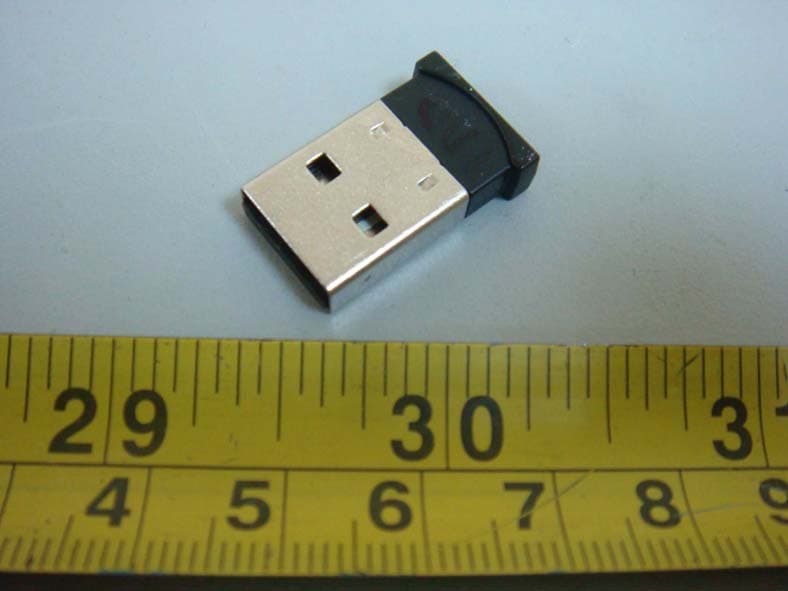
Apr 27, 2010Wise Control-USB Dongle
Equipment Class
DXT - Part 15 Low Power Transceiver, Rx Verified