X8Y500Swiftpoint GT computer mouse
Swiftpoint Limited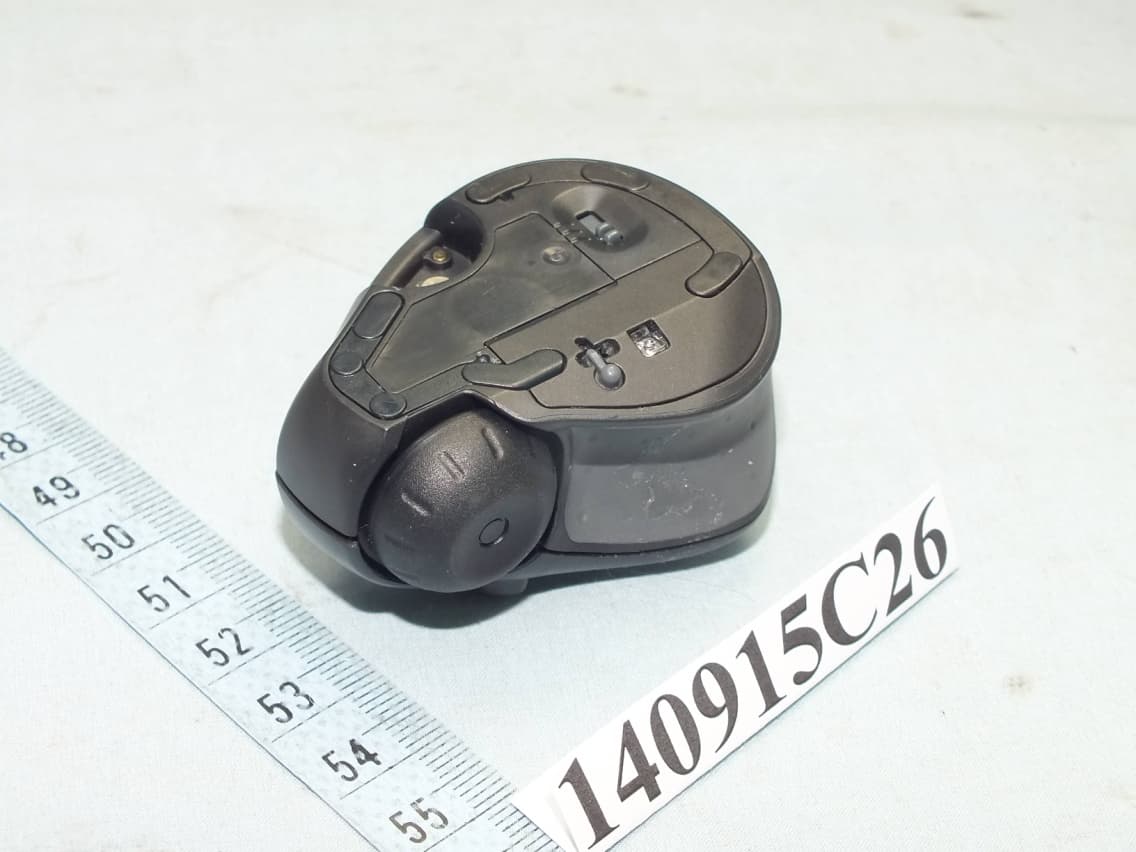
Click to zoom
Application Details
- Equipment Class
- DTS - Digital Transmission System
- Date of Grant
- Jan 06, 2015
- Application Purpose
- Original Equipment
- Date of Application
- Jan 06, 2015
- Equipment Note
- Swiftpoint GT computer mouse
- Frequency Range
- 2402.00000000 - 2480.00000000
- Company
- Swiftpoint Limited
- Country
- New Zealand
Documents & Files
Document Text
Text extracted from the exhibit documents filed with the FCC. Open a document above to read the original.
Users Manual
Compliance statement version v2014.1 © 2014 Swiftpoint Limited. All rights reserved. Systems Requirements Hardware: Bluetooth 4 or USB Operating Systems: Windows® 7 or higher / Mac OS® 10.4 or higher / iOS 7 or higher / Android 4.4 or higher Ergonomic Information Repetitive use of computers and computer peripherals such as mice and keyboards over prolonged periods may result in physical discomfort and/ or injury to muscles, tendons and nerves. Such outcomes may also be due to an incorrect body posture, an unergonomic work set-up, or poor work habits. If you experience any pain, swelling, stiffness, numbness or other discomfort of these in your hands, wrists, arms, neck, shoulders, back or other parts of your body while using a computer, you should immediately contact a qualified medical professional. Warranty Swiftpoint warrants this product to be free from defects in material and workmanship for a period of two (2) years from the date of purchase. In the event that this product is found to be defective in material and workmanship, Swiftpoint shall, at its sole election, either (1) repair or replace the product, or (2) refund the purchase price, provided that the product is returned to Swiftpoint with a copy of the sales receipt or invoice. Postage charges shall be to the cost of the purchaser, unless applicable law requires otherwise. Refer to the support page at www.swiftpoint.com for product return addresses. This warranty does not cover accidental damage, wear and tear, or use of the product in a manner other than in accordance with the instructions. UNDER NO CIRCUMSTANCES SHALL SWIFTPOINT BE LIABLE FOR ANY CONSEQUENTIAL, INDIRECT OR INCIDENTAL LOSS OR DAMAGES INCLUDING, BUT NOT LIMITED TO, LOSS OF REVENUES, PROFITS, DATA, OR RECORDS, EVEN IF SWIFTPOINT HAS BEEN MADE AWARE OF THIS POSSIBILITY. This warranty does not affect your statutory rights. Regulatory Information Federal Communication Commission Interference Statement This device complies with Part 15 of the FCC Rules. Operation is subject to the follow-ing two conditions: (1) This device may not cause harmful interference, and (2) this device must accept any interference received, including interference that may cause undesired operation. This equipment has been tested and found to comply with the limits for a Class B digi-tal device, pursuant to Part 15 of the FCC Rules. These limits are designed to provide reasonable protection against harmful interference in a residential installation. This equipment generates, uses and can radiate radio frequency energy and, if not in-stalled and used in accordance with the instructions, may cause harmful interference to radio communications. However, there is no guarantee that interference will not occur in a particular installation. If this equipment does cause harmful interference to radio or television reception, which can be determined by turning the equipment off and on, the user is encouraged to try to correct the interference by one of the fol-lowing measures: • Reorient or relocate the receiving antenna. • Increase the separation between the equipment and receiver. • Connect the equipment into an outlet on a circuit different from that to which the receiver is connected. • Consult the dealer or an experienced radio/TV technician for help. FCC Caution: Any changes or modifications not expressly approved by the party re-sponsible for compliance could void the user’s authority to operate this equipment. This transmitter must not be co-located or operating in conjunction with any other an-tenna or transmitter. Radiation Exposure Statement: The product complies with the FCC portable RF exposure limit set forth for an uncon-trolled environment and is safe for intended operation as described in this manual. Industry Canada statement: This device complies with RSS-210 of the Industry Canada Rules. Operation is subject to the following two conditions: (1) This device may not cause harmful interference, and (2) this device must accept any interference received, including interference that may cause undesired operation. Ce dispositif est conforme à la norme CNR-210 d’Industrie Canada applicable aux appareils radio exempts de licence. Son fonctionnement est sujet aux deux condi-tions suivantes: (1) le dispositif ne doit pas produire de brouillage préjudiciable, et (2) ce dispositif doit accepter tout brouillage reçu, y compris un brouillage susceptible de provoquer un fonctionnement indésirable. Radiation Exposure Statement: The product comply with the Canada portable RF exposure limit set forth for an un-controlled environment and are safe for intended operation as described in this manual. Déclaration d’exposition aux radiations: Le produit est conforme aux limites d’exposition pour les appareils portables RF pour les Etats-Unis et le Canada établies pour un environnement non contrôlé. Le produit est sûr pour un fonctionnement tel que décrit dans ce manuel. Europe – EU Declaration of Conformity This device complies with the essential requirements and other relevant provisions of the R&TTE Directive 1999/5/EC. The following test methods have been applied in order to prove presumption of conformity with the essential requirements of the R&TTE Di-rective 1999/5/EC: • EN 60950-1/A12: 2011 Safety of Information Technology Equipment • EN 62311: 2008 / Article 3(1)(a) and Article 2 2006/95/EC) Assessment of electronic and electrical equipment related to human exposure restrictions for electromagnetic fields (0 Hz-300 GHz) (IEC 62311:2007 (Modified)) • EN 300 328 V1.8.1 (2012-06) Electromagnetic compatibility and Radio spectrum Matters (ERM); Wideband transmission systems; Data transmission equipment operating in the 2,4 GHz ISM band andusing wide band modulation techniques; Harmonized EN covering the essential requirements of article 3.2 of the R&TTE Directive • EN 301 489-1 V1.9.2: 2008 Electromagnetic compatibility and Radio Spectrum Matters (ERM); ElectroMag-netic Compatibility (EMC) standard fo…
Text truncated - open the document above for the full version.
Users Manual
Quick Start Guide version v2014.1 © 2014 Swiftpoint Limited. All rights reserved. Quick Start Guide Charging the Mouse To charge your Swiftpoint GT: 1. Plug the USB charger into a USB port on your computer or into a USB charging accessory. 2. Dock the mouse onto the charger. The battery LED will flash while charging and turn off once fully charged. A full charge can take up to 90 minutes. To begin using the mouse, move the switch on the underside to the ON position. Connecting the Mouse Via USB Receiver To connect via the USB charger/receiver, plug the USB charger/receiver into a port on your computer and move the switch on the underside of the mouse from the OFF to the ON position. The mouse will automatically connect to your computer. Connecting the Mouse Via Bluetooth 4.0 Once the mouse is fully charged, you can pair it to your computer via Bluetooth 4.0. Remove the USB charger/receiver. Leave the mouse OFF for the first steps. For Windows 8 or 8.1 1. Bring up the Charms menu by moving the pointer to the bottom right corner. 2. Select Settings, then Change PC Settings. 3. Then: Windows 8 Select Devices, then Add a Device. Windows 8.1 Select PC & Devices, then Bluetooth from the column on the left. 4. Remove any existing “Swiftpoint GT” in the list by selecting it, then selecting Remove. 5. While holding down either mouse button, move the switch on the underside of the mouse to ON. The LED will flash to indicate pairing mode. 6. When “Swiftpoint GT” appears in the list of searched devices, click on the device name to install and pair with the device. For Other Devices Make sure your computer or device is ready to pair. Next, put the Swiftpoint GT into pairing mode. To do this, hold down either mouse button, then move the switch on the underside of the mouse from OFF to ON. The LED will flash to indicate pairing mode. USB charger/ receiver OFFCONFIGON Stylus Scroll wheel Docking point Switch Left-click Right-click Tilt mouse upward to engage stylus Thumb grip LED Middle finger grip (hidden) If you connect your Swiftpoint GT via Bluetooth, you can plug the USB charger/receiver into a USB charging accessory rather than using one of your computer’s USB ports. For more tips and videos, visit www.swiftpoint.com Recharging When not using the mouse for brief periods, dock the mouse on the USB charger so it maintains a charge. The first 30 seconds of charging will give you up to one hour of use. During this RapidCharge,™ the LED flashes rapidly. When not using the mouse for extended periods, move the switch on the underside of the mouse to OFF. Accessories Apply the palmrest sticker to the palmrest of your laptop. Rest the mouse on the shaded corner, and the mouse’s magnet will hold it in place while typing. Sit the mouse on the parking spot and it will be held in place. Apply the parking spot to any handy place, such as your laptop lid. Using the Mouse Hold the mouse with your thumb on the thumb grip and your middle finger on the finger grip. Rest your index finger on the front button. zTo right-click, move your index finger to the rear button. zUse your index finger to roll the scroll wheel. To middle-click, hold the front button, then click the rear button. To open the Windows Start screen, hold the rear button, then click the front button. To gesture, tilt the mouse as shown to engage the stylus, then drag the stylus on the mousing surface. To perform edge gestures (Win 8), hold the rear (right-click) button and engage the stylus: zDrag right to left to bring up Charms. zDrag left to right to bring up the application switcher. Lift the stylus to launch an application. zDrag up or down to zoom, depending upon the application being used. Configuring the Swiftpoint GT (Win 8) To adjust configuration settings for your Swiftpoint GT: 1. Move the switch on the underside of the mouse to CONFIG. 2. Follow the on-screen instructions. 3. Once configured, slide the switch to ON. The Gesture Technology Driver accesses more gestures. Extra gestures include: zGo backward and forward in Internet Explorer with left and right flicks. zPan in Microsoft Excel by dragging left and right. zPan in Bing maps by dragging. The Gesture Technology Driver also provides inertia and spring-back behaviours. To install the driver: 1. Move the switch on the underside of the mouse to CONFIG. 2. Follow the on-screen instructions. Left click (front) Right click (rear) Tilt to gesture
External Photos
Page 1 CONSTRUCTION PHOTOS OF EUT
ID Label/Location Info
Label location
ID Label/Location Info
A B C 1 23 This document contains con dential and proprietary information and rights that belongs to SWIFTPOINT Ltd. Using or permitting the use of any of the information contained herein, copying or imaging all or part of this document by any means, or permitting any such copying or imaging, disclosing or permitting the disclosure of any of its content to third parties is strictly forbidden without express written consent of SWIFTPOINT Ltd. 213456 B A C D 456 D TITLE: COMPLIANCE LABEL © Copyright 2012 SWIFTPOINT Ltd. PART No: 114-07-003 ISSUE: H PROJECT: V2 MOUSE MATERIAL: SEE NOTES TOLERANCES 0<a≤66<a≤1515<a≤4040<a≤7070<a≤150 150<a≤300 ANGLES FINISH: SEE NOTES DATE: 10-10-2014 (UNLESS OTHERWISE STATED) ±0.06±0.08±0.11±0.15±0.24±0.36±0.5 SCALE: 5:1SHEET 1 OF 1 A3 COMPOSITE SCALE 1:1 COMPOSITE SCALE 5:1 NOTES: 1. FOR OVERALL PART GEOMETRY REFER TO PART DRAWING OR CAD DATA WHICH IS AVAILABLE FOR THIS PART. 2. SUPPLIER CAN DETERMINE SEPARATION PRINT ORDER, BUT SHOULD AVOID PRINTING DARK COLOURS BEHIND LIGHT COLOURS. 3. PLEASE ENSURE SUFFICIENT OPACITY TO PREVENT UNDERLYING PART COLOURS (SUCH AS BLACK) SHOWING THROUGH. 4. COLOURS TO BE SPREAD / TRAPPED / OVERPRINT AS NECESSARY. 5. SPECIFIED COLOURS ARE FOR FINISHED PART. 6. DO NOT MATCH COLOURS TO THIS DRAWING; REFER TO THE SPECIFIED PANTONE COLOUR. 7. MATERIAL: 0.1MM THICK LABEL MATERIAL + 0.06MM ADHESIVE 8. IF UNSURE ABOUT ANY ASPECT OF THIS DRAWING - PLEASE ASK. SEPARATION PANTONE BLACK SCALE 5:1 SEPARATION PANTONE COOL GRAY 7 C SCALE 5:1 14.25 26.94
Internal Photos
Page 2 Page 3 Page 4 Page 5 Page 6
Operational Description
FCC ID: X8Y500 Report No.: RF140915C26 Operational Description This device is a Swiftpoint GT computer mouse powered from 3.7Vdc battery. The antenna is PCB Trace antenna without antenna connector. For more detailed instruction, please take a look at the user’s manual.
RF Exposure Info
Report No.: SA140915C26 1 of 6 Report Format Version 5.0.1 RF EXPOSURE REPORT REPORT NO.: SA140915C26 MODEL NO.: 500 FCC ID: X8Y500 RECEIVED: Sep. 15, 2014 TESTED: Nov. 04 ~ Nov. 18, 2014 ISSUED: Nov. 21, 2014 APPLICANT: Swiftpoint Limited ADDRESS: Unit 1, Level 1, Beatbox 270 St Asaph Street, Christchurch 8011 New Zealand ISSUED BY: Bureau Veritas Consumer Products Services (H.K.) Ltd., Taoyuan Branch LAB ADDRESS: No. 47-2, 14th Ling, Chia Pau Vil., Lin Kou Dist., New Taipei City, Taiwan, R.O.C. TEST LOCATION: No. 19, Hwa Ya 2nd Rd, Wen Hwa Tsuen, Kwei Shan Hsiang, Taoyuan Hsien 333, Taiwan, R.O.C. This report is for your exclusive use. Any copying or replication of this report to or for any other person or entity, or use of our name or trademark, is permitted only with our prior written permission. This report sets forth our findings solely with respect to the test samples identified herein. The results set forth in this report are not indicative or representative of the quality or characteristics of the lot from which a test sample was taken or any similar or identical product unless specifically and expressly noted. Our report includes all of the tests requested by you and the results thereof based upon the information that you provided to us. You have 60 days from date of issuance of this report to notify us of any material error or omission caused by our negligence, provided, however, that such notice shall be in writing and shall specifically address the issue you wish to raise. A failure to raise such issue within the prescribed time shall constitute your unqualified acceptance of the completeness of this report, the tests conducted and the correctness of the report contents. Unless specific mention, the uncertainty of measurement has been explicitly taken into account to declare the compliance or non-compliance to the specification. Report No.: SA140915C26 2 of 6 Report Format Version 5.0.1 Table of Contents RELEASE CONTROL RECORD .............................................................................................. 3 1. CERTIFICATION ........................................................................................................... 4 2. EVALUATION RESULT ................................................................................................. 5 3. SAR TEST EXCLUSION THRESHOLDS ..................................................................... 6 4. CONCLUSION .............................................................................................................. 6 Report No.: SA140915C26 3 of 6 Report Format Version 5.0.1 RELEASE CONTROL RECORD ISSUE NO. REASON FOR CHANGE DATE ISSUED SA140915C26 Original release. Nov. 21, 2014 Report No.: SA140915C26 4 of 6 Report Format Version 5.0.1 1. CERTIFICATION PRODUCT:Swiftpoint GT computer mouse MODEL NO.:500 BRAND:SWIFTPOINT APPLICANT:Swiftpoint Limited TESTED:Nov. 04 ~ Nov. 18, 2014 TEST SAMPLE:ENGINEERING SAMPLE STANDARDS: FCC Part 2 (Section 2.1093) KDB 447498 D03 IEEE C95.1 The above equipment (model: 500) has been tested by Bureau Veritas Consumer Products Services (H.K.) Ltd., Taoyuan Branch, and found compliance with the requirement of the above standards. The test record, data evaluation & Equipment Under Test (EUT) configurations represented herein are true and accurate accounts of the measurements of the sample’s EMC characteristics under the conditions specified in this report. PREPARED BY :, DATE : Nov. 21, 2014 Celine Chou / Specialist APPROVED BY :, DATE : Nov. 21, 2014 Ken Liu / Senior Manager Report No.: SA140915C26 5 of 6 Report Format Version 5.0.1 2. EVALUATION RESULT Following FCC KDB 447498 D01 “General SAR test exclusion guidance” The corresponding SAR Exclusion Threshold condition, listed below: 1) The 1-g and 10-g SAR test exclusion thresholds for 100 MHz to 6 GHz at test separation distances ≤ 50 mm are determined by: [(max. power of channel, including tune-up tolerance, mW)/(min. test separation distance, mm)] ·[√f(GHz)] ≤ 3.0 for 1-g SAR and ≤ 7.5 for 10-g extremity SAR,16 where f(GHz) is the RF channel transmit frequency in GHz . Power and distance are rounded to the nearest mW and mm before calculation. The result is rounded to one decimal place for comparison The test exclusions are applicable only when the minimum test separation distance is ≤ 50 mm and for transmission frequencies between 100 MHz and 6 GHz. When the minimum test separation distance is < 5 mm, a distance of 5 mm is applied to determine SAR test exclusion. 2) At 100 MHz to 6 GHz and for test separation distances > 50 mm, the SAR test exclusion threshold is determined according to the following: a) [Threshold at 50 mm in step 1) + (test separation distance - 50mm)·( f(MHz)/150)] mW, at 100MHz to 1500 MHz b) [Threshold at 50 mm in step 1) + (test separation distance - 50 mm)·10] mW at > 1500 MHz and ≤ 6 GHz 3) At frequencies below 100 MHz, the following may be considered for SAR test exclusion. a) The threshold at the corresponding test separation distance at 100 MHz in step 2) is multiplied by [1 + log(100/f(MHz))] for test separation distances > 50 mm and < 200 mm. b) The threshold determined by the equation in a) for 50 mm and 100 MHz is multiplied by ½ for test separation distances ≤ 50 mm. c) SAR measurement procedures are not established below 100 MHz. When SAR test exclusion cannot be applied, a KDB inquiry is required to determine SAR evaluation requirements for any test results to be acceptable. Report No.: SA140915C26 6 of 6 Report Format Version 5.0.1 3. SAR TEST EXCLUSION THRESHOLDS Maximum measured transmitter power: Frequency (GHz) Max. Power (mW) Min. test separation distance (mm) SAR test exclusion calculation value (NOTE 2) 10-g extremity SAR test exclusion thresholds Result 2.402 ~ 2.480 1.694 5 0.525 7.5 Pass NOTE: 1. The antenna type is PCB Trace antenna with 2.2dBi gain 2. Calculate SAR test exclusion thresholds from condition “1” formulas. 4. CONCLUSION Since Source-base time avera…
Text truncated - open the document above for the full version.
Test Report
Report No.: RF140915C26 1 of 35 Report Format Version 5.1.0 FCC TEST REPORT REPORT NO.: RF140915C26 MODEL NO.: 500 FCC ID: X8Y500 RECEIVED: Sep. 15, 2014 TESTED: Nov. 04 ~ Nov. 18, 2014 ISSUED: Nov. 21, 2014 APPLICANT: Swiftpoint Limited ADDRESS: Unit 1, Level 1, Beatbox 270 St Asaph Street, Christchurch 8011 New Zealand ISSUED BY: Bureau Veritas Consumer Products Services (H.K.) Ltd., Taoyuan Branch LAB ADDRESS: No. 47-2, 14th Ling, Chia Pau Vil., Lin Kou Dist., New Taipei City, Taiwan, R.O.C. TEST LOCATION: No. 19, Hwa Ya 2nd Rd, Wen Hwa Tsuen, Kwei Shan Hsiang, Taoyuan Hsien 333, Taiwan, R.O.C. This report is for your exclusive use. Any copying or replication of this report to or for any other person or entity, or use of our name or trademark, is permitted only with our prior written permission. This report sets forth our findings solely with respect to the test samples identified herein. The results set forth in this report are not indicative or representative of the quality or characteristics of the lot from which a test sample was taken or any similar or identical product unless specifically and expressly noted. Our report includes all of the tests requested by you and the results thereof based upon the information that you provided to us. You have 60 days from date of issuance of this report to notify us of any material error or omission caused by our negligence, provided, however, that such notice shall be in writing and shall specifically address the issue you wish to raise. A failure to raise such issue within the prescribed time shall constitute your unqualified acceptance of the completeness of this report, the tests conducted and the correctness of the report contents. Unless specific mention, the uncertainty of measurement has been explicitly taken into account to declare the com pliance or non-compliance to the specification This report should not be used by the client to claim product certification, approval, or endorsement by TAF or any government agencies. Report No.: RF140915C26 2 of 35 Report Format Version 5.1.0 Table of Contents RELEASE CONTROL RECORD .............................................................................................. 4 1. CERTIFICATION........................................................................................................... 5 2. SUMMARY OF TEST RESULTS .................................................................................. 6 2.1 MEASUREMENT UNCERTAINTY ................................................................................ 6 3. GENERAL INFORMATION ........................................................................................... 7 3.1 GENERAL DESCRIPTION OF EUT ............................................................................. 7 3.2 DESCRIPTION OF TEST MODES ............................................................................... 8 3.2.1 TEST MODE APPLICABILITY AND TESTED CHANNEL DETAIL ............................... 9 3.3 DESCRIPTION OF SUPPORT UNITS ....................................................................... 11 3.3.1 CONFIGURATION OF SYSTEM UNDER TEST ........................................................ 11 3.4 GENERAL DESCRIPTION OF APPLIED STANDARDS ............................................ 12 4. TEST TYPES AND RESULTS .................................................................................... 13 4.1 RADIATED EMISSION AND BANDEDGE MEASUREMENT ..................................... 13 4.1.1 LIMITS OF RADIATED EMISSION AND BANDEDGE MEASUREMENT .................. 13 4.1.2 TEST INSTRUMENTS ................................................................................................ 14 4.1.3 TEST PROCEDURES ................................................................................................ 15 4.1.4 DEVIATION FROM TEST STANDARD ...................................................................... 15 4.1.5 TEST SETUP .............................................................................................................. 16 4.1.6 EUT OPERATING CONDITIONS ............................................................................... 16 4.1.7 TEST RESULTS ......................................................................................................... 17 4.2 CONDUCTED EMISSION MEASUREMENT ............................................................. 21 4.2.1 LIMITS OF CONDUCTED EMISSION MEASUREMENT ........................................... 21 4.2.2 TEST INSTRUMENTS ................................................................................................ 21 4.2.3 TEST PROCEDURES ................................................................................................ 22 4.2.4 DEVIATION FROM TEST STANDARD ...................................................................... 22 4.2.5 TEST SETUP .............................................................................................................. 22 4.2.6 EUT OPERATING CONDITIONS ............................................................................... 22 4.2.7 TEST RESULTS ......................................................................................................... 23 4.3 6dB BANDWIDTH MEASUREMENT .......................................................................... 25 4.3.1 LIMITS OF 6dB BANDWIDTH MEASUREMENT ....................................................... 25 4.3.2 TEST SETUP .............................................................................................................. 25 4.3.3 TEST INSTRUMENTS ................................................................................................ 25 4.3.4 TEST PROCEDURE ................................................................................................... 25 4.3.5 DEVIATION FROM TEST STANDARD ...................................................................... 25 Report No.: RF140915C26 3 of 35 Report Format Version 5.1.0 4.3.6 EUT OPERATING CONDI…
Text truncated - open the document above for the full version.
Test Setup Photos
1 PHOTOGRAPHS OF THE TEST CONFIGURATION CONDUCTED EMISSION TEST 2 RADIATED EMISSION TEST (TEST MODE A) 3 RADIATED EMISSION TEST (TEST MODE B)
Contact Information
Applicant
Mr Ian N Palmer(Chief Operations Officer)
Test Firm
Bureau Veritas CPS (H.K.) Ltd., Taoyuan BranchRichard Chen
Technical Specifications
| # | Rule Parts | Frequency Range | Power Output |
|---|---|---|---|
| 1 | 15C | 2.40 GHz - 2.48 GHz | 2.00 mW |
Other Applications from Swiftpoint Limited
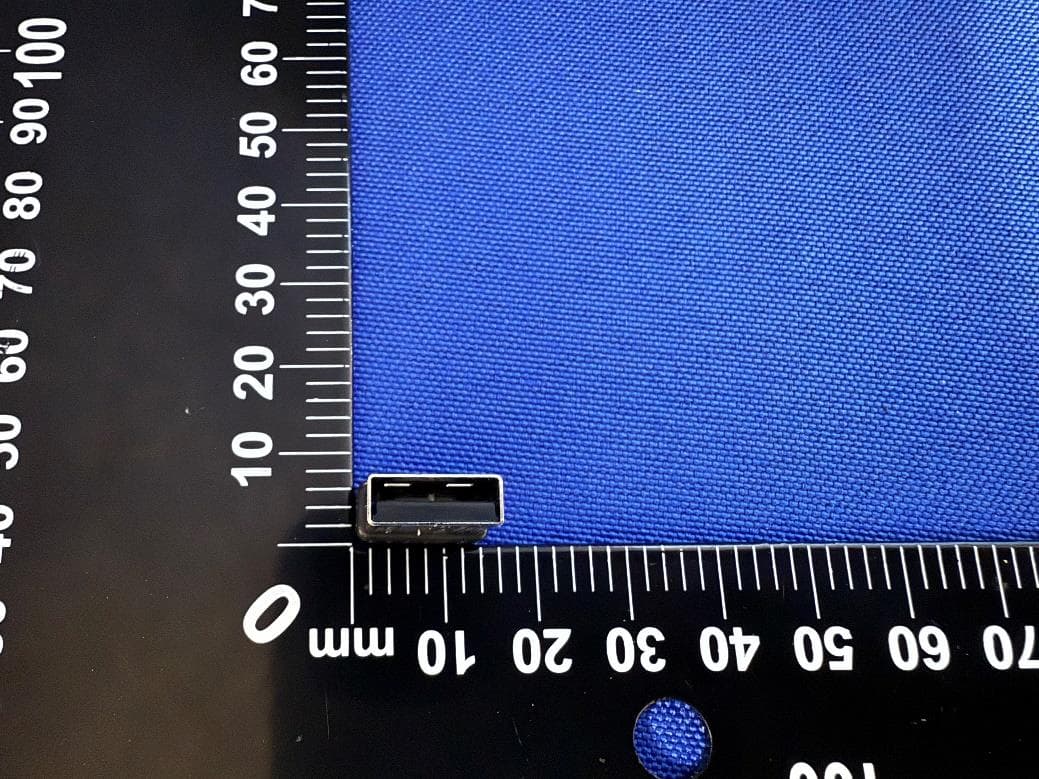
X8Y-703
Jul 20, 2026Swiftpoint USB-A Receiver
Equipment Class
DXX - Part 15 Low Power Communication Device Transmitter
X8Y501
Feb 23, 2015USB Dongle
Equipment Class
DXX - Part 15 Low Power Communication Device Transmitter