XELHF680IBluetooth Stereo Headset
Shenzhen Hongnanke Communication Equipment Co., Ltd.Application Details
- Equipment Class
- DSS - Part 15 Spread Spectrum Transmitter
- Date of Grant
- May 24, 2012
- Application Purpose
- Original Equipment
- Date of Application
- May 24, 2012
- Equipment Note
- Bluetooth Stereo Headset
- Frequency Range
- 2402.00000000 - 2480.00000000
- Country
- China
Documents & Files
Document Text
Text extracted from the exhibit documents filed with the FCC. Open a document above to read the original.
Users Manual
h Strereo h The HF680i lets you listen to stereo music through any Bluetooth - enabled mobile phone or music player,while ensuring you never miss a call. Connect the 2.5mm audio cable to wired music such as: MP3 or PC. Folding style is more fashionable and convenient. HF680i Bluetooth headset with stylish patent design, perfect construction, stereo R, L model. Let you enjoy the wonderful music. HF680i Bluetooth headset is compliant with Bluetooth Version 2.1 +EDR specification,and is compatible with latest mobile phones supporting Bluetooth headset or handsfree profiles. HF680i CHART Familiar with Your Bluetooth Headset Getting Started HF680i To use your HF680i Stereo Bluetooth headset,please follow the steps below, 1.Ensure your Bluetooth headset is fully charged. 2.Pair your charged Bluetooth headset with a Bluetooth-enable mobile phone prior to use Bluetooth headset first time,it is suggested that you fully recharge the battery first. Charging Your Headset The battery indicator will turn red when charging. Turning on the headset Press and hold the MFB for 3 seconds until a "beep" is heard.About paring function, please refer to "Paring Your Headset". Pairing Your Headset The headset works with Bluetooth-enable phones, prior to using and pairing your headset for the first time ,please check if your mobile phone is Bluetooth-enable. The pairing instructions for typical Bluetooth-enable mobile phone are explained on the next page.The headset pairing procedure may vary depending on the setting of your mobile phone.Please contact the manufacture of your mobile phone or its agent further information. Pairing Your Headset 1. Place the headset and the mobile phone where they are easily viewable and no more than one meter apart. 2. Ensure the headset is turned off. 3. Please press the MFB 2 seconds, the blue led long show, until 2 “Beep” is heard, the blue led quick flash, the headset begins to pairing. ,4. Activate your mobile phones's Bluetooth function,please refer to your mobile phone user guide for details. 5. Set the mobile phone to search for Bluetooth devices within one meter and select “HF680i”from the list of devices shown. 6. Enter password “0000”and press“ok”to pair your headset with mobile phone ,when the pairing is completed , the headset enters in stand by mode. If your phone no need to enter the passkey when passkey when pairing. 7. Now you can use your Bluetooth headset to listen to the music and make a call. Some mobile phone ,when they are re-started ,the headset will be connected with the mobile phone automatically. Wearing Your Headset Please note the Left / Right wearing indicator inside the headband. Alternatively always wear the HF680i with the MFB on your right. Using Your Headset Answering a Call When a call is coming,the ring tone will be heard by headset, Press the MFB once to accept the call or answer the call via your mobile phone in normal way. Rejecting a Call Double press the MFB for 2 seconds to reject the incoming call. Ending a Call While speaking,Press the MFB once to end the call or hang up on your mobile phone. Adjusting the Volume (Being calling or playing music) Turn up the volume Wheel to raise up the turning up on wheel,the volume will be up,until to the MAX and you will hear "DU" alarm,Turndown the volume Wheel to raise down the volume,each turning up on wheel,the volume will until to the bottom and you will hear “DU” alarm,Warm Prompt: Adjust the volume properly to avoid any damages to your ears! Too big volume might does harm to your ears! Voice Dialing from Your Headset In standby mode, press the MFB one and speak out the name which has been recorded in your contacts or the name that correspond to the number you want to dial. Notice: prior to voice dialing, please make sure your mobile phone stored the voice tag: name. And ensure that your mobile phone's voice dialing function has been successfully activated .Regarding how to record the voice tag, please refer to your devices user guide. Play/Pause Music When the Bluetooth headset was connected with stereo mobile phone , presswith Play/Pause once to play music and press it once again to pause music . (Attention:your mobile phone must support A2DP profile.) Stopping the Music While playing music,press the hold "Play/Pause'' 2 seconds to stop the music. Last Track Connected with stereo mobile phone, Be playing, press the "Last Track " key to select the last track. Next Track Connected with stereo mobile phone, Be playing, press the "Next Track " key to select the next track. Transferring a Call While speaking,long press the "Play/Pause to transfer the call from your headset to your with mobile phone(Please check if your mobile phone has this function),repeat the above with procedure to transfer the call from mobile phone to your headset. Connected With the Last Paired Device The headset will connect with the last paired device,if the pairing is successful ,it enters the standby status, if the pairing can not be completed within 5 minutes after the paring mode has been activated, the headset will turn off automatically. Use the 2.5mm Stereo Music Cable Your Bluetooth headset connected with the mobile phone,you also can listen to music from PC from via 2.5mm stereo music cable when a call is coming,the music and call will automatically switch,then press the MFB once to answer the call. Charging Your Headset While charging,the red light turning on,when full charge,it will be turned off. Troubleshooting If you are unable to connect your headset with mobile phone, please try the following: Ensure your headset is turned on and is fully charged. Ensure the headset is paired with your mobile phone. Ensure your mobile phone's Bluetooth feature is activated. Please refer to your mobile phone user guide for specific instruction. Ensure the headset is within a 10 meters range of your mobile headset and there are no with obstructions, such as walls or other electronic devices in between. If the above steps do not…
Text truncated - open the document above for the full version.
Cover Letter(s)
May Fe d Aut FCC Re: Pur s requ 1: B 2: C 3: O 4: P Th e rele app Th e all a app Sin c Sh Co Titl y 25, 2012 deral Comm thorization C ID: XELH : Confiden suant to Se uests confid Block Diagra Circuit Diagra Operational D Parts List e above mat ased to the licant and p e Applicant u accompanyi lication. cerely, en Zhen ntact Pe r e: Manag 2 munication and Evalu HF680I ntiality Re ctions 0.457 ential treatm m am Description terials conta e public. The rovide unjus understands ng docume n Hongnan rson: We ger n Commiss uation Divis quest 7 and 0.459 ment of infor ain trade se e public dis stified benef that pursua ntation will nke Comm ifeng Bai sion sion 9 of the Com rmation appl ecrets and p sclosure of t fits to its com nt to Rules 0 not be mad municatio mmission’s R ied this app proprietary these matte mpetitors. 0.457, disclo e before th on Equipm Rules, the a lication as o information ers might be osure of this e date of th ment Co. applicant he outlined belo not custom e harmful to s Application he Grant for ., Ltd. ereby ow: marily o the n and r this
External Photos
TOP VIEW OF EUT BOTTOM VIEW OF EUT LEFT VIEW OF EUT RIGHT VIEW OF EUT FRONT VIEW OF EUT BACK VIEW OF EUT
ID Label/Location Info
Bluetooth Stereo Headset Model Name: HF680i ORICORE FCC ID: XELHF680I
Internal Photos
OPEN VIEW-1 OF EUT OPEN VIEW-2 OF EUT FRONT VIEW OF PCB BACK VIEW OF PCB Bluetooth Antenna
Test Report
FCC Test Report Report No.: AGC07S120501‐2F2 FCC ID : XELHF680I PRODUCT DESIGNATION : Bluetooth Stereo Headset BRAND NAME : ORICORE MODEL NAME : HF680i CLIENT : Shen Zhen Hongnanke Communication Equipment Co., Ltd. DATE OF ISSUE : May 17, 2012 STANDARD(S) : FCC Part 15 Rules REPORT VERSION : V1.0 Attestation of Global Compliance Co., Ltd. CAUTION: This report shall not be reproduced except in full without the written permission of the test laboratory and shall not be quoted out of context. Report No.: AGC07S120501-2F2 Page 1 of 37 VERIFICATION OF COMPLIANCE Applicant Shen Zhen Hongnanke Communication Equipment Co., Ltd. No. 16, Dadi Industrial Area, Xiakeng Tongle Community, Longgang District, Shen Zhen, Guang Dong, China. Manufacturer Shen Zhen Hongnanke Communication Equipment Co., Ltd. No. 16, Dadi Industrial Area, Xiakeng Tongle Community, Longgang District, Shen Zhen, Guang Dong, China. Product Designation Bluetooth Stereo Headset Brand Name ORICORE Test Model HF680i FCC ID XELHF680I Report Number AGC07S120501-2F2 Date of Test May 10, 2012 to May 16, 2012 WE HEREBY CERTIFY THAT: The above equipment was tested by Attestation of Global Compliance Co., Ltd. The test data, data evaluation, test procedures, and equipment configurations shown in this report were made in accordance with the procedures given in ANSI C63.4 (2003) and the energy emitted by the sample EUT tested as described in this report is in compliance with radiated emission limits of FCC Rules Part 15.247. Tested By: Leo Lee May 17, 2012 Reviewed By: Forrest Lei May 17, 2012 Approved By: Solger Zhang May 17, 2012 Report No.: AGC07S120501-2F2 Page 2 of 37 TABLE OF CONTENTS 1. GENERAL INFORMATION ............................................................................................................................ 4 1.1 PRODUCT DESCRIPTION ....................................................................................................................... 4 1.2 TABLE OF CARRIER FREQUENCYS ..................................................................................................... 4 1.3 RECEIVER INPUT BANDWIDTH ............................................................................................................. 5 1.4 EXAMPLE OF A HOPPING SEQUENCY IN DATA MODE ...................................................................... 6 1.5 EQUALLY AVERAGE USE OF FREQUENCIES AND BEHAVIOUR ....................................................... 6 1.6 RELATED SUBMITTAL(S) / GRANT (S) ................................................................................................. 6 1.7 TEST METHODOLOGY ........................................................................................................................... 6 1.8 MEASUREMENT UNCERTAINTY ........................................................................................................... 6 1.9 TEST FACILITY ........................................................................................................................................ 7 1.10 SPECIAL ACCESSORIES ..................................................................................................................... 7 1.11 EQUIPMENT MODIFICATIONS ............................................................................................................. 7 2. SYSTEM TEST CONFIGURATION ............................................................................................................... 8 2.1 CONFIGURATION OF TESTED SYSTEM ............................................................................................... 8 2.2 EQUIPMENT USED IN EUT SYSTEM ..................................................................................................... 8 3. SUMMARY OF TEST RESULTS ................................................................................................................... 9 4. DESCRIPTION OF TEST MODES ................................................................................................................. 9 5. PEAK OUTPUT POWER ............................................................................................................................. 10 5.1 MEASUREMENT PROCEDURE ............................................................................................................ 10 5.2 TEST SET-UP (BLOCK DIAGRAM OF CONFIGURATION) .................................................................. 10 5.3 MEASUREMENT EQUIPMENT USED ................................................................................................... 11 5.4 LIMITS AND MEASUREMENT RESULT ................................................................................................ 11 6. 20 DB BANDWIDTH .................................................................................................................................... 12 6.1 MEASUREMENT PROCEDURE ............................................................................................................ 12 6.2 TEST SET-UP (BLOCK DIAGRAM OF CONFIGURATION) .................................................................. 12 6.3 MEASUREMENT EQUIPMENT USED .................................................................................................. 12 6.4 LIMITS AND MEASUREMENT RESULTS ............................................................................................. 12 7. CONDUCTED SPURIOUS EMISSION ........................................................................................................ 14 7.1 MEASUREMENT PROCEDURE ............................................................................................................ 14 7.2 TEST SET-UP (BLOCK DIAGRAM OF CONFIGURATION) .................................................................. 14 7.3 MEASUREMENT EQUIPMENT USED .................................................................................................. 14 7.4 LIMITS AND MEASUREMENT RESULT ...............................................…
Text truncated - open the document above for the full version.
Test Setup Photos
RADIATED EMISSION
Contact Information
Applicant
Weifeng Bai(General Manager)
Test Firm
Attestation of Global Compliance Shenzhen Co. Ltd.Forrest Lei
Technical Specifications
| # | Rule Parts | Frequency Range | Power Output |
|---|---|---|---|
| 1 | 15C | 2.40 GHz - 2.48 GHz | 2.00 mW |
Other Applications from Shenzhen Hongnanke Communication Equipment Co., Ltd.

XEL-AGMBUDS3
Oct 10, 2024TWS Bluetooth Headset
Equipment Class
DSS - Part 15 Spread Spectrum Transmitter
XELTWS-B7
Mar 24, 2020True wireless Bluetooth headset
Equipment Class
DSS - Part 15 Spread Spectrum Transmitter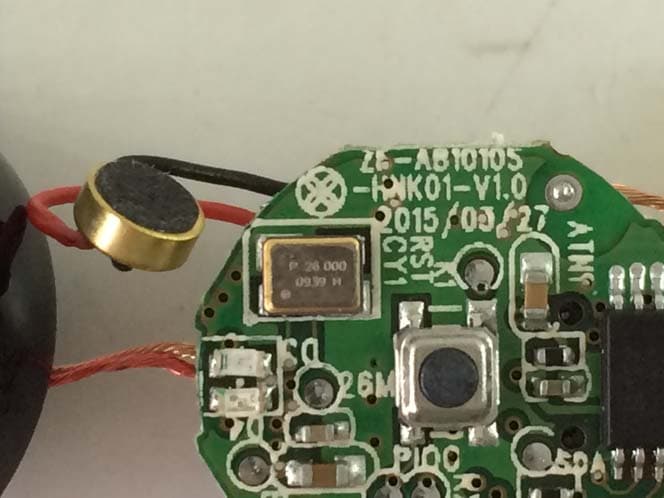
XELLB-200
May 17, 2015Bluetooth Headset
Equipment Class
DXX - Part 15 Low Power Communication Device Transmitter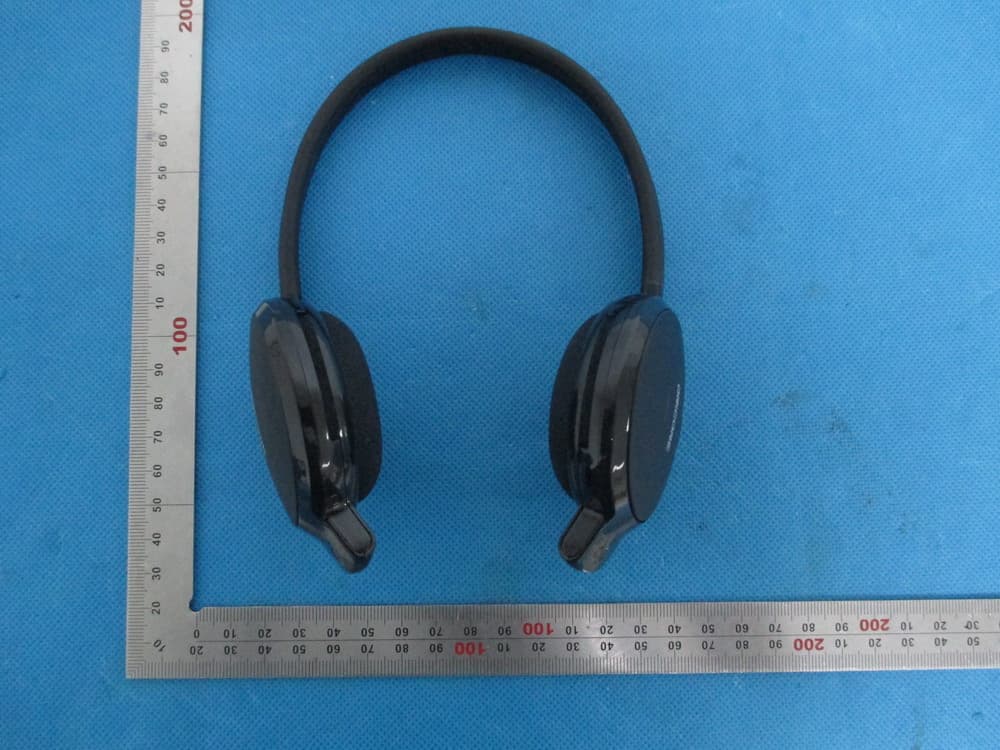
XELK700
May 14, 2014Bluetooth Stereo Headset
Equipment Class
DSS - Part 15 Spread Spectrum Transmitter
XELBH-501
May 06, 2014Bluetooth Stereo Headset
Equipment Class
DTS - Digital Transmission System