XUJDBSCARIDBScar
Launch Tech Co., Ltd.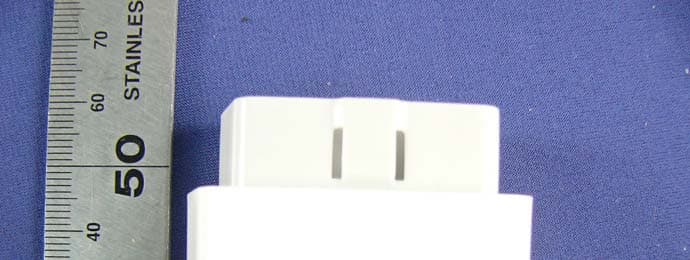
Click to zoom
Application Details
- Equipment Class
- DSS - Part 15 Spread Spectrum Transmitter
- Date of Grant
- Nov 26, 2012
- Application Purpose
- Original Equipment
- Date of Application
- Nov 26, 2012
- Equipment Note
- DBScar
- Frequency Range
- 2402.00000000 - 2480.00000000
- Company
- Launch Tech Co., Ltd.
- Country
- China
Documents & Files
Document Text
Text extracted from the exhibit documents filed with the FCC. Open a document above to read the original.
Users Manual
DBScar V1.01.000 LAUNCH Please read this user’s manual carefully before operating your device.• Please keep this manual well for future use.• The illustrations herein is for reference purpose only.• English User's Manual i LAUNCH DBScar User’s Manual 1. Intruduction ......................................................1 2. Product Components .......................................1 2.1. Ports & Indicators ....................................1 2.2. Accessories ..............................................2 2.3. Technical Specifications ..........................3 3. Connections.....................................................3 4. Using DBScar ..................................................3 5. Installing Software ...........................................4 6. Bluetooth Setting .............................................4 7. How to operate Client software .......................5 7.1 Register DBScar and login .......................5 7.2 Operate software ......................................8 7.2.1 Buddies ............................................8 7.2.2 Gauges .............................................10 7.2.3 Spendings ........................................11 7.2.4 More .................................................13 7.2.5 How to diagnose..............................23 7.2.6 Manage password ...........................26 contents 1 LAUNCH DBScar User’s Manual Thanks for your purchasing our products. Before operating, please carefully read the “Disclaimer” 1. Intruduction DBScar is a new diagnostic Telematics product for automobile aftermarket. With excellent performance and powerful functions, it can diagnose most of electrical control systems of vehicls equipped with OBD2 16 PIN connector and is compatible with most of Android phones . DBScar provides an Micro USB port and an OBD-16 diagnostic socket. Data communication and firmware upgrade can be done via bluetooth and USB. on DBScar stands for Car Cloud logo. Car Cloud is an state- of-an-art individual application product, which is developed based on our LAUNCH’s diagnostic devices and technology service platform with independent intellectual property rights, mainly providing professional, intelligent vehicle monitoring and diagnosing service for car owners. 2. Product Components 2.1. Ports & Indicators LAUNCH DBScar User’s Manual 2 1 2 3 4 5 Fig.1-1 Product illustration No.Name & Functions 1 OBD-16 diagnostic connector: to connect vehicle’s OBD2 diagnostic socket. 2 Serial number 3 Power indicator: it will light up once DBScar is plugged into vihicle’s DLC socket 4 Communication indicator 5 Micro USB port: to connect to PC or LAUNCH’s diagnostic device via USB cable. 2.2. Accessories Please check the following accessories: DBScar x 1;• DBScar Quick Start Guide x 1• 3 LAUNCH DBScar User’s Manual 2.3. Technical Specifications Working voltage: 9~15V• Working current: <30mA• Working temp: -10 to 55°C (14 to 131 • o F) Storage temp: -20 to 70°C (-4 to 158 • o F) Storage humidity: <80%• Working humidity: <60%• 3. Connections 1) Locate vehicle’s DLC socket: it provides standard 16 pins and is generally located on driver’s side, about 12 inch away from the center of dashboard. See Fig. 3-1. If no DLC is found, please refer to automobile repair manual. 2) Plug the DBScar into DLC socket and the power indicator on DBScar will light up. Fig. 3-1 4. Using DBScar To perform this function, please download and install car cloud client software on your phone. Then make bluetooth settings and communicate with DBScar via bluetooth, sending LAUNCH DBScar User’s Manual 4 diagnostic result saved in DBScar to client software for review. (For “Installing Software” and “Bluetooth Setting”, please refer to Chapter 5 & 6.) 5. Installing Software Seach “dbscar“ in “Google Play“ on your phone, download DBScar software and click it to install(The method of installing this software is same as that of installing other phone applications. For details, please refer to user’s manual for your phone.) ! While installing, do not attempt to delete data or format SD card. Otherwise, the application may fail to run. 6. Bluetooth Setting The setting operation can be done before operating or in the process of runnig the car cloud client. Note: please make sure the communication distance between your phone and DBScar is kept within 2 meters to get better results. 1. Enter bluetooth setting interface of your phone, turn bluetooth ON and scan for devices, the system will list out the search result. Highlight and click the desired one (the default name is DBS XXXXXXX, where XXXXXXX (total 7 numbers) indicates the serial number of DBScar. Note: The serial No. is printed on the DBScar enclosure. DBScar is bound to your CC number and other CC numbers are prohibited to be bound. 2. If it is the first time for you to match, a dialog box will appear. 5 LAUNCH DBScar User’s Manual 7. How to operate Client software 7.1 Register DBScar and login Click on the desktop, the system will enter the initialization screen as indicated in Fig 7-1. And then it will jump to Disclaimer page (Fig. 7-2). Click “Agree” to enter user login interface. See Fig.7-3. 1. If you have not registered ever,• click “Register” to enter Fig. 7-4. Input default password 0000 and click “OK” to finish pairing. (Once paired successfully, it will no more be required for future use.) 3. Click on your phone to run it, then enter the main menu and click the desired diagnosing icon. 4. A dialog box will appear, prompting it can be performed only when bluetooth is linked. Click “YES”. 5. Choose the paired device and link it. Note: After you set or change bluetooth pair, the system will reset automatically and enter the main menu. LAUNCH DBScar User’s Manual 6 Fig. 7-1 Fig. 7-2 Fig. 7-3 Fig. 7-4 Input the information (items with * must be filled), then click • “Register” to enter Fig. 7-5. The system will prompt you that you have registered successfully and offer you a CC number (the account to log in…
Text truncated - open the document above for the full version.
Cover Letter(s)
Launch Tech Co., Ltd. Launch Industrial Park, North of Wuhe Rd., Banxuegang, Longgang, Shenzhen, China FCC Confidentiality Request Number: CF303 Version: V02 Date:17-06-2011 To: Federal Communications Commission Equipment Authorization Branch 7435 Oakland Mills Road Columbia, MD 21046 Pursuant to 47 CFR Section 0.459(a) & (b), we, (the applicant / grantee) Company name Launch Tech Co., Ltd. Address Launch Industrial Park, North of Wuhe Rd., Banxuegang, Longgang, Shenzhen, China City Shenzhen Country China request for this certification filing under: Grantee Code Product Number FCC ID: XUJ DBSCARI to maintain permanent confidentiality for the following documents submitted within this application: (please cross what is applicable, or add other documents, provide the file name and description) Exhibit File Name Description Operational Description Block Diagrams Schematics Diagrams Above materials contain secrets, proprietary and technical information, which would customarily be guarded from competitors under 47 CFR, section 0.457(d)(2). Disclosure or publication or any portion of this company confidential material to other parties could cause substantial competitive harm and provide unjustified benefits for competitors. We understand that pursuant to 47 CFR section 0.457(d)(1)(ii) disclosure of the applicant and all accompanying documentation will not be made before the date of the grant. The documents indicated as confidential above, are not publicly available elsewhere. Attestation: City and Country: Date: Name: (this must be a person) Function: Signature: (or official company stamp) Shenzhen China October 29, 2012 Yibing xue Manager
Cover Letter(s)
Launch Tech Co., Ltd. Launch Industrial Park, North of Wuhe Rd., Banxuegang, Longgang, Shenzhen, China FCC Authorization Letter Number: CF304 Version: V03 Date: 01-08-2011 We, (the approval holder) Company name Launch Tech Co., Ltd. Address Launch Industrial Park, North of Wuhe Rd., Banxuegang, Longgang, Shenzhen, China City Shenzhen Country China declare that the following representative (agent): Name (person) Ruby Zhang Company name Supervisor Address Compliance Certification Services (Shenzhen) Inc. City No10-1, Mingkeda Logistics Park, No.18 Huanguan South RD. Guan lan Town, Baoan District, Shenzhen China Country Shenzhen China is hereby authorized to apply the following equipment for certification on our behalf: Product Description DBScar Type or Model(s) DBScar-DI Adapter, DBScar-CI Adapter Tradename or Brand(s) LAUNCH We also authorize Teleconformity (Mr. M. Koop, Manager Certification, Address: Rietven 31, 7534NH Enschede, the Netherlands) to apply and sign this application for certification, registration or filing on our behalf (as representative agent or certifier). Attestation: City and Country: Date: Name: (this must be a person) Function: Signature: (or official company stamp) Shenzhen China November 22, 2012 Yibing xue Manager
External Photos
Report No.: C121019Z01-RP1 Page 1 / 4 External Photos of EUT Report No.: C121019Z01-RP1 Page 2 / 4 Report No.: C121019Z01-RP1 Page 3 / 4 Report No.: C121019Z01-RP1 Page 4 / 4
Internal Photos
Report No.: C121019Z01-RP1 Page 1 / 3 Internal Photos of EUT Report No.: C121019Z01-RP1 Page 2 / 3 Report No.: C121019Z01-RP1 Page 3 / 3
RF Exposure Info
FCC RF Exposure Calculation FCC ID: XUJDBSCARI Frequency: 2402-2480 MHz (79 channels) Modulation: FHSS (GFSK, π/4-DQPSK, 8DPSK, ) Mid-Channel: 2.441 GHz (channel 39) Mid-Channel Peak Power, Conducted: -1.30 dBm == 0.74 mW Antenna Gain: G = 2 dBi Calculation: Limit = 60/2.441 = 24.58 mW P radiated, max = P conducted, dBm + G dBi = -1.30 dBm + 2 dBi == 0.7 dBm = 1.17 mW Conclusion: The emitted power appears to be (far) below the required limit, so PASS. Note 1: f shall be the mid-band frequency expressed in GHz; the limit calculated with this mid-band frequency applies to all channels. For PTT with body-worn or face-held modes, d is the distance from the device case to a parson’s body; for modules with antennas inside laptops, d is the distance from the antenna to the person’s body. Note 2: Average Power levels are always equal or below the measured Peak Power levels, which means that calculating the EIRP using the Peak power can be considered as worst case.)
Test Report
Report No.: C121019Z01-RP1 Note: This report shall not be reproduced except in full, without the written approval of Compliance Certification Services Inc. This document may be altered or revised by Compliance Certification Services Inc. personnel only, and shall be noted in the revision section of the document. The client should not use it to claim product endorsement by TAF, A2LA, NVLAP, NIST or any government agencies. The test result of this report relate only to the tested sample identified in this report. FCC ID: XUJDBSCARI Page 1 / 59 FCC 47 CFR PART 15 SUBPART C TEST REPORT For DBScar Model: DBScar-DI Adapter, DBScar-CI Adapter Brand: LAUNCH Test Report Number: C121019Z01-RP1 Prepared for Launch Tech Co., Ltd. Launch Industrial Park, North of Wuhe Rd., Banxuegang, Longgang, Shenzhen, China Prepared by COMPLIANCE CERTIFICATION SERVICES (SHENZHEN) INC. No.10-1, Mingkeda Logistics Park, No.18, Huanguan South Rd., Guan Lan Town, Baoan District, Shenzhen China TEL: 86-755-28055000 FAX: 86-755-28055221 Issued Date: November 7,2012 Report No.: C121019Z01-RP1 FCC ID: XUJDBSCARI Page 2 of 59 This report shall not be reproduced except in full, without the written approval of Compliance Certification Services. Revision History Rev. Issue No. Revisions Effect Page Revised By 00 C121019Z01-RP1 Initial Issue ALL Anna Liu Report No.: C121019Z01-RP1 FCC ID: XUJDBSCARI Page 3 of 59 This report shall not be reproduced except in full, without the written approval of Compliance Certification Services. TABLE OF CONTENTS 1. TEST RESULT CERTIFICATION .....................................................................................4 2. EUT DESCRIPTION..........................................................................................................5 3. TEST METHODOLOGY....................................................................................................6 3.1 DESCRIPTION OF TEST MODES ................................................................................6 4. FACILITIES AND ACCREDITATIONS .............................................................................7 4.1 FACILITIES....................................................................................................................7 4.2 ACCREDITATIONS .......................................................................................................7 4.3 MEASUREMENT UNCERTAINTY ................................................................................7 5. SETUP OF EQUIPMENT UNDER TEST ..........................................................................8 5.1 SETUP CONFIGURATION OF EUT .............................................................................8 5.2 SUPPORT EQUIPMENT .............................................................................................8 6. FCC PART 15.247 REQUIREMENTS ..............................................................................9 6.1 20dB BANDWIDTH........................................................................................................9 6.2 PEAK POWER.............................................................................................................14 6.3 PEAK POWER SPECTRAL DENSITY ........................................................................15 6.4 BAND EDGES MEASUREMENT ................................................................................17 6.5 FREQUENCY SEPARATION ......................................................................................27 6.6 NUMBER OF HOPPING FREQUENCY ......................................................................30 6.7 TIME OF OCCUPANCY (DWELL TIME) .....................................................................33 6.8 SPURIOUS EMISSIONS .............................................................................................40 6.9 POWERLINE CONDUCTED EMISSIONS ..................................................................58 Report No.: C121019Z01-RP1 FCC ID: XUJDBSCARI Page 4 of 59 This report shall not be reproduced except in full, without the written approval of Compliance Certification Services. 1. TEST RESULT CERTIFICATION Product: DBScar Model: DBScar-DI Adapter, DBScar-CI Adapter Brand: LAUNCH Tested: October 19~November 7,2012 Applicant: Launch Tech Co., Ltd. Launch Industrial Park, North of Wuhe Rd., Banxuegang, Longgang, Shenzhen, China Manufacturer: Launch Tech Co., Ltd. Launch Industrial Park, North of Wuhe Rd., Banxuegang, Longgang, Shenzhen, China APPLICABLE STANDARDS STANDARD TEST RESULT FCC 47 CFR Part 15 Subpart C No non-compliance noted We hereby certify that: The above equipment was tested by Compliance Certification Services Inc. The test data, data evaluation, test procedures, and equipment configurations shown in this report were made in accordance with the procedures given in ANSI C63.4:2009 and the energy emitted by the sample EUT tested as described in this report is in compliance with conducted and radiated emission limits of FCC Rules Part 15.207, 15.209 and 15.247. The test results of this report relate only to the tested sample EUT identified in this report. Approved by: Reviewed by: Tom Gan Supervisor of EMC Dept. Compliance Certification Service Inc. Ruby Zhang Supervisor of Report Dept. Compliance Certification Service Inc. Report No.: C121019Z01-RP1 FCC ID: XUJDBSCARI Page 5 of 59 This report shall not be reproduced except in full, without the written approval of Compliance Certification Services. 2. EUT DESCRIPTION Product DBScar Model Number DBScar-DI Adapter, DBScar-CI Adapter Brand LAUNCH Model Discrepancy Just their model color was different. DBScar-DI Adapter is white and DBScar-CI Adapter is red. Identify Number C121019Z01-RP1 Power Supply DC12V supplied by DC Power Received Date October 19,2012 Frequency Range 2402 ~ 2480 MHz Transmit Power GFSK : -1.30dBm 8DPSK :-1.89dBm Modulation Technique FHSS (GFSK for 1Mbps, π/4-DQPSK for 2Mbps, 8DPSK for 3Mbps) Number of Channels 79 Channels Antenna Specif…
Text truncated - open the document above for the full version.
Test Setup Photos
Report No.: C121019Z01-RP1 FCC ID: XUJDBSCARI Page 1 / 1 PHOTOGRAPHS OF THE TEST CONFIGURATION RADIATED EMISSION TEST Below 1GHz Above 1GHz
Contact Information
Applicant
Ivy Zhong(Manager)
Technical Contact
Test Firm
Compliance Certification Services (Shenzhen) Inc.Harry Li
Technical Specifications
| # | Rule Parts | Frequency Range | Power Output |
|---|---|---|---|
| 1 | 15C | 2.40 GHz - 2.48 GHz | 700.00 µW |
Other Applications from Launch Tech Co., Ltd.
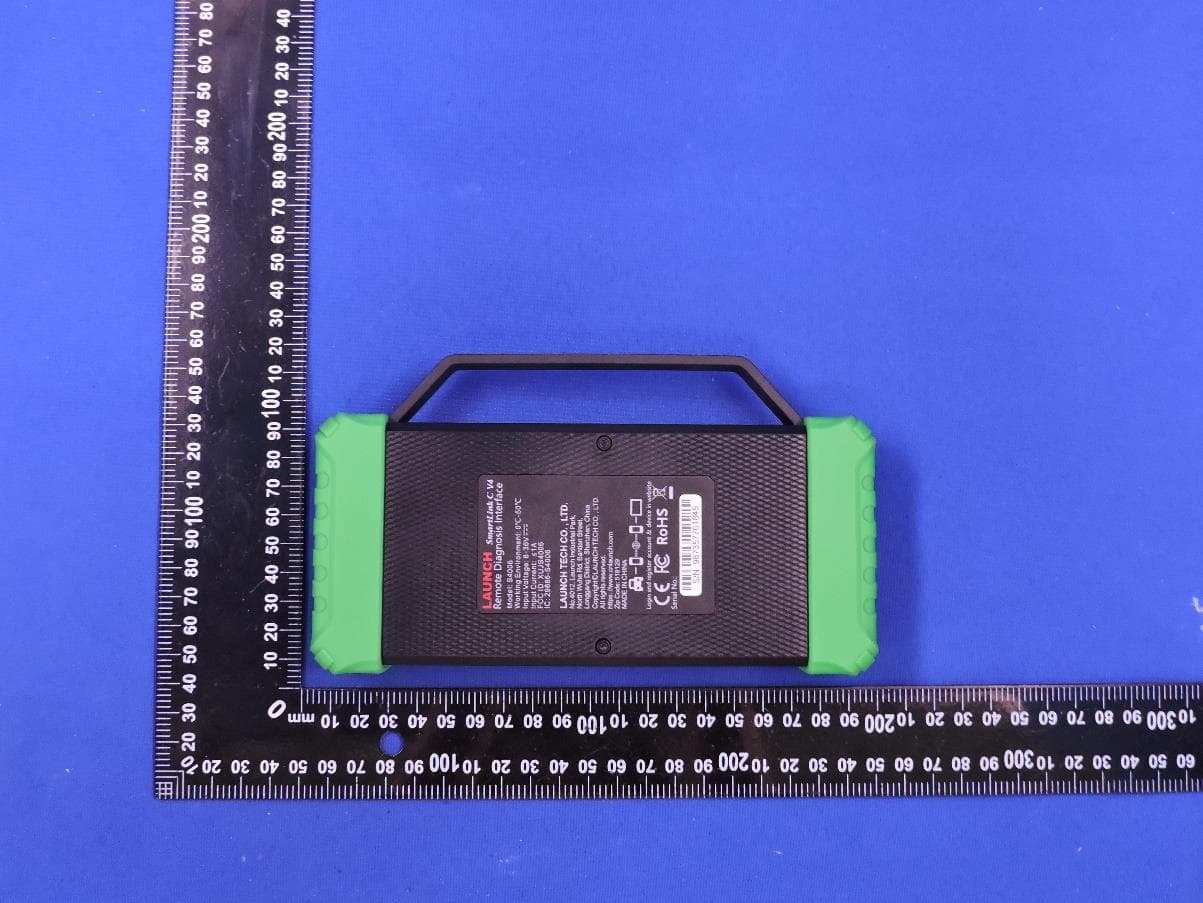
XUJS4006
Sep 04, 2026Remote Diagnosis Interface
Equipment Class
DTS - Digital Transmission SystemXUJEVT511S
Jul 09, 2026Battery Pack Airtightness Tester (High Voltage)
Equipment Class
DTS - Digital Transmission System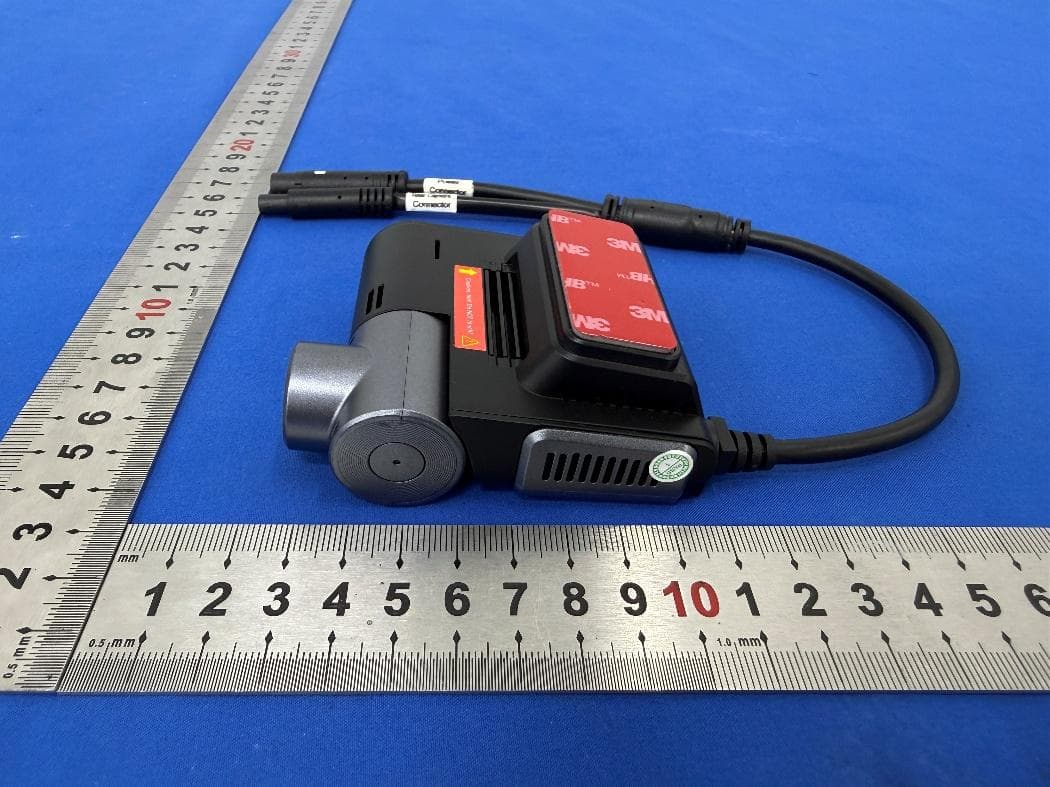
XUJG5201
Jun 26, 2026Car Sense Vision
Equipment Class
PCB - PCS Licensed Transmitter
XUJOADDPD1005A
Jun 05, 2026Automotive Diagnostic Tool
Equipment Class
NII - Unlicensed National Information Infrastructure TXXUJTSEN5S
Jan 27, 2026Programmable Universal RF Tire Pressure Sensor
Equipment Class
DSC - Part 15 Security/Remote Control Transmitter