XX8BBX1BlueBuds X
JayBird LLC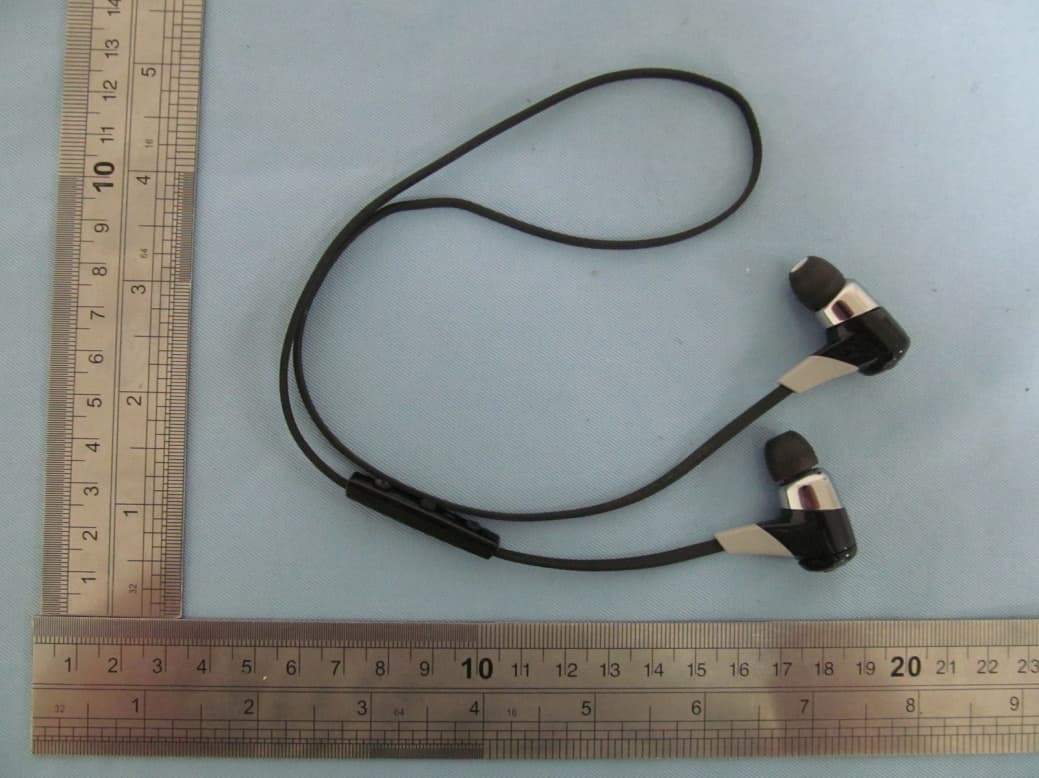
Click to zoom
Application Details
- Equipment Class
- DSS - Part 15 Spread Spectrum Transmitter
- Date of Grant
- Sep 23, 2012
- Application Purpose
- Original Equipment
- Date of Application
- Sep 23, 2012
- Equipment Note
- BlueBuds X
- Frequency Range
- 2402.00000000 - 2480.00000000
- Company
- JayBird LLC
- Country
- United States
Documents & Files
Document Text
Text extracted from the exhibit documents filed with the FCC. Open a document above to read the original.
Users Manual
USER GUIDE BLUEBUDS X PREMIUM BLUETOOTH EARBUDS (BBX1) IN THE BOX BlueBuds X Bluetooth Headphones JayBird Carry Case 3 pairs eartips (S,M,L) 3 pairs ear cushions (S,M,L) 2 cord management clips USB Cable User Manual CHARGING Charging the battery before use is recommended but not required. BlueBuds X ships pre-charged however initial charge will vary. Look for this Bluetooth headset battery status icon top right corner of your iPhone screen to see status of BlueBuds X battery. PAIRING (SETTING UP) HEADPHONES WITH YOUR PHONE / MUSIC DEVICE 1. With headphones turned off, & within 1 meter (3 feet) of music device, press & hold center key for more than 4 seconds until you see alternating red/green flashing of the status indicator and a voice prompt saying “Searching for your music device”. 2. On your phone/music device, turn Bluetooth on & have it search for Bluetooth devices (see instructions in the phone/music device manual for details). 3. Check for “BlueBuds X” and select (enter passcode 0000 if prompted). 4. BlueBuds X voice prompt will say “headphones connected”. 5. If the pairing is not successful, switch off headphones by pushing the center key for more than 4 seconds and repeat the steps outlined above. PAIRING WITH A BLUETOOTH ADAPTER 1. Place headphones and mobile phone within 1 meter (3 feet) of each other. 2. Put the headphones into pair mode as outlined on prior page. 3. If using BAU Universal Bluetooth Adapter put into pair mode also (see BAU manual). 4. Plug the Bluetooth adapter into the music device and play a song. 5. The headphones and adapter will pair automatically (passcode of adapter must be 0000). 6. After successful pairing and connecting, the headphones will say “Headphones connected”. PAIRING WITH SEVERAL BLUETOOTH DEVICES Paired devices will remember each other unless pairing information is deleted, so there is no need to pair again. BlueBuds X can pair and remember 8 phone/music devices. Repeat the steps outlined on prior pages to set-up your headphones with another phone/music device. Note that if a 9th phone/music devices is paired the oldest pairing information is deleted. BlueBuds X will connect with the latest connected device. If you want to use another paired phone/music device, switch off the Bluetooth function of the current Bluetooth device, and then connect it with the other phone/music device by selecting “BlueBuds X” in the Bluetooth device list and press connect. Turn the originally paired device back on to reconnect and switch between either of the devices. Bluetooth Version V2.1 + EDR (newer versions offer no benefits for headphones) SBC codec Customised SBC codec offers high fidelity without needing APT-X Profile Handsfree v1.6, Headset v1.1, A2DP v1.2 and AVRCP v1.4 Effective Range 10 meters (30 feet) Working time Music & calls up to 8 hours Standy time Up to 250 hours Input voltage DC 5V 100mA Charging time Approximately 2 hours Dimensions 23 x 13 mm earbud size, 540 mm cord length Weight Approx 13 g WARRANTY, CARE & MAINTANCE Full warranty, care and maintenance details at jaybirdgear.com/warranty +1.866.244.3399 WARNING: Due to the isolating characteristics of these headphones do not use while driving, riding a bike or where vehicular traffic is present, or in any other activity where failure to hear surrounding sounds could be dangerous. Use of these headphones at excessive volumes may cause permanent hearing damage. Always turn the volume down before use. Take caution in regards to inserting objects into ear canal, use at own risk. Copyright 2012 JayBird, LLC. All rights reserved. JayBird, and the JayBird logo are trademarks of JayBird, LLC. Bluetooth is a trademark owned by Bluetooth SIG, Inc. USA, and licensed to JayBird, LLC. iPhone is a trademark of Apple, Inc., registered in the U.S. and other countries. Manufactured under European patent no EP1410607B1 & corresponding foreign patents . Assembled in China. This device complies with Part 15 of the FCC Rules. Operation is subject to the following two conditions: (1) this device may not cause harmful interference, and (2) this device must accept any interference received, including interference that may cause undesired operation. Any changes or modifications to device will void the user’s authority to operate the device. The battery is recycled. Do not dispose of the battery in fire, as it may cause explosion. SPECIFICATIONS LED STATUS Red: Charging Green (with USB cable connected): Charged Red+Green Alternating: Pair Mode No Light: Standby / Play Mode / Powered Off VOICE PROMPT “BATTERY LOW” Repeated regularly 15 mins prior to empty MICRO USB CHARGING Locate fingernail recess and remove back cover to expose micro USB charge point. 2+ hrs for full charge gives 8 hours of playtime. 30 mins charging gives 90 minutes of play time. ARE HEADPHONES ON? IS BATTERY LOW? In Standby* mode, push + or -, watch LED: Green = Powered on and well charged Red = Low battery No Light = Powered off * Standby Mode: Powered on but not connected to any device PAIR MODE: LED ALTERNATES RED/GREEN LISTEN RESPONSIBLY Avoid excessive volume levels and prolonged periods of listening. Do not use around road traffic. HAVE FUN HOLD 4 SEC TO PAIR VOICE PROMPT: When you hear “Power on” continue pushing until you hear “SEARCHING FOR YOUR MUSIC DEVICE ...” TAKE A MOMENT TO REGISTER YOUR LIFETIME WARRANTY AGAINST SWEAT jaybirdgear.com/intheclubnow COMMANDS Add’l Center Button Call Commands PUSH1 SEC PUSH4 SEC PUSH ON OFF Answer 2nd call, end call Reject 1st/2nd call, switch between 2 calls, voice dial Redial Mute & unmute call: push + & - Switch active call to BlueBuds X: push -
Cover Letter(s)
Sep Fed Aut FCC Re: Pur s requ 1: B 2: C 3: O 4: P Th e rele app Th e all a app Sin c Jay Co Titl p.19, 2012 deral Comm thorization C ID: XX8B : Confiden suant to Se uests confid Block Diagra Circuit Diagra Operational D Parts List e above mat ased to the licant and p e Applicant u accompanyi lication. cerely, yBird Gea ntact per e: CEO 2 munication and Evalu BBX1 ntiality Re ctions 0.457 ential treatm m am Description terials conta e public. The rovide unjus understands ng docume n ar LLC rson: Jud n Commiss uation Divis quest 7 and 0.459 ment of infor ain trade se e public dis stified benef that pursua ntation will d Armstro sion sion 9 of the Com rmation appl ecrets and p sclosure of t fits to its com nt to Rules 0 not be mad ong mmission’s R ied this app proprietary these matte mpetitors. 0.457, disclo e before th Rules, the a lication as o information ers might be osure of this e date of th applicant he outlined belo not custom e harmful to s Application he Grant for ereby ow: marily o the n and r this
Cover Letter(s)
Sep Fed Aut FCC Re: We app 1: E 2: In 3: Te 4: U Th e rele app An Sin c JayB Con Title p.28, 2012 deral Comm thorization C ID: XX8B : Confiden JayBird Ge lication as o External Pho nternal Phot Test setup Ph User Manual e above mat ased to the licant and p d we reque s cerely, Bird Gear LL ntact person e: CEO 2 munication and Evalu BBX1 ntiality Re ear LLC here outlined belo otos os hotos terials conta e public. The rovide unjus sts that thes LC : Judd Arm s n Commiss uation Divis quest eby request ow: ain trade se e public dis stified benef se materials strong sion sion ts confidenti ecrets and p sclosure of t fits to its com could be co al treatmen proprietary these matte mpetitors. onfidentiality t of informa information ers might be y for half a ye ation applied not custom e harmful to ear! d this marily o the
Cover Letter(s)
JayBird Gear LLC 2825 East Cottonwood Parkway Suite 500, Salt Lake City, United States Sep.28, 2012 Federal Communication Commission Authorization and Evaluation Division Re.: Representation Letters FCC ID: XX8BBX1 Model Number: BBX1 To Whom It May Concern: We JayBird Gear LLC hereby declare that the materials which we requested to confidential is published on the FCC website since the date of the Grant for this application. Due to our product is still in production phase, and the public disclosure of these matters might be harmful to the our company and provide unjustified benefits to its competitors. So we need these materials could be confidentiality due to our market factors. Sincerely, JayBird Gear LLC Contact person: Judd Armstrong Title: CEO
External Photos
TOP VIEW OF EUT BOTTOM VIEW OF EUT LEFT VIEW OF EUT RIGHT VIEW OF EUT
ID Label/Location Info
BlueBuds X FCC ID: XX8BBX1 Model Name:BBX1 Brand Name:Jaybird
Internal Photos
OPEN VIEW OF EUT FRONT VIEW OF PCB-1 BACK VIEW OF PCB-1 FRONT VIEW OF PCB-2 Bluetooth Antenna BACK VIEW OF PCB-2
Test Report
FCC PART 15&RSS210 Test Report Report No.: AGC151120801F2 FCC ID : XX8BBX1 IC : 10621A‐BBX1 PRODUCT DESIGNATION : BlueBuds X BRAND NAME : Jaybird MODEL NAME : BBX1 CLIENT : JayBird Gear LLC DATE OF ISSUE : Sep.12, 2012 STANDARD(S) : FCC Part 15 Rules RSS‐210: Issue 8 REPORT VERSION : V1.0 Attestation of Global Compliance (Shenzhen) Co., Ltd. CAUTION: This report shall not be reproduced except in full without the written permission of the test laboratory and shall not be quoted out of context. Report No.: AGC151120801F2 Page 1 of 47 VERIFICATION OF COMPLIANCE Applicant JayBird Gear LLC 2825 East Cottonwood Parkway Suite 500,Salt Lake City, United States Manufacturer Tonalite B.V. Nieuw Amsterdamsestraat 40;7814 VA Emmen,the Netherlands Product Designation BlueBuds X Brand Name Jaybird Model Name BBX1 FCC ID XX8BBX1 IC 10621A-BBX1 Report Number AGC151120801F2 Date of Test Aug.23, 2012 to Aug.31, 2012 WE HEREBY CERTIFY THAT: The above equipment was tested by Attestation of Global Compliance (Shenzhen) Co., Ltd. The test data, data evaluation, test procedures, and equipment configurations shown in this report were made in accordance with the procedures given in ANSI C63.4 (2003) and the energy emitted by the sample EUT tested as described in this report is in compliance with radiated emission limits of FCC Rules Part 15.247. Tested By: Bart Xie Sep.12, 2012 Reviewed By: Forrest Lei Sep.12, 2012 Approved By: Solger Zhang Sep.12, 2012 Report No.: AGC151120801F2 Page 2 of 47 TABLE OF CONTENTS 1. GENERAL INFORMATION ............................................................................................................................ 4 1.1 PRODUCT DESCRIPTION ....................................................................................................................... 4 1.2 TABLE OF CARRIER FREQUENCYS ..................................................................................................... 4 1.3 RECEIVER INPUT BANDWIDTH ............................................................................................................. 5 1.4 EXAMPLE OF A HOPPING SEQUENCY IN DATA MODE ...................................................................... 6 1.5 EQUALLY AVERAGE USE OF FREQUENCIES AND BEHAVIOUR ....................................................... 6 1.6 RELATED SUBMITTAL(S) / GRANT (S) ................................................................................................. 6 1.7 TEST METHODOLOGY ........................................................................................................................... 6 1.8 MEASUREMENT UNCERTAINTY ........................................................................................................... 6 1.9 TEST FACILITY ........................................................................................................................................ 7 1.10 SPECIAL ACCESSORIES ..................................................................................................................... 7 1.11 EQUIPMENT MODIFICATIONS ............................................................................................................. 7 2. SYSTEM TEST CONFIGURATION ............................................................................................................... 8 2.1 CONFIGURATION OF TESTED SYSTEM ............................................................................................... 8 2.2 EQUIPMENT USED IN EUT SYSTEM ..................................................................................................... 8 3. SUMMARY OF TEST RESULTS ................................................................................................................... 9 4. DESCRIPTION OF TEST MODES ................................................................................................................. 9 5. PEAK OUTPUT POWER ............................................................................................................................. 10 5.1 MEASUREMENT PROCEDURE ............................................................................................................ 10 5.2 TEST SET-UP (BLOCK DIAGRAM OF CONFIGURATION) .................................................................. 10 5.3 MEASUREMENT EQUIPMENT USED .................................................................................................. 11 5.4 LIMITS AND MEASUREMENT RESULT ............................................................................................... 11 6. 20 DB BANDWIDTH .................................................................................................................................... 12 6.1 MEASUREMENT PROCEDURE ............................................................................................................ 12 6.2 TEST SET-UP (BLOCK DIAGRAM OF CONFIGURATION) .................................................................. 12 6.3 MEASUREMENT EQUIPMENT USED .................................................................................................. 12 6.4 LIMITS AND MEASUREMENT RESULTS ............................................................................................. 12 7. CONDUCTED SPURIOUS EMISSION ........................................................................................................ 12 7.1 MEASUREMENT PROCEDURE ..................................................................................................... ....... 19 7.2 TEST SET-UP (BLOCK DIAGRAM OF CONFIGURATION) .................................................................. 19 7.3 MEASUREMENT EQUIPMENT USED .................................................................................................. 19 7.4 LIMITS AND MEASUREMENT RESULT ............................................................................................... 19 8. RADIATED EMISSION ..................................................................................…
Text truncated - open the document above for the full version.
Test Setup Photos
PHOTOGRAPHS OF THE TEST SETUP CONDUCTED EMISSION RADIATED EMISSION
Contact Information
Applicant
Judd Armstrong(CEO)
Test Firm
Attestation of Global Compliance Shenzhen Co. Ltd.Forrest Lei
Technical Specifications
| # | Rule Parts | Frequency Range | Power Output |
|---|---|---|---|
| 1 | 15C | 2.40 GHz - 2.48 GHz | 1.40 mW |
Other Applications from JayBird LLC
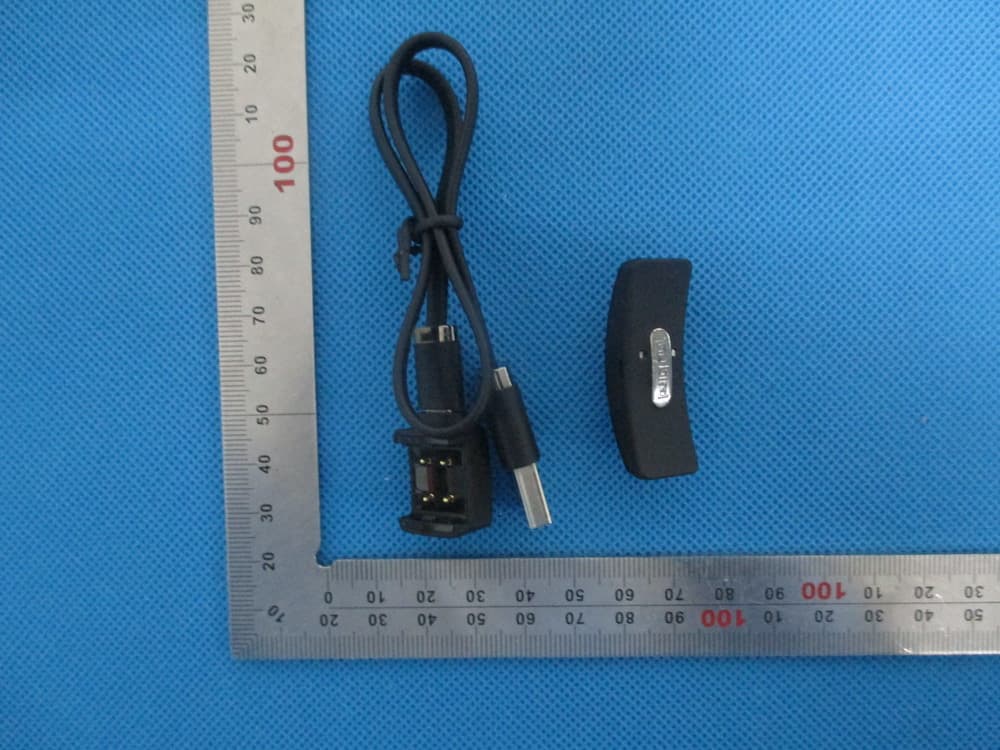
XX8R1
Jul 27, 2014Wristband
Equipment Class
DTS - Digital Transmission System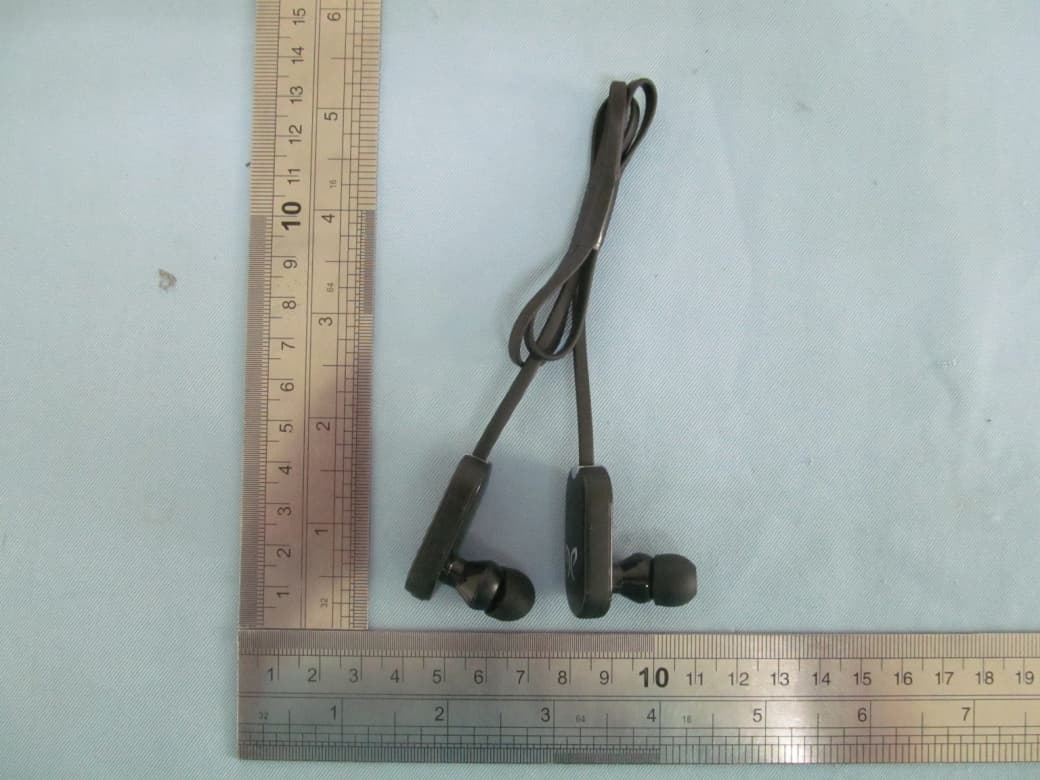
XX8JF4
Jul 01, 2012Bluetooth Headphones
Equipment Class
DSS - Part 15 Spread Spectrum TransmitterXX8BB4
Dec 26, 2011BlueBuds Bluetooth Headphones
Equipment Class
DSS - Part 15 Spread Spectrum Transmitter