YIABURG13Watch Phone
Burg Realisation HongKong Limited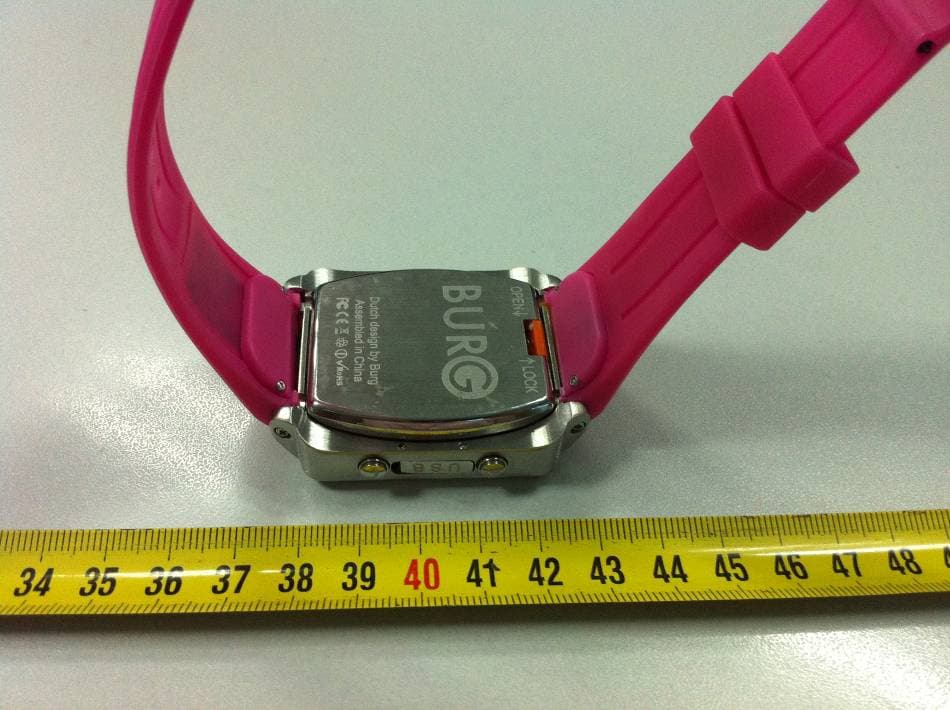
Click to zoom
Application Details
- Equipment Class
- PCB - PCS Licensed Transmitter
- Date of Grant
- Aug 06, 2012
- Application Purpose
- Original Equipment
- Date of Application
- Jul 10, 2012
- Equipment Note
- Watch Phone
- Frequency Range
- 1850.20000000 - 1909.80000000
- Country
- China
Documents & Files
Document Text
Text extracted from the exhibit documents filed with the FCC. Open a document above to read the original.
Users Manual
1 Contents 1 SAFE USE AND CAUTIONS................................ 3 1.1 PLEASE COMPLY WITH THE FOLLOWING CAUTIONS WHEN USING THE PHONE. 3 1.2 PLEASE COMPLY WITH THE FOLLOWING CAUTIONS WHEN USING THE BATTERY. 4 1.3 PLEASE COMPLY WITH THE FOLLOWING CAUTIONS WHEN USING THE CHARGER. 6 NOTICE BEFORE THE USE...................................... 6 2.1 SIM CARD................................................................................ 6 2.2 BATTERY................................................................................. 7 2.2.2 Charge the Battery............................................... 9 2.3 T-FLASH CARD........................................................................ 9 2.4 USB CONNECTION CABLE.................................................... 10 2.5 SECURITY PASSWORD......................................................... 10 2.5.1 PIN Code (4 to 8 digits)...................................... 10 2.5.2 PIN Code 2 (4 to 8 digits)................................... 10 2.5.3 PUK Code........................................................... 10 2.5.4 Phone Password................................................ 11 3 SUMMARY OF THE PHONE............................... 11 3.1 PHONE APPEARANCE................................................................. 11 3.2 KEYSTROKE FUNCTION.............................................................. 11 3.3 ICON....................................................................................... 11 4 BRIEF INTRODUCTION TO MAIN FUNCTIONS OF THE PHONE 12 5 BASIC OPERATION OF THE PHONE................ 12 5.1 POWER ON............................................................................... 12 5.1.1 Power on............................................................. 12 5.1.2 Input pin code.................................................... 13 5.2 POWER OFF.............................................................................. 13 5.3 MAKE A PHONE CALL................................................................. 13 5.3.1 Dial a Call........................................................... 13 5.3.2 Emergency Call.................................................. 14 5.3.3 Dial an International Call................................... 15 5.3.4 Dial Recent Calls................................................ 15 5.3.5 Speed Dial........................................................... 15 5.3.6 Call Receiving.................................................... 15 5.3.7 Missed Call......................................................... 16 5.3.8 Additional Function in the call.......................... 16 2 5.4 TEXT INPUT.............................................................................. 17 5.4.1 ABC/abc Input Method....................................... 17 5.4.2 Number Input Method........................................ 17 5.4.3 Handwritten input Method................................. 17 6 MENU FUNCTION.............................................. 17 6.1 PHONE BOOK........................................................................... 17 6.2 INFORMATION............................................................................ 19 6.3 SPEED DIAL............................................................................. 20 6.4 CALL LOG................................................................................ 21 6.5 SILENT MODE............................................................................ 22 6.6 BLUETOOTH............................................................................. 22 6.7 MMS....................................................................................... 23 6.7.1 Mms..................................................................... 23 6.7.2 Voice Inbox......................................................... 24 6.7.3 Cell Broadcast.................................................... 24 6.8 MULTIMEDIA............................................................................. 25 6.8.1 Camera................................................................ 25 6.8.2 Video Recorder................................................... 26 6.8.3 Audio Player....................................................... 26 6.8.4 Video player........................................................ 28 6.8.5 Sound recorder.................................................. 28 6.8.6 Photo book......................................................... 29 6.9 ORGANIZER.............................................................................. 29 6.9.1 Calendar............................................................. 29 6.9.2 Calculator........................................................... 30 6.9.3 file manager........................................................ 31 6.9.4 Alarm................................................................... 31 6.9.5 Tasks................................................................... 31 6.10 SCENE MODE......................................................................... 31 6.10.1 Activate............................................................. 32 6.10.2 Personal Settings............................................. 32 6.11 SETTINGS............................................................................... 32 6.11.1 Pen calibration................................................. 32 6.11.2 Phone Settings................................................. 32 6.11.3 Network Settings.............................................. 33 6.11.4 Security Settings.............................................. 33 6.11.5 Restore Factory Settings................................. 34 6.12 SERVICES.............................................................................. 34 7 COMMON TROUBLESHOOTING..................... 35 8 WARNING................................................................39 3 Notes: The company reserves the rights to revise the product without prior notice and reserves the final rights of performanc…
Text truncated - open the document above for the full version.
Users Manual
1 Contents 1 SAFE USE AND CAUTIONS................................ 3 1.1 PLEASE COMPLY WITH THE FOLLOWING CAUTIONS WHEN USING THE PHONE. 3 1.2 PLEASE COMPLY WITH THE FOLLOWING CAUTIONS WHEN USING THE BATTERY. 4 1.3 PLEASE COMPLY WITH THE FOLLOWING CAUTIONS WHEN USING THE CHARGER. 6 NOTICE BEFORE THE USE...................................... 6 2.1 SIM CARD................................................................................ 6 2.2 BATTERY................................................................................. 7 2.2.2 Charge the Battery............................................... 9 2.3 T-FLASH CARD........................................................................ 9 2.4 USB CONNECTION CABLE.................................................... 10 2.5 SECURITY PASSWORD......................................................... 10 2.5.1 PIN Code (4 to 8 digits)...................................... 10 2.5.2 PIN Code 2 (4 to 8 digits)................................... 10 2.5.3 PUK Code........................................................... 10 2.5.4 Phone Password................................................ 11 3 SUMMARY OF THE PHONE............................... 11 3.1 PHONE APPEARANCE................................................................. 11 3.2 KEYSTROKE FUNCTION.............................................................. 11 3.3 ICON....................................................................................... 11 4 BRIEF INTRODUCTION TO MAIN FUNCTIONS OF THE PHONE 12 5 BASIC OPERATION OF THE PHONE................ 12 5.1 POWER ON............................................................................... 12 5.1.1 Power on............................................................. 12 5.1.2 Input pin code.................................................... 13 5.2 POWER OFF.............................................................................. 13 5.3 MAKE A PHONE CALL................................................................. 13 5.3.1 Dial a Call........................................................... 13 5.3.2 Emergency Call.................................................. 14 5.3.3 Dial an International Call................................... 15 5.3.4 Dial Recent Calls................................................ 15 5.3.5 Speed Dial........................................................... 15 5.3.6 Call Receiving.................................................... 15 5.3.7 Missed Call......................................................... 16 5.3.8 Additional Function in the call.......................... 16 2 5.4 TEXT INPUT.............................................................................. 17 5.4.1 ABC/abc Input Method....................................... 17 5.4.2 Number Input Method........................................ 17 5.4.3 Handwritten input Method................................. 17 6 MENU FUNCTION.............................................. 17 6.1 PHONE BOOK........................................................................... 17 6.2 INFORMATION............................................................................ 19 6.3 SPEED DIAL............................................................................. 20 6.4 CALL LOG................................................................................ 21 6.5 SILENT MODE............................................................................ 22 6.6 BLUETOOTH............................................................................. 22 6.7 MMS....................................................................................... 23 6.7.1 Mms..................................................................... 23 6.7.2 Voice Inbox......................................................... 24 6.7.3 Cell Broadcast.................................................... 24 6.8 MULTIMEDIA............................................................................. 25 6.8.1 Camera................................................................ 25 6.8.2 Video Recorder................................................... 26 6.8.3 Audio Player....................................................... 26 6.8.4 Video player........................................................ 28 6.8.5 Sound recorder.................................................. 28 6.8.6 Photo book......................................................... 29 6.9 ORGANIZER.............................................................................. 29 6.9.1 Calendar............................................................. 29 6.9.2 Calculator........................................................... 30 6.9.3 file manager........................................................ 31 6.9.4 Alarm................................................................... 31 6.9.5 Tasks................................................................... 31 6.10 SCENE MODE......................................................................... 31 6.10.1 Activate............................................................. 32 6.10.2 Personal Settings............................................. 32 6.11 SETTINGS............................................................................... 32 6.11.1 Pen calibration................................................. 32 6.11.2 Phone Settings................................................. 32 6.11.3 Network Settings.............................................. 33 6.11.4 Security Settings.............................................. 33 6.11.5 Restore Factory Settings................................. 34 6.12 SERVICES.............................................................................. 34 7 COMMON TROUBLESHOOTING..................... 35 8 WARNING................................................................39 3 Notes: The company reserves the rights to revise the product without prior notice and reserves the final rights of performanc…
Text truncated - open the document above for the full version.
External Photos
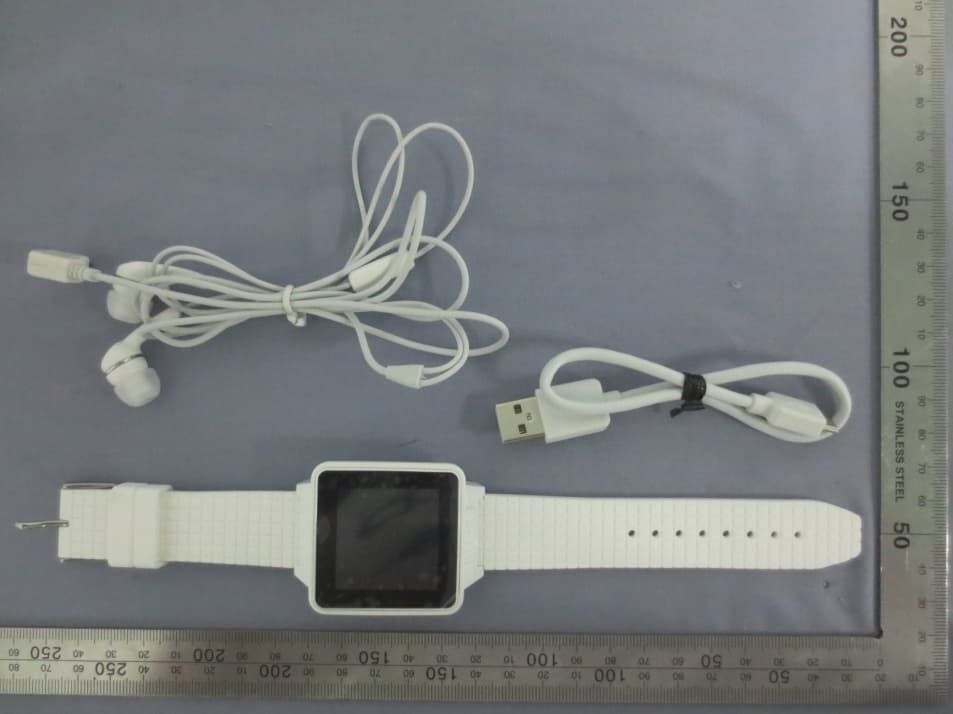
EXHIBIT B - EUT EXTERNAL PHOTOGRAPHS EUT – Front View EUT – Side View EUT – Rear View
ID Label/Location Info
EXHIBIT A - FCC ID LABELING AND LOCATION FCC ID Label FCC ID Label Location The label shown shall be permanently affixed at a conspicuous location on the device and be readily visible to the user at the time purchase (Labeling requirements per 2.925) Label here
Internal Photos
EXHIBIT C - EUT INTERNAL PHOTOGRAPHS EUT – Battery off View EUT – Cover off View 1 EUT – Cover off View 2 EUT – Main Board with LCD Top View EUT – Main Board Top View EUT – Main Board with LCD Bottom View GSM Antenna BT Antenna EUT – Main Board Bottom View EUT – Battery View
Parts List/Tune Up Info
1 Tune-Up Procedure Tune-Up TX Content 1 Purpose............................................................................................................................. 2 2 General description ..........................................................................................................3 2.1 Characteristics of the transmit burst..................................................................... ......3 2.2 GPRS Data Transfer......................................................................................................3 3 Parameters........................................................................................................................ 4 3.1 Parameters used to shape the burst....................................................................... ......4 3.2 Parameters used to define the temporal position of the burst....................................... 4 3.2.1 Optimum position of the burst................................................................................... 4 3.2.2 Optimum length of the burst...................................................................................... 5 4 Operating mode ................................................................................................................5 4.1 How to transmit a Tch burst (Random data), in GSM850 PCS1900 mode, at power control level max: ................................................................ 5 4.2 How to stop Tx measurements: .................................................................................... 5 4.3 How to transmit a burst after modifying parameters.................................................... 6 5 Purpose............................................................................................................................. 6 6 Automatic frequency control ...........................................................................................6 7 Static frequency error and range......................................................................................8 2 1 Purpose This panel gives the possibility to manage the mobile in the transmit mode. This window includes both: - All the parameters (frequency band, RF channel, RF level to get the desire antenna output power...) The user needs to make the mobile transmitting, - All the parameters needed to define a transmit burst, - All the compensation table to be able to align the mobile in production. This Tx_commands user guide is describing: - The characteristics of the transmit burst, - All the parameters used in the transmit mode, - The operating mode to make the mobile transmitting 3 2 General description 2.1 Characteristics of the transmit burst The power levels and the shape of a transmit burst are controlled by the power amplifier controller integrated in the MT6253. The burst is generated by a 10-bit DAC from the MT6253 as shown below: The ramping shape is referenced with the rising edge of Tx-ON (from the Baseband). There are two types of parameters define the transmit burst: the first one define the shapes of the burst, and the second one define the temporal position of the burst. The rising and the falling edge of the transmit burst are determined by a set of 32 DAC code values n = 0 ... 31. Tru = TxTRUDefault + △TRU_P + △TRU_T Trd = TxTRD_NBDefault + △TRD_P (for a normal burst). Trd = TxTRD_ABDefault + △TRD_P (for an access burst). 2.2 GPRS Data Transfer GSM mobile phones use a Time Division Multiple Access (TDMA) scheme to transmit data. The TDMA format contains eight time slots. The handset power amplifier typically transmits in one or two or three or four of these up time slots. To prevent interference between cell phones, the time mask profile as specified is very restricted. To meet the GSM time mask, the output power of the PA needs to ramp up and down very quickly while staying within the time mask and not generating extraneous frequency bursts due to too abrupt ramp profiles. As described before, the Vramp input value sets the RF output power. By applying a certain ramp profile to the Vramp pin, the power level (Pout) of the 4 PA is set to obtain the required time mask. A time mask of the PA’s output power is displayed. The time mask meets the limits (displayed by green lines) over a wide range of temperature, voltage and load variations. 3 Parameters F (n) are values coming from the DAC to shape the transmit burst. Some F(n) values have a corresponding Parameter used in the TAT to align the mobiles. Parameter used in TAT = [F (n)]. 3.1 Parameters used to shape the burst - H0 = [F (1)] controls the rate at which energy is given to the control loop at the beginning of the ramp. This energy is needed to bring the PA system control in a closed loop. This is the second code coming from the MT6253 DAC. - PeakPow = [F (15)] corresponds to the peak power of the transmit burst. - H30 = [F (30)] corresponds to the last ramping coefficients used to shape the ramp. - MinPow = [F (31)] is a fixed parameter and corresponds to the Code Start of the AM7801 specification. It ensures a fast discharge of accumulated energy during the open loop mode in the summing node. 3.2 Parameters used to define the temporal position of the burst 3.2.1 Optimum position of the burst This parameter is TRU (or △TRU_P) on the panel, in the Optimal Burst. This is the burst starting time correction, which is optimised for each power control level. (Note that _P means that the parameter is a power compensation parameter). 5 3.2.2 Optimum length of the burst This parameter is TRD (or △TRD_P) on the panel, in the Optimal Burst. This is the burst length compensation, which is optimized for each power control level. (Note that _P means that the parameter is a power compensation parameter). 4 Operating mode 4.1 How to transmit a Tch burst (Random data), in PCS1900 mode, at power control level max: PCS 1900: Connect the mobile with special software, Configuration of the common parameters: - Band: PC…
Text truncated - open the document above for the full version.
RF Exposure Info
Note: This test report is prepared for the customer shown above and for the device described herein. It may not be duplicated or used in part without prior written consent from Bay Area Compliance Laboratories Corp. This report must not be used by the customer to claim product certification, approval, or endorsement by A2LA* or any agency of the Federal Government. * This report may contain data that are not covered by the A2LA accreditation and are marked with an asterisk “*” (Rev.3) SAR EVALUATION REPORT For Burg Realisation Hong Kong Limited Flat/Room 1002, 10/F Malaysia Building, 50 Gloucester Road, Wan Chai, Hong Kong FCC ID: YIABURG13 Model: Burg 13 Report Type: Original Report Product Type: Smart Watch Phone Test Engineer: Arthur Tie Report Number R1111215-SAR Report Date 2012-06-05 Reviewed By Quinn Jiang Test Engineer Bay Area Compliance Laboratories Corp. 1274 Anvilwood Avenue, Sunnyvale, CA 94089, USA Tel: (408) 732-9162 Fax: (408) 732-9164 Burg Realisation Hong Kong Limited FCC ID: YIABURG13 Report Number: R1111215-SAR Page 2 of 86 SAR Evaluation Report Summary of Test Results Rule Part(s): FCC §2.1093 Test Procedure(s): FCC OET Bulletin 65-C; IEEE 1528 Device Type: Exposure Category: Portable Device General Population/Uncontrolled Exposure Modulation: GSM: GMSK Bluetooth: GFSK, π/4-DQPSK, 8DPSK TX Frequency Range: Cellular Band: 824.2-848.8 MHz PCS Band: 1850.2-1909.8 MHz Bluetooth: 2402-2480 MHz Conducted RF Power: Cellular: 32.24 dBm PCS: 30.66 dBm Bluetooth: 4.08 dBm Antenna Type(s): Integrated Antenna Battery Type(s): DC 3.7V, 450mA Body-Worn Accessories: Headset Max. SAR Level(s) Measured: 0.385 W/Kg 1g Head Tissue (Cellular Band) 0.945 W/Kg 10g Body Tissue (Cellular Band) 0.273 W/Kg 1g Head Tissue (PCS Band) 1.51 W/Kg 10g Body Tissue (PCS Band) This wireless device has been shown to be capable of compliance for localized specific absorption rate (SAR) for General Population/Uncontrolled Exposure limits specified in ANSI/IEEE Standards and has been tested in accordance with the measurement procedures specified in FCC OET 65 Supplement C and IEEE 1528- 2003. The results and statements contained in this report pertain only to the device(s) evaluated. EUT Photo Burg Realisation Hong Kong Limited FCC ID: YIABURG13 Report Number: R1111215-SAR Page 3 of 86 SAR Evaluation Report TABLE OF CONTENTS 1 REFERENCE, STANDARDS AND GUILDELINES ....................................................................................... 5 SAR LIMITS................................................................................................................................................................. 6 2 EUT DESCRIPTION ........................................................................................................................................... 7 3 TEST FACILITIES AND ACCREDITATION ................................................................................................. 8 4 DESCRIPTION OF TEST SYSTEM ................................................................................................................. 9 MEASUREMENT SYSTEM DIAGRAM........................................................................................................................... 11 DASY4 MEASUREMENT SERVER.............................................................................................................................. 12 5 EQUIPMENT LIST AND CALIBRATION .................................................................................................... 20 EQUIPMENTS LIST & CALIBRATION INFO................................................................................................................... 20 6 SAR MEASUREMENT SYSTEM VERIFICATION ..................................................................................... 21 SYSTEM ACCURACY VERIFICATION........................................................................................................................... 21 LIQUID AND SYSTEM VALIDATION............................................................................................................................ 21 7 EUT TEST STRATEGY AND METHODOLOGY ........................................................................................ 22 TEST POSITIONS FOR DEVICE OPERATING NEXT TO A PERSON’S EAR....................................................................... 22 7.1 CHEEK/TOUCH POSITION.............................................................................................................................. 23 7.2 EAR/TILT POSITION...................................................................................................................................... 23 7.3 TEST POSITIONS FOR BODY-WORN AND OTHER CONFIGURATIONS................................................................. 24 7.4 SAR EVALUATION PROCEDURE................................................................................................................... 25 8 DASY4 SAR EVALUATION PROCEDURE ..................................................................................................26 9 RF OUTPUT VERIFICATION ........................................................................................................................ 28 TEST BLOCK DIAGRAM AND PROCEDURE.................................................................................................................. 28 TEST RESULTS........................................................................................................................................................... 28 10 SAR MEASUREMENT RESULTS .................................................................................................................. 30 SAR TEST DATA........................................................................................................................................................ 30 11 APPENDIX A – MEASUREMENT UNCERTAINTY ...................................................................…
Text truncated - open the document above for the full version.
RF Exposure Info
Note: This test report is prepared for the customer shown above and for the device described herein. It may not be duplicated or used in part without prior written consent from Bay Area Compliance Laboratories Corp. This report must not be used by the customer to claim product certification, approval, or endorsement by A2LA* or any agency of the Federal Government. * This report may contain data that are not covered by the A2LA accreditation and are marked with an asterisk “*” (Rev.3) SAR EVALUATION REPORT For Burg Realisation Hong Kong Limited Flat/Room 1002, 10/F Malaysia Building, 50 Gloucester Road, Wan Chai, Hong Kong FCC ID: YIABURG13 Model: Burg 13 Report Type: Original Report Product Type: Smart Watch Phone Test Engineer: Arthur Tie Report Number R1111215-SAR Report Date 2012-07-25 Reviewed By Quinn Jiang Test Engineer Bay Area Compliance Laboratories Corp. 1274 Anvilwood Avenue, Sunnyvale, CA 94089, USA Tel: (408) 732-9162 Fax: (408) 732-9164 Burg Realisation Hong Kong Limited FCC ID: YIABURG13 Report Number: R1111215-SAR Page 2 of 86 SAR Evaluation Report Summary of Test Results Rule Part(s): FCC §2.1093 Test Procedure(s): FCC OET Bulletin 65-C; IEEE 1528 Device Type: Exposure Category: Portable Device General Population/Uncontrolled Exposure Modulation: GSM: GMSK Bluetooth: GFSK, π/4-DQPSK, 8DPSK TX Frequency Range: Cellular Band: 824.2-848.8 MHz PCS Band: 1850.2-1909.8 MHz Bluetooth: 2402-2480 MHz Conducted RF Power: Cellular: 32.24 dBm PCS: 30.66 dBm Bluetooth: 4.08 dBm Antenna Type(s): Integrated Antenna Battery Type(s): DC 3.7V, 450mA Body-Worn Accessories: Headset Max. SAR Level(s) Measured: 0.385 W/Kg 1g Head Tissue (Cellular Band) 0.945 W/Kg 10g Body Tissue (Cellular Band) 0.273 W/Kg 1g Head Tissue (PCS Band) 1.51 W/Kg 10g Body Tissue (PCS Band) This wireless device has been shown to be capable of compliance for localized specific absorption rate (SAR) for General Population/Uncontrolled Exposure limits specified in ANSI/IEEE Standards and has been tested in accordance with the measurement procedures specified in FCC OET 65 Supplement C and IEEE 1528- 2003. The results and statements contained in this report pertain only to the device(s) evaluated. EUT Photo Burg Realisation Hong Kong Limited FCC ID: YIABURG13 Report Number: R1111215-SAR Page 3 of 86 SAR Evaluation Report TABLE OF CONTENTS 1 REFERENCE, STANDARDS AND GUILDELINES ....................................................................................... 5 SAR LIMITS................................................................................................................................................................. 6 2 EUT DESCRIPTION ........................................................................................................................................... 7 3 TEST FACILITIES AND ACCREDITATION ................................................................................................. 8 4 DESCRIPTION OF TEST SYSTEM ................................................................................................................. 9 MEASUREMENT SYSTEM DIAGRAM........................................................................................................................... 11 DASY4 MEASUREMENT SERVER.............................................................................................................................. 12 5 EQUIPMENT LIST AND CALIBRATION .................................................................................................... 20 EQUIPMENTS LIST & CALIBRATION INFO................................................................................................................... 20 6 SAR MEASUREMENT SYSTEM VERIFICATION ..................................................................................... 21 SYSTEM ACCURACY VERIFICATION........................................................................................................................... 21 LIQUID AND SYSTEM VALIDATION............................................................................................................................ 21 7 EUT TEST STRATEGY AND METHODOLOGY ........................................................................................ 22 TEST POSITIONS FOR DEVICE OPERATING NEXT TO A PERSON’S EAR....................................................................... 22 7.1 CHEEK/TOUCH POSITION.............................................................................................................................. 23 7.2 EAR/TILT POSITION...................................................................................................................................... 23 7.3 TEST POSITIONS FOR BODY-WORN AND OTHER CONFIGURATIONS................................................................. 24 7.4 SAR EVALUATION PROCEDURE................................................................................................................... 25 8 DASY4 SAR EVALUATION PROCEDURE ..................................................................................................26 9 RF OUTPUT VERIFICATION ........................................................................................................................ 28 TEST BLOCK DIAGRAM AND PROCEDURE.........................................................................................…
Text truncated - open the document above for the full version.
Contact Information
Applicant
Hermen ven den Burg(CEO)
Test Firm
Bay Area Compliance Laboratory Corp. (Shenzhen)John Chan
Technical Specifications
| # | Rule Parts | Frequency Range | Power Output | Emission | Tolerance |
|---|---|---|---|---|---|
| 2 | 24E | 1.85 GHz - 1.91 GHz | 1.021 W | 242KGXW | 2.5 ppm |
Other Applications from Burg Realisation HongKong Limited
YIABURG16A
Jul 08, 2014Smart Watch Phone
Equipment Class
DSS - Part 15 Spread Spectrum Transmitter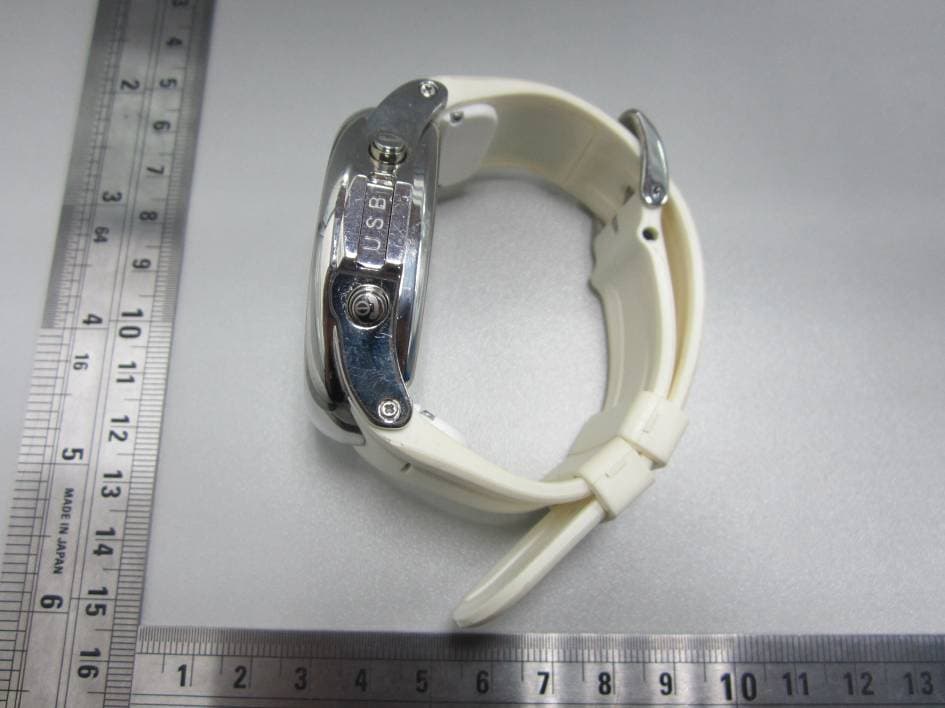
YIABURG12
Jan 08, 2013Watch Phone
Equipment Class
DSS - Part 15 Spread Spectrum Transmitter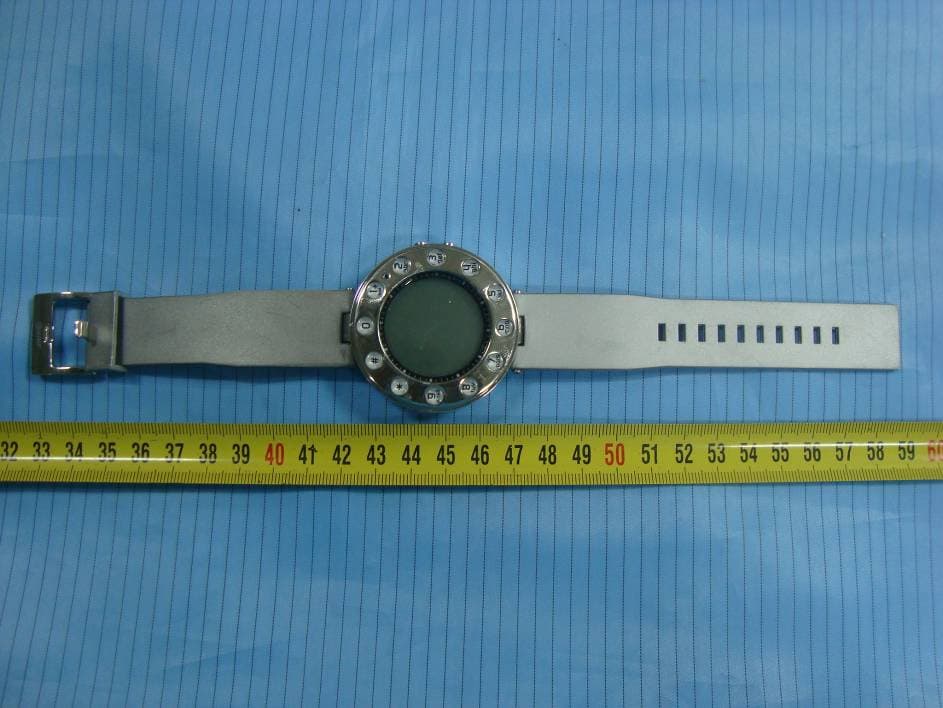
YIABURG6
Sep 13, 2010Watch Phone
Equipment Class
PCB - PCS Licensed Transmitter