YZZGRP2650IP Phone
Grandstream Networks, Inc.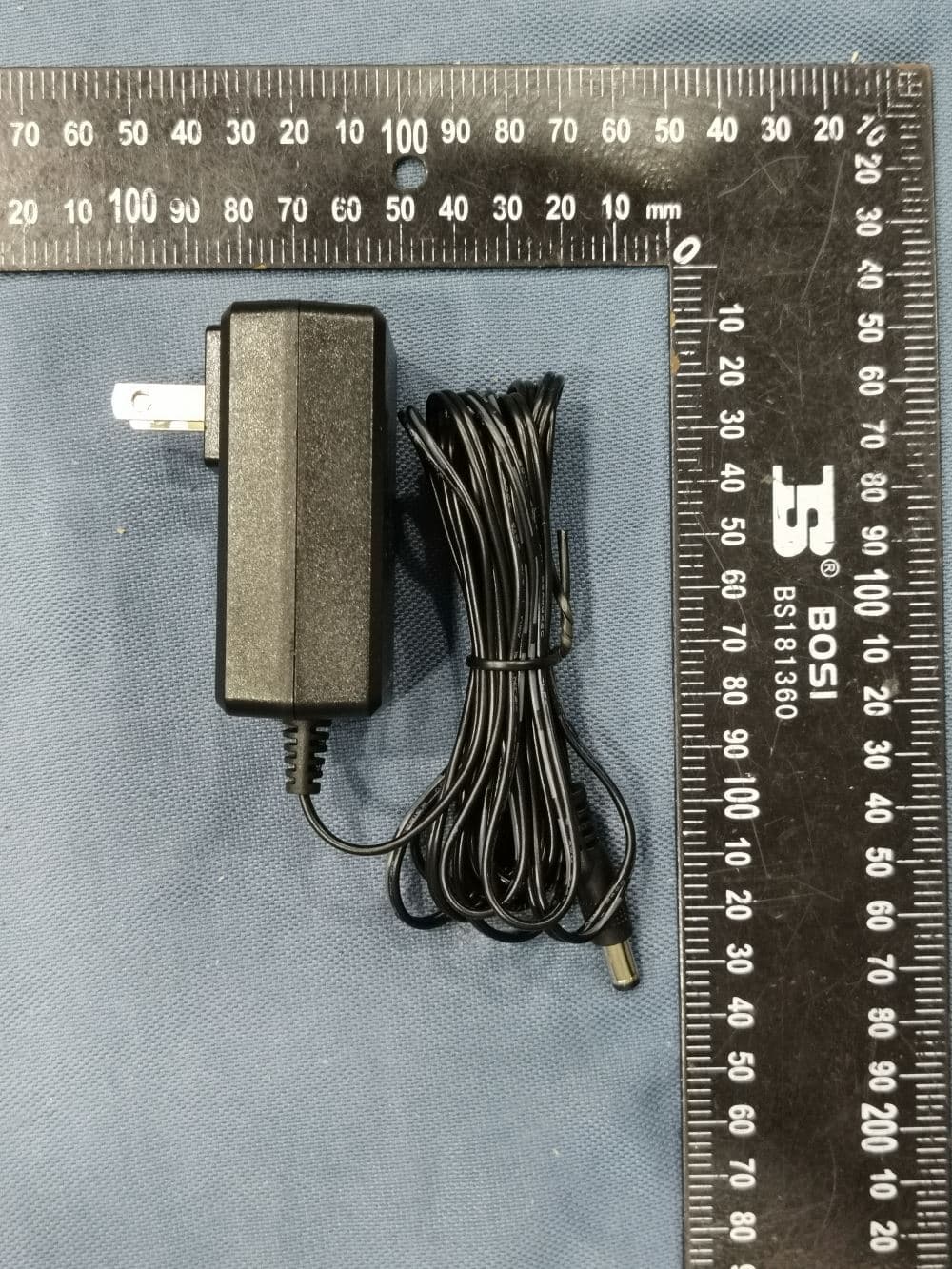
Click to zoom
Application Details
- Equipment Class
- NII - Unlicensed National Information Infrastructure TX
- Date of Grant
- Jul 04, 2022
- Application Purpose
- Original Equipment
- Date of Application
- Jul 04, 2022
- Equipment Note
- IP Phone
- Frequency Range
- 5745.00000000 - 5825.00000000
- Company
- Grandstream Networks, Inc.
- Country
- United States
Documents & Files
Document Text
Text extracted from the exhibit documents filed with the FCC. Open a document above to read the original.
Users Manual
Grandstream Networks, Inc. 126 Brookline Ave, 3rd Floor Boston, MA 02215 USA Voice: (617) 566-9300 Fax: (617) 249-1987 www.grandstream.com For Certification, Warranty and RMA information, please visit www.grandstream.com GRP2650 Quick Installation Guide Carrier-Grade HD IP Phone Content English...............................................................................1 简体中文..........................................................................6 Español............................................................................11 Français...........................................................................16 Deutsch............................................................................21 Italiano.............................................................................26 Русскй.............................................................................31 Português....................................................................... 36 Polski............................................................................. 41 ~1~ ~2~ The GRP2650 is not pre-configured to support or carry emergency calls to any type of hospital, law enforcement agency, medical care unit (“Emer- gency Service(s)”) or any other kind of Emergency Service. You must make additional arrangements to access Emergency Services. It is Your responsi- bility to purchase SIP-compliant Internet telephone service, properly configure the GRP2650 to use that service, and periodically test Your configura- tion to confirm that it works as You expect. If You don’t do so, it is Your responsibility to purchase tra- ditional wireless or landline telephone services to access Emergency Services. GRANDSTREAM DOES NOT PROVIDE CON- NECTIONS TO EMERGENCY SERVICES VIA THE GRP2650. NEITHER GRANDSTREAM NOR ITS OFFICERS, EMPLOYEES OR AFFILIATES MAY BE HELD LIABLE FOR ANY CLAIM, DAM- AGE, OR LOSS, AND YOU HEREBY WAIVE ANY AND ALL SUCH CLAIMS OR CAUSES OF AC- TION ARISING FROM OR RELATING TO YOUR INABILITY TO USE THE GRP2650 TO CONTACT EMERGENCY SERVICES, AND YOUR FAILURE TO MAKE ADDITIONAL ARRANGEMENTS TO ACCESS EMERGENCY SERVICES IN ACCOR- DANCE WITH THE IMMEDIATELY PRECEDING PARAGRAPH . EN GRP2650 is a next generation enterprise IP Phone featuring 14 dual- color line keys (up to 6 SIP accounts), 5” (1280x720) TFT color LCD, 6 XML programmable context sensitive soft keys, USB port, 1000M net- work ports, integrated PoE, Wi-Fi and Bluetooth support, 5-way confer- ence and Electronic Hook Switch (EHS). The GRP2650 delivers superior HD audio quality, rich and leading-edge telephony features, protection for privacy, and broad interoperability with most 3rd party SIP devices and leading SIP/NGN/IMS platforms. GRP2650 is the perfect choice for en- terprise users looking for a high quality, feature rich multi-line executive IP phone with advanced functionalities and performance. GRP2650 Extension Module--GBX20: GBX20 is an ideal solution for the busy enterprise environment looking to add the ability to receive and dispatch calls efficiently. Each extension module has 20 programmable buttons, Left and Right buttons, supporting 40 Multiple Purpose Keys to be configured. GRP2650 supports up to 4 extension modules, adding 160 fully programmable phone extensions to the phone. Note: GBX20 is an additional accessory for the GRP2650 and is not included in the GRP2650 box. PACKAGE CONTENTS: OVERVIEW: WARNING: Please DO NOT power cycle the GRP2650 during system boot up or firmware upgrade. You may corrupt firmware images and cause the unit to malfunction. 1x Phone Main Case 1x Handset 1x Phone Cord 1x Ethernet Cable 1x Phone Stand 1x 12V Power adapter 1x Quick Installation Guide PRECAUTIONS: WARNING: Use only the power adapter included in the GRP2650 package. Using an alternative non-qualified power adapter may possibly damage the unit. 12V ~3~ ~4~ PHONE SETUP: Installing the phone (Wall Mount *sold separately): 1.Attach the wall mount spacers to the slot for wall mount spacers on the back of the phone. 2.Attach the phone to the wall via the wall mount hole. 3.Pull out the tab from the handset cradle (See figure below). 4.Rotate the tab and plug it back into the slot with the extension up to hold the handset while the phone is mounted on the wall (See figure below). Slot for the wall mount spacers and phone stand For installing the phone on the table with the phone stand, attach the phone stand to the bottom of the phone where there is a slot for the phone stand. (Upper half, bottom part). Installing the phone (Phone Stand): USB Port Power Headset Port Handset Port Wall mount Wall mount Phone Stand Kensington Lock PC Port LAN Port Tab with extension up Handset Rest Tab with extension down To setup the GRP2650, follow the steps below: 1.Connect the handset and main phone case with the phone cord. 2.Connect the 12V DC output plug to the power jack on the phone; plug the power adapter into an electrical outlet. If PoE switch is used in step 3, this step could be skipped. 3.Network connection is possible via two methods which are described below: •Using Ethernet: Connect the LAN port of the phone to the RJ-45 socket of a hub/switch or a router (LAN side of the router) using the Ethernet cable. •Using Wi-Fi: - On LCD menu, navigate to “System→Wi-Fi settings” and enable Wi-Fi. - Select “Scan” and GRP2650 will automatically start scanning within the range. - A list of Wi-Fi networks will be displayed. Select the desired network, and if required, enter the correct password to connect. 4.The LCD will display provisioning or firmware upgrade information. Before continuing, please wait for the date/time display to show up. 5.Using the phone embedded web server or keypad configuration menu, you can further configure the phone using either a static IP or DHCP. CONNECTING THE PHONE: PHONE DESCRIPTION: Line keys Soft keys Standard keypad Navigation keys Transfer Hold Headset Message Message Waiting Indicator Menu/OK key Volume Speaker Send Mute ~5~ ~6~ …
Text truncated - open the document above for the full version.
Users Manual
~17~ ~18~ Le GRP2650 est un téléphone IP d’entreprise de nouvelle génération doté de 10 touches de ligne bicolores (jusqu’à 6 comptes SIP), d’un écran couleur LCD TFT de 4.3 pouces (1280x720), de 6 touches programmables contextuelles pro- grammables, Port USB, ports réseau 1000M, PoE intégré, Wi-Fi et Bluetooth, conférence à 5 voies et commutateur à crochet électronique (EHS). Le GRP2650 offre une haute qualité audio HD, des fonctions de téléphonie riches et avancées, une protection de la confidentialité et une interopérabilité étendue avec la plupart des périphériques SIP tiers et des plates-formes SIP/NGN/IMS.GRP2650 est le choix idéal pour les utilisateurs en entreprise à la recherche d’un téléphone IP exécutif multiligne d’une haute qualité, riche en fonctionnalités, doté de fonction- nalités et de performances avancées. LE MODULE D’EXTENSION DU GRP2650--GBX20: Le GBX20 est une solution idéale pour les entreprises à environnement chargé à la recherche de la possibil- ité de recevoir et répartir les appels avec effi-cience. Chaque module d’extension possède 20 touches programmables, touches de gauche et droite, supportant ainsi 40 Touches Multi-fonctions à configurer. Le GRP2650 peut supporter jusqu’à 4 modules d’extensions, ajoutant ainsi 160 touches d’extension totalement pro- grammables au téléphone. Remarque: Le GBX20 est un accessoire supplémentaire pour le GRP2650 et il n’est pas inclus dans la boite du GRP2650. CONTENU DU PACK: PRESENTATION: ALERTE: Veuillez ne pas redémarrer le GRP2650 lors du démarrage du système ou la mise à jour du firmware. Ceci peut corrompre l’image du firmware et causer un dysfonctionnement de l’unité. 1x Appareil GRP2650 1x Combiné 1x Câble téléphonique 1x Câble Ethernet 1x Support du téléphone 1x Adaptateur d’alimentation 12V 1x Guide d’installation rapide PRECAUTIONS: ALERTE: N’utilisez que l’adaptateur d’alimentation fourni dans le pack GRP2650. L’utilisation d’un autre adaptateur d’alimentation non qualifié peut endommager l’unité. 12V INSTALLATION DU TÉLÉPHONE: Installation du téléphone (Fixation murale *vendue séparément): 1.Attachez le support de fixation murale à la fente située à l’arrière du téléphone. 2.Attachez le téléphone au mur via la fente de fixation murale. 3.Tirez la languette du support du combiné (Voir figure ci-dessous). 4.Pivotez la languette et rebranchez-la dans la fente en gardant son appui vers le haut pour tenir le combiné lorsque le téléphone est fixé au mur (Voir figure ci- dessous). Fentes pour la fixation murale et support du téléphone Pour installer le téléphone sur la table avec le support du téléphone, attachez ce derni- er à la fente placée à la base du téléphone (partie supérieure, partie inférieure). Installation du téléphone (Support du téléphone): Port USB Alimentation Port Casque Port Combiné Fixation Murale Fixation Murale Support du téléphone Verrou Kensington Port PC Port LAN Languette avec appui vers le haut Appui du Combiné Languette avec appui vers le bas ~19~ ~20~ Pour installer le GRP2650, suivez les instructions ci-dessous: 1.Connectez le combiné et le boîtier du téléphone principal avec le câble télépho- nique. 2.Connectez la fiche de sortie 12V DC à la prise d’alimentation sur le téléphone; branchez l’adaptateur dans une prise électrique. 3.La connexion réseau est possible via deux méthodes: •Connexion via Ethernet: - Connectez le port LAN de votre téléphone au port RJ-45 d’un concentrateur/com- mutateur ou un routeur (côté LAN du routeur) à l’aide du câble Ethernet. •Connexion via Wi-Fi: - A partir du menu LCD, accédez à “Système→Réseau→Configuration Wi-Fi” et activez le Wi-Fi. - Sélectionnez “Rechercher” et le GRP2650 démarrera automatiquement la re- cherche des réseaux Wi-Fi disponibles. - Une liste des réseaux Wi-Fi sera affichée. Sélectionnez le réseau souhaité et, si nécessaire, entrez le mot de passe correct pour vous connecter. 4.Le LCD va afficher les informations d’approvisionnement ou de mise à jour du firmware. Avant de continuer, veuillez patienter jusqu’à que la date/heure s’affiche. 5.En utilisant le serveur web intégré du téléphone ou le menu de la configuration du téléphone, vous pouvez le configurer en utilisant soit IP statique ou DHCP. CONNECTER LE TÉLÉPHONE: DESCRIPTION DU TÉLÉPHONE: Touches Lignes Touches contextuelles Clavier standard Touches de naviguation Transfert Mise en attente Casque Message Indicateur de message en attente Touche Menu/ OK Volume Haut-parleur Envoyer Muet 1.Vérifiez que votre téléphone est sous tension et connecté à Internet. 2.Appuyez et maintenez l’appui pendant 3 secs pour voir l’adresse IP. 3.Saisissez l’adresse IP du téléphone dans votre navigateur PC. 4.Entrez le nom d’utilisateur et le mot de passe d’administarteur pour accéder au menu de configuration. (Le nom d’utilisateur par défault est “admin” tant dit que le mot de passe peur être trouvé sur l’étiquette à l’arrière de l’unité). 1.Assurez-vous que le téléphone est libre. 2.Appuyez sur le bouton “MENU” pour accéder au MENU pour configurer le télé- phone. 3.Sélectionnez MENU → Phone → SIP → Account, pour configurer les paramètres du Proxy SIP, Proxy Sortant, Nom d’utilisateur SIP, Nom d’authentification SIP et le mot de passe SIP. 4.Suivez les options du MENU pour configurer les fonctionnalités de base du télé- phone. Par exemple: l’adresse IP si vous utilisez une adresse IP statique. Pour plus de détails, veuillez vérifier le manuel d’utilisation du GRP2650. 5.Veuillez contacter votre Fournisseur d’accès Internet pour les paramètres supplé- mentaires qui peuvent être nécessaires pour configurer le téléphone. Configurer le GRP2650 en utilisant le Clavier: CONFIGURATION DU TÉLÉPHONE: Configurer le GRP2650 en utilisant le Navigateur web: Les termes de la licence GNU GPL sont incorporés dans le micrologiciel du périphérique et sont accessibles via l’interface utilisateur Web du périphérique à l’adresse http(s)://IP/gpl_license. Pour obtenir un CD contenant les informations du code source GPL, veuill…
Text truncated - open the document above for the full version.
Users Manual
~37~ ~38~ O GRP2650 é um telefone IP de nova geração que inclui 14 teclas de linha com duas cores (até 6 contas SIP), tela LCD colorida TFT de 5” (1280x720), 6 teclas programáveis sensíveis ao contexto, porta USB , portas de rede gigabit, PoE integrado, Wi-Fi e Bluetooth, conferência de 5 participantes e EHS. O GRP2650 entrega qualidade de áudio superior em HD, avançados recursos de telefonia, proteção para privacidade e uma completa interoperabilidade com os dispositivos SIP e as plataformas SIP/NGN/IMS mais reconhecidos do mercado. O GRP2650 é a escolha perfeita para usuários corporativos que buscam uma telefone IP ex- ecutivo de alta qualidade, com avançados recursos, funcionalidades e desem- penho. GRP2650 MÓDULO DE EXTENSÃO -- GBX20: O módulo de extensão GBX20 é uma solução ideal para o ambiente corpo-rativo buscando adicionar a capacidade de receber e enviar chamadas de forma eficiente. Cada módulo de extensão tem 20 botões programáveis, distribuídos no lado esquerdo e di- reito, suportando até 40 Teclas multi-função para configurar. O GRP2650 suporta até 4 módulos de extensão, somando 160 extensões de telefone totalmente pro- gramáveis para o telefone. Nota: O GBX20 é um acessório adicional para o GRP2650. Portanto, o GBX20 não está incluído na caixa GRP2650. CONTEÚDO DA EMBALAGEM: RESUMO: ATENÇÃO: Por favor NÃO desligue a energia do GRP2650 durante o inicio do sistema ou durante a atualização de firmware. Você poderá corromper a imagem do firmware e originar o mau funcionamento da unidade. 1x Base Principal 1x Handset 1x Cabo de telefone 1x Cabo de Ethernet 1x Cabo de telefone 1x 12V Adaptador de Corrente 1x Guia de Instalação Rápido PRECAUÇÕES: ATENÇÃO: Utilize unicamente a fonte de alimentação incluída na embalagem do GRP2650. Utilizar uma fonte de alimentação alternativa e não certificada pos- sivelmente pode danificar a unidade. 12V INSTALAÇÃO DO TELEFONE: A instalar o telefone (Montagem na parede): 1.Coloque o suporte de parede na abertura que está na parte traseira do telefone. 2.Coloque o telefone na parede através do furo para o suporte de parede. 3.Puxe a trava de suporte do monofone (Consulte a imagem abaixo). 4.Vire a trava do telefone e coloque de novo no seu lugar para manter o handset no suporte quando o telefone estiver instalado na parede (Ver imagem abaixo) Aberturas para a montagem de parede Para instalar o telefone no escritório com o suporte do telefone, fixe o suporte no fundo do telefone onde estão as aberturas para o suporte de escritório (parte de cima, parte do fundo). A instalar o telefone (Suporte do telefone): Porta USB Corrente Porta Headset Porta Handset Montagem na parede Montagem na parede Suporte do telefone Bloqueio Kensington Porta PC Porta LAN Suporte com a trava para acima Suporte do Handset Suporte com a trava para abaixo ~39~ ~40~ Para configurar o GRP2650, verifique os passos abaixo: 1. Conecte o handset à base principal utilizando o cabo de telefone. 2. Conecte a saída da fonte de alimentação 12V DC na porta correspondente no telefone; conecte a fonte de alimentação em uma tomada de energia. 3. A conexão à rede é possível através de dois métodos, os quais estão especifica- dos abaixo: • Conexão via Ethernet: - Conecte a porta LAN do telefone à tomada RJ-45 de um hub/switch ou um rote- ador (lado de LAN do roteador) utilizando o cabo de Ethernet. • Conexão via Wi-Fi: - Através do menu na tela LCD, navegue até “Sistema→ Rede→ Configurações Wi-Fi”. - Selecione “Scan” e o GRP2650 iniciará automaticamente uma varredura dentro do intervalo de alcance. - Uma lista de redes Wi-Fi será exibida. Selecione a rede desejada e, se for ne- cessário, insira a senha correspondente para conectar-se. 4. A tela LCD exibirá a informação de atualização ou de provisionamento. Antes de continuar, por favor aguarde até exibir na tela a data e a hora.. 5. Utilizando a interface web do telefone ou utilizando o menu de configuração através do teclado, você poderá configurar o telefone para utilizar IPestático ou obter IP a partir do DHCP A CONECTAR O TELEFONE: PHONE DESCRIPTION: Teclas de Linha Tecla de função Teclado Padrão Teclas de Navegação Transferir Reter Headset Mensagem Indicador de men- sagem em espera Tecla Menu/OK Volume Viva-voz Enviar/Chamar Mudo 1. Verifique e confira que o telefone está ligado e conectado à internet. 2. Pressione e mantenha pressionada a tecla “UP” durante 3 segundos para visuali- zar o endereço IP. 3. Digite o endereço IP do telefone no navegador web do seu computador (Ver ima- gem à direita). 4. Coloque o ID e a senha do administrador para acessar ao menu de configuração. (O ID de usuário padrão é “admin”, a senha de acesso aleatória pode ser encon- trada na etiqueta na parte inferior do dispositivo) 1. Verifique que o telefone está desocupado. 2. Pressione a tecla MENU para acessar ao MENU do teclado para configurar o tele- fone. 3. Selecione MENU→ Phone→ SIP→ Account para definir as configurações de Proxy SIP, Proxy de Saída, ID de Usuário SIP, ID de Aut SIP e Senha SIP. 4. Siga as opções do MENU para configurar os recursos básicos do telefone, por exemplo: o endereço IP se vai utilizar um IP estático. Para informação detalhada, consulte o Manual de Usuário do GRP2650. 5. Por favor contatar o seu ITSP (Provedor de serviços de telefonia por internet) para consultar, se for necessário, as definições adicionais que podem ser necessárias para configurar o telefone. Configurar o GRP2650 utilizando o teclado: CONFIGURAÇÃO DO TELEFONE: Configurar o GRP2650 utilizando a interface web: Os termos de licença GNU GPL estão dentro do firmware do dispositivo e você pode visualizar o documento através da interface web do dispositivo, em http(s)://IP/gpl_license. Para obter um CD com a informação do código fonte GPL, por favor solicite-o através de [email protected] Por favor, baixe o Manual do Usuário e verifique a seção FAQ para instruções mais detalhadas: https://www.grandstream.com/our-products ~41~ ~42~ Urządzenie GRP2650 nie jest wstępnie…
Text truncated - open the document above for the full version.
Cover Letter(s)
C5266091_X8_Ed.1 1/1 Grandstream Networks, Inc. 126 Brookline Ave., 3rd Floor Boston, MA 02215, USA Letter of Authorization Company: Grandstream Networks, Inc. Address: 126 Brookline Ave., 3rd Floor Boston, MA 02215, USA Model Number: GRP2650 FCC Identifier: YZZGRP2650 We authorize LGAI Technological Center S.A., Ronda de la Font del Carme, s/n, 08193 Bellaterra, Spain, to act on our behalf on all matters concerning the above named equipment. Any individual within LGAI Technological Center S.A. is authorized to act on our behalf and take action on the application. We declare that authorize LGAI Technological Center S.A., Ronda de la Font del Carme, s/n, 08193 Bellaterra, Spain, is allowed to forward all information related to the approval project to the Federal Communication Commission and to discuss any issues concerning the approval application. Any and all acts carried out by LGAI Technological Center S.A. on our behalf shall have the same effect as acts of our own. Name: Ning Wei Date: June 06, 2022 Title: Manager Signature of applicant:
Cover Letter(s)
C5266091_X10_Ed.1 1/1 Grandstream Networks, Inc. 126 Brookline Ave., 3rd Floor Boston, MA 02215, USA Office of Engineering Technology Federal Communications Commission 7435 Oakland Mills Road Columbia, MD 21046 Date: June 06, 2022 Subject: Request for Confidentiality FCC ID: YZZGRP2650 To Whom It May Concern, Pursuant to the provisions of Sections 0.457 and 0.459 of Commission's rules (47CFR0.457, 0.459), we are requesting the Commission to withhold the following attachment(s) as confidential document from public disclosure. Exhibits Long-Term Confidentiality Short-Term Confidentiality ID Label/Location No No Attestation Statement No No External Photos No Block Diagram Schematics Test Report No No Test Setup Photos No
Cover Letter(s)
C5266091_X13_Ed.1 1/1 Grandstream Networks, Inc. 126 Brookline Ave., 3rd Floor Boston, MA 02215, USA FCC Software Configuration Control Declaration Date: June 06, 2022 Federal Communications Commission Authorization and Evaluation Division 7435 Oakland Mills Road Columbia, MD 21046 Attn: OET Dept. Product/ Model Number: IP Phone/GRP2650 Regarding FCC Country Code Selection guidelines identified in KDB 594280. “All applications for equipment authorization for transmitters that can have radio parameters, or other technical parameters, reported to the Commission set by software must have an attestation indicating that no third party will have software, or configuration control, to program the device out of compliance of the technical rules under which it has been certified.” We declare that no third party will have software, or configuration control, to program the device out of compliance of the technical rules under which it has been certified. Signature of applicant Name: Ning Wei Title: Manager
External Photos
Page 1 of 9 FCC ID: YZZGRP2650 IC: 11964A-GRP2650 Shenzhen UnionTrust Quality and Technology Co., Ltd. Address: Unit D/E of 9/F and 16/F, Block A, Building 6, Baoneng science and technology park, Longhua district, Shenzhen, China Te l : + 8 6-755-28230888 Fax: +86-755-28230886 E-mail: [email protected] Http://www.uttlab.com APPENDIX 2 PHOTOS OF EUT CONSTRUCTIONAL DETAILS EUT EXTERNAL PHOTOS EUT Photo EUT Photo Page 2 of 9 FCC ID: YZZGRP2650 IC: 11964A-GRP2650 Shenzhen UnionTrust Quality and Technology Co., Ltd. Address: Unit D/E of 9/F and 16/F, Block A, Building 6, Baoneng science and technology park, Longhua district, Shenzhen, China Te l : + 8 6-755-28230888 Fax: +86-755-28230886 E-mail: [email protected] Http://www.uttlab.com EUT Photo EUT Photo Page 3 of 9 FCC ID: YZZGRP2650 IC: 11964A-GRP2650 Shenzhen UnionTrust Quality and Technology Co., Ltd. Address: Unit D/E of 9/F and 16/F, Block A, Building 6, Baoneng science and technology park, Longhua district, Shenzhen, China Te l : + 8 6-755-28230888 Fax: +86-755-28230886 E-mail: [email protected] Http://www.uttlab.com EUT Photo EUT Photo-Ports Page 4 of 9 FCC ID: YZZGRP2650 IC: 11964A-GRP2650 Shenzhen UnionTrust Quality and Technology Co., Ltd. Address: Unit D/E of 9/F and 16/F, Block A, Building 6, Baoneng science and technology park, Longhua district, Shenzhen, China Te l : + 8 6-755-28230888 Fax: +86-755-28230886 E-mail: [email protected] Http://www.uttlab.com EUT Photo EUT Photo Page 5 of 9 FCC ID: YZZGRP2650 IC: 11964A-GRP2650 Shenzhen UnionTrust Quality and Technology Co., Ltd. Address: Unit D/E of 9/F and 16/F, Block A, Building 6, Baoneng science and technology park, Longhua district, Shenzhen, China Te l : + 8 6-755-28230888 Fax: +86-755-28230886 E-mail: [email protected] Http://www.uttlab.com EUT Photo EUT Photo Page 6 of 9 FCC ID: YZZGRP2650 IC: 11964A-GRP2650 Shenzhen UnionTrust Quality and Technology Co., Ltd. Address: Unit D/E of 9/F and 16/F, Block A, Building 6, Baoneng science and technology park, Longhua district, Shenzhen, China Te l : + 8 6-755-28230888 Fax: +86-755-28230886 E-mail: [email protected] Http://www.uttlab.com EUT Photo EUT Photo-Adapter 1 Page 7 of 9 FCC ID: YZZGRP2650 IC: 11964A-GRP2650 Shenzhen UnionTrust Quality and Technology Co., Ltd. Address: Unit D/E of 9/F and 16/F, Block A, Building 6, Baoneng science and technology park, Longhua district, Shenzhen, China Te l : + 8 6-755-28230888 Fax: +86-755-28230886 E-mail: [email protected] Http://www.uttlab.com EUT Photo-Adapter 1 EUT Photo-Adapter 2 Page 8 of 9 FCC ID: YZZGRP2650 IC: 11964A-GRP2650 Shenzhen UnionTrust Quality and Technology Co., Ltd. Address: Unit D/E of 9/F and 16/F, Block A, Building 6, Baoneng science and technology park, Longhua district, Shenzhen, China Te l : + 8 6-755-28230888 Fax: +86-755-28230886 E-mail: [email protected] Http://www.uttlab.com EUT Photo-Adapter 2 EUT Photo-Adapter 3 Page 9 of 9 FCC ID: YZZGRP2650 IC: 11964A-GRP2650 Shenzhen UnionTrust Quality and Technology Co., Ltd. Address: Unit D/E of 9/F and 16/F, Block A, Building 6, Baoneng science and technology park, Longhua district, Shenzhen, China Te l : + 8 6-755-28230888 Fax: +86-755-28230886 E-mail: [email protected] Http://www.uttlab.com EUT Photo-Adapter 3
ID Label/Location Info
技术要求: 1. 尺寸:53*28mm,四周倒角R=1mm,C=5mm,厚度0.1±0.05mm; 2. 公差:±0.2mm; 3. 材质:100%亮银龙,印刷后过雾膜,背面带压花胶。要求高温70°C,高湿90%, 低温-25°C,时间各8小时环境下不脱落不翘起不起泡; 4. 颜色:黑色丝印,文字和图案部分镂空露出底色; 5. 量产前需样品承认,所有材料需符合环保规定。 R1 53.00 mm 28.00 mm 5 宋娟娟 孙彰宝 褚 滔 GRP2650FCC贴纸 设计人 制图人 审核人 比例 型号类型 料号 V1.0 1:1 版本 20220207日期 1/1页数 / 版本号变更记录日期 V1.0原始版本20220207 This device complies with part 15 of the FCC rules. Operation is subject to the following two conditions: (1) this device may not cause harmful interference, and (2) this device must accept any interference received, including interference that may cause undesired operation. CAN ICES-003(B)/NMB-003(B) IC: 11964A-GRP2650 Complies with part 68.FCC Rules US: GNIIPNANGRP2650 FCC ID: YZZGRP2650 Made in China Model: GRP2650 Input: 12V 1A Label Location
Internal Photos
Page 1 of 7 FCC ID: YZZGRP2650 IC: 11964A-GRP2650 Shenzhen UnionTrust Quality and Technology Co., Ltd. Address: Unit D/E of 9/F and 16/F, Block A, Building 6, Baoneng science and technology park, Longhua district, Shenzhen, China Te l : + 8 6-755-28230888 Fax: +86-755-28230886 E-mail: [email protected] Http://www.uttlab.com APPENDIX 2 PHOTOS OF EUT CONSTRUCTIONAL DETAILS EUT INTERNAL PHOTOS EUT Photo EUT Photo Page 2 of 7 FCC ID: YZZGRP2650 IC: 11964A-GRP2650 Shenzhen UnionTrust Quality and Technology Co., Ltd. Address: Unit D/E of 9/F and 16/F, Block A, Building 6, Baoneng science and technology park, Longhua district, Shenzhen, China Te l : + 8 6-755-28230888 Fax: +86-755-28230886 E-mail: [email protected] Http://www.uttlab.com EUT Photo EUT Photo Page 3 of 7 FCC ID: YZZGRP2650 IC: 11964A-GRP2650 Shenzhen UnionTrust Quality and Technology Co., Ltd. Address: Unit D/E of 9/F and 16/F, Block A, Building 6, Baoneng science and technology park, Longhua district, Shenzhen, China Te l : + 8 6-755-28230888 Fax: +86-755-28230886 E-mail: [email protected] Http://www.uttlab.com EUT Photo EUT Photo Page 4 of 7 FCC ID: YZZGRP2650 IC: 11964A-GRP2650 Shenzhen UnionTrust Quality and Technology Co., Ltd. Address: Unit D/E of 9/F and 16/F, Block A, Building 6, Baoneng science and technology park, Longhua district, Shenzhen, China Te l : + 8 6-755-28230888 Fax: +86-755-28230886 E-mail: [email protected] Http://www.uttlab.com EUT Photo EUT Photo_Wi-Fi Module View Page 5 of 7 FCC ID: YZZGRP2650 IC: 11964A-GRP2650 Shenzhen UnionTrust Quality and Technology Co., Ltd. Address: Unit D/E of 9/F and 16/F, Block A, Building 6, Baoneng science and technology park, Longhua district, Shenzhen, China Te l : + 8 6-755-28230888 Fax: +86-755-28230886 E-mail: [email protected] Http://www.uttlab.com EUT Photo_ Wi-Fi Module Unshielded View EUT Photo Page 6 of 7 FCC ID: YZZGRP2650 IC: 11964A-GRP2650 Shenzhen UnionTrust Quality and Technology Co., Ltd. Address: Unit D/E of 9/F and 16/F, Block A, Building 6, Baoneng science and technology park, Longhua district, Shenzhen, China Te l : + 8 6-755-28230888 Fax: +86-755-28230886 E-mail: [email protected] Http://www.uttlab.com EUT Photo EUT Photo _ Antenna View Antenna Page 7 of 7 FCC ID: YZZGRP2650 IC: 11964A-GRP2650 Shenzhen UnionTrust Quality and Technology Co., Ltd. Address: Unit D/E of 9/F and 16/F, Block A, Building 6, Baoneng science and technology park, Longhua district, Shenzhen, China Te l : + 8 6-755-28230888 Fax: +86-755-28230886 E-mail: [email protected] Http://www.uttlab.com EUT Photo _ Handset
RF Exposure Info
Page 1 of 15 Report No.: 220218001RFC-5 Shenzhen UnionTrust Quality and Technology Co., Ltd. Address: Unit D/E of 9/F and 16/F, Block A, Building 6, Baoneng science and technology park, Longhua district, Shenzhen, China Tel: +86-755-28230888 Fax: +86-755-28230886 E-mail: [email protected] http://www.uttlab.com UTTR-RF-RSS102-V1.1 RF EXPOSURE EVALUATION REPORT Product Name: IP Phone Trade Mark: GRANDSTREAM Model No.: GRP2650 HVIN: GRP2650V2CW Report Number: 220218001RFC-5 Test Standards: FCC 47 CFR Part 1 Subpart I RSS-102 Issue 5 FCC ID: YZZGRP2650 IC: 11964A-GRP2650 Test Result: PASS Date of Issue: May 20, 2022 Prepared for: Grandstream Networks, Inc. 126 Brookline Ave., 3rd Floor Boston, MA 02215, USA Prepared by: Shenzhen UnionTrust Quality and Technology Co., Ltd. Unit D/E of 9/F and 16/F, Block A, Building 6, Baoneng science and technology park, Longhua district, Shenzhen, China TEL: +86-755-2823 0888 FAX: +86-755-2823 0886 Prepared by: Reviewed by: Calvin Chen Eric Yu Senior Project Engineer Project Supervisor Approved by: Date: May 20, 2022 Kevin Liang Assistant Manager Page 2 of 15 Report No.: 220218001RFC-5 Shenzhen UnionTrust Quality and Technology Co., Ltd. Address: Unit D/E of 9/F and 16/F, Block A, Building 6, Baoneng science and technology park, Longhua district, Shenzhen, China Tel: +86-755-28230888 Fax: +86-755-28230886 E-mail: [email protected] http://www.uttlab.com UTTR-RF-RSS102-V1.1 Version Version No. Date Description V1.0 May 20, 2022 Original Page 3 of 15 Report No.: 220218001RFC-5 Shenzhen UnionTrust Quality and Technology Co., Ltd. Address: Unit D/E of 9/F and 16/F, Block A, Building 6, Baoneng science and technology park, Longhua district, Shenzhen, China Tel: +86-755-28230888 Fax: +86-755-28230886 E-mail: [email protected] http://www.uttlab.com UTTR-RF-RSS102-V1.1 CONTENTS 1. GENERAL INFORMATION ....................................................................................................................................... 4 1.1 CLIENT INFORMATION ........................................................................................................................................ 4 1.2 EUT INFORMATION ............................................................................................................................................ 4 1.3 PRODUCT SPECIFICATION SUBJECTIVE TO THIS STANDARD ................................................................................. 4 1.4 OTHER INFORMATION ......................................................................................................................................... 7 1.5 GENERAL DESCRIPTION OF APPLIED STANDARDS ...................…
Text truncated - open the document above for the full version.
Contact Information
Applicant
Ning Wei
Technical Contact
Shenzhen UnionTrust Quality and Technology Co., LtBilly li
[email protected]0755-28230888
Shenzhen · China
Non-Technical Contact
Shenzhen UnionTrust Quality and Technology Co., LtBilly li
[email protected]0755-28230888
Test Firm
Shenzhen UnionTrust Quality and Technology Co., LtGeorge Luo
[email protected]+86-755-28230888
Technical Specifications
| # | Rule Parts | Frequency Range | Power Output |
|---|---|---|---|
| 4 | 15E | 5.75 GHz - 5.83 GHz | 27.70 mW |
Other Applications from Grandstream Networks, Inc.
YZZGWN7712P
Sep 04, 2026Layer 2 Lite Managed Network PoE Switch
Equipment Class
JAD - Part 15 Class A Digital DeviceYZZGWN7801PC
Aug 27, 2026Enterprise Layer 2+ Compact Managed Switch
Equipment Class
JAD - Part 15 Class A Digital DeviceYZZGWN7823P
Aug 26, 2026Layer 3 Multi-Gigabit Network Switch
Equipment Class
JAD - Part 15 Class A Digital DeviceYZZGWN7703P
Aug 26, 202624 Unmanaged Gigabit Port and 2 SFP Port Switch with 24 PoE+
Equipment Class
JAD - Part 15 Class A Digital DeviceYZZGWN7673
Jul 29, 2026Dual-Band Wi-Fi 7 Access Point
Equipment Class
DTS - Digital Transmission System