YZZGSC3516SIP/Multicast Talk-Back Speaker
Grandstream Networks, Inc.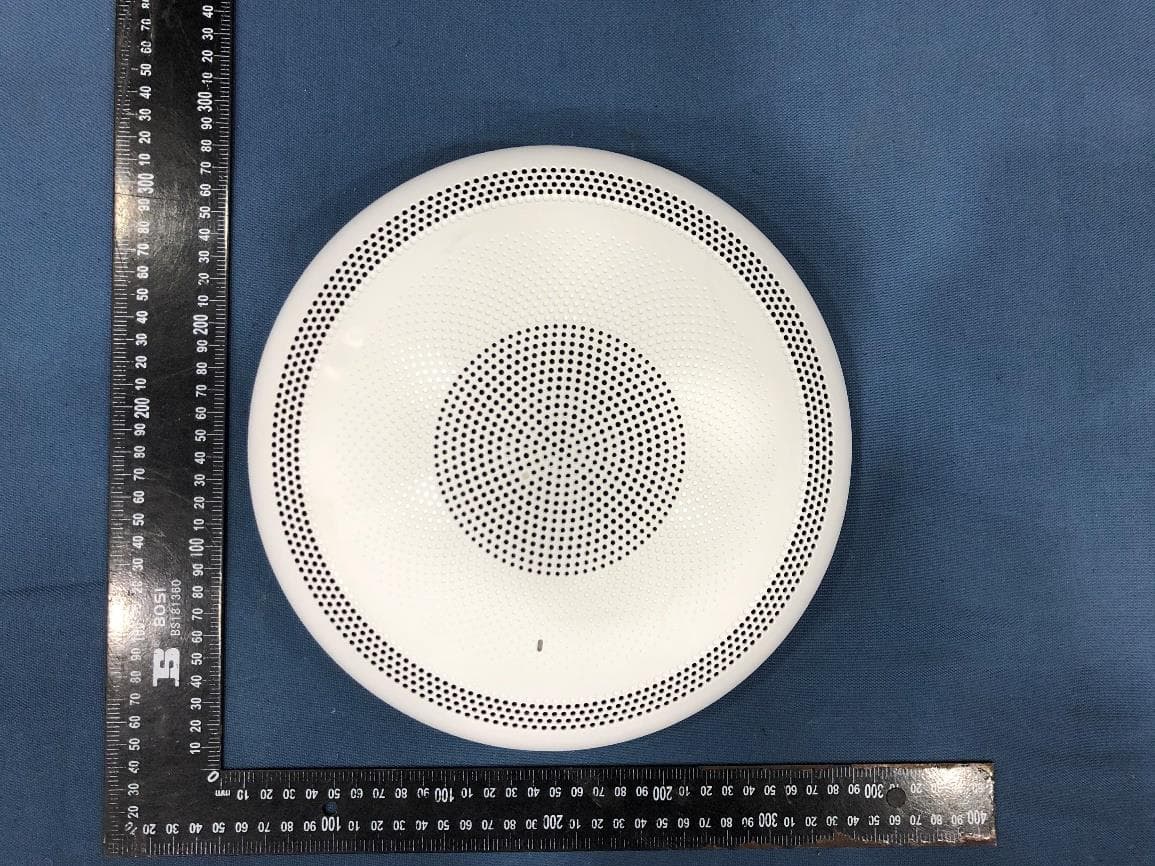
Click to zoom
Application Details
- Equipment Class
- JAB - Part 15 Class B Digital Device
- Date of Grant
- Aug 28, 2022
- Application Purpose
- Original Equipment
- Date of Application
- Aug 28, 2022
- Equipment Note
- SIP/Multicast Talk-Back Speaker
- Company
- Grandstream Networks, Inc.
- Country
- United States
Documents & Files
Document Text
Text extracted from the exhibit documents filed with the FCC. Open a document above to read the original.
Users Manual
V1 Change Log: 技术要求 80g书纸 单黑双面印刷,折页 V2 20220809 首次发行 140*100mm 418-00350-10A-01 GSC3516 Quick Installation Guide SIP/Multicast Talk-Back Speaker Grandstream Networks, Inc. 126 Brookline Ave, 3rd Floor Boston, MA 02215. USA Tel : +1 (617) 566 - 9300 Fax: +1 (617) 249 - 1987 www.grandstream.com please visit www.grandstream.com Grandstream Networks, Inc. 126 Brookline Ave, 3rd Floor Boston, MA 02215. USA Tel : +1 (617) 566 - 9300 Fax: +1 (617) 249 - 1987 www.grandstream.com Content English................................................................................1 简体中文.......................................................................6 Español.............................................................................11 Français.............................................................................16 Deutsch.............................................................................21 Italiano..............................................................................26 Русскй..............................................................................31 Português..........................................................................36 Polski................................................................................41 ~1~~2~ The GSC3516 is not pre-configured to support or make emergency calls to any type of hospital, law enforcement agency, medical care unit (“Emergency Service(s)”) or any other kind of Emergency Service. You must make additional arrangements to access Emergency Services. It is your re- sponsibility to purchase SIP-compliant Internet telephone service, properly configure the GSC3516 to use that ser- vice, and periodically test your configuration to confirm that it works as you expect. It is also your responsibility to pur- chase traditional wireless or landline telephone services to access Emergency Services. GRANDSTREAM DOES NOT PROVIDE CONNECTIONS TO EMERGENCY SERVICES VIA THE GSC3516. NEI- THER GRANDSTREAM NOR ITS OFFICES, EMPLOY- EES OR AFFILIATES MAY BE HELD LIABLE FOR ANY CLAIM, DAMAGE, OR LOSS, AND YOU HEREBY WAIVE ANY AND ALL SUCH CLAIMS OR CAUSES OF ACTION ARISING FROM OR RELATING TO YOUR INABILITY TO USE THE GSC3516 TO CONTACT EMERGENCY SER- VICES, AND YOUR FAILURE TO MAKE ADDITIONAL AR- RANGEMENTS TO ACCESS EMERGENCY SERVICES IN ACCORDANCE WITH THE IMMEDIATELY PRECEDING PARAGRAPH. The GNU GPL license terms are incorporated into the de- vice firmware and can be accessed via the Web user inter- face of the device at my_device_ip/gpl_license. It can also be accessed here: http://www.grandstream.com/legal/open- source-software To obtain a CD with GPL source code information please submit a written request to [email protected] PRECAUTIONS •Do not attempt to open, disassemble, or modify the device. •Do not expose this device to temperatures outside range of 0 °C to 45 °C in operation and -10 °C to 60 °C in storage. •Do not expose the GSC3516 to environments outside of the following hu- midity range: 10-90% RH (non-condensing). •Do not power cycle your GSC3516 during system boot up or firmware up- grade. You may corrupt firmware images and cause the unit to malfunction. GSC3516 4x Screw (PM 3x50) 3x Screw (PA 3.5x20) EN Metal Bracket Plastic Bracket PACKAGE CONTENTS Wiring Seat Hang rope plate OVERVIEW The GSC3516 is a SIP intercom speaker and microphone that allows offices, schools, hospitals, apartments and more to build powerful voice intercom solutions that expand security and communication. This robust SIP inter- com device offers 2-way voice functionality with both a high-fidelity 15W HD speaker and 3 directional microphones with Multichannel Microphone Array Design (MMAD) and 1 omnidirectional auxiliary microphone that offer a 4.2 meter pickup distance. The GSC3516 supports a wide-range of peripherals including Bluetooth devices, built-in whitelist and blacklists to easily block unwanted calls, integrated dual-band Wi-Fi and advanced acoustic echo cancellation. By pairing the GSC3516 with other Grandstream devices, in- cluding desktop and cordless IP phones as well as the GDS series of Facility Access products, users can easily sculpt a state-of-the-art security and voice intercom solution. Thanks to it’s modern industrial design, cleanable exterior surface and rich features, the GSC3516 is the ideal intercom speaker/micro- phone for any setting. 1x Quick Installation Guide 3x M3 NUT 3x Plastic Expansion Bolt ~3~~4~ HARDWARE INSTALLATION GSC3516 PORTS PortLabelDescription Reset Factory reset button. Press for 10 seconds to reset factory default settings. NET/PoE Ethernet RJ45 port (10/100Mbps) supporting PoE/PoE+. 2-Pin port2-pin multi-purpose input port. Lock Positionining slot 1.Locate the equipment holder on the desired po- sition with arrow up. Drill three holes on the wall referring to the positions of holes on the metal bracket. 2.Fix the metal bracket on the wall by expansion screws. 3.Align the position line on device’s back cover with the positioning slot. 4.Rotate the device clockwise untill it is locked on the right postion. Wall Mount GSC3516 can be mounted on the wall or ceiling. Please refer to the following steps for the appropriate installation. Ceiling Mount 1.Put the ceiling mounting (metal bracket) in the ceiling’s center and mark the posi- tion of the three screw holes. 2.Drill a round hole with a diameter of 18mm for Ethernet cable. The distance between its center and the highlighted hole on the plastic bracket should be 35mm. 3.Fix the plastic and metal brackets on the ceiling with flat-head screws and lock- nuts.Then place an Ethernet cable pass through the 18mm-round hole. 4.Align the position line on device’s back cover with the positioning slot. 5.Rotate the device clockwise until it is locked on the right postion. 35mm M3x50 screw M3 nut Metal bracket Plastic bracket Lock Positionining slot 1 2 34 1, 2 3 45 Hang rope plate After the device is assembled with the metal bracket support on the wall or ceiling,…
Text truncated - open the document above for the full version.
Users Manual
~17~~18~ APERÇU Le GSC3516 est un SIP intercom avec haut-parleur et microphone qui permet aux bureaux, écoles, hôpitaux, appartements et plus encore de créer de puissantes so- lutions d'intercom vocal qui renforcent la sécurité et la communication. Cet appareil d'intercom SIP robuste offre une fonctionnalité vocale bidirectionnelle avec à la fois un haut-parleur HD 15W haute fidélité et 3 microphones directionnels avec con- ception de réseau de microphones multicanaux (MMAD) et 1 microphone auxiliaire omnidirectionnel offrant une distance de détection de 4,2 mètres. Le GSC3516 prend en charge une large gamme de périphériques, notamment les périphériques Bluetooth, la liste blanche et les listes noires intégrées pour bloquer facilement les appels indésirables, le Wi-Fi bi-bande intégré et la suppression avancée de l'écho acoustique. En associant le GSC3516 à d'autres appareils Grandstream, y compris les téléphones IP de bureau et sans fil ainsi que la série GDS de produits d'accès aux installations, les utilisateurs peuvent facilement créer une solution de sécurité et d'intercom vocal à la pointe de la technologie. Grâce à son design in- dustriel moderne, sa surface extérieure nettoyable et ses riches fonctionnalités, le GSC3516 est le haut-parleur/microphone idéal pour n'importe quel environnement. CONTENU DU PACK INSTALLATION MATERIELLE PORTS DU GSC3516 Verrou Fente de posi- tionnement 1.Localisez le support de l’équipement sur la position souhaitée avec la flèche vers le haut. Percez trois trous sur le mur en vous référant à la position des trous sur le support métallique. 2.Fixez le support métallique sur le mur à l’aide du vis d’expansion. 3.Alignez la ligne de position sur le couvercle arrière de l’appareil avec la fente de positionnement. 4.Tournez l’appareil dans le sens des aiguilles d’une montre jusqu’à ce qu’il soit verrouillé sur la bonne position. Montage mural GSC3516 peut être monté sur le mur ou le plafond. Veuillez vous référer aux étapes suivantes pour l’installation appropriée. 1 2 34 PRÉCAUTIONS •N’essayez pas d’ouvrir, de démonter ou de modifier l’appareil. •Ne pas exposer cet appareil à des températures en dehors de la plage de 0 °C à 45 °C en opération et de -10 °C à 60 °C en stockage. •N’exposez pas le GSC3516 à des environnements en dehors de la plage d’humidité suivante: 10-90% HR (sans condensation). •Ne mettez pas votre GSC3516 hors tension pendant le démarrage du système ou la mise à niveau du micrologiciel. Vous risquez d’endommager les images du micrologiciel et de provoquer un dysfonctionnement de l’appareil. GSC3516 4x Vis (PM 3x50) 3x Vis (PA 3.5x20) Support métallique Support en plastique Support de câblage Plaque de suspension 1x Guide d'installation rapide 3x Écrou M3 3x Boulon d’expansion en plastique PortLabelDescription Réinitialiser Bouton de réinitialisation d’usine. Appuyez sur pendant 7 secondes pour réini- tialiser les paramètres d’usine par défaut. NET/PoE Port Ethernet RJ45 (10 / 100Mbps) prenant en charge PoE / PoE +. Port à 2 broches Port d’entrée multifonction à 2 broches. ~19~~20~ Montage au plafond 1.Placez le support de plafond (support métallique) au centre du plafond et mar- quez la position des trois trous de vis. 2.Percez un trou rond d’un diamètre de 18 mm pour le câble Ethernet. La distance entre son centre et le trou en surbril- lance sur le support en plastique doit être de 35 mm. 3.Fixez les supports en plastique et en métal sur le plafond avec des vis à tête plate et des contre-écrous. Placez en- suite un câble Ethernet dans le trou de 18 mm. 4.Alignez la ligne de position sur le cou- vercle arrière de l’appareil avec la fente de positionnement. 5.Tournez l’appareil dans le sens des ai- guilles d’une montre jusqu’à ce qu’il soit verrouillé sur la bonne position. 35mm Vis M3.0x50 Écrou M3 Support métallique Support en plastique Verrou Fente de po- sitionnement 1, 2 3 45 Une fois l’appareil assemblé avec le support de fixation métallique au mur ou au plafond, utilisez la vis anti-détachable (M3 x 50) pour empêcher le vol. Support métallique 1x Vis (M3 x 50) Installation antivol Un ordinateur connecté au même réseau que le GSC3516 peut découvrir et accéder à son interface de configuration en utilisant son adresse MAC: 1. Localisez l’adresse MAC sur la balise MAC de l’unité, qui est sur la face inférieure de l’appareil, ou sur le paquet. 2. Depuis un ordinateur connecté au même réseau que le GSC3516, tapez l’adresse suivante en utilisant l’adresse MAC du GSC3516 dans votre navigateur http:// gsc_<mac>.local Example: Un GSC3516 avec l’adresse MAC C0:74:AD:11:22:33 sera accessible en tapant http://gsc_c074ad112233.local dans le navigateur. ACCÈS À L’INTERFACE DE CONFIGURATION Pour plus d’informations, veuillez télécharger le manuel d’utilisation du GSC3516 à partir de: http://www.grandstream.com/support Le GSC3516 peut être mis sous tension à l’aide d’un commutateur PoE / PoE + ou d’un injecteur PoE en suivant les étapes suivantes: - Étape 1: Branchez un câble Ethernet RJ45 dans le port réseau du GSC3516. - Étape 2: Branchez l’autre extrémité dans le commu- tateur Power over Ethernet (PoE) ou l’injecteur PoE. ALIMENTATION ET CONNEXION DU GSC3516 Port réseau Câble Ethernet RJ45 vers un commutateur PoE (Power over Ethernet) ou un injecteur PoE. Connexion du support de câblage Le GSC3516 prend en charge la connexion d’un "Bouton & voyant" ou "Bouton normal " au port à 2 broches via le support de câblage. Étape 1: Prenez le support de câblage du kit d’installation. Étape 2: Connectez le "bouton avec voyant" ou le "bou- ton normal" au support de câblage (comme indiqué sur l'illustration à droite) Remarque: Ce port prend en charge la connexion en parallèle d'une lampe à incandescence (moins de 1 W) ou d'une lampe à LED (moins de 100 mA). port à 2 broches Support de câblage Bouton avec voyant ou bouton normal Remarque : Il est recommandé d'utiliser une alimentation PoE+ pour obtenir le meilleur effet audio. ~21~~22~ ÜBERSICHT DE Das GSC351…
Text truncated - open the document above for the full version.
Users Manual
~33~~34~ УСТАНОВКА УСТРОЙСТВА ПОРТЫ GSC3516 Зафиксировать Паз 1.Расположите держатель в желаемом месте в положении стрелкой вверх. Просверлите 3 отверстия в стенке в соответствии с отверстиями на металлическом кронштейне. 2.Закрепите кронштейн на стене при помощи установочных винтов. 3.Выровняйте положение направляющей на задней крышке устройства с пазом. 4.Поворачивайте устройство по часовой стрелке пока оно не зафиксируется в правильном положении. Установка на стену GSC3516 может быть установлен на стену или потолок. Пожалуйста, следуйте инструкции по установке. Крепление на потолок 1.Расположите потолочный кронштейн (металлический) в центре потолка и отметьте расположение отверстий для винтов. 2.Просверлите круглое отверстие с диаметром 18 мм для Ethernet кабеля. Расстояние между его центром и указанным отверстием пластикового кронштейна должно быть 35 мм. 3.Закрепите пластиковый и металлически кронштейны на потолке, используя винты с плоскими головками и контргайки. Затем протяните Ether- net кабель через отверстие диаметром 18 мм. 4.Выровняйте положение направляющей на задней крышке устройства с пазом. 5.Поворачивайте устройство по часовой стрелке пока оно не зафиксируется в правильном положении. 35mm Винта M3.0x50 M3 гайки Металлический кронштейн Пластиковый кронштейн Зафиксировать Паз 1 2 34 1, 2 3 4 5 После установки устройства на металлический кронштейн, монтированный на стене или потолке, используйте противосъёмные винты (M3 x 50) для предотвращения кражи. Металлический кронштейн 1x Винта (M3 x 50) Средства защиты от краж ПортыэтикеткаОписание ResetКнопка сброса до заводских настроек Нажать и удерживать в течение 7 секунд для сброса до заводских настроек. NET/PoEПорт Ethernet RJ45 (10/100Мбит/сек) с поддержкой PoE. 2-контактный порт 2-контактный многоцелевой порт ввода. ~35~~36~ PT O GSC3516 não está pre-configurado para realizar chamadas de emergência para nenhum hospital, agência de aplicação da lei, unidade de cuidados médicos (“Serviço(s) de emergência”) ou qualquer outro tipo de serviço de emergência. Você deve realizar configurações adicionais para acessar aos serviços de emergência. É sua responsabilidade contratar um serviço de telefonia de internet compatível com o protocolo SIP, configurar o GSC3516 da maneira adequada para utilizar este serviço, e periodicamente testar a configuração realizada para confirmar que está funcionando da maneira desejada. É sua responsabi- lidade adquirir um serviço de telefonia tradicional para acessar aos Serviços de Emergência. NEM A GRANDSTREAM NEM SEUS ESCRITÓRIOS, FUN- CIONÁRIOS OU AFILIADOS PODEM SER RESPONSABI- LIZADOS POR QUALQUER REIVINDICAÇÃO, DANO OU PERDA, E VOCÊ AQUI REPRESENTA TODAS AS TAIS REC- LAMAÇÕES OU CAUSAS DE AÇÃO DECORRENTES DE OU RELACIONADAS À SUA INCAPACIDADE DE USAR O GSC3516 PARA ENTRAR EM CONTATO COM SERVIÇOS DE EMERGÊNCIA, E A SUA FALHA DE FAZER ARRANJOS ADICIONAIS PARA ACESSAR SERVIÇOS DE EMERGÊNCIA DE ACORDO COM O PARÁGRAFO IMEDIATAMENTE ANTE- RIOR. Os termos de licença GNU GPL estão dentro do firmware do dis- positivo e você pode visualizar o documento através da interface web do dispositivo, em my_device_ip/gpl_license. Também, pode visualizar o documento através do site: http://www.grandstream. com/legal/open-source-software Para obter um CD com a informação do código fonte GPL, por favor solicite-o através de [email protected] Компьютер подключенный к той же сети что и GSC3516 может его обнаружить и получить доступ к его интерфейсу настройки при помощи MAC адреса : 1. Найдите MAC адрес указанный на наклейке на обратной стороне устройства, либо на коробке. 2. Используя компьютер, подключённый к той же сети, что и GSC3516, в браузере введите MAC-адрес GSC3516 в следующем виде: http://gsc_<mac>. local Пример: Е сли у GSC3516 MAC-адрес C0:74:AD:11:22:33, то доступ к устройству можно получить введя http://gsc_c074ad112233.local в браузере. ВХОД В ИНТЕРФЕЙС НАСТРОЙКИ Подробное руководство пользователя можно загрузить здесь: http://www.grandstream.com/support На GSC3516 можно подавать питание используя PoE/PoE+ коммутатор или PoE инжектор, при выполнении следующих шагов: Шаг 1: Вставить Ethernet кабель RJ45 в сетевой порт устройства GSC3516. Шаг 2: Другой конец подключите к PoE коммутатору или PoE инжектору. ВКЛЮЧЕНИЕ И НАСТРОЙКА УСТРОЙСТВА GSC3516 Сетевой порт RJ45 Ethernet кабель для PoE коммутатора или PoE инжектора Подключение соединителя К модели GSC3516 можно подключить "Кнопку и СИД" или "Простую кнопку" к 2-контактному порту используя соединитель. Шаг 1: Достаньте соединитель из монтажного компакта. Шаг 2: Подключите Кнопку и СИД или Простую кнопку через соединитель (как показано на картинке справа). 2-контактному порту Соединитель Кнопка с СИД или Простая кнопка Примечание: Для достижения наилучшего звукового эффекта рекомендуется использовать источник питания PoE+. Примечание: Этот порт поддерживает параллельное подключение лампы накаливания (мощностью менее 1Вт) или СИД лампы (мощностью менее 100мА). ~37~~38~ VISÃO GERAL CONTEÚDO DO PACOTE INSTALAÇÃO DO HARDWARE PORTAS DO GSC3516 Bloquear Slot de posicionamento 1.Localize o suporte do equipamento na posição desejada com a seta para cima. Faça três furos na parede, referindo-se às posições dos furos no suporte de metal. 2.Fixar o suporte de metal na parede por parafu- sos de expansão. 3.Alinhe a linha de posição na tampa traseira do dispositivo com o slot de posicionamento. 4.Gire o dispositivo no sentido horário até que es- teja travado na posição correta. Montagem na Parede O GSC3516 pode ser instalado na parede ou no teto. Por favor consulte o pro- cedimento abaixo para a correta instalação. 1 2 34 PRECAUÇÕES •Não tente abrir, desmontar ou modificar o dispositivo. •Não exponha o dispositivo a temperaturas fora do intervalo de 0 °C até 45 °C durante o uso e de -10 °C até 60 °C em armazenamento. •Não exponha o GSC3516 em ambientes fora do intervalo de umidade de 10- 90% RH (sem condensação). •Não desconectar o GSC3516 durante o inicio do sistema …
Text truncated - open the document above for the full version.
Cover Letter(s)
C5266091_X8_Ed.1 1/1 Grandstream Networks, Inc. 126 Brookline Ave., 3rd Floor Boston, MA 02215, USA Letter of Authorization Company: Grandstream Networks, Inc. Address: 126 Brookline Ave., 3rd Floor Boston, MA 02215, USA Model Number: GSC3516 FCC Identifier: YZZGSC3516 We authorize LGAI Technological Center S.A., Ronda de la Font del Carme, s/n, 08193 Bellaterra, Spain, to act on our behalf on all matters concerning the above named equipment. Any individual within LGAI Technological Center S.A. is authorized to act on our behalf and take action on the application. We declare that authorize LGAI Technological Center S.A., Ronda de la Font del Carme, s/n, 08193 Bellaterra, Spain, is allowed to forward all information related to the approval project to the Federal Communication Commission and to discuss any issues concerning the approval application. Any and all acts carried out by LGAI Technological Center S.A. on our behalf shall have the same effect as acts of our own. Name: Ning Wei Date: August 16 ,2022 Title: Manager Signature of applicant:
Cover Letter(s)
C5266091_X10_Ed.1 1/1 Grandstream Networks, Inc. 126 Brookline Ave., 3rd Floor Boston, MA 02215, USA Office of Engineering Technology Federal Communications Commission 7435 Oakland Mills Road Columbia, MD 21046 Date: August 16 ,2022 Subject: Request for Confidentiality FCC ID: YZZGSC3516 To Whom It May Concern, Pursuant to the provisions of Sections 0.457 and 0.459 of Commission's rules (47CFR0.457, 0.459), we are requesting the Commission to withhold the following attachment(s) as confidential document from public disclosure. Exhibits Long-Term Confidentiality Short-Term Confidentiality ID Label/Location No No Attestation Statement No No External Photos No Block Diagram Schematics Test Report No No Test Setup Photos No User’s Manual Internal Photos Parts List / Tune Up RF Exposure Info Operational Description Cover Letter(s) No No SDR Software / Security Info No Above mentioned document contains detailed system and equipment description are considered as proprietary information in operation of the equipment. The public disclosure of above documents might be harmful to our company and would give competitor an unfair advantage in the market. It is our understanding that all measurement test reports, FCC ID label format and correspondent during certification review process cannot be granted as confidential documents and those information will be available for public review once the grant of equipment authorization is issued. Sincerely, Signature: Name: Ning Wei Title: Manager
External Photos
Page 1 of 4 FCC ID: YZZGSC3516 IC: 11964A-GSC3516 Shenzhen UnionTrust Quality and Technology Co., Ltd. Address: Unit D/E of 9/F and 16/F, Block A, Building 6, Baoneng science and technology park, Longhua district, Shenzhen, China Tel: +86-755-28230888 Fax: +86-755-28230886 E-mail: [email protected] Http://www.uttlab.com APPENDIX 2 PHOTOS OF EUT CONSTRUCTIONAL DETAILS EUT EXTERNAL PHOTOS EUT Photo EUT Photo Page 2 of 4 FCC ID: YZZGSC3516 IC: 11964A-GSC3516 Shenzhen UnionTrust Quality and Technology Co., Ltd. Address: Unit D/E of 9/F and 16/F, Block A, Building 6, Baoneng science and technology park, Longhua district, Shenzhen, China Tel: +86-755-28230888 Fax: +86-755-28230886 E-mail: [email protected] Http://www.uttlab.com EUT Photo EUT Photo Page 3 of 4 FCC ID: YZZGSC3516 IC: 11964A-GSC3516 Shenzhen UnionTrust Quality and Technology Co., Ltd. Address: Unit D/E of 9/F and 16/F, Block A, Building 6, Baoneng science and technology park, Longhua district, Shenzhen, China Tel: +86-755-28230888 Fax: +86-755-28230886 E-mail: [email protected] Http://www.uttlab.com EUT Photo EUT Photo Page 4 of 4 FCC ID: YZZGSC3516 IC: 11964A-GSC3516 Shenzhen UnionTrust Quality and Technology Co., Ltd. Address: Unit D/E of 9/F and 16/F, Block A, Building 6, Baoneng science and technology park, Longhua district, Shenzhen, China Tel: +86-755-28230888 Fax: +86-755-28230886 E-mail: [email protected] Http://www.uttlab.com EUT Photo
ID Label/Location Info
Label location This device complies with part 15 of the FCC rules. Operation is subject to the following two conditions: (1) this device may not cause harmful interference, and (2) this device must accept any interference received, including interference that may cause undesired operation. Made in China Grandstream Networks, Inc. www.grandstream.com 126 Brookline Avenue, 3rd Floor Boston, MA 02215, USA Model: GSC3516 Input: 48V 0.5A PoE CAN ICES-003(B)/NMB-003(B) IC: 11964A-GSC3516 FCC ID: YZZGSC3516 张璐璐 林慧娟 张璐璐 GSC3516FCC贴纸 设计人 制图人 审核人 比例 型号类型 料号 V1.0 1:1 版本 20220722 日期 1/1 页数 版本号变更记录日期 V1.0原始版本20220720 V2.0POE更改为PoE20220722 技术要求: 1. 尺寸:直径48mm,带缺口;厚度0.1±0.05mm; 2. 公差:±0.2mm; 3. 材质:消银龙背压花胶,表面过哑胶。要求高温70°C,高湿90%, 低温-25°C,时间各8小时环境下不脱落不翘起不起泡; 4. 颜色: C85 M31 Y83 K20,其他字体及LOGO全部印刷 Pantone Black 7C 5. 量产前需样品承认。所有材料需符合环保规定。 2.0 1.5
Internal Photos
Page 1 of 7 FCC ID: YZZGSC3516 IC: 11964A-GSC3516 Shenzhen UnionTrust Quality and Technology Co., Ltd. Address: Unit D/E of 9/F and 16/F, Block A, Building 6, Baoneng science and technology park, Longhua district, Shenzhen, China Tel: +86-755-28230888 Fax: +86-755-28230886 E-mail: [email protected] Http://www.uttlab.com APPENDIX 2 PHOTOS OF EUT CONSTRUCTIONAL DETAILS EUT INTERNAL PHOTOS EUT Photo EUT Photo Page 2 of 7 FCC ID: YZZGSC3516 IC: 11964A-GSC3516 Shenzhen UnionTrust Quality and Technology Co., Ltd. Address: Unit D/E of 9/F and 16/F, Block A, Building 6, Baoneng science and technology park, Longhua district, Shenzhen, China Tel: +86-755-28230888 Fax: +86-755-28230886 E-mail: [email protected] Http://www.uttlab.com EUT Photo EUT Photo Page 3 of 7 FCC ID: YZZGSC3516 IC: 11964A-GSC3516 Shenzhen UnionTrust Quality and Technology Co., Ltd. Address: Unit D/E of 9/F and 16/F, Block A, Building 6, Baoneng science and technology park, Longhua district, Shenzhen, China Tel: +86-755-28230888 Fax: +86-755-28230886 E-mail: [email protected] Http://www.uttlab.com EUT Photo EUT Photo Page 4 of 7 FCC ID: YZZGSC3516 IC: 11964A-GSC3516 Shenzhen UnionTrust Quality and Technology Co., Ltd. Address: Unit D/E of 9/F and 16/F, Block A, Building 6, Baoneng science and technology park, Longhua district, Shenzhen, China Tel: +86-755-28230888 Fax: +86-755-28230886 E-mail: [email protected] Http://www.uttlab.com EUT Photo EUT Photo Page 5 of 7 FCC ID: YZZGSC3516 IC: 11964A-GSC3516 Shenzhen UnionTrust Quality and Technology Co., Ltd. Address: Unit D/E of 9/F and 16/F, Block A, Building 6, Baoneng science and technology park, Longhua district, Shenzhen, China Tel: +86-755-28230888 Fax: +86-755-28230886 E-mail: [email protected] Http://www.uttlab.com EUT Photo EUT Photo Antenna Page 6 of 7 FCC ID: YZZGSC3516 IC: 11964A-GSC3516 Shenzhen UnionTrust Quality and Technology Co., Ltd. Address: Unit D/E of 9/F and 16/F, Block A, Building 6, Baoneng science and technology park, Longhua district, Shenzhen, China Tel: +86-755-28230888 Fax: +86-755-28230886 E-mail: [email protected] Http://www.uttlab.com EUT Photo EUT Photo Page 7 of 7 FCC ID: YZZGSC3516 IC: 11964A-GSC3516 Shenzhen UnionTrust Quality and Technology Co., Ltd. Address: Unit D/E of 9/F and 16/F, Block A, Building 6, Baoneng science and technology park, Longhua district, Shenzhen, China Tel: +86-755-28230888 Fax: +86-755-28230886 E-mail: [email protected] Http://www.uttlab.com EUT Photo
Test Report
Page 1 of 21 Report No.: 220720530EMC-1 Shenzhen UnionTrust Quality and Technology Co., Ltd. Address: Unit D/E of 9/F and 16/F, Block A, Building 6, Baoneng science and technology park, Longhua district, Shenzhen, China Tel: +86-755-28230888 Fax: +86-755-28230886 E-mail: [email protected] http://www.uttlab.com UTTR-EMC-ICES003-V1.2 TEST REPORT Product Name: SIP/Multicast Talk-Back Speaker Trade Mark: GRANDSTREAM Model No. / HVIN: GSC3516 Report Number: 220720530EMC-1 Test Standards: FCC 47 CFR Part 15 Subpart B ICES-003 Issue 7 FCC ID: YZZGSC3516 Test Result: PASS Date of Issue: August 19, 2022 Prepared for: Grandstream Networks, Inc. 126 Brookline Ave., 3rd Floor Boston, MA 02215, USA Prepared by: Shenzhen UnionTrust Quality and Technology Co., Ltd. Unit D/E of 9/F and 16/F, Block A, Building 6, Baoneng science and technology park, Longhua district, Shenzhen, China TEL: +86-755-2823 0888 FAX: +86-755-2823 0886 Prepared by: Reviewed by: Kieron Luo Henry Lu Project Engineer Team Leader Approved by: Date: August 19, 2022 Kevin Liang Assistant Manager Page 2 of 21 Report No.: 220720530EMC-1 Shenzhen UnionTrust Quality and Technology Co., Ltd. Address: Unit D/E of 9/F and 16/F, Block A, Building 6, Baoneng science and technology park, Longhua district, Shenzhen, China Tel: +86-755-28230888 Fax: +86-755-28230886 E-mail: [email protected] http://www.uttlab.com UTTR-EMC-ICES003-V1.2 Version Version No. Date Description V1.0 August 19, 2022 Original Page 3 of 21 Report No.: 220720530EMC-1 Shenzhen UnionTrust Quality and Technology Co., Ltd. Address: Unit D/E of 9/F and 16/F, Block A, Building 6, Baoneng science and technology park, Longhua district, Shenzhen, China Tel: +86-755-28230888 Fax: +86-755-28230886 E-mail: [email protected] http://www.uttlab.com UTTR-EMC-ICES003-V1.2 CONTENTS 1. GENERAL INFORMATION ....................................................................................................................................... 4 1.1 CLIENT INFORMATION ........................................................................................................................................ 4 1.2 EUT INFORMATION ............................................................................................................................................ 4 1.2.1 GENERAL DESCRIPTION OF EUT ............................................................................................................ 4 1.2.2 DESCRIPTION OF ACCESSORIES .............................................................................................................. 4 1.3 DESCRIPTION OF SUPPORT UNITS ...................................................................................................................... 4 1.4 TEST LOCATION ................................................................................................................................................. 5 1.5 TEST FACILITY ................................................................................................................................................... 5 1.6 DEVIATION FROM STANDARDS ............................................................................................................................ 5 1.7 ABNORMALITIES FROM STANDARD CONDITIONS .................................................................................................. 5 1.8 OTHER INFORMATION REQUESTED BY THE CUSTOMER ........................................................................................ 5 1.9 MEASUREMENT UNCERTAINTY ........................................................................................................................... 6 2. TEST SUMMARY ...................................................................................................................................................... 7 3. EQUIPMENT LIST .................................................................................................................................................... 8 4. TEST CONFIGURATION .......................................................................................................................................... 9 4.1 ENVIRONMENTAL CONDITIONS FOR TESTING ........................................................................................................ 9 4.1.1 NORMAL OR EXTREME TEST CONDITIONS ............................................................................................... 9 4.1.2 RECORD OF NORMAL ENVIRONMENT AND TEST SAMPLE ........................................................................... 9 4.2 TEST MODES ..................................................................................................................................................... 9 4.3…
Text truncated - open the document above for the full version.
Contact Information
Applicant
Ning Wei
Technical Contact
Shenzhen UnionTrust Quality and Technology Co., LtBilly li
[email protected]0755-28230888
Shenzhen · China
Non-Technical Contact
Shenzhen UnionTrust Quality and Technology Co., LtBilly li
[email protected]0755-28230888
Test Firm
Shenzhen UnionTrust Quality and Technology Co., LtGeorge Luo
[email protected]+86-755-28230888
Technical Specifications
| # | Rule Parts | Frequency Range | Power Output |
|---|---|---|---|
| 1 | 15B | - | - |
Other Applications from Grandstream Networks, Inc.
YZZGWN7712P
Sep 04, 2026Layer 2 Lite Managed Network PoE Switch
Equipment Class
JAD - Part 15 Class A Digital DeviceYZZGWN7801PC
Aug 27, 2026Enterprise Layer 2+ Compact Managed Switch
Equipment Class
JAD - Part 15 Class A Digital DeviceYZZGWN7823P
Aug 26, 2026Layer 3 Multi-Gigabit Network Switch
Equipment Class
JAD - Part 15 Class A Digital DeviceYZZGWN7703P
Aug 26, 202624 Unmanaged Gigabit Port and 2 SFP Port Switch with 24 PoE+
Equipment Class
JAD - Part 15 Class A Digital DeviceYZZGWN7673
Jul 29, 2026Dual-Band Wi-Fi 7 Access Point
Equipment Class
DTS - Digital Transmission System