Z6PALVOSMARTPAD2MID
DELTA NETWORK PTE. LTD.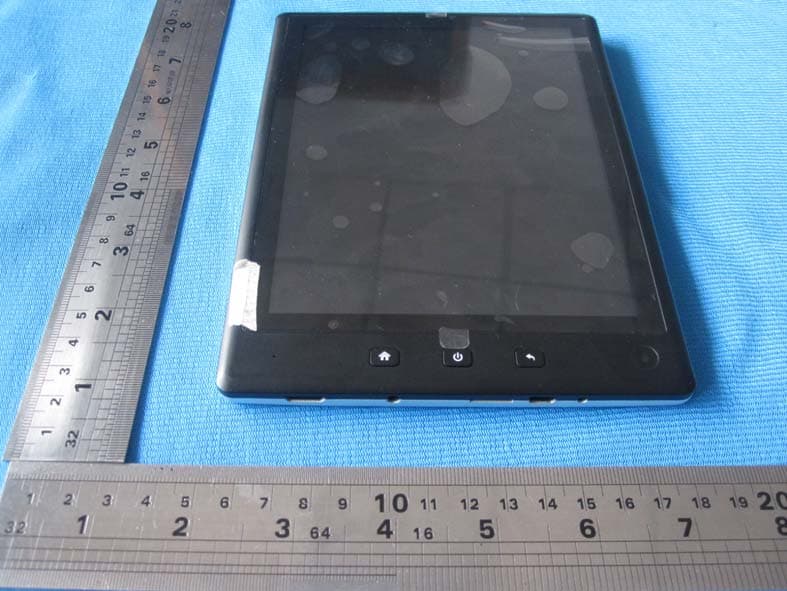
Click to zoom
Application Details
- Equipment Class
- JBC - Part 15 Class B Computing Device/Personal Computer
- Date of Grant
- May 29, 2012
- Application Purpose
- Original Equipment
- Date of Application
- May 29, 2012
- Equipment Note
- MID
- Company
- DELTA NETWORK PTE. LTD.
- Country
- Singapore
Documents & Files
Document Text
Text extracted from the exhibit documents filed with the FCC. Open a document above to read the original.
Users Manual
Please read carefully before use Table of Contents Thank You Congratulations on your purchase of the Tablet. This guide is provided to help you get started quickly with your player; please read it carefully and save it for future reference. Package Contents Please make sure that the items shown below are included in the package. Should an item be missing, please contact the local retailer from which you purchased this product. Tablet USB cable USB host/keyboard adapter Professional stereo Earphones DC charger User manual This package may contain plastic bags or other materials that pose a hazard to children. Be sure to safely dispose of all packing materials after opening. Features Browse the Web. Visit your favorite websites Check your e-mail Keep in touch with friends and family Read your favorite books Download thousands of books with the included E-book reader * Discover thousands of apps for Android™ Games, applications, and more with the installed marketplace HDMI™ output to your TV ** Enjoy videos, photos and more in the comfort of your living room Connect to the Internet wirelessly High-speed Wi-Fi 802.11 b/g/n networking Enjoy your media library anywhere Portable powerhouse plays popular music, video, and photo formats Micro SD memory card reader Increase your storage capacity (up to 32 GB supported) Built-in camera Convenient front-facing camera Automatic orientation detection Read any way you want; the display adjusts automatically! * Reading books in the ePub format requires the included E-book reader application. ** Requires optional HDMI cable (Type A-to-Type C) . 2160p HD video playback requires a video file encoded at 2160p. Streaming video quality will be affected by the source, and the quality and condition of your network connection. Getting to Know the Internet Tablet Unit at a Glance Name Description 1 Camera Front-facing camera 2 Back key Press to return to the previous screen. Long press around 4 seconds to turn the screen off 3 Power Long Press around 5 seconds to turn the unit on /off.Double Click to turn the screen on.If screen on , Press to go to options . 4 Home Short press the key to return to main menu interface 5 Power jack (DC input) Charge and power the tablet with the included power adapter. 6 USB 2.0 Hi-speed port Connect to a computer to transfer data (e.g., music, videos, photos, files). 7 Micro SD card slot Load external micro SD memory cards here. 8 Headphone jack Audio output connection for head-phones. 9 HDMI jack (mini Type C) Connect to a TV or other display. 10 Touch Screen Display and control screen. Touch controls are displayed on the screen. Touch (or touch and hold) icons with your finger to control the player. About the Touch screen Your tablet comes equipped with an easy-to-use touch screen. Our capacitive multi-touch screen requires gentle fingertip touch on the glass screen to activate tablet’s functions. Multiple fingers may be used to perform gestures (e.g. 2-finger picture zoom). Please note: Your finger tips must not be covered. A stylus may be used. Make sure it is for capacitive touch screens. To avoid damaging the screen, do not touch it with excessive force or with any object other than your finger. For best response, make sure your hands are clean before using the touchscreen controls. Protective Film A thin film has been applied to the touch screen to protect it during shipping. The protective film should be removed before use. To remove it, simply take a corner of the film and peel it away from the screen. Touchscreen Actions You can control the functions of the tablet by using the touch screen in combination with the three touch keys located on the bezel. To control the tablet with the touch screen, use your fingertip to manipulate icons, buttons, menu items, the Note: Speaker output is automatically disabled when on-screen keyboard, and other items displayed on the screen. You can perform the following actions on the touch screen using your fingertip or appropriate stylus. Touch: To activate an on-screen item (e.g., application icons, buttons, menu items, and the letter/symbols of the on-screen keyboard), simply touch them with your fingertip. Touch and Hold: Some on-screen items have an alternate action if you touch and hold it (e.g., opening an alternate menu, or to activate the drag function). To touch and hold an item, touch the item and do not lift your fingertip until the action occurs. Drag: Drag an on-screen item to change its position (e.g., an application icon on the home screen). To drag an item, touch and hold it for a moment, then without lifting your fingertip, move your fingertip on the screen until the item reaches its target destination. Swipe: Swipe up/down on the screen to scroll through a list. On some screens, you may be able to swipe left/right to change the view. To swipe, touch the screen and then quickly move your fingertip across the screen without lifting your fingertip. Do not pause on the screen with your fingertip at the initial point of contact or you may accidentally drag an item instead. Double-tap: Quickly tap the screen twice on a webpage or other application screen to zoom (the application must support the double-tap/zoom function). Within the browser, double-tapping a webpage section will cause the browser to zoom and fit that section to the width of the screen. About the Orientation Sensor The tablet contains a sensor that will automatically change the orientation of most screens as you rotate the tablet. The sensor works best when the tablet is rotated perpendicular to the ground (i.e., when the tablet is held upright and not fat on its back). The orientation sensor can be turned on and off in the Display settings menu. Charging the Tablet The tablet comes with a built-in rechargeable lithium-polymer battery. Before using the tablet, the battery should be charged fully. The Status Indicator will light blue when the battery is charged fully. To charge the…
Text truncated - open the document above for the full version.
Cover Letter(s)
FCC Confidentiality Request To the FCC and FCC TCB handling this application for certification Pursuant to 47 CFR Section 0.459(a) & (b), we, (the applicant / grantee) Company name DELTA NETWORK PTE. LTD. Addresss 21 Bukit Batok Crescent #23-72 Wcega Tower, City Singapore Country Singapore request non-disclosure and confidential treatment for our certification under: Grantee Code Product Number FCC ID: Z6P ALVOSMARTPAD2 of the following materials submitted within this certification application: (please cross what is applicable, or add other documents) x Operational Description x Block Diagrams x Schematics Diagrams Bill of Materials Above materials contain secrets, proprietary and technical information, which would customarily be guarded from competitors under 47 CFR, section 0.457(d)(2). Disclosure or publication or any portion of this company confidential material to other parties could cause substantial competitive harm and provide unjustified benefits for competitors. We understand that pursuant to 47 CFR section 0.457(d)(1)(ii) disclosure of the applicant and all accompanying documentation will not be made before the date of the grant. Attestation: City and Country: Date: Name: (this must be a person) Function: Signature: (or official company stamp) Singapore 2012/5/3 Serhii Ladiahin Manager
ID Label/Location Info
2*5cm FCC ID: Z6PALVOSMARTPAD2
Internal Photos
antenna RF PART
Parts List/Tune Up Info
深圳市宝安区西乡镇固戍南太路朱坳工业园B栋5楼 电话:0755-27492635 传真:0755-27471559 HTTP://WWW.SZVPD.COM 第1页 天 线 规 格 书 Antenna specification for approval 承 认 签 章 Admit that signature 云 希 承 认 Confirmation Signature 客 户 承 认 Customer Approved 承辦人Responsible 承辦人Responsible 主管 Chief 主管 Chief 核准 Approve 核准 Approve 日 期 Date 日 期 Date 批示 Instruction: □接受 accept □有条件接受 conditional acceptance 备注 Note: 深圳市宝安区西乡镇固戍南太路朱坳工业园B栋5楼 电话:0755-27492635 传真:0755-27471559 HTTP://WWW.SZVPD.COM 第2页 1 General Information ●This approval sheet supports for MID project. Stents antennas include in this project. This report is for the performance of WLAN antenna. ● Antenna shape size:Meet the requirement of MID ● Antenna band:2400MHz~2500MHz ● Antenna material:Antenna material meet the requirement of MID ● Adhesive performance:Adhesive performance meet the requirement of MID ● Antenna performance meet the spec below: Description 2.4GHz~2.5GHz 4.9GHz~5.9GHz Units Peak Antenna Gain ≤3.0 ≤6.0 dBi Average Antenna Gain ≥-6.0 ≥-6.0 dBi Antenna Efficiency ≥-6 ≥-6 dB Antenna Efficiency ≥35 ≥30 % Feed Impedance 50 ohms Operating Temperature -40 to +85 deg C Polarization / Azimuth Linear / Omni-directional ● Mechanical Information Mechanical Dimension Cable Length 85mm/Gray Description WLAN antenna Material Stents Coaxial Cable 50Ohm/O.D.1.13mm Environmental Operation Temperature -40 to +85 deg C Storage Temperature -40 to +85 deg C 深圳市宝安区西乡镇固戍南太路朱坳工业园B栋5楼 电话:0755-27492635 传真:0755-27471559 HTTP://WWW.SZVPD.COM 第3页 2. Antenna - Radiation Pattern Test Data Testing Equipment Specification: Antenna Anechoic Chamber Dimension: 8 x 4 x 4 m Quite Zone: 600mm @1 GHz Isolation: >100dB @ 1 MHz ~ 10 GHz Testing Equipment: Agilent 5071B Received Antenna: 0.7 ~ 6.0 GHz for Gain Calibration Double Ridged Horn Antenna 深圳市宝安区西乡镇固戍南太路朱坳工业园B栋5楼 电话:0755-27492635 传真:0755-27471559 HTTP://WWW.SZVPD.COM 第4页 3 Measurement information 3.1:RTLOSS 3.2:VSWR 深圳市宝安区西乡镇固戍南太路朱坳工业园B栋5楼 电话:0755-27492635 传真:0755-27471559 HTTP://WWW.SZVPD.COM 第5页 4 MechanicalDrawing
RF Exposure Info
RF EXPOSURE STATEMENT According to KDB616217, systems operating under the provisions of this section shall be operated in a manner that ensures that the public is not exposed to radio frequency energy level in excess of the Commission’s guidelines. According to TCB Exclusions list, no SAR required if power is lower than the flowing threshold: Frequency Range Low Frequency (MHz) High Frequency (MHz) Center Frequency (MHz) 60/f SAR limitation (mW) 2412 2462 2437 24.62 Note: F=2.437 GHz Maximum average measured transmitter power of this device is: Maximum average output power(dBm)/(mW) Max Antenna Gain(dBi) EIRP(mW) 9.89dBm/9.75mW 3 19.54mW Threshold at which no SAR required is 24.58 mW. Maximum Tx power is 19.54mW EIRP. Conclusion: No SAR is required.
Test Report
Report No.: PT1201136040E DongGuan Precise Testing Service Co.,Ltd. F616A Room, 6th Floor, Meixin Business Center, Dongcheng Middle Road, Dongguan, Guangdong, China Tel: 86-769-23368601 Fax: 86-769-23368602 http:// www.pts-testing.com Page 1 of 157 DELTA NETWORK PTE LTD FCC CERTIFICATION TEST REPORT Prepared For : DELTA NETWORK PTE LTD 21 Bukit Batok Crescent #23-72 Wcega Tower, Singapore 658065 Product Name: ALVO Smartpad Trade Name DELTA Model : ALVO SmartPAD 2, ALVO Smartpad FCC ID Z6PALVOSMARTPAD2 Prepared By : DongGuan Precise Testing Service Co.,Ltd. F616A Room, 6th Floor, Meixin Business Center, Dongcheng Middle Road, Dongguan, Guangdong, China Test Date: Apr.15, 2012 ~ Apr.19, 2012 Date of Report : Apr.20, 2012 Report No.: PT1201136040E Report No.: PT1201136040E DongGuan Precise Testing Service Co.,Ltd. F616A Room, 6th Floor, Meixin Business Center, Dongcheng Middle Road, Dongguan, Guangdong, China Tel: 86-769-23368601 Fax: 86-769-23368602 http:// www.pts-testing.com Page 2 of 157 contents contents .......................................................................................................................................... 2 1 TEST CERTIFICATION .............................................................................................................4 2 GENERAL INFORMATION ....................................................................................................... 5 2.1. SUMMARY OF TEST RESULTS ............................................................................................................ 5 2.2. EUT DESCRIPTION................................................................................................................................ 6 2.3. ACCESSORIES OF EUT ........................................................................................................................ 6 2.4. ASSISTANT EQUIPMENT USED FOR TEST ........................................................................................ 7 2.5. BLOCK DIAGRAM OF EUT CONFIGURATION FOR TEST .................................................................. 7 2.6. TEST MODE DESCRIPTION.................................................................................................................. 7 2.7. TEST ENVIRONMENT CONDITIONS ....................................................................................................8 2.8. TEST LABORATORY.............................................................................................................................. 8 2.9. MEASUREMENT UNCERTAINTY.......................................................................................................... 8 3 PEAK OUTPUT POWER........................................................................................................... 9 3.1. TEST EQUIPMENT ................................................................................................................................. 9 3.2. BLOCK DIAGRAM OF TEST SETUP .....................................................................................................9 3.3. LIMITS ..................................................................................................................................................... 9 3.4. TEST PROCEDURE ............................................................................................................................... 9 3.5. TEST RESULT ...................................................................................................................................... 10 4 6DB BANDWIDTH...................................................................................................................11 4.1. TEST EQUIPMENT ............................................................................................................................... 11 4.2. BLOCK DIAGRAM OF TEST SETUP ................................................................................................... 11 4.3. LIMITS ................................................................................................................................................... 11 4.4. TEST PROCEDURE ............................................................................................................................. 11 5 POWER SPECTRAL DENSITY .............................................................................................. 13 5.1. TEST EQUIPMENT ............................................................................................................................... 13 5.2. BLOCK DIAGRAM OF TEST SETUP ................................................................................................... 13 5.3. LIMITS ................................................................................................................................................... 13 5.4. TEST PROCEDURE ............................................................................................................................. 13 5.5. TEST RESULT ...................................................................................................................................... 14 6 CONDUCTED SPURIOUS EMISSIONS ................................................................................. 15 6.1. TEST EQUIPMENT ............................................................................................................................... 15 6.2. BLOCK DIAGRAM OF TEST SETUP ................................................................................................... 15 6.3. LIMITS ................................................................................................................................................... 15 6.4. TEST PROCEDURE ............................................................................................................................. 15 6.5. TEST RESULT ....................................................................................................…
Text truncated - open the document above for the full version.
Test Report
Report No.: PT1201135040E DongGuan Precise Testing Service Co.,Ltd. F616A Room, 6th Floor, Meixin Business Center, Dongcheng Middle Road, Dongguan, Guangdong, China Tel: 86-769-23368601 Fax: 86-769-23368602 http:// www.pts-testing.com Page 1 of 34 DELTA NETWORK PTE LTD FCC CERTIFICATION TEST REPORT Prepared For : DELTA NETWORK PTE LTD 21 Bukit Batok Crescent #23-72 Wcega Tower, Singapore 658065 Product Name: ALVO Smartpad Trade Name DELTA Model : ALVO SmartPAD 2, ALVO Smartpad FCC ID Z6PALVOSMARTPAD2 Prepared By : DongGuan Precise Testing Service Co.,Ltd. F616A Room, 6th Floor, Meixin Business Center, Dongcheng Middle Road, Dongguan, Guangdong, China Test Date: Apr.18, 2012 ~ Apr.19, 2012 Date of Report : Apr.20, 2012 Report No.: PT1201135040E Report No.: PT1201135040E DongGuan Precise Testing Service Co.,Ltd. F616A Room, 6th Floor, Meixin Business Center, Dongcheng Middle Road, Dongguan, Guangdong, China Tel: 86-769-23368601 Fax: 86-769-23368602 http:// www.pts-testing.com Page 2 of 34 contents contents .......................................................................................................................................... 2 1 TEST CERTIFICATION .............................................................................................................3 2 GENERAL INFORMATION ....................................................................................................... 4 2.1. SUMMARY OF TEST RESULTS ............................................................................................................ 4 2.2. EUT DESCRIPTION................................................................................................................................ 4 2.3. ACCESSORIES OF EUT ........................................................................................................................ 5 2.4. ASSISTANT EQUIPMENT USED FOR TEST ........................................................................................ 5 2.5. BLOCK DIAGRAM OF EUT CONFIGURATION FOR TEST .................................................................. 5 2.6. TEST ENVIRONMENT CONDITIONS ....................................................................................................6 2.7. TEST LABORATORY.............................................................................................................................. 6 2.8. MEASUREMENT UNCERTAINTY.......................................................................................................... 6 3 RADIATED EMISSION ..............................................................................................................7 3.1. TEST EQUIPMENT ................................................................................................................................. 7 3.2. BLOCK DIAGRAM OF TEST SETUP .....................................................................................................7 3.3. LIMITS ..................................................................................................................................................... 8 3.4. TEST PROCEDURE ............................................................................................................................... 8 3.5. TEST RESULT ........................................................................................................................................ 9 4 POWER LINE CONDUCTED EMISSION................................................................................ 18 4.1. TEST EQUIPMENT ............................................................................................................................... 18 4.2. BLOCK DIAGRAM OF TEST SETUP ................................................................................................... 18 4.3. LIMITS ................................................................................................................................................... 18 4.4. TEST PROCEDURE ............................................................................................................................. 19 4.5. TEST RESULT ...................................................................................................................................... 19 5 PHOTOGRAPHS OF THE TEST CONFIGURATION ............................................................. 24 6 PHOTOGRAPHS OF EUT....................................................................................................... 27 Report No.: PT1201135040E DongGuan Precise Testing Service Co.,Ltd. F616A Room, 6th Floor, Meixin Business Center, Dongcheng Middle Road, Dongguan, Guangdong, China Tel: 86-769-23368601 Fax: 86-769-23368602 http:// www.pts-testing.com Page 3 of 34 1 TEST CERTIFICATION Product: ALVO Smartpad Model: ALVO SmartPAD 2, ALVO Smartpad Trade Mark: DELTA FCC ID : Z6PALVOSMARTPAD2 Applicant: DELTA NETWORK PTE LTD 21 Bukit Batok Crescent #23-72 Wcega Tower, Singapore 658065 Factory: DELTA NETWORK PTE LTD 21 Bukit Batok Crescent #23-72 Wcega Tower, Singapore 658065 Tested Date: Apr.18, 2012 ~ Apr.19, 2012 Test Standard Used: FCC Rules and Regulations Part 15 Subpart B: 2010 Test procedure used: ANSI C63.4:2009 We Declare: The equipment described above is tested by DongGuan Precise Testing Service Co.,Ltd. and in the configuration tested the equipment complied with the standards specified above. The test results are contained in this test report and DongGuan Precise Testing Service Co.,Ltd. is assumed of full responsibility for the accuracy and completeness of these tests. After test and evaluation, our opinion is that the equipment provided for test compliance with the requirement of the above FCC standards. Note: This report applies to above tested sample only. This report shall not be reproduced in parts without written approval of DongGuan Precise Testing Service Co., Ltd. Approved & Authorized Signer : Jacky Ou / Manager Prepared by : Assistant Reviewer : : Supervi…
Text truncated - open the document above for the full version.
Contact Information
Applicant
Serhii Ladiahin(Manager)
Test Firm
Dongguan Dongdian Testing Service Co.,LtdJamy Yu
[email protected]086-0769-22891499
Technical Specifications
| # | Rule Parts | Frequency Range | Power Output |
|---|---|---|---|
| 1 | 15B | - | - |
Other Applications from DELTA NETWORK PTE. LTD.
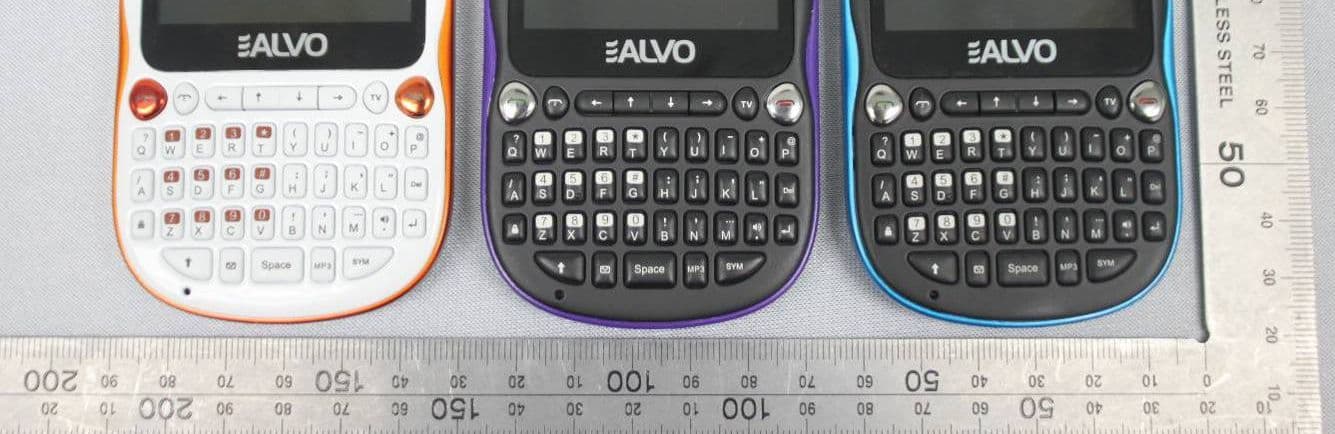
Z6PALVOXERO
May 29, 2012MOBILE PHONE
Equipment Class
PCE - PCS Licensed Transmitter held to ear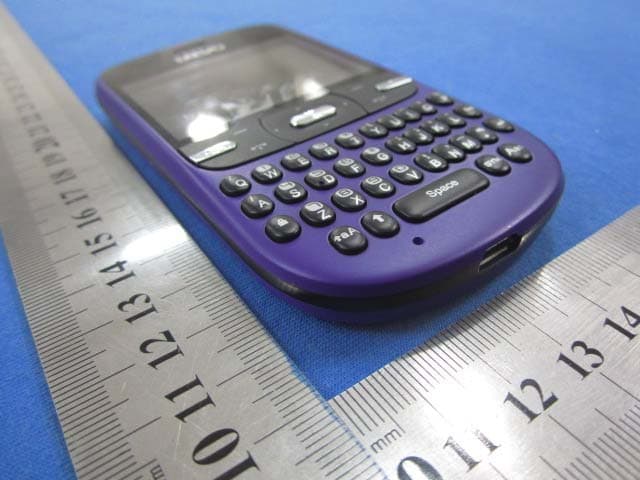
Z6PALVOCOOL
Jan 09, 2012MOBILE PHONE
Equipment Class
PCE - PCS Licensed Transmitter held to ear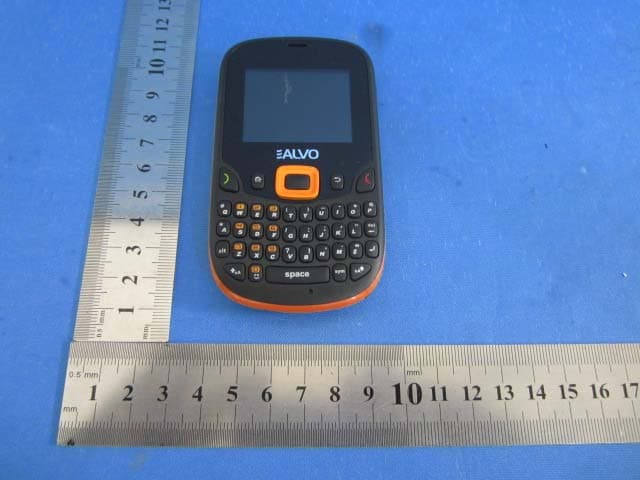
Z6PALVOMINIGIO
Oct 31, 2011Mobile Phone
Equipment Class
PCE - PCS Licensed Transmitter held to ear