ZNFAS695Cellular/PCS CDMA Phone with WLAN and Bluetooth
LG Electronics USA, Inc.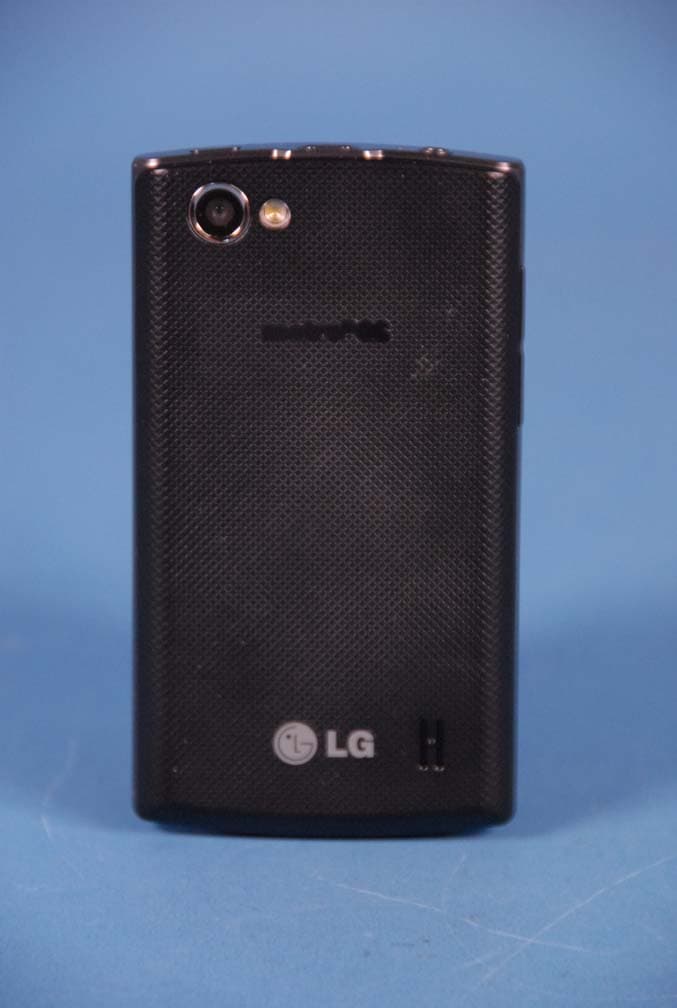
Click to zoom
Application Details
- Equipment Class
- JBP - Part 15 Class B Computing Device Peripheral
- Date of Grant
- Mar 28, 2012
- Application Purpose
- Original Equipment
- Date of Application
- Mar 28, 2012
- Equipment Note
- Cellular/PCS CDMA Phone with WLAN and Bluetooth
- Company
- LG Electronics USA, Inc.
- Country
- United States
Documents & Files
Document Text
Text extracted from the exhibit documents filed with the FCC. Open a document above to read the original.
Users Manual
O All screen shots in this guide are simulated. Actual displays and the color of the phone may vary. Some of the contents in this manual may differ from your phone depending on the software of the phone or your service provider. O Copyright © 2012 LG Electronics, Inc. All rights reserved. LG and the LG logo are registered trademarks of LG Group and its related entities. LG AS695 is a trademark of LG Electronics, Inc. All other trademarks are the property of their respective owners. O Google™, Maps™, Gmail™, YouTube™, Talk™ and Android Market™ are trademarks of Google, Inc. LG AS695 User Guide English 3 Important notice Please check to see whether any problems you encountered with your phone are described in this section before taking the phone in for service or calling a service representative. 1. Phone memory When available space in your phone memory is less than 10%, your phone cannot receive new messages. You need to check your phone memory and delete some data, such as applications or messages, to make more memory available. Managing applications 1. From the Home screen, touch the Applications Key , > Settings > Applications > Manage applications. 2. Once all applications appear, scroll to and select the application you want to uninstall. 3. Tap Uninstall, then touch OK to uninstall the application you selected. 2. Optimizing battery life Extend your battery’s life between charges by turning off features you don’t need to run constantly in the background. You can monitor how applications and system resources consume battery power. Extending your battery’s life O Turn off radio communications if you are not using them, such as Wi-Fi, Bluetooth, or GPS. O Reduce screen brightness and set a shorter screen timeout. O Turn off automatic syncing for Gmail, Calendar, Contacts and other applications. O Some applications you have downloaded may cause your battery life to be reduced. 4 Important notice Checking the battery charge level 1. From the Home screen, touch the Applications Key > Settings > About phone > Status. 2. The battery status (Charging, Not charging) and level (percentage charged) is displayed at the top of the screen. Monitoring and controlling what uses the battery 1. From the Home screen, touch the Applications Key > Settings > About phone > Battery use. 2. Battery usage time is displayed at the top of the screen and lists applications or services using battery power, from greatest amount to least. 3. Installing an open source operating system If you install and use an open source operating system (OS) on your phone rather than using the OS provided by the manufacturer, your phone may malfunction. WARNING! If you install and use an OS other than the one provided by the manufacturer, your phone is no longer covered by the w arranty. To protect your phone and personal data, only download applications from trusted sources, such as Android Market. If there are improperly installed applications on your phone, your phone may not work normally or a serious error may occur. You must uninstall those applications and all their data and settings from the phone. 4. Using an unlock pattern Set the unlock pattern to secure your phone. From the Home screen, touch the Applications Key > Settings > Location & security > Set up screen lock > Pattern. Follow the screens to be guided through drawing a screen unlock patter by tapping Next. Draw your pattern (connect at least 4 dots) and tap Continue. Draw your pattern again and tap Confirm to set the pattern. Caution : Please create a Gmail account before setting an unlock pattern. This will be useful in the event that you forget the pattern when attempting to unlock your phone. 5 Important notice WARNING! Precautions to take when using pattern lock. It is very important to remember the unlock pattern you set. You will not be able to access your phone if you use an incorrect pattern 5 times. You have 5 opportunities to enter your unlock pattern, PIN or password. If you have used all 5 opportunities, you can try again after 30 seconds. When you cannot recall your unlock pattern: If you logged in to your Google account on the phone but failed to enter the correct pattern 5 times, tap the Forgotten pattern? button. You are then required to log in with your Google account to unlock your phone. If you have not created a Google account on the phone or you forgot it, you have to perform a hard reset. Caution : If you perform a hard reset, all user applications and user data are deleted. Remember to back up any important data before performing a hard reset. 5. Using the hard reset If it does not restore to the original condition, use a hard reset to initialize your phone. When the phone is turned off, press and hold the following keys at the same time for about 1 to 2 seconds until the touch key backlights turn on: Power/Lock Key + Down Volume Key . As soon as the backlight on the touch keys is turned on, release the keys. Then press and hold the Home Key until the LG logo is displayed. Your phone will perform the hard reset. Caution : If you perform a hard reset, all user applications and user data are deleted. This cannot be reversed. Remember to back up any important data before performing a hard reset. 6. Connecting to Wi-Fi networks To use Wi-Fi on your phone, access a wireless access point or “hotspot.” Some access points are open and you can simply connect to them. Others are hidden or use security features; you must configure your phone to be able to connect to them. 6 Important notice Turn off Wi-Fi when you’re not using it to extend the life of your battery. Turning Wi-Fi on and connecting to a Wi-Fi network 1. From the Home screen, touch the Applications Key > Settings > Wireless & networks > Wi-Fi settings. 2. Touch the Wi-Fi check box to turn it on and begin scanning for available Wi-Fi networks. O A list of available Wi-Fi networks is displayed. Secured networks are indicated by a lock icon. 3. Touch a network to connect to it. O If the n…
Text truncated - open the document above for the full version.
Cover Letter(s)
LG Electronics USA 1000 Sylvan Avenue Englewood Cliffs, NJ 07632 Date: March 29, 2012 Fede ral Communications Commission Authorization and Evaluation Division 7435 Oakland Mills Ro ad, Columbia, MD 21046 RE: Request of C onfidentiality for FCC ID: ZNFAS695 Equipment Class: JBP: Part 15 Class B C omp uting Device Peripheral To Whom It May Concern: Pursuant to S ections 0.457 and 0.459 of the Commission’s Rules (CFR 4 7), and Section 552 (b) (4) of the Freedom of Information Act, LG Electronics MobileComm USA hereby requests confiden tiality and treatment of certain information accompanying this application. The materials contain trade secrets and proprietary information not customarily released to the public. The public disclosure of these matters might be harmful to the Applicant and provide unjustified benefits to its competitors. We are also hereby request Short-Term Confidentiality for 180 days after the grant as outlined in Public Notice DA 04-1705. This provision will give LG Electronics MobileComm USA temporary confidentiality of commercially sensitive in formation prior to product release. The requested Permanent and Temporary Confidential exhibits are listed as follows: PERMANENT AND SHORT-TERM CONFIDENTIAL LIST Exhibit Description 1 Block Diagram PERMANENT 2 Operational Descriptions 3 External Photos 4 Internal Photos 5 Test-Setup Photos SHORT-TERM 6 User’s Manual The Applicant understands that pursuant to Rule 0.457, disclosure of this application and all accompanying documentations, where applicable, will not be made public before the date of the Grant for this application. Sincerely, Jacob Cho Director On behalf of LG Electronics MobileComm U.S.A, Inc. LG Electronics USA 1000 Sylvan Avenue Englewood Cliffs, NJ 07632
External Photos
LG Electronics MobileComm U.S.A., Inc. FCC ID: ZNFAS695 Model: AS695 External Photos EUT Type: Portable Handset Page 1 of 4 © 2012 PCTEST Engineering Laboratory Inc. EXTERNAL PHOTOGRAPHS LG Electronics MobileComm U.S.A., Inc. FCC ID: ZNFAS695 Model: AS695 External Photos EUT Type: Portable Handset Page 2 of 4 © 2012 PCTEST Engineering Laboratory Inc. LG Electronics MobileComm U.S.A., Inc. FCC ID: ZNFAS695 Model: AS695 External Photos EUT Type: Portable Handset Page 3 of 4 © 2012 PCTEST Engineering Laboratory Inc. LG Electronics MobileComm U.S.A., Inc. FCC ID: ZNFAS695 Model: AS695 External Photos EUT Type: Portable Handset Page 4 of 4 © 2012 PCTEST Engineering Laboratory Inc.
ID Label/Location Info
Model No: AS695 FCC ID : ZNFAS695 S/N : Made in Korea LG Electronics MobileComm USA, Inc. LGE
Internal Photos
LG Electronics USA FCC ID: ZNFAS695 Model: AS695 Internal Photos EUT Type: Portable Handset Page 1 of 11 © 2012 PCTEST Engineering Laboratory Inc. INTERNAL PHOTOGRAPHS LG Electronics USA FCC ID: ZNFAS695 Model: AS695 Internal Photos EUT Type: Portable Handset Page 2 of 11 © 2012 PCTEST Engineering Laboratory Inc. LG Electronics USA FCC ID: ZNFAS695 Model: AS695 Internal Photos EUT Type: Portable Handset Page 3 of 11 © 2012 PCTEST Engineering Laboratory Inc. LG Electronics USA FCC ID: ZNFAS695 Model: AS695 Internal Photos EUT Type: Portable Handset Page 4 of 11 © 2012 PCTEST Engineering Laboratory Inc. LG Electronics USA FCC ID: ZNFAS695 Model: AS695 Internal Photos EUT Type: Portable Handset Page 5 of 11 © 2012 PCTEST Engineering Laboratory Inc. LG Electronics USA FCC ID: ZNFAS695 Model: AS695 Internal Photos EUT Type: Portable Handset Page 6 of 11 © 2012 PCTEST Engineering Laboratory Inc. LG Electronics USA FCC ID: ZNFAS695 Model: AS695 Internal Photos EUT Type: Portable Handset Page 7 of 11 © 2012 PCTEST Engineering Laboratory Inc. LG Electronics USA FCC ID: ZNFAS695 Model: AS695 Internal Photos EUT Type: Portable Handset Page 8 of 11 © 2012 PCTEST Engineering Laboratory Inc. LG Electronics USA FCC ID: ZNFAS695 Model: AS695 Internal Photos EUT Type: Portable Handset Page 9 of 11 © 2012 PCTEST Engineering Laboratory Inc. LG Electronics USA FCC ID: ZNFAS695 Model: AS695 Internal Photos EUT Type: Portable Handset Page 10 of 11 © 2012 PCTEST Engineering Laboratory Inc. LG Electronics USA FCC ID: ZNFAS695 Model: AS695 Internal Photos EUT Type: Portable Handset Page 11 of 11 © 2012 PCTEST Engineering Laboratory Inc.
Test Report
FCC ID: ZNFAS695 Report No.: HCTE1203FE10 Date: March 16, 2012 HCT CO., LTD. 105-1, JANGAM-RI, MAJANG-MYEON, ICHEON-SI, KYOUNGKI-DO, 467-811, REPUBLIC OF KOREA TEL: +82 31 645 6300 FAX: +82 31 645 6401 www.hct.co.kr Page 2 of 17 TABLE OF CONTENTS PAGE 1. GENERAL INFORMATION .......................................................................................................3 1.1 Product Description.................................................................................................................3 1.2 Related Submittal(s) / Grant(s)................................................................................................3 1.3 Tested System Details..............................................................................................................4 1.4 Cable Description....................................................................................................................5 1.5 Noise Suppression Parts on Cable. (I/O cable) .......................................................................5 1.6 Test Methodology....................................................................................................................6 1.7 Test Facility.............................................................................................................................6 1.8 Frequency Range of Radiated Measurements.........................................................................6 2. SYSTEM TEST CONFIGURATION...........................................................................................7 2.1 Configuration of Test System..................................................................................................7 3. PRELIMINARY TEST.................................................................................................................8 3.1 Conducted Emission Test ........................................................................................................8 3. 2 Radiated Emission Test ..........................................................................................................8 4. CONDUCTED AND RADIATED EMISSION TEST SUMMARY ...........................................9 4.1 Conducted Emission Test ........................................................................................................9 4.2 Radiated Emission Test .........................................................................................................14 5. FIELD STRENGTH CALCULATION......................................................................................15 6. TEST EQUIPMENT...................................................................................................................16 7. CONCLUSION ..........................................................................................................................17 ATTACHMENT: TEST SETUP PHOTOGRAPHS FCC ID: ZNFAS695 Report No.: HCTE1203FE10 Date: March 16, 2012 HCT CO., LTD. 105-1, JANGAM-RI, MAJANG-MYEON, ICHEON-SI, KYOUNGKI-DO, 467-811, REPUBLIC OF KOREA TEL: +82 31 645 6300 FAX: +82 31 645 6401 www.hct.co.kr Page 3 of 17 1. GENERAL INFORMATION 1.1 Product Description Equipment Under Test is Cellular/PCS CDMA/EVDO Phone with Bluetooth & WLAN, Model: AS695 manufactured by LG Electronics MobileComm U.S.A., Inc. Its basic purpose is used for communications. Model AS695 Additional Model LG-AS695, LGAS695 FCC ID ZNFAS695 E.U.T Type Cellular/PCS CDMA/EVDO Phone with Bluetooth & WLAN TX Frequency 824.70 ㎒ to 848.31 ㎒ (CDMA 850) 1 851.25 ㎒ to 1 908.75 ㎒ (CDMA 1 900) RX Frequency 869.70 ㎒ to 893.31 ㎒ (CDMA 850) 1 931.25 ㎒ to 1 988.75 ㎒ (CDMA 1 900) 1.2 Related Submittal(s) / Grant(s) Original submittal only. FCC ID: ZNFAS695 Report No.: HCTE1203FE10 Date: March 16, 2012 HCT CO., LTD. 105-1, JANGAM-RI, MAJANG-MYEON, ICHEON-SI, KYOUNGKI-DO, 467-811, REPUBLIC OF KOREA TEL: +82 31 645 6300 FAX: +82 31 645 6401 www.hct.co.kr Page 4 of 17 1.3 Tested System Details All equipment descriptions used in the tested system (including inserted cards) are: Device Type Manufacturer Model Name FCC ID / DoC Connected To Cellular/PCS CDMA/ EVDO Phone with Bluetooth & WLAN LG AS695 ZNFAS695 Notebook PC Notebook PC LG X140-02 DoC E.U.T Notebook PC adaptor Notebook PC adaptor DELTA (JIANG SU) ADP-40PH AD - Notebook PC Mouse PRIMAX ELECTRONICS MOARUO DoC Notebook PC Micro SD card (2 GB) SanDisk - - E.U.T USB cable - - - E.U.T Notebook PC Headset - - - E.U.T RJ45 cable - - - Router Notebook PC Router MMC TECH MW-2100R - Notebook PC Router adaptor Dee Van Electronics(Shenz hen)Co., Ltd. DSA-0101F-05KA1 - Router FCC ID: ZNFAS695 Report No.: HCTE1203FE10 Date: March 16, 2012 HCT CO., LTD. 105-1, JANGAM-RI, MAJANG-MYEON, ICHEON-SI, KYOUNGKI-DO, 467-811, REPUBLIC OF KOREA TEL: +82 31 645 6300 FAX: +82 31 645 6401 www.hct.co.kr Page 5 of 17 1.4 Cable Description Product Name Port Power Cord Shielded (Y/N) I/O Cable Shielded (Y/N) Length (m) Micro USB Y Y (P,D)1.2 Cellular/PCS CDMA/ EVDO Phone with Bluetooth & WLAN Headset jack - N (D)1.8 RJ 45 - N (D)1.5 Notebook PC USB (Mouse) - Y (D)1.8 * The marked "(D)" means the data cable and "(P)" means the power cable. 1.5 Noise Suppression Parts on Cable. (I/O cable) Product Name Port Ferrite Bead (Y/N) Location Metal Hood (Y/N) Location Micro USB N N/A Y Both End Cellular/PCS CDMA/ EVDO Phone with Bluetooth & WLAN Headset jack N N/A Y E.U.T End RJ 45 N N/A N Both End Notebook PC USB (Mouse) - - Y Notebook PC End FCC ID: ZNFAS695 Report No.: HCTE1203FE10 Date: March 16, 2012 HCT CO., LTD. 105-1, JANGAM-RI, MAJANG-MYEON, ICHEON-SI, KYOUNGKI-DO, 467-811, REPUBLIC OF KOREA TEL: +82 31 645 6300 FAX: +82 31 645 6401 www.hct.co.kr Page 6 of 17 1.6 Test Methodology Both Conducted and Radiated testing was performed according to the procedures in ANSI C63.4/2003. Radiated testing was performed at an antenna to E.U.T distance of 3 m 1.7 Test Facility The 3 m semi anechoic chamber used to collect the test data is located at the 105-1, Jangam -Ri, …
Text truncated - open the document above for the full version.
Test Setup Photos
FCC ID: ZNFAS695 HCT CO., LTD. 105-1, JANGAM-RI, MAJANG-MYEON, ICHEON-SI, KYOUNGKI-DO, 467-811, REPUBLIC OF KOREA TEL: +82 31 645 6300 FAX: +82 31 645 6401 www.hct.co.kr Page 1 of 5 ATTACHMENT - TEST SETUP PHOTOS - FCC ID: ZNFAS695 HCT CO., LTD. 105-1, JANGAM-RI, MAJANG-MYEON, ICHEON-SI, KYOUNGKI-DO, 467-811, REPUBLIC OF KOREA TEL: +82 31 645 6300 FAX: +82 31 645 6401 www.hct.co.kr Page 2 of 5 1. CONDUCTED MEASUREMENT PHOTOS # 1 FCC ID: ZNFAS695 HCT CO., LTD. 105-1, JANGAM-RI, MAJANG-MYEON, ICHEON-SI, KYOUNGKI-DO, 467-811, REPUBLIC OF KOREA TEL: +82 31 645 6300 FAX: +82 31 645 6401 www.hct.co.kr Page 3 of 5 # 2 FCC ID: ZNFAS695 HCT CO., LTD. 105-1, JANGAM-RI, MAJANG-MYEON, ICHEON-SI, KYOUNGKI-DO, 467-811, REPUBLIC OF KOREA TEL: +82 31 645 6300 FAX: +82 31 645 6401 www.hct.co.kr Page 4 of 5 2. RADIATED MEASUREMENT PHOTOS # 1 FCC ID: ZNFAS695 HCT CO., LTD. 105-1, JANGAM-RI, MAJANG-MYEON, ICHEON-SI, KYOUNGKI-DO, 467-811, REPUBLIC OF KOREA TEL: +82 31 645 6300 FAX: +82 31 645 6401 www.hct.co.kr Page 5 of 5 # 2
Contact Information
Applicant
David Kim(Team leader, LGEUS NA Policy & Regulatory Affairs)
Technical Contact
PCTEST Engineering Laboratory, Inc.Randy Ortanez
[email protected]410-290-6652
6660-B Dobbin Road · Columbia, Maryland · United States
Test Firm
HCT Co., LTDSang Lee
Technical Specifications
| # | Rule Parts | Frequency Range | Power Output |
|---|---|---|---|
| 1 | 15B | - | - |
Other Applications from LG Electronics USA, Inc.

ZNFTONET80S
Nov 13, 2023Bluetooth Earbuds
Equipment Class
DTS - Digital Transmission System
ZNFTONETF8QC
Jun 21, 2022Bluetooth Earbud (Cradle)
Equipment Class
JBP - Part 15 Class B Computing Device Peripheral
ZNFTONEFP8
May 30, 2021Bluetooth Earbud
Equipment Class
DTS - Digital Transmission System
ZNFK200AM
Feb 18, 2021Portable Handset
Equipment Class
DSS - Part 15 Spread Spectrum Transmitter
ZNFK735MM
Feb 10, 2021Portable Handset
Equipment Class
NII - Unlicensed National Information Infrastructure TX