ZNFLS831Cellular/PCS CDMA Phone with WLAN and Bluetooth
LG Electronics USA, Inc.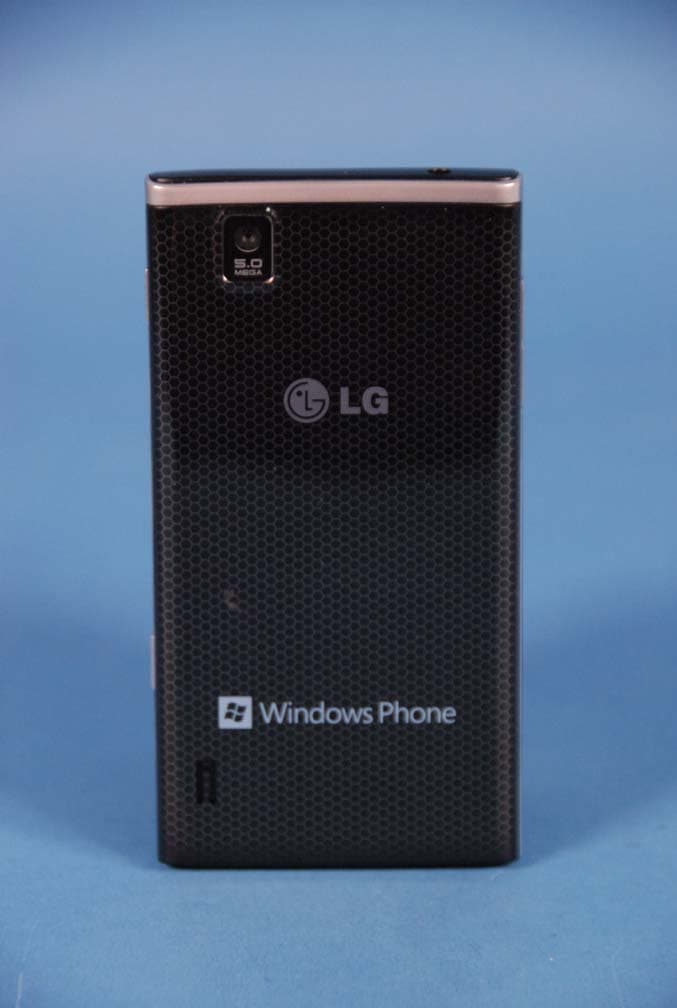
Click to zoom
Application Details
- Equipment Class
- JBP - Part 15 Class B Computing Device Peripheral
- Date of Grant
- Oct 03, 2011
- Application Purpose
- Original Equipment
- Date of Application
- Oct 03, 2011
- Equipment Note
- Cellular/PCS CDMA Phone with WLAN and Bluetooth
- Company
- LG Electronics USA, Inc.
- Country
- United States
Documents & Files
Document Text
Text extracted from the exhibit documents filed with the FCC. Open a document above to read the original.
Users Manual
LG- LS831 User Guide Body-worn Operation This device was tested for typical body-worn operations with the back of the phone kept 0.79 inches (2 cm) from the body. To comply with FCC RF exposure requirements, a minimum s eparation distance of 0.79 inches (2 cm) must be maintained between the user’s body and the ba ck of the phone, including the antenna, whether extended or retracted. Third-party belt-clips, holsters and similar accessories containing metallic components should not be used. Body-worn accessories that cannot maintain 0.79 inch (2 cm) separation distance between the user’s body and t he back of the phone, and have not been tested for typical body-worn operations may not comply with FCC RF exposure limits and should be avoided. FCC Part 15.19 statement This device and its accessories comply with part 15 of FCC rules. Operation is subject to the following two conditions: (1) This device and its accessories may not cause harmful interference, and (2) this device and its accessories must accept any interference received, including interference that cause undesired operation. FCC Part 15.21 statement Changes or Modifications that are not expressly approved by the manufacturer could void the user's authority to operate the equipment. FCC Part 15.105 statement This equipment has been tested and found to comply with the limits for a class B digital device, pursuant to Part 15 of the FCC Rules. These limits are designed to provide reasonable protection against harmful interference in a residential installation. This equipment generates uses and can radiate radio frequency energy and, if not installed and used in accordance with the instructions, may cause harmful interference to radio communications. However, there is no guarantee that interference will not occur in a particular installation. If this equipment does cause harmful interference or television reception, which can be determined by turning the equipment off and on, the user is encouraged to try to correct the interference by one or more of the following measures: - Reorient or relocate the receiving antenna. - Increase the separation between the equipment and receiver. - Connect the equipment into an outlet on a circuit different from that to which the receiver is connected. - Consult the dealer or an experienced radio/TV technician for help. Get Started 1 Get Started This section gives you all the information you need to set up your device and XX service the first time. Your Device at a Glance Set ting Up Your Device Activate Your Device Complete the Setup Application Set Up Voicemail XX Account Information and Help Your Device at a Glance Setting Up Your Device You must first install and charge the battery to begin setting up your device. 1. Install the battery. Remove the battery from its packaging. Insert the battery into the opening in the back of the device, making sure the connectors align (see step 1, in the following illustration). Gently press down to secure the battery (see step 2, in the following illustration). Get Started 2 Position the back cover over the battery compartment and press down until you hear a click (see step 3, in the following illustration). 2. Press and hold located on the top left to turn the device on. Activating Your Device Depending on your account or how and where you purchased your device, it may be ready to use or you may need to activate it on your account. ● If you purchased your device at a XX S tore, it is probably activated and ready to use. ● If you received your device in the mail and it is for a new XX account or a new line of service, it is designed to activate automatically. To confirm your activation,make a phone call. ● If you received your device in the mail and you areactivating a new phone for an existing number on youraccount, (you're swapping phones), you can activateon your computer online or directly on your phone. Activate on your computer: Go to XX website and follow the instructions. Activate on your phone: Note: For security reasons, you will need your phone num ber and PIN to use this acti vation method. 1. Turn on your new phone. (Make sure the old one is turned off.) Your device will automatically attempt Hands-Free Activation. Note: Turn on your new phone. (Make sure the old one is turned off.) Your device will automatically attempt Hands-Free Activation. 2. Tap Activate to override auto-activation and start the manual activation wizard Note: If you don't override Hands-Free Activation, your device will attempt to auto activate five times. Wait for Retry to appear on your screen. Tap Retry and then tap Activate. Get Started 3 3. Follow the onscreen prompts to complete the activation process. 4. After you have completed the wizard, make a phone call to confirm your activation. If your phone is still not activated or you do not have access to the Internet, contact XX Customer Service for assistance. Tip: Do not press while the phone is being activated. Pressing cancels the activation process. Note: If you are having difficulty with activation, contact XX Customer S ervice by dialing from any other phone. Complete the Setup Application Make Your First Call 1. Tap Phone > .. 2. Use the dialpad to enter a phone number. If you enter a wrong number, tap to erase digits one by one. To erase the entire number, touch and hold . 3. Tap call. Get Started 4 Note: Your device's battery should have enough charge for your device to turn on and find a signal, set up your voicemail, and make a call. You should fully charge your battery as soon as possible. See Charging the Battery for details. Setting Up Your Voicemail Your phone automatically transfers all unanswered calls to your voicemail, even if your phone is in use or turned off. You should set up your XX Voicemail and personal gr eeting as soon as your phone is activated. Always use a password to protect against unauthorized access. 1. Tap Phone > . 2. Follow the system prompts to: Create your password. …
Text truncated - open the document above for the full version.
Cover Letter(s)
LG Electronics USA 1000 Sylvan Avenue Englewood Cliffs, NJ 07632 Date: August 29, 2011 Fe deral Communicat ions Commission Author ization and Evaluation Division 7435 Oakland Mills Road, Columbia, MD 21046 RE : Request of Confidentiality for FCC ID: ZNFLS831 Eq uipment Class: J BP: Part 15 Class B Com puting Device Peripheral To Whom It May Co ncern: Pursuant to Sections 0.457 and 0.459 of the Commi ssion’s Rules (CFR 47), and Section 552 (b) (4) of the Freedom of Information Act, LG Electronics MobileComm USA hereby requests confidentiality and treatment of certain informa tion accompanying this application. The materials contain trade secrets and proprietary information not customarily released to the public. The public disclosure of these matters might be harmful to the Applicant and provide unjustified benefits to its competitors. We are also hereby request Short-Term Confidentiality for 180 days after the grant as outlined in Public Notice DA 04-1705. This provision will give LG Electronics MobileComm USA temporary confidentia lity of commercially sensitive information prior to product release. The requested Permanent and Temporary Confidential exhibits are listed as follows: PERMANENT AND SHORT-TERM CONFIDENTIAL LIST Exhibit Description 1 Block Diagram PERMANENT 2 Operational Descriptions 3 External Photos 4 Internal Photos 5 Test-Setup Photos SHORT-TERM 6 User’s Manual The Applicant understands that pursuant to Rule 0.457, disclosure of this application and all accompanying documentations, where applicable, will not be made public before the date of the Grant for this application. Sincerely, Christopher Johnson Senoir Manager LG Electronics USA LG Electronics USA 1000 Sylvan Avenue Englewood Cliffs, NJ 07632
External Photos
LG MobileComm FCC ID: ZNFLS831 Model: LS831 External Photos EUT Type: Portable Handset Page 1 of 4 © 2011 PCTEST Engineering Laboratory Inc. EXTERNAL PHOTOGRAPHS LG MobileComm FCC ID: ZNFLS831 Model: LS831 External Photos EUT Type: Portable Handset Page 2 of 4 © 2011 PCTEST Engineering Laboratory Inc. LG MobileComm FCC ID: ZNFLS831 Model: LS831 External Photos EUT Type: Portable Handset Page 3 of 4 © 2011 PCTEST Engineering Laboratory Inc. LG MobileComm FCC ID: ZNFLS831 Model: LS831 External Photos EUT Type: Portable Handset Page 4 of 4 © 2011 PCTEST Engineering Laboratory Inc.
ID Label/Location Info
Model No: LS831 FCC ID : ZNFLS831 S/N : Made in Korea LG Electronics Inc. LGE
Internal Photos
LG MobileComm FCC ID: ZNFLS831 Model: LS831 Internal Photos EUT Type: Portable Handset Page 1 of 10 © 2011 PCTEST Engineering Laboratory Inc. INTERNAL PHOTOGRAPHS LG MobileComm FCC ID: ZNFLS831 Model: LS831 Internal Photos EUT Type: Portable Handset Page 2 of 10 © 2011 PCTEST Engineering Laboratory Inc. LG MobileComm FCC ID: ZNFLS831 Model: LS831 Internal Photos EUT Type: Portable Handset Page 3 of 10 © 2011 PCTEST Engineering Laboratory Inc. LG MobileComm FCC ID: ZNFLS831 Model: LS831 Internal Photos EUT Type: Portable Handset Page 4 of 10 © 2011 PCTEST Engineering Laboratory Inc. LG MobileComm FCC ID: ZNFLS831 Model: LS831 Internal Photos EUT Type: Portable Handset Page 5 of 10 © 2011 PCTEST Engineering Laboratory Inc. LG MobileComm FCC ID: ZNFLS831 Model: LS831 Internal Photos EUT Type: Portable Handset Page 6 of 10 © 2011 PCTEST Engineering Laboratory Inc. LG MobileComm FCC ID: ZNFLS831 Model: LS831 Internal Photos EUT Type: Portable Handset Page 7 of 10 © 2011 PCTEST Engineering Laboratory Inc. LG MobileComm FCC ID: ZNFLS831 Model: LS831 Internal Photos EUT Type: Portable Handset Page 8 of 10 © 2011 PCTEST Engineering Laboratory Inc. LG MobileComm FCC ID: ZNFLS831 Model: LS831 Internal Photos EUT Type: Portable Handset Page 9 of 10 © 2011 PCTEST Engineering Laboratory Inc. LG MobileComm FCC ID: ZNFLS831 Model: LS831 Internal Photos EUT Type: Portable Handset Page 10 of 10 © 2011 PCTEST Engineering Laboratory Inc.
Test Report
FCC ID: ZNFLS831 Report No.: HCTE1109FE07 Date: September 09, 2011 HCT CO., LTD. 105-1, JANGAM-RI, MAJANG-MYEON, ICHEON-SI, KYOUNGKI-DO, 467-811, REPUBLIC OF KOREA TEL: +82 31 645 6300 FAX: +82 31 645 6401 www.hct.co.kr Page 2 of 17 TABLE OF CONTENTS PAGE 1. GENERAL INFORMATION........................................................................................................................ 3 1.1 Product Description ................................................................................................................................. 3 1.2 Related Submittal(s) / Grant(s)................................................................................................................ 3 1.3 Tested System Details.............................................................................................................................. 4 1.4 Cable Description .................................................................................................................................... 5 1.5 Noise Suppression Parts on Cable. (I/O cable)........................................................................................ 5 1.6 Test Methodology .................................................................................................................................... 6 1.7 Test Facility.............................................................................................................................................. 6 1.8 Frequency Range of Radiated Measurements.......................................................................................... 6 2. SYSTEM TEST CONFIGURATION............................................................................................................ 7 2.1 Configuration of Test System .................................................................................................................. 7 3. PRELIMINARY TEST.................................................................................................................................. 8 3.1 Conducted Emission Test......................................................................................................................... 8 3. 2 Radiated Emission Test........................................................................................................................... 8 4. CONDUCTED AND RADIATED EMISSION TEST SUMMARY............................................................. 9 4.1 Conducted Emission Test......................................................................................................................... 9 4.2 Radiated Emission Test.......................................................................................................................... 1 4 5. FIELD ST RENGTH CALCULATION....................................................................................................... 15 6. TEST EQUIPMENT.................................................................................................................................... 16 7. CONCLUSION ........................................................................................................................................... 17 ATTACHMENT: TEST SETUP PHOTOGRAPHS FCC ID: ZNFLS831 Report No.: HCTE1109FE07 Date: September 09, 2011 HCT CO., LTD. 105-1, JANGAM-RI, MAJANG-MYEON, ICHEON-SI, KYOUNGKI-DO, 467-811, REPUBLIC OF KOREA TEL: +82 31 645 6300 FAX: +82 31 645 6401 www.hct.co.kr Page 3 of 17 1. GENERAL INFORMATION 1.1 Product Description Equipment Under Test is Cellular/PCS CDMA/EVDO Phone with Bluetooth & WLAN, Model: LS831 manufactured by LG Electronics Mobilecomm U.S.A., Inc. Its basic purpose is used for communications. Model LS831 Additional Model LG-LS831, LGLS831 FCC ID ZNFLS831 E.U.T Type Cellular/PCS CDMA/EVDO Phone with Bluetooth & WLAN TX Frequency 824.70 ㎒ to 848.31 ㎒ (CDMA 850) 1 851.25 ㎒ to 1 908.75 ㎒ (CDMA 1 900) RX Frequency 869.70 ㎒ to 893.31 ㎒ (CDMA 850) 1 931.25 ㎒ to 1 988.75 ㎒ (CDMA 1 900) 1.2 Related Submittal(s) / Grant(s) Original submittal only. FCC ID: ZNFLS831 Report No.: HCTE1109FE07 Date: September 09, 2011 HCT CO., LTD. 105-1, JANGAM-RI, MAJANG-MYEON, ICHEON-SI, KYOUNGKI-DO, 467-811, REPUBLIC OF KOREA TEL: +82 31 645 6300 FAX: +82 31 645 6401 www.hct.co.kr Page 4 of 17 1.3 Tested System Details All equipment descriptions used in the tested system (including inserted cards) are: Device Type Manufacturer Model Number FCC ID / DoC Connected To Cellular/PCS CDMA/EVDO Phone with Bluetooth & WLAN LG LS831 ZNFLS831 Notebook PC Notebook PC SAMSUNG NT-R519 DoC E.U.T Notebook PC adaptor Notebook PC adaptor DELL(JIANGSU) SADP-90FHBAD- 9019S - Notebook PC Mouse Microsoft Intellimouse optical USB and PS/2 compatible DoC Notebook PC USB cable - - - E.U.T Notebook PC Headset - - - E.U.T FCC ID: ZNFLS831 Report No.: HCTE1109FE07 Date: September 09, 2011 HCT CO., LTD. 105-1, JANGAM-RI, MAJANG-MYEON, ICHEON-SI, KYOUNGKI-DO, 467-811, REPUBLIC OF KOREA TEL: +82 31 645 6300 FAX: +82 31 645 6401 www.hct.co.kr Page 5 of 17 1.4 Cable Description Product Name Port Power Cord Shielded (Y/N) I/O Cable Shielded (Y/N) Length (m) Micro USB Y Y (P, D)1.6 Ear Jack - Y (D)1.2 Cellular/PCS CDMA/EVDO Phone with Bluetooth & WLAN USB Data Y Y (P, D)1.6 Notebook PC USB (Mouse)- Y (D)1.8 * The marked "(D)" means the data cable and "(P)" means the power cable. 1.5 Noise Suppression Parts on Cable. (I/O cable) Product Name Port Ferrite Bead (Y/N) Location Metal Hood (Y/N) Location Micro USB N - Y Both End Ear Jack N - Y E.U.T End Cellular/PCS CDMA/EVDO Phone with Bluetooth & WLAN USB Data N - Y Both End Notebook PC USB (Mouse) Y Notebook PC End Y Notebook PC End FCC ID: ZNFLS831 Report No.: HCTE1109FE07 Date: September 09, 2011 HCT CO., LTD. 105-1, JANGAM-RI, MAJANG-MYEON, ICHEON-SI, KYOUNGKI-DO, 467-811, REPUBLIC OF KOREA TEL: +82 31 645 6300 FAX: +82 31 645 6401 www.hct.co.kr Page 6 of 17 1.6 Test Methodology Both Conducted and Radiated testing was performed accord…
Text truncated - open the document above for the full version.
Test Setup Photos
FCC ID: ZNFLS831 Report No. HCTE1109FE07 Date: September 09, 2011 HCT CO., LTD. 105-1, JANGAM-RI, MAJANG-MYEON, ICHEON-SI, KYOUNGKI-DO, 467-811, REPUBLIC OF KOREA TEL: +82 31 645 6300 FAX: +82 31 645 6401 www.hct.co.kr Page 1 of 5 ATTACHMENT - TEST SETUP PHOTOS - FCC ID: ZNFLS831 Report No. HCTE1109FE07 Date: September 09, 2011 HCT CO., LTD. 105-1, JANGAM-RI, MAJANG-MYEON, ICHEON-SI, KYOUNGKI-DO, 467-811, REPUBLIC OF KOREA TEL: +82 31 645 6300 FAX: +82 31 645 6401 www.hct.co.kr Page 2 of 5 1. CONDUCTED MEASUREMENT PHOTOS FCC ID: ZNFLS831 Report No. HCTE1109FE07 Date: September 09, 2011 HCT CO., LTD. 105-1, JANGAM-RI, MAJANG-MYEON, ICHEON-SI, KYOUNGKI-DO, 467-811, REPUBLIC OF KOREA TEL: +82 31 645 6300 FAX: +82 31 645 6401 www.hct.co.kr Page 3 of 5 FCC ID: ZNFLS831 Report No. HCTE1109FE07 Date: September 09, 2011 HCT CO., LTD. 105-1, JANGAM-RI, MAJANG-MYEON, ICHEON-SI, KYOUNGKI-DO, 467-811, REPUBLIC OF KOREA TEL: +82 31 645 6300 FAX: +82 31 645 6401 www.hct.co.kr Page 4 of 5 2. RADIATED MEASUREMENT PHOTOS FCC ID: ZNFLS831 Report No. HCTE1109FE07 Date: September 09, 2011 HCT CO., LTD. 105-1, JANGAM-RI, MAJANG-MYEON, ICHEON-SI, KYOUNGKI-DO, 467-811, REPUBLIC OF KOREA TEL: +82 31 645 6300 FAX: +82 31 645 6401 www.hct.co.kr Page 5 of 5
Contact Information
Applicant
David Kim(Team leader, LGEUS NA Policy & Regulatory Affairs)
Technical Contact
PCTEST Engineering Laboratory, Inc.Randy Ortanez
[email protected]410-290-6652
6660-B Dobbin Road · Columbia, Maryland · United States
Test Firm
HCT Co., LTDSang Lee
Technical Specifications
| # | Rule Parts | Frequency Range | Power Output |
|---|---|---|---|
| 1 | 15B | - | - |
Other Applications from LG Electronics USA, Inc.

ZNFTONET80S
Nov 13, 2023Bluetooth Earbuds
Equipment Class
DTS - Digital Transmission System
ZNFTONETF8QC
Jun 21, 2022Bluetooth Earbud (Cradle)
Equipment Class
JBP - Part 15 Class B Computing Device Peripheral
ZNFTONEFP8
May 30, 2021Bluetooth Earbud
Equipment Class
DTS - Digital Transmission System
ZNFK200AM
Feb 18, 2021Portable Handset
Equipment Class
DSS - Part 15 Spread Spectrum Transmitter
ZNFK735MM
Feb 10, 2021Portable Handset
Equipment Class
NII - Unlicensed National Information Infrastructure TX