ZNFP769GSM/WCDMA Tri-Band Phone with Bluetooth & WLAN
LG Electronics USA, Inc.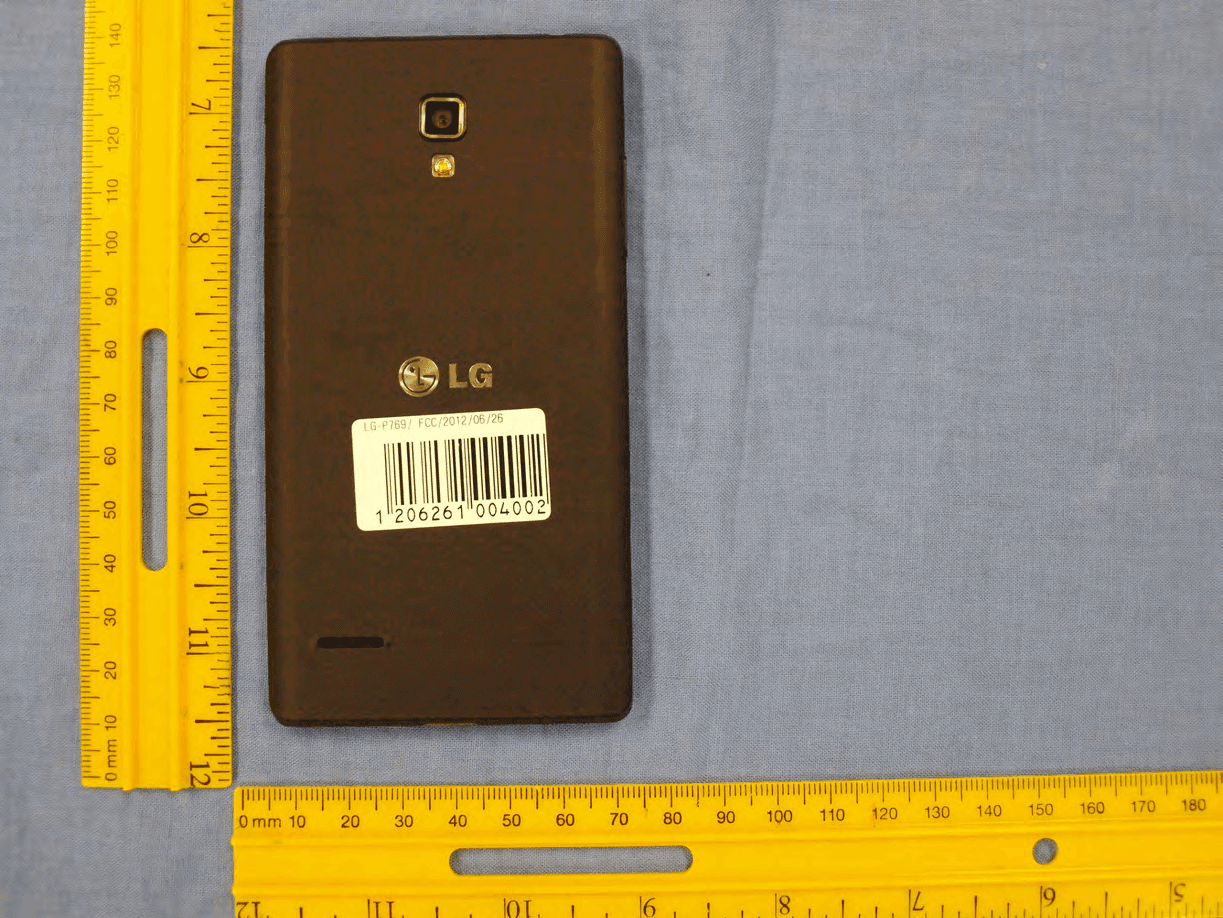
Click to zoom
Application Details
- Equipment Class
- JBP - Part 15 Class B Computing Device Peripheral
- Date of Grant
- Sep 16, 2012
- Application Purpose
- Original Equipment
- Date of Application
- Sep 16, 2012
- Equipment Note
- GSM/WCDMA Tri-Band Phone with Bluetooth & WLAN
- Company
- LG Electronics USA, Inc.
- Country
- United States
Documents & Files
Document Text
Text extracted from the exhibit documents filed with the FCC. Open a document above to read the original.
Users Manual
English LG-P769LG-P769 User Guide This guide helps you get started using your phone. If you need more information, please visit www.lg.com. • Some of the contents of this manual may not apply to your phone. This depends on your phone’s software and your service provider. • This handset is not recommended for the visually impaired because of its touch screen keyboard. • Copyright ©2012 LG Electronics, Inc. All rights reserved. LG and the LG logo are registered trademarks of LG Group and its related entities. All other trademarks are the property of their respective owners. • Google™, Maps™, Gmail™, YouTube™, Google Talk™ and Play Store™ are trademarks of Google, Inc. 6 Safety Information Please read and observe the following information for safe and proper use of your phone and to prevent damage. WARNING! This product contains chemicals known to the State of California to cause cancer and birth defects or reproductive harm. Wash hands after handling. Violation of the instructions may cause minor or serious damage to the product. • Do not disassemble or open crush, bend or deform, puncture or shred. • Repairs under warranty, at LG’s option, may include replacement parts or boards that are either new or reconditioned, provided that they have functionality equal to that of the parts being replaced. • Do not modify or remanufacture, attempt to insert foreign objects into the battery, immerse or expose to water or other liquids, expose to fire, explosion or other hazard. • Only use the battery for the system for which it is specified. • Only use the battery with a charging system that has been qualified with the system per this standard. Use of an unqualified battery or charger may present a risk of fire, explosion, leakage, or other hazard. • Do not short circuit a battery or allow metallic conductive objects to contact battery terminals. • Replace the battery only with another battery that has been qualified with the system per this standard, IEEE- Std-1725-200x. Use of an unqualified battery may present a risk of fire, explosion, leakage or other hazard. • Promptly dispose of used batteries in accordance with local regulations. • Battery usage by children should be supervised. • Avoid dropping the phone or battery. If the phone or battery is dropped, especially on a hard surface, and the user suspects damage, take it to a service center for inspection. For Your Safety 7 • Improper battery use may result in a fire, explosion or other hazard. • For those host devices that utilize a USB port as a charging source, the host device’s user manual shall include a statement that the phone shall only be connected to products that bear the USB-IF logo or have completed the USB- IF compliance program. Charger and Adapter Safety • The charger and adapter are intended for indoor use only. • Insert the battery pack charger vertically into the wall power socket. • Unplug the power cord and charger during lightning storms to avoid electric shock or fire. • Use the correct adapter for your phone when using the battery pack charger abroad. Battery Information and Care • Please read the manual of proper installation and removal of the battery. • Please read the manual of specified charger about charging method. • Do not damage the power cord by bending, twisting, or heating. Do not use the plug if it is loose as it may cause electric shock or fire. Do not place any heavy items on the power cord. Do not allow the power cord to be crimped as it may cause electric shock or fire. • Unplug the power cord prior to cleaning your phone, and clean the power plug pin when it’s dirty. When using the power plug, ensure that it’s firmly connected. If not, it may cause excessive heat or fire. If you put your phone in a pocket or bag without covering the receptacle of the phone (power plug pin), metallic articles (such as a coin, paperclip or pen) may short-circuit the phone. Short-circuit of the terminal may damage the battery and cause an explosion. Always cover the receptacle when not in use. • Recharge the battery after long periods of non-use to maximize battery life. Battery life will vary due to usage pattern and environmental conditions. 8 For Your Safety • Never store your phone in temperature less than -4 °F or greater than 122 °F. • Charging temperature range is between 32 °F and 113 °F. Do not charge the battery out of recommended temperature range. Charging out of recommended range might cause the generating heat or serious damage of battery. And also, it might cause the deterioration of battery’s characteristics and cycle life. • Do not use or leave the battery under the blazing sun or in heated car by sunshine. The battery may generate heat, smoke or flame. And also, it might cause the deterioration of battery’s characteristics or cycle life. • The battery pack has protection circuit to avoid the danger. Do not use near places that can generate static electricity more than 100V which could damage the protection circuit. Damaged protection circuits may generate smoke, rupture or ignite. • When using the battery for the first time, if it emits a bad smell, you see rust on it, or anything else abnormal, do not use the equipment and bring the battery to the shop which it was bought. • Keep batteries away from babies and small children. If children use the battery, their parents or legal guardians are responsible for supervising and teaching them about the safe handling of batteries and how to use batteries according to the manual with care. • If liquid from the battery rubs against skin or clothing, wash with fresh water. It may cause the skin inflammation. Remove and do not use the battery. Be careful that children do not swallow any parts (such as earphone, connection parts of the phone, etc.). This could cause asphyxiation or suffocation resulting in serious injury or death. • Do not handle the phone with wet hands while it is being charged. It may cause an electric shock or seriously damage your phone. • Do no…
Text truncated - open the document above for the full version.
Users Manual
85 Recording a video 1 From the Home screen, tap Camera and tap the Camera mode button to change to Video mode. The capture icon will change to . 2 The video camera’s viewfinder will appear on the screen. 3 Holding the phone horizontally, point the lens towards the subject of the video. 4 Tap the Recor d icon once to start recording. 5 A timer showing the length of the video is displayed at the top left corner of the screen. 6 Ta p the Stop icon on the screen to stop recording. After recording a video A still image representing your video will appear on the screen if Auto review is set to On. Play Tap to play the video. Share Tap to share the picture via various methods such as Bluetooth, Email, Gmail, Google+, Messaging, MobileLife Album, YouTube, or any other downloaded applications that is supported. NOTE Additional charges may apply when MMS messages are downloaded while roaming. Tap to delete the video you just recorded. Tap OK to confirm it. The viewfinder will reappear. Tap to record another video right away. Your current video will be saved. Tap to view the Gallery of your saved videos. Using the advanced settings Using the viewfinder, tap to open the advanced options. Adjust the video camera settings by scrolling the list. After selecting the option, tap the Back key . Flash – Allows you turn on the flash when recording video in a dark place. 86 Video Camera Video size – Tap to set the size (in pixels) of the video you record. Select the video size from Full HD(1920x1080), HD(1280x720), TV(720x480), VGA(640x480), MMS(QVGA-320x240) and MMS(QCIF-176x144). White balance – The white balance ensures any the white areas in your video are realistic. To enable your camera to adjust the white balance correctly, you may need to determine the light conditions. Choose from Auto, Incandescent, Sunny, Fluorescent and Cloudy. Colour effect – Choose a colour tone to use for your new video. Geotagging – Activate to use your phone’s location-based services. Take videos wherever you are and tag them with the location. If you upload tagged videos to a blog that supports Tag location, you can see the videos displayed on a map. Audio recording – Choose off to record a video without sound. Auto review – If you turn Auto review on, it will play back the video you just recorded automatically. Storage – Choose from SD card, Internal memory. Reset – Restore all video camera default settings. Video help guide – Touch if you want to know how this function operates. This provides you with a quick guide. Watching your saved videos 1 In the viewfinder, tap . 2 Your Gallery will appear on the screen. 3 Tap a video to play it automatically. Adjusting the volume when viewing a video To adjust the volume of a video while it is playing, use the Volume Keys on the left side of the phone. 87 Multimedia You can store multimedia files to a micro SD card to have easy access to all your image and video files. Gallery Ta p Apps Key > Gallery. View mode When you open the Gallery, your photos will be presented in Folder view. Once you open a folder, your photos will be in Grid view. When you tap a photo from Grid view, it will be displayed in Full view. Calendar View In Folder view, tap Albums to view Albums, Locations, Timestamp. Gallery menu options Tap a photo and tap the Menu/Search Key to see the following available options: Set image as, Move, Rename, Rotate left, Rotate right, Crop, Edit, Slideshow, Details. Sending a photo 1 To send a photo, touch the photo you want. 2 Ta p and choose from any of the available applications. 3 When you choose Email, Gmail or Messaging, your photo will be attached to a message, which you can then write and send normally. TIP If you have a social networking account set up on your phone, you can share your photo with that social networking community. Sending a video 1 To send a video, touch and hold the video you want. 2 Ta p Share and choose from any of the av ailable applications. 3 When you choose Email, Gmail or Messaging your video will be attached to a message, which you can then write and send normally. 88 Using an image Choose images to use as wallpaper or identify callers. 1 Touch a photo then tap Menu/Search Key > Set image as. 2 Choose from Contact photo, Home screen wallpager and Lockscreen wallpaper. Viewing a slideshow To view a slideshow of your photos, open the Gallery and tap a photo. Once the photo is displayed, tap the screen to see the menu. Tap Menu/Search Key > Slideshow to begin the slideshow of all your photos. View photo details You can view a photo’s detailed information, such as the name, date, time, size, and type. While viewing a photo, tap Menu/Search Key > Details. Transferring files using USB Media sync (MTP) To transfer files using a USB device: 1 Connect the phone to a PC using a USB cable. 2 You can see USB connection mode popup. (From the Home screen, tap the Menu/ Searc h Key and tap System settings > Connectivity > USB connection type > Media sync (MTP). 3 Ta p Media sync to confirm. 4 You can view the phone content on your PC and transfer the files. NOTE If you don't want to see USB connection mode popup, uncheck Don't ask again on USB connection mode popup or turn off ask on connection. (Menu/Search Key and tap System settings > Connectivity settings > Ask on connection). Multimedia 89 Music Player Your phone has a music player that lets you play all your favourite tracks. To access the music player from the Home screen, tap Apps Key and tap Music Player. How to save music/video files to the phone Connect your phone to the PC using the USB cable You’ll receive a notification that the USB is connected and can see USB connection mode popup. Tap Media sync (MTP) to confirm. Then open the folder you wish to view from your computer. Save music or video files from the PC to the phone’s removable storage - You may copy or move files from the PC to the phone’s removable storage using a card reader. - If there is a video file with a subtitle file (.smi fil…
Text truncated - open the document above for the full version.
Cover Letter(s)
LG Electronics USA 1000 Sylvan Avenue Englewood Cliffs, NJ 07632 Date: August 10, 2012 Federal Communications Commission Authori zation and Evaluation Division 7435 Oakland Mills Road, Columbia, MD 21046 RE : Request of Confidentiality for FCC ID: ZNFP769 Equipment Cl ass: JBP: Part 15 Class B Computing Device Peripheral To Whom It May Co ncern: Pursuant to S ections 0.457 and 0.459 of the Commission’s Rules (CFR 47), and Section 552 (b) (4) of t he Freedom of Information Act, LG Electronics MobileComm USA hereby requests confidentiality and treatment of certain infor mation accompanying this application. The materials con tain trade secrets and proprietary information not customarily released to the public. The public disclosure of these matters might be harmful to the Applicant and provide unjustified benefits to its competitors. We are also hereby request Short-Term Confidentiality for 180 days after the grant as outlined in Public Notice DA 04-1705. This provision will give LG Electronics MobileComm USA temporary confidentiality of commercially sensitive information prior to product release. The requested P ermanent and Temporary Confidential exhibits are listed as follows: PERMANENT AND SHORT-TERM CONFIDENTIAL LIST Exhibit Description 1 Block Diagram PERMANENT 2 Operational Descriptions 3 External Photos 4 Internal Photos 5 Test-Setup Photos SHORT-TERM 6 User’s Manual The Applicant understands that pursuant to Rule 0.457, disclosure of this application and all accompanying documentations, where applicable, will not be made public before the date of the Grant for this application. Sincerely, Jacob Cho Director On behalf of LG Electronics MobileComm U.S.A, Inc. LG Electronics MobileComm U.S.A 1000 Sylvan Avenue Englewood Cliffs, NJ 07632
Cover Letter(s)
Date: August 10, 2012 Federal Communication Commission Equipment Authorization Branch 7435 Oakland Mills Road Columbia, MID 21046 SUBJECT: LG Electronics Mobilecomm U.S.A FCC ID: ZNFP769 Part 20.19 Certification Gentlemen: We, LG Electronics MobileComm USA, hereby declare the samples evaluated in this application are equivalent to production samples. Should you have any questions or comments concerning the above, please contact the undersigned. Sincerely, Jacob Cho Director On behalf of LG Electronics MobileComm U.S.A, Inc. LG Electronics Inc. LGE LG Electronics MobileComm U.S.A 1000 Sylvan Avenue Englewood Cliffs, NJ 07632
ID Label/Location Info
Model No: P769 FCC ID : ZNFP769 S/N : Made in Korea LG Electronics MobileComm USA, Inc. LGE
Test Report
FCC ID: ZNFP769 Report No.: HCTE1208FE10 Date: August 10, 2012 HCT CO., LTD. 105-1, JANGAM-RI, MAJANG-MYEON, ICHEON-SI, KYOUNGKI-DO, 467-811, REPUBLIC OF KOREA TEL: +82 31 645 6300 FAX: +82 31 645 6401 www.hct.co.kr Page 2 of 19 DOCUMENT HISTORY The revision history for this document is shown in table. Version Date Description HCTE1208FE10 August 10, 2012 Initial Release FCC ID: ZNFP769 Report No.: HCTE1208FE10 Date: August 10, 2012 HCT CO., LTD. 105-1, JANGAM-RI, MAJANG-MYEON, ICHEON-SI, KYOUNGKI-DO, 467-811, REPUBLIC OF KOREA TEL: +82 31 645 6300 FAX: +82 31 645 6401 www.hct.co.kr Page 3 of 19 TABLE OF CONTENTS PAGE 1. GENERAL INFORMATION ....................................................................................................... 4 1.1 Product Description ................................................................................................................. 4 1.2 Related Submittal(s) / Grant(s)................................................................................................ 4 1.3 Tested System Details.............................................................................................................. 5 1.4 Cable Description .................................................................................................................... 6 1.5 Noise Suppression Parts on Cable. (I/O cable) ....................................................................... 6 1.6 Test Methodology .................................................................................................................... 7 1.7 Test Facility ............................................................................................................................. 7 1.8 Frequency Range of Radiated Measurements ......................................................................... 7 2. SYSTEM TEST CONFIGURATION ........................................................................................... 8 2.1 Configuration of Test System .................................................................................................. 8 3. PRELIMINARY TEST ................................................................................................................. 9 3.1 Conducted Emission Test ........................................................................................................ 9 3. 2 Radiated Emission Test .......................................................................................................... 9 4. CONDUCTED AND RADIATED EMISSION TEST SUMMARY ......................................... 10 4.1 Conducted Emission Test ...................................................................................................... 10 4.2 Radiated Emission Test ......................................................................................................... 11 5. FIELD STRENGTH CALCULATION ...................................................................................... 17 6. TEST EQUIPMENT ................................................................................................................... 18 7. CONCLUSION .......................................................................................................................... 19 ATTACHMENT: TEST SETUP PHOTOGRAPHS FCC ID: ZNFP769 Report No.: HCTE1208FE10 Date: August 10, 2012 HCT CO., LTD. 105-1, JANGAM-RI, MAJANG-MYEON, ICHEON-SI, KYOUNGKI-DO, 467-811, REPUBLIC OF KOREA TEL: +82 31 645 6300 FAX: +82 31 645 6401 www.hct.co.kr Page 4 of 19 1. GENERAL INFORMATION 1.1 Product Description Equipment Under Test is Cellular/PCS GSM/GPRS/EDGE and Cellurlar/PCS/AWS WCDMA/HSPA Phone with Bluetooth and WLAN, Model: LG-P769 manufactured by LG Electronics MobileComm U.S.A., Inc. Its basic purpose is used for communications. Model LG-P769 Additional Model Name P769, LGP769 FCC ID ZNFP769 E.U.T Type Cellular/PCS GSM/GPRS/EDGE and Cellular/PCS /AWS WCDMA/HSPA Phone with Bluetooth and WLAN TX Frequency 824.20 ㎒ to 848.80 ㎒ (GSM 850) 1 850.20 ㎒ to 1 909.80 ㎒ (GSM 1 900) 826.40 ㎒ to 846.60 ㎒ (WCDMA 850) 1 852.4 ㎒ to 1 907.6 ㎒ (WCDMA 1 900) RX Frequency 869.20 ㎒ to 893.80 ㎒ (GSM 850) 1 930.20 ㎒ to 1 989.80 ㎒ (GSM 1 900) 871.40 ㎒ to 891.60 ㎒ (WCDMA 850) 1 932.4 ㎒ to 1 987.6 ㎒ (WCDMA 1 900) 1.2 Related Submittal(s) / Grant(s) Original submittal only. FCC ID: ZNFP769 Report No.: HCTE1208FE10 Date: August 10, 2012 HCT CO., LTD. 105-1, JANGAM-RI, MAJANG-MYEON, ICHEON-SI, KYOUNGKI-DO, 467-811, REPUBLIC OF KOREA TEL: +82 31 645 6300 FAX: +82 31 645 6401 www.hct.co.kr Page 5 of 19 1.3 Tested System Details All equipment descriptions used in the tested system (including inserted cards) are: Device Type Manufacturer Model Name FCC ID / DoC Connected To E.U.T LG LG-P769 ZNFP769 Notebook PC Notebook PC H.P ProBook 6560bDoC E.U.T Notebook PC adaptor Notebook PC adaptor CHICONY POWER TECHNOLOGY Series PPP012H-S - Notebook PC Mouse PRIMAX ELECTRONICS MOARUO DoC Notebook PC SD Card SanDisk 8 GB - E.U.T USB cable BD EAD61648501 - E.U.T Notebook PC Headset CRESYN EAB62410801 - E.U.T Mouse Radio shack Series 2-button mouse FSUGMZE3 Notebook PC FCC ID: ZNFP769 Report No.: HCTE1208FE10 Date: August 10, 2012 HCT CO., LTD. 105-1, JANGAM-RI, MAJANG-MYEON, ICHEON-SI, KYOUNGKI-DO, 467-811, REPUBLIC OF KOREA TEL: +82 31 645 6300 FAX: +82 31 645 6401 www.hct.co.kr Page 6 of 19 1.4 Cable Description Product Name Port Power Cord Shielded (Y/N) I/O Cable Shielded (Y/N) Length (m) E.U.T Micro USB Y Y (P,D)1.2 Headset jack - N (D)1.2 Notebook PC USB (Mouse) - Y (D)1.8 Serial (Mouse) - N (D)1.8 * The marked "(D)" means the data cable and "(P)" means the power cable. 1.5 Noise Suppression Parts on Cable. (I/O cable) Product Name Port Ferrite Bead (Y/N) Location Metal Hood (Y/N) Location E.U.T Micro USB N N/A Y Both End Headset jack N N/A Y E.U.T End Notebook PC USB (Mouse) - - Y Notebook PC End Serial (Mouse) - - Y Notebook PC End FCC ID: ZNFP769 Report No.: HCTE1208FE10 Date: August 10, 2012 HCT CO., LTD. 105-1, JAN…
Text truncated - open the document above for the full version.
Test Setup Photos
FCC ID: ZNFP769 Report No.: HCTE1208FE10 Date: August 10, 2012 HCT CO., LTD. 105-1, JANGAM-RI, MAJANG-MYEON, ICHEON-SI, KYOUNGKI-DO, 467-811, REPUBLIC OF KOREA TEL: +82 31 645 6300 FAX: +82 31 645 6401 www.hct.co.kr Page 1 of 7 ATTACHMENT - TEST SETUP PHOTOS - FCC ID: ZNFP769 Report No.: HCTE1208FE10 Date: August 10, 2012 HCT CO., LTD. 105-1, JANGAM-RI, MAJANG-MYEON, ICHEON-SI, KYOUNGKI-DO, 467-811, REPUBLIC OF KOREA TEL: +82 31 645 6300 FAX: +82 31 645 6401 www.hct.co.kr Page 2 of 7 1. CONDUCTED MEASUREMENT PHOTOS FCC ID: ZNFP769 Report No.: HCTE1208FE10 Date: August 10, 2012 HCT CO., LTD. 105-1, JANGAM-RI, MAJANG-MYEON, ICHEON-SI, KYOUNGKI-DO, 467-811, REPUBLIC OF KOREA TEL: +82 31 645 6300 FAX: +82 31 645 6401 www.hct.co.kr Page 3 of 7 FCC ID: ZNFP769 Report No.: HCTE1208FE10 Date: August 10, 2012 HCT CO., LTD. 105-1, JANGAM-RI, MAJANG-MYEON, ICHEON-SI, KYOUNGKI-DO, 467-811, REPUBLIC OF KOREA TEL: +82 31 645 6300 FAX: +82 31 645 6401 www.hct.co.kr Page 4 of 7 2. RADIATED MEASUREMENT PHOTOS [ For measurement below 1 ] FCC ID: ZNFP769 Report No.: HCTE1208FE10 Date: August 10, 2012 HCT CO., LTD. 105-1, JANGAM-RI, MAJANG-MYEON, ICHEON-SI, KYOUNGKI-DO, 467-811, REPUBLIC OF KOREA TEL: +82 31 645 6300 FAX: +82 31 645 6401 www.hct.co.kr Page 5 of 7 FCC ID: ZNFP769 Report No.: HCTE1208FE10 Date: August 10, 2012 HCT CO., LTD. 105-1, JANGAM-RI, MAJANG-MYEON, ICHEON-SI, KYOUNGKI-DO, 467-811, REPUBLIC OF KOREA TEL: +82 31 645 6300 FAX: +82 31 645 6401 www.hct.co.kr Page 6 of 7 [ For measurement above 1 ] FCC ID: ZNFP769 Report No.: HCTE1208FE10 Date: August 10, 2012 HCT CO., LTD. 105-1, JANGAM-RI, MAJANG-MYEON, ICHEON-SI, KYOUNGKI-DO, 467-811, REPUBLIC OF KOREA TEL: +82 31 645 6300 FAX: +82 31 645 6401 www.hct.co.kr Page 7 of 7
Contact Information
Applicant
David Kim(Team leader, LGEUS NA Policy & Regulatory Affairs)
Test Firm
HCT Co., LTDSang Lee
Technical Specifications
| # | Rule Parts | Frequency Range | Power Output |
|---|---|---|---|
| 1 | 15B | - | - |
Other Applications from LG Electronics USA, Inc.

ZNFTONET80S
Nov 13, 2023Bluetooth Earbuds
Equipment Class
DTS - Digital Transmission System
ZNFTONETF8QC
Jun 21, 2022Bluetooth Earbud (Cradle)
Equipment Class
JBP - Part 15 Class B Computing Device Peripheral
ZNFTONEFP8
May 30, 2021Bluetooth Earbud
Equipment Class
DTS - Digital Transmission System
ZNFK200AM
Feb 18, 2021Portable Handset
Equipment Class
DSS - Part 15 Spread Spectrum Transmitter
ZNFK735MM
Feb 10, 2021Portable Handset
Equipment Class
NII - Unlicensed National Information Infrastructure TX