ZNFV500WiFi Tablet With Bluetooth
LG Electronics USA, Inc.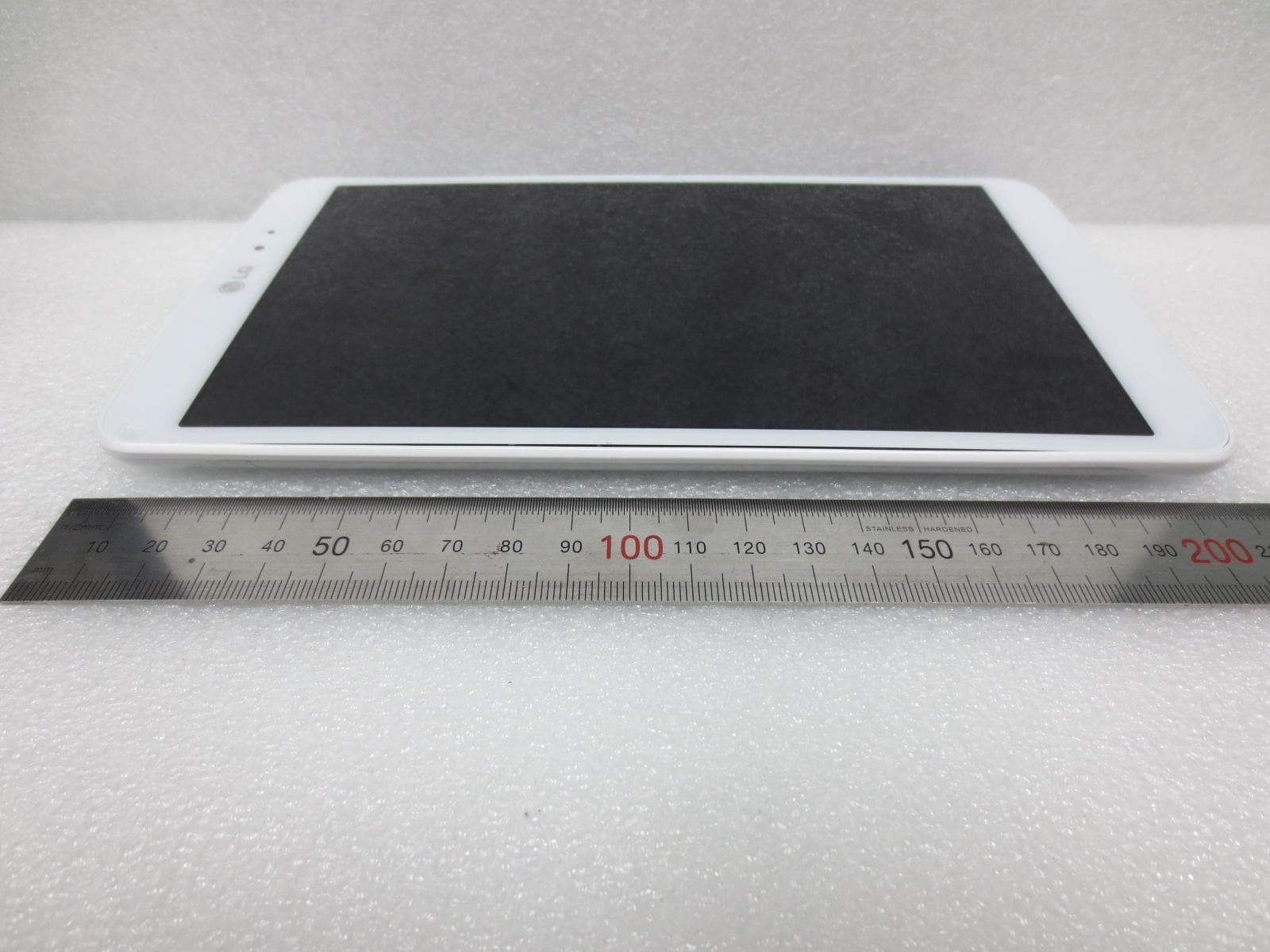
Click to zoom
Application Details
- Equipment Class
- NII - Unlicensed National Information Infrastructure TX
- Date of Grant
- Aug 19, 2013
- Application Purpose
- Original Equipment
- Date of Application
- Aug 19, 2013
- Equipment Note
- WiFi Tablet With Bluetooth
- Frequency Range
- 5510.00000000 - 5670.00000000
- Company
- LG Electronics USA, Inc.
- Country
- United States
Documents & Files
Document Text
Text extracted from the exhibit documents filed with the FCC. Open a document above to read the original.
Users Manual
User Guide LG-V500 MFL00000000 (1.0)www.lg.com ENGLISH • Some of the contents of this manual may not apply to your device depending on your device’s software or your service provider. • This device is not recommended for the visually impaired because of its touch-screen keypad. • Copyright ©2011 LG Electronics, Inc. All rights reserved. LG and the LG logo are registered trademarks of LG Group and its related entities. All other trademarks are the property of their respective owners. • Google™, Google Maps™, Gmail™, YouTube™, Google Talk™ and Android Market™ are trademarks of Google, Inc. LG-V500 User Guide 2 LG-V500 | User Guide FOR YOUR SAFETY ...............................5 Understanding your device ..................14 Before you using the device, please read this! ..14 To optimize Battery Life: ..........................................14 To download the USB Driver: .................................14 To reboot your device when the screen freezes: ...........................................................................14 To assure optimal device performance: .............15 To transfer files to a computer using USB: .......15 Before installing an open source application and OS: ...................................................15 Device components ..................................................16 Charging your battery ...............................................18 Turning your device on and off ..............................18 Locking and unlocking the screen ........................19 Secure your lock screen ..........................................19 Using HDMI................................................................20 Google account set up ..........................21 Your Home screen and basics .............22 Using the Navigation buttons ...............................22 Customizing the Home screen .............................23 Using the Multi-tasking functions ........................24 Status and Notification icons ................................25 Notifications Panel and Quick Settings ..............25 Touch screen tips .....................................................26 On-screen Keyboard ...............................................27 Using the on-screen keyboard .............................27 Entering text by speaking .......................................27 Editing text ...................................................................27 Connecting to Networks and Devices ..................................................28 Wi-Fi Networks ..........................................................28 Turn on Wi-Fi and connect to a network ..........28 Bluetooth ....................................................................28 Turn on Bluetooth......................................................28 To pair your device with a Bluetooth device ....28 Connecting to a computer via USB ....................29 Maps and Latitude ................................31 Getting directions .......................................................31 Starring a location ......................................................31 Joining Latitude .......................................................32 Finding your friends with Latitude .......................32 Contents 3 Market ...................................................33 Talk .........................................................34 Managing Your Friends List ...................................34 Chatting with a friend ..............................................34 To sign out of Google Talk™ ..................................34 Books .....................................................35 Email ......................................................36 Adding an account ..................................................36 Opening inbox ...........................................................36 Using Combined view .............................................36 Changing account settings ....................................36 Remove an email account .....................................37 Gmail™ ........................................................................37 Contacts ................................................38 Adding a new contact .............................................38 Editing a contact .......................................................38 Searching for a contact ..........................................38 Importing and Exporting contacts to your memory .......................................................................38 Sharing contacts via Bluetooth .............................39 Photos and videos ...............................40 Camera ........................................................................40 Getting to know your camera view finder ........40 Taking a photo ...........................................................40 Tagging location information to your photo .....41 Video Camera.............................................................41 Getting to know your video camera view finder ...............................................................................41 Taking a video ..............................................................41 Gallery ..........................................................................42 Viewing your albums ................................................42 Viewing and browsing pictures and videos ......42 Using a picture as a Contact icon or Wallpaper .....................................................................42 Getting details about your photo .........................42 Utilities ..................................................43 Calendar......................................................................43 Viewing your calendar .............................................43 Creating an event ......................................................43 Change synchronization and display settings ..........................................................................43 Clock ....…
Text truncated - open the document above for the full version.
Users Manual
31 You can find your current location, view real-time traffic conditions and get detailed directions. You can search on a street map or a satellite image to locate an address or a landmark. To open the Maps application • Apps > Maps IconDescription Search – You can search for a location you want. My Location – Point your current location on the map. Places – Searches for places around your current location that are related to the category you choose. Directions – This will let you find out the route of any place you enter. Touch the My Location and End point fields to input the data. You can also choose a location from Contacts or a point on the map. Layers – You can switch view from Traffic to Satellite, Terrain, or others. More – Clear map or find Starred places and more. Getting directions 1. While viewing a map, touch . 2. Enter your start point and destination point, type the address, or find from contacts. 3. Choose the transportation method and touch Go. Starring a location You can star any location or labeled feature on a map to make it easy to spot. 1. Touch and hold a location or labeled feature on a map. 2. Touch the balloon that opens. 3. Touch the gray star at the top of the screen to star the location. You can open a list of your starred locations, so you can quickly go to a starred location on the map. • Touch > Starred Places Maps and Latitude 32 LG-V500 | User Guide Joining Latitude Google Latitude™ lets you and your friends view each others’ locations on maps and share status messages with each other. Your location is not shared automatically. You must join Latitude and then invite your friends to view your location, or accept invitations from your friends. This allows you to choose to share your location with friends you choose. • While viewing a map on the Google Maps application, touch > Join Latitude Finding your friends with Latitude 1. Apps > Latitude > > Add friends 2. Touch Select from Contacts to check all of the contacts you want to invite. Touch Add via email address to enter one or more email addresses, then touch Add friends. 3. When your friend accepts your invitation, you can share locations. 33 Android Market™ lets you download useful applications and games. If you install applications and games from Android Market™, they appear in the menu. You can check the downloaded application by touching the My apps tab. To open the Market application • Apps > Market Downloading applications 1. Select a category to browse its contents. 2. Choose an application to install. 3. For free applications, touch Install. For paid applications, touch the price button. 4. Read the information on the type of information the application will access. If you agree to the application’s access requirements, touch OK. Removing applications 1. Apps > Market 2. Touch the My apps tab. 3. Choose the application you wish to remove and touch Uninstall. You can also remove an application from the Settings menu. • Apps > Settings > Applications > Manage applications > Downloaded WARNING: To protect your device and personal data, download applications only from trusted sources, such as Android Market™. If some applications are not properly installed on your device, your device may not work normally or a serious error can occur. You will need to uninstall those applications and all of its data and settings from the device. Market 34 LG-V500 | User Guide This application lets you chat with other people who also use Google Talk™. You remain signed in, even when you’re using other applications, until you deliberately sign out. Managing Your Friends List Your Google Talk™ Friends list contains the friends you’ve invited to become friends or whose invitations you’ve accepted in Google Talk™. Friends can invite each other to chat in Google Talk™ and see each others’ online status in Google Talk™ and other applications, such as in Gmail™ and Google Maps™. To add a friend : Touch and enter your friend’s email address. Then touch Send invitation. Chatting with a friend 1. Apps > Talk 2. Find the friend you want to chat with and enter your message. Then touch to send it. The messages that you exchange are displayed on the screen and include information about the chat, such as whether it’s on the record, the time a message was sent (if there’s no response after a short while), etc. • If your friend is available for voice chat, will appear next to their name on the Friends list. Touch in the conversation screen to begin a voice chat. • If your friend is available for video chat, will appear next to their name on the Friends list. Touch in the conversation screen to begin a video chat. To sign out of Google Talk™ You can sign out of Google Talk™. For example, if you want to limit Google Talk™ conversations to your device. Also, signing out can extend your battery life. • Apps > Talk > > Sign out Talk 35 Use Books to read eBooks you purchase or download for free from the web-based Google Books service. To shop for books: 1. Apps > Books > Shop 2. You will be connected to Market where you can search for books. To read books: Apps > Books > Select a book from the library. • To show the menu while you are reading, touch the screen. • returns to the main Book screen at any time. • shows the table of the contents. • goes to the settings. • opens the book menu. Slide the bar to skip the page backward and forward. Books 36 LG-V500 | User Guide Enjoy user-friendly Email environment with your device. You can add multiple Email accounts using POP3, IMAP and Exchange ActiveSync. To open the Email application • Apps > Email Adding an account The first time you open the Email application, a setup wizard opens to help you set up an email account. Your service provider or system administrator can provide the account settings you need. To add other email accounts: • Apps > Email > > Account settings > Add account OR • Apps > Settings > Accounts & sync > Add account Opening inbox After the initial setup, Email displays the…
Text truncated - open the document above for the full version.
Cover Letter(s)
Date: August 5, 2013 Federal Communications Commission Authorization and Evaluation Division 7435 Oakland Mills Road, Columbia, MD 21046 RE: Request of Confidentiality for FCC ID: ZNFV500 Equipment Class: NII- Unlicensed National Information Infrastructure TX To Whom It May Concer n: Pursu ant to Sections 0.457 and 0.459 of the Commission’s Rules (CFR 47), and Section 552 (b) (4) of the Freedom of Information Act, LG Electronics MobileComm USA hereby requests confidentiality and treatment of certain information accompanying this application. The materials contain trade secrets and proprietary information not customarily released to the public. The public disclosure of these matters might be harmful to the Applicant and provide unjustified benefits to its competitors. We are also hereby request Short-Term Confidentiality for 180 days after the grant as outlined in Public Notice DA 04-1705. This provision will give LG Electronics MobileComm USA temporary confidentiality of commercially sensitive information prior to product release. The requested Permanent and Temporary Confidential exhibits are liste d as follows: The Applicant understands that pursuant to Rule 0.457, disclosure of this application and all accompanying documentations, where applicable, will not be made public before the date of the Grant for this application. Sincerely, Jacob Cho Director On behalf of LG Electronics MobileComm U.S.A, Inc. LG Electronics MobileComm U.S.A 1000 Sylvan Avenue Englewood Cliffs, NJ 07632 PERMANENT AND SHORT-TERM CONFIDENTIAL LIST Exhibit Description PERMANENT 1 Block Diagram 2 Operational Descriptions 3 Schematics SHORT-TERM 1 External Photos 2 Internal Photos 3 Test-Setup Photos 4 User’s Manual
External Photos
FCC ID: ZNFV500 HCT CO., LTD 105-1, JANGAM-RI, MAJANG-MYEON, ICHEON-SI, KYUNGGI-DO, 467-811 KOREA TEL : + 82 31 645 6300 FAX : + 82 31 645 6401 www.hct.co.kr Page 1 of 10 EXTERNAL PHOTOGRAPHS FCC ID: ZNFV500 HCT CO., LTD 105-1, JANGAM-RI, MAJANG-MYEON, ICHEON-SI, KYUNGGI-DO, 467-811 KOREA TEL : + 82 31 645 6300 FAX : + 82 31 645 6401 www.hct.co.kr Page 2 of 10 ■ EXTERNAL PHOTO FCC ID: ZNFV500 HCT CO., LTD 105-1, JANGAM-RI, MAJANG-MYEON, ICHEON-SI, KYUNGGI-DO, 467-811 KOREA TEL : + 82 31 645 6300 FAX : + 82 31 645 6401 www.hct.co.kr Page 3 of 10 ■ EXTERNAL PHOTO FCC ID: ZNFV500 HCT CO., LTD 105-1, JANGAM-RI, MAJANG-MYEON, ICHEON-SI, KYUNGGI-DO, 467-811 KOREA TEL : + 82 31 645 6300 FAX : + 82 31 645 6401 www.hct.co.kr Page 4 of 10 ■ EXTERNAL PHOTO FCC ID: ZNFV500 HCT CO., LTD 105-1, JANGAM-RI, MAJANG-MYEON, ICHEON-SI, KYUNGGI-DO, 467-811 KOREA TEL : + 82 31 645 6300 FAX : + 82 31 645 6401 www.hct.co.kr Page 5 of 10 ■ EXTERNAL PHOTO FCC ID: ZNFV500 HCT CO., LTD 105-1, JANGAM-RI, MAJANG-MYEON, ICHEON-SI, KYUNGGI-DO, 467-811 KOREA TEL : + 82 31 645 6300 FAX : + 82 31 645 6401 www.hct.co.kr Page 6 of 10 ■ EXTERNAL PHOTO FCC ID: ZNFV500 HCT CO., LTD 105-1, JANGAM-RI, MAJANG-MYEON, ICHEON-SI, KYUNGGI-DO, 467-811 KOREA TEL : + 82 31 645 6300 FAX : + 82 31 645 6401 www.hct.co.kr Page 7 of 10 ■ EXTERNAL PHOTO FCC ID: ZNFV500 HCT CO., LTD 105-1, JANGAM-RI, MAJANG-MYEON, ICHEON-SI, KYUNGGI-DO, 467-811 KOREA TEL : + 82 31 645 6300 FAX : + 82 31 645 6401 www.hct.co.kr Page 8 of 10 ■ EXTERNAL PHOTO FCC ID: ZNFV500 HCT CO., LTD 105-1, JANGAM-RI, MAJANG-MYEON, ICHEON-SI, KYUNGGI-DO, 467-811 KOREA TEL : + 82 31 645 6300 FAX : + 82 31 645 6401 www.hct.co.kr Page 9 of 10 ■ EXTERNAL PHOTO FCC ID: ZNFV500 HCT CO., LTD 105-1, JANGAM-RI, MAJANG-MYEON, ICHEON-SI, KYUNGGI-DO, 467-811 KOREA TEL : + 82 31 645 6300 FAX : + 82 31 645 6401 www.hct.co.kr Page 10 of 10 ■ EXTERNAL PHOTO
Internal Photos
FCC ID: ZNFV500 HCT CO., LTD 105-1, JANGAM-RI, MAJANG-MYEON, ICHEON-SI, KYUNGGI-DO, 467-811 KOREA TEL : + 82 31 645 6300 FAX : + 82 31 645 6401 www.hct.co.kr Page 1 of 13 INTERNAL PHOTOGRAPHS FCC ID: ZNFV500 HCT CO., LTD 105-1, JANGAM-RI, MAJANG-MYEON, ICHEON-SI, KYUNGGI-DO, 467-811 KOREA TEL : + 82 31 645 6300 FAX : + 82 31 645 6401 www.hct.co.kr Page 2 of 13 ■ INTERNAL PHOTO FCC ID: ZNFV500 HCT CO., LTD 105-1, JANGAM-RI, MAJANG-MYEON, ICHEON-SI, KYUNGGI-DO, 467-811 KOREA TEL : + 82 31 645 6300 FAX : + 82 31 645 6401 www.hct.co.kr Page 3 of 13 ■ INTERNAL PHOTO FCC ID: ZNFV500 HCT CO., LTD 105-1, JANGAM-RI, MAJANG-MYEON, ICHEON-SI, KYUNGGI-DO, 467-811 KOREA TEL : + 82 31 645 6300 FAX : + 82 31 645 6401 www.hct.co.kr Page 4 of 13 ■ INTERNAL PHOTO FCC ID: ZNFV500 HCT CO., LTD 105-1, JANGAM-RI, MAJANG-MYEON, ICHEON-SI, KYUNGGI-DO, 467-811 KOREA TEL : + 82 31 645 6300 FAX : + 82 31 645 6401 www.hct.co.kr Page 5 of 13 ■ INTERNAL PHOTO FCC ID: ZNFV500 HCT CO., LTD 105-1, JANGAM-RI, MAJANG-MYEON, ICHEON-SI, KYUNGGI-DO, 467-811 KOREA TEL : + 82 31 645 6300 FAX : + 82 31 645 6401 www.hct.co.kr Page 6 of 13 ■ INTERNAL PHOTO FCC ID: ZNFV500 HCT CO., LTD 105-1, JANGAM-RI, MAJANG-MYEON, ICHEON-SI, KYUNGGI-DO, 467-811 KOREA TEL : + 82 31 645 6300 FAX : + 82 31 645 6401 www.hct.co.kr Page 7 of 13 ■ INTERNAL PHOTO FCC ID: ZNFV500 HCT CO., LTD 105-1, JANGAM-RI, MAJANG-MYEON, ICHEON-SI, KYUNGGI-DO, 467-811 KOREA TEL : + 82 31 645 6300 FAX : + 82 31 645 6401 www.hct.co.kr Page 8 of 13 ■ INTERNAL PHOTO FCC ID: ZNFV500 HCT CO., LTD 105-1, JANGAM-RI, MAJANG-MYEON, ICHEON-SI, KYUNGGI-DO, 467-811 KOREA TEL : + 82 31 645 6300 FAX : + 82 31 645 6401 www.hct.co.kr Page 9 of 13 ■ INTERNAL PHOTO FCC ID: ZNFV500 HCT CO., LTD 105-1, JANGAM-RI, MAJANG-MYEON, ICHEON-SI, KYUNGGI-DO, 467-811 KOREA TEL : + 82 31 645 6300 FAX : + 82 31 645 6401 www.hct.co.kr Page 10 of 13 ■ INTERNAL PHOTO FCC ID: ZNFV500 HCT CO., LTD 105-1, JANGAM-RI, MAJANG-MYEON, ICHEON-SI, KYUNGGI-DO, 467-811 KOREA TEL : + 82 31 645 6300 FAX : + 82 31 645 6401 www.hct.co.kr Page 11 of 13 ■ INTERNAL PHOTO FCC ID: ZNFV500 HCT CO., LTD 105-1, JANGAM-RI, MAJANG-MYEON, ICHEON-SI, KYUNGGI-DO, 467-811 KOREA TEL : + 82 31 645 6300 FAX : + 82 31 645 6401 www.hct.co.kr Page 12 of 13 ■ INTERNAL PHOTO FCC ID: ZNFV500 HCT CO., LTD 105-1, JANGAM-RI, MAJANG-MYEON, ICHEON-SI, KYUNGGI-DO, 467-811 KOREA TEL : + 82 31 645 6300 FAX : + 82 31 645 6401 www.hct.co.kr Page 13 of 13 ■ INTERNAL PHOTO BT / WiFi Antenna
RF Exposure Info
Report No.: HCTA1308FS02 FCC ID: ZNFV500 Date of Issue: Aug. 12, 2013 HCT CO., LTD. 105-1, Jangam-ri, Majang-myeon, Icheon-si,Gyeonggi-do,Korea 467-811 TEL: +82 31 645 6300 FAX: +82 31 645 6401 www.hct.co.kr 2 of 100 Table of Contents 1. INTRODUCTION .......................................................................................................................................... 4 2. TEST METHODOLOGY ............................................................................................................................... 5 3. DESCRIPTION OF DEVICE ......................................................................................................................... 6 4. DESCRIPTION OF TEST EQUIPMENT ...................................................................................................... 7 5. SAR MEASUREMENT PROCEDURE ..................................................................................................... 15 6. DESCRIPTION OF TEST POSITION ....................................................................................................... 17 7. MEASUREMENT UNCERTAINTY ........................................................................................................... 19 8. ANSI/ IEEE C95.1 - 1992 RF EXPOSURE LIMITS ................................................................................. 21 9. SAR SYSTEM VALIDATION .................................................................................................................... 22 10. SYSTEM VERIFICATION ....................................................................................................................... 23 11. RF CONDUCTED POWER MEASUREMENT ....................................................................................... 25 12. SAR Test configuration & Antenna Information ................................................................................ 43 13. SAR TEST DATA SUMMARY ................................................................................................................ 44 13.1 Measurement Results (DTS Body SAR) ....................................................................................... 44 13.2 Measurement Results (Nll Body SAR) .......................................................................................... 45 14. SAR Measurement Variability and Uncertainty.................................................................................. 46 15. CONCLUSION ........................................................................................................................................ 47 16. REFERENCES ....................................................................................................................................... 48 Attachment 1. – SAR Test Plots ................................................................................................................ 49 Attachment 2. – Dipole Verification Plots ................................................................................................. 57 Attachment 3. – Probe Calibration Data ................................................................................................... 64 Attachment 4. – Dipole Calibration Data .................................................................................................. 76 Report No.: HCTA1308FS02 FCC ID: ZNFV500 Date of Issue: Aug. 12, 2013 HCT CO., LTD. 105-1, Jangam-ri, Majang-myeon, Icheon-si,Gyeonggi-do,Korea 467-811 TEL: +82 31 645 6300 FAX: +82 31 645 6401 www.hct.co.kr 3 of 100 Version Rev DATE DESCRIPTION Aug. 2, 2013 First Approval Report 1 Aug. 12, 2013 Page 5 and 22 was revised Report No.: HCTA1308FS02 FCC ID: ZNFV500 Date of Issue: Aug. 12, 2013 HCT CO., LTD. 105-1, Jangam-ri, Majang-myeon, Icheon-si,Gyeonggi-do,Korea 467-811 TEL: +82 31 645 6300 FAX: +82 31 645 6401 www.hct.co.kr 4 of 100 1. INTRODUCTION The FCC has adopted the guidelines for evaluating the environmental effects of radio frequency radiation in ET Docket 93-62 on Aug. 6, 1996 to protect the public and workers from the potential hazards of RF emissions due to FCC-regulated portable devices. The safety limits used for the environmental evaluation measurements are based on the criteria published by the American National Standards Institute (ANSI) for localized specific absorption rate (SAR) in IEEE/ANSI C95.1-1992 Standard for Safety Levels with Respect to Human Exposure to Radio Frequency Electromagnetic Fields, 3 kHz to 300 GHz. 1992 by the Institute of Electrical and Electronics Engineers, Inc., New York, New York 10017. The measurement procedure described in IEEE/ANSI C95.3-1992 Recommended Practice for the Measurement of Potentially Hazardous Electromagnetic Fields - RF and Microwave is used for guidance in measuring SAR due to the RF radiation exposure from the Equipment Under Test (EUT). These criteria for SAR evaluation are similar to those recommended by the National Council on Radiation Protection and Measurements (NCRP) in Biological Effects and Exposure Criteria for Radio frequency Electromagnetic Fields,” NCRP Report No. 86 NCRP, 1986, Bethesda, MD 20814. SAR is a measure of the rate of energy absorption due to exposure to an RF transmitting source. SAR values have been related to threshold levels for potential biological hazards. SAR Definition Specific Absorption Rate (SAR) is defined as the time derivative of the incremental electromagnetic energy (dW) absorbed by (dissipated in) an incremental mass (dm) contained in a volume element (dV) of a given density (r ). It is also defined as the rate of RF energy absorption per unit mass at a point in an absorbing body. NOTE: The primary factors that control rate of energy absorption were found to be the wavelength of the incident field in relations to the dimensions and geometry of the irradiated organism, the orientation of the organism in relation to the polarity of field vectors, the presence of reflecting surfaces, and whether conductiv…
Text truncated - open the document above for the full version.
RF Exposure Info
Report No.: HCTA1308FS02 FCC ID: ZNFV500 Date of Issue: Aug. 12, 2013 HCT CO., LTD. 105-1, Jangam-ri, Majang-myeon, Icheon-si,Gyeonggi-do,Korea 467-811 TEL: +82 31 645 6300 FAX: +82 31 645 6401 www.hct.co.kr 61 of 100 Verification Data (5 500 MHz Body) Test Laboratory: HCT CO., LTD Input Power 100 mW (20 dBm) Liquid Temp: 20.4 °C Test Date: Jul. 29, 2013 DUT: Dipole 5GHz; Type: D5000V2; Serial: D5000V2 - SN:1107 Communication System: CW; Frequency: 5500 MHz;Duty Cycle: 1:1 Medium parameters used: f = 5500 MHz; σ = 5.68 mho/m; ε r = 46.9; ρ = 1000 kg/m 3 Phantom section: Center Section ; Measurement SW: DASY4, V4.7 Build 80; Postprocessing SW: SEMCAD, V1.8 Build 184 DASY4 Configuration: - Probe: EX3DV4 - SN3797; ConvF(4.05, 4.05, 4.05); Calibrated: 2012-11-22 - Sensor-Surface: 4mm (Mechanical Surface Detection)Sensor-Surface: 2mm (Mechanical Surface Detection) - Electronics: DAE4 Sn648; Calibrated: 2013-04-24 - Phantom: Triple Flat Phantom 5.1C; Type: QD 000 P51 CA Verification 5500MHz/Area Scan (61x71x1): Measurement grid: dx=10mm, dy=10mm Maximum value of SAR (interpolated) = 9.51 mW/g Verification 5500MHz/Zoom Scan (7x7x11)/Cube 0: Measurement grid: dx=4mm, dy=4mm, dz=2mm Reference Value = 39.0 V/m; Power Drift = 0.023 dB Peak SAR (extrapolated) = 31.0 W/kg SAR(1 g) = 7.69 mW/g; SAR(10 g) = 2.18 mW/g Maximum value of SAR (measured) = 15.9 mW/g 0 dB = 15.9mW/g Report No.: HCTA1308FS02 FCC ID: ZNFV500 Date of Issue: Aug. 12, 2013 HCT CO., LTD. 105-1, Jangam-ri, Majang-myeon, Icheon-si,Gyeonggi-do,Korea 467-811 TEL: +82 31 645 6300 FAX: +82 31 645 6401 www.hct.co.kr 62 of 100 Verification Data (5 600 MHz Body) Test Laboratory: HCT CO., LTD Input Power 100 mW (20 dBm) Liquid Temp: 20.4 °C Test Date: Jul. 29, 2013 DUT: Dipole 5GHz; Type: D5000V2; Serial: D5000V2 - SN:1107 Communication System: CW; Frequency: 5600 MHz;Duty Cycle: 1:1 Medium parameters used: f = 5600 MHz; σ = 5.79 mho/m; ε r = 46.7; ρ = 1000 kg/m 3 Phantom section: Center Section ; Measurement SW: DASY4, V4.7 Build 80; Postprocessing SW: SEMCAD, V1.8 Build 184 DASY4 Configuration: - Probe: EX3DV4 - SN3797; ConvF(4.06, 4.06, 4.06); Calibrated: 2012-11-22 - Sensor-Surface: 4mm (Mechanical Surface Detection)Sensor-Surface: 2mm (Mechanical Surface Detection) - Electronics: DAE4 Sn648; Calibrated: 2013-04-24 - Phantom: Triple Flat Phantom 5.1C; Type: QD 000 P51 CA Verification 5600MHz/Area Scan (61x71x1): Measurement grid: dx=10mm, dy=10mm Maximum value of SAR (interpolated) = 9.79 mW/g Verification 5600MHz/Zoom Scan (7x7x11)/Cube 0: Measurement grid: dx=4mm, dy=4mm, dz=2mm Reference Value = 39.0 V/m; Power Drift = 0.023 dB Peak SAR (extrapolated) = 34.8 W/kg SAR(1 g) = 8.14 mW/g; SAR(10 g) = 2.3 mW/g Maximum value of SAR (measured) = 16.9 mW/g 0 dB = 16.9mW/g Report No.: HCTA1308FS02 FCC ID: ZNFV500 Date of Issue: Aug. 12, 2013 HCT CO., LTD. 105-1, Jangam-ri, Majang-myeon, Icheon-si,Gyeonggi-do,Korea 467-811 TEL: +82 31 645 6300 FAX: +82 31 645 6401 www.hct.co.kr 63 of 100 Verification Data (5 800 MHz Body) Test Laboratory: HCT CO., LTD Input Power 100 mW (20 dBm) Liquid Temp: 20.4 °C Test Date: Jul. 29, 2013 DUT: Dipole 5GHz; Type: D5000V2; Serial: D5000V2 - SN:1107 Communication System: CW; Frequency: 5800 MHz;Duty Cycle: 1:1 Medium parameters used: f = 5800 MHz; σ = 5.98 mho/m; ε r = 46.3; ρ = 1000 kg/m 3 Phantom section: Center Section ; Measurement SW: DASY4, V4.7 Build 80; Postprocessing SW: SEMCAD, V1.8 Build 184 DASY4 Configuration: - Probe: EX3DV4 - SN3797; ConvF(4.19, 4.19, 4.19); Calibrated: 2012-11-22 - Sensor-Surface: 4mm (Mechanical Surface Detection)Sensor-Surface: 2mm (Mechanical Surface Detection) - Electronics: DAE4 Sn648; Calibrated: 2013-04-24 - Phantom: Triple Flat Phantom 5.1C; Type: QD 000 P51 CA Verification 5800MHz/Area Scan (61x71x1): Measurement grid: dx=10mm, dy=10mm Maximum value of SAR (interpolated) = 8.78 mW/g Verification 5800MHz/Zoom Scan (7x7x11)/Cube 0: Measurement grid: dx=4mm, dy=4mm, dz=2mm Reference Value = 37.0 V/m; Power Drift = -0.095 dB Peak SAR (extrapolated) = 29.0 W/kg SAR(1 g) = 7.12 mW/g; SAR(10 g) = 2.02 mW/g Maximum value of SAR (measured) = 14.7 mW/g 0 dB = 14.7mW/g Report No.: HCTA1308FS02 FCC ID: ZNFV500 Date of Issue: Aug. 12, 2013 HCT CO., LTD. 105-1, Jangam-ri, Majang-myeon, Icheon-si,Gyeonggi-do,Korea 467-811 TEL: +82 31 645 6300 FAX: +82 31 645 6401 www.hct.co.kr 64 of 100 Attachment 3. – Probe Calibration Data Report No.: HCTA1308FS02 FCC ID: ZNFV500 Date of Issue: Aug. 12, 2013 HCT CO., LTD. 105-1, Jangam-ri, Majang-myeon, Icheon-si,Gyeonggi-do,Korea 467-811 TEL: +82 31 645 6300 FAX: +82 31 645 6401 www.hct.co.kr 65 of 100 Report No.: HCTA1308FS02 FCC ID: ZNFV500 Date of Issue: Aug. 12, 2013 HCT CO., LTD. 105-1, Jangam-ri, Majang-myeon, Icheon-si,Gyeonggi-do,Korea 467-811 TEL: +82 31 645 6300 FAX: +82 31 645 6401 www.hct.co.kr 66 of 100 Report No.: HCTA1308FS02 FCC ID: ZNFV500 Date of Issue: Aug. 12, 2013 HCT CO., LTD. 105-1, Jangam-ri, Majang-myeon, Icheon-si,Gyeonggi-do,Korea 467-811 TEL: +82 31 645 6300 FAX: +82 31 645 6401 www.hct.co.kr 67 of 100 Report No.: HCTA1308FS02 FCC ID: ZNFV500 Date of Issue: Aug. 12, 2013 HCT CO., LTD. 105-1, Jangam-ri, Majang-myeon, Icheon-si,Gyeonggi-do,Korea 467-811 TEL: +82 31 645 6300 FAX: +82 31 645 6401 www.hct.co.kr 68 of 100 Report No.: HCTA1308FS02 FCC ID: ZNFV500 Date of Issue: Aug. 12, 2013 HCT CO., LTD. 105-1, Jangam-ri, Majang-myeon, Icheon-si,Gyeonggi-do,Korea 467-811 TEL: +82 31 645 6300 FAX: +82 31 645 6401 www.hct.co.kr 69 of 100 Report No.: HCTA1308FS02 FCC ID: ZNFV500 Date of Issue: Aug. 12, 2013 HCT CO., LTD. 105-1, Jangam-ri, Majang-myeon, Icheon-si,Gyeonggi-do,Korea 467-811 TEL: +82 31 645 6300 FAX: +82 31 645 6401 www.hct.co.kr 70 of 100 Report No.: HCTA1308FS02 FCC ID: ZNFV500 Date of Issue: Aug. 12, 2013 HCT CO., LTD. 105-1, Jangam-ri, Majang-myeon, Icheon-si,Gyeonggi-do,Korea 467-811 TEL: +82 31 645 6300 FAX: +82 31 645 6401 www.hct.co.kr 71 of…
Text truncated - open the document above for the full version.
Contact Information
Applicant
David Kim(Team leader, LGEUS NA Policy & Regulatory Affairs)
Technical Contact
PCTEST Engineering Laboratory, Inc.Randy Ortanez
[email protected]410-290-6652
6660-B Dobbin Road · Columbia, Maryland · United States
Test Firm
HCT Co., LTDSang Lee
Technical Specifications
| # | Rule Parts | Frequency Range | Power Output |
|---|---|---|---|
| 6 | 15E | 5.51 GHz - 5.67 GHz | 12.00 mW |
Other Applications from LG Electronics USA, Inc.

ZNFTONET80S
Nov 13, 2023Bluetooth Earbuds
Equipment Class
DTS - Digital Transmission System
ZNFTONETF8QC
Jun 21, 2022Bluetooth Earbud (Cradle)
Equipment Class
JBP - Part 15 Class B Computing Device Peripheral
ZNFTONEFP8
May 30, 2021Bluetooth Earbud
Equipment Class
DTS - Digital Transmission System
ZNFK200AM
Feb 18, 2021Portable Handset
Equipment Class
DSS - Part 15 Spread Spectrum Transmitter
ZNFK735MM
Feb 10, 2021Portable Handset
Equipment Class
NII - Unlicensed National Information Infrastructure TX