2A35K-DL5PROLTE smart phone
Shenzhen Mytron Technology Limited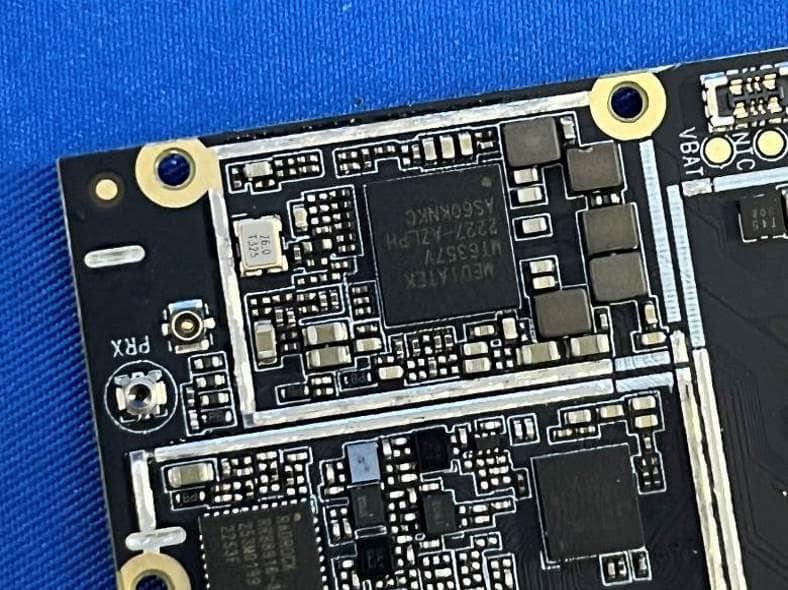
Click to zoom
Application Details
- Equipment Class
- PCE - PCS Licensed Transmitter held to ear
- Date of Grant
- Dec 02, 2023
- Application Purpose
- Original Equipment
- Date of Application
- Dec 02, 2023
- Equipment Note
- LTE smart phone
- Frequency Range
- 777.00000000 - 787.00000000
- Country
- China
Documents & Files
Document Text
Text extracted from the exhibit documents filed with the FCC. Open a document above to read the original.
Users Manual
Basic Operations Switch on Touch and hold the Power button until the phone switches on. Note: If you have enabled USIM/SIM locking in the Settings menu, enter the correct PIN number upon power-on before you use the phone. Caution: Three consecutive attempts of entering an incorrect PIN will lock the SIM card. If it is locked, use a PUK provided by the operator to unlock it. Switch off Touch and hold the “Power button” until the Phone Options screen displays. Tap " Power off ” to switch off the phone. Unlock Short press the “Power button” light up the screen, according to the clues of the screen interface can be unlocked. Touchscreen Usage Use your fingers to perform operations directly on icons, buttons, and the on-screen keypad. Tap/Touch/Click Tap the icon of an App to start it. Touch & Hold Touch and hold an item to display a pop-up menu of options. For example, go to Address Book, touch and hold a contact on the Address Book page, and a menu of options pops up. Drag Tap an item on the screen and drag it to another place. Slide/Sweep To sweep vertically or horizontally across the screen, you can view apps, pictures, and webpages in a convenient manner. Scroll Similar to sweeping, but faster. Pinch Put two fingers on the screen to pinch in or out an item, such as a webpage or picture. Home Screen 1. Status bar: allows you to view status icons and notices, such as signal, battery, current time and data service. 2. Notification bar: On the Home screen, tap the status bar and drag it down to display the notification bar. Tap this bar. Then you can view the notices. Touch the return button to switch back to the previous page. 3. App icon: Tap an app to open it. 4. Main menu: Tap the arrow and drag it up to enter the app main menu. Phone Settings To display the Settings menu, tap the Settings icon directly. 1.SIM card: In the Settings menu, choose SIM Card. You can then manage your SIM cards on the pop-up page. 2. Network: In the Settings menu, select WLAN to configure your radio network; or select Traffic usage to configure your mobile date services; or select Mobile Network under More to configure data services of your phone. 3. Sound: In the Settings menu, choose Sound. The allows you to set the volume, enable/disable vibration during ringing, and select ringtones for incoming calls and messages, as well as enable/disable keypad touch sound effect, touch alert tone, and screen lock tone 4. Display: allows you to configure the brightness, wallpaper, automatic device rotation, sleep duration, and font size. 5. Security: In the Settings menu, choose Security. The Security page allows you to set the screen locking mode and USIM/SIM locking mode. App Permission: allows you to configure certain permissions for an App and monitor their usage. 6. Anti-theft: allows you to remotely lock the phone or clear all data of it. 7. Manage apps: In the Settings menu, choose Apps. Then you can view or manage your apps. Note: Disable or unload certain apps if available space is less than 100MB. 8. Message: On the Message page, tap the Menu button and choose Settings. On the Message Settings page, you can enable/disable report sending, create or select a message template, and configure a message alert tone for each short or multimedia message. 9. Call: To display the Call Settings page, choose Settings on the Call page. Shortcuts On the Home screen, lightly drag down the Status bar. On the screen top, a group of shortcuts are displayed, such as Settings, WLAN, Bluetooth, Brightness, Auto-rotate, flashlight Airplane mode and so on. Tap any of them to open it quickly. Shortcut menu Powered by Android™ 13 (Go edition) provides several easy-to-use shortcut menus on the home screen. On this screen, long press on the screen, the selection menu of the shortcut function menu will pop up. Click the menu of the desired settings and complete the function settings according to the prompts. Move/Uninstall apps 1. Access the App main menu from the Home screen. On the ALL App page, tap and hold an app to be put on the Home screen, and drag it left or right to locate it at a proper place. In this way, a desktop app is created. 2. On the All App page, tap and hold an app, and drag it to Uninstall on the desktop. In this way, the app is removed from the phone. Note: You are not allowed to uninstall basic apps of the phone. 3. On the All App page, tap and hold an app, and drag it to APP Info. on the desktop. In this way, details about the app is displayed. Call This phone allows you to make or answer a call, initiate an emergency call, and launch a multi-party call. On the bottom left of the Home screen, tap the Dial-up icon. The Dial-up page is displayed. Enter a phone number and choose between card 1 and card 2 to make the call. When you enter the number, the phone will automatically search among all contacts a number that best matches the entered numerals, to facilitate your operation. During a call, tap Add a Call, and this call automatically switches to Silent mode. Enter the number of another contact, tap Dial-up, and the previous call automatically switches to On-hold mode. After the second call is answered, tap Join. In this way, a teleconference is established to achieve a multi-party talk. Note: You need to subscribe to this service from your carrier before you use it. You are also allowed to initiate a call by selecting a phone number from the list of contacts or the Message page. Contacts Tap Contacts to open it. The Contacts page offers management functions. It allows you to view the list of contacts and related details, make a call or send an SMS to a certain contact, and share the contact. Contact import: On the Contacts page, tap the Menu button, and choose Import/Export to select a mode for importing or exporting a contact. Add a contact: On the lower right of the Contacts page, tap the Add button to add a contact to your phone or USIM/SIM. Enter the name and number, and tap Finish. In this way, a contact is c…
Text truncated - open the document above for the full version.
Attestation Statements
Shenzhen Mytron Technology Limited Room 603, Block 4, Tongtai Times Center, Fuyong, Bao'an District, Shenzhen, Guangdong, China. Federal Communications Commission Authorization and Evaluation Division Equipment Authorization Branch 7435 Oakland Mills Road Columbia, MD 21046 2023/11/27 U.S. Agent Designation Shenzhen Mytron Technology Limited acknowledges their consent for the following contact located in the United States to act as their agent for service of process for the equipment for which authorization is sought (FCC ID: 2A35K-DL5PRO): Name and company of U.S. agent: GSS SERVICE INC Physical U.S. address of agent: 6547 N Academy Blvd #2266 Colorado Springs COLORADO 80918 United States FRN of U.S. agent: 0033402082 Email address of U.S. agent: [email protected] GSS SERVICE INC acknowledges their obligation to accept service of process on behalf of Shenzhen Mytron Technology Limited Shenzhen Mytron Technology Limited with the FRN [0031782915] accepts its obligation to maintain an agent for service of process in the United States for no less than one year after either the grantee has permanently terminated all marketing and importation of the applicable equipment within the U.S., or the conclusion of any Commission-related administrative or judicial proceeding involving the equipment, whichever is later. By signing this form, we confirm the above and that we are aware of the application requirements listed under § 2.911(d)(7). The information provided in this letter is based on the referenced rule parts of Title 47 of the CFR as well as KDB 986446 D01. An expiration date for this letter does not exist. In case the U.S. agent changes, the grantee is obligated to notify the FCC within 30 days via the granting TCB. Sincerely, Signature ChaoMing Guo Manager Shenzhen Mytron Technology Limited Signature Michoux Logan PM GSS SERVICE INC 48_[mo del] US_Agent_2.911(d)(7) - U, V0 5
ID Label/Location Info
Label and Location Size: L: 2.0cm*W: 1.0cm Label and Location FCC ID : 2A35K-DL5PRO
Internal Photos
FCC ID: 2A35K-DL5PRO Internal Photos of the EUT Photo 1 Photo 2 Photo 3 BT/WIFI/GPS/ FPC Antenna LTE diversity FPC antenna GSM/WCDMA/ LTE Anteanna antenna FCC ID: 2A35K-DL5PRO Photo 4 Photo 5 Photo 6 FCC ID: 2A35K-DL5PRO Photo 7 Photo 8 Photo 9 FCC ID: 2A35K-DL5PRO Photo 10 Photo 11 Photo 12 FCC ID: 2A35K-DL5PRO Photo 13
RF Exposure Info
Report No.: 18220WC30249501 FCC ID: 2A35K-DL5PRO Page 1 of 171 Code:AB-RF-05-b FCC SAR Test Report Applicant : Shenzhen Mytron Technology Limited Address : Room 603, Block 4, Tongtai Times Center, Fuyong, Bao'an District, Shenzhen, Guangdong, China Product Name : LTE smart phone Report Date : Dec. 01, 2023 Shenzhen Anbotek Compliance Laboratory Limited Report No.: 18220WC30249501 FCC ID: 2A35K-DL5PRO Page 2 of 171 Code:AB-RF-05-b Contents 1 Statement of Compliance ............................................................................................... 6 2 General Information ........................................................................................................ 7 2.1 Client Information ............................................................................................................................................. 7 2.2 Description of Equipment Under Test (EUT) ..................................................................................................... 7 2.3 Device Category and SAR Limits ..................................................................................................................... 9 2.4 Applied Standard .............................................................................................................................................. 9 2.5 Environment of Test Site ................................................................................................................................... 9 2.6 Description of Test Facility ................................................................................................................................ 9 2.7 Test Configuration ............................................................................................................................................. 9 3 Specific Absorption Rate (SAR) ................................................................................... 11 3.1 Introduction ...................................................................................................................................................... 11 3.2 SAR Definition ................................................................................................................................................. 11 4 SAR Measurement System .......................................................................................... 12 4.1 E-Field Probe .................................................................................................................................................. 13 4.2 Data Acquisition Electronics (DAE) ................................................................................................................. 13 4.3 Robot .............................................................................................................................................................. 14 4.4 Measurement Server ...................................................................................................................................... 14 4.5 Phantom ......................................................................................................................................................... 15 4.6 Device Holder ................................................................................................................................................. 16 4.7 Data Storage and Evaluation .......................................................................................................................... 16 5 Test Equipment List ...................................................................................................... 19 6 Tissue Simulating Liquids ............................................................................................. 20 7 System Verification Procedures ................................................................................... 22 8 EUT Testing Position .................................................................................................... 24 8.1 Handset Reference Points .............................................................................................................................. 24 8.2 Positioning for Cheek / Touch ......................................................................................................................... 25 8.3 Positioning for Ear / 15º Tilt ............................................................................................................................ 25 8.4 Body Worn Accessory Configurations............................................................................................................. 26 8.5 Wireless Router (Hotspot) Configurations ...................................................................................................... 26 9 Measurement Procedures ............................................................................................ 28 9.1 Spatial Peak SAR Evaluation ......................................................................................................................... 28 9.2 Power Reference Measurement ..................................................................................................................... 29 9.3 Area Scan Procedures ................................................................................................................................... 29 9.4 Zoom Scan Procedures .................................................................................................................................. 29 9.5 Volume Scan Procedures ............................................................................................................................... 30 9.6 Power Drift Monitoring .................................................................................................................................... 30 10 TEST CONDITIONS AND RESULTS ..........................................................…
Text truncated - open the document above for the full version.
RF Exposure Info
Report No.: 18220WC30249501 FCC ID: 2A35K-DL5PRO Page 136 o f 171 Code:AB-RF-05-b Report No.: 18220WC30249501 FCC ID: 2A35K-DL5PRO Page 137 o f 171 Code:AB-RF-05-b Report No.: 18220WC30249501 FCC ID: 2A35K-DL5PRO Page 138 o f 171 Code:AB-RF-05-b Report No.: 18220WC30249501 FCC ID: 2A35K-DL5PRO Page 139 o f 171 Code:AB-RF-05-b Report No.: 18220WC30249501 FCC ID: 2A35K-DL5PRO Page 140 o f 171 Code:AB-RF-05-b Report No.: 18220WC30249501 FCC ID: 2A35K-DL5PRO Page 141 o f 171 Code:AB-RF-05-b Report No.: 18220WC30249501 FCC ID: 2A35K-DL5PRO Page 142 o f 171 Code:AB-RF-05-b Report No.: 18220WC30249501 FCC ID: 2A35K-DL5PRO Page 143 o f 171 Code:AB-RF-05-b Report No.: 18220WC30249501 FCC ID: 2A35K-DL5PRO Page 144 o f 171 Code:AB-RF-05-b Report No.: 18220WC30249501 FCC ID: 2A35K-DL5PRO Page 145 o f 171 Code:AB-RF-05-b Report No.: 18220WC30249501 FCC ID: 2A35K-DL5PRO Page 146 o f 171 Code:AB-RF-05-b Report No.: 18220WC30249501 FCC ID: 2A35K-DL5PRO Page 147 o f 171 Code:AB-RF-05-b Report No.: 18220WC30249501 FCC ID: 2A35K-DL5PRO Page 148 o f 171 Code:AB-RF-05-b Report No.: 18220WC30249501 FCC ID: 2A35K-DL5PRO Page 149 o f 171 Code:AB-RF-05-b Report No.: 18220WC30249501 FCC ID: 2A35K-DL5PRO Page 150 o f 171 Code:AB-RF-05-b Report No.: 18220WC30249501 FCC ID: 2A35K-DL5PRO Page 151 o f 171 Code:AB-RF-05-b Report No.: 18220WC30249501 FCC ID: 2A35K-DL5PRO Page 152 o f 171 Code:AB-RF-05-b Report No.: 18220WC30249501 FCC ID: 2A35K-DL5PRO Page 153 o f 171 Code:AB-RF-05-b Report No.: 18220WC30249501 FCC ID: 2A35K-DL5PRO Page 154 o f 171 Code:AB-RF-05-b Report No.: 18220WC30249501 FCC ID: 2A35K-DL5PRO Page 155 o f 171 Code:AB-RF-05-b Report No.: 18220WC30249501 FCC ID: 2A35K-DL5PRO Page 156 o f 171 Code:AB-RF-05-b Report No.: 18220WC30249501 FCC ID: 2A35K-DL5PRO Page 157 o f 171 Code:AB-RF-05-b Report No.: 18220WC30249501 FCC ID: 2A35K-DL5PRO Page 158 o f 171 Code:AB-RF-05-b Report No.: 18220WC30249501 FCC ID: 2A35K-DL5PRO Page 159 o f 171 Code:AB-RF-05-b Report No.: 18220WC30249501 FCC ID: 2A35K-DL5PRO Page 160 o f 171 Code:AB-RF-05-b Report No.: 18220WC30249501 FCC ID: 2A35K-DL5PRO Page 161 o f 171 Code:AB-RF-05-b Report No.: 18220WC30249501 FCC ID: 2A35K-DL5PRO Page 162 o f 171 Code:AB-RF-05-b Report No.: 18220WC30249501 FCC ID: 2A35K-DL5PRO Page 163 o f 171 Code:AB-RF-05-b Report No.: 18220WC30249501 FCC ID: 2A35K-DL5PRO Page 164 o f 171 Code:AB-RF-05-b Report No.: 18220WC30249501 FCC ID: 2A35K-DL5PRO Page 165 o f 171 Code:AB-RF-05-b Report No.: 18220WC30249501 FCC ID: 2A35K-DL5PRO Page 166 o f 171 Code:AB-RF-05-b Report No.: 18220WC30249501 FCC ID: 2A35K-DL5PRO Page 167 o f 171 Code:AB-RF-05-b Report No.: 18220WC30249501 FCC ID: 2A35K-DL5PRO Page 168 o f 171 Code:AB-RF-05-b Report No.: 18220WC30249501 FCC ID: 2A35K-DL5PRO Page 169 o f 171 Code:AB-RF-05-b Extended calibration intervals check for Dipoles Justification of Extended Calibration SAR Dipole D750V3– serial no. 1118 Head Date of Measurement Return-Loss (dB) Delta (%) Real Impedance (ohm) Delta (ohm) Imaginary Impedance (johm) Delta (johm) 2021-06-08 -24.923 / 53.335 / -5.08 / 2022-06-07 -24.87 -0.20% 53.005 -0.33 -4.32 -0.76 2023-06-07 -25.20 1.10% 53.145 -0.19 -5.05 -0.03 Body Date of Measurement Return-Loss (dB) Delta (%) Real Impedance (ohm) Delta (ohm) Imaginary Impedance (johm) Delta (johm) 2021-06-08 -23.913 / 48.51 / -6.11 / 2022-06-07 -24.03 0.50% 47.85 -0.66 -5.6 -0.51 2023-06-07 -23.55 -1.50% 48.41 -0.1 -5.87 -0.24 Justification of Extended Calibration SAR Dipole D835V2– serial no. 4d154 Head Date of Measurement Return-Loss (dB) Delta (%) Real Impedance (ohm) Delta (ohm) Imaginary Impedance (johm) Delta (johm) 2021-06-16 -29.789 / 49.186 / -3.11 / 2022-06-15 -30.06 0.90% 48.496 -0.69 -3.03 -0.08 2023-06-14 -29.88 0.30% 48.446 -0.74 -2.57 -0.54 Body Date of Measurement Return-Loss (dB) Delta (%) Real Impedance (ohm) Delta (ohm) Imaginary Impedance (johm) Delta (johm) 2021-06-16 -27.407 / 46.601 / -2.33 / 2022-06-15 -27.43 0.10% 46.301 -0.3 -1.81 -0.52 2023-06-14 -27.02 -1.40% 46.051 -0.55 -2.29 -0.04 Report No.: 18220WC30249501 FCC ID: 2A35K-DL5PRO Page 170 o f 171 Code:AB-RF-05-b Justification of Extended Calibration SAR Dipole D1750V2– serial no.1021 Head Date of Measurement Return-Loss (dB) Delta (%) Real Impedance (ohm) Delta (ohm) Imaginary Impedance (johm) Delta (johm) 2021-07-01 -33.945 / 48.596 / -1.40 / 2022-06-30 -34.05 0.30% 48.196 -0.4 -0.68 -0.72 2023-06-29 -34.25 0.90% 48.526 -0.07 -1.03 -0.37 Body Date of Measurement Return-Loss (dB) Delta (%) Real Impedance (ohm) Delta (ohm) Imaginary Impedance (johm) Delta (johm) 2021-07-01 -27.463 / 45.981 / 0.61 / 2022-06-30 -27.55 0.30% 45.901 -0.08 1.29 -0.68 2023-06-29 -27.66 0.70% 45.351 -0.63 1.34 -0.73 Justification of Extended Calibration SAR Dipole D1900V2– serial no.5d175 Head Date of Measurement Return-Loss (dB) Delta (%) Real Impedance (ohm) Delta (ohm) Imaginary Impedance (johm) Delta (johm) 2022-06-15 -24.303 / 53.173 / 5.44 / 2023-06-14 -23.99 -1.30% 53.133 -0.04 5.58 -0.14 Body Date of Measurement Return-Loss (dB) Delta (%) Real Impedance (ohm) Delta (ohm) Imaginary Impedance (johm) Delta (johm) 2022-06-15 -24.565 / 48.877 / 5.75 / 2023-06-14 -24.59 0.10% 48.457 -0.42 6.28 -0.53 Report No.: 18220WC30249501 FCC ID: 2A35K-DL5PRO Page 171 o f 171 Code:AB-RF-05-b Justification of Extended Calibration SAR Dipole D2450V2– serial no. 910 Head Date of Measurement Return-Loss (dB) Delta (%) Real Impedance (ohm) Delta (ohm) Imaginary Impedance (johm) Delta (johm) 2021-06-15 -25.815 / 54.583 / 2.77 / 2022-06-14 -26.10 1.10% 54.293 -0.29 3.39 -0.62 2323-06-13 -26.18 1.40% 54.403 -0.18 3.05 -0.28 Body Date of Measurement Return-Loss (dB) Delta (%) Real Impedance (ohm) Delta (ohm) Imaginary Impedance (johm) Delta (johm) 2021-06-15 -27.332 / 50.671 / 4.28 / 2022-06-14 -27.39 0.20% 50.511 -0.16 4.51 -0.23 2323-06-13 -27.63 1.10% 49.971 -0.7 4.41 -0.13 Justification of Extended Calibration SAR Dipole D5GV2– serial no. 1160 Head Date of Measurement Return-Loss (dB) Delta (%) Real Impedanc…
Text truncated - open the document above for the full version.
Test Report
1. Antenna Description: Antenna type FPC antenna Model Digicel DL5 Pro-Main Manufacturer Shenzhen Mytron Technology Limited Gain (824 MHz -849MHz): 1dBi (1850 MHz -1910MHz): 1dBi (1710 MHz -1755MHz): 1dBi (699 MHz -716MHz): 1dBi (777 MHz -787MHz): 1dBi 2. Antenna Photo: Length: 36.33mm Width: 17.55mm
Test Report
Shenzhen CTA Testing Technology Co., Ltd. Room 106, Building 1, Yibaolai Industrial Park, Qiaotou Community, Fuhai Street, Bao’an District, Shenzhen, China FCC PART 22/24 TEST REPORT FCC Part 22 /Part 24 Report Reference No. .....................: FCC ID. .............................................: CTA23110900505 2A35K-DL5PRO Compiled by ( position+printed name+signature) .. : File administrators Zoey Cao Supervised by ( position+printed name+signature) .. : Project Engineer Amy Wen Approved by ( position+printed name+signature) .. : RF Manager Eric Wang Date of issue ..................................... : Nov. 20, 2023 Testing Laboratory Name .............. : Shenzhen CTA Testing Technology Co., Ltd. Address ............................................ : Room 106, Building 1, Yibaolai Industrial Park, Qiaotou Community, Fuhai Street, Bao‘an District, Shenzhen, China Applicant’s name ............................ : Shenzhen Mytron Technology Limited Address ............................................ : Room 603, Block 4, Tongtai Times Center, Fuyong, Bao'an District, Shenzhen, Guangdong, China. Test specification ........................... : Standard ........................................... : FCC Part 22: PUBLIC MOBILE SERVICES FCC Part 24: PERSONAL COMMUNICATIONS SERVICES Shenzhen CTA Testing Technology Co., Ltd. All rights reserved. This publication may be reproduced in whole or in part for non-commercial purposes as long as the Shenzhen CTA Testing Technology Co., Ltd. is acknowledged as copyright owner and source of the material. Shenzhen CTA Testing Technology Co., Ltd. takes no responsibility for and will not assume liability for damages resulting from the reader's interpretation of the reproduced material due to its placement and context. Test item description .....................: LTE smart phone Trade Mark ....................................... : N/A Manufacturer .................................... : Shenzhen Mytron Technology Limited Model/Type reference....................... : Digicel DL5 Pro Listed Models ................................... : Digicel DL5, mytron L551 Frequency .......................................... GSM 850MHz; PCS 1900MHz; Modulation ....................................... : GMSK GPRS................................................. Supported Ratings ............................................. : DC 3.7V From battery and DC 5.0V From external circuit Result................................................ : PASS Report No.: CTA23110900505 Page 2 of 39 T E S T R E P O R T Equipment under Test : LTE smart phone Model /Type : Digicel DL5 Pro Listed Models : Digicel DL5, mytron L551 Applicant : Shenzhen Mytron Technology Limited Address : Room 603, Block 4, Tongtai Times Center, Fuyong, Bao'an District, Shenzhen, Guangdong, China. Manufacturer : Shenzhen Mytron Technology Limited Address : Room 603, Block 4, Tongtai Times Center, Fuyong, Bao'an District, Shenzhen, Guangdong, China. Test Result: PASS The test report merely corresponds to the test sample. It is not permitted to copy extracts of these test result without the written permission of the test laboratory. Report No.: CTA23110900505 Page 3 of 39 Contents 1 T E S T S T A N D A R D S ................................................................. 4 2 S U M M A R Y ............................................................................ 5 2.1 General Remarks 5 2.2 Product Description 5 2.3 Equipment under Test 5 2.4 Short description of the Equipment under Test (EUT) 6 2.5 EUT configuration 6 2.6 Related Submittal(s) / Grant (s) 6 2.7 Modifications 6 2.8 General Test Conditions/Configurations 6 2.9 Modifications 6 3 T E S T E N V I R O N M E N T .............................................................. 7 3.1 Address of the test laboratory 7 3.2 Test Facility 7 3.3 Environmental conditions 7 3.4 Test Description 7 3.5 Equipments Used during the Test 9 4 T E S T C O N D I T I O N S A N D R E S U L T S ........................................... 10 4.1 Output Power 10 4.2 Radiated Spurious Emssion 14 4.3 Occupied Bandwidth and Emission Bandwidth 17 4.4 Band Edge Complicance 21 4.5 Spurious Emssion on Antenna Port 24 4.6 Frequency Stability Test 33 4.7 Peak-to-Average Ratio (PAR) 36 5 T E S T S E T U P P H O T O S O F T H E E U T ......................................... 39 6 E X T E RN A L A N D I N T E R N A L P H OT O S O F T H E E U T ...................... 39 Report No.: CTA23110900505 Page 4 of 39 1 T E S T S T A N D A R D S The tests were performed according to following standards: FCC Part 2: FREQUENCY ALLOCA-TIONS AND RADIO TREATY MAT-TERS; GENERAL RULES AND REG-ULATIONS FCC Part 22 Subpart H: PRIVATE LAND MOBILE RADIO SERVICES. FCC Part 24 Subpart E: PUBLIC MOBILE SERVICES ANSI/TIA-603-E-2016: Land Mobile FM or PM Communications Equipment Measurement and Performance Standards. ANSI C63.26-2015: IEEE/ANSI Standard for Compliance Testing of Transmitters Used in Licensed Radio Services FCCKDB971168D01 Power Meas License Digital Systems Report No.: CTA23110900505 Page 5 of 39 2 S U M M A R Y 2.1 General Remarks Date of receipt of test sample : Oct. 18, 2023 Testing commenced on : Oct. 18, 2023 Testing concluded on : Nov. 20, 2023 2.2 Product Description Product Name: LTE smart phone Model/Type reference: Digicel DL5 Pro Power supply: DC 3.7V From battery and DC 5.0V From external circuit Adapter information: Model: DL5 Pro Input: AC 100-240V 50/60Hz 250mA Output: DC 5.0V 1000mA Hardware version: V1.1 Software version: V1.0 testing sample ID: CTA231109005-1# (Engineer sample), CTA231109005-2# (Normal sample) Modilation Type GMSK Antenna Type FPC Antenna GSM/EDGE/GPRS Supported GSM/GPRS GSM/GPRS Power Class GSM850:Power Class 4/ PCS1900:Power Class 1 GSM/GPRS Operation Frequency GSM850 :824.2MHz-848.8MHz/PCS1900:1850.2MHz-1909.8MHz GPRS Operation Frequency Band GPRS850/GPRS1900 GPRS Multislot Class Multi-slot Class 12 Extreme temp. Tolerance -30°C to +50°C GPRS operation mode Class…
Text truncated - open the document above for the full version.
Test Report
Shenzhen CTA Testing Technology Co., Ltd. Room 106, Building 1, Yibaolai Industrial Park, Qiaotou Community, Fuhai Street, Bao’an District, Shenzhen, China TEST REPORT FCC Part 22 Subpart H / Part 24 Subpart E Report Reference No. .....................: FCC ID. .............................................: CTA23110900506 2A35K-DL5PRO Compiled by ( position+printed name+signature) . : File administrators Zoey Cao Supervised by ( position+printed name+signature) . : Project Engineer Amy Wen Approved by ( position+printed name+signature) . : RF Manager Eric Wang Date of issue ..................................... : Nov. 20, 2023 Testing Laboratory Name .............. : Shenzhen CTA Testing Technology Co., Ltd. Address ............................................ : Room 106, Building 1, Yibaolai Industrial Park, Qiaotou Community, Fuhai Street, Bao‘an District, Shenzhen, China Applicant’s name ............................ : Shenzhen Mytron Technology Limited Address ............................................ : Room 603, Block 4, Tongtai Times Center, Fuyong, Bao'an District, Shenzhen, Guangdong, China. Test specification ........................... : Standard ........................................... : FCC CFR Title 47 Part 2, Part 22H, Part 24E and Part 27 ANSI/TIA-603-E-2016 KDB 971168 D01 Shenzhen CTA Testing Technology Co., Ltd. All rights reserved. This publication may be reproduced in whole or in part for non-commercial purposes as long as the Shenzhen CTA Testing Technology Co., Ltd. is acknowledged as copyright owner and source of the material. Shenzhen CTA Testing Technology Co., Ltd. takes no responsibility for and will not assume liability for damages resulting from the reader's interpretation of the reproduced material due to its placement and context. Test item description ......................: LTE smart phone Trade Mark ................................. : N/A Manufacturer .............................. : Shenzhen Mytron Technology Limited Model/Type reference ................. : Digicel DL5 Pro Listed Models ............................ : Digicel DL5, mytron L551 Ratings ....................................... : DC 3.7V From battery and DC 5.0V From external circuit Modulation ................................. : QPSK Hardware version ....................... : V1.1 Software version ........................ : V1.0 Frequency ................................... UMTS Band II, UMTS Band V Result................................................ : PASS Report No.: CTA23110900506 Page 2 of 30 TEST REPORT Equipment under Test : LTE smart phone Model /Type : Digicel DL5 Pro Listed Models : Digicel DL5, mytron L551 Applicant : Shenzhen Mytron Technology Limited Address : Room 603, Block 4, Tongtai Times Center, Fuyong, Bao'an District, Shenzhen, Guangdong, China. Manufacturer : Shenzhen Mytron Technology Limited Address : Room 603, Block 4, Tongtai Times Center, Fuyong, Bao'an District, Shenzhen, Guangdong, China. Test result Pass * * In the configuration tested, the EUT complied with the standards specified page 4. The test report merely corresponds to the test sample. It is not permitted to copy extracts of these test result without the written permission of the test laboratory. Report No.: CTA23110900506 Page 3 of 30 Contents 1 SUMMARY ..............................................................................…
Text truncated - open the document above for the full version.
Contact Information
Applicant
ChaoMing Guo(General Manager)
Test Firm
SHENZHEN CTA TESTING TECHNOLOGY CO., LTD.Eric Wang
[email protected]+86 755 2322 5875
Technical Specifications
| # | Rule Parts | Frequency Range | Power Output | Emission | Tolerance |
|---|---|---|---|---|---|
| 18 | 27 | 777 MHz - 787 MHz | 98.20 mW | 8M96W7D | 2.5 ppm |
Other Applications from Shenzhen Mytron Technology Limited
2A35K-DL4PLUS
Nov 09, 2022smart phone
Equipment Class
DSS - Part 15 Spread Spectrum Transmitter