2A3OF-DS3Digital Night Vision
Shenzhen Pard Technology Co.,Ltd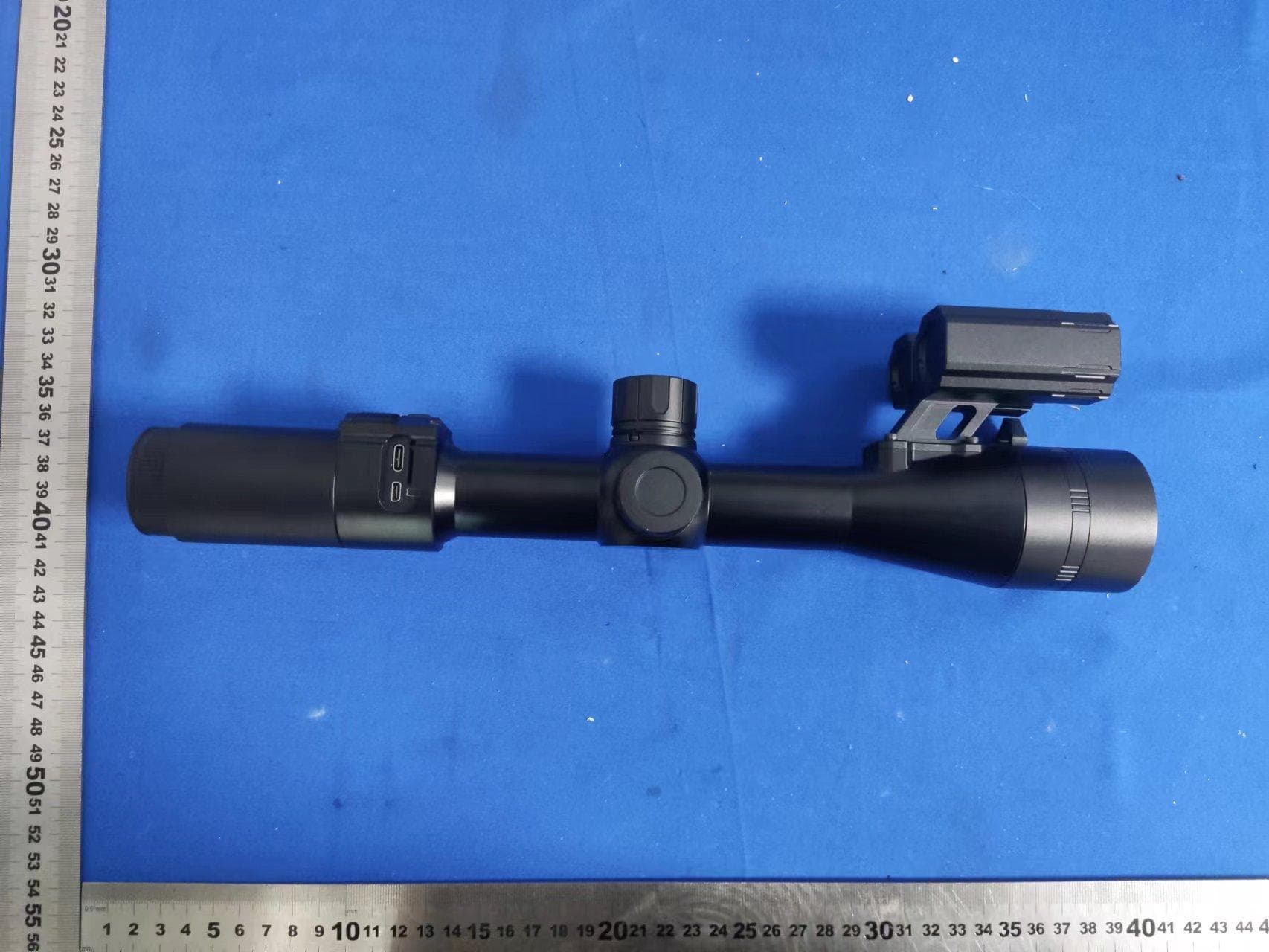
Click to zoom
Application Details
- Equipment Class
- DTS - Digital Transmission System
- Date of Grant
- Jul 18, 2022
- Application Purpose
- Original Equipment
- Date of Application
- Jul 18, 2022
- Equipment Note
- Digital Night Vision
- Frequency Range
- 2412.00000000 - 2462.00000000
- Country
- China
Documents & Files
Document Text
Text extracted from the exhibit documents filed with the FCC. Open a document above to read the original.
Users Manual
No t es —3— 1.Don't look at the IR infrared light directly, or it will damage your eyes! 2.Massive power will be gathered when the infrared light is turned on. D aim at flammable items at a close range, otherwise it may cause fire. Please turn the infrared light off or enter sleep mode after use. on't 3. Please use a rechargeable battery with a rated voltage of 3.7V! 4. Attempts to disassemble or repair the device without authorization will void the warranty. Please contact with the maintenance point in time if there's any needs. —1— Digital Night Vision StandardVersion —2— RangefinderVersion Digital Night Vision PRODUCT INSTRUCTION DS3 DS3-RF Package Contents The packaging contains a night vision optics with the following: Installation 1.Battery Installation Hex-nut wrenches; 18650 3.7V Li-ion battery Storage card is not included. Please prepare a TF card (128g maximum) for data storage. Remove battery compartment cap and insert a 18650 3.7V Li-ion battery with its positive polar towards to the direction inward. Then put the cap back and screw it tightly. ( Fail to do so may result in restarting!) —7— —4— —6— —5— Stretchable fill l ight Battery compartment cap Objective lens focusing ring LRF module (only for LRF version) Keyboard panel Lens cap Power/Sleep buttonPower indicator Range receiver Eyepiece dioptre adjustment ring Objective lens Menu buttonOK/ / Play Recording button / WiFi LRFbutton M ode switc button TF card slot Tpye-C charging port HDMI high-definition interface Range emitter Type-C cable; Mount; carrying box —8— Instructions 1.Turn On/Off: 2.Sleep Mode: 3 The Eyepiece Dioptre Adjustment . Enter sleep mode with a short press of Power/Sleep button when the device is on. Power indicator will keep light when the device enters sleep mode. The purpose of dioptre adjustment is to get a clear image for users with different vision. Rotate and a d j u st the d i o pt re a d j u st m ent ring until you get a clear view of the four-character icon on the screen. One adjustment only for each eye. (Please note that the image is not clear normally without the adjustment of objec�ve lens.) —9— 5.IR Fill Light Control Turn on the device, enter black and white mode with a long press of IR button. Switch to IR level 1-3 or off with a short press of IR button. The part of fill light is stretchable which can be twisted out or back to make an quick adjustment. 4.The Objective Lens Adjustment —10— 6.Red Dot Adjustment 7.Menu operation Turn on the device, then turn the laser on/off with a long press of Laser/Menu button. The position of laser can be adjusted on the laser adjustment holes by a hex-nut wrench. Enter the menu with a short press of Menu button. Pre ss +/- button to select options. Enter a submenu with a short press of OK button. Exit the menu with a short press of Menu button. —11— 3. Mount Installation 2.Adjustments Rotate and adjust the eyepiece dioptre adjustment ring until you can see the four-character icon on the screen ( there's no need to see a clear image ), then rotate the Objective lens adjustment ring until you can see the target clearly. Next, switch to different modes, test IR, Red dot and Rangefinder to check the fun ction of the device. There are five mounting holes in the base of the device. Attach the mount to the base of the device by using a hex-nut wrench and screws. The mount can be installed with Picatinny rails. After entering the ballistic calculation parameter setting, press the menu/ok button to move up and down to select sub-options and +/- button to adjust the value of them. To save and return to the observation interface by a long press of the OK button; return to the observation interface without saving by a long press of menu button. Turn on th e device with a short press of Power button.Turn off the device witha long press of Power button. Power indicator will keep light when the device is turned on. Make sure the eyepiece dioptre adjustment is finished. Aiming at your target, rotate and adjust the objective lens ring until you get a clear and well-focused image. 1>BC Setting (Ballistic Calculation) 2>Range Unit Selection Enter the submenu range unit selection with a short press of OK button. Select “Meter ” or “ Yard” with a short press of +/- button. Confirm your selection wit h a short press of OK button. Enter the b yapressofOKb utton, t hen press "+" or "-" button to switch among ballistic calculation Parameters/ON/Off options. . BC Setting Confirm your selection with a short press of OK button 3>PIP (Picture-in-Picture) Enter the submenu PIP mode with a short press of OK button. Select “off, on, shortcut key off or shortcut key on” with +/- button. Confirm your selection with a short press of OK button. Once the shortcut key of PIP is turned on, enter or exit PIP mode with a long press of Menu button. (Laser funct ion can not work in this situation) —12— 7>Default Color 6>Default Magnification Enter the submenu Default Magnification with a short press of OK button. Select “6.5x/13x ” or “4.5x/9x ” as default magnification and confirm your selection with a short press of OK button. 5>Gyroscope Enter the submenu Gyroscope with a short press of OK button. Select "Display" or "Calibration" with a short press of +/- button. Select "On" or "Off" to turn on/off the gyroscope after entering "Display". Turn on the gyroscope before y ou select "Calibration". Enter "Calibration" by a short press of OK button. Keep the machine level and stand still for about 8 seconds to complete the calibration. —13— 8>Brightness Of IR Enter the submenu Brightness of IR with a short press of OK button. Select “Off ” ,“1”, “2”, or “3” with a short press of +/- button. Confirm your selection with a short press of OK button. Please note this setting is for the default brightness of IR. Pressing IR button under Black & White mode for instant setting of IR brightness . Enter the submenu Default Color with a short press of OK button. Select “Color ” or “Black & White” mode wit…
Text truncated - open the document above for the full version.
Cover Letter(s)
ShenzhenPardTechnologyCo.,Ltd AgentAuthorization Company:ShenzhenPardTechnologyCo.,Ltd Address:B78,18/F,Guangyinbuilding,38FutianSouthRoad, portcommunity,Futianstreet,ShenzhenChina ProductName:DigitalNightVision ModelNumber(s):DS3,DS31,DS31R,DS31F,DS31RF,DS31-35,DS31-50, DS31-70,DS31-35R,DS31-50R,DS31-70R,DS31-35F, DS31-50F,DS31-70F,DS31-35RF,DS31-50RF,DS31- 70RF,DS33,DS33R,DS33F,DS33RF,DS33-35,DS33-50, DS33-70,DS33-35R,DS33-50R,DS33-70R,DS33-35F, DS33-50F,DS33-70F,DS33-35RF,DS33-50RF, DS33-70RF,DS35,DS35R,DS35F,DS35RF,DS35-35, DS35-50,DS35-70,DS35-35R,DS35-50R,DS35-70R, DS35-35F,DS35-50F,DS35-70F,DS35-35RF,DS35-50RF,DS35- 70RF,DS37,DS37R,DS37F,DS37RF,DS37-35, DS37-50,DS37-70,DS37-35R,DS37-50R,DS37-70R, DS37-35F,DS37-50F,DS37-70F,DS37-35RF, DS37-50RF,DS33-70RF,DS39,DS39R,DS39F,DS39RF, DS39-35,DS39-50,DS39-70,DS39-35R,DS39-50R, DS39-70R,DS39-35F,DS39-50F,DS39-70F,DS39-35RF, DS39-50RF,DS33-70RF,TS32,TS32-7,TS32-10,TS32-15,RS32-19,TS32- 25,TS32F,TS32-7F,TS32-10F,TS32-15F, TS32-19F,TS32-25F,TS33,TS33-15,TS33-19,TS33-25, TS33-35,TS33-45,TS33F,TS33-15F,TS33-19F,TS33-25F,TS33-35F,TS33- 45F,TS34,TS34-19,TS34-25,TS34-35, TS34-45,TS34-50,TS34F,TS34-19F,TS34-25F,TS34-35F,TS34-45F,TS34- 50F,TS36,TS36-25,TS36-35,TS36-45, TS36-50,TS36-55,TS36F,TS36-25F,TS36-35F,TS36-45F,TS36-50F,TS36- 55F,TS37,TS37-19,TS37-25,TS37-35, TS37-45,TS37-50,TS37F,TS37-19F,TS37-25F,TS37-35F,TS37-45F,TS37- 50F,TS39,TS39-19,TS39-25,TS39-35, TS39-45,TS39-50,TS39-55,TS39F,TS39-19F,TS39-25F, TS39-35F,TS39-45F,TS39-50F,TS39-55F ProductDescription:DigitalNightVision WeauthorizeMiCOMLabsInc.,575BoulderCourt,Pleasanton,California94566,USA, toactonourbehalfonallmattersconcerningthecertificationofabovenamed equipment. WedeclarethatMiCOMLabsInc.isallowedtoforwardallinformationrelatedtothe approvalandcertificationofequipmenttotheregulatoryagenciesasrequiredandto discussanyissuesconcerningtheapprovalapplication.Anyandallactscarriedoutby MiCOMLabsonourbehalfshallhavethesameeffectasactsofourown. Signature:Date:July12,2022 Name:AnnaAi Title:Manager Company:ShenzhenPardTechnologyCo.,Ltd
Cover Letter(s)
ShenzhenPardTechnologyCo.,Ltd OfficeofEngineeringTechnology FederalCommunicationsCommission 7435OaklandMillsRoad Columbia,MD21046 USA Date:July12.2022 Subject;RequestforConfidentiality FCCID:2A3OF-DS3 ToWhomItMayConcern, PursuanttotheprovisionsoftheCommission’srulesTitle47Sections§0.457and§0.459,we arerequestingtheCommissiontowithholdthefollowingattachment(s)asconfidential documentsfrompublicdisclosureindefinitely. Thesedocumentscontaindetailedsystemandequipmentdescriptionsandareconsideredas proprietaryinformationinoperationoftheequipment.Thepublicdisclosureofthesedocuments mightbeharmfultoourcompanyandwouldgivecompetitorsanunfairadvantageinthemarket. SchematicDiagram BlockDiagram PartsList OperationalDescription Tune-upProcedure Inadditionaltoabovementioneddocuments,inordertocomplywiththemarketingregulations inTitle47CFR§2.803andtheimportationrulesinTitle47CFR§2.1204,whileensuringthat businesssensitiveinformationremainsconfidentialuntiltheactualmarketingofnewly authorizeddevices,werequestShortTermConfidentialityofthefollowingattachment(s); ExternalPhotos TestSetupPhotos InternalPhotos UserManual For45days,pursuanttoPublicNoticeDA04-1705. OR For180dayspursuanttoKDB726920D01. ShenzhenPardTechnologyCo.,Ltd Itisourunderstandingthatallmeasurementtestreports,FCCIDlabelformatand correspondenceduringthecertificationreviewprocesscannotbegrantedasconfidential documentsandthisinformationwillbeavailableforpublicreviewoncethegrantofequipment authorizationisissued. Sincerely, Signature: Name:AnnaAi Title:Manager
Cover Letter(s)
Modeldifferencedeclarationletter DifferencesDescription WeShenzhenPardTechnologyCo.,Ltdstate: Product: DigitalNightVision ModelName : DS3,DS31,DS31R,DS31F,DS31RF,DS31-35,DS31-50, DS31-70,DS31-35R,DS31-50R,DS31-70R,DS31-35F, DS31-50F,DS31-70F,DS31-35RF,DS31-50RF,DS31-70RF,DS33, DS33R,DS33F,DS33RF,DS33-35,DS33-50, DS33-70,DS33-35R,DS33-50R,DS33-70R,DS33-35F, DS33-50F,DS33-70F,DS33-35RF,DS33-50RF, DS33-70RF,DS35,DS35R,DS35F,DS35RF,DS35-35, DS35-50,DS35-70,DS35-35R,DS35-50R,DS35-70R, DS35-35F,DS35-50F,DS35-70F,DS35-35RF,DS35-50RF,DS35-70 RF,DS37,DS37R,DS37F,DS37RF,DS37-35, DS37-50,DS37-70,DS37-35R,DS37-50R,DS37-70R, DS37-35F,DS37-50F,DS37-70F,DS37-35RF, DS37-50RF,DS33-70RF,DS39,DS39R,DS39F,DS39RF, DS39-35,DS39-50,DS39-70,DS39-35R,DS39-50R, DS39-70R,DS39-35F,DS39-50F,DS39-70F,DS39-35RF, DS39-50RF,DS33-70RF,TS32,TS32-7,TS32-10,TS32-15,RS32-19, TS32-25,TS32F,TS32-7F,TS32-10F,TS32-15F, TS32-19F,TS32-25F,TS33,TS33-15,TS33-19,TS33-25, TS33-35,TS33-45,TS33F,TS33-15F,TS33-19F,TS33-25F,TS33-35F ,TS33-45F,TS34,TS34-19,TS34-25,TS34-35, TS34-45,TS34-50,TS34F,TS34-19F,TS34-25F,TS34-35F,TS34-45F ,TS34-50F,TS36,TS36-25,TS36-35,TS36-45, TS36-50,TS36-55,TS36F,TS36-25F,TS36-35F,TS36-45F,TS36-50F ,TS36-55F,TS37,TS37-19,TS37-25,TS37-35, TS37-45,TS37-50,TS37F,TS37-19F,TS37-25F,TS37-35F,TS37-45F ,TS37-50F,TS39,TS39-19,TS39-25,TS39-35, TS39-45,TS39-50,TS39-55,TS39F,TS39-19F,TS39-25F, TS39-35F,TS39-45F,TS39-50F,TS39-55F Theaboveproductwithsamecircuit,PCBlayout,electricalparts,materialsandwiring structures,thematerialsofdecorativeaccessoriesissame,Fortheproductappearance difference,thesizeisthesame,butthecoloroftheproductisdifferent Signatory Date:07-12-2022 Signature:Date:July12,2022 Name:AnnaAi Title:Manager Company:ShenzhenPardTechnologyCo.,Ltd
External Photos
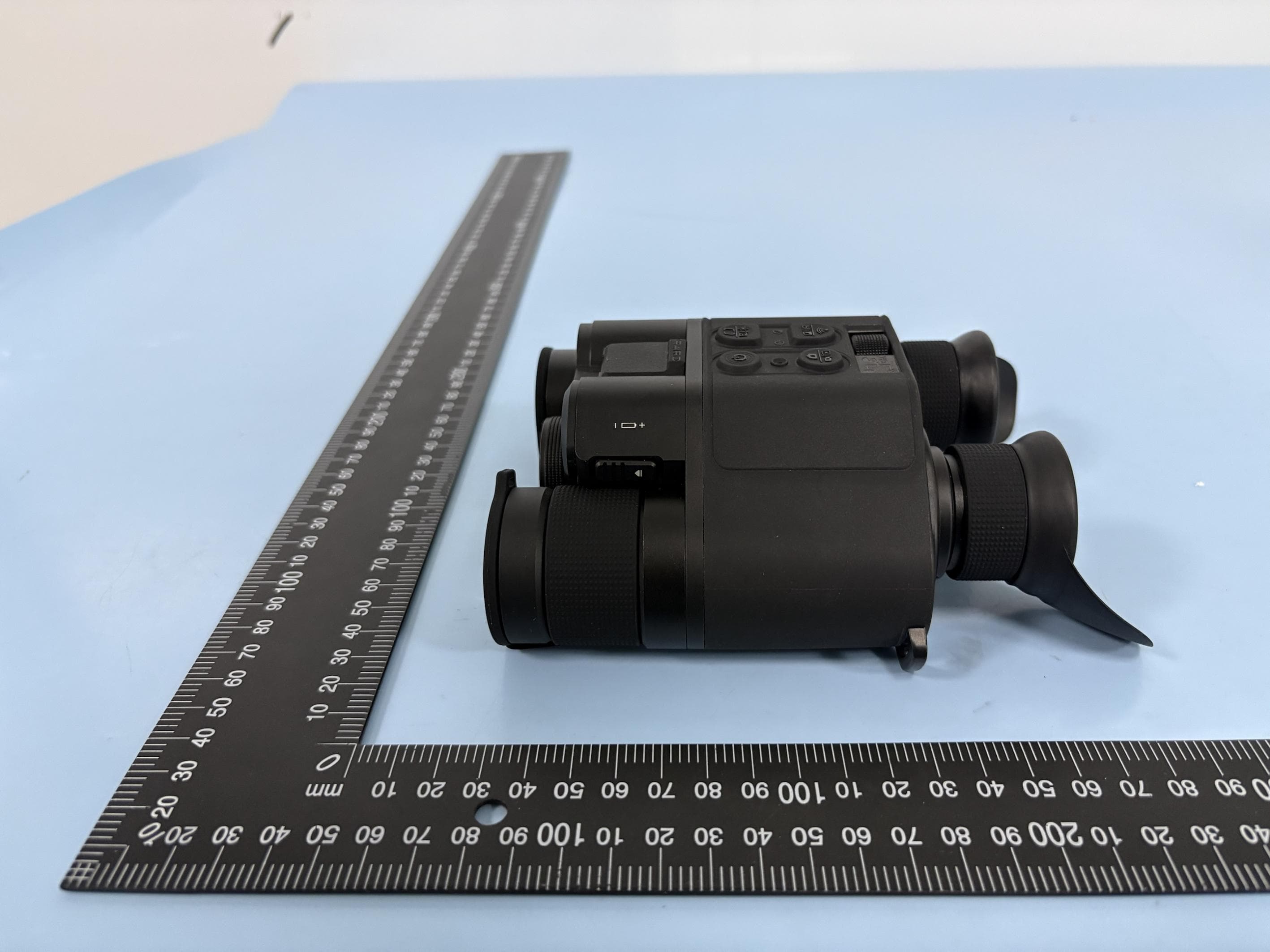
Page1of3ReportNo.:FCS202207041 Externalphotos Photo1 Photo2 Page2of3ReportNo.:FCS202207041 Photo3 Photo4 Page3of3ReportNo.:FCS202207041 Photo5 Photo6
ID Label/Location Info
LabelandLabelLocation FCCID:2A3OF-DS3 L*W:4mm*2mm Blackfontonawhitelabel
Internal Photos
Page1of5ReportNo.:FCS202207041 Internalphotos Photo1 Photo2 Page2of5ReportNo.:FCS202207041 Photo3 Photo4 Page3of5ReportNo.:FCS202207041 Photo5 Photo6 FPCnatenna Page4of5ReportNo.:FCS202207041 Photo7 Photo8 Page5of5ReportNo.:FCS202207041 Photo7 Photo8
RF Exposure Info
FCCRFExposure EUTDescription:DigitalNightVision ModelNo.:DS3 FCCID:2A3OF-DS3 Equipmenttype:PortableDevice 1.TestProcedure AccordingtoKDB447498D01GeneralRFExposureGuidancev06 The1-gand10-gSARtestexclusionthresholdsfor100MHzto6GHzattest separationdistances ≤ 50mmaredeterminedby: [(max.powerofchannel,includingtune-uptolerance,mW)/ (min.testseparationdistance,mm)] · [ √ f(GHz)] ≤ 3.0for1-gSARand ≤ 7.5for10-g extremitySAR, where f(GHz)istheRFchanneltransmitfrequencyinGHz PoweranddistanceareroundedtothenearestmWandmmbefore calculationTheresultisroundedtoonedecimalplaceforcomparison Thetestexclusionsareapplicableonlywhentheminimumtestseparation distanceis≤50mmandfortransmissionfrequenciesbetween100MHzand6GHz. Whentheminimumtestseparationdistanceis<5mm,adistanceof5mmisappliedto determineSARtestexclusion. 2.TestResultofRFExposureEvaluation Output power (dBm/ mW ) Result calculatio n SAR Exclusio n threshol d SAR Test exclusio n 802.11b 3.53/2.254 0.79303.0Yes 802.11g 3.75/2.371 0.74403.0Yes 802.11n(20MHz) 4.94/1.967 0.61723.0Yes Conclusion:NoSARisrequired
Test Report
FCCTestReport ReportNo:FCS202207041W01 Applicant: ShenzhenPardTechnologyCo.,Ltd Address: B78,18/F,Guangyinbuilding,38FutianSouthRoad, portcommunity,Futianstreet,ShenzhenChina ProductName: DigitalNightVision BrandName: PARD ModelName: DS3 SeriesModel: DS31,DS31R,DS31F,DS31RF,DS31-35,DS31-50, DS31-70,DS31-35R,DS31-50R,DS31-70R,DS31-35F, DS31-50F,DS31-70F,DS31-35RF,DS31-50RF,DS31-70R F,DS33,DS33R,DS33F,DS33RF,DS33-35,DS33-50, DS33-70,DS33-35R,DS33-50R,DS33-70R,DS33-35F, DS33-50F,DS33-70F,DS33-35RF,DS33-50RF, DS33-70RF,DS35,DS35R,DS35F,DS35RF,DS35-35, DS35-50,DS35-70,DS35-35R,DS35-50R,DS35-70R, DS35-35F,DS35-50F,DS35-70F,DS35-35RF,DS35-50RF, DS35-70RF,DS37,DS37R,DS37F,DS37RF,DS37-35, DS37-50,DS37-70,DS37-35R,DS37-50R,DS37-70R, DS37-35F,DS37-50F,DS37-70F,DS37-35RF, DS37-50RF,DS33-70RF,DS39,DS39R,DS39F,DS39RF, DS39-35,DS39-50,DS39-70,DS39-35R,DS39-50R, DS39-70R,DS39-35F,DS39-50F,DS39-70F,DS39-35RF, DS39-50RF,DS33-70RF,TS32,TS32-7,TS32-10,TS32-15, RS32-19,TS32-25,TS32F,TS32-7F,TS32-10F,TS32-15F, TS32-19F,TS32-25F,TS33,TS33-15,TS33-19,TS33-25, TS33-35,TS33-45,TS33F,TS33-15F,TS33-19F,TS33-25F, TS33-35F,TS33-45F,TS34,TS34-19,TS34-25,TS34-35, TS34-45,TS34-50,TS34F,TS34-19F,TS34-25F,TS34-35F, TS34-45F,TS34-50F,TS36,TS36-25,TS36-35,TS36-45, TS36-50,TS36-55,TS36F,TS36-25F,TS36-35F,TS36-45F, TS36-50F,TS36-55F,TS37,TS37-19,TS37-25,TS37-35, TS37-45,TS37-50,TS37F,TS37-19F,TS37-25F,TS37-35F, TS37-45F,TS37-50F,TS39,TS39-19,TS39-25,TS39-35, TS39-45,TS39-50,TS39-55,TS39F,TS39-19F,TS39-25F, TS39-35F,TS39-45F,TS39-50F,TS39-55F FCCID: 2A3OF-DS3 Page 2 of55ReportNo.:FCS202207041W01 FluxComplianceServiceLaboratory Room105FloorBaohaoTechnologyBuilding1NO.15GongyeWestRoadHi-TechIndustrial,SongshanlakeDongguan Tel:769-27280901Fax:769-27280901http://www.FCS-lab.com TESTRESULTCERTIFICATION Applicant’sName......................:ShenzhenPardTechnologyCo.,Ltd Address......................................: B78,18/F,Guangyinbuilding,38FutianSouthRoad, portcommunity,Futianstreet,ShenzhenChina Manufacture'sName................:ShenzhenPardTechnologyCo.,Ltd Address......................................: B78,18/F,Guangyinbuilding,38FutianSouthRoad, portcommunity,Futianstreet,ShenzhenChina ProductDescription ProductName...........................:DigitalNightVision ModelName..............................:PARD BrandName ............................. :DS3 SeriesModel..............................:Refertopage1ofthereport TestStandards .......................... :FCCPart15.247 TestProcedure .......................... :ANSIC63.10-2013 ThisdevicedescribedabovehasbeentestedbyFluxComplianceServiceLaboratory,thetest resultsshowthattheequipmentundertest(EUT)isincompliancewiththeFCCrequirements.Andit isapplicableonlytothetestedsampleidentifiedinthereport. Thisreportshallnotbereproducedexceptinfull,withoutthewrittenapprovalofFluxCompliance ServiceLaboratory,thisdocumentmaybealteredorrevisedbyFluxComplianceService Laboratory,personalonly,andshallbenotedintherevisionofthedocument.. DateofTest .................................. : Date(s)ofperformanceoftests.:July5,2022~July7,2022 DateofIssue.................................:July7,2022 TestResult....................................:Pass Testedby: (ScottShen) Reviewedby: (DukeQian) Approvedby: (JackWang) Page 3 of55ReportNo.:FCS202207041W01 FluxComplianceServiceLaboratory Room105FloorBaohaoTechnologyBuilding1NO.15GongyeWestRoadHi-TechIndustrial,SongshanlakeDongguan Tel:769-27280901Fax:769-27280901http://www.FCS-lab.com TableofContentsPage 1.SUMMARYOFTESTRESULTS..............................................................................................6 1.1TESTFACTORY................................................................................................................7 1.2MEASUREMENTUNCERTAINTY....................................................................................8 2.GENERALINFORMATION......................................................................................................9 2.1GENERALDESCRIPTIONOFTHEEUT.........................................................................9 0000.2.2BLOCKDIGRAMSHOWINGTHECONFIGURATIONOFSYSTEMTESTED....11 2.3DESCRIPTIONOFNECESSARYACCESSORIESANDSUPPORTUNITS................12 2.4EQUIPMENTSLIST.........................................................................................................13 3.6DBBANDWIDTH..................................................................................................................14 3.1Limit......................................................................................................................................14 3.2TestProcedure.....................................................................................................................14 3.3Testsetup.............................................................................................................................14 3.4Testresults...........................................................................................................................15 4CONDUCTEDOUTPUTPOWER............................................................................................20 4.1limit...................................................................................................................................20 4.2testprocedure..................................................................................................................20 4.3TESTSETUP...................................................................................................................20 4.5testresults........................................................................................................................20 5.POWERSPECTRALDENSITY..............................................................................................21 5.1LIMIT................................................................................................................................21 5.2TESTPROCEDURE......................................…
Text truncated - open the document above for the full version.
Test Setup Photos
Page1of2ReportNo.:FCS202207041 Blow1GHzforradiatedemissiontestsetup Above1GHzforradiatedemissiontestsetup Page2of2ReportNo.:FCS202207041 Conductedemissiontestsetup
Contact Information
Applicant
Anna Ai
Technical Contact
Test Firm
Flux Compliance Service LaboratoryAndy Yue
[email protected]13510297284
Technical Specifications
| # | Rule Parts | Frequency Range | Power Output |
|---|---|---|---|
| 1 | 15C | 2.41 GHz - 2.46 GHz | 2.37 mW |
Other Applications from Shenzhen Pard Technology Co.,Ltd
2A3OF-OSPREY4K
May 20, 2026Multi- spectral Digital Camera
Equipment Class
DTS - Digital Transmission System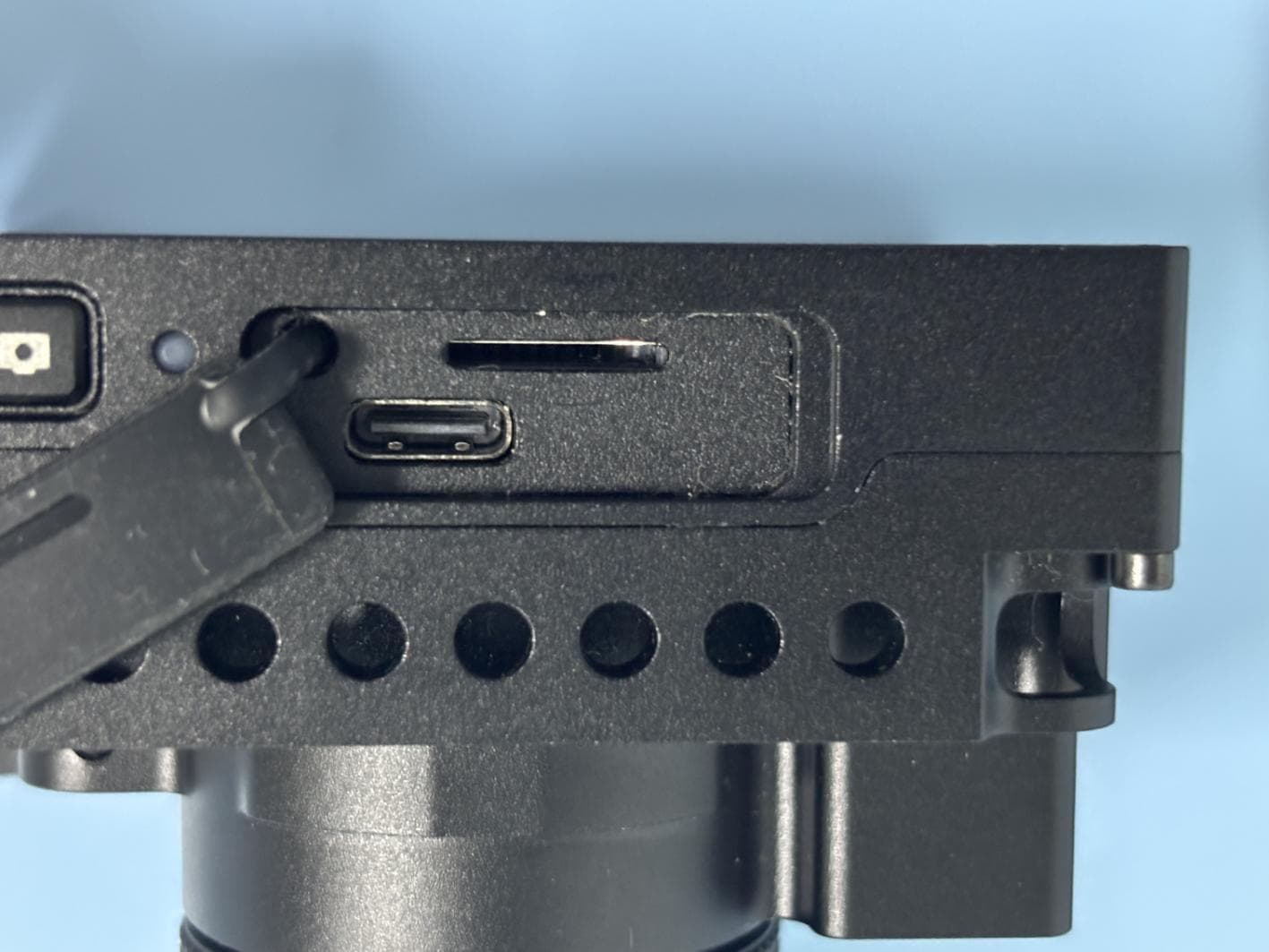
2A3OF-CRUX256
May 07, 2026Thermal Imaging Camera
Equipment Class
DTS - Digital Transmission System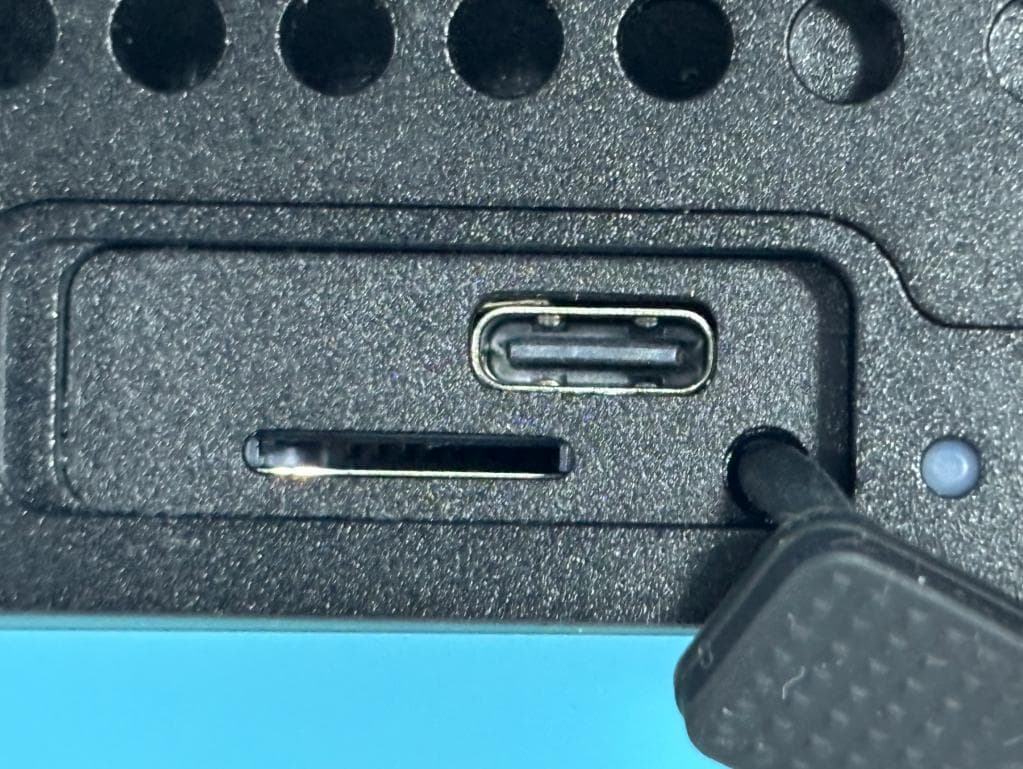
2A3OF-BS1
Dec 04, 2025Thermal Imaging Camera
Equipment Class
DTS - Digital Transmission System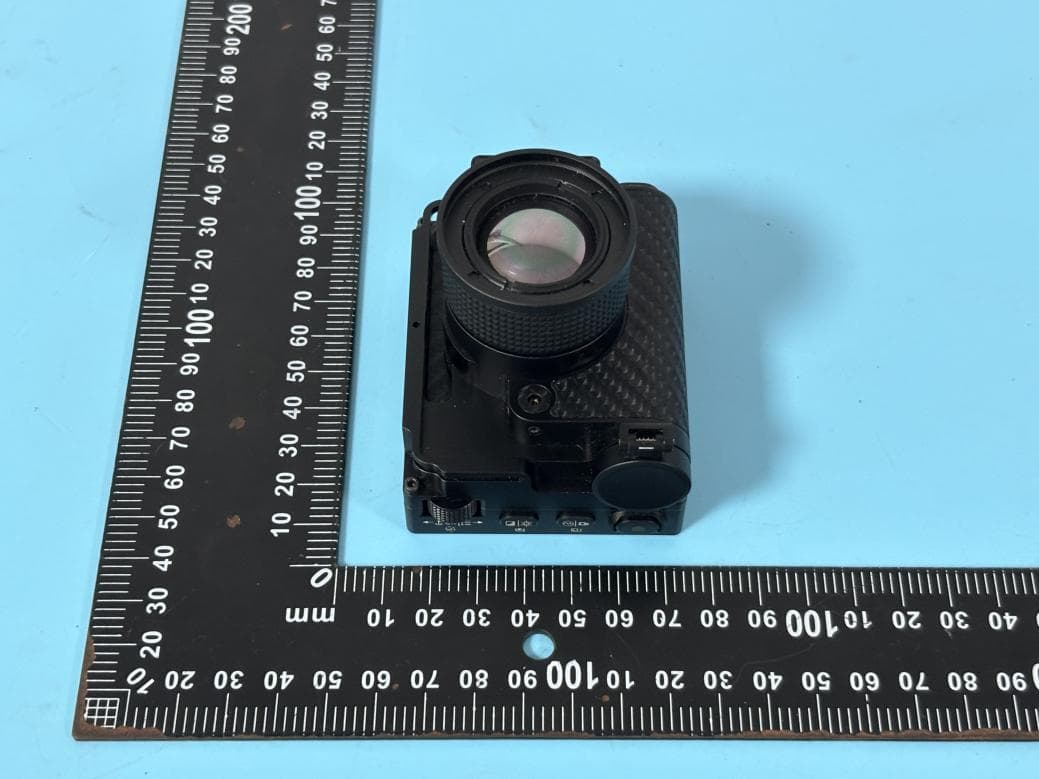
2A3OF-BT56
Dec 04, 2025Thermal Imaging Camera
Equipment Class
DTS - Digital Transmission System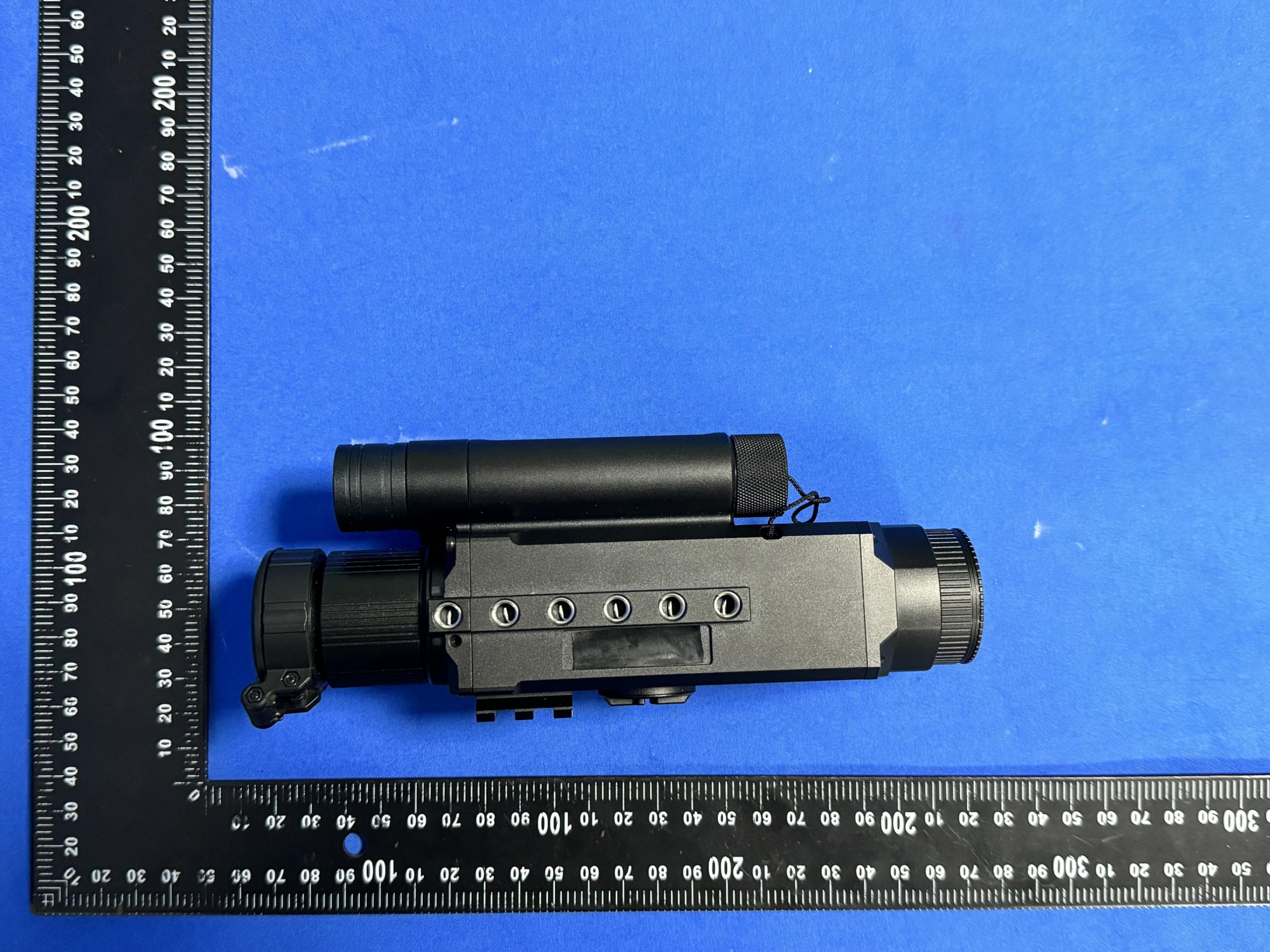
2A3OFNIGHTWARRIOR4K
Jun 03, 2024Digital Night Vision Camera
Equipment Class
DTS - Digital Transmission System