2A7A8-XCS7-2001-BLKSmart camera
Dongguan Yuaochen Technology Co., Ltd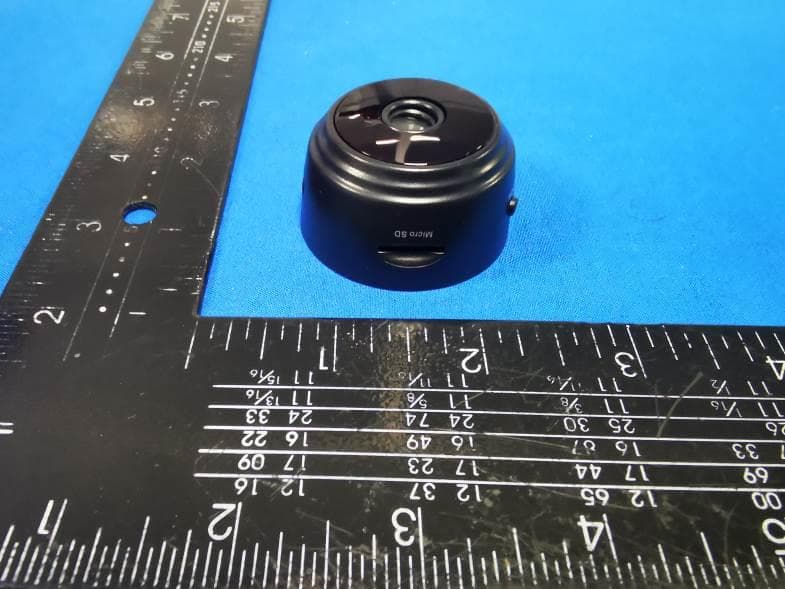
Click to zoom
Application Details
- Equipment Class
- DTS - Digital Transmission System
- Date of Grant
- Jun 11, 2022
- Application Purpose
- Original Equipment
- Date of Application
- Jun 11, 2022
- Equipment Note
- Smart camera
- Frequency Range
- 2412.00000000 - 2462.00000000
- Country
- China
Documents & Files
Document Text
Text extracted from the exhibit documents filed with the FCC. Open a document above to read the original.
Users Manual
In struc�on Manual Table of Content Product and accessories...........1 Start to use. ..1 Hardware installa�on ......2 Mobile phone App installa�on and use ... ..... ... ..3 Camera installa�on.... ...6 Wi-Fi network se�ngs ... ...11 P2P mode ....... 13 FAQ ..... ...14 Product and accessories 1. Camera 2. Power adapter 3. Moun�ng bracket 4. Qui ck start guide 5. Disc Start to use Hardware in stalla�on Connect to camera AP Add camera Get real-�me video, point-to-point usa ge.Configure camera WIFI Connect to router Configure camera WIFI Turn off camera AP, WIFI viewing Mobile phone App installa�on 1. Download and install HDWifiCamPro from Apple Store for IOS, and se arch on GooglePlay for Android. For easy installa�on, please sc an the below QR code to download and install HDWifiCamPro. If your device fails to connect to GooglePlay, please scan the below APK QR code for download and installa�on. Note: It is recommended to use the QR code scanni ng so�ware that comes with your browser or a thir d party to scan and download App. Direct downl oad and installa�on of App files is not supported by WeChat scan. 2. Clic k "+" to add a new camera. Clic k and add the connected camera, enter the page for adding the camera, fill in the UID or password to add the camera. Note: when using the camera for the first �me, please refer to "s et up the camera to connect to the WIFI network" sec�on on the instruc�on to set up the camera to connect to your router before adding the camera. 3. There are two ways to quickly enter the camera UID: A. Scan the QR code on the camera; B. Search the camera through the local network. 4. Fill in the camera name and the P2P password. The default P2P password is 6666. Confirm and click Ok. Camera is added successfully . It is recommended to modify the P2P access password a�er se�ng up the camera. 5. A�er the camera is showed online, then clic k the camera you just added to watch the real-�me video. You can control the device in the video interface. 6. Icons and bu�ons for video pages Camera pla�orm control By PAN/TILT with your fingers on the video page, you can control the rota�on of the camera pla�orm, which depends on the sliding distance of your finger (need to purchase camera for support). Users can hear the camera sound and have two-way voice intercom (need to purchase camera for support). Take snapshots and record video files Flip images ver�cally and horizontally Adjust brightness and contrast, tune intercom sound Watch videos in the SD card 1. Other features of the page Watch the current real-�me video View screenshots taken by the camera View video files for your mobile device View camera alarm event record Camera se�ng 1. Clic k the gear bu�on at the back to open the advanced configura�on page of the camera. 2. Modi fy the WIFI connec�on. Select WIFI Se�ngs and the camera will show the available Wi-Fi hotspots. Select your Wi-Fi network name (SSID), enter the Wi-Fi password and pre ss the finish key to connect. Note: A�er saving, if the camera is connected to WIFI, the camera will disconnect the cur rent connec�on to tr y a new WIFI network, which will cause the camer a in the App to be temporarily offline for about 1 minute. 4. SD card video recording se�ng: Set the mode and the screen size of SD card video recording. Connect the camera to the Wi-Fi wireless network For a new camera or the camera you install to a new loca�on, please reset the camera to defaul t se�ngs (press and hold the camera reset bu�on for more than 5 seconds a�er the camera starts), and turn on AP mode a�er the camera restarts. The WIF I indi cator light flashes slowly (once every 3 seconds). Then turn on the phone se�ngs, connect the phone to the camera's AP hotspot (the WIFI network is named a�er the camera UID ), and wait for the phone to switch to the camera's WIFI network before star�ng App. 1. Connect the phone to the camera's AP hotspot (the WIFI network is named a�er the camera UID), and wait for the phone to switch to the camera's WIFI network before star�ng App. 2. Select to add camera "+" in App 3. Select to connect the camera to the WIFI network 4. Clic k the WIFI configura�on, and then verify that the displayed WIFI network name is the same as the UID number of the device. Then return to APP, the device will be added automa�cally . 5. Then clic k the camera configura�on page and click Wi-Fi Se�ngs, select the router hotspot to be configured and enter the correct WIFI password, wai�ng for the camera to get online. Note: if the App always fails , try to check the following: A. Camera indicator light does not flash slowly and AP is not turned on before you start configuring Wifi B. If the phone fails to connect to camera AP, you need to configure the phone to connect to the AP hotspot of the camera. C. Support ordinary routers.But public rout ers requiring logi n page authen�ca�on are not supported. D. Make sure there are no errors in network name, net work password and UID when configuring. E. Wifi names and passwords in Chines e are not supported at this moment. F. 5G Wifi signal is not supported. G. Check whether the Wifi indicator light is always on, if yes, it means that the camera networking is successful, please add an online camera directly, App may not detect a successful camera configur a�on due to network shi el di ng. H. If WiFi is WEP encryp�on mode, change to WPA mode. P2P mode viewing You can view videos directly and operate on the camera without a Wifi router. St eps: 1. Reset the camera and wait for the camera to restart and turn on AP mode. 2. A�er the camera is started, you can find the same Wifi network as the camera UID on the Wifi se�ng page of the phone, without encryp�on. 3. Connect your phone to the Wifi network and wait for the icon of successful Wifi signal connec�on. 4. Same as router mode, add an online camera directly and you can turn it on for normal use. If you have already added a camera, then you can connect directly. 5.A�er the connec�on is succes…
Text truncated - open the document above for the full version.
External Photos
FCC ID: 2A7A8-XCS7-2001-BLK XCS7-2001-BLK External Photos of the EUT Photo 1 Photo 2 Photo 3 FCC ID: 2A7A8-XCS7-2001-BLK Photo 4 Photo 5 Photo 6 FCC ID: 2A7A8-XCS7-2001-BLK Photo 7
Internal Photos
FCC ID: 2A7A8-XCS7-2001-BLK XCS7-2001-BLK Internal Photos of the EUT Photo 1 Photo 2 Photo 3 FCC ID: 2A7A8-XCS7-2001-BLK Photo 4 Photo 5 Photo 6 FCC ID: 2A7A8-XCS7-2001-BLK Photo 7 Photo 8 Photo 9 BT Antenna FCC ID: 2A7A8-XCS7-2001-BLK Photo 10
RF Exposure Info
RF Exposure evaluation FCC ID: 2A7A8-XCS7-2001-BLK Exposure category: General population/uncontrolled environment EUT Type: Production Unit Device Type: Mobile Device 1. Reference According to §1.1307(b)(1), systems operating under the provisions of this section shall be operated in a manner that ensures that the public is not exposed to radio frequency energy level in excess of the Commission’s guidelines. According to §1.1310 and §2.1091 RF exposure is calculated. KDB447498 D01: Mobile and Portable Devices RF Exposure Procedures and Equipment Authorization Policies 2. Limit Limits for Maximum Permissible Exposure (MPE)/Controlled Exposure Frequency Range(MHz) Electric Field Strength(V/m) Magnetic Field Strength(A/m) Power Density (mW/cm²) Averaging Time (minute) Limits for Occupational/Controlled Exposure 0.3 – 3.0 3.0 – 30 30 – 300 300 – 1500 1500 – 100,000 614 1842/f 61.4 / / 1.63 4.89/f 0.163 / / (100) * (900/f 2 )* 1.0 f/300 5 6 6 6 6 6 Limits for Maximum Permissible Exposure (MPE)/Uncontrolled Exposure Frequency Range(MHz) Electric Field Strength(V/m) Magnetic Field Strength(A/m) Power Density (mW/cm²) Averaging Time (minute) Limits for Occupational/Controlled Exposure 0.3 – 3.0 3.0 – 30 30 – 300 300 – 1500 1500 – 100,000 614 824/f 27.5 / / 1.63 2.19/f 0.073 / / (100) * (180/f 2 )* 0.2 f/1500 1.0 30 30 30 30 30 F=frequency in MHz *=Plane-wave equivalent power density 3. MPE Calculation Method Predication of MPE limit at a given distance Equation from page 18 of OET Bulletin 65, Edition 97-01 S=PG/4πR² Where: S=power density P=power input to antenna G=power gain of the antenna in the direction of interest relative to an isotropic radiator R=distance to the center of radiation of the antenna 4. Antenna Information XCS7-2001-BLK can only use antennas certificated as follows provided by manufacturer; Antenna No. Model No. of antenna: Type of antenna: Gain of the antenna (Max.) Frequency range: 2.4GWIFI / PCB antenna 0.00dBi for 2400-2500MHz 5. Manufacturing Tolerance WIFI(Peak) Frequency (MHz) 11b 2412 2437 2462 Target (dBm) 11.0 10.0 10.0 Tolerance ± (dB) 1.0 1.0 1.0 Frequency (MHz) 11g 2412 2437 2462 Target (dBm) 13.0 12.0 11.0 Tolerance ± (dB) 1.0 1.0 1.0 Frequency (MHz) 11n(HT20) 2412 2437 2462 Target (dBm) 13.0 12.0 11.0 Tolerance ± (dB) 1.0 1.0 1.0 6. Standalone MPE Result As declared by the Applicant, the EUT is a wireless device used in a fix application, at least 20 cm from any body part of the user or nearby persons; from the maximum EUT RF output power, the minimum separation distance, r =20cm, as well as the gain of the used antenna is 0.0dBi, the RF power density can be obtained. Modulation Type Output power Antenna Gain (dBi) Antenna Gain (linear) MPE (mW/cm 2 ) MPE Limits (mW/cm 2 ) dBm mW 2.4GWIFI 14.0 25.1189 0.0 1.000 0.0050 1.0000 Remark: 1. Output power (Peak) including turn-up tolerance; 2. MPE evaluate distance is 20cm from user manual provide by manufacturer. 7. Conclusion The measurement results comply with the FCC Limit per 47 CFR 2.1091 for the uncontrolled RF Exposure of mobile device. ----------------THE END OF REPORT---------------
Test Report
Shenzhen CTA Testing Technology Co., Ltd. Room 106, Building 1, Yibaolai Industrial Park, Qiaotou Community, Fuhai Street, Bao‘an District, Shenzhen, China Shenzhen CTA Testing Technology Co., Ltd. Room 106, Building 1, Yibaolai Industrial Park, Qiaotou Community, Fuhai Street, Bao’an District, Shenzhen, China Tel:+86-755 2322 5875 E-mail:[email protected] Web:http://www.cta-test.cn FCC PART 15 SUBPART C TEST REPORT FCC PART 15.247 Report Reference No. ..................... : FCC ID............................................. : CTA22052701301 2A7A8-XCS7-2001-BLK Compiled by ( position+printed name+signature) . : File administrators Kevin Liu Supervised by ( position+printed name+signature) . : Project Engineer Kevin Liu Approved by ( position+printed name+signature) . : RF Manager Eric Wang Date of issue .................................... : May 31, 2022 Testing Laboratory Name .............. : Shenzhen CTA Testing Technology Co., Ltd. Address ............................................ : Room 106, Building 1, Yibaolai Industrial Park, Qiaotou Community, Fuhai Street, Bao’an District, Shenzhen, China Applicant’s name ............................ : Dongguan Yuaochen Technology Co., Ltd Address ............................................ : Rm201., 1st Bldg., Dongpuxincun Rd., 55, Dalingshan Town, Dongguan China Test specification ........................... : Standard ........................................... : FCC Part 15.247 TRF Originator .................................. : Shenzhen CTA Testing Technology Co., Ltd. Shenzhen CTA Testing Technology Co., Ltd. All rights reserved. This publication may be reproduced in whole or in part for non-commercial purposes as long as the Shenzhen CTA Testing Technology Co., Ltd. is acknowledged as copyright owner and source of the material. Shenzhen CTA Testing Technology Co., Ltd. takes no responsibility for and will not assume liability for damages resulting from the reader's interpretation of the reproduced material due to its placement and context. Test item description ..................... : Smart camera Trade Mark ....................................... : N/A Manufacturer .................................... : Dongguan Yuaochen Technology Co., Ltd Model/Type reference ...................... : XCS7-2001-BLK Listed Models .................................. : EIX1-1000-ME1, A9, A10, M3, YT03, YT05, YT06, S1, S2, S4, S8, S9, V9S, V10, V10B, G30, K6000, A35, A22, A25, A33, A15, A32, A27, A28, D10 Modulation Type ............................... : CCK/DSSS/ OFDM Operation Frequency ........................ : From 2412 - 2462MHz Rating ............................................... : DC 3.7V From Battery and DC 5.0V From external circuit Result ............................................... : PASS Report No.: CTA22052701301 Page 2 of 41 Shenzhen CTA Testing Technology Co., Ltd. Room 106, Building 1, Yibaolai Industrial Park, Qiaotou Community, Fuhai Street, Bao’an District, Shenzhen, China Tel:+86-755 2322 5875 E-mail:[email protected] Web:http://www.cta-test.cn T E S T R E P O R T Equipment under Test : Smart camera Model /Type : XCS7-2001-BLK Series Model No. EIX1-1000-ME1, A9, A10, M3, YT03, YT05, YT06, S1, S2, S4, S8, S9, V9S, V10, V10B, G30, K6000, A35, A22, A25, A33, A15, A32, A27, A28, D10 Applicant : Dongguan Yuaochen Technology Co., Ltd Address : Rm201., 1st Bldg., Dongpuxincun Rd., 55, Dalingshan Town, Dongguan China Manufacturer : Dongguan Yuaochen Technology Co., Ltd Address : Rm201., 1st Bldg., Dongpuxincun Rd., 55, Dalingshan Town, Dongguan China Test Result: PASS The test report merely corresponds to the test sample. It is not permitted to copy extracts of these test result without the written permission of the test laboratory. Report No.: CTA22052701301 Page 3 of 41 Shenzhen CTA Testing Technology Co., Ltd. Room 106, Building 1, Yibaolai Industrial Park, Qiaotou Community, Fuhai Street, Bao’an District, Shenzhen, China Tel:+86-755 2322 5875 E-mail:[email protected] Web:http://www.cta-test.cn Contents 1 T E S T S T A N D A R D S ................................................................. 4 2 S U M M A R Y ............................................................................ 5 2.1 General Remarks 5 2.2 Product Description 5 2.3 Equipment Under Test 5 2.4 Short description of the Equipment under Test (EUT) 5 2.5 EUT operation mode 6 2.6 Block Diagram of Test Setup 6 2.7 Related Submittal(s) / Grant (s) 6 2.8 Modifications 6 3 T E S T E N V I R O N M E N T .............................................................. 7 3.1 Address of the test laboratory 7 3.2 Test Facility 7 3.3 Environmental conditions 7 3.4 Test Description 8 3.5 Statement of the measurement uncertainty 8 3.6 Equipments Used during the Test 9 4 T E S T C O N D I T I O N S A N D R E S U L T S ........................................... 10 4.1 AC Power Conducted Emission 10 4.2 Radiated Emission 13 4.3 Maximum Peak Conducted Output Power 20 4.4 Power Spectral Density 21 4.5 6dB Bandwidth 24 4.6 Out-of-band Emissions 27 4.7 Antenna Requirement 34 5 T E S T S E T U P P H O T O S O F T H E E U T ......................................... 35 6 P H O T O S O F T H E E U T ........................................................... 36 Report No.: CTA22052701301 Page 4 of 41 Shenzhen CTA Testing Technology Co., Ltd. Room 106, Building 1, Yibaolai Industrial Park, Qiaotou Community, Fuhai Street, Bao’an District, Shenzhen, China Tel:+86-755 2322 5875 E-mail:[email protected] Web:http://www.cta-test.cn 1 T E S T S T A N D A R D S The tests were performed according to following standards: FCC Rules Part 15.247: Frequency Hopping, Direct Spread Spectrum and Hybrid Systems that are in operation within the bands of 902-928 MHz, 2400-2483.5 MHz, and 5725-5850 MHz. ANSI C63.10-2013: American National Standard for Testing Unlicensed Wireless Devices KDB558074 D01 v05r02: Guidance for Compliance Measurements on Digital Transmission Systems (DTS) ,Frequency Hopping Spread Spect…
Text truncated - open the document above for the full version.
Test Report
Report No.: CTA22052701301 Page 30 of 41 Shenzhen CTA Testing Technology Co., Ltd. Room 106, Building 1, Yibaolai Industrial Park, Qiaotou Community, Fuhai Street, Bao’an District, Shenzhen, China Tel:+86-755 2322 5875 E-mail:[email protected] Web:http://www.cta-test.cn 802.11g Reference Reference CH06 CH11 30MHz-3GHz 30MHz-3GHz 3GHz -25GHz 3GHz -25GHz Report No.: CTA22052701301 Page 31 of 41 Shenzhen CTA Testing Technology Co., Ltd. Room 106, Building 1, Yibaolai Industrial Park, Qiaotou Community, Fuhai Street, Bao’an District, Shenzhen, China Tel:+86-755 2322 5875 E-mail:[email protected] Web:http://www.cta-test.cn 802.11n20 Reference Reference CH01 CH06 30MHz-3GHz 30MHz-3GHz 3GHz -25GHz 3GHz -25GHz Report No.: CTA22052701301 Page 32 of 41 Shenzhen CTA Testing Technology Co., Ltd. Room 106, Building 1, Yibaolai Industrial Park, Qiaotou Community, Fuhai Street, Bao’an District, Shenzhen, China Tel:+86-755 2322 5875 E-mail:[email protected] Web:http://www.cta-test.cn 802.11n20 Reference CH11 30MHz-3GHz 3GHz -25GHz Report No.: CTA22052701301 Page 33 of 41 Shenzhen CTA Testing Technology Co., Ltd. Room 106, Building 1, Yibaolai Industrial Park, Qiaotou Community, Fuhai Street, Bao’an District, Shenzhen, China Tel:+86-755 2322 5875 E-mail:[email protected] Web:http://www.cta-test.cn Band-edge Measurements for RF Conducted Emissions: 802.11b Left bandedge Right bandedge 802.11g Left bandedge Right bandedge 802.11n(HT20) Left bandedge Right bandedge Report No.: CTA22052701301 Page 34 of 41 Shenzhen CTA Testing Technology Co., Ltd. Room 106, Building 1, Yibaolai Industrial Park, Qiaotou Community, Fuhai Street, Bao’an District, Shenzhen, China Tel:+86-755 2322 5875 E-mail:[email protected] Web:http://www.cta-test.cn 4.7 Antenna Requirement Standard Applicable For intentional device, according to FCC 47 CFR Section 15.203: An intentional radiator shall be designed to ensure that no antenna other than that furnished by the responsible party shall be used with the device. The use of a permanently attached antenna or of an antenna that uses a unique coupling to the intentional radiator, the manufacturer may design the unit so that a broken antenna can be replaced by the user, but the use of a standard antenna jack or electrical connector is prohibited FCC CFR Title 47 Part 15 Subpart C Section 15.247(c) (1) (I): (i) Systems operating in the 2400-2483.5 MHz band that is used exclusively for fixed. Point-to-point operations may employ transmitting antennas with directional gain greater than 6dBi provided the maximum conducted output power of the intentional radiator is reduced by 1 dB for every 3 dB that the directional gain of the antenna exceeds 6dBi. Test Result: The maximum gain of antenna was 0.00 dBi. Remark:The antenna gain is provided by the customer , if the data provided by the customer is not accurate, Shenzhen CTA Testing Technology Co., Ltd. does not assume any responsibility. Report No.: CTA22052701301 Page 35 of 41 Shenzhen CTA Testing Technology Co., Ltd. Room 106, Building 1, Yibaolai Industrial Park, Qiaotou Community, Fuhai Street, Bao’an District, Shenzhen, China Tel:+86-755 2322 5875 E-mail:[email protected] Web:http://www.cta-test.cn 5 T e s t S e t u p P h o t o s o f t h e E U T Report No.: CTA22052701301 Page 36 of 41 Shenzhen CTA Testing Technology Co., Ltd. Room 106, Building 1, Yibaolai Industrial Park, Qiaotou Community, Fuhai Street, Bao’an District, Shenzhen, China Tel:+86-755 2322 5875 E-mail:[email protected] Web:http://www.cta-test.cn 6 P h o t o s o f t h e E U T Report No.: CTA22052701301 Page 37 of 41 Shenzhen CTA Testing Technology Co., Ltd. Room 106, Building 1, Yibaolai Industrial Park, Qiaotou Community, Fuhai Street, Bao’an District, Shenzhen, China Tel:+86-755 2322 5875 E-mail:[email protected] Web:http://www.cta-test.cn Report No.: CTA22052701301 Page 38 of 41 Shenzhen CTA Testing Technology Co., Ltd. Room 106, Building 1, Yibaolai Industrial Park, Qiaotou Community, Fuhai Street, Bao’an District, Shenzhen, China Tel:+86-755 2322 5875 E-mail:[email protected] Web:http://www.cta-test.cn Report No.: CTA22052701301 Page 39 of 41 Shenzhen CTA Testing Technology Co., Ltd. Room 106, Building 1, Yibaolai Industrial Park, Qiaotou Community, Fuhai Street, Bao’an District, Shenzhen, China Tel:+86-755 2322 5875 E-mail:[email protected] Web:http://www.cta-test.cn Report No.: CTA22052701301 Page 40 of 41 Shenzhen CTA Testing Technology Co., Ltd. Room 106, Building 1, Yibaolai Industrial Park, Qiaotou Community, Fuhai Street, Bao’an District, Shenzhen, China Tel:+86-755 2322 5875 E-mail:[email protected] Web:http://www.cta-test.cn Report No.: CTA22052701301 Page 41 of 41 Shenzhen CTA Testing Technology Co., Ltd. Room 106, Building 1, Yibaolai Industrial Park, Qiaotou Community, Fuhai Street, Bao’an District, Shenzhen, China Tel:+86-755 2322 5875 E-mail:[email protected] Web:http://www.cta-test.cn ********************** End of Report ********************** Antenna
Test Setup Photos
FCC ID: 2A7A8-XCS7-2001-BLK XCS7-2001-BLKTest Setup Photos of the EUT conduction radiation L radiation H
Contact Information
Applicant
Cris Cao
Test Firm
SHENZHEN CTA TESTING TECHNOLOGY CO., LTD.Eric Wang
[email protected]+86 755 2322 5875
Technical Specifications
| # | Rule Parts | Frequency Range | Power Output |
|---|---|---|---|
| 1 | 15C | 2.41 GHz - 2.46 GHz | 20.50 mW |
Other Applications from Dongguan Yuaochen Technology Co., Ltd
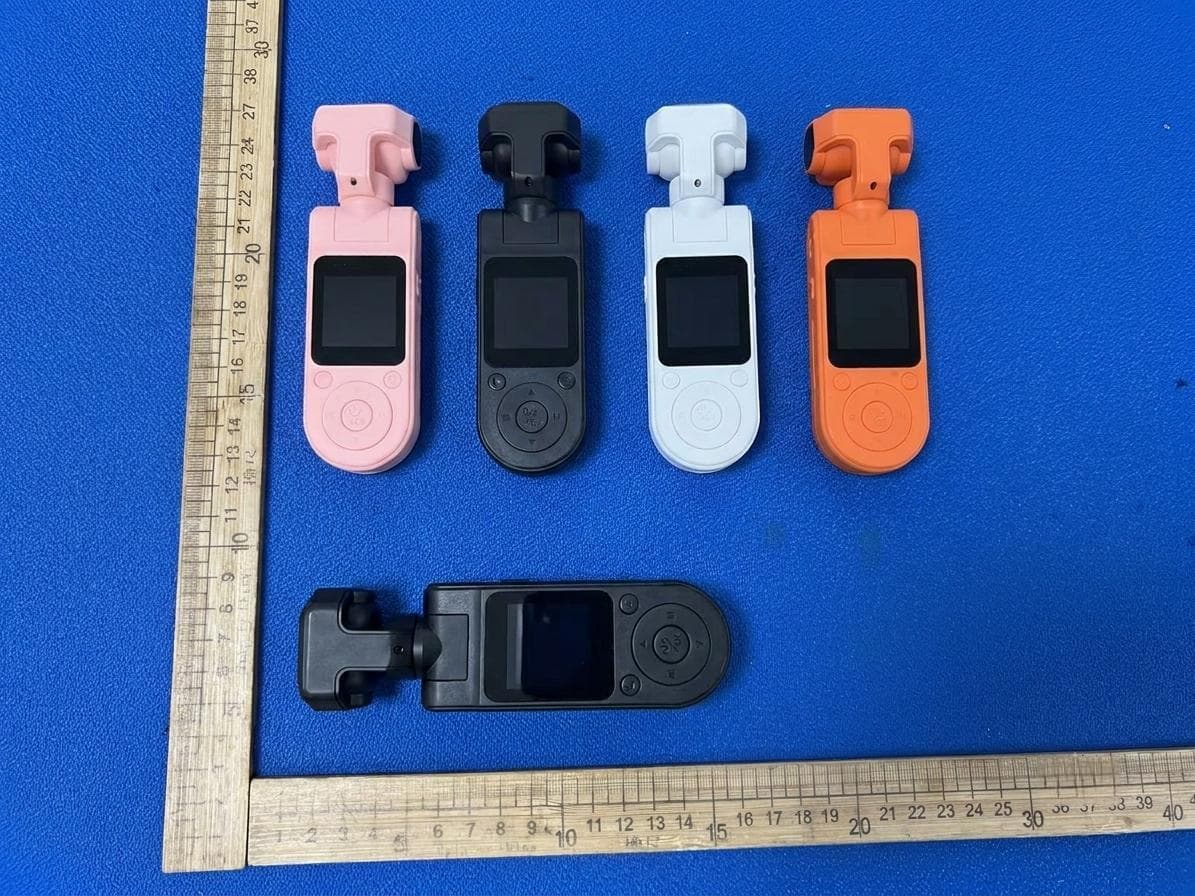
2A7A8-X20
Jul 23, 2026Action camera
Equipment Class
DTS - Digital Transmission System2A7A8-M3
Jan 20, 2024Smart Visual Doorbell
Equipment Class
DTS - Digital Transmission System